What Is a Tn Panel
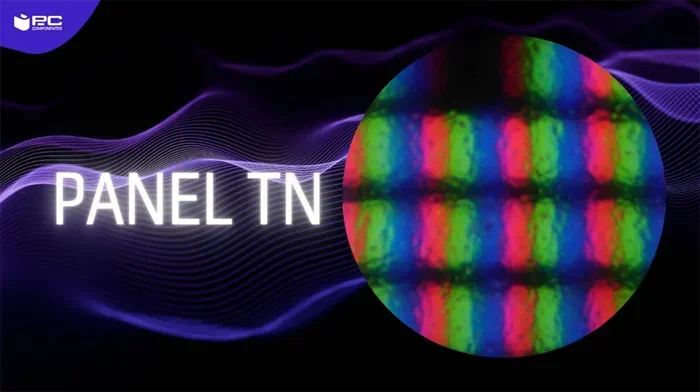
A TN panel, short for Twisted Nematic, is one of the most common LCD display technologies used in laptops and monitors. It is known for its fast response times and affordable price, making it a popular choice for budget-conscious buyers. However, TN panels often struggle with color accuracy and narrow viewing angles compared to other panel types like IPS and VA.
Have you ever looked at a laptop screen from the side and noticed the colors shift or fade? That is a classic sign of a TN panel. TN stands for Twisted Nematic, and it is one of the oldest and most widely used display technologies in the laptop world. If you have ever bought a budget laptop and wondered why the screen looks a certain way, the answer probably lies in the panel type.
In this guide, we will break down everything you need to know about TN panels. We will cover how they work, what makes them different from other screen types, and whether a TN laptop display is the right choice for you. Whether you are a student, a gamer, or someone who just needs a reliable screen, this article has you covered.
Key Takeaways
- TN stands for Twisted Nematic: It is an older but widely used LCD display technology found in many laptops.
- Fast response times: TN panels offer quick pixel transitions, making them suitable for gaming and fast-moving content.
- Limited color accuracy: Colors can look washed out or shift when viewed from the side.
- Narrow viewing angles: The screen appearance changes significantly when you move away from center.
- Affordable and energy efficient: TN panels are cheaper to produce and use less power than many alternatives.
- Good for budget laptops: Many entry-level and mid-range laptops use TN panels to keep costs down.
- Know your needs: Choose a TN panel if speed and budget matter more than color vibrancy and viewing comfort.
📑 Table of Contents
What Exactly Is a TN Panel?
A TN panel is a type of liquid crystal display, or LCD. The name “Twisted Nematic” comes from how the liquid crystals are arranged inside the panel. These crystals twist and untwist when electricity passes through them. This twisting controls how much light passes through each pixel, which is how images form on your screen.
The technology has been around since the 1980s. Over the decades, manufacturers have improved it, but the basic principle stays the same. TN panels are valued for their speed. They can switch pixels on and off very quickly, which translates to fast response times. This is why you often see TN panels in gaming laptops and budget monitors.
Here are some key characteristics of a TN panel:
- Fast pixel response time: Usually between 1ms and 5ms. This is very quick compared to many other panel types.
- High refresh rates: Many TN panels support 144Hz or even 240Hz, which makes motion look smooth.
- Lower production cost: They are cheaper to manufacture, which keeps laptop prices down.
- Lower power consumption: TN panels use less energy, which can help extend battery life.
- Limited color range: They typically cover less of the color spectrum than other panels.
How Does a TN Panel Work?
To understand a TN panel, it helps to know a little bit about how LCD screens work in general. A laptop screen has several layers. At the back is a backlight that shines forward. In front of the backlight are polarizing filters, the liquid crystal layer, and color filters. When voltage is applied, the liquid crystals twist. This changes the direction of light passing through, which creates the image you see.
In a TN panel, the crystals twist at a 90-degree angle. This twisting happens very fast, which is the main reason TN panels have such quick pixel response times. When you move your mouse or play a fast game, the screen updates almost instantly. There is very little blur or ghosting behind moving objects.
The process works like this:
- The backlight produces white light.
- The light passes through the first polarizing filter.
- The liquid crystals twist or untwist based on the electrical signal.
- The light then passes through color filters (red, green, blue).
- The final image appears on your screen.
Because this process is so fast, TN panels excel at displaying quick motion. However, the way the crystals are arranged also limits how light passes through from different angles. This leads to the narrow viewing angles that TN panels are known for.
Pros and Cons of TN Panels
Every display panel type has strengths and weaknesses. TN panels are no different. Let us look at what they do well and where they fall short.
The Advantages of TN Panels
Speed is the biggest selling point. TN panels offer some of the fastest response times available. If you are a gamer, you know how important it is to see every frame clearly. A TN laptop screen can keep up with fast-paced action without smearing or blurring.
Affordability is another major plus. Because TN panels are cheaper to produce, laptops that use them tend to cost less. If you are on a tight budget, a TN panel laptop can give you a decent screen without breaking the bank.
Energy efficiency is also worth mentioning. TN panels draw less power than many alternatives. This means your laptop battery may last a bit longer when you are working or watching videos.
Here are the main advantages:
- Very fast response times (1ms to 5ms)
- High refresh rates up to 240Hz
- Lower cost compared to IPS and VA panels
- Lower power consumption
- Widely available in budget and mid-range laptops
The Disadvantages of TN Panels
Now let us talk about the downsides. The biggest issue with TN panels is color accuracy. Colors on a TN screen often look flat or washed out. If you do any photo editing or video work, a TN panel may not give you the true-to-life colors you need.
Viewing angles are the second major problem. When you tilt the screen even slightly, colors and brightness can change dramatically. If you like to share your screen with someone sitting next to you, this can be frustrating. The person next to you might see a completely different image than you do.
Contrast ratios on TN panels are also typically lower. This means blacks may look more like dark grays, especially in dark rooms. This can affect your viewing experience when watching movies or working in dim environments.
Here are the main disadvantages:
- Poor color accuracy and limited color gamut
- Narrow viewing angles cause color shift
- Lower contrast ratio compared to VA panels
- Not ideal for creative work like photo or video editing
- Screen appearance changes when viewed from the side
TN Panel vs. IPS Panel vs. VA Panel
To really understand what a TN panel is, it helps to compare it with the other two main LCD panel types: IPS and VA. Each has its own strengths, and the right choice depends on what you need.
TN vs. IPS Panels
An IPS panel, or In-Plane Switching panel, is known for its excellent color accuracy and wide viewing angles. IPS panels are the go-to choice for creative professionals and anyone who cares about vibrant, true-to-life colors.
A TN panel beats IPS in speed. The response time on a TN screen is faster, which matters for competitive gaming. However, IPS panels have come a long way, and many modern IPS screens now offer response times that are close to TN speeds.
In terms of price, TN panels are still cheaper. If you want a fast screen on a budget, TN wins. If you want beautiful colors and wide viewing angles, IPS is the better choice.
TN vs. VA Panels
A VA panel, or Vertical Alignment panel, sits between TN and IPS in many ways. VA panels offer better contrast ratios than both TN and IPS. This means deeper blacks and more detail in dark scenes.
However, VA panels usually have slower response times than TN panels. If you are a fast-paced gamer, a TN screen will feel snappier. VA panels also suffer from some color shifting at off-angles, though not as severely as TN panels.
Comparison Table
| Feature | TN Panel | IPS Panel | VA Panel |
|---|---|---|---|
| Response Time | Fastest (1ms-5ms) | Moderate (4ms-8ms) | Slower (5ms-10ms) |
| Color Accuracy | Poor | Excellent | Good |
| Viewing Angles | Narrow | Wide | Moderate |
| Contrast Ratio | Low | Moderate | High |
| Price | Lowest | Higher | Moderate |
| Best For | Budget gaming | Creative work | Media consumption |
If you are trying to decide which panel type fits your needs, consider what you do most with your laptop. For casual use and fast-paced gaming on a budget, a TN panel works well. For creative work or everyday comfort, IPS or VA might be better.
Common Uses for TN Panels
Despite their limitations, TN panels are still very popular. Here are some of the most common use cases where they shine.
Budget Laptops
Many affordable laptops use TN panels to keep costs low. If you are shopping for a budget laptop, there is a good chance the screen is a TN panel. These laptops are great for web browsing, document editing, and general use. The screen may not be stunning, but it gets the job done.
Gaming Laptops
Some gaming laptops still use TN panels because of the fast response times and high refresh rates. Competitive gamers who prioritize speed over color quality often prefer TN screens. The quick pixel transitions help reduce motion blur during fast gameplay.
However, many modern gaming laptops now use IPS or OLED panels instead. The market is shifting toward better color and wider viewing angles, even in gaming devices.
Industrial and Commercial Displays
TN panels are also used in many industrial displays and commercial equipment. Their fast response time and low cost make them suitable for dashboards, control panels, and point-of-sale systems where speed matters more than color accuracy.
How to Know if Your Laptop Has a TN Panel
If you are not sure whether your laptop uses a TN panel, there are a few easy ways to check.
Check the Specifications
The easiest way is to look up your laptop model online. Check the manufacturer’s website or the product listing. The display type or panel type should be listed in the specifications. Look for terms like “TN,” “Twisted Nematic,” or “LCD panel.”
The Wink Test
There is a simple trick called the “wink test.” Look at your laptop screen from a sharp angle, like looking at it from the far side of the room. Then wink one eye while looking at a white or light-colored area on the screen. If the colors shift dramatically or the screen looks very different from an angle, you likely have a TN panel. IPS and VA panels hold up much better at off-angles.
Use a Display Testing Tool
You can also use online display testing tools to check your panel type. These tools measure color gamut, contrast ratio, and viewing angles. While they cannot always identify the exact panel type, they can give you a good idea of your screen’s quality.
If you are concerned about your laptop’s overall performance and how the display panel interacts with other hardware, you might also want to check your GPU temperature during heavy use. A good idle GPU temperature can help ensure your display is performing optimally without thermal throttling affecting your experience.
Are TN Panels Still Worth Buying?
The short answer is: it depends on your needs. TN panels have lost some popularity in recent years, but they still have a place in the market. If you need a fast, affordable screen for basic tasks and casual gaming, a TN panel can be a solid choice.
However, if you care about color accuracy, viewing angles, and overall image quality, you should look at IPS or VA panels instead. The price difference has narrowed over the years, and many affordable laptops now come with better panel options.
Here are a few tips to keep in mind when shopping for a laptop with a TN panel:
- Check the refresh rate: A higher refresh rate (120Hz or 144Hz) makes a big difference in smoothness.
- Look at the response time: Lower numbers (1ms to 5ms) mean less motion blur.
- Test the screen in person: If possible, view the laptop from different angles before buying.
- Consider your use case: Think about whether speed or color quality matters more for your daily tasks.
- Check the RAM and overall specs: A good amount of RAM in your laptop helps ensure smooth performance alongside your display. If you are wondering how much memory is enough, check out our guide on what is a good amount of RAM for a laptop to make the right choice.
Also, keep in mind that the RAM in your laptop plays a role in overall system performance. If you are upgrading or shopping for a new machine, understanding what RAM does in a laptop can help you pair the right display with the right hardware. Visit our article on what is RAM good for in a laptop to learn more about how memory affects your computing experience.
Frequently Asked Questions
What does TN stand for in a panel?
TN stands for Twisted Nematic. It refers to the way liquid crystals are arranged and twisted inside the panel to control light and create images on the screen.
Is a TN panel good for gaming?
Yes, TN panels are good for gaming because of their fast response times and high refresh rates. They are especially popular among competitive gamers who prioritize speed and smooth motion over color accuracy.
Can you use a TN panel for creative work?
TN panels are not ideal for creative work like photo editing or video production. They have poor color accuracy and narrow viewing angles, which can make it hard to judge colors accurately.
How long do TN panels last?
TN panels can last many years with normal use. Like all LCD panels, they degrade slowly over time, but a well-maintained TN screen can easily last 5 to 10 years or more.
Are TN panels being phased out?
TN panels are becoming less common in consumer laptops as IPS and OLED options become more affordable. However, they are still widely used in budget laptops and industrial displays.
What is the difference between a TN panel and an IPS panel?
The main differences are speed, color accuracy, and viewing angles. TN panels are faster and cheaper but have poorer colors and narrow viewing angles. IPS panels offer better colors and wider angles but are slower and more expensive.
Conclusion
A TN panel is a fast, affordable display technology that has been a staple in laptops for decades. It excels at quick motion and smooth gameplay, making it a solid choice for budget-conscious users and competitive gamers. However, its limitations in color accuracy and viewing angles mean it is not the best option for everyone.
If you are buying a laptop and the screen type is not specified, check the specifications carefully. Knowing whether you have a TN panel can help you set realistic expectations and make the most of your screen. Whether you choose a TN panel or upgrade to a better display type, understanding your options puts you in control of your laptop experience.
Remember, the best panel is the one that fits your needs. Consider what you do most with your laptop, test the screen whenever possible, and do not be afraid to invest a little more for a better display panel if it will improve your daily use. A great screen can make everything from work to entertainment more enjoyable.