What Is 16gb of Memory in Computers
16GB of memory in computers means your device has 16 gigabytes of RAM available for running apps and tasks smoothly. It is currently the sweet spot for most users, offering enough power for multitasking, light gaming, and everyday productivity. This guide breaks down what 16GB RAM really means, who benefits most, and how to get the best performance from it.
If you have ever wondered what 16gb of memory in computers actually means, you are in the right place. RAM, or Random Access Memory, is one of the most important parts of any computer. It acts as short-term memory, letting your device handle multiple tasks at once without slowing down. Right now, 16GB is widely considered the best amount of memory for most people. Whether you are a student, a working professional, or a casual gamer, understanding your memory options helps you make smarter decisions.
In this guide, we will walk through everything you need to know about 16GB RAM. We will cover what it does, who needs it, and how it compares to other memory sizes. By the end, you will feel confident choosing or upgrading your computer’s memory with clarity and confidence.
Key Takeaways
- 16GB RAM is the current sweet spot: It handles everyday tasks, multitasking, and light gaming with ease.
- It suits most users: Students, professionals, and casual gamers all benefit from 16GB of memory.
- DDR4 and DDR5 are common types: Understanding the difference helps you choose the right upgrade.
- Dual channel matters: Using two memory sticks can boost performance over a single stick.
- Not all 16GB is usable: Some memory is reserved by your system, so actual available RAM is slightly less.
- Upgrade wisely: Check compatibility before buying new memory for your laptop or desktop.
📑 Table of Contents
What Does 16GB of Memory Mean?
When we say a computer has 16GB of memory, we mean it has 16 gigabytes of RAM installed. Think of RAM like a workbench. The bigger the workbench, the more tools and projects you can lay out at the same time. A computer with 16GB of memory can hold a lot of open apps, browser tabs, and background processes without stuttering.
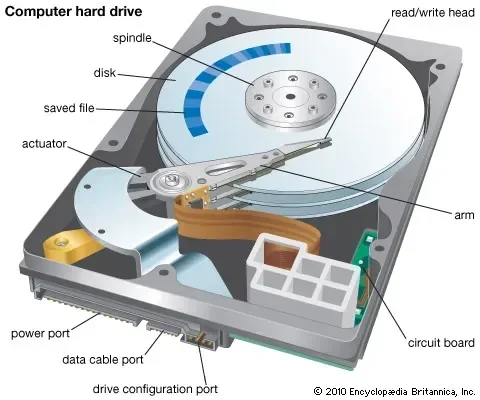
RAM is very different from storage. Your hard drive or SSD stores files long term. RAM only holds data while the computer is running. Once you turn off your machine, everything in RAM disappears. This is why having enough memory matters so much for day-to-day performance.
How RAM Works in Simple Terms
Every time you open an app, your computer loads data from your storage drive into RAM. The processor then reads and writes to RAM extremely fast. When you close the app, that data gets cleared out. With 16GB of memory, your computer can keep many apps loaded at the same time. This means less waiting and smoother switching between programs.
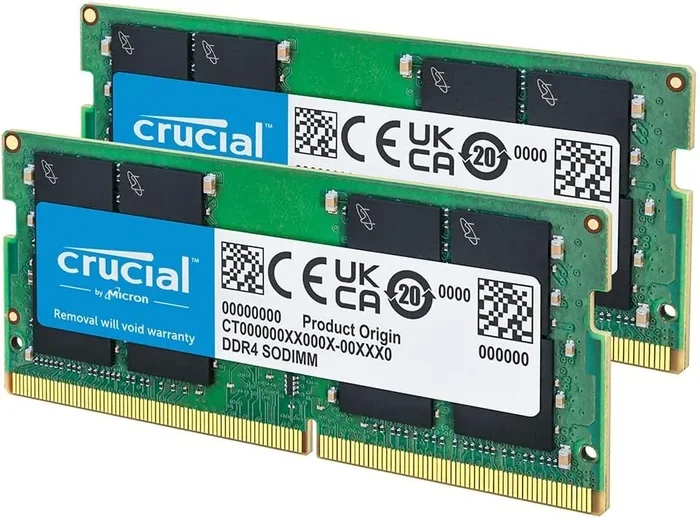
Most modern computers use DDR4 or DDR5 memory modules. DDR5 is newer and faster, but DDR4 is still very common and reliable. Both types come in 16GB sticks or can be configured as two 8GB sticks for better performance through dual channel memory.
Who Benefits Most from 16GB RAM?
Not everyone needs the same amount of memory. 16GB RAM hits a sweet spot that serves a wide range of users very well. Let us look at who gets the most benefit from this amount of memory.
Students and Remote Workers
If you are attending online classes, writing papers, and juggling multiple browser tabs, 16GB of memory in computers gives you a comfortable buffer. You can have your video conferencing app, a web browser with many tabs, a word processor, and background music all running without lag. For students using a 16GB RAM 2-in-1 laptop, this amount of memory makes multitasking effortless.
Creative Professionals
Video editors, graphic designers, and music producers often work with large files. These tasks eat up memory quickly. 16GB RAM handles most creative workloads well. You can edit 1080p video, run design software like Photoshop, and keep several reference tabs open at the same time. For heavier 4K video work, more memory may help, but 16GB is a strong starting point.
Casual and Mid-Range Gamers
Most modern games recommend 16GB of memory for smooth gameplay. While some games run fine on 8GB, having 16GB means your system can handle the game plus background apps like Discord, a browser for guides, and streaming software. If you are exploring options, check out laptops with 16GB of RAM that deliver solid gaming performance without breaking the bank.
Everyday Users
Even if you mostly browse the web, check email, and watch videos, 16GB RAM ensures your computer feels fast and responsive. It future-proofs your machine so it stays capable as software updates demand more resources over time.
16GB RAM vs Other Memory Sizes
Understanding how 16GB compares to other memory sizes helps you see why it is so popular. Let us break it down.
8GB vs 16GB
8GB RAM used to be standard, but modern apps and operating systems use more memory now. With 8GB, you may notice slowdowns when you have many tabs or apps open. 16GB gives you twice the capacity, which makes a real difference in multitasking. If you are deciding between the two, 16GB is the better long-term choice for most users.
32GB vs 16GB
32GB RAM is excellent for heavy workloads like 3D rendering, intensive video editing, and AAA gaming at high settings. But for most people, 16GB is more than enough. Paying extra for 32GB only makes sense if your daily tasks genuinely demand that much memory.
| Memory Size | Best For | Multitasking | Gaming | Price Range |
|---|---|---|---|---|
| 8GB | Basic tasks, browsing | Limited | Entry-level | Budget-friendly |
| 16GB | Most users, multitasking | Excellent | Smooth for most games | Mid-range |
| 32GB | Heavy workloads, pros | Outstanding | High-end gaming | Higher cost |
As you can see, 16GB of memory in computers offers the best balance of performance and value. It covers the needs of the majority of users without overspending.
How to Get the Most Out of Your 16GB RAM
Having 16GB of memory is great, but how you use it matters too. Here are practical tips to maximize your RAM performance.
Use Dual Channel Configuration
Most laptops and desktops benefit from using two memory sticks instead of one. For example, two 8GB sticks work better than a single 16GB stick. This is called dual channel memory, and it can improve memory bandwidth by up to 20%. When building or upgrading, always check your motherboard or laptop manual for the correct configuration.
Keep Your System Updated
Operating system updates often include memory management improvements. Keeping your system current ensures your 16GB RAM is used as efficiently as possible. Updates can fix memory leaks and optimize how your computer allocates resources.
Close Unnecessary Background Apps
Even with plenty of memory, running too many background apps can slow things down. Use your task manager to see which apps are using the most RAM. Closing apps you are not actively using frees up memory for the tasks that matter most.
Upgrade When Needed
If you find your computer struggling despite having 16GB of memory, consider whether your workload has changed. You might need more memory, or you might benefit from a faster SSD or a better GPU for smoother performance. Always diagnose the real bottleneck before upgrading.
Check Compatibility Before Buying
Not all RAM sticks work with every computer. Before purchasing new memory, verify the type (DDR4 or DDR5), speed, and maximum capacity your system supports. Use tools like compatibility checkers to find the right match for your machine.
Common Mistakes People Make with RAM
Avoiding common mistakes helps you get the full value from your 16GB of memory in computers. Here are a few pitfalls to watch out for.
- Mixing different RAM types: Putting DDR4 and DDR5 sticks in the same system will not work. Always match the memory type.
- Ignoring speed ratings: Faster RAM speed can improve performance in some tasks. Look at both capacity and speed when buying.
- Assuming more RAM always equals more speed: RAM helps with multitasking, but it does not make your processor faster. Balance your upgrades wisely.
- Overlooking single vs dual channel: A single 16GB stick works, but two 8GB sticks in dual channel mode will deliver better real-world performance.
These small details can make a big difference in how your computer feels day to day.
Is 16GB RAM Enough for the Future?
Software keeps evolving, and operating systems demand more memory with each update. Windows 11, for example, uses more RAM than Windows 10. Browsers like Chrome are known for consuming significant memory with multiple tabs open. Given these trends, 16GB of memory in computers remains a solid choice for the next several years.
For most everyday tasks and even moderately demanding workloads, 16GB will continue to serve users well. If you plan to keep your computer for five or more years, 16GB gives you a comfortable margin. Only if you regularly do very heavy tasks like 3D modeling or running virtual machines would you need to consider 32GB or more right now.
Final Thoughts
16GB RAM is the go-to choice for most computer users today. It provides enough memory for smooth multitasking, solid gaming, and creative work without wasting money on overkill. Whether you are buying a new laptop or upgrading an existing one, 16GB of memory in computers delivers excellent value and performance.
Remember to check compatibility, use dual channel when possible, and keep your system updated. These simple steps ensure you get the most out of your 16GB RAM for years to come. Make the smart choice today, and your computer will thank you tomorrow.
Frequently Asked Questions
Is 16GB RAM enough for gaming?
Yes, 16GB RAM is the recommended amount for most modern games. It handles the game itself plus background apps like Discord or a browser with ease. For competitive or high-end gaming, 16GB is the sweet spot that balances cost and performance.
Can I upgrade from 8GB to 16GB RAM?
In most cases, yes. Check if your laptop or desktop has a free memory slot or if you can replace your existing 8GB stick with a 16GB one. Always verify compatibility with your system before purchasing new memory.
Does 16GB RAM make a laptop faster?
It can, especially if you currently have less memory. More RAM allows your computer to handle more tasks simultaneously without slowing down. However, RAM is just one factor — your processor, storage, and GPU also play big roles in overall speed.
What is the difference between 16GB RAM and 32GB RAM?
32GB has twice the capacity of 16GB and is better for very heavy workloads like 3D rendering or running multiple virtual machines. For most users, 16GB is more than sufficient and offers better value for everyday use.
How do I check how much RAM my computer has?
On Windows, press Ctrl + Shift + Esc to open Task Manager, then click the Performance tab. On a Mac, click the Apple menu and choose About This Mac. You will see your total memory listed clearly in both cases.
Does RAM speed matter as much as RAM size?
RAM size matters more for most users because it determines how many apps you can run at once. Speed matters for specific tasks like video editing or certain games, but the difference is usually smaller than the benefit of having enough capacity.