What Is a Hat Switch on a Joystick
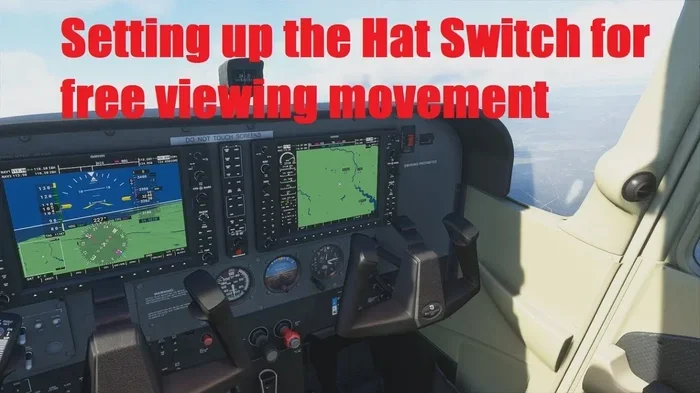
A hat switch is a small directional control on a joystick or gamepad that lets you move in multiple directions with one press. It works like a directional pad and is used in flight simulators, racing games, and other gaming setups. Understanding how it works helps you get more control and precision in your favorite games.
A hat switch is one of those small but mighty parts of a joystick that can make a huge difference in how you play games. If you have ever looked at a flight stick or a fancy gamepad and wondered about that little dome-shaped thing on top, that is the hat switch. It is a simple yet powerful input mechanism that gives you quick and precise control over direction.
Whether you are a casual gamer or a serious sim pilot, knowing what a hat switch does can level up your gaming setup. This guide breaks everything down in plain language. You will learn what it is, how it works, the different types, and why it matters for your favorite games.
Key Takeaways
- A hat switch is a directional input device found on joysticks and gamepads that lets you control movement in multiple directions.
- There are several types of hat switches, including four-way, eight-way, and multi-axis designs for different gaming needs.
- Hat switches are essential for flight simulators and other games that need precise directional control.
- Using a hat switch is simple once you understand the basic layout and how it connects to your gaming controller.
- Hat switches differ from analog sticks in how they send signals, and each has its own advantages for different games.
📑 Table of Contents
- What Exactly Is a Hat Switch on a Joystick?
- How Does a Hat Switch Work?
- Common Uses for a Hat Switch
- Types of Hat Switches You Will Find
- How to Use a Hat Switch on Your Joystick
- How a Hat Switch Fits Into Your Gaming Setup
- Common Hat Switch Problems and How to Fix Them
- Final Thoughts on Hat Switches
What Exactly Is a Hat Switch on a Joystick?
A hat switch is a small, dome-shaped control on top of a joystick or gamepad. It looks a bit like a tiny hat, which is how it got its name. When you press it in different directions, it sends a signal to your computer or console. That signal tells the game which way you want to go or look.
Think of it like a directional pad built right into your joystick. Instead of using your thumb on a separate pad, you can control direction right where your hand already is. This makes for faster and more natural controller input during intense gaming moments.
The hat switch is a classic input device that has been around for decades. Even though modern controllers have touchpads and analog sticks, the hat switch remains a favorite among sim racing and flight sim fans. It gives a tactile feel that many players prefer over other options.
Why Is It Called a Hat Switch?
The name comes from its shape. The little dome looks like a small hat sitting on top of the joystick base. Inside, there is a simple mechanism that detects which direction you press. When you push it forward, back, left, or right, a tiny contact inside closes a circuit. That circuit sends a clear signal to the game.
Some people also call it a POV hat, which stands for “point of view.” This name makes sense because the hat switch often controls where your view looks in a game. In a flight simulator, for example, pushing the hat switch up might pitch your nose up, while pushing left turns you left.
How Does a Hat Switch Work?
The way a hat switch works is actually quite simple. Inside the dome, there are small metal contacts arranged in a circle. When you press the hat in a direction, it touches the contact for that direction. This completes an electrical circuit that tells the game, “I am moving this way now.”
Unlike an analog stick that can detect how far you push it, a hat switch only detects direction. It is either pressed in a direction or it is not. This makes it a digital input device rather than an analog one. For many games, this digital precision is exactly what you need.
When you press the hat switch, the signal goes through the joystick cable or wireless connection to your device. The game software then translates that signal into action on screen. This happens in milliseconds, so the response feels instant and smooth.
The Difference Between Hat Switches and Analog Sticks
It is easy to confuse a hat switch with an analog stick, but they work very differently. An analog stick can detect movement in any direction and how far you push it. A hat switch only detects eight main directions at most.
Here is a quick look at how they compare:
- Hat Switch: Detects eight or four directions. Digital input only. Great for quick, precise movements.
- Analog Stick: Detects full 360-degree movement. Analog input with pressure sensitivity. Great for smooth, gradual control.
Both have their place in a gaming peripheral setup. Many serious gamers use both on the same controller for different tasks. The hat switch handles quick direction changes, while the analog stick handles smooth movement.
Common Uses for a Hat Switch
The hat switch is most popular in certain types of games and simulations. Let us look at where it really shines and why so many players rely on it.
Flight Simulators
If you have ever played a flight simulator, you already know how important precise controls are. A hat switch on a flight joystick lets you control your aircraft’s view and direction with one hand. You can look around the cockpit, adjust your heading, or control the camera angle without taking your thumb off the stick.
Many professional sim pilots swear by the hat switch. It gives them the same feel as real aircraft controls. Some flight sim controllers even have multiple hat switches for extra functionality.
Racing Games
In sim racing, a hat switch can control things like your rearview mirror or camera angle. It is also used in some racing wheels and sticks to switch between different views quickly. When you are racing at high speeds, you need fast access to different camera angles, and the hat switch delivers that.
Strategy and RPG Games
Strategy games and RPGs also benefit from hat switches. You can use the hat to quickly select different units or menu options. The controller layout with a hat switch gives you more buttons without needing extra hardware. This is especially useful on a compact gamepad where space is limited.
Some players also use the hat switch to control in-game menus or hotkeys. It acts as an extra set of inputs that can be mapped to almost anything in the game settings.
Types of Hat Switches You Will Find
Not all hat switches are the same. There are a few different types, and each one serves a slightly different purpose. Here is a breakdown of the most common ones you will see on joysticks and gamepads.
Four-Way Hat Switch
The four-way hat switch is the simplest type. It only detects four directions: up, down, left, and right. It works just like a basic directional pad. This type is great for simple games where you only need basic direction control.
Many budget joysticks and basic gamepads use the four-way design. It is reliable, affordable, and easy to use. If you are just getting into gaming or simulators, a four-way hat switch is a solid choice.
Eight-Way Hat Switch
The eight-way hat switch is the most common type you will find on quality joysticks. It detects all eight directions: up, down, left, right, and the four diagonal positions. This gives you more precise control, especially in flight sims where diagonal movements matter.
Most serious flight sticks and high-end gamepads use the eight-way design. It gives you the flexibility to control movement in more directions without needing extra buttons.
Multi-Axis and Tri-Axis Hats
Some advanced joysticks come with multi-axis hat switches. These can detect movement in more than just the standard directions. They might include twisting or tilting motions. These are found on professional-grade gaming hardware used by competitive sim pilots and arcade enthusiasts.
These advanced hats are not for everyone. They are best suited for players who want the most realistic and detailed control possible. For most casual and intermediate gamers, a standard eight-way hat is more than enough.
How to Use a Hat Switch on Your Joystick
Using a hat switch is straightforward, but there are a few tips that can help you get the most out of it. Whether you are new to joysticks or looking to improve your setup, these tips will help.
- Check your game’s control settings. Most games let you map the hat switch to any function you want. Take a few minutes to set it up for your preferred play style.
- Practice with simple movements first. Get comfortable pressing the hat in each direction before trying complex combos or rapid direction changes.
- Combine the hat switch with other controls. Use the hat for view or camera control while using the analog stick for movement. This dual-control approach gives you the most flexibility.
- Keep your joystick clean. Dust and debris can affect how the hat switch feels and responds. A quick wipe down now and then keeps it working smoothly.
- Adjust the tension if possible. Some joysticks let you change how hard the hat is to press. Find a setting that feels comfortable for your hand.
If you are building a gaming setup with a joystick, the hat switch should be one of the first things you configure. It is one of the most used controls in many sim and strategy games. Taking the time to set it up properly pays off in better gameplay.
How a Hat Switch Fits Into Your Gaming Setup
The hat switch is just one part of a larger gaming peripheral ecosystem. When you pair a good joystick with the right hat switch, your whole gaming experience improves. It is like having a what is the mouse on a laptop called situation with your controller, the input device matters just as much as the software you are using.
Many gamers who play is fortnite a cpu or gpu game style shooters or battle royales also find hat switches useful for quick scope and camera adjustments. The responsive nature of the hat switch gives you an edge in fast-paced moments where every millisecond counts.
Keeping your gaming hardware in good shape matters too. Just like you would monitor what is a good idle gpu temperature for your graphics card, you should keep your joystick and hat switch clean and well-maintained for the best performance over time.
Choosing the Right Joystick with a Hat Switch
When shopping for a joystick, look at the hat switch as carefully as you look at other features. A good hat switch should feel crisp and responsive. It should not wiggle or feel loose. The travel distance, or how far you can press it, should feel natural for your hand.
Some joysticks come with replaceable hat switches. This means you can swap out the hat for a different type if you want to change the feel. This is a great feature for players who like to customize their controller layout.
Price is also a factor. Basic joysticks with four-way hats are affordable and work well for casual play. High-end joysticks with eight-way or multi-axis hats cost more but offer a level of precision that serious sim players appreciate.
Common Hat Switch Problems and How to Fix Them
Like any input device, hat switches can have issues over time. The good news is that most problems are easy to fix at home.
Sticky or unresponsive hat: This is usually caused by dust or grime buildup. Clean the area around the hat with a soft cloth and a little isopropyl alcohol. Let it dry completely before using it again.
Missing directions: If the hat switch does not detect one or more directions, the internal contacts may be worn out. On some joysticks, you can replace the hat switch module. On others, it might be time for a new joystick.
Loose feeling: A hat that feels wobbly might have a worn-out spring or housing. Check if your joystick model allows for replacement parts. Many manufacturers sell replacement hats and internals separately.
Taking care of your joystick component like the hat switch extends its life significantly. A little regular maintenance goes a long way in keeping your gaming hardware performing at its best.
Final Thoughts on Hat Switches
The hat switch might be small, but it plays a big role in how you control your games. From flight simulators to racing games and strategy titles, this little directional control gives you precision and speed that other inputs cannot match.
Whether you are a beginner or a seasoned gamer, understanding how your hat switch works helps you get more out of your gaming controller. Take the time to explore your settings, try different hats, and find what works best for your play style.
The world of gaming peripherals is full of small details that make a big difference. The hat switch is one of those details that can truly transform your experience. So next time you pick up your joystick, give that little hat a press and appreciate the simple engineering that makes it all work.
Frequently Asked Questions
What does a hat switch do on a joystick?
A hat switch lets you control direction by pressing a small dome-shaped button in different directions. It sends digital signals to your game for quick and precise input. It is commonly used in flight sims, racing games, and strategy titles.
Is a hat switch the same as a directional pad?
They work similarly, but a hat switch is built into a joystick while a directional pad is a separate control. Both detect direction input, but the hat switch is more compact and integrated into the joystick design.
Can I replace a hat switch on my joystick?
Yes, many joysticks allow you to replace the hat switch. Some models have removable hats that you can swap out for different types. Check your joystick manufacturer for compatible replacement parts.
What is the difference between a four-way and eight-way hat switch?
A four-way hat switch detects up, down, left, and right only. An eight-way hat switch adds the four diagonal directions for more precise control. Most serious gamers prefer the eight-way design for its extra flexibility.
Do all joysticks have a hat switch?
No, not all joysticks include a hat switch. Some use only analog sticks or buttons for direction control. If a hat switch is important to you, check the joystick specifications before buying.
Are hat switches better than analog sticks for gaming?
It depends on the game and your personal preference. Hat switches offer precise digital input for quick direction changes, while analog sticks provide smooth, gradual control. Many gamers use both together for the best of both worlds.