What Is Electronic Conferencing
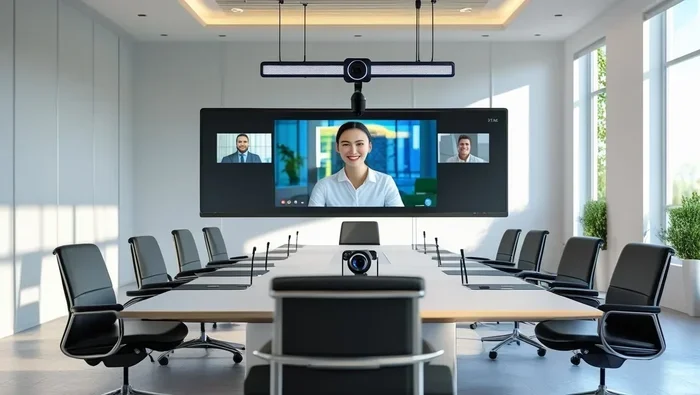
Electronic conferencing is the use of digital technology to connect people in real time for meetings, presentations, and collaboration from anywhere in the world. It includes video calls, audio calls, screen sharing, and chat through platforms like Zoom, Microsoft Teams, and Google Meet. Understanding electronic conferencing helps businesses save money, boost productivity, and support remote work.
Have you ever joined a meeting from your living room, a coffee shop, or even another country? If so, you have experienced electronic conferencing. This technology has changed the way people work together. It removes the need to be in the same physical space. Today, millions of teams rely on digital tools to connect, share ideas, and get things done.
Electronic conferencing is not just about hopping on a video call. It covers a whole world of communication tools. These include audio calls, screen sharing, chat features, and live presentations. The goal is simple: bring people together in real time using technology. Whether you are a small business or a large corporation, understanding this topic is essential.
In this article, we will break everything down. You will learn what electronic conferencing means, how it works, and why it has become so popular. We will also explore the different types, the best tools available, and practical tips to make your virtual meetings better. Let us dive in.
Key Takeaways
- Electronic conferencing lets teams meet and collaborate without being in the same room.
- There are several types, including video conferencing, audio conferencing, and web conferencing.
- Using the right tools improves productivity, cuts costs, and supports remote work.
- Security and best practices matter to keep your virtual meetings safe and effective.
- Many conferencing platforms integrate with project management and SaaS tools for smoother workflows.
- Investing in good hardware makes your conferencing experience much better.
- Electronic conferencing is now a must-have for modern businesses of all sizes.
📑 Table of Contents
What Is Electronic Conferencing?
Electronic conferencing refers to any meeting or conference that takes place through digital technology. Instead of sitting in a conference room, participants join from different locations. They connect using computers, smartphones, tablets, or specialized conference room equipment. The technology enables real-time communication through audio, video, text, or a mix of all three.
The concept has been around for decades. Early versions included simple phone calls between multiple people, known as conference calls. Over time, the internet made things much more powerful. Today, electronic conferencing includes high-definition video, live screen sharing, virtual whiteboards, and real-time chat. It is a broad term that covers many forms of digital communication.
Think of it this way. Electronic conferencing is like a virtual meeting room. Everyone logs in from wherever they are. They can see each other, hear each other, and share information instantly. This makes it one of the most important tools for modern communication.
Why Electronic Conferencing Matters
The rise of electronic conferencing is closely tied to remote work. More people work from home now than ever before. Companies need reliable ways to keep teams connected. Electronic conferencing fills that gap. It allows teams to collaborate without the delays and costs of travel.
Here are some key reasons why it matters:
- Cost savings: No need to pay for flights, hotels, or rental spaces.
- Time efficiency: Meetings happen instantly without travel time.
- Global reach: You can connect with anyone, anywhere in the world.
- Flexibility: Team members can join from any device, at any location.
- Productivity: Faster decision-making and smoother collaboration.
All of these benefits make electronic conferencing a core part of how modern businesses operate. It is not just a convenience. It is a necessity.
Types of Electronic Conferencing
Electronic conferencing comes in several forms. Each type serves a different purpose. Some focus on voice, others on video, and some combine everything. Let us look at the main types.
Video Conferencing
Video conferencing is the most popular form of electronic conferencing today. It allows participants to see and hear each other in real time. Platforms like Zoom, Microsoft Teams, and Google Meet are built around this concept. Video conferencing makes meetings feel more personal than audio-only calls.
With video conferencing, you can share your screen, present slides, and even use virtual backgrounds. Many platforms also offer recording features. This means you can revisit meetings later. Video conferencing is ideal for team check-ins, client presentations, and interviews.
Audio Conferencing
Audio conferencing is the older but still very useful form of electronic conferencing. It uses only voice to connect participants. You dial into a phone number or use an app to join a call. Audio conferencing works well for quick updates and team discussions.
One big advantage of audio conferencing is simplicity. You do not need a webcam or a strong internet connection. Just a phone or a basic headset will do. This makes it accessible to almost everyone. Many people still prefer audio calls for shorter, informal meetings.
Web Conferencing
Web conferencing takes electronic conferencing a step further. It happens entirely through a web browser. You do not need to download any software. Participants simply click a link and join. This makes web conferencing very convenient for external clients and partners.
Web conferencing often includes features like screen sharing, polls, and Q&A sessions. It is commonly used for webinars, training sessions, and large presentations. The ability to reach a wide audience without any setup makes web conferencing very powerful.
Web conferencing
Web conferencing is a subset of electronic conferencing that happens entirely through a browser. You don’t need special software to join. This makes it very accessible. Many teams use web conferencing for webinars, training sessions, and large presentations. It often includes screen sharing, polls, and Q&A features.
Hybrid Conferencing
Some modern setups combine in-person and virtual participants. This is called hybrid conferencing. A few people sit in a conference room while others join remotely. The technology bridges the gap between both groups. This model has become very popular after 2020.
Hybrid conferencing requires good cameras, microphones, and displays in the physical room. It also needs a reliable platform that supports both in-room and remote participants. When done right, it gives everyone an equal experience.
How Electronic Conferencing Works
Understanding how electronic conferencing works is not as complicated as it sounds. At its core, it relies on the internet and specialized software. Here is a simple breakdown of the process.
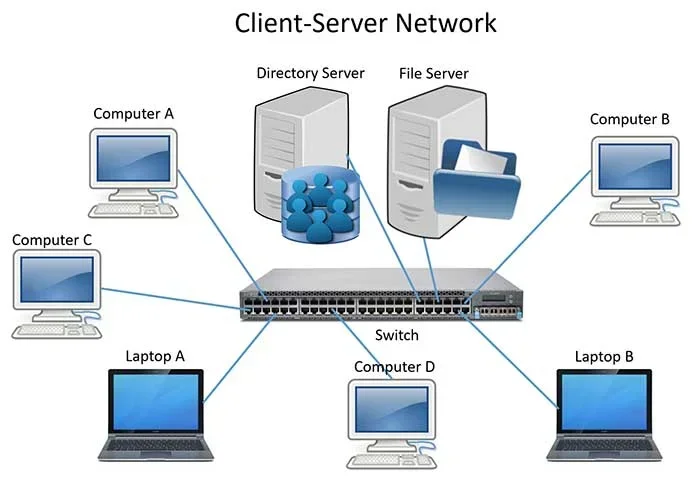
First, a host creates a meeting on a conferencing platform. They set a date, time, and agenda. Then, the host shares a link or meeting ID with participants. When the meeting starts, everyone logs in using their device. The platform connects all participants through servers hosted in the cloud.
Audio and video data are compressed and sent in real time. This happens so fast that conversations feel natural. Screen sharing works by transmitting a live feed of the presenter’s display. Chat messages travel through the same connection. All of this happens within seconds.
Many platforms also support integrations with other tools. For example, some connect directly with project management software. This allows teams to take notes, assign tasks, and track progress without leaving the meeting. The SaaS environment behind these platforms makes this possible. Everything runs in the cloud, so there is no need for heavy local installation.
The Role of Internet and Hardware
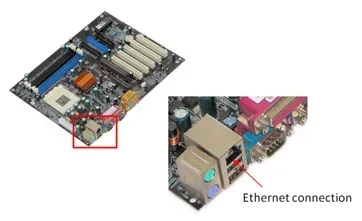
A stable internet connection is the backbone of electronic conferencing. Without good bandwidth, video and audio can lag or drop out. A wired connection is always better than Wi-Fi for important meetings. If you rely on wireless, try to stay close to your router.
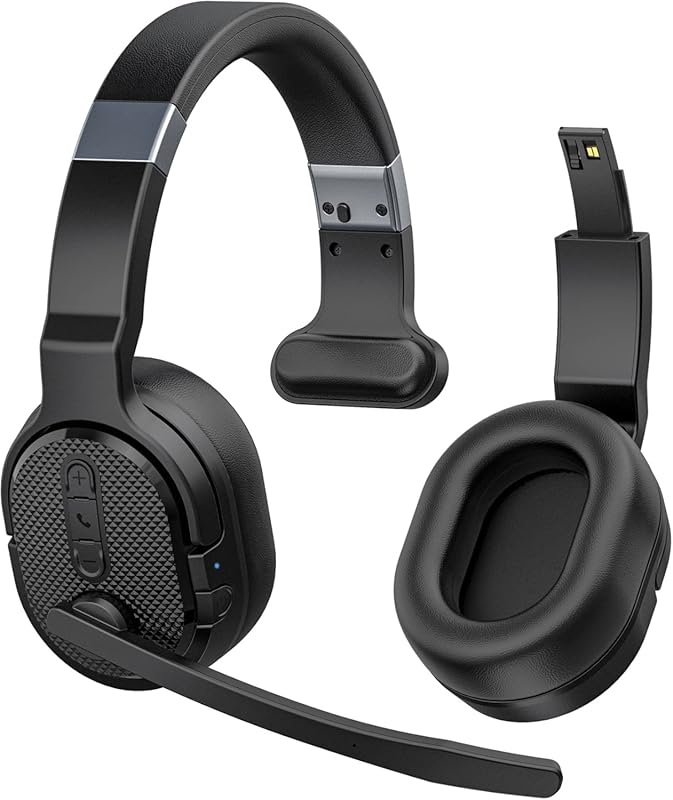
Hardware also plays a big role. A decent webcam, a good microphone, and a quality headset can make a huge difference. Investing in the right gear is one of the best investments for lifespan of PC setups that support frequent conferencing. A good webcam and microphone not only improve your meetings but also protect your overall setup from strain caused by poor-quality alternatives.
Benefits of Electronic Conferencing
Electronic conferencing offers many advantages for businesses and individuals alike. Let us explore the biggest benefits.
Cost Savings
Travel is expensive. Flights, hotels, meals, and transportation add up fast. Electronic conferencing eliminates most of these costs. You can hold a meeting with people across the globe without spending a dime on travel. For businesses with tight budgets, this is a game changer.
Increased Productivity
Virtual meetings save time. Participants do not waste hours commuting. They can join from their desks and get right to work. Electronic conferencing also makes it easy to record sessions. If someone misses a meeting, they can watch the recording later. This keeps everyone on the same page.
Many platforms also offer features like screen sharing and live document editing. These tools help teams work together in real time. Decisions get made faster. Projects move forward more quickly.
Better Work-Life Balance
Electronic conferencing supports remote and hybrid work. Employees can attend meetings without leaving home. This saves commuting time and reduces stress. Many people find that flexible work arrangements improve their overall well-being. Happier employees are more productive employees.
Environmental Benefits
Fewer travel trips mean fewer carbon emissions. Electronic conferencing helps reduce your company’s environmental footprint. It is a small change that adds up over time. Many organizations now highlight virtual meetings as part of their sustainability goals.
Popular Electronic Conferencing Tools
There are many platforms available today. Each has its own strengths. Here are some of the most popular tools for electronic conferencing.
- Zoom: Known for reliability and a wide range of features. Great for both small meetings and large webinars.
- Microsoft Teams: Integrates well with Office 365. A strong choice for businesses already using Microsoft tools.
- Google Meet: Simple and easy to use. Works well with Google Workspace.
- Cisco Webex: Offers strong security features. Popular among enterprises.
- Slack Huddles: Quick audio chats within the Slack workspace. Great for casual team communication.
Each of these tools supports different aspects of electronic conferencing. Some focus on video, others on chat or project coordination. The best choice depends on your team’s needs and budget.
Best Practices for Electronic Conferencing
Knowing how to use electronic conferencing tools is only half the battle. You also need to follow best practices. These tips will help you run smoother, more effective meetings.
1. Always Test Your Technology Before the Meeting
2. Set a Clear Agenda
Every meeting should have a purpose. Share the agenda with participants beforehand. This keeps the discussion focused and respectful of everyone’s time. A clear agenda is one of the simplest ways to boost meeting quality.
3. Mute When Not Speaking
Background noise can disrupt any virtual meeting. Ask participants to mute themselves when they are not speaking. This keeps the audio clean and the meeting on track. Most conferencing platforms have a one-click mute button for this reason.
4. Use Visual Aids
Screen sharing and slides make electronic conferencing more engaging. Visual aids help participants stay focused. They also make complex ideas easier to understand. Keep your slides simple and avoid cramming too much text on one slide.
5. Record Important Meetings
Not everyone can attend every meeting. Recording sessions ensures that no one misses key information. Always ask for consent before recording. Most platforms make this easy with a single button click.
6. Respect Time Zones
When you work with global teams, time zones matter. Use tools like World Time Buddy to find a time that works for everyone. Being considerate of time differences shows respect and builds trust.
7. Keep Meetings Focused and Short
Long meetings drain energy and reduce focus. Try to keep electronic conferencing sessions under 60 minutes when possible. Shorter meetings are more productive. If you need more time, consider breaking the discussion into multiple sessions.
Common Mistakes to Avoid
Even experienced users make mistakes with electronic conferencing. Here are some pitfalls to watch out for.
- Skipping the agenda: Meetings without direction tend to run long and achieve little.
- Ignoring tech issues: A slow internet connection or broken microphone can derail an entire meeting.
- Too many participants: Invite only the people who need to be there. Large meetings become unmanageable fast.
- No follow-up: If you do not share notes or action items after the meeting, the discussion was wasted.
- Neglecting security: Always use passwords and waiting rooms for sensitive meetings. Open links can invite unwanted guests.
Avoiding these mistakes will make your electronic conferencing experience much better. Small adjustments lead to big improvements.
The Future of Electronic Conferencing
The world of electronic conferencing continues to evolve. New technologies are making virtual meetings even more engaging and efficient. Here are some trends to watch.
AI-Powered Features
Artificial intelligence is changing how we meet online. AI can now transcribe meetings in real time, translate languages instantly, and even summarize key points. These features save time and make electronic conferencing more accessible to everyone.
Virtual Reality Meetings
Imagine joining a meeting where you feel like you are in the same room. Virtual reality is making this possible. VR conferencing creates immersive environments where participants can interact naturally. While still in its early stages, this technology is advancing fast.
Better Integration with Work Tools
Conferencing platforms are becoming more connected. They now integrate with project management tools, CRM software, and cloud storage. This means less switching between apps and a smoother workflow. The SaaS environment continues to grow, and conferencing is a big part of that expansion.
As these technologies develop, electronic conferencing will become even more seamless. The line between in-person and virtual meetings will continue to blur. Businesses that embrace these tools will have a clear advantage.
Conclusion
Electronic conferencing is one of the most important technologies in modern work. It connects people across distances, saves money, and boosts productivity. Whether you use video, audio, or web-based tools, the core idea remains the same: technology brings people together.
By understanding the types, benefits, and best practices of electronic conferencing, you can make every virtual meeting count. Follow the tips in this guide. Choose the right tools. And always keep your participants’ experience in mind.
The way we work has changed forever. Electronic conferencing is here to stay. Embrace it, learn it, and use it to your advantage. Your team and your bottom line will thank you.
Frequently Asked Questions
What is the difference between electronic conferencing and a regular phone call?
Electronic conferencing includes video, screen sharing, chat, and other digital features. A regular phone call only uses audio. Conferencing platforms also allow multiple participants to join from different locations with rich features like virtual backgrounds and real-time collaboration tools.
Do I need special equipment for electronic conferencing?
You need a computer or smartphone with a stable internet connection. A webcam, microphone, and headset improve the experience significantly. While not strictly required, good hardware makes your meetings clearer and more professional.
Is electronic conferencing secure?
Most modern platforms use encryption and security features like passwords and waiting rooms. However, you should still follow best practices. Use strong meeting passwords, enable waiting rooms, and avoid sharing meeting links publicly. These steps keep your electronic conferencing sessions safe.
Can electronic conferencing replace in-person meetings entirely?
For many situations, yes. Electronic conferencing handles most team discussions, client calls, and presentations effectively. However, some meetings benefit from face-to-face interaction. A hybrid approach often works best for organizations that value both flexibility and personal connection.
What is the best electronic conferencing tool for small businesses?
Zoom, Google Meet, and Microsoft Teams are all excellent choices. Zoom is known for its ease of use. Google Meet works well if you already use Google Workspace. Microsoft Teams is ideal for businesses that rely on Office 365. Each platform supports core electronic conferencing features like video, audio, and screen sharing.
How has electronic conferencing changed remote work?
Electronic conferencing has been a driving force behind the remote work revolution. It allows teams to collaborate in real time from anywhere. This technology has made it possible for companies to hire talent globally and maintain strong team connections without physical offices. It fundamentally changed how we think about work.