Do Computer Screens Emit UV Light And Should You Be Worried
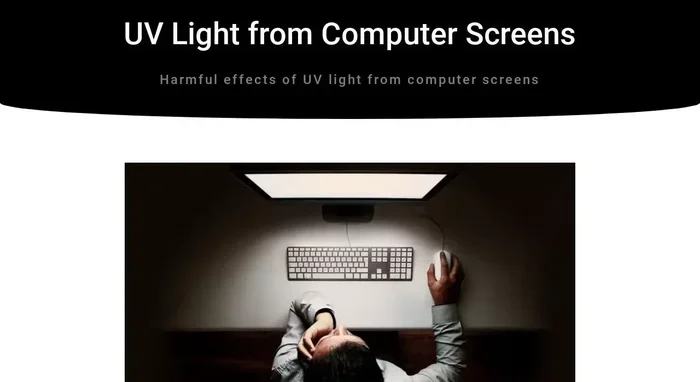
Do computer screens emit UV light? The short answer is yes, but only in very small amounts. Modern LED and LCD monitors produce minimal UV radiation that is generally considered safe for everyday use. However, understanding screen UV emissions and taking simple precautions can help you protect your eyes during long hours of screen time.
You probably stare at a computer screen for hours every day. Maybe you work from home, game after work, or binge your favorite shows on a laptop. Either way, you spend a lot of time looking at displays. And if you have ever wondered, do computer screens emit UV light, you are not alone.
This question has popped up more and more as people become more aware of light exposure and its effects on health. The internet is full of scary claims about screens and radiation. But here is the good news. Most of those claims are exaggerated. Modern computer screens emit very little UV light. The real concern for most users is blue light exposure, not UV radiation.
In this article, we will break down exactly what your screen emits, how much UV light comes from your monitor, and what you can do to protect your eyes. We will also cover some common myths and answer the questions you might be too embarrassed to ask. Let us get into it.
Key Takeaways
- Low UV Emission: Modern computer screens emit very low levels of UV light, far below harmful thresholds.
- Blue Light Is the Bigger Concern: While UV exposure is minimal, blue light from screens can contribute to eye strain and sleep disruption.
- Older CRT Monitors Were Different: Older cathode ray tube monitors emitted more UV radiation than today’s LED and LCD screens.
- Simple Protection Works: Using blue light filters, adjusting brightness, and taking breaks are effective ways to reduce any screen-related eye issues.
- No Need to Panic: For most users, computer screen UV exposure poses no serious health risk when used responsibly.
- Keep Your Computer Healthy: Regular maintenance, like addressing overheating issues, contributes to overall screen and device longevity.
📑 Table of Contents
- What Kind of Light Do Computer Screens Emit?
- How Much UV Light Do Computer Screens Actually Produce?
- Blue Light vs. UV Light: What Is the Difference?
- Should You Be Worried About UV From Your Screen?
- How to Protect Your Eyes From Screen Light
- Do Different Devices Emit Different Levels of UV Light?
- Common Myths About Computer Screen UV Light
- Expert Insights on Screen Light and Eye Health
- Final Thoughts
What Kind of Light Do Computer Screens Emit?
To understand whether you should worry, it helps to know what your screen actually produces. Computer screens use different technologies to create images. Each technology produces a slightly different light profile.
LED and LCD Screens
Most modern monitors use LED backlighting with LCD panels. These screens produce light by passing electricity through liquid crystals. The LED backlight shines through the crystals to create the image you see. The light produced is mostly in the visible spectrum. This means the colors you see on your screen — reds, blues, greens — are all visible light.
LED screens do produce a small amount of UV light. But here is the key fact. The amount is extremely low. Studies have shown that the UV output from modern LED monitors is far below any level that could cause harm. Your screen is not giving you a sunburn.
OLED Screens
OLED screens, found in high-end monitors and some laptops, work differently. Each pixel produces its own light. This technology also produces minimal UV radiation. The light output is still primarily in the visible range. OLED screens are known for better color accuracy and deeper blacks, but they are not significant UV emitters either.
Older CRT Monitors
If you have ever used an old bulky monitor, you might remember the slight glow around the edges. CRT monitors did emit more UV light than modern screens. However, even CRT monitors produced relatively low levels. Manufacturers added coatings to reduce UV emissions even back then. Most people never experienced any issues from these older displays.
How Much UV Light Do Computer Screens Actually Produce?
Now let us get to the numbers. How much UV light are we actually talking about when we ask, do computer screens emit UV light? The answer might surprise you.
Research has measured the UV output of various screen types. Here is what the studies found:
- LED monitors: Emit less than 1% of the UV light that the sun produces.
- LCD panels: Produce UV levels that are negligible and well within safe limits.
- OLED displays: Similar to LED, with no significant UV output.
- CRT monitors (older): Produced slightly more UV but still within safe ranges.
To put this in perspective, spending an hour outside on a sunny day exposes you to more UV radiation than staring at your monitor for an entire workday. The UV exposure from computer screens is simply not enough to cause damage.
That said, your screen does emit blue light. Blue light is part of the visible spectrum, and it has a shorter wavelength than other colors. Blue light is what gives your screen its bright, crisp look. But it is also what many people worry about when it comes to eye health.
Blue Light vs. UV Light: What Is the Difference?
People often confuse blue light with UV light. They are different types of radiation, and understanding the difference matters.
UV Light
Ultraviolet light has a shorter wavelength than visible light. It carries more energy. Too much UV exposure from the sun can cause sunburn, eye damage, and skin problems. The good news is that your computer screen produces very little of it.
Blue Light
Blue light falls within the visible spectrum. It has a wavelength between roughly 400 and 495 nanometers. Blue light is everywhere. The sun is the biggest source. Your screen is a much smaller source, but you are close to it for long periods. This is why blue light exposure from screens gets more attention than UV from monitors.
Blue light can affect your sleep cycle. It suppresses melatonin production, which is the hormone that tells your body it is time to sleep. This is why looking at screens before bed can make it harder to fall asleep.
Blue light may also contribute to digital eye strain. Symptoms include dry eyes, blurred vision, headaches, and neck pain. While blue light is not as dangerous as UV, prolonged exposure can still cause discomfort.
Should You Be Worried About UV From Your Screen?
The honest answer is no. You should not lose sleep over UV light from your computer monitor. The levels are too low to cause any real harm. But that does not mean you should ignore your eye health altogether.
Here is what you should actually worry about:
- Digital eye strain: Staring at any screen for too long causes fatigue.
- Sleep disruption: Blue light before bed messes with your circadian rhythm.
- Dry eyes: People blink less when looking at screens, leading to dryness.
- Posture problems: Slouching toward your screen causes neck and back pain.
If you want to keep your overall computer experience healthy, it helps to maintain your device properly. For instance, if your computer runs hot, it might be worth checking why. You can read more about why your computer fan keeps running to make sure your system is not overheating, which can also affect screen performance and your comfort.
How to Protect Your Eyes From Screen Light
Even though UV light from screens is not a major concern, protecting your eyes is still smart. Here are some practical steps you can take today.
Use Blue Light Filters
Most modern monitors come with built-in blue light filters. Windows has Night Light, and macOS has Night Shift. These features warm up your screen’s color temperature, reducing blue light output. You can also use third-party apps like f.lux to achieve the same effect.
Adjust Screen Brightness
Your screen should match the lighting in your room. If your monitor is brighter than your surroundings, your eyes work harder. Dim your screen in the evening and bump it up in well-lit rooms during the day.
Follow the 20-20-20 Rule
Every 20 minutes, look at something 20 feet away for 20 seconds. This simple habit gives your eyes a break and reduces strain. It works wonders if you stick with it.
Blink More Often
This sounds silly, but people blink up to 66% less when staring at screens. Blinking keeps your eyes moist and comfortable. Try to remind yourself to blink fully and regularly.
Keep Your Screen Clean
Dust and smudges on your screen create glare. Glare forces your eyes to work harder. Wipe your screen regularly with a microfiber cloth to keep it clear.
If you are also dealing with a computer that runs slow or freezes up, that can add unnecessary stress to your screen time. Check out how to fix computer running slow and freezing to keep your system running smoothly and your experience comfortable.
Do Different Devices Emit Different Levels of UV Light?
Not all screens are created equal. The device you use matters more than you might think.
| Device Type | UV Emission Level | Blue Light Level | Eye Strain Risk |
|---|---|---|---|
| Desktop Monitor (LED/LCD) | Very Low | Moderate | Low to Moderate |
| Laptop Screen | Very Low | Moderate | Moderate |
| Tablet (OLED/LED) | Very Low | Moderate to High | Moderate |
| Smartphone | Very Low | High | Moderate to High |
| CRT Monitor (Older) | Low | Moderate | Low |
| TV (LED/OLED) | Very Low | Low to Moderate | Low |
As you can see, smartphones and tablets tend to produce more blue light because you hold them closer to your face. Desktop monitors are generally safer because of the viewing distance. But none of these devices emit meaningful levels of UV radiation.
Do Chromebooks Emit UV Light?
Chromebooks use LED screens similar to most laptops. Their UV output is negligible. If you have ever wondered do Chromebooks have SSD storage or what kind of display they use, the answer is that they use standard LED panels with no special UV concerns.
The takeaway here is simple. All modern screens produce very little UV light. The differences between devices matter more for blue light and viewing distance than for UV exposure.
Common Myths About Computer Screen UV Light
Let us clear up some of the most common myths floating around about screens and UV light.
Myth 1: Computer Screens Give You Cancer
This is simply not true. The UV levels from screens are too low to damage DNA or cause cancer. You would need to stare at your monitor for thousands of hours at close range to even come close to any risk. And nobody does that.
Myth 2: Blue Light Glasses Block UV Light
Most blue light glasses are designed to filter blue light, not UV. Since screens already produce very little UV, these glasses are more about reducing blue light exposure and easing eye strain. They are not blocking dangerous UV radiation from your monitor.
Myth 3: Darker Screens Emit More UV
Screen brightness has nothing to do with UV emission. Whether your screen is at 100% brightness or 10%, the UV output remains the same. The difference is in the amount of visible light and blue light, not UV.
Myth 4: You Need Special Screen Protectors for UV
Most screen protectors are designed to reduce glare and protect the physical screen. They are not UV filters. Since modern screens already emit minimal UV, special UV-blocking screen protectors are generally unnecessary.
Expert Insights on Screen Light and Eye Health
Eye care professionals agree on a few key points about screen light and health. The American Academy of Ophthalmology states that blue light from screens does not cause permanent eye damage. The real issue is digital eye strain, which comes from how we use our screens, not from the light they emit.
Dr. Rahul Khurana, a clinical spokesperson for the AAO, notes that the discomfort people feel after long screen sessions is usually from dryness, focusing fatigue, and poor posture. Not from UV or blue light damage.
This does not mean you should ignore the issue. Taking breaks, adjusting your setup, and being mindful of your screen habits can make a huge difference. And if your computer is running into other issues, like performance problems, addressing those can also improve your overall experience and reduce frustration.
Final Thoughts
So, do computer screens emit UV light? Yes, but in amounts so small they are practically insignificant. The real light-related concern with screens is blue light, which can affect your sleep and cause eye strain. But even blue light does not cause permanent damage.
The best thing you can do is practice good screen habits. Use blue light filters, take regular breaks, adjust your brightness, and blink more often. These simple steps will keep your eyes comfortable and healthy, no matter how many hours you spend in front of a screen.
There is no need to fear your computer monitor. It is not giving you harmful UV radiation. It is giving you a window to the digital world. And with the right habits, you can enjoy that window without worry.
Frequently Asked Questions
Do computer screens emit UV light?
Yes, computer screens emit very small amounts of UV light. However, modern LED and LCD monitors produce levels that are far below any harmful threshold. The UV output is negligible compared to sunlight.
Is blue light from screens more dangerous than UV light?
Blue light from screens is not dangerous in the way UV light can be. However, prolonged blue light exposure can contribute to eye strain and sleep disruption. UV from screens is not a significant concern at all.
Can staring at a computer screen damage your eyes permanently?
No, staring at a computer screen does not cause permanent eye damage. The light emitted by screens is not strong enough to harm your eyes. However, extended use can cause temporary digital eye strain and discomfort.
Do older computer screens emit more UV light?
Older CRT monitors emitted slightly more UV light than modern screens, but the levels were still within safe ranges. Today’s LED and LCD screens produce even less UV radiation than older models.
Should I buy a UV filter for my computer screen?
No, you do not need a UV filter for your computer screen. Modern monitors already emit minimal UV light. A UV filter would provide no meaningful benefit. Blue light filters or screen dimming features are more useful.
How can I reduce eye strain from my computer screen?
Follow the 20-20-20 rule, use built-in blue light filters, adjust screen brightness to match your room lighting, blink more often, and take regular breaks. These habits are more effective than any special filter.