The Difference Between An Embedded System And A Computer
An embedded system is a specialized computing device built to perform one specific task, while a general-purpose computer handles many different jobs. Embedded systems run on firmware and use specialized hardware designed for a single purpose. A standard computer, by contrast, offers flexibility and runs a wide range of software applications.
The difference between an embedded system and a computer is one of the most important concepts in modern technology. An embedded system is a task-specific device that is built to perform exactly one function, over and over again, with perfect reliability. A general-purpose computer, by contrast, can run countless programs and handle a wide variety of tasks on the same machine. You will find embedded systems inside cars, microwaves, medical devices, and smart home gadgets. Meanwhile, computers sit on desks and laps, giving users the freedom to work, play, create, and communicate.
Both types of hardware play essential roles in our daily lives. Yet most people never think about the tiny embedded system hiding inside their toaster or car. Understanding how these devices differ helps you appreciate the technology around you. It also helps you make smarter choices when you need a new device or project.
In this guide, we will break down everything you need to know. We will compare their features, uses, and design philosophies side by side. By the end, you will have a clear picture of where each type of device fits in the tech world.
Key Takeaways
- Embedded systems are designed for one specific task, while computers handle many different jobs
- Firmware powers embedded systems, whereas computers use full operating systems like Windows or macOS
- Embedded systems use less power and cost less to produce than general-purpose computers
- You will find embedded applications in cars, appliances, medical devices, and IoT devices
- A desktop computer or laptop offers flexibility for work, gaming, and browsing
- Real-time computing is a key feature of many embedded systems
- Understanding the difference helps you choose the right computing device for your needs
📑 Table of Contents
What Is an Embedded System?
An embedded system is a specialized hardware setup that is built to perform one dedicated function. It is not meant to be a general-purpose machine. Instead, it is designed to do one thing and do it reliably. These systems are often hidden inside larger devices, which is why many people never even know they are there.
Core Components of an Embedded System
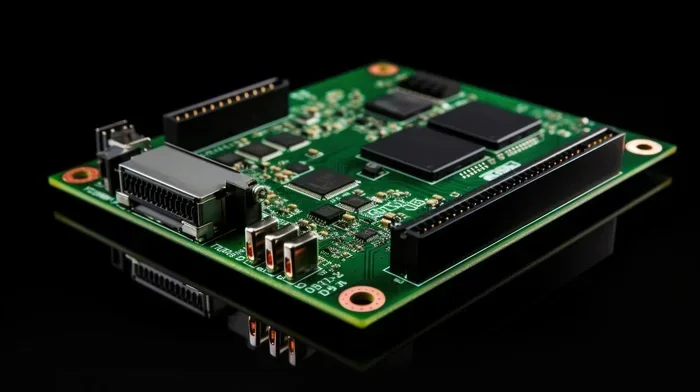
Every embedded system has a few key parts that work together. The processor is the brain of the system. It processes data and executes instructions. The microcontroller is a small chip that combines the processor, memory, and input/output controls all in one place. This makes embedded systems very compact and efficient.
The firmware is the software that is permanently stored on the device. It tells the system what to do and how to do it. Unlike a full operating system on a computer, firmware is small and focused. It is written specifically for the task the device needs to perform.
Memory in an embedded system is usually limited. The device does not need a lot of storage because it only runs one program. This keeps costs low and makes the system very reliable. The system-on-chip design is common in embedded systems, where all components live on a single tiny chip.
Common Examples of Embedded Systems
You use embedded systems every day without realizing it. Here are some common examples:
- Microwave ovens – The control panel and timer are managed by a small embedded system
- Cars – Modern vehicles have dozens of embedded systems for engine control, braking, and entertainment
- Medical devices – Pacemakers and blood pressure monitors use embedded systems to operate
- Smart home devices – Thermostats and security cameras rely on embedded technology
- Washing machines – The cycle settings and motor controls are handled by embedded systems
- Traffic lights – The timing and switching logic is managed by embedded systems
These are all embedded applications where the system is designed to perform a specific function. They do not need the flexibility of a general-purpose computer. Each one is a dedicated function device that does its job quietly and efficiently.
What Is a Computer?
A computer is a general-purpose computing device. It is designed to handle many different tasks and run a wide variety of software. Unlike an embedded system, a computer is not limited to one function. You can use it for work, entertainment, communication, and creative projects all on the same machine.
How a Computer Works
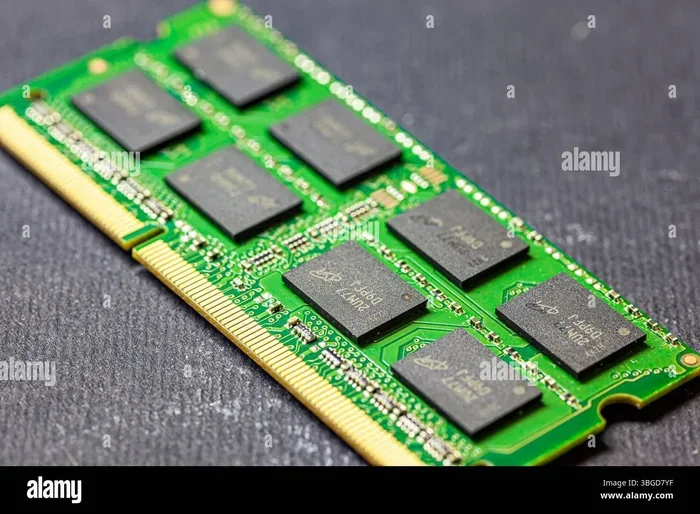
A computer has several main parts that work together. The processor (also called the CPU) handles all the calculations and instructions. The RAM, or memory, temporarily stores data that the processor needs to access quickly. You can think of RAM as the computer’s short-term memory. If you want to learn more about what the RAM does in a laptop, it is essentially the workspace where active tasks are managed.
The storage drive holds your files, programs, and operating system long-term. Most modern computers use either a hard drive or a solid-state drive. The operating system, like Windows or macOS, manages all the hardware and software on the computer. This full operating system is what gives a computer its flexibility and power.
Computers also have input devices like a keyboard and mouse, and output devices like a monitor and speakers. All of these parts work together to give you a flexible and powerful computing device. You can swap out parts, add new peripherals, and install different software to change what your computer does.
Types of Computers
There are many types of computers. A desktop computer sits on or under a desk and is meant to stay in one place. A laptop is portable and can be used anywhere. Tablets and smartphones are also computers, just smaller and more mobile.
Each type of computer has its own strengths. A desktop offers more power and upgrade options. You can upgrade the RAM in a laptop to improve performance, though this depends on the model. If you are wondering how to upgrade the RAM of a laptop, it usually involves opening the back panel and replacing the memory module.
When you are ready to get a new machine, knowing the best time to buy a laptop computer can save you money. Sales events like Black Friday and back-to-school seasons often offer great deals on both laptops and desktops.
Key Differences Between Embedded Systems and Computers
The differences between an embedded system and a computer go beyond just their size. Let us break down the main areas where they differ.
Purpose and Function
The biggest difference is their purpose. An embedded system is built for one specific task. A microwave oven’s embedded system only controls cooking time and power levels. A car’s embedded system only manages engine timing and fuel injection. Each system is optimized for its single job.
A computer, however, is built to be flexible. You can use the same computer to write a document, browse the web, play games, edit videos, and run complex software. This versatility is what makes a general-purpose computer so valuable. An embedded system cannot do any of these things because it is not designed to.
Hardware and Components
Embedded systems use specialized hardware that is tailored for their specific task. They often use a system-on-chip (SoC) design, where the processor, memory, and input/output controls are all on a single chip. This makes them small, efficient, and cost-effective.
Computers use more general-purpose components. The motherboard, RAM, storage drive, and processor are separate parts that can be swapped out or upgraded. This modularity is a key advantage of computers over embedded systems. If one part fails, you can replace just that part instead of the whole device.
Software and Operating Systems
Embedded systems run on firmware or a real-time operating system (RTOS). The software is small, fast, and designed to handle specific tasks without delay. This is called real-time computing, and it is essential for systems like car brakes or medical monitors where timing matters. The software must respond within milliseconds to keep the device working properly.
Computers run full operating systems like Windows, macOS, or Linux. These operating systems support a huge range of software applications. They are designed for multitasking and user interaction, not for a single dedicated function. You can install dozens of programs on a computer and switch between them instantly.
Power Consumption and Cost
Embedded systems are designed to use very little power. Many run on batteries for years without needing a recharge. This is why they are ideal for devices like smart watches and remote sensors. The low power draw also means less heat, which adds to the reliability of the system.
Computers use significantly more power. A desktop computer needs a constant power supply, and even a laptop battery lasts only a few hours on a full charge. The cost of a computer is also much higher than an embedded system, since computers have more components and greater capabilities.
Flexibility and Upgradability
One major advantage of a computer is its flexibility. You can install new software, add peripherals, and upgrade components like RAM or storage. If your computer feels slow, you might look into how to upgrade the RAM of a laptop or add more storage to speed things up.
Embedded systems are not designed to be upgraded. The firmware is usually fixed at the time of manufacturing. If the system needs an update, it is done through a specialized process that is not meant for everyday users. This makes embedded systems reliable but less adaptable. You get exactly what you get, and it will do its one job well for years.
Comparison Table
| Feature | Embedded System | Computer |
|---|---|---|
| Purpose | One specific task | Many different tasks |
| Operating System | Firmware or RTOS | Windows, macOS, Linux |
| Hardware | Specialized, system-on-chip | General-purpose, modular |
| Power Use | Very low | Moderate to high |
| Cost | Low to moderate | Moderate to high |
| Upgradability | Very limited | Highly upgradable |
| User Interface | Minimal or none | Full keyboard, mouse, display |
| Examples | Microwaves, cars, pacemakers | Desktops, laptops, tablets |
Quick Tips for Understanding the Difference
- Tip 1: If a device does only one thing and you cannot install new software on it, it likely has an embedded system inside
- Tip 2: If a device has a full operating system and you can install many different programs, it is a computer
- Tip 3: Look at the power source. Embedded systems often run on small batteries for long periods, while computers need regular charging or a wall outlet
- Tip 4: Check for upgrade options. If you can add RAM or swap parts, you are looking at a computer
- Tip 5: Think about user interaction. Computers have keyboards, mice, and screens, while embedded systems may have just a few buttons or no interface at all
Common Mistakes People Make
Mistake 1: Assuming all smart devices are computers. A smart thermostat is not a computer. It is an embedded system with a small chip and basic software. It does not run Windows or macOS and you cannot install new apps on it.
Mistake 2: Thinking embedded systems are less important. This is far from the truth. Embedded systems control critical infrastructure like hospital equipment, air traffic systems, and car safety features. They are just as important as computers, just less visible.
Mistake 3: Overlooking the role of firmware. Firmware is the bridge between hardware and software in embedded systems. Without it, the hardware would not know what to do. Understanding firmware helps you appreciate how embedded systems actually work.
Mistake 4: Confusing single-board computers with embedded systems. Devices like the Raspberry Pi can act as both. They are powerful enough to run a full operating system, yet small enough for embedded projects. The difference lies in how they are used, not just what they are made of.
Common Applications for Each
Understanding where each type of device is used helps clarify their roles in our lives.
Where Embedded Systems Are Used
Embedded systems are everywhere. They are in the devices we use every day and in critical systems that keep us safe. IoT devices like smart thermostats and connected light bulbs rely on embedded technology to communicate and function.
In the automotive industry, a single car can have over a hundred embedded systems managing everything from the engine to the infotainment system. Medical equipment like insulin pumps and MRI machines also depend on embedded systems for precise and reliable operation.
Industrial machines use embedded systems for automation and quality control. Even simple household items like toasters and coffee makers have small embedded systems that control their operation. The reach of embedded technology is truly vast.
Where Computers Are Used
Computers are used in nearly every field. In offices, they handle word processing, email, and data analysis. In schools, students use them for research and assignments. At home, they are used for entertainment, communication, and creative work.
Professionals like graphic designers, video editors, and engineers rely on powerful computers to do their work. Gamers need high-performance machines to run modern games smoothly. If you are looking for a new machine, you might want to check when is the best time to purchase a laptop to get a good deal on a quality device.
How to Choose Between an Embedded System and a Computer
Choosing between these two types of devices depends on what you need the device to do.
If you need a device for one specific task and want it to be small, efficient, and reliable, an embedded system is the way to go. Think about building a smart home sensor or a custom control system for a machine. An embedded system will do that one job perfectly and use very little power.
If you need flexibility and the ability to run many different programs, a computer is the better choice. A laptop gives you the freedom to work from anywhere, and you can always check the specs to make sure it has enough memory and processing power for your needs.
For most everyday users, a computer will meet all of their needs. Embedded systems are usually hidden inside other devices and are not something you buy separately. But understanding how they work can help you appreciate the technology around you and make better purchasing decisions.
Expert Insights
Industry professionals often emphasize that the line between embedded systems and computers is blurring. Modern single-board computers like the Raspberry Pi can function as both. They are powerful enough to run a full operating system, yet small and efficient enough to be used in embedded applications.
However, the core design philosophy remains different. An embedded system is optimized for a specific task and must perform it reliably every time. A computer is optimized for flexibility and can handle almost anything you throw at it. Both approaches have their strengths, and both will continue to evolve as technology advances.
For those interested in embedded programming, learning about microcontrollers and firmware development is a great starting point. For those who prefer the open world of general computing, exploring different operating systems and hardware configurations offers endless possibilities. The embedded system world and the computer world are both exciting and full of opportunity.
Conclusion
The difference between an embedded system and a computer comes down to purpose and design. An embedded system is a task-specific device built to do one thing extremely well. A computer is a flexible general-purpose machine that can handle many different jobs.
Both types of devices are essential in modern life. Embedded systems keep our cars running, our medical equipment precise, and our homes smart. Computers give us the power to work, create, learn, and entertain ourselves on a single machine. Neither is better than the other, they just serve different needs.
By understanding these differences, you can make better decisions about the technology you use. Whether you are looking to upgrade your current setup or simply curious about how things work, knowing the basics of embedded systems and computers gives you a stronger foundation in today’s tech-driven world. Take what you have learned here and apply it to your next tech purchase or project.
Frequently Asked Questions
Can an embedded system run a full operating system?
Most embedded systems do not run a full operating system like Windows or macOS. They use firmware or a real-time operating system (RTOS) that is much smaller and faster. However, some advanced embedded devices, like certain single-board computers, can run full operating systems when needed.
Is a smartphone an embedded system or a computer?
A smartphone is a bit of both. It uses embedded systems for specific functions like managing the camera and battery. But it also runs a full operating system and can handle many tasks like a computer. This makes it a hybrid device that combines elements of both.
Do embedded systems use more power than computers?
No, embedded systems typically use much less power than computers. They are designed to be energy efficient because they often run on batteries or need to operate for long periods without maintenance. Computers, especially desktops, use significantly more electricity.
Can you upgrade an embedded system?
Most embedded systems are not designed to be upgraded by the user. The firmware and hardware are fixed during manufacturing. Some advanced systems allow firmware updates, but these are done through specialized processes, not by the average user.
What is the main advantage of an embedded system over a computer?
The main advantage is reliability and efficiency. Because an embedded system is designed for one specific task, it can perform that task very consistently and with minimal power. It also costs less to produce since it does not need the extra components a general-purpose computer requires.
Are embedded systems only found in electronics?
No, embedded systems are found in many types of products. They are in vehicles, medical equipment, industrial machinery, household appliances, and even traffic control systems. Any device that needs to perform a dedicated function likely has an embedded system inside it.