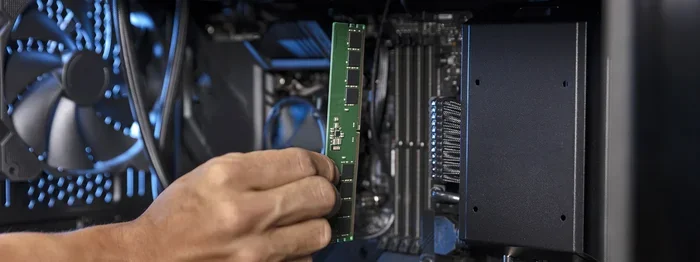
Is 8GB RAM Enough for Gaming and Productivity in 2026
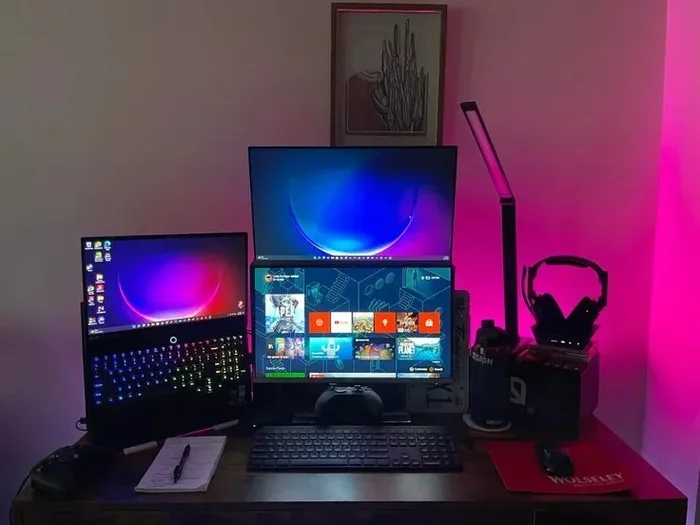
Is 8GB RAM enough for gaming and productivity in 2026? The short answer is: it depends on what you do. For casual gaming and basic tasks, 8GB RAM still works. But for modern gaming, video editing, and heavy multitasking, 16GB is the new sweet spot. This guide breaks down everything you need to know about 8GB RAM performance in 2026.
This is a comprehensive guide about Is 8gb Ram Enough 2026.
Key Takeaways
- 8GB RAM works for basics: Web browsing, office tasks, and light gaming are still doable in 2026.
- Modern games demand more: Many new titles recommend 16GB, and 8GB can cause stuttering and slowdowns.
- Productivity tasks need headroom: Video editing, 3D rendering, and multitasking with multiple apps will struggle on 8GB.
- DDR5 RAM is the future: Newer laptops use DDR5 memory, which offers better speed and efficiency than older DDR4.
- Upgrading is often affordable: Adding RAM to your laptop can breathe new life into an older system without breaking the bank.
- Operating system matters: Windows 11 uses more memory than previous versions, leaving less room for your apps.
[FEATURED_IMAGE_PLACEHOLDER]
Let’s talk about 8GB RAM and whether it still holds up in 2026. If you are shopping for a laptop or wondering if your current machine can handle modern workloads, you are in the right place. Memory capacity has always been a hot topic in the PC world, and the answer keeps changing as software gets heavier and games get more demanding.
Back in 2020, 8GB of RAM was considered the standard for most users. Today, things have shifted. New games, creative apps, and even web browsers use more memory than ever before. So the big question is whether 8GB RAM can still keep up with what we throw at our computers in 2026. Let us break it all down.
What Does 8GB RAM Mean for Your System?
Random Access Memory, or RAM, is your computer’s short-term memory. It holds data that your processor needs right now. The more RAM you have, the more apps you can run at the same time without slowdowns. Think of it like a desk: a bigger desk lets you spread out more papers and work on them at once.
When we talk about 8GB RAM, we mean your system has 8 gigabytes of memory available for active tasks. This was plenty a few years ago. But software has grown. Operating systems like Windows 11 use a significant chunk of that memory just to run in the background. That leaves less room for your apps.
How Memory Affects Performance
Your system performance depends on several factors. RAM capacity is one piece of the puzzle. RAM speed and the type of memory (DDR4 vs DDR5) also matter. But capacity is usually the first bottleneck people hit. When your memory fills up, your computer starts using your hard drive as temporary storage. This is called paging, and it is much slower than using actual RAM.
For casual users, 8GB is still fine. If you browse the web, check email, watch videos, and use office apps, you will be okay. But the moment you open a few extra tabs or run a background app, you start feeling the squeeze.
Is 8GB RAM Enough for Gaming in 2026?
This is where things get interesting. Gaming performance depends heavily on memory. In 2026, many modern titles list 16GB as the recommended amount. Some demanding games can still run on 8GB, but you will likely face issues. Stuttering, long loading times, and frame drops become more common when your system runs low on memory.
Games That Work on 8GB RAM
Older games and less demanding titles can still run well on 8GB RAM. Here are some examples:
- Esports titles like Valorant and League of Legends
- Indie games and older AAA releases
- Retro games and emulated classics
- Casual mobile-style games on PC
These games do not need a lot of memory, so 8GB handles them fine. But try running a modern open-world game with high-resolution textures, and you will feel the difference fast.
Games That Struggle on 8GB RAM
Many 2025 and 2026 releases push past what 8GB can handle. Titles like Starfield, Cyberpunk 2077, and newer AAA releases benefit greatly from more memory. When you play these games on a system with limited RAM, you might notice:
- Stuttering during gameplay
- Long texture loading times
- Crash to desktop errors
- Lower frame rates in busy scenes
If you are a serious gamer, 8GB RAM for gaming in 2026 is really not enough. You want at least 16GB for a smooth experience. Check out our guide on 8GB RAM laptops for gaming to see what options are out there if you are on a budget.
Is 8GB RAM Enough for Productivity Tasks?
Productivity means different things to different people. If you are a student writing papers and browsing the web, 8GB works. But if you are doing anything more demanding, you will hit a wall faster than you think.
Light Productivity (8GB Is Fine)
For basic tasks, 8GB RAM is still perfectly usable in 2026:
- Word processing and spreadsheets
- Email and calendar management
- Light photo editing
- Basic web browsing with a few tabs
- Video calls and conferencing apps
These tasks do not eat up memory. You can comfortably handle them on a system with 8GB of memory. Many students and office workers get by just fine with this amount.
Heavy Productivity (8GB Is Not Enough)
Now let us talk about the heavier stuff. If you do any of the following, 8GB will hold you back:
- Video editing and rendering
- 3D modeling and animation
- Running virtual machines
- Working with large datasets
- Multitasking with 10+ browser tabs and heavy apps
For video editing, even 12GB of RAM is considered the minimum by some professionals. Check out our article on is 12GB RAM enough for video editing for more details. For architecture work, 16GB is the recommended starting point. You can read more in our guide on is 16GB RAM enough for architecture.
The bottom line is that workflow efficiency drops significantly when your system runs out of memory. You will spend more time waiting and less time working.
8GB RAM vs 16GB RAM: Which Should You Choose?
The debate between 8GB and 16GB is one of the most common questions we get. Let us compare them side by side so you can make an informed decision.
| Feature | 8GB RAM | 16GB RAM |
|---|---|---|
| Casual gaming | Works for older titles | Smooth experience for most games |
| Modern AAA gaming | Struggles with stuttering | Runs well with high settings |
| Office work | No issues | Plenty of headroom |
| Video editing | Slow and limiting | Much better for rendering |
| Multitasking | Gets crowded fast | Handles many apps easily |
| Price | More affordable | Slightly higher cost |
| Future-proofing | Will feel outdated soon | Stays relevant longer |
As you can see, 16GB RAM is the better choice for most people in 2026. It gives you room to grow and handles modern software without breaking a sweat. If you are on a tight budget, 8GB will get you by for now, but you will likely need to upgrade soon.
How to Make 8GB RAM Work Better in 2026
If you are stuck with 8GB of memory for now, do not worry. There are things you can do to squeeze more performance out of your system.
Quick Tips to Improve Performance
- Close unused apps: Every open app uses memory. Shut down what you are not using.
- Limit browser tabs: Modern browsers eat RAM. Keep only the tabs you need open.
- Disable startup programs: Many apps launch in the background and waste memory.
- Use lightweight apps: Choose lighter alternatives for everyday tasks.
- Upgrade your storage: An SSD helps with paging when RAM fills up.
These steps will not add more memory to your system, but they free up what you already have. They make a real difference in day-to-day use.
When to Upgrade Your RAM
You should consider a RAM upgrade if you notice any of these signs:
- Your computer slows down when you open multiple apps
- Games stutter or crash more often
- Your system uses 90% or more of memory at idle
- You get warnings about low memory
- You want to run modern software that lists 16GB as a requirement
Upgrading from 8GB to 16GB is one of the best investments you can make. It is often inexpensive and can dramatically improve your system performance. Before you buy, check if your laptop supports DDR5 RAM or if it uses DDR4. The type of memory matters for compatibility and speed.
What Does the Future Hold for RAM in 2026 and Beyond?
Technology keeps moving forward. In 2026, we are seeing DDR5 memory become more common in laptops and desktops. DDR5 offers faster speeds and better efficiency than DDR4. This means better performance even at the same capacity.
Software is also getting more demanding. Operating systems, apps, and games all use more memory each year. What feels like plenty today will feel tight in just a couple of years. This is why many experts recommend going with 16GB RAM or more when buying a new laptop in 2026.
For future-proofing, think about what you plan to do with your computer over the next 3 to 5 years. If you want it to stay fast and capable, more memory is always better. You do not want to be stuck upgrading every year because your computer memory cannot keep up.
If you are shopping for a new laptop, look for models with at least 16GB of RAM. You can find great deals on laptops on sale with 8GB RAM, but spending a little extra for 16GB now will save you headaches later. Check out our article on is 8GB RAM enough for a laptop for more shopping advice.
Common Mistakes People Make With 8GB RAM Systems
There are a few mistakes that 8GB RAM users often make. Avoiding these can help you get more out of your system:
- Running too many heavy apps at once: This is the fastest way to max out your memory. Be mindful of what you have open.
- Ignoring background processes: Many apps run silently in the background and eat up RAM. Check your task manager regularly.
- Not upgrading when needed: If you keep hitting memory limits, it is time to upgrade. Waiting too long just makes your experience worse.
- Buying 8GB because it is cheaper: The upfront savings are not worth the frustration of slow performance.
- Assuming all 8GB is usable: Your operating system reserves some memory. On Windows 11, you might only have 6GB to 7GB available for apps.
These mistakes are easy to avoid with a little awareness. The key is to understand your memory capacity needs and plan accordingly.
Final Thoughts
So, is 8GB RAM enough for gaming and productivity in 2026? The honest answer is: it depends. For light tasks and older games, 8GB still works. But for modern gaming, creative work, and heavy multitasking, 16GB is the way to go.
8GB RAM is not bad by any means. It is a solid starting point for budget builds and casual users. But if you want a smooth, future-proof experience, you should aim higher. The extra cost of upgrading to 16GB pays for itself in better performance and fewer frustrations.
Think about what you do with your computer every day. If your work or play demands more than basic tasks, invest in more memory now. Your future self will thank you. And if you are curious about how much RAM different tasks really need, check out our guide on what amount of RAM is good on a laptop for more insights.
Remember, your system performance is only as good as its weakest component. Memory is one of the easiest parts to upgrade and one of the most impactful. Make the right choice for your needs in 2026 and beyond.
Frequently Asked Questions
Can I run modern games on 8GB RAM?
Some modern games will run on 8GB RAM, but you will likely experience stuttering, longer load times, and lower frame rates. Many new titles list 16GB as the recommended amount. For the best gaming experience in 2026, 16GB is strongly recommended.
Is 8GB RAM enough for students in 2026?
For basic schoolwork like writing papers and browsing the web, 8GB is fine. But students doing video editing, 3D modeling, or running multiple apps at once will need more. Check out our guide on is 8GB RAM enough for students for more details.
How much does it cost to upgrade from 8GB to 16GB RAM?
The cost varies depending on the type of RAM and where you buy it. DDR4 8GB sticks can be found for under $30, while DDR5 options cost a bit more. Overall, upgrading from 8GB to 16GB is one of the most affordable ways to boost your system.
Will Windows 11 run well on 8GB RAM?
Windows 11 can run on 8GB RAM, but it leaves less free memory for your apps since the OS uses more resources than older versions. You will notice smoother performance with 16GB, especially when multitasking.
Can I mix 4GB and 8GB RAM sticks together?
Yes, you can mix different sizes, but it is not always ideal. Your system will run in dual-channel mode for the matched portion and single-channel for the rest. For the best performance, use matching RAM sticks. Learn more in our article on can I use 4GB and 8GB RAM together.
What type of RAM should I buy for my laptop in 2026?
DDR5 RAM is the latest standard and offers better speed and efficiency than DDR4. Check your laptop’s specifications before buying, as not all systems support DDR5. If your laptop supports DDR5, it is worth the investment for better long-term performance.