Best Crucial SSD Alternatives for Your Upgrade in 2024
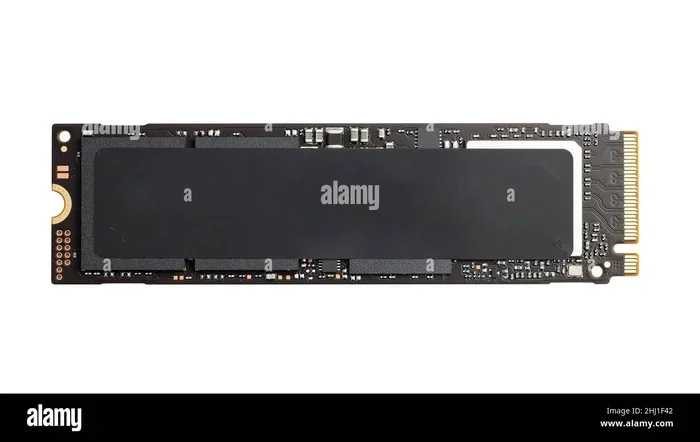
Finding the right Crucial SSD alternatives doesn’t have to be hard. Samsung and WD Black offer NVMe SSDs with faster read speeds, better thermal management, and more capacity options than ever before. Whether you need a gaming SSD or a reliable boot drive, these alternatives deliver serious performance for every budget.
If you have been eyeing a Crucial SSD for your next storage upgrade, you might want to pause and look at what else is out there. The solid state drive market has exploded with options in 2024, and some of the best performers come from brands you might not have considered yet. Crucial SSD alternatives from Samsung, WD Black, and other top brands are pushing the boundaries of speed, capacity, and value.
Whether you are building a new PC, upgrading a laptop, or adding storage for your gaming performance needs, choosing the right drive matters more than ever. A storage upgrade can breathe new life into an old machine or give your new build the speed boost it deserves. But with so many choices, how do you know which NVMe SSD is the right fit?
This guide breaks down the best Crucial SSD alternatives available right now. We will compare speeds, features, and value so you can make a confident choice. Let us dive in.
Key Takeaways
- Samsung 980 Pro and WD Black SN850P are the top alternatives to Crucial SSDs for most users
- PCIe Gen4 NVMe SSDs offer significantly faster speeds than older Gen3 drives
- Capacity options range from 500GB to 4TB, so you can find the right fit
- DRAM cache and TLC NAND flash memory make a big difference in real-world performance
- Thermal management features help prevent throttling during intense gaming sessions
- Price-to-performance ratio varies, so comparing specs matters before buying
📑 Table of Contents
Why Consider Crucial SSD Alternatives?
Crucial makes solid drives. There is no denying that. But the SSD market has grown fiercely competitive. Other brands now offer drives that match or even beat Crucial in key areas like speed, endurance, and cooling. Here are a few reasons you might want to explore alternatives to Crucial SSDs:
- Faster sequential speeds: Some competing drives offer higher read and write speeds, which matters for large file transfers and intensive workloads.
- Better thermal design: Newer M.2 SSD models come with advanced heat spreaders that keep temperatures in check during long gaming sessions.
- More capacity options: While Crucial offers solid choices, competitors now push up to 4TB and beyond in affordable packages.
- Enhanced DRAM cache: Drives with larger or more efficient DRAM caches handle multitasking and heavy workloads more smoothly.
- Competitive pricing: Rival brands are driving prices down, giving you more bang for your buck.
The bottom line? Your storage upgrade deserves a drive that fits your exact needs. Sometimes that means looking beyond the usual picks.
Top Samsung SSD Alternatives
Samsung has long been a powerhouse in the NVMe SSD world. Their drives are known for reliability, speed, and strong build quality. If you are searching for a Crucial SSD alternative, Samsung should be at the top of your list.
Samsung 980 Pro
The Samsung 980 Pro remains one of the most popular PCIe Gen4 NVMe M.2 SSDs on the market. It delivers sequential read speeds up to 7,000 MB/s and write speeds up to 5,100 MB/s. That is blazing fast for any gaming SSD or productivity workload.
What makes the 980 Pro a strong Crucial SSD alternative? It uses TLC NAND flash memory and includes a built-in DRAM cache. This combination means smooth multitasking, quick boot times, and fast game loading. The drive also comes with a five-year warranty, giving you peace of mind.
- Read speed: Up to 7,000 MB/s
- Write speed: Up to 5,100 MB/s
- Interface: PCIe Gen4 NVMe
- Capacity options: 250GB, 500GB, 1TB, 2TB
- Warranty: 5 years
The 980 Pro is an excellent choice if you want proven performance and brand trust. It works beautifully as a boot drive or as the primary drive for a gaming setup.
Samsung 970 Evo Plus
The Samsung 970 Evo Plus is a slightly older model but still holds its own. It uses PCIe Gen3 technology, which means it is a bit slower than Gen4 drives. However, for everyday tasks and moderate gaming, it still performs very well.
This drive is a great budget-friendly option if you do not need the absolute fastest speeds. It offers solid endurance ratings and reliable NAND flash memory performance. The 970 Evo Plus is a solid pick for users who want a dependable M.2 SSD without spending a premium.
Top WD Black SSD Alternatives
WD Black has made serious waves in the NVMe SSD space. Their drives are designed with gamers and power users in mind, and they often come with features that rival or exceed what Crucial offers.
WD Black SN850P
The WD Black SN850P is one of the strongest Crucial SSD alternatives for gaming. It delivers sequential read speeds up to 7,300 MB/s and write speeds up to 6,600 MB/s. Those numbers are impressive and put it ahead of many competing drives.
What sets the SN850P apart? It features a DRAM cache and uses TLC NAND for consistent performance. The drive also includes a built-in heatsink in some models, which helps with thermal management. This means your drive stays cool even during marathon gaming sessions or heavy file transfers.
- Read speed: Up to 7,300 MB/s
- Write speed: Up to 6,600 MB/s
- Interface: PCIe Gen4 NVMe
- Capacity options: 1TB, 2TB, 4TB
- Warranty: 5 years
If you want a gaming SSD that can handle everything from open-world games to video editing, the SN850P is a top contender among Crucial SSD alternatives.
WD Black SN850X 4TB
For users who need serious capacity, the WD Black SN850X 4TB is worth a close look. This drive combines high-speed PCIe Gen4 performance with a massive 4TB capacity. It is ideal for users who store large game libraries, video projects, or creative workloads.
The SN850X delivers read speeds up to 7,300 MB/s and includes a sleek heatsink design. It is built to handle sustained workloads without thermal throttling. If you need both speed and space, this is one of the best NVMe SSD options on the market.
How Crucial SSD Alternatives Compare
Let us put things into perspective. Here is a quick comparison of the top Crucial SSD alternatives we have covered:
| Drive | Read Speed | Write Speed | Interface | Max Capacity |
|---|---|---|---|---|
| Samsung 980 Pro | 7,000 MB/s | 5,100 MB/s | PCIe Gen4 | 2TB |
| Samsung 970 Evo Plus | 3,500 MB/s | 3,200 MB/s | PCIe Gen3 | 2TB |
| WD Black SN850P | 7,300 MB/s | 6,600 MB/s | PCIe Gen4 | 4TB |
| WD Black SN850X 4TB | 7,300 MB/s | 6,600 MB/s | PCIe Gen4 | 4TB |
As you can see, the WD Black SN850P and Samsung 980 Pro lead the pack in speed. The Samsung 970 Evo Plus is a solid budget option. Each drive offers unique strengths depending on your needs.
Quick Tips for Choosing
- Check your motherboard: Make sure your PC supports PCIe Gen4 or Gen3 before buying.
- Consider your workload: Gaming needs differ from video editing. Choose accordingly.
- Look at endurance ratings: Higher TBW (terabytes written) means longer drive life.
- Don’t skip the heatsink: Especially for M.2 SSD Gen4 drives, cooling matters.
How to Choose the Right SSD Alternative for You
Choosing the best Crucial SSD alternative comes down to a few key factors. Let us walk through them so you can narrow down your options with confidence.
Speed Matters, But So Does Real-World Performance
Sequential read and write speeds look great on paper. But real-world performance depends on more than just numbers. DRAM cache, NAND flash memory type, and the drive’s controller all play a role. A drive with a strong controller and DRAM cache will feel faster in everyday use than a drive with higher numbers but a weaker setup.
Capacity: How Much Do You Really Need?
Capacity options vary widely across brands. For a boot drive with a few games, 1TB is usually enough. If you are a serious gamer or content creator, 2TB or 4TB gives you room to grow. The good news is that SSD prices have dropped significantly, making larger drives more affordable than ever.
Thermal Performance and Cooling
Thermal throttling is a real concern with PCIe Gen4 and Gen5 drives. When a drive gets too hot, it slows down to protect itself. This is why many top NVMe M.2 SSDs now come with heatsinks or thermal pads. If your PC case has limited airflow, choosing a drive with good thermal management is essential.
Price-to-Performance Ratio
You do not always need the fastest drive. If you mainly browse the web, watch videos, and play casual games, a PCIe Gen3 NVMe SSD will serve you well and save you money. But if you are pushing heavy workloads or competitive gaming, investing in a PCIe Gen4 drive pays off.
Final Verdict: The Best Crucial SSD Alternatives in 2024
The SSD market in 2024 is richer than ever. Crucial SSD alternatives from Samsung and WD Black deliver top-tier performance, excellent reliability, and strong value. Here is our quick rundown:
- Best overall: WD Black SN850P for its blend of speed, capacity, and cooling features.
- Best Samsung option: Samsung 980 Pro for proven performance and brand reliability.
- Best budget pick: Samsung 970 Evo Plus for solid performance at a lower price point.
- Best for large storage: WD Black SN850X 4TB for users who need massive capacity without sacrificing speed.
No matter which drive you choose, you are getting a quality solid state drive that will outperform a traditional hard drive in every way. A storage upgrade is one of the best investments you can make for your PC. Pick the drive that fits your needs, install it, and enjoy the speed difference right away.
Take your time, compare the specs, and choose the NVMe SSD that gives you the best mix of speed, capacity, and value. Your gaming performance and everyday workflow will thank you.
Frequently Asked Questions
Are Crucial SSD alternatives better than Crucial drives?
Not necessarily better, but they often offer different strengths. Brands like Samsung and WD Black sometimes provide faster speeds, better thermal designs, or more capacity options. The best drive depends on your specific needs and budget.
Can I use a Crucial SSD alternative in the same PC?
Yes. Most NVMe M.2 SSDs use the same M.2 slot on modern motherboards. Just make sure your motherboard supports the drive’s interface, whether that is PCIe Gen3 or PCIe Gen4.
Do I need a heatsink for my new SSD?
It depends on your setup. If your PC has good airflow or your motherboard has a built-in M.2 heatsink, you may not need one. But for heavy workloads or cramped cases, a heatsink helps prevent thermal throttling.
What is the difference between PCIe Gen3 and Gen4 SSDs?
PCIe Gen4 drives are roughly twice as fast as Gen3 drives in terms of sequential speeds. For most users, Gen4 offers a noticeable boost in file transfers and game loading times. However, Gen3 drives still perform well for everyday tasks.
How long do these SSDs last?
Most NVMe SSDs from Samsung and WD Black come with a five-year warranty. Their endurance ratings are measured in TBW (terabytes written). Higher TBW numbers mean the drive can handle more data over its lifetime before potential wear.
Is it hard to install an NVMe SSD?
No. Installing an M.2 NVMe SSD is one of the easiest PC upgrades. You simply insert the drive into the M.2 slot on your motherboard, secure it with a screw, and you are done. No cables or external enclosures needed.