Is 16gb Ram Enough for a Desktop Workstation in 2026

Is 16gb RAM enough desktop 2026? The short answer is yes for most users, but it depends on your tasks. Whether you game, edit videos, or work remotely, 16GB RAM handles everyday demands well. However, heavy workloads like 3D rendering may need more memory. This guide breaks down exactly when 16GB is enough and when you should consider upgrading.
Is 16gb RAM enough desktop 2026? You are not alone in asking this question. Every year, software gets heavier and demands more from your computer. By 2026, everyday apps use more memory than they did just a few years ago. The good news is that 16GB RAM still serves most users very well. But the real answer depends on what you do with your machine each day.
Think of RAM as your computer’s short-term memory. When you open a browser with twenty tabs, run a spreadsheet, or play a game, your system pulls data into RAM. More RAM means your computer can juggle more tasks at once without slowing down. In 2026, 16GB remains a solid sweet spot for everyday computing. But if you push your machine hard with professional work, you might want more.
This guide walks you through everything you need to know. We will look at real workloads, compare different use cases, and share practical tips. By the end, you will know exactly whether 16GB RAM meets your needs or if you should plan an upgrade.
Key Takeaways
- 16GB RAM is sufficient for most desktop users in 2026: It covers browsing, office work, light creative tasks, and casual gaming without issues.
- Heavy professionals may need more: Video editors, 3D modelers, and machine learning users often benefit from 32GB or more.
- RAM speed and dual-channel setup matter: Pairing two sticks boosts performance more than a single stick, even at the same capacity.
- Future-proofing is smart: Software demands grow yearly, so planning for an upgrade keeps your system relevant longer.
- SSD storage complements RAM: A fast SSD reduces reliance on memory for caching and swapping data.
- Upgrading is easy and affordable: Most desktop motherboards support adding more RAM without replacing the whole system.
📑 Table of Contents
What Does 16GB RAM Mean for Your Desktop in 2026?
Let us start with the basics. RAM stands for Random Access Memory. It is the temporary workspace your computer uses while running programs. When you close an app, the data clears out. The more RAM you have, the more apps you can run at the same time without slowdowns.
In 2026, 16GB RAM has become the standard for most new desktop computers. Operating systems like Windows 11 use about 3 to 4GB on their own. That leaves roughly 12GB for your apps and tasks. For general users, this is plenty of headroom.
How RAM Works in a Desktop Setup
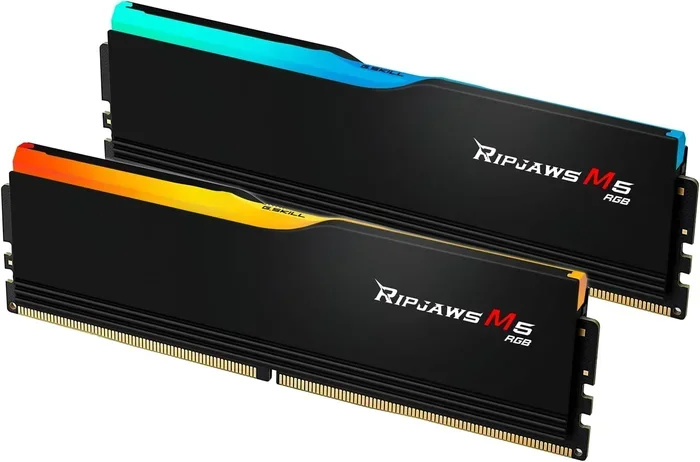
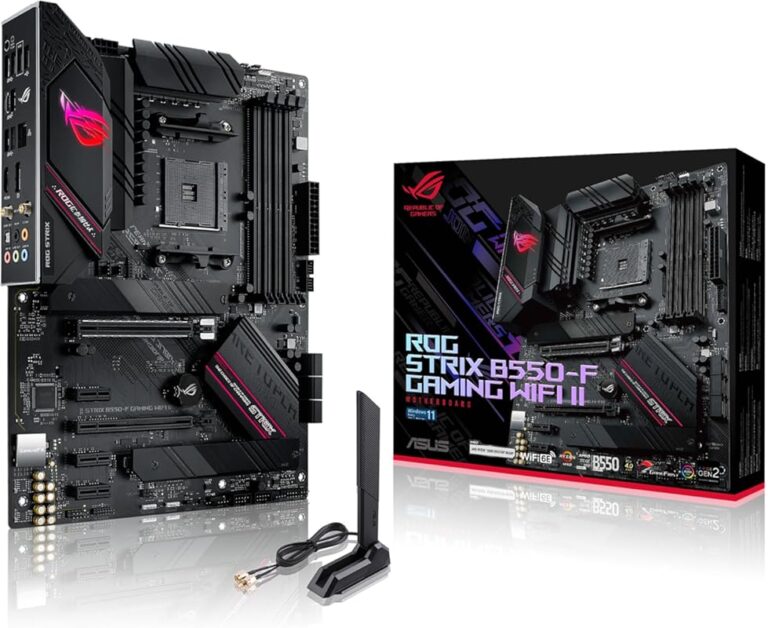
Your desktop motherboard holds the RAM sticks. Most modern boards support dual-channel memory, which means using two sticks instead of one. Dual-channel setup can improve memory performance by up to 15 to 20 percent. So if you buy 16GB, go for two 8GB sticks rather than a single 16GB stick.
RAM speed also plays a role. In 2026, DDR5 memory is becoming more common. DDR5 runs faster than older DDR4 standards and offers better efficiency. However, the real-world difference for most users is small. The capacity matters more than the speed for everyday tasks.
16GB RAM vs. Other Configurations
To put things in perspective, here is how 16GB compares to other common setups:
- 8GB RAM: Fine for basic browsing and word processing. Struggles with multitasking and creative work.
- 16GB RAM: Great for most users. Handles multitasking, light editing, and modern gaming with ease.
- 32GB RAM: Ideal for professionals. Smooth performance in video editing, 3D rendering, and heavy multitasking.
- 64GB RAM: Overkill for most users. Needed only for specialized workloads like machine learning and large-scale data processing.
For most people, 16GB hits the perfect balance between cost and performance. It gives you room to grow without overspending.
Who Needs 16GB RAM in 2026?
Not everyone uses a computer the same way. Your RAM needs depend entirely on what you do each day. Let us break this down by user type.
Home and Office Users
If you use your desktop for email, web browsing, and office apps, 16GB RAM is more than enough. Programs like Microsoft Word, Google Chrome, and Zoom run smoothly with 16GB. You can have multiple tabs open, stream a video, and work on a document all at the same time without any lag.
For remote workers and students, 16GB provides a comfortable buffer. You can run video calls, keep dozens of browser tabs open, and switch between apps instantly. This setup handles the typical digital workday with ease.
Gamers
Gaming is one of the most common reasons people ask about RAM. In 2026, most modern games recommend 16GB RAM as the baseline. Titles like Cyberpunk 2077, Hogwarts Legacy, and Baldur’s Gate 3 run well with 16GB. You will get smooth frame rates and fast load times when paired with a decent processor and a good graphics card.
However, if you stream your gameplay while playing, 16GB might feel tight. Streaming adds extra load because your system has to encode video on the fly. In that case, 32GB gives you more breathing room. For casual gaming, 16GB is perfectly fine.
Creative Professionals
Creative work puts more strain on your computer. Photo editing in Adobe Photoshop, video editing in Premiere Pro, and 3D modeling in Blender all love RAM. For light to medium creative work, 16GB RAM works well. You can edit photos, put together basic video projects, and handle moderate 3D scenes without problems.
But heavy video editing with 4K footage or complex 3D scenes with many textures? That is where 16GB starts to show its limits. Professionals in these fields often move to 32GB or more. If you are just starting out in creative work, 16GB is a great place to begin.
How 16GB RAM Handles Common Workloads
Let us look at specific tasks and how well 16GB RAM handles them in 2026. This gives you a clear picture of real-world performance.
Web Browsing and Productivity
Modern web browsers are memory-hungry. Chrome alone can use 1 to 2GB with just a few tabs open. Add in Slack, Spotify, and a Word document, and you might use 4 to 6GB total. With 16GB, you have plenty of room left. Productivity tasks feel fast and responsive.
For comparison, 8GB RAM can struggle with heavy browsing. You might experience tab reloads and slowdowns when too many apps run at once. 16GB eliminates this problem almost entirely.
Video Editing and Content Creation
Video editing is one of the most RAM-intensive tasks. A 1080p video edit with a few effects runs fine on 16GB. But once you step up to 4K editing or add heavy color grading, memory usage spikes quickly.
Here is a quick look at how different tasks use memory:
- Basic photo editing: Uses 2 to 4GB of RAM comfortably.
- 1080p video editing: Uses 6 to 10GB depending on complexity.
- 4K video editing: Can push past 12GB, leaving little headroom.
- 3D rendering: Often needs 16GB or more for smooth performance.
If you do content creation as your main job, consider stepping up to 32GB. It makes a noticeable difference in workflow speed and system stability.
Programming and Development
Developers often run multiple tools at once: code editors, browsers for testing, local servers, and virtual machines. For most programming tasks, 16GB RAM is perfectly adequate. You can run Visual Studio Code, Docker containers, and a browser with testing tools without issues.
Heavy tasks like running local databases or multiple virtual machines at once can push 16GB to its limits. In those cases, 32GB provides a much smoother experience. But for everyday coding, 16GB handles it well.
Can You Upgrade RAM Later?
One of the biggest advantages of a desktop is upgradeability. Unlike laptops, desktops let you swap and add components easily. If you start with 16GB RAM today, you can add more sticks later when your needs grow.
Understanding Your Motherboard Limits
Every motherboard has a maximum RAM capacity. Most modern desktop boards support 64GB or even 128GB. They usually have four RAM slots, which means you can install up to four sticks. If your board has two free slots, you can add another 16GB for a total of 32GB.
Before buying more RAM, check your motherboard manual. It tells you the maximum speed and capacity supported. Mixing RAM sticks can work, but matching the same brand, speed, and size gives the best results.
When to Upgrade from 16GB
You should consider upgrading from 16GB when you notice these signs:
- Your system slows down when you open several apps.
- Your task manager shows RAM usage above 85 percent regularly.
- Games or creative apps crash or stutter during use.
- You frequently use heavy multitasking or virtual machines.
If you do not see these issues, 16GB RAM is serving you well. There is no need to spend money on an upgrade you do not need yet.
The Role of SSD and Processor Pairing
RAM does not work alone. Your overall system speed depends on how all your components work together. Two other parts play a huge role: your storage drive and your processor.
SSD Storage and Memory Performance
A fast SSD reduces the strain on your RAM. When your system needs data, it pulls it from the SSD into memory. A slow hard drive creates bottlenecks that make your computer feel sluggish, even if you have plenty of RAM.
In 2026, an SSD with 16GB RAM is the ideal baseline combo. The SSD handles quick data access while RAM manages active tasks. Together, they deliver a smooth and responsive experience. Many pre-built desktops now come with both 16GB RAM and an SSD as standard.
For comparison, a system with 16GB RAM but an old hard drive will feel much slower than one with 16GB RAM and a modern SSD. Storage speed and memory work hand in hand.
Processor Pairing with 16GB RAM
Your processor also affects how well 16GB RAM performs. A modern Intel Core i5 or i7 processor pairs perfectly with 16GB of memory. These chips handle multitasking and demanding apps efficiently when given enough RAM.
An older or budget processor might bottleneck your system even with 16GB RAM. The processor processes data, and RAM stores it temporarily. If one part is weak, the whole system suffers. Always aim for a balanced build where your processor and RAM complement each other.
Common Mistakes People Make with RAM
Many users make avoidable mistakes when it comes to memory. Here are a few to watch out for:
Buying a Single Stick Instead of Two
As mentioned earlier, dual-channel memory gives you a performance boost. A single 16GB stick works, but two 8GB sticks in the right slots will perform better. Always check your motherboard manual for the correct slot configuration.
Ignoring RAM Speed
While capacity matters most, speed still plays a role. DDR5-5600 is a great sweet spot for 2026. Avoid very slow RAM, as it can hold back your processor. But do not overspend on the fastest RAM either. The gains beyond DDR5-5600 are small for most users.
Assuming More RAM Always Means More Speed
Adding RAM helps only when your system is running out of memory. If you already have enough RAM for your tasks, adding more will not make your computer faster. It is like adding extra lanes to a highway that already has no traffic. Know your actual needs before buying.
Is 16GB RAM Enough for a Desktop Workstation in 2026?
After looking at all the factors, here is the honest answer. For most desktop users in 2026, 16GB RAM is enough. It handles everyday tasks, light creative work, modern gaming, and general productivity with confidence. The key is understanding your specific needs and planning accordingly.
If you are a casual user or a student, 16GB will serve you well for years. If you are a professional working with heavy workloads, consider 32GB as your target. And if you are unsure, start with 16GB and upgrade later when you see the need.
The beauty of desktop computing is flexibility. You can always add more memory down the road. Start with 16GB RAM and build from there as your demands grow. This approach saves money now while keeping your system ready for the future.
Remember, RAM is just one piece of the puzzle. A balanced system with a good processor, fast SSD, and solid graphics card delivers the best overall experience. Focus on the whole picture, not just one component.
Conclusion
So, is 16gb RAM enough desktop 2026? Yes, for the vast majority of users. 16GB RAM handles everyday computing, gaming, and light creative work with ease. It represents the best value for most desktop builds this year. Heavy professionals may want to step up to 32GB, but even then, 16GB is a strong starting point.
Plan your build around your actual needs. Choose dual-channel setup, pair with a fast SSD, and match your RAM to your processor. With these steps, your desktop will stay fast and responsive well into 2026 and beyond. Start with 16GB, monitor your usage, and upgrade only when you truly need to. That is the smartest approach to memory in 2026.
Frequently Asked Questions
Is 16GB RAM enough for gaming in 2026?
Yes, 16GB RAM is the recommended baseline for most games in 2026. Modern titles run smoothly with 16GB when paired with a decent graphics card. If you also stream or run background apps while gaming, 32GB gives you more comfort.
Can I use 16GB RAM for video editing?
16GB RAM works well for basic to intermediate video editing. You can edit 1080p footage and add effects without major issues. For 4K editing or heavy compositing, 32GB or more is recommended for smoother performance.
How much does 16GB RAM cost for a desktop in 2026?
16GB RAM kits typically cost between $40 and $80 in 2026. Two 8GB DDR5 kits fall in this range. Prices vary by brand and speed, but 16GB remains one of the most affordable upgrades you can make.
Should I get 16GB or 32GB RAM for my desktop?
Choose 16GB if you do everyday tasks, browse the web, and play casual games. Choose 32GB if you do professional creative work, heavy multitasking, or run virtual machines. Think about your actual workload before deciding.
Does RAM speed matter as much as capacity?
Capacity matters more than speed for most users. Having enough RAM to handle your tasks is the top priority. Speed becomes more important for specific workloads like gaming and certain professional applications, but the difference is often small.
Can I mix different RAM sticks in my desktop?
Yes, you can mix RAM sticks, but matching the same size, speed, and brand gives the best results. Mixing different specifications may force your system to run at the slowest stick’s speed. Always try to use identical sticks for optimal performance.