Ssd Vs Hdd Which Storage Drive Should You Choose In 2024

SSD vs HDD is the biggest storage debate in 2024. Solid state drives offer blazing speed and durability, while hard disk drives still win on price and capacity. This guide breaks down every factor so you can pick the right drive for your needs.
SSD vs HDD — you have probably seen this comparison a hundred times. But in 2024, the answer is clearer than ever. Solid state drives have dropped in price, and hard disk drives still hold a strong spot in budget storage. So which one should you pick?
Whether you are building a new PC, upgrading a laptop, or just trying to understand your storage options, this guide has you covered. We will break down speed, price, durability, and more. By the end, you will know exactly which storage drive fits your needs.
Key Takeaways
- Speed: SSDs are 5 to 10 times faster than HDDs for boot times and file transfers.
- Price: HDDs cost less per gigabyte, making them ideal for mass storage.
- Durability: SSDs have no moving parts, so they handle drops and shocks better.
- Gaming: NVMe SSDs dramatically reduce load times in modern games.
- Hybrid Approach: Many users pair a small SSD with a large HDD for the best of both worlds.
📑 Table of Contents
What Is an SSD?
How Solid State Drives Work
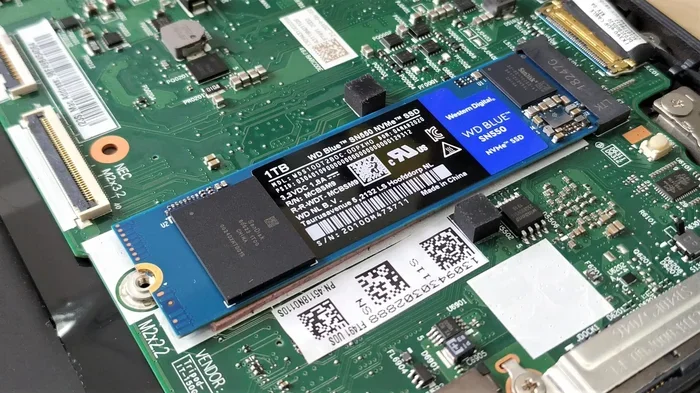
An SSD stores data using flash memory chips. There are no moving parts inside. Think of it like a giant USB drive — data is saved and read electronically. This design makes SSDs incredibly fast and very reliable.
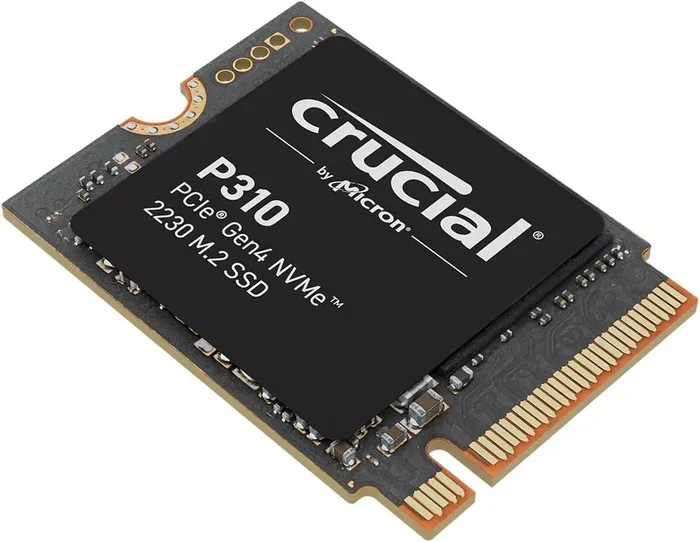
Most modern SSDs use NAND flash memory. The more NAND layers a drive has, the more data it can store. Today you can find SSDs ranging from 250GB all the way up to 8TB. The most common form factor is the M.2 SSD, which plugs directly into your motherboard.
Types of SSDs
Not all SSDs are the same. Here are the main types you will encounter:
- SATA SSDs: Use the older SATA III interface. Still fast, but capped at around 550MB/s.
- NVMe M.2 SSDs: Use the PCIe lane for much faster speeds. Top drives reach 7,000MB/s or more.
- PCIe Gen4 SSDs: The current mainstream standard for high-performance storage.
- PCIe Gen5 SSDs: The newest generation. Speeds exceed 10,000MB/s but come at a premium price.
If you want the best performance, an NVMe M.2 SSD is the way to go. Drives like the WD Black SN850P or the Samsung 980 Pro deliver outstanding read and write speeds for everyday tasks and gaming.
What Is an HDD?
How Hard Disk Drives Work
An HDD uses spinning metal disks called platters to store data. A tiny arm reads and writes data as the disks spin. This technology has been around for decades, and it still works well for certain uses.
HDDs come in two common sizes: 3.5-inch for desktops and 2.5-inch for laptops. They are available in massive capacities — you can easily find HDDs with 4TB, 8TB, or even more storage. Because the technology is older and simpler, hard disk drives cost much less per gigabyte than SSDs.
Where HDDs Still Shine
Despite being slower, HDDs still have a place in 2024. Here is where they make sense:
- Mass storage: Need 8TB for photos and videos? An HDD saves you a lot of money.
- Cold storage: Files you rarely access do not need the speed of a solid state drive.
- Budget builds: If every dollar counts, HDDs offer the most storage for the least cash.
- Surveillance systems: Many NVR setups use hard drives for continuous recording.
SSD vs HDD Speed Comparison
Read and Write Speeds
This is where the SSD vs HDD debate gets really clear. Solid state drives are dramatically faster than hard disk drives. Here is a quick look at typical speeds:
- SATA SSD: Read speeds around 550MB/s, write speeds around 520MB/s.
- NVMe Gen4 SSD: Read speeds up to 7,000MB/s, write speeds up to 5,500MB/s.
- NVMe Gen5 SSD: Read speeds over 10,000MB/s, write speeds over 8,000MB/s.
- HDD (7200 RPM): Read speeds around 150-200MB/s, write speeds similar.
The difference is massive. A hard disk drive simply cannot compete with even a budget SSD. When you boot your PC, open large files, or transfer data, the speed gap is immediately noticeable.
Boot Time and Load Times
One of the most satisfying upgrades is going from an HDD to an SSD. Windows boots in seconds instead of minutes. Games load in a fraction of the time. Even opening heavy applications like video editors feels instant.
If you are a gamer, this matters a lot. Modern games are loaded from your storage drive into memory while you play. A fast NVMe SSD means shorter loading screens and smoother gameplay. For the best gaming performance, check out our guide on the best NVMe M.2 SSDs.
Price and Value: SSD vs HDD in 2024
Cost Per Gigabyte
Price is still the biggest advantage of HDDs. As of 2024, a typical hard disk drive costs around $0.03 per GB for a 4TB drive. A solid state drive of similar capacity costs roughly $0.08 to $0.12 per GB. That is a big gap.
Here is a simple breakdown:
- 500GB SATA SSD: Around $35-$45
- 1TB NVMe SSD: Around $60-$80
- 2TB NVMe SSD: Around $120-$160
- 4TB HDD: Around $100-$120
- 8TB HDD: Around $180-$220
If you need lots of storage and your budget is tight, an HDD makes sense. But if you want the best performance per dollar, a 1TB or 2TB NVMe SSD is the sweet spot for most users.
The Best Hybrid Setup
Many PC builders use both drives. They install a small SSD for the operating system and frequently used programs. Then they add a large HDD for storing games, media, and files. This gives you the speed of a solid state drive and the capacity of a hard disk drive at a reasonable price.
If you use a laptop, you might consider an M.2 NVMe SSD for laptop setups. These compact drives fit easily into most modern notebooks and deliver excellent data transfer rates without taking up much space.
Durability and Reliability
Moving Parts vs No Moving Parts
This is one of the clearest advantages of SSDs. Because there are no spinning disks or moving arms, solid state drives are far more resistant to physical damage. Drop a laptop with an SSD and the data is usually safe. Drop one with an HDD and you risk losing everything.
For people who travel often or work in demanding environments, SSDs are the obvious choice. They also run cooler and use less power, which helps laptop battery life.
Lifespan and Wear
Every SSD has a limited number of write cycles. This is measured in TBW (terabytes written). A typical 1TB NVMe SSD might last 600TBW or more. For most users, that means the drive will outlast the rest of the PC.
HDDs also have a lifespan, but it comes from mechanical wear. The spinning platters and read/write heads can fail over time. In practice, both types of drives last many years under normal use. But SSDs tend to be more predictable in their failure patterns.
Which Drive Should You Choose?
Choose an SSD If…
- You want fast boot times and quick application loading.
- You are a gamer who cares about load times.
- You are building a new PC or upgrading a laptop.
- You work with large files like video or photo editing.
- You value durability and portability.
Choose an HDD If…
- You need massive storage on a tight budget.
- You are storing backups, media libraries, or archives.
- You are building a NAS or surveillance system.
- You rarely access most of your stored files.
For Most Users in 2024
The honest answer for most people is simple: go with an SSD. Even a budget NVMe M.2 SSD will transform your computing experience. The speed difference is night and day compared to any hard disk drive. Prices have come down so much that a 1TB SSD is now affordable for nearly everyone.
If you need more space, pair your SSD with a larger HDD. This hybrid approach gives you speed where you need it and capacity where you do not. For the best M.2 NVMe SSD options at different price points, check out M.2 NVMe SSDs for laptops or explore PCIe Gen4 NVMe M.2 SSDs for desktop builds.
Common Mistakes People Make When Choosing Storage
- Buying the cheapest option: A slow HDD as your main drive will frustrate you every day.
- Ignoring form factor: Make sure your PC or laptop supports the drive size you buy.
- Overlooking interface: An NVMe drive in a SATA slot will not run at full speed.
- Skipping backups: No drive lasts forever. Always keep backups of important data.
Final Thoughts
The SSD vs HDD debate is not really a debate anymore for most users. Solid state drives offer speed, durability, and a better overall experience. Hard disk drives still serve a purpose for bulk storage, but they are no longer the go-to choice for your main drive.
In 2024, the clear winner for everyday computing is the SSD. Whether you pick a budget SATA model or a top-tier NVMe drive, you will notice the difference immediately. Your PC will boot faster, apps will open quicker, and games will load in seconds instead of minutes.
So take a look at your needs, set a budget, and make the switch. A good storage drive is one of the best investments you can make for your computer. You will wonder how you ever waited for a spinning hard disk drive to get anything done.
Frequently Asked Questions
Is an SSD better than an HDD for gaming?
Absolutely. SSDs load games much faster than HDDs. You will see shorter loading screens, faster level transitions, and smoother overall performance. Most modern games benefit greatly from the speed of a solid state drive, especially open-world titles that stream data constantly.
Can I use both an SSD and an HDD in the same PC?
Yes, and many people do. Install your operating system and frequently used programs on the SSD for speed. Use the HDD for mass storage like games, photos, and videos. This hybrid setup gives you the best of both worlds without breaking the bank.
How much faster is an SSD compared to an HDD?
A typical SSD is 5 to 10 times faster than a hard disk drive for read and write operations. Boot times drop from minutes to seconds, and file transfers happen in a fraction of the time. NVMe SSDs are even faster than older SATA models.
Do HDDs still have a place in 2024?
Yes. HDDs are still excellent for bulk storage, backups, and media libraries. If you need 4TB or more and do not want to spend a fortune, a hard disk drive is hard to beat. They also work well for surveillance systems and network-attached storage.
How long does an SSD last compared to an HDD?
Both drives can last many years under normal use. SSDs have no moving parts, so they are less prone to mechanical failure. HDDs have spinning disks that can wear out over time. In practice, a quality SSD and a quality HDD will both serve you well for 5 to 10 years or more.
What is the best SSD for a budget PC build in 2024?
For a budget build, a 1TB SATA SSD or a 1TB NVMe SSD offers great value. Even affordable NVMe drives now deliver excellent speeds at low prices. Look for drives with at least 500GB of capacity to ensure smooth performance for your operating system and daily tasks.