32 GB of RAM in a laptop is a significant power upgrade designed for specific, demanding tasks. It eliminates slowdowns during heavy multitasking, professional creative work, and running virtual machines. While not necessary for average browsing or office work, it provides crucial future-proofing and smooth performance for power users, developers, and content creators. The key is matching your actual workflow needs to the investment, as it comes at a premium cost and may not suit every laptop model.
Key Takeaways
- Target User: 32GB RAM is essential for professional content creators, software developers, data scientists, and users running multiple heavy applications simultaneously, not for casual web browsing.
- Performance eliminates bottlenecks: It prevents system slowdowns caused by swapping data to the slow hard drive when RAM is full, ensuring seamless operation with large files and many apps open.
- Future-proofing investment: As software and operating systems become more demanding, 32GB provides a comfortable performance cushion for 3-5 years, delaying the need for another upgrade.
- Cost and value trade-off: It commands a significant price premium over 16GB configurations. The value is only realized if your specific workflow consistently utilizes more than 16GB of memory.
- Compatibility is critical: Not all laptops support 32GB. You must check your specific model’s maximum supported RAM, the number of available slots, and the type of RAM (DDR4/DDR5) it requires.
- Diminishing returns: For tasks like web browsing, document editing, and even most modern gaming, 16GB remains the sweet spot. The jump to 32GB offers minimal perceptible benefit for these activities.
- Battery life impact: More RAM consumes slightly more power. While the impact is generally small, in extremely power-sensitive mobile scenarios, 16GB might offer marginally longer battery runtime.
📑 Table of Contents
- Who Actually Needs 32GB RAM in Their Laptop?
- Performance Benefits You’ll Notice (And When You Won’t)
- The Future-Proofing Argument: Is It Worth It?
- Compatibility and Upgrade Considerations: Don’t Assume, Verify
- Real-World Use Cases and Scenarios: 32GB in Action
- Conclusion: Making the Right Choice for You
Who Actually Needs 32GB RAM in Their Laptop?
Let’s be honest. When you see “32GB RAM” listed on a laptop spec sheet, it sounds impressively powerful. It’s the kind of number that makes you feel like you’re buying a supercomputer. But here’s the crucial question: do you actually need it? The truth is, for the vast majority of laptop users—people who browse the web, check email, work on documents, and stream videos—8GB is the absolute minimum today, and 16GB is the comfortable, recommended sweet spot. So, who is this 32GB RAM for laptop configuration truly designed for?
Think of your laptop’s RAM as its immediate workspace. The more RAM you have, the more projects, files, and applications you can have open and actively working on without slowing down. 32GB represents a professional-grade workspace. It’s the standard for professionals whose work involves massive files, complex computations, or running multiple specialized applications at once. This isn’t about having 50 browser tabs open (though you certainly can); it’s about having a 4K video project in Adobe Premiere Pro, a 100-megapixel photo file in Photoshop, a web browser with 30 tabs, a Slack window, Spotify, and a virtual machine running a Linux test environment—all simultaneously, without a single stutter.
The primary audience includes: Video editors and motion graphics artists handling high-resolution footage (4K, 6K, 8K) with multiple layers and effects. 3D artists and animators working in Blender, Maya, or Cinema 4D with complex scenes. Software developers and engineers running local development servers, containerized environments (Docker), and multiple IDEs. Data scientists and analysts manipulating large datasets in Python or R. Architects and engineers using CAD software like AutoCAD or Revit with large models. And power users and enthusiasts who simply refuse to accept any form of system lag and want to future-proof their machine for the next half-decade. If your daily workflow doesn’t regularly push your current 16GB system to its limits (you can check this in your Task Manager or Activity Monitor), the jump to 32GB will be an expensive solution in search of a problem.
The “Heavy Multitasker” Profile
Beyond specific professions, there’s a growing breed of “hybrid” power user. This is the person who might be a student in a design program, a marketer who does light video editing, and a gamer—all in one. They might have a 4K video rendering in the background while researching online (50+ tabs), writing a report in Word, and hopping on a Zoom call. For this user, 16GB can start to feel crowded during these peak moments. The system might become briefly unresponsive as it struggles to juggle everything. 32GB smooths out these peaks, creating a consistently fluid experience. It’s the difference between your laptop being a tool you fight with occasionally and a tool that simply gets out of your way.
Performance Benefits You’ll Notice (And When You Won’t)
Okay, so you think you might fit the profile. What tangible, day-to-day benefits will 32GB of RAM actually bring? The magic happens when your system’s memory usage consistently exceeds its physical capacity. When that happens, your laptop starts using your storage drive (SSD or, god forbid, HDD) as “virtual memory” or a “page file.” This process is called swapping or paging. An SSD is blazing fast compared to an old hard drive, but it is still orders of magnitude slower than actual RAM. Every time your system has to fetch data from the SSD instead of RAM, you experience a lag—a hiccup, a stutter, a spinning wheel, a “not responding” moment.
Visual guide about 32 Gb Ram for Laptop
Image source: avexir.com
With 32GB of RAM, you dramatically increase the likelihood that everything you’re actively working on can reside in fast RAM simultaneously. The benefits manifest in several key areas:
- Buttery-Smooth Heavy Multitasking: As described above, juggling RAM-hungry apps becomes effortless. Switching between a 100-tab Chrome window, a massive Excel workbook, and a Photoshop file is instant.
- Faster Project Load and Save Times: Applications like Premiere Pro or DaVinci Resolve can cache more data in RAM, making scrubbing through timelines and applying effects feel instantaneous. Large project files open and save quicker because less data needs to be streamed from the slower SSD.
- Virtual Machine and Emulation Bliss: Running a virtual machine (like VMware, VirtualBox, or Parallels) to test software or run another OS is incredibly RAM-intensive. You’re essentially running a whole second computer inside your laptop. 32GB allows you to allocate 8-12GB to the VM while still having 20GB+ for your host operating system, making the VM feel native, not sluggish.
- Efficient Data Processing: Working with huge datasets in Python’s Pandas library or large databases means loading massive amounts of data into memory for analysis. More RAM means you can work with larger datasets without constant read/write cycles to the SSD, which cripples performance.
- Future-Proofing for Software Bloat: Operating systems (especially Windows and macOS) and applications like Chrome are notorious for becoming more memory-hungry over time. What runs smoothly on 16GB today might feel tight in 3 years. 32GB provides a comfortable buffer.
When You Won’t Notice a Difference
It’s equally important to understand where that extra 16GB is essentially wasted. If your typical use case involves:
- Web browsing (even with many tabs). Modern browsers are efficient, and unless you have hundreds of tabs with complex web apps, 16GB is more than enough.
- Office productivity (Word, Excel, PowerPoint, Google Docs).
- Watching streaming videos (Netflix, YouTube).
- Most modern gaming. This is a big one. While some newer, simulation-heavy titles (like *Microsoft Flight Simulator* with ultra settings) can use over 16GB, the vast majority of games are still limited by your GPU (graphics card), not system RAM. For gaming, 16GB is the undisputed king. Investing in a better GPU yields far more frames per second than adding extra RAM beyond 16GB.
- Basic photo editing with Lightroom or smaller Photoshop projects.
For these activities, a benchmark test might show a tiny performance increase, but you, as the user, will not perceive any real-world difference in smoothness or speed. The money spent on that extra 16GB would be better allocated elsewhere—perhaps a faster SSD, a better CPU, or a more powerful GPU.
The Future-Proofing Argument: Is It Worth It?
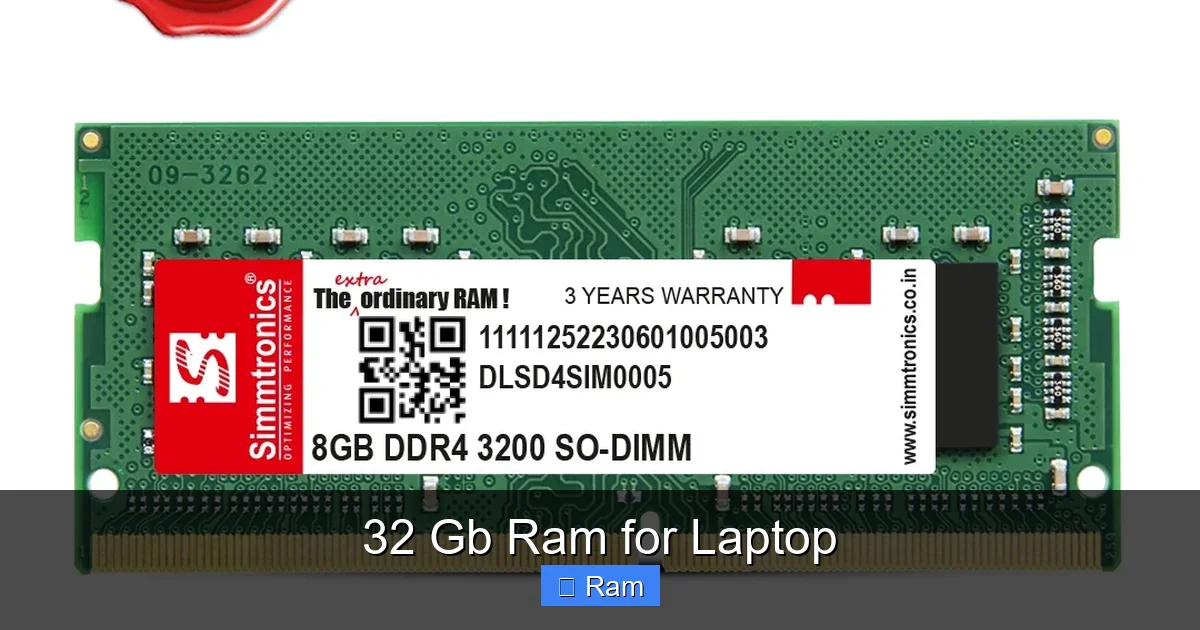
This is the siren song of 32GB RAM: “Buy it now, don’t upgrade later.” Future-proofing is a valid concept, but it must be approached with a clear-eyed view of technology trends and your own upgrade cycle. Laptops are generally less upgradeable than desktops. In many modern ultrabooks, the RAM is soldered directly to the motherboard, making an upgrade impossible. If you buy a laptop with 16GB soldered, that’s it for its life. If you buy the same model with 32GB soldered, you’ve locked in that capacity for the laptop’s entire usable lifespan.
Visual guide about 32 Gb Ram for Laptop
Image source: simmtronics.co.in
The argument for future-proofing with 32GB rests on two assumptions: 1) Software will continue to demand more memory, and 2) you will keep this laptop for 4+ years. The first assumption is almost certainly true. The second is personal. If you are someone who buys a high-end laptop and plans to use it as your primary machine for five years, then 32GB is a very wise investment. You will almost certainly hit the limits of 16GB before that period is up, especially as operating systems like Windows 11 and macOS Sonoma continue to evolve. That “just works” feeling today will turn into a “why is this so slow?” feeling in year three or four.
However, if you are on a 2-3 year upgrade cycle, selling or trading in your old laptop for a new model, the future-proofing value diminishes. You are paying a premium now for performance you may not fully utilize, only to pass the laptop on before that extra RAM becomes critical. The math changes. You must calculate if the immediate benefit during your ownership period justifies the cost. For a professional whose income depends on smooth performance, the answer is often yes. For a student who might graduate and upgrade, maybe not.
Understanding RAM Pricing and Value
The cost of adding 32GB of RAM to a laptop configuration is rarely linear. Laptop manufacturers charge a significant premium for higher-tier RAM options. You might find that jumping from 16GB to 32GB adds $200, $300, or even $400 to the price of a configured laptop. This is because they are selling a complete, integrated system. For comparison, if you were buying a 32GB RAM kit (2x16GB) for a desktop, it might cost $80-$120. The laptop premium is for integration, warranty, and the convenience of having it pre-installed.
Therefore, you must do a value calculation. Ask yourself: “Will this extra $300 in laptop cost provide me with $300 worth of additional productivity, time saved, or frustration avoided?” If you are a professional billing by the hour, and 32GB saves you 30 minutes of rendering or compiling time each day, that’s a clear yes. If you’re a hobbyist who might occasionally bump against 16GB limits, that’s a much tougher sell. The value is entirely subjective and tied to your specific use case and how you value your own time.
Compatibility and Upgrade Considerations: Don’t Assume, Verify
This is the most critical technical section. Before you even think about buying a 32GB laptop, you must verify compatibility. The golden rule: Not all laptops support 32GB of RAM. Assuming your new laptop can handle it is a costly mistake. You have to investigate three key things:
Visual guide about 32 Gb Ram for Laptop
Image source: m.media-amazon.com
- The Maximum Supported RAM: Every laptop model has a technical specification sheet (often on the manufacturer’s support page) that lists the “Maximum Memory.” This is the absolute ceiling, dictated by the chipset and BIOS. It might say 16GB, 32GB, 64GB, or even 128GB. If the spec says 16GB, you cannot install 32GB, no matter what. It’s a hard limit.
- Number of Slots and Configuration: Does your laptop have two SODIMM slots (allowing you to add a second stick), or is the RAM soldered? If it has two slots, it likely supports a 2x16GB configuration for 32GB total. If it has one slot and is soldered (common in thin-and-light laptops), the soldered amount is the total. You must buy the laptop with 32GB pre-configured at purchase; you cannot upgrade it later.
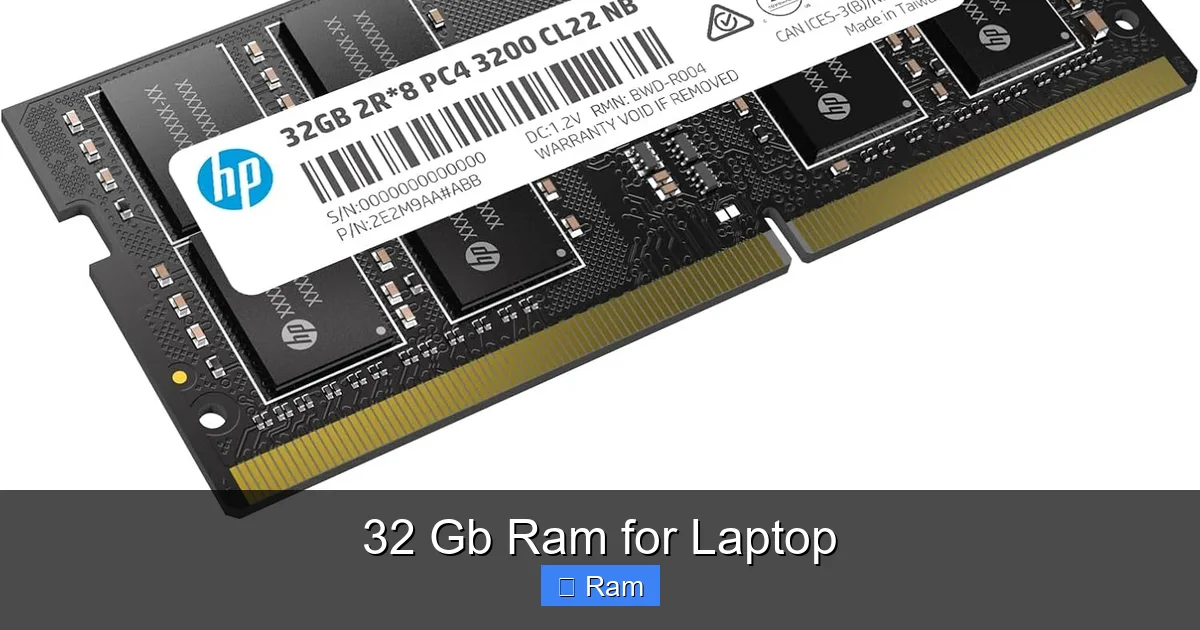
- RAM Type, Speed, and Generation: You must match the exact type. Is it DDR4 or the newer, faster DDR5? What is the supported speed (e.g., 3200MHz, 4800MHz)? Mixing mismatched RAM can cause instability or force all modules to run at the speed of the slowest stick. When upgrading yourself, you must buy compatible SODIMM modules. When buying pre-configured, the manufacturer ensures compatibility.
Practical Tip: Before buying any laptop, go to the manufacturer’s website, find the exact model number (e.g., Dell XPS 15 9530), and look at the technical specifications or “Memory” section. It will explicitly state the maximum supported RAM and configuration. For existing laptops you want to upgrade, use a tool like CPU-Z on Windows or “About This Mac” on Apple Silicon Macs (which have soldered RAM) to see your current configuration and maximums.
The Soldered RAM Dilemma
The trend in modern laptops, especially premium ultraportables and Apple’s MacBooks, is to solder RAM directly to the motherboard. This saves space, improves power efficiency, and allows for thinner designs. The downside is zero user-upgradeability. If you buy a MacBook Pro with 16GB, that’s it forever. You cannot add more later. This makes the initial purchase decision paramount. You must over-buy RAM relative to your current needs if you want to future-proof, because you cannot change it. For a Windows laptop, if you find a model with two accessible SODIMM slots (often in gaming laptops and some productivity workstations), you have the flexibility to buy a cheaper 16GB model now and upgrade to 32GB yourself in a year or two when prices drop. This can be a significant cost-saving strategy.
Real-World Use Cases and Scenarios: 32GB in Action
Let’s move from theory to practice. Here are concrete examples of workflows where 32GB of RAM transforms the user experience from frustrating to fluid.
Scenario 1: The Video Editor
Workflow: Editing 4K/6K footage from a mirrorless camera or cinema camera in Adobe Premiere Pro. Using multiple video tracks, color grading with Lumetri Color, adding motion graphics templates from After Effects, and having reference videos and music tracks open in other windows. They might also be running a noise reduction plugin like Neat Video, which eats RAM for breakfast.
With 16GB: The system is constantly working. Playback might stutter on complex timelines. Applying effects causes the UI to freeze for seconds. Switching to another program like Photoshop for a title graphic feels slow. The system may start swapping, indicated by a constantly high “Memory Compressed” value in Activity Monitor or a sluggish hard drive light.
With 32GB: The entire project, including cached previews, lives in RAM. Playback is buttery smooth. Applying effects is near-instantaneous. Switching to other apps is immediate. The editor can keep all their project bins, reference materials, and communication apps (Slack, Zoom) open without a second thought. The workflow is uninterrupted.
Scenario 2: The Software Developer / DevOps Engineer
Workflow: Running a local development stack with a Docker container (with multiple services: database, cache, app server), an IDE like Visual Studio Code or IntelliJ IDEA with multiple large projects, a local web browser with documentation tabs, and a terminal with multiple sessions. They might also have a Windows VM running for testing or a Linux VM for a specific environment.
With 16GB: Docker alone can easily consume 4-8GB. The IDE with large codebases uses 2-4GB. The OS and browser take another 4-6GB. There’s no room left. The system starts swapping, making terminal commands and IDE responses laggy. Running a VM is impossible without crippling the host system.
With 32GB: Docker gets its 8GB, the IDE gets 4GB, the browser gets 4GB, the OS is happy, and there’s still 10+GB free. A VM can be allocated 8GB and run smoothly alongside everything else. Compiling code is faster because the compiler has more RAM for caching. The developer can switch contexts instantly, dramatically improving focus and efficiency.
Scenario 3: The Data Analyst / Scientist
Workflow: Working with a 5GB CSV dataset in Python using Pandas. Loading it into a DataFrame consumes ~10GB of RAM after manipulation. They might be running Jupyter notebooks, doing statistical analysis, and creating visualizations. They might have multiple datasets open for comparison.
With 16GB: Loading the dataset is possible, but any further manipulation (merging, pivoting) risks crashing the kernel due to memory exhaustion. They are forced to work with sampled or smaller subsets of data, which is not ideal. The system slows to a crawl.
With 32GB: The full dataset loads comfortably. Complex operations on the full dataset are feasible. They can have multiple notebooks and datasets open. They can even run simpler machine learning models locally without needing to offload to cloud services. The analysis happens on the full, rich dataset, leading to better insights.
Conclusion: Making the Right Choice for You
So, should you buy a laptop with 32GB of RAM? The answer is not a simple yes or no. It’s a resounding “If you need it, it’s worth every penny. If you don’t, it’s wasted money.”
32GB of RAM is a specialized tool for a specialized job. It is the hallmark of a professional machine built for a professional workload. Its value is realized in the elimination of frustration, the saving of precious time, and the enabling of workflows that are simply impossible on 16GB. For the video editor, the developer, the data scientist, and the serious multitasker, it is not a luxury; it is a necessity for optimal productivity.
For everyone else—the student writing papers, the business professional in meetings, the casual gamer, the home user—16GB remains the undisputed, excellent sweet spot. It provides ample headroom for years to come for these use cases. The performance difference you’d pay for with 32GB would be imperceptible in your daily life.
Before you click “buy,” do your homework. Honestly audit your last week of computer use. Did your current laptop feel slow because of the RAM? Check your memory usage during your most demanding tasks. If it’s consistently above 12-14GB, 32GB is a smart upgrade. If it’s hovering at 8-10GB, you’re golden with 16GB. Also, verify compatibility with your chosen laptop model. Remember the soldered RAM trap. Finally, weigh the cost. Could that extra $300 be better spent on a faster CPU, a better SSD, or a higher-quality display? Often, for non-power users, the answer is yes.
In the end, 32GB RAM for a laptop is a powerful statement. It says, “My work is important, my time is valuable, and I will not tolerate technological friction.” If that statement resonates with you and your workflow, then welcome to the club. Your future, lag-free self will thank you.
Frequently Asked Questions
Is 32GB of RAM overkill for a laptop?
For general use like web browsing, office work, and even most gaming, yes, 32GB is overkill. 16GB is the recommended sweet spot for these activities. 32GB is targeted at professionals and power users with specific, memory-intensive workloads.
Will 32GB RAM improve gaming performance on my laptop?
For the vast majority of modern games, no. Gaming performance is primarily limited by the GPU (graphics card) and CPU. Most games use less than 16GB. However, some simulation, strategy, and mod-heavy games, or gaming while streaming/recording, can benefit from 32GB by preventing stutters caused by RAM saturation.
Does having more RAM (32GB vs 16GB) make my laptop battery last less?
Slightly, yes. More RAM modules consume a small amount of additional power. In real-world use, the difference in battery life between 16GB and 32GB configurations is typically minimal (maybe 15-30 minutes less) and is often outweighed by the efficiency gains from not swapping to the SSD. The impact is negligible for most users.
Can I upgrade my existing laptop to 32GB RAM myself?
It depends entirely on your specific laptop model. You must check if it has two accessible SODIMM slots and if the manufacturer’s specs list 32GB as the maximum supported memory. Many modern thin-and-light laptops have soldered RAM, making user upgrades impossible. Always verify compatibility before purchasing RAM.
Is the cost of a 32GB RAM laptop configuration worth it?
The worth is entirely subjective and based on your use case. The premium (often $200-$400) is worth it if your professional work involves video editing, 3D rendering, software development with VMs, or large datasets, where the time and frustration saved directly translate to productivity and income. For other users, it’s an unnecessary expense.
What’s a good alternative if 32GB is too expensive but I need more performance?
First, ensure you are getting a fast SSD (NVMe PCIe 4.0/5.0) and a powerful multi-core CPU. Often, a CPU or storage upgrade yields more noticeable gains for general “snappiness” than extra RAM. If you have an upgradeable laptop, buying a 16GB model now and adding another 16GB stick later when prices drop can be more cost-effective than buying a pre-configured 32GB model.