32 Gb Ram Gaming Laptop
The era of 16GB as the universal gaming sweet spot is fading. For modern gamers who stream, create content, or multitask heavily, a 32GB RAM gaming laptop is becoming the new recommended baseline. It eliminates stutters, future-proofs your investment, and handles demanding games and applications with ease. However, for casual gaming alone, it can be overkill. This guide cuts through the hype to explain exactly who needs 32GB, what to look for in a laptop, and how to maximize your investment.
Walk into any electronics store or scroll through a gaming laptop listing today, and you’ll see a new number staring back at you: 32GB. Just a few years ago, 16GB of RAM was the undisputed champion, the perfect amount for any gamer. But times have changed. The question on everyone’s mind is no longer if they should get a 32GB RAM gaming laptop, but when and why. Is it a necessary upgrade for a better experience, or just clever marketing preying on our fear of obsolescence? Let’s pull back the curtain and take a honest, detailed look at what 32GB of RAM actually means for your gaming laptop, who truly needs it, and how to make a smart purchase.
Think of your laptop’s RAM (Random Access Memory) as its immediate, ultra-fast workspace. When you launch a game, the core assets—textures, character models, map data—are loaded from your SSD into this workspace so the CPU and GPU can access them instantly. The more RAM you have, the larger and more complex that workspace can be. In the simplest terms, 32GB gives your system twice the breathing room of 16GB. But breathing room for what? That’s the crucial question. For a gamer running a single title with nothing else open, that extra space often sits unused. The magic of 32GB unfolds when you start adding layers to your computing life. This article will navigate you through the technical realities, the practical benefits, and the potential pitfalls to help you decide if a 32GB RAM configuration is your laptop’s perfect match.
Key Takeaways
- 32GB is the New “Sweet Spot” for Enthusiasts: For streamers, content creators, and competitive gamers playing modern AAA titles with mods, 32GB eliminates memory-related bottlenecks, providing smoother performance than 16GB.
- It’s About Multitasking, Not Just Gaming: The primary benefit of 32GB is the ability to run a game, a streaming/recording app, a browser with dozens of tabs, and communication software simultaneously without slowdowns.
- Future-Proofing is a Major Advantage: Game and application memory requirements are steadily rising. A 32GB RAM gaming laptop will remain viable for significantly longer than a 16GB model.
- Cost vs. Need: The price premium for 32GB over 16GB is shrinking. For most users, the performance gain in pure gaming is minimal, but for the target audience, the multitasking benefit is massive and worth the cost.
- Upgradeability is Rare in Laptops: Unlike desktops, most gaming laptops have soldered RAM. You must choose your RAM capacity at purchase, making the 32GB decision critical for the laptop’s entire lifespan.
- DDR5 is the Present and Future: Newer 32GB RAM gaming laptops use faster, more efficient DDR5 memory. While DDR4 is still capable, DDR5 offers a tangible performance uplift in memory-intensive scenarios.
- GPU and CPU Still Dominate Gaming FPS: More RAM doesn’t directly equal higher frames per second. It prevents stutters and loading hiccups. Your graphics card (GPU) and processor (CPU) are the primary drivers of raw FPS.
📑 Table of Contents
- Demystifying RAM: Why 32GB is Different from 16GB
- Who Actually Needs a 32GB RAM Gaming Laptop?
- Choosing Your 32GB RAM Gaming Laptop: Critical Factors
- Top Features to Look For Alongside 32GB RAM
- Setup and Optimization: Getting the Most From Your 32GB
- The Future of Gaming Laptops and RAM
- Conclusion: Is a 32GB RAM Gaming Laptop Right For You?
Demystifying RAM: Why 32GB is Different from 16GB
To understand the jump to 32GB, we first need to understand what RAM actually does in a gaming context. It’s not a magic FPS booster. Instead, its role is foundational to system stability and fluidity.
The Memory Hierarchy and Bottlenecks
Your laptop operates on a memory hierarchy. At the top is the CPU cache—tiny, blisteringly fast memory built into the processor. Below that is your system RAM. Below that is your SSD storage (which is now very fast with NVMe), and below that, your hard drive (if you still have one). The CPU constantly shuttles data between these layers. If the data it needs isn’t in the fast RAM, it has to fetch it from the slower SSD, causing a stutter or hitch as the system waits. More RAM allows more of your active workload (game, OS, background apps) to reside in that fast layer, minimizing these fetch delays.
Modern Games Are Hungry
Look at the recommended specs for today’s AAA titles. Games like Cyberpunk 2077, Hogwarts Legacy, and Call of Duty: Modern Warfare III often list 16GB as the recommended amount. But “recommended” usually means 1080p/medium settings. To max out settings at higher resolutions (1440p, 4K) with high-resolution texture packs, or to play with extensive mods (think Skyrim or Minecraft with shader packs), the memory requirement can easily balloon past 16GB. The game itself might try to use 18GB, but if your system only has 16GB total, it has to start swapping data to the SSD, causing those annoying micro-stutters, especially in busy areas.
Who Actually Needs a 32GB RAM Gaming Laptop?
This is the most important section. The answer is not “every gamer.” Here is a clear breakdown of the user profiles that will see a night-and-day difference with 32GB.
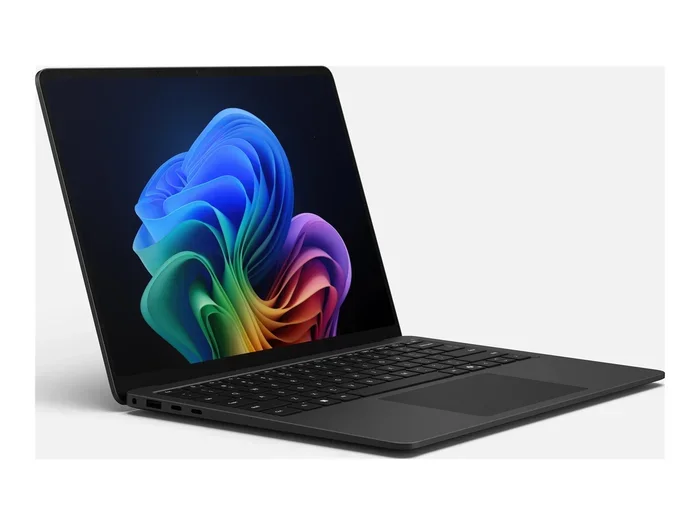
Visual guide about 32 Gb Ram Gaming Laptop
Image source: pricespy-75b8.kxcdn.com
The Streamer & Content Creator
This is the primary demographic for 32GB. If you use OBS Studio, Streamlabs, or XSplit to broadcast your gameplay while also running a video editor like DaVinci Resolve or Adobe Premiere in the background, you are a memory powerhouse. Streaming software encodes your video feed, which is a RAM-intensive process. Your browser with 50 tabs for research, Discord, Spotify, and your game all compete for space. 16GB will leave you constantly fighting for resources, leading to encoding drops, frame time inconsistencies, and a generally stressed system. 32GB provides a vast, comfortable buffer, making the entire production pipeline smooth and reliable.
The Competitive & Sim Enthusiast
Competitive gamers in titles like Valorant, CS:GO 2, or Rainbow Six Siege chase every millisecond. While these games aren’t memory hogs, the goal is absolute consistency. A single stutter can cost a round. With 32GB, you ensure that nothing else on your system can interfere with the game’s memory allocation. Furthermore, simulation gamers—those deep into Microsoft Flight Simulator, Assetto Corsa Competizione, or DCS World with ultra-high-detail scenery and aircraft— regularly see these sims consume 12-16GB of RAM on their own. Add a Chrome browser for looking up checklists or maps, and 16GB becomes a liability.
The Heavy Multitasker & Power User
Do you keep your game running while you have a virtual machine (for work or testing), a massive Excel file, 100+ Chrome tabs, and a few productivity apps open? You are a power user. For you, a laptop is a desktop replacement for serious work and play. The seamless context-switching without waiting for apps to reload from SSD is a quality-of-life improvement that, once experienced, is impossible to give up. 32GB is the minimum for this workflow.
The Future-Proof Investor
You buy a premium gaming laptop intending to keep it for 4-5 years. You look at the trajectory of software: Windows 11 and its features, next-gen game engines like Unreal Engine 5, and increasingly sophisticated creative tools. History shows memory requirements only go up. Spending the extra $100-$200 now for 32GB is a hedge against your laptop feeling prematurely slow in 2-3 years. It’s an investment in the laptop’s usable lifespan.
The Casual Gamer (The “Maybe Not” Group)
If your routine is: close all other programs, launch Fortnite or Apex Legends, play for an hour, then shut down, 16GB is perfectly sufficient. You will see no tangible benefit in frame rates or even average FPS from 32GB. Your money is better spent on a laptop with a better GPU (e.g., an RTX 4070 instead of an RTX 4060) or a higher-tier CPU. Don’t buy 32GB for bragging rights if your usage doesn’t demand it.
Choosing Your 32GB RAM Gaming Laptop: Critical Factors
So you’ve decided 32GB is for you. Now, not all 32GB configurations are created equal. Here’s what to scrutinize beyond the RAM capacity sticker.
Visual guide about 32 Gb Ram Gaming Laptop
Image source: m.media-amazon.com
DDR4 vs. DDR5: The Speed Matters
RAM generation is critical. DDR5 is the current standard for new, high-end laptops (2023 onwards). It offers significantly higher base speeds (4800MHz vs. 3200MHz) and, more importantly, double the bandwidth per module. This isn’t just a spec sheet win; in memory-bound scenarios (like the simulations and multitasking mentioned above), DDR5 provides a smoother, more responsive feel. Always prioritize a laptop with DDR5 RAM if the price difference is reasonable. Be aware: some budget 32GB laptops might still use older, slower DDR4 to hit a price point—avoid this if possible.
Soldered vs. Upgradable: The Point of No Return
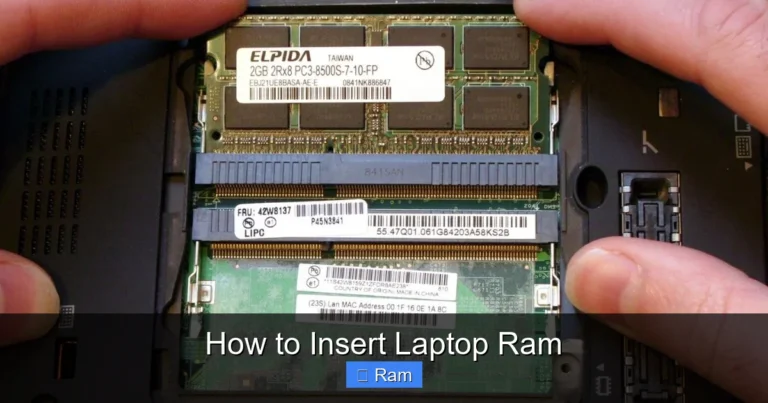
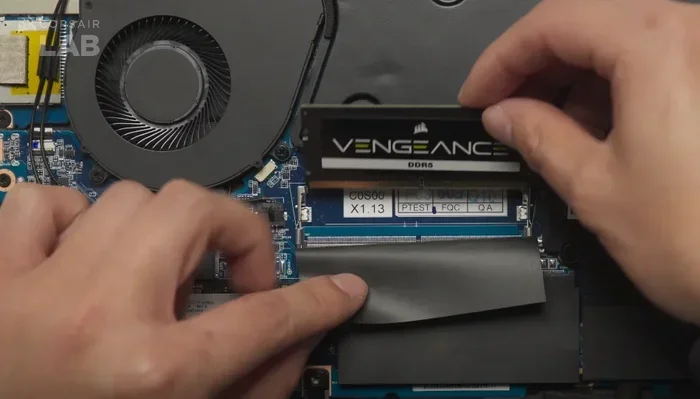
This is the make-or-break factor. The vast majority of modern gaming laptops have their RAM soldered directly onto the motherboard. This means you cannot upgrade it after purchase. The 32GB you buy is the 32GB you are stuck with for the life of the laptop. A small, niche subset of bulkier “desktop replacement” laptops from brands like Alienware (some m-series), Lenovo Legion Pro (some models), and certain MSI GT series still offer SODIMM slots for user-upgradeable RAM. If upgradeability is a priority, you must research the specific model meticulously. For 95% of buyers, you are making an irreversible decision at checkout.
Dual-Channel vs. Single-Channel Configuration
RAM works best in pairs. A “32GB” configuration typically means either two 16GB sticks (dual-channel) or one 32GB stick (single-channel). Dual-channel mode doubles the effective data transfer rate between RAM and the memory controller. Always confirm the laptop uses a dual-channel kit (2x16GB). A single 32GB stick will perform worse, especially in games, negating much of the capacity advantage. Reputable manufacturers almost always use dual-channel kits for their 32GB options, but it’s a vital check for custom or boutique builders.
Timings and Latency (CL)
This is a finer detail for enthusiasts. RAM has speed (MHz) and latency (CL, e.g., CL40). Lower latency is better. For DDR5, you’ll see numbers like DDR5-5600 CL40. Compared to DDR4-3200 CL22, the latency is numerically higher, but the massive bandwidth increase usually offsets this. For gaming, capacity and generation (DDR5) are far more important than squeezing the last few nanoseconds out of timings. Don’t overpay for “extreme” low-latency RAM kits in a laptop; the performance difference is negligible.
Top Features to Look For Alongside 32GB RAM
A balanced system is a powerful system. Pairing 32GB of RAM with the right other components is essential to avoid creating a bottleneck elsewhere.
Visual guide about 32 Gb Ram Gaming Laptop
Image source: m.media-amazon.com
The GPU: Your Primary FPS Driver
No amount of RAM will make an RTX 4050 perform like an RTX 4070. The Graphics Processing Unit is the heart of gaming performance. When shopping for a 32GB RAM gaming laptop, ensure the GPU tier matches your gaming goals. A smart configuration is pairing 32GB with at least an RTX 4060 or Radeon RX 7600S for 1080p/1440p gaming. If you’re spending on 32GB, you’re likely an enthusiast, so consider stepping up to an RTX 4070 or 4080 for high-refresh 1440p or entry-level 4K. The RAM ensures the powerful GPU never has to wait for assets.
The CPU: The System Conductor
A weak CPU will bottleneck a strong GPU, and a strong CPU needs fast RAM to thrive. For a 32GB RAM laptop, you should be looking at current-generation processors: Intel’s 13th/14th Gen Core i7 or i9 HX-series, or AMD’s Ryzen 7 7840HX or Ryzen 9 7945HX. These high-performance mobile CPUs have more cores/threads and larger caches, perfectly complementing the large, fast memory pool. Avoid pairing 32GB with a low-power U-series CPU; that’s a severe mismatch.
Display: See the Difference
All that power needs to be showcased. Look for a high refresh rate panel (144Hz, 165Hz, 240Hz+) for competitive fluidity. Ensure it has good color coverage (100% sRGB is standard, 100% DCI-P3 is premium) and a decent response time (3ms or less). A 32GB RAM laptop is a premium machine; it should have a premium display to match. Consider resolution: QHD (2560×1440) is the current sweet spot for 16″-17″ screens, offering a sharp image without the extreme GPU demand of 4K.
Storage: NVMe SSDs Are Non-Negotiable
With 32GB of RAM, you’re clearly not budget-constrained. Your laptop must have a fast, modern NVMe PCIe 4.0 (or 5.0) SSD. Aim for at least 1TB of storage. Modern AAA games are huge (80-150GB+), and with your multitasking habits, you’ll fill a 512GB drive in months. A 2TB SSD is a comfortable, future-proof choice. The speed of the SSD complements the RAM; fast storage ensures quick game loads and reduces any potential hiccups when the system does need to page data.
Cooling: The Unsung Hero
High-performance components in a confined space generate heat. Poor cooling leads to thermal throttling, where the CPU and GPU reduce their speed to cool down, killing performance. Research the laptop’s cooling solution. Look for reviews that measure CPU/GPU temperatures and clock speeds under load. Vapor chamber coolers, multiple heat pipes, and large fans are signs of a robust thermal design. A 32GB RAM laptop is a long-term investment; you want its internals to stay cool and performant for years.
Setup and Optimization: Getting the Most From Your 32GB
You’ve unboxed your new beast. Now what? Proper setup ensures you’re leveraging all that memory.
BIOS/UEFI and Windows Configuration
First, enter the BIOS/UEFI (usually by pressing F2, Del, or F12 during boot). Ensure the RAM is running at its advertised XMP/EXPO profile. Some laptops ship with RAM at a conservative default speed (e.g., 4800MHz) but are rated for 5600MHz or 6000MHz. Enabling the profile in BIOS unlocks its full speed. In Windows, go to Settings > System > About and verify the “Installed RAM” shows the correct speed (e.g., 5600MHz).
Managing Memory-Intensive Tasks
Even with 32GB, good habits help. Use the built-in Windows Task Manager (Ctrl+Shift+Esc) to monitor memory usage. You’ll see that modern games with maxed settings can use 10-14GB. If you’re streaming, OBS might use another 2-4GB. Your browser with many tabs can easily use 3-5GB. The goal is to stay under ~28GB of active use to leave headroom for the OS and sudden spikes. If you consistently hit 30GB+, you might need to close some apps. But with 32GB, this is a rare occurrence for even heavy users.
Virtual Memory (Page File) – Leave It Alone
For decades, we’ve been told to manage the Windows Page File. With 32GB of fast RAM, this is largely irrelevant. Windows manages the page file automatically and optimally. Do not disable it. Even with 64GB of RAM, disabling the page file can cause crashes in certain applications that erroneously expect it to exist. Let Windows handle it. Your SSD is fast enough to handle any occasional paging, and the vast majority of your work will stay in physical RAM.
The Future of Gaming Laptops and RAM
Where is this all heading? The trend is clear: 32GB is cementing itself as the new mainstream enthusiast standard.
Next-Gen Games and Engines
Unreal Engine 5’s Nanite and Lumen technologies, which enable incredibly detailed geometry and dynamic global illumination, are memory-intensive. As developers adopt these tools more widely, memory demands will increase. Games like Alan Wake 2 already push 16GB to its limits at max settings. The next wave of titles will make 32GB the comfortable recommendation.
DDR5 and Beyond: DDR6 on the Horizon
DDR5 adoption is now complete in the high-end laptop space. We are already seeing early whispers of DDR6, which promises even higher speeds and improved power efficiency. However, the transition will take years. For the next 3-4 years, DDR5-5600 to DDR5-6400 will be the sweet spot. Investing in a 32GB DDR5 laptop now means you won’t need to worry about the memory standard for the life of the machine.
The Blurring Line Between Laptop and Desktop
High-end gaming laptops with 32GB of fast RAM and top-tier GPUs are now powerful enough to replace many desktop setups for the enthusiast who values space and portability. This trend will continue, with laptops becoming truly modular and upgradeable in more components (a pipe dream for now, but a hope). For now, choosing the right RAM capacity at purchase is the most critical upgrade decision you’ll make.
Conclusion: Is a 32GB RAM Gaming Laptop Right For You?
The decision comes down to a simple cost-benefit analysis of your specific workflow. If you are a streamer, a video editor, a simulation geek, or a power user who lives with dozens of apps open, the answer is a resounding yes. The smoothness, the lack of stutters, and the future-proofing peace of mind are worth every penny. The 32GB RAM gaming laptop isn’t just a gaming machine; it’s a mobile powerhouse for a modern, multitasking digital life.
However, if your world revolves around a single game at a time, with a browser closed and Discord minimized, you are likely better off allocating that budget towards a better graphics card or a higher-quality display. You will not see a meaningful FPS increase from 16GB to 32GB in that scenario.
The market is responding. 32GB configurations are becoming more common and more affordably priced. When shopping, prioritize DDR5 over DDR4, dual-channel over single-channel, and pair it with a current-gen CPU/GPU from Intel or AMD. Do your research on cooling and display quality. Remember, in a gaming laptop, you are mostly stuck with your RAM choice forever. Make it a forward-looking decision. Ask yourself: “What will my computing needs be in three years?” If the answer involves more multitasking, more tabs, more creative apps, then 32GB isn’t just an option—it’s the smart play.
Frequently Asked Questions
Is 32GB of RAM overkill for gaming in 2024?
For playing a single game with no other applications open, 16GB is still sufficient. However, 32GB is becoming the recommended standard for gamers who also stream, have a browser open, or play memory-intensive AAA/modded titles. It provides essential headroom for smooth multitasking.
Can I upgrade the RAM in my gaming laptop later?
Most modern gaming laptops have soldered RAM, meaning it cannot be upgraded after purchase. You must choose your final RAM capacity when buying. A few larger “desktop replacement” models still have upgradeable slots, so you must check the specific model’s specifications carefully.
Does faster RAM (DDR5) or more RAM (32GB vs 16GB) matter more for gaming?
For pure gaming performance (FPS), faster RAM (higher MHz) provides a small benefit, but capacity is more important for eliminating stutters. Once you have enough RAM for your game + background tasks (often 16GB+), additional capacity prevents slowdowns from memory swapping, which is a more noticeable improvement than a few extra FPS from speed alone.
Will 32GB RAM increase my FPS in games?
Directly, no. Frames Per Second are primarily determined by your GPU and CPU. However, 32GB can provide a more consistent and stutter-free experience, especially in open-world games with loading new areas, or when multitasking. This results in higher 1% and 0.1% lows, which is a key metric for smoothness.
Is it worth paying extra for 32GB RAM in a mid-range laptop (e.g., with an RTX 4060)?
Yes, especially if the price premium is small (e.g., $50-$150). A mid-range GPU like an RTX 4060 is perfectly capable of 1080p/1440p gaming. Pairing it with 32GB RAM ensures the system feels fast and responsive for all other tasks, making it a better overall machine. The GPU will still be the limiting factor for max settings in demanding games.
Should I get 32GB of RAM or a better GPU?
This is the core trade-off. If your primary goal is the highest possible frame rates in games, invest in the better GPU. If your goal is a no-compromise system for gaming, streaming, and heavy work, choose 32GB RAM. For most enthusiast users who do both, a balanced approach (e.g., RTX 4070 + 32GB) is ideal, but budget may force a choice.