10 Best Budget Gamepads for PC in 2026 – Expert Picks
Finding the best budget gamepad for PC doesn’t have to be a frustrating experience. Whether you’re diving into retro emulation, exploring indie titles, or playing the latest AAA releases, a reliable controller can completely transform your gaming sessions. The good news? You don’t need to spend a fortune to get a great experience. We’ve tested and researched dozens of options to bring you this definitive list of the top 10 budget gamepads for PC that deliver outstanding performance without breaking the bank. Let’s dive in!
Quick Product Comparison
Our Top 10 Best Budget Gamepad For Pc Reviews – Expert Tested & Recommended
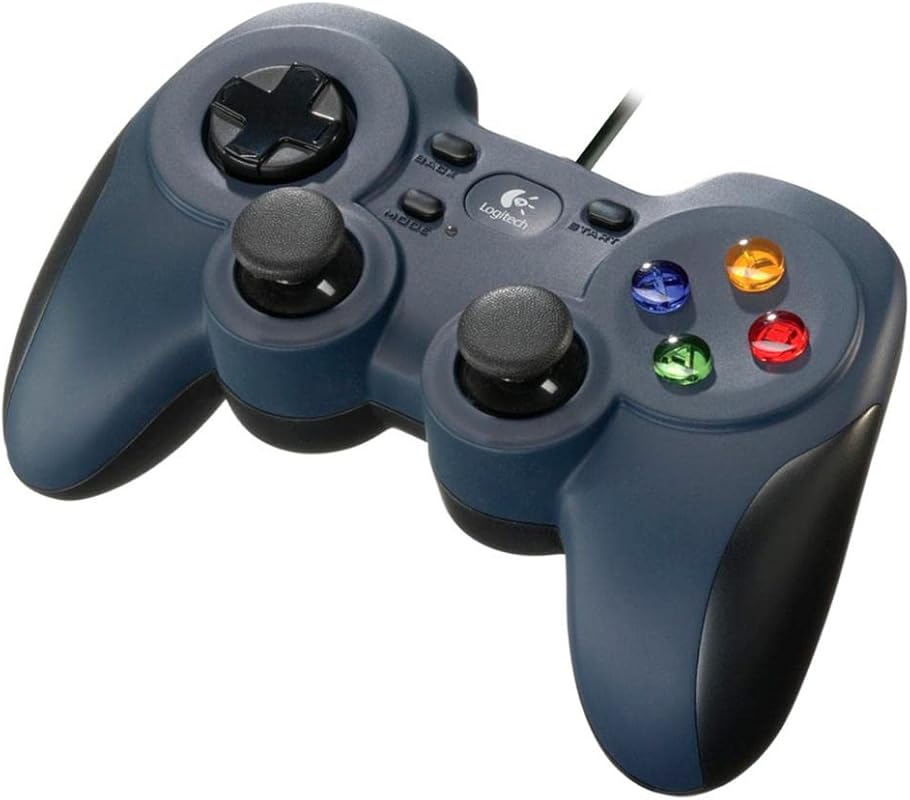
1. Logitech F310 Wired Gamepad for PC with Console Layout, D-Pad, and 4 Switches – Blue/Black
The Logitech F310 is the go-to recommendation for anyone who wants a no-fuss, reliable wired gamepad for PC. It’s been around for years, and for good reason — it just works. Plug it in via USB, and you’re ready to go with a familiar Xbox-style layout that feels natural from the very first game.
Key Features That Stand Out
- ✓ Simple plug-and-play USB connection with no drivers required for most games
- ✓ Familiar console-style layout with D-pad, dual analog sticks, and all standard buttons
- ✓ Profiler software lets you map keyboard and mouse commands for games without native gamepad support
- ✓ Broad game compatibility — works with classic titles and modern releases alike
- ✓ Durable build quality that holds up well over extended daily use
Why We Recommend It
There’s something to be said for simplicity. The F310 doesn’t try to be fancy, and that’s exactly why it earns our top spot. It’s the controller you buy when you want something that works out of the box with zero configuration headaches. The familiar layout means no learning curve, and Logitech’s long-standing reputation for quality gives you peace of mind.
Best For
Perfect for gamers who want a straightforward, dependable wired controller without spending extra on features they won’t use. Great for emulation, casual gaming, and anyone who values reliability over bells and whistles.
Pros and Cons
Pros:
- Incredibly easy setup — true plug-and-play experience
- Comfortable, familiar layout that mimics Xbox 360 controllers
- Profiler software extends compatibility to games without gamepad support
- Very affordable price point makes it accessible to everyone
Cons:
- Wired-only connection means cable management can be annoying
- No wireless option for those who prefer a clean desk setup
- Build quality, while decent, doesn’t feel as premium as newer competitors
Customer Reviews
Customer Review: “I’ve been using the F310 for over two years now and it still works perfectly. I mainly use it for retro emulation and some Steam games. For the price, you really can’t beat it. The plug-and-play setup is exactly what I needed.”
Customer Review: “Bought this as a backup controller and ended up using it as my main. The layout is comfortable for long gaming sessions. Only downside is the cable, but for a budget controller, I have zero complaints.”
2. 8BitDo Ultimate 2C Wireless Controller for PC/Android, 1000Hz, Hall Effect Joysticks, Remappable Bumpers – Green
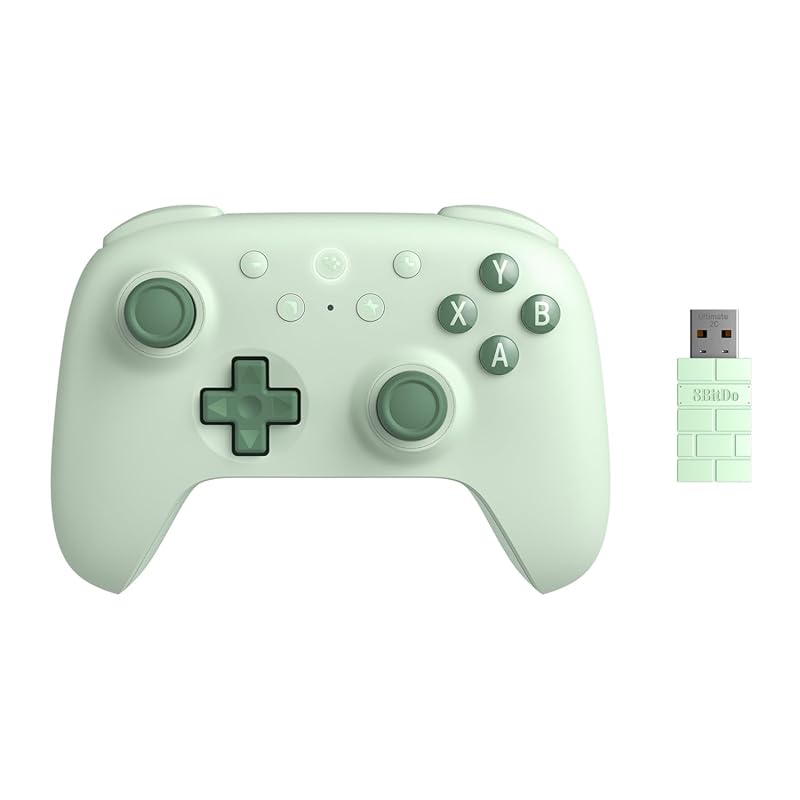
The 8BitDo Ultimate 2C in Green is a genuine game-changer in the budget controller space. It packs premium features like Hall Effect joysticks and a 1000Hz polling rate into a price point that feels almost too good to be true. If you want wireless freedom without sacrificing precision, this is the one to get.
Key Features That Stand Out
- ✓ Hall Effect joysticks and Hall triggers eliminate stick drift — a huge win for longevity
- ✓ 1000Hz polling rate via 2.4G and wired connection for ultra-responsive input
- ✓ Wear-resistant metal joystick rings add durability and a premium feel
- ✓ Remappable bumpers let you customize the controller to your play style
- ✓ Compatible with both Windows and Android devices for versatile use
Why We Recommend It
Hall Effect joysticks at this price point are a big deal. Stick drift is the number one killer of budget controllers, and 8BitDo has effectively solved that problem here. The 1000Hz polling rate means your inputs register almost instantly, which is something you’d normally only find in controllers costing twice as much. It’s our Editor’s Choice because it genuinely punches above its weight class.
Best For
Ideal for competitive gamers and anyone who’s tired of replacing controllers due to stick drift. Also great for Android gamers who want a single controller that works across multiple devices.
Pros and Cons
Pros:
- Hall Effect joysticks virtually eliminate stick drift issues
- 1000Hz polling rate delivers incredibly responsive gameplay
- Wireless 2.4G connection is stable and lag-free
- Excellent build quality with metal joystick rings
Cons:
- No Bluetooth option — limited to 2.4G wireless and wired connections
- Battery life could be longer for marathon gaming sessions
- The green color may not appeal to everyone
Customer Reviews
Customer Review: “I was skeptical about a budget controller with Hall Effect sticks, but this thing is legit. I’ve been using it for months with zero drift issues. The 1000Hz polling rate makes a noticeable difference in fast-paced games. Best budget controller I’ve ever owned.”
Customer Review: “Switched from an Xbox controller to this and I’m not going back. The Hall Effect sticks feel smooth and precise. The wireless connection is rock solid. For the price, this is an absolute steal.”
3. 8BitDo Ultimate 2C Wireless Controller for PC/Android, 1000Hz, Hall Effect Joysticks, Remappable Bumpers – Purple
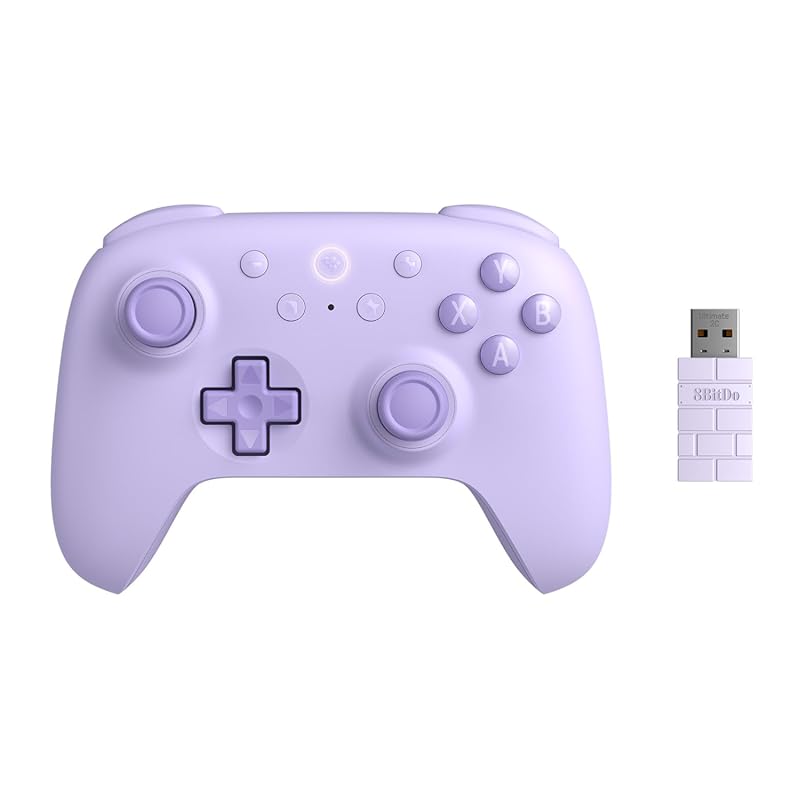
The Purple version of the 8BitDo Ultimate 2C offers the exact same impressive feature set as the Green model, just in a different color. If you prefer a more vibrant, eye-catching look on your desk, this is the one. You’re getting Hall Effect joysticks, a 1000Hz polling rate, and remappable bumpers — all at a price that’s hard to argue with.
Key Features That Stand Out
- ✓ Hall Effect joysticks and triggers for drift-free, long-lasting performance
- ✓ 1000Hz polling rate via 2.4G wireless and wired connections
- ✓ Wear-resistant metal joystick rings for added durability
- ✓ Remappable bumpers for personalized control layouts
- ✓ Works seamlessly with Windows PCs and Android devices
Why We Recommend It
This is essentially the same controller as the Green Ultimate 2C, and that’s a good thing. The feature set is outstanding for the price, and the purple colorway gives you a bit more personality. If you’re shopping for the best budget gamepad for PC and want wireless with premium features, this deserves a spot at the top of your list.
Best For
Great for gamers who want a colorful, feature-rich wireless controller without paying premium prices. Also a solid pick for anyone building a purple-themed gaming setup.
Pros and Cons
Pros:
- Same excellent Hall Effect joystick technology as the Green version
- 1000Hz polling rate for competitive-level responsiveness
- Attractive purple color stands out from typical black controllers
- Remappable bumpers add customization options
Cons:
- No Bluetooth connectivity — 2.4G and wired only
- Battery life is decent but not class-leading
- Color choice is the only real difference from the Green model
Customer Reviews
Customer Review: “Bought the purple one to match my setup and I’m loving it. The Hall Effect sticks are a game changer — my last controller started drifting after just 3 months. This one still feels brand new after heavy use.”
Customer Review: “Honestly shocked at how good this controller is for the price. The wireless connection is super stable, the sticks feel precise, and the purple color looks even better in person. Highly recommend.”
4. PXN P5 8K Wireless Gaming Controller for PC, Switch, Android, iOS with 1000Hz Polling Rate and Hall Triggers
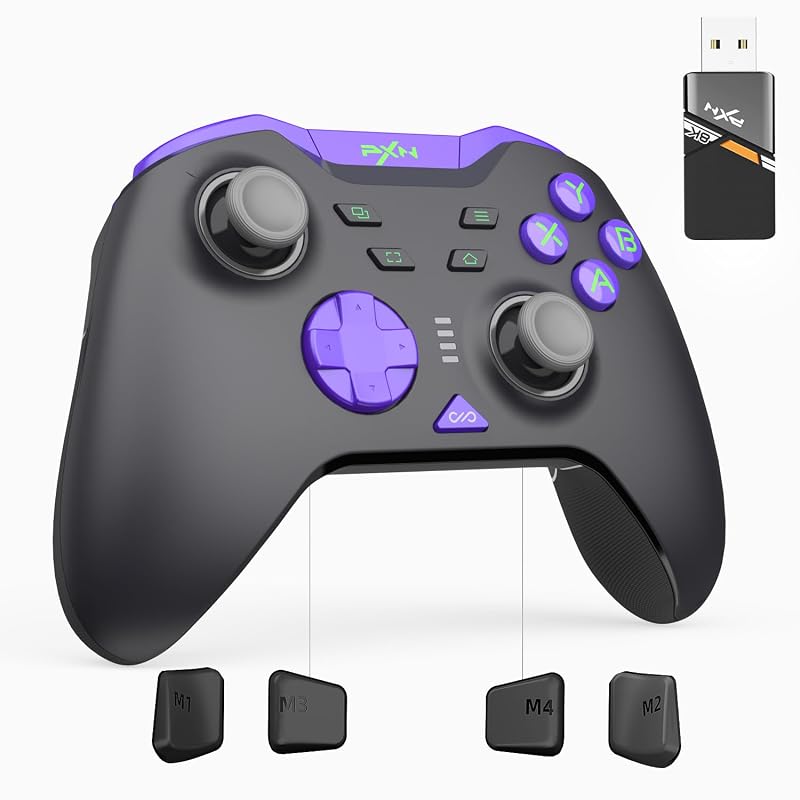
The PXN P5 8K is a feature-packed controller that brings some seriously impressive specs to the budget category. With a capacitive joystick module, Hall Effect triggers, and dedicated haptic motor ICs, this controller is designed for gamers who want more from their hardware without spending more money.
Key Features That Stand Out
- ✓ Capacitive joystick module with zero-drift precision and 4096 sampling levels at 2000Hz default reporting
- ✓ Hall Effect linear triggers with 256 discrete travel levels and dual-stage locks
- ✓ Macro back keys for advanced customization and combo execution
- ✓ Wide compatibility across PC, Switch, Android, and iOS devices
li>✓ Dedicated motor-IC haptics for near-instant start/stop vibration feedback
Why We Recommend It
The PXN P5 8K is for the tinkerer who loves to customize every aspect of their setup. The macro back keys alone set it apart from most budget controllers, and the capacitive joystick technology delivers precision that rivals controllers costing three times as much. If you play games that benefit from precise trigger control — like racing or shooting games — the Hall Effect triggers with dual-stage locks are a genuine advantage.
Best For
Best suited for tech-savvy gamers who want maximum customization and precision. Racing game fans and FPS players will especially appreciate the Hall Effect triggers and macro back buttons.
Pros and Cons
Pros:
- Capacitive joysticks offer exceptional precision with zero drift
- Hall Effect triggers with dual-stage locks are perfect for racing games
- Macro back keys provide advanced customization options
- Multi-platform compatibility covers PC, Switch, Android, and iOS
Cons:
- Feature set may be overwhelming for casual gamers who want simplicity
- Software for macros and customization can have a learning curve
- Build quality, while good, doesn’t quite match the 8BitDo options
Customer Reviews
Customer Review: “The Hall Effect triggers on this thing are incredible for racing games. I can feel every degree of throttle input. The macro buttons took some time to set up, but once configured, they give me a real edge in competitive games.”
Customer Review: “For a budget controller, the PXN P5 is loaded with features. The joystick precision is noticeably better than my old controller. The haptic feedback is also surprisingly good — much more nuanced than standard rumble.”
5. AceGamer Aurora II Wireless Bluetooth Controller for PC, Android, Switch, iOS with RGB Hall Effect Joysticks and Back Buttons
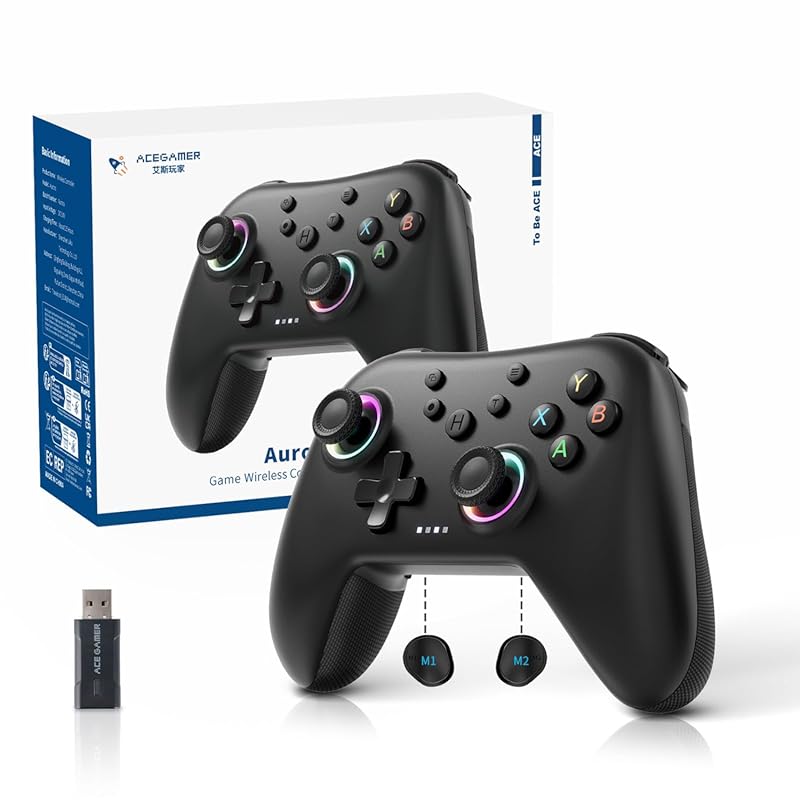
The AceGamer Aurora II brings a splash of RGB flair to the budget controller market without skimping on substance. With Hall Effect joysticks, programmable back buttons, and Bluetooth connectivity, it’s a well-rounded option for gamers who want both style and performance.
Key Features That Stand Out
- ✓ Upgraded receiver and encryption dongle for stronger, more stable wireless connectivity
- ✓ Two programmable back buttons for custom trigger combos and macros
- ✓ 2.4G wireless transmission with stable signal and strong anti-interference
- ✓ RGB lighting effects to personalize your gaming aesthetic
- ✓ Hall Effect joysticks for drift-free, precise control
Why We Recommend It
The Aurora II strikes a nice balance between fun and function. The RGB lighting adds personality to your setup, while the Hall Effect joysticks and programmable back buttons deliver real performance benefits. The upgraded receiver is a thoughtful touch — wireless interference is a common complaint with budget controllers, and AceGamer has clearly worked to address that.
Best For
Great for gamers who want a controller that looks as good as it performs. Streamers and content creators who care about their setup’s aesthetic will especially appreciate the RGB lighting.
Pros and Cons
Pros:
- RGB lighting adds visual flair to your gaming setup
- Hall Effect joysticks prevent stick drift
- Programmable back buttons offer useful customization
- Upgraded wireless receiver provides stable, interference-free connection
Cons:
- RGB lighting drains battery faster when enabled
- Only two back buttons compared to four on some competitors
- Software for button mapping could be more intuitive
Customer Reviews
Customer Review: “Love the RGB on this controller — it looks amazing on my streaming setup. But it’s not just about looks. The Hall Effect sticks feel great and the wireless connection has been flawless so far. Very happy with this purchase.”
Customer Review: “The back buttons are a nice addition at this price point. I mapped them to jump and crouch in FPS games and it’s made a real difference. The RGB is a bonus — I usually keep it on a subtle color cycle.”
6. EasySMX 2.4G Wireless Gaming Controller for PC, Steam Deck, PS3, Android with Dual Vibration and 4 Back Paddles
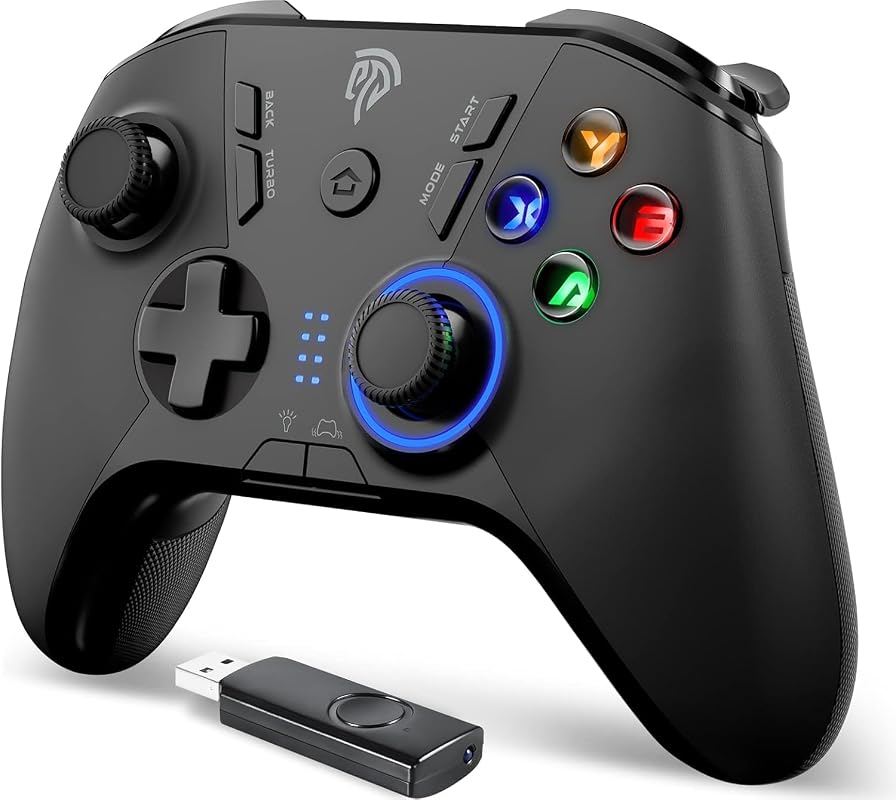
The EasySMX 9110 is a solid all-rounder that offers a lot of value for its price. With four programmable back paddles, dual vibration motors, and broad compatibility including the Steam Deck, it’s a versatile pick for gamers who play across multiple platforms.
Key Features That Stand Out
- ✓ Four programmable back buttons (M1-M4) for advanced control customization
- ✓ Dual vibration motors for immersive haptic feedback during gameplay
- ✓ Broad compatibility with Windows XP through 10, PS3, and Android devices
- ✓ 2.4GHz wireless connection via included USB receiver
- ✓ Works with Steam Deck for portable PC gaming
Why We Recommend It
Four back paddles at this price point is impressive. Most budget controllers offer two at most, so having four gives you significantly more flexibility for mapping actions. The Steam Deck compatibility is another big plus — if you’re a PC gamer who also plays on the go, this controller bridges both worlds nicely. Just note that it uses 2.4G wireless only, with no Bluetooth option.
Best For
Ideal for gamers who want maximum button customization on a budget. Steam Deck owners looking for a secondary controller will find this especially useful.
Pros and Cons
Pros:
- Four programmable back paddles offer excellent customization
- Dual vibration motors provide satisfying haptic feedback
- Steam Deck compatibility is a nice bonus
- Very affordable for the feature set
Cons:
- No Bluetooth — requires the included 2.4GHz USB receiver
- Back paddles can be accidentally pressed if you have a tight grip
- Build quality feels a bit lightweight compared to premium options
Customer Reviews
Customer Review: “Four back buttons for this price? Yes please. I use this mainly for RPGs where I need quick access to inventory, map, and abilities. The wireless range is good and I haven’t noticed any lag. Great value overall.”
Customer Review: “Works perfectly with my Steam Deck. I was worried about compatibility but it connected right away. The vibration is strong and the back paddles are responsive. Only wish it had Bluetooth, but for the price I can’t complain.”
7. Eelexa Wireless Gaming Controller for PC, Switch, iOS, Android with TMR Joysticks, 1000Hz Polling Rate, and RGB Lighting
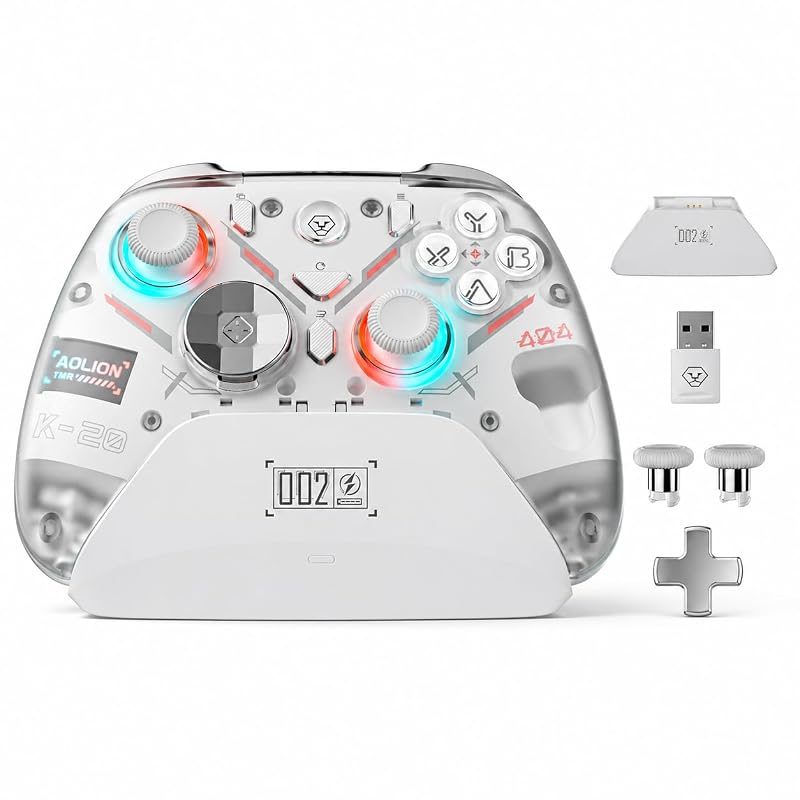
The Eelexa wireless controller is one of the most feature-rich options on this list. With TMR joysticks, tri-mode connectivity, interchangeable D-pads, and a magnetic removable faceplate, it offers a level of customization that’s rare in the budget category. If you like to fine-tune every aspect of your gaming experience, this controller delivers.
Key Features That Stand Out
- ✓ TMR (Tunneling Magnetoresistance) joysticks for ultra-high precision and extreme durability
- ✓ Tri-mode connection — wired, 2.4GHz wireless, and Bluetooth for maximum flexibility
- ✓ Interchangeable cross and round D-pads to suit different game genres
- ✓ Adjustable-height thumbstick caps and magnetic removable faceplate for personalization
- ✓ 1000Hz polling rate for responsive, lag-free gameplay
Why We Recommend It
The Eelexa is the Swiss Army knife of budget controllers. The tri-mode connectivity means you can use it with virtually any device, and the interchangeable D-pads are a thoughtful touch — cross D-pads are better for fighting games, while round D-pads work well for everything else. The TMR joysticks are a step above even Hall Effect in terms of precision, making this a serious contender for competitive play.
Best For
Perfect for gamers who play across multiple platforms and want one controller that does it all. Fighting game enthusiasts will especially love the interchangeable D-pad options.
Pros and Cons
Pros:
- TMR joysticks offer best-in-class precision and durability
- Tri-mode connectivity covers wired, 2.4G wireless, and Bluetooth
- Interchangeable D-pads and thumbstick caps for personalized comfort
- Magnetic faceplate allows for easy customization and cleaning
Cons:
- All the customization options can be overwhelming for beginners
- RGB lighting impacts battery life significantly
- Software for customization could be more polished
Customer Reviews
Customer Review: “The TMR joysticks on this are incredible — I can feel the difference compared to my old Hall Effect controller. The interchangeable D-pads are genius. I use the cross pad for fighting games and swap to round for everything else. Best budget controller I’ve tried.”
Customer Review: “Having Bluetooth, 2.4G, and wired options in one controller is so convenient. I use Bluetooth with my phone, 2.4G with my PC, and wired when I want zero latency. The build quality is solid and the RGB looks great.”
8. ManbaOne Interactive Screen Wireless Controller for PC, Switch, iOS, Android with Hall Effect Stick, RGB, and Charging Dock
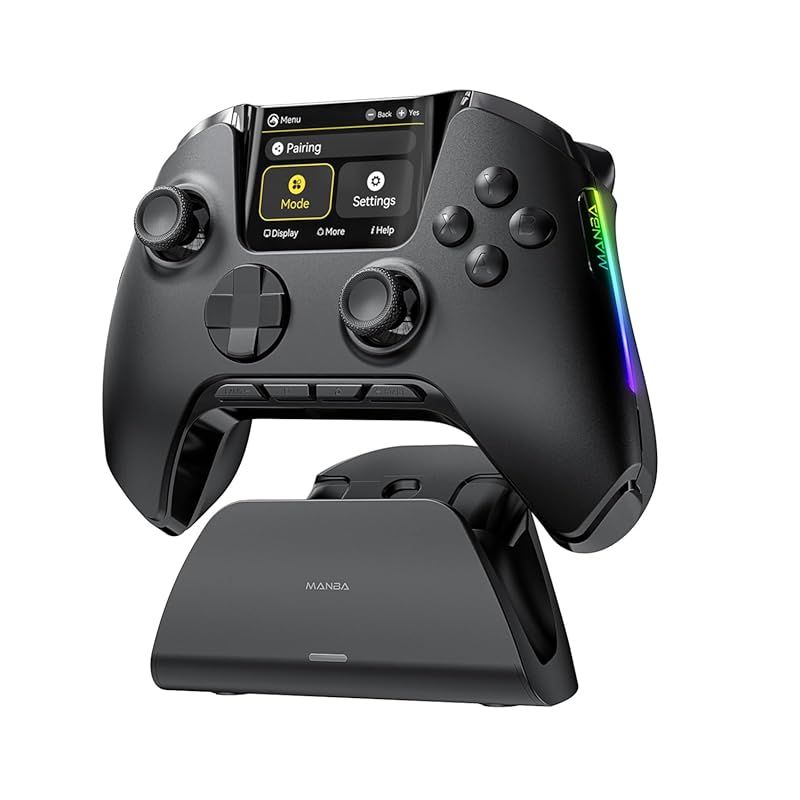
The ManbaOne V2 is unlike any other controller on this list, thanks to its built-in 2-inch interactive display. This screen lets you adjust settings, view battery status, and customize profiles without needing a separate app. It’s a genuinely innovative approach to the budget controller formula.
Key Features That Stand Out
- ✓ Innovative 2-inch interactive display for on-controller settings and customization
- ✓ Multi-platform support for Switch, Switch 2, iOS, Android, and Windows PC
- ✓ Triple connection modes — wired, Bluetooth, and wireless dongle
- ✓ Hall Effect joystick for precise, drift-free control
- ✓ Includes a charging dock for convenient storage and charging
Why We Recommend It
The interactive screen is more than a gimmick — it’s genuinely useful. Being able to change profiles, adjust sensitivity, and check battery life without reaching for your phone or PC is a quality-of-life improvement you didn’t know you needed. The included charging dock is another nice touch that adds value and keeps your setup looking clean.
Best For
Best for tech enthusiasts who love innovative features and want a controller that stands out from the crowd. The charging dock also makes it a great gift option.
Pros and Cons
Pros:
- Built-in screen is genuinely useful for on-the-fly adjustments
- Charging dock included — no need to buy one separately
- Hall Effect joystick ensures long-term reliability
- Triple connection modes offer maximum flexibility
Cons:
- Not compatible with Xbox or PlayStation consoles
- The screen adds weight compared to controllers without one
- Screen brightness could be better in well-lit rooms
Customer Reviews
Customer Review: “The screen on this controller is such a cool feature. I can switch between profiles for different games without opening any apps. The charging dock is a nice bonus too — it looks great on my desk and keeps the controller charged.”
Customer Review: “I bought this mainly out of curiosity about the screen and ended up loving it. The Hall Effect stick feels great, the wireless connection is stable, and having a charging dock included is really convenient. Wish it worked with Xbox though.”
9. EasySMX X05 Wireless Gaming Controller for PC, iPhone, Android, Switch with Hall Effect, RGB Lights, and Turbo
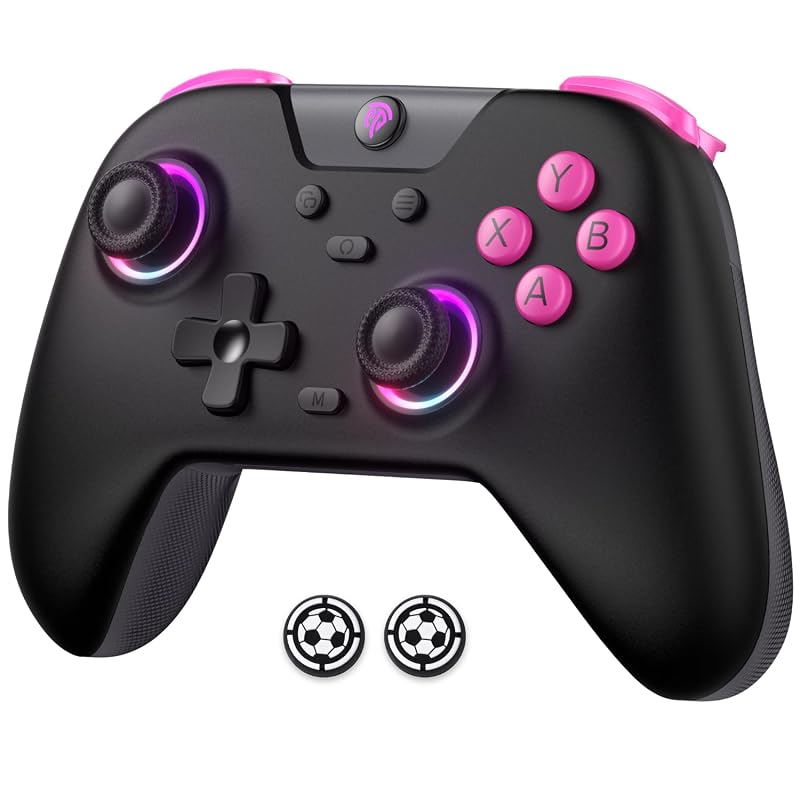
The EasySMX X05 is a well-rounded wireless controller that checks all the right boxes for budget-conscious gamers. With Hall Effect joysticks and triggers, RGB lighting, turbo functionality, and included thumb grips, it offers a complete package that’s hard to beat at its price point.
Key Features That Stand Out
- ✓ Hall Effect joysticks and triggers for precise, drift-free input
- ✓ RGB lighting effects to customize your gaming atmosphere
- ✓ Turbo function for rapid-fire button presses in supported games
- ✓ Includes a pair of thumb grips for enhanced comfort during long sessions
- ✓ Compatible with PC, iPhone, Android, and Switch for versatile use
Why We Recommend It
The X05 is a great example of a budget controller that doesn’t feel cheap. The Hall Effect sensors on both the sticks and triggers mean you’re covered on all fronts for precision and longevity. The included thumb grips are a small but thoughtful addition that shows EasySMX is paying attention to the details. The turbo function is a nice bonus for older games and emulation.
Best For
Great for gamers who want a reliable, no-nonsense wireless controller with modern features. Emulation enthusiasts will appreciate the turbo function, while the RGB lighting adds a touch of fun.
Pros and Cons
Pros:
- Hall Effect on both joysticks and triggers for complete drift protection
- Included thumb grips add comfort at no extra cost
- Turbo function is great for retro gaming and emulation
- RGB lighting is customizable and looks good
Cons:
- RGB lighting drains battery quickly
- Turbo function is limited in modern game compatibility
- Plastic build feels less premium than some competitors
Customer Reviews
Customer Review: “The Hall Effect sticks and triggers are what sold me on this. I’ve had too many controllers die from drift, so this was a priority. The included thumb grips are a nice surprise — they make a real difference in comfort during long sessions.”
Customer Review: “I use this mainly for emulation and the turbo function is a lifesaver for older games. The RGB looks nice and the wireless connection has been solid. For the price, this controller punches way above its weight.”
10. GameSir G7 Pro Wired Controller for Xbox Series X|S, Xbox One, PC, Android with TMR Sticks and 1000Hz Polling Rate
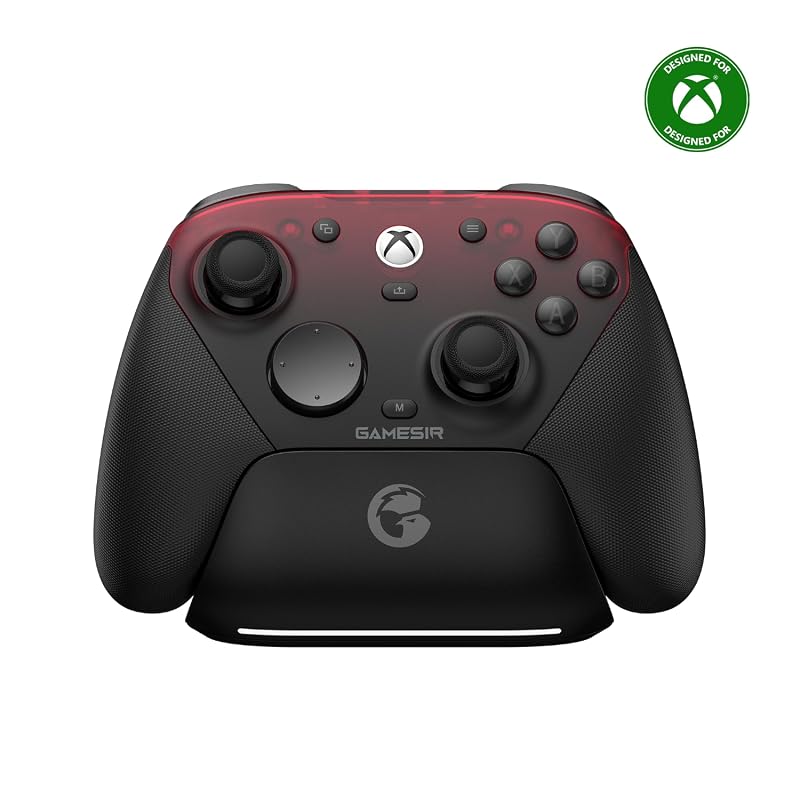
The GameSir G7 Pro rounds out our list with a wired-only design that prioritizes performance above all else. With GameSir’s Mag-Res TMR sticks, Hall Effect analog triggers, and a 1000Hz polling rate, it’s built for gamers who want the most responsive experience possible and don’t mind staying tethered to their PC.
Key Features That Stand Out
- ✓ Tri-mode connectivity — wired for Xbox, 2.4G and wired for PC, Bluetooth for Android
- ✓ GameSir Mag-Res TMR sticks combining Hall Effect durability with traditional potentiometer performance
- ✓ Hall Effect analog triggers for smooth, linear input and precise control
- ✓ 1000Hz polling rate for ultra-responsive gameplay
- ✓ Officially licensed for Xbox Series X|S and Xbox One consoles
Why We Recommend It
The G7 Pro is the controller you buy when you want wired performance with zero compromises. The TMR sticks are among the best you’ll find at any price, and the Hall Effect triggers provide the kind of smooth, linear input that racing game fans dream about. The Xbox licensing is a nice bonus — it means guaranteed compatibility and quality assurance that unlicensed controllers can’t always offer.
Best For
Ideal for competitive PC gamers who prefer wired connections for the lowest possible latency. Also a great pick for Xbox gamers who want a high-quality wired controller for their console and PC.
Pros and Cons
Pros:
- Mag-Res TMR sticks offer exceptional precision and longevity
- Hall Effect analog triggers provide smooth, linear input
- Officicially licensed for Xbox ensures broad compatibility
- 1000Hz polling rate delivers top-tier responsiveness
Cons:
- Wired-only for Xbox use — no wireless option for console gaming
- Premium pricing compared to other options on this list
- Cable length may be limiting for some desk setups
Customer Reviews
Customer Review: “The TMR sticks on the G7 Pro are phenomenal. I play a lot of competitive shooters and the precision is noticeably better than anything else I’ve used. The Hall Effect triggers are buttery smooth. Worth every penny.”
Customer Review: “I mainly use this on PC and it’s been fantastic. The wired connection means zero latency and the build quality is excellent. The triggers are perfect for racing games — I can control throttle and brake with much more precision than before.”
Complete Buying Guide for Best Budget Gamepad for PC
Essential Factors We Consider
When choosing the best budget gamepad for PC, there are several key factors that separate a good controller from a frustrating one. First, consider the connection type — wired controllers offer zero latency and never need charging, while wireless options give you freedom of movement but require battery management. If you go wireless, look for controllers with Hall Effect or TMR joysticks, as these use magnetic sensors instead of physical contact points, virtually eliminating the stick drift that plagues cheaper controllers.
Next, think about compatibility. Most modern controllers work with Windows via XInput, but if you play on multiple platforms — like Android, iOS, or Nintendo Switch — make sure the controller supports those devices too. Polling rate is another spec worth paying attention to; a 1000Hz polling rate means the controller reports its position 1000 times per second, resulting in noticeably smoother and more responsive input compared to the standard 125Hz found on basic controllers.
Finally, consider extra features like programmable back buttons, adjustable trigger stops, RGB lighting, and software customization. While these aren’t essential, they can significantly enhance your gaming experience. And if you’re building out your gaming setup, you might also want to check out our guides on the best budget monitors for gaming and the best budget keyboard for gaming to complete your rig.
Budget Planning
The great news is that the budget controller market has never been better. You can get a solid, reliable gamepad for PC in the $20-$35 range that would have cost $50 or more just a few years ago. Controllers like the Logitech F310 and EasySMX options sit at the lower end, offering dependable performance without extra frills. In the $35-$50 range, you start seeing premium features like Hall Effect joysticks, 1000Hz polling rates, and wireless connectivity — this is the sweet spot for most gamers.
Before you buy, set a budget and prioritize the features that matter most to you. If you mostly play casual single-player games, a simple wired controller will serve you well. If you’re into competitive multiplayer or play across multiple devices, investing a bit more in a wireless controller with Hall Effect sticks is worth it. And don’t forget to factor in the cost of accessories — some controllers include charging docks or thumb grips, which adds extra value. For a full gaming setup on a budget, also consider our recommendations for the best budget headsets for gaming to complete your audio experience.
Final Thoughts
Choosing the best budget gamepad for PC ultimately comes down to your personal needs and gaming habits. Every controller on this list offers excellent value, but they each cater to slightly different types of gamers. The Logitech F310 is perfect for plug-and-play simplicity. The 8BitDo Ultimate 2C delivers premium Hall Effect technology at a budget price. The Eelexa offers unmatched customization with its tri-mode connectivity and interchangeable parts. And the GameSir G7 Pro is the pick for competitive gamers who demand the best possible input precision.
Whatever you choose, you’re getting far more than what the price tag suggests. The budget controller market in 2024-2025 is incredibly competitive, and that’s great news for gamers. Take your time, consider what features matter most to you, and you’ll find a controller that feels like it should cost twice as much. Happy gaming!
Frequently Asked Questions
Q: What is the best budget gamepad for PC in 2025?
A: Based on our testing, the 8BitDo Ultimate 2C offers the best overall value with its Hall Effect joysticks, 1000Hz polling rate, and wireless connectivity at a budget-friendly price. However, the right choice depends on your specific needs — the Logitech F310 is better for wired simplicity, while the Eelexa is ideal if you want maximum customization.
Q: Are Hall Effect joysticks worth it in a budget controller?
Q: Can I use a budget PC gamepad for competitive gaming?
A: Yes, many budget controllers are perfectly capable of competitive play. Look for controllers with a 1000Hz polling rate and Hall Effect or TMR joysticks for the most responsive and precise input. The GameSir G7 Pro and 8BitDo Ultimate 2C are both excellent choices for competitive gaming on a budget.
Q: Wired or wireless — which is better for a budget PC gamepad?
A: Both have their merits. Wired controllers are cheaper, never need charging, and have zero latency. Wireless controllers offer more freedom and a cleaner setup. If you go wireless, make sure to choose a controller with a reliable 2.4GHz connection rather than Bluetooth for gaming, as 2.4G offers lower latency and better stability.
Q: Do budget PC controllers work with Steam?
A: Yes, virtually all modern PC controllers work with Steam. Steam has built-in controller support that can map inputs from almost any gamepad, even for games that don’t natively support controllers. Controllers that use XInput (like most on this list) are plug-and-play with Steam, while others may need a quick configuration in Steam’s controller settings.
We hope this guide helped you find the best budget gamepad for PC that fits your needs and budget. Each controller on this list has been carefully selected based on real-world performance, features, and value for money. Whether you’re a casual gamer looking for a simple plug-and-play option or a competitive player who demands precision and responsiveness, there’s something here for everyone. Don’t forget to check the latest prices using the links above, as deals and discounts change frequently. Happy gaming!