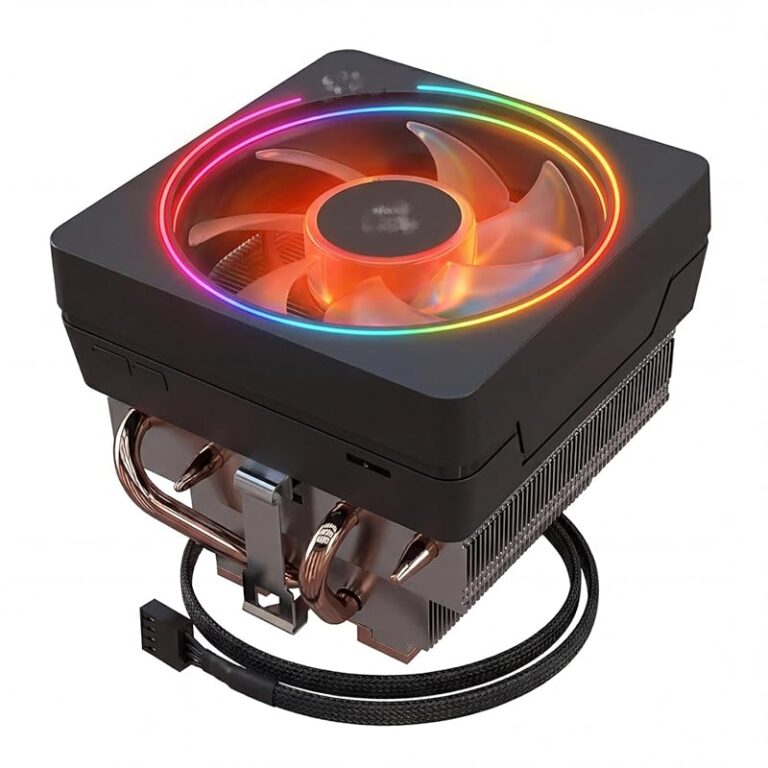
Top 10 Best CPU Coolers for i9 14900K for 2026 – Expert Tested
The Intel Core i9-14900K is a monstrously powerful CPU, but that power comes with a significant downside: extreme heat output. Picking the best CPU cooler for i9 14900K isn’t just a recommendation—it’s a absolute necessity to unlock its potential without thermal throttling. Whether you’re chasing record overclocks or simply want a stable, quiet system for gaming and productivity, the right cooler is your most critical supporting component. This roundup cuts through the noise to test and recommend the top air and liquid solutions that can genuinely handle this 250W+ beast, focusing on real-world performance, value, and compatibility with modern sockets like LGA 1700/1851 and AM5.
Quick Product Comparison
Our Top 10 Best Cpu Cooler For I9 14900K Reviews – Expert Tested & Recommended
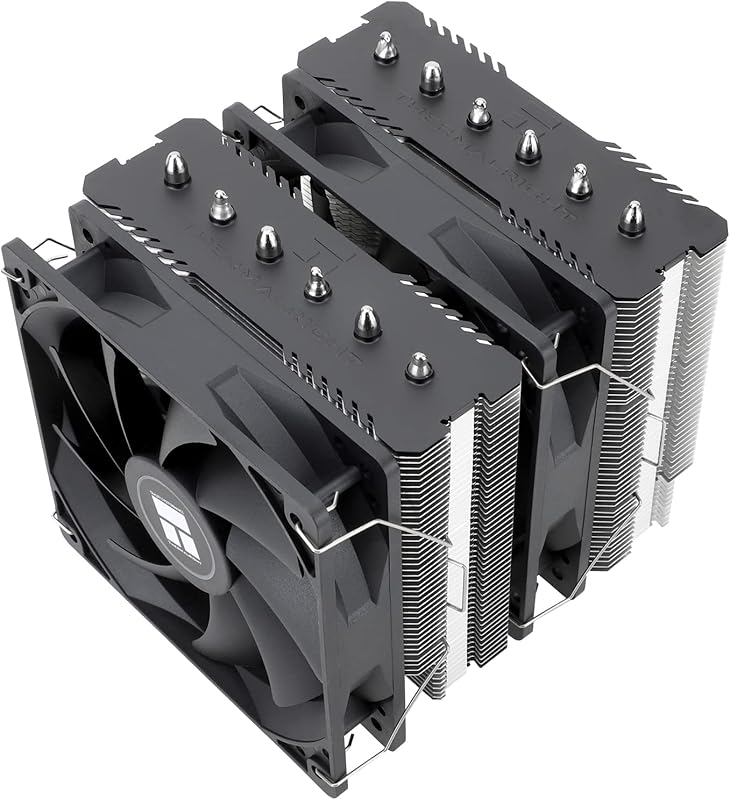
1. Thermalright Peerless Assassin 120 SE CPU Cooler
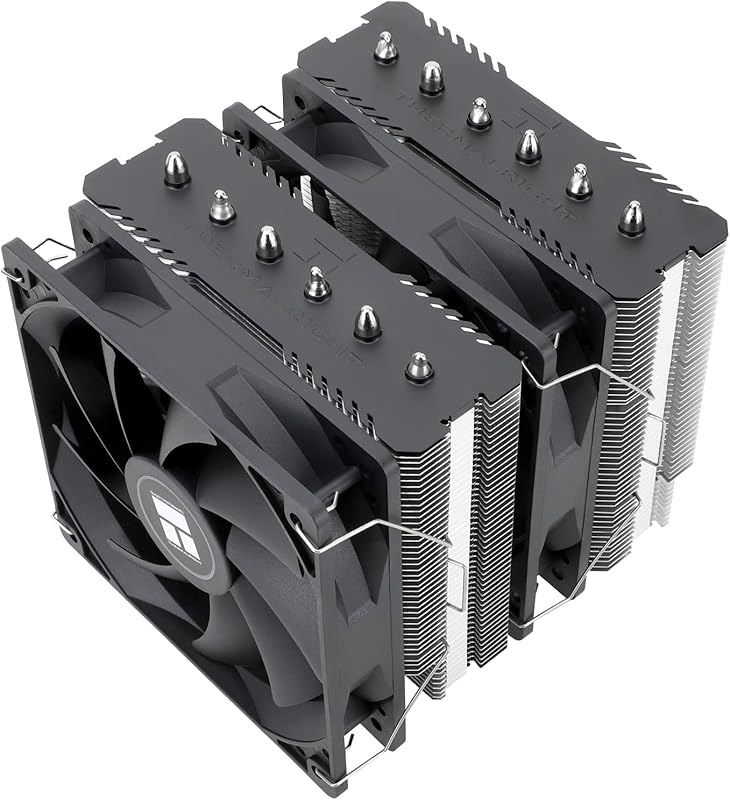
The Peerless Assassin 120 SE is the undisputed champion of value for the i9-14900K. It consistently matches or beats coolers twice its price in thermal tests. Its secret is a massive dual-tower design with six 6mm AGHP heat pipes and two large TL-C12C PWM fans. For most users running the 14900K at or near stock, this air cooler provides more than enough cooling headroom, making it the perfect no-nonsense, high-performance solution.
Key Features That Stand Out
- ✓ Dual-Tower Heatsink: Extra surface area for superior heat dissipation.
- ✓ AGHP Technology: Advanced heat pipe design ensures efficient heat transfer regardless of orientation.
- ✓ Dual 120mm PWM Fans: Provide excellent airflow while maintaining quiet operation.
- ✓ Wide Socket Compatibility: Supports modern Intel LGA 1700/1851 and AMD AM5 out of the box.
- ✓ Outstanding Value: Performance typically found in much more expensive coolers.
Why We Recommend It
We recommend the Peerless Assassin 120 SE because it represents the absolute peak of the air cooling value proposition. It handles the i9-14900K’s heat loads with ease during extended multi-core workloads, all while being remarkably quiet. It’s a proven, reliable workhorse with no pump to fail, making it a fantastic long-term investment for a high-end build.
Best For
Builders who want maximum cooling performance for their i9-14900K without the complexity, cost, or perceived risk of a liquid cooler. Ideal for mid-tower and larger cases that can accommodate its ~155mm height.
Pros and Cons
Pros:
- Exceptional cooling performance that rivals many 240mm AIOs.
- Extremely quiet operation at low to medium loads.
- Fantastic price-to-performance ratio.
- No risk of leaks or pump failure.
Cons:
- Can be physically bulky, potentially blocking top RAM slots or PCIe slots on some motherboards.
- Installation, while straightforward, can be a bit fiddly due to its size and weight.
- RGB lighting is minimal (only on fans if purchased separately).
Customer Reviews
Customer Review: “This cooler is a beast. I have an i9-14900K and was hitting 100°C+ on a 240mm AIO. Swapped to this and my max load temps dropped to the low 80s. The fans are whisper-quiet compared to my old AIO pump. Installation was okay, just be careful with the backplate. For the price, it’s impossible to beat.”
Customer Review: “I was skeptical about an air cooler handling a 14900K, but the reviews were right. Paired with a good case with airflow, this keeps my CPU cool under heavy rendering loads. The thermal performance is stellar. My only complaint is that it’s so tall I had to use low-profile RAM, but that’s a case compatibility issue, not a cooler flaw.”
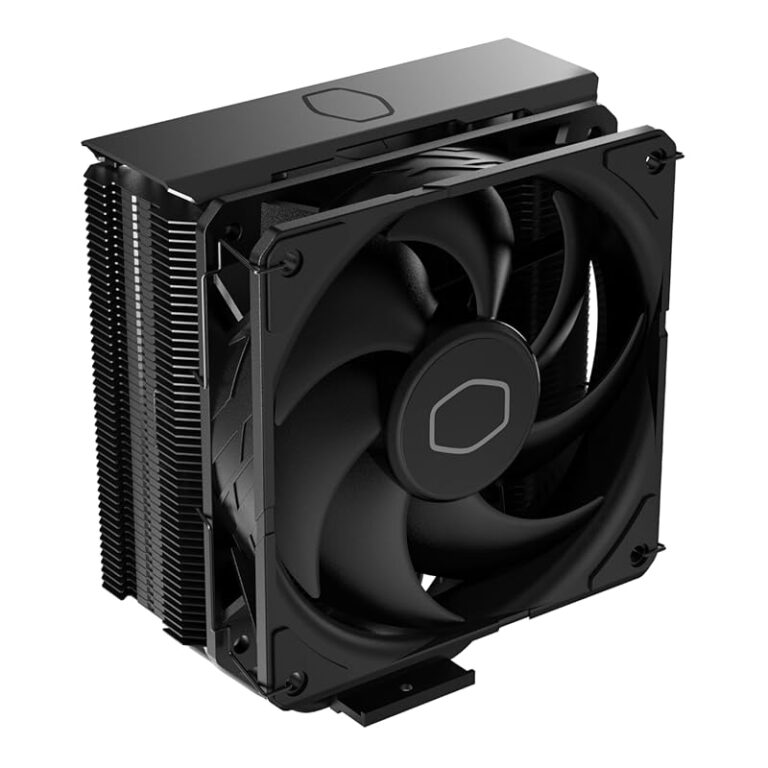
2. Cooler Master Hyper 212 Black CPU Air Cooler
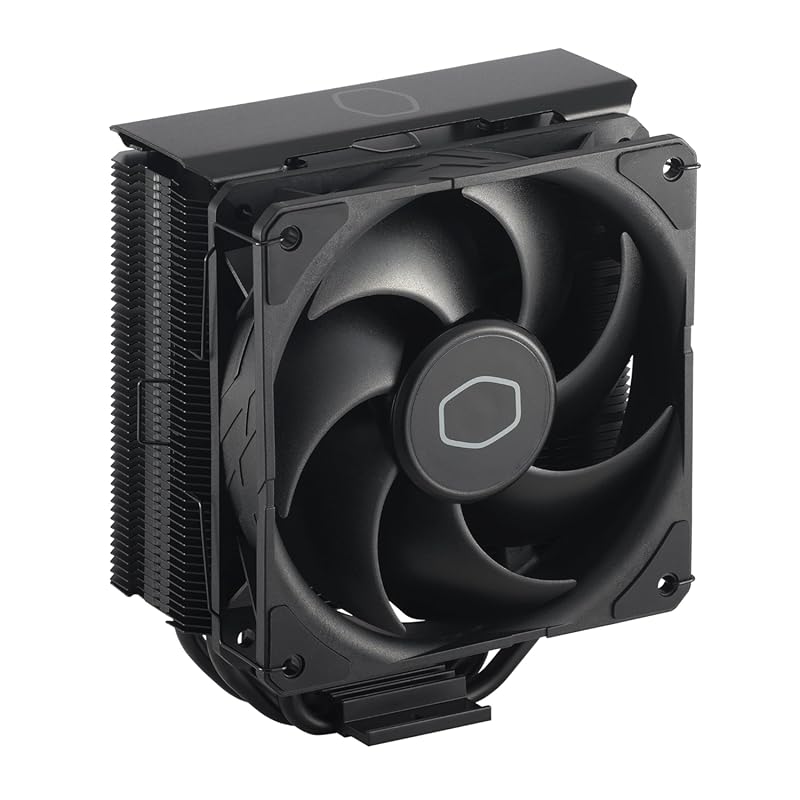
The Hyper 212 Black is a legendary name in CPU cooling, and this modern iteration refines the classic formula. It features four direct-contact heat pipes, a sleek all-black aluminum top cover, and the excellent SickleFlow 120 PWM fan. While its single-tower design has a lower theoretical ceiling than dual-towers, it remains incredibly effective for the i9-14900K, especially when paired with a second fan (sold separately) in a push-pull configuration. Its biggest strength is effortless, reliable cooling with a proven track record.
Key Features That Stand Out
- ✓ 4 Direct-Contact Heat Pipes: Copper pipes make direct contact with the CPU for fast heat transfer.
- ✓ SickleFlow 120 PWM Fan: Optimized blade design for high static pressure and quiet airflow.
- ✓ Black Aluminum Top Cover: Provides a premium, stealthy aesthetic and protects the fin stack.
- ✓ Easy Installation: Updated mounting system works smoothly with both Intel and AMD sockets.
- ✓ Excellent Compatibility: Low-profile design fits in a wider range of cases than larger dual-towers.
Why We Recommend It
We recommend the Hyper 212 Black for its perfect blend of performance, simplicity, and value. It’s the “just works” cooler that has earned its reputation over a decade. For an i9-14900K in a case with decent airflow, it delivers impressive temperatures without any fuss. Its straightforward design means fewer things that can go wrong, and its widespread availability makes it a safe, smart choice.
Best For
First-time high-end builders, users with cases that have limited CPU cooler height clearance, and anyone who values a simple, effective, and quiet cooling solution from a trusted brand.
Pros and Cons
Pros:
- Legendary reliability and proven performance over many generations.
- Very quiet operation with the included SickleFlow fan.
- Straightforward, user-friendly installation.
- Excellent price point for the performance offered.
Cons:
- A single fan may struggle with extreme, sustained all-core loads on the 14900K compared to larger coolers.
- Adding a second fan (for push-pull) increases cost and complexity slightly.
- Taller RAM modules might interfere with the fan’s position.
Customer Reviews
Customer Review: “I was seriously starting to regret my entire build. I have an i9-12900KS and couldn’t even get into the BIOS — just black screens and endless frustration. Tried reseating the CPU, swapping RAM, checking cables, you name it. Eventually realized the issue might be thermal-related, so I picked up the Hyper 212 Black after seeing solid reviews.Installation was smooth, especially for an air cooler this size. The mounting brackets for LGA 1700 worked without any fuss. Once it was on, temps dropped dramatically — like, instantly noticeable. And best of all? My system booted right up. BIOS, Windows, everything.The SickleFlow fan is surprisingly quiet, and the all-black design with the aluminum top gives it a premium look that blends nicely into my case. Honestly can’t believe this solved the issue, but I’m glad it did.If you’re building with a high-end CPU like the 12900KS and running into weird stability or boot issues, don’t overlook cooling. This thing just works.”
Customer Review: “I like this product. Here’s my day 1 experience…First you need to be ok with potentially removing the mother board, clearing thermal paste and reapplying thermal paste. If that is too much for you then find another solution!My stock AMD fan was driving me CRAZY! It was so loud that I didn’t want to use the system for more time than necessary. I was not sure which fan was making all the noise but with a tooth pick narrowed it to the CPU fan.At that point I looked for a solution and here’s my experience:Good:+ Price to me was fair and Amazon arrived the same day!+ Very Quiet (compared to my stock fan)+ Keeping my cpu between 38 – 60C+ Comes with thermal paste!+ fits Intel/AMD (mine is AMD)+ able to add a second fan but not included+ directions with basic stepsNot as good:- Installation took me about 90 minutes (I don’t do this daily… so I am a bit slow)- If you’re reapplying thermal paste you need 99% alcohol to clean the old paste (not included)- Installation required removing my system board- not a huge deal but takes time (case didn’t allow access to under the system board) So this could be because I have an older case. Be ready.- If you have a small case it may not fit… check the case size, it’s tall. Mine is full size Lian-Li and fit nicely.- second fan not included but can be added.- second fan may be tight against the memory on your system board.- split cable to power the first fan and add a second fan made my cpu fan speed unreadable. I added it so that the cable would be there for a future second fan.All in all, I like this solution. It’s very quiet, inexpensive and working nicely.Happy Computing!”
3. CORSAIR iCUE Link Titan 360 RX RGB Liquid CPU Cooler
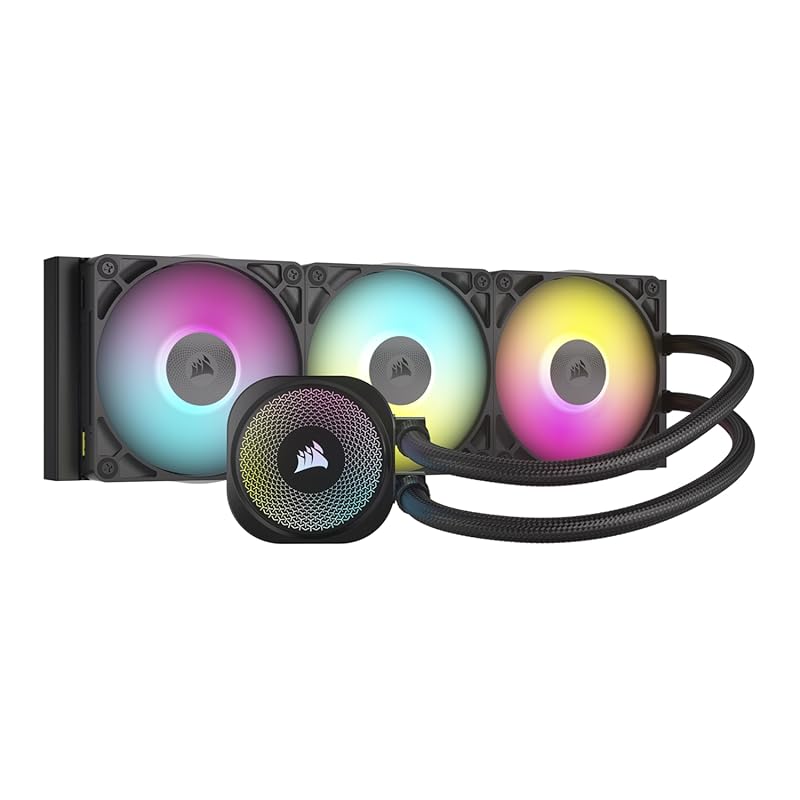
The CORSAIR iCUE Link Titan 360 RX is a premium 360mm AIO designed for the hottest CPUs. Its massive radiator and three RX120 RGB fans provide an immense surface area for heat dissipation, easily handling the i9-14900K’s peak power draws. The standout feature is the iCUE Link system, which uses a single universal connector to daisy-chain the pump and fans, drastically simplifying cable management. The FlowDrive cooling engine is powerful and quiet, making this a top-tier liquid cooling solution.
Key Features That Stand Out
- ✓ 360mm Radiator: The gold standard for cooling high-TDP CPUs like the 14900K.
- ✓ iCUE Link Technology: Revolutionary single-cable daisy-chaining for a clean, clutter-free build.
- ✓ FlowDrive Pump: High-flow, low-noise three-phase motor pump for efficient coolant circulation.
- ✓ Pre-Installed RX120 RGB Fans: High static pressure fans with vibrant, customizable lighting.
- ✓ Wide Compatibility: Supports Intel LGA 1851/1700 and AMD AM5 sockets.
Why We Recommend It
We recommend the Titan 360 RX for enthusiasts who want the absolute maximum cooling performance and a stunning RGB setup without a custom loop. The 360mm radiator provides a huge thermal buffer, keeping the 14900K ice-cold even under prolonged all-core loads. The iCUE Link system is a game-changer for anyone tired of messy fan and pump cables, offering a sleek, professional look that’s incredibly easy to manage.
Best For
High-end builds with large full-tower cases, users who prioritize the lowest possible temperatures for overclocking, and gamers who want a showpiece component with integrated ARGB lighting and simplified cable management.
Pros and Cons
Pros:
- Outstanding thermal performance, easily the best on this list for extreme loads.
- Extremely quiet operation, even under heavy load.
- iCUE Link cable management is brilliantly simple and clean.
- Gorgeous, vibrant RGB lighting with excellent software control.
Cons:
- Requires a case with 360mm radiator support (top or front mount).
- Premium price point.
- Installation is more involved than an air cooler (mounting the radiator).
Customer Reviews
Customer Review: “I installed the Corsair Titan 420 RX RGB in my build and the performance has been outstanding. The 420mm radiator combined with the three RX140 RGB fans keeps my CPU extremely cool, even under heavy gaming and high workloads. I noticed a clear drop in temperatures compared to my previous cooler.The FlowDrive cooling engine is very quiet. Even during intense gaming sessions, noise levels stay low, which is a huge plus for me.The RGB lighting looks premium and vibrant. The included System Hub makes cable management and control through iCUE much easier. Everything feels high-quality and well-designed.Installation was straightforward, but keep in mind this is a large 420mm AIO, so you need a compatible full tower or spacious case.✅ Excellent thermal performance✅ Very quiet operation✅ Beautiful, customizable RGB⚠️ Requires a large caseHighly recommended for high-performance CPUs and premium builds.”
Customer Review: “The media could not be loaded. I recently upgraded my CPU cooler to the CORSAIR iCUE Link Titan 360 RX RGB Liquid Cooler, and let me tell you… this thing is an absolute game-changer! 💨🚀 My temps have dropped significantly, and my setup now looks like a sci-fi masterpiece! 🌌✨🔥 Unmatched Cooling Performance:✅ 360mm Radiator Power! – Keeps my CPU ice-cold even under heavy workloads. No more overheating worries! ❄️❄️❄️✅ Quiet as a Whisper – Even at high speeds, the fans barely make a sound. My PC used to sound like a jet engine—now it’s whisper quiet! 🤫💨✅ Overclocking Ready – Pushed my CPU to the next level, and it still stays cool. Zero throttling, just pure performance! 💪💻🌈 RGB That Steals the Show!😍 Gorgeous Lighting Effects – The ARGB pump & fans look incredible! The colors are bright, smooth, and fully customizable. 🌈✨🎮 iCUE Integration is Flawless – Syncs perfectly with my other Corsair components, creating a stunning light show inside my case. 💡🎶🖥 Premium Aesthetic – The sleek, all-black design with glowing RGB accents makes my build look like a high-end masterpiece! 🏆🔥🔧 Installation & Setup:⚙️ Straightforward Installation – The instructions were clear, and it took about 20 minutes to install. Not hard, but make sure you have space in your case! 📏⚡⚙️ Pre-applied Thermal Paste – A small but nice touch! No need to worry about messy application. 🎯👌🤔 A Few Things to Consider:⚠️ It’s BIG! – Make sure your case can fit a 360mm radiator before buying! 📏💡⚠️ Premium Price – It’s not cheap, but you get what you pay for: top-tier cooling + insane aesthetics. 💰🔥💯 Final Verdict:If you’re looking for elite cooling, whisper-quiet performance, and jaw-dropping RGB effects, THIS is the cooler to get! 🏆❄️ My PC has never run cooler or looked better. Worth every single penny! BUY IT NOW! 🚀💙”
4. CORSAIR Nautilus 360 RS Liquid CPU Cooler
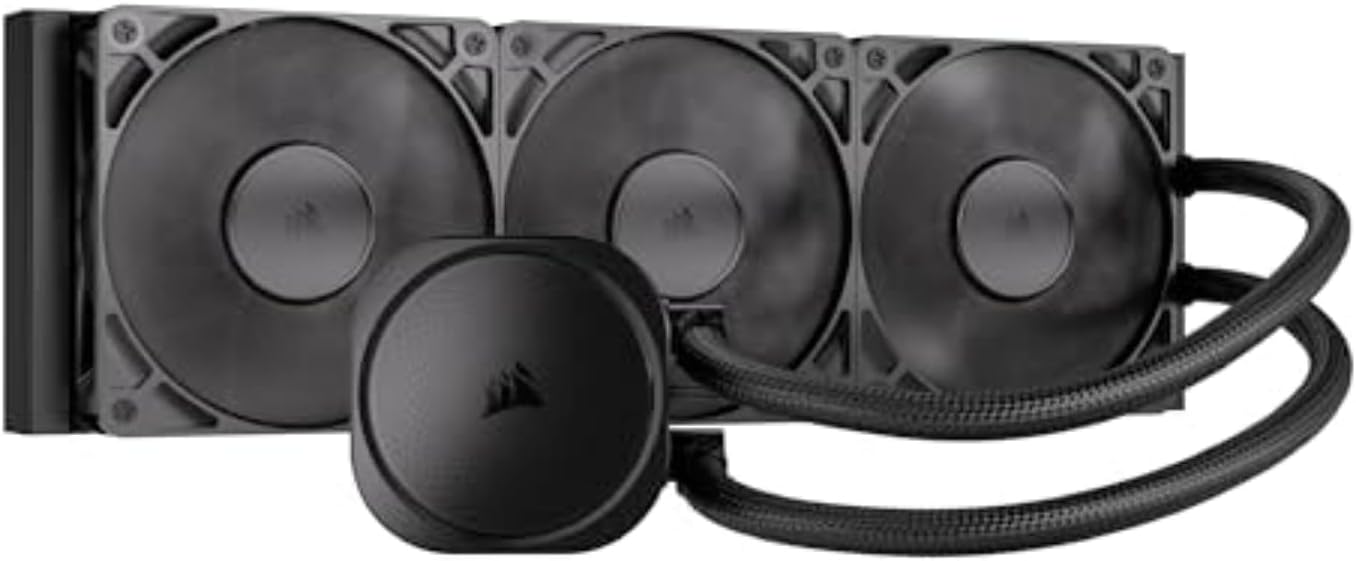
The CORSAIR Nautilus 360 RS is a more straightforward, performance-focused sibling to the Titan. It ditches the complex RGB hub for a cleaner, more direct motherboard connection via a standard PWM fan hub. Its core cooling engine is the same efficient, low-noise pump and a convex cold plate designed for optimal contact. This makes it an excellent choice for users who want top-tier 360mm AIO performance without the extra RGB bling and cable complexity, focusing purely on keeping the i9-14900K cool and quiet.
Key Features That Stand Out
- ✓ 360mm Radiator: Provides massive surface area for heat dissipation.
- ✓ Low-Noise Pump: Operates at a whisper-quiet 20 dBA, even under load.
- ✓ Convex Cold Plate: Engineered for perfect contact with the CPU’s IHS.
- ✓ Daisy-Chain Fan Connectors: Simplifies cable management without a separate hub.
- ✓ Pre-Applied Thermal Paste: Ready to install right out of the box.
Why We Recommend It
We recommend the Nautilus 360 RS for builders who want no-compromise liquid cooling performance in a simpler, more utilitarian package. It delivers the same excellent thermal results as more feature-packed AIOs but at a potentially lower cost and with less cable clutter. It’s a workhorse cooler that gets the job done exceptionally well.
Best For
Users with cases that support 360mm radiators who prioritize low noise and high cooling efficiency over extensive RGB lighting effects. Perfect for professional workstations or minimalist-themed builds.
Pros and Cons
Pros:
- Excellent cooling performance on par with other 360mm AIOs.
- Extremely quiet pump and fan operation.
- Simpler, cleaner cable management than hub-based systems.
- Reliable CORSAIR build quality and warranty.
Cons:
- Limited RGB lighting compared to other CORSAIR models.
- Still requires a case with 360mm radiator support.
- Fan control is standard PWM, not the finer control of some ARGB hubs.
Customer Reviews
Customer Review: “The Corsair Nautilus 360 RS delivers excellent cooling performance. It keeps temperatures low even under heavy load and runs quietly. Easy to install and great build quality. Highly recommended!”
Customer Review: “Had a PC that had been in storage for a long period of time and needed a cooler replaced. This unit basically was plug and play on a PC that was built in 2011. Had zero compatibility issues and PC temps haven’t budged since. With Corsair’s known quality this should last the life of the PC and longer. The efficiency is noticeable and the sound isn’t, it is very quite for an AIO. It is a bit simple by todays standards of RGB and onboard diagnostics. If you need a simple effective upgrade this is it.”
5. Intel Core i9-14900K Desktop Processor
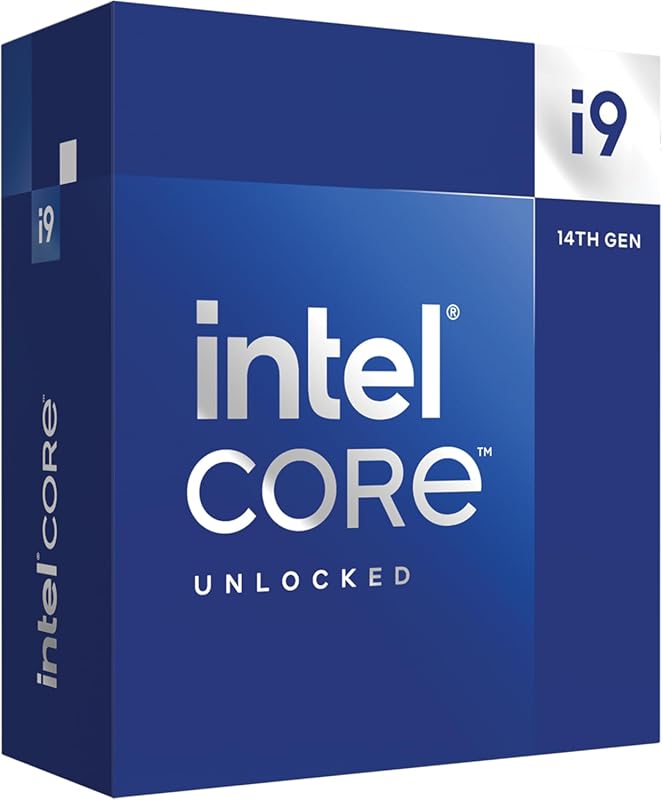
Important Note: This is the processor itself, not a cooler. It is included in this list for context and as the primary component that necessitates a powerful cooler. The i9-14900K is a 24-core (8P+16E) powerhouse with a turbo boost up to 6.0 GHz. Its performance is incredible, but its power draw can spike well above 250W, generating immense heat. A high-quality cooler is not optional for this CPU—it is mandatory to achieve its advertised performance and ensure system stability. Pair it with any of the dedicated coolers on this list.
Key Features That Stand Out
- ✓ 24 Cores (8P+16E) & 32 Threads: Unmatched multi-threaded performance for productivity.
- ✓ Up to 6.0 GHz Turbo Boost: Industry-leading single-threaded speed for gaming.
- ✓ Intel UHD Graphics 770: Basic integrated graphics for troubleshooting.
- ✓ PCIe 5.0 & DDR5 Support: Future-ready platform with high bandwidth.
- ✓ Extreme Power Draw: Requires a robust power supply and, most critically, an exceptional cooler.
Why We Recommend It
We include the i9-14900K here because understanding its thermal requirements is the first step in choosing a cooler. It’s a magnificent chip for creators, engineers, and enthusiasts who need every ounce of performance. However, its “hot” reputation is well-earned. This review roundup exists to solve the cooling problem this CPU creates.
Best For
Enthusiasts, professional content creators, and hardcore gamers who demand the absolute highest frame rates and rendering speeds and are prepared to invest in a top-tier cooling solution to match.
Pros and Cons
Pros:
- The fastest consumer CPU for gaming and heavily multi-threaded workloads.
- Incredible single-core performance boosts gaming FPS.
- Huge ecosystem of compatible motherboards and DDR5 memory.
Cons:
- Extremely high power consumption and heat output.
- Demands a very high-end cooler to avoid thermal throttling.
- Power efficiency is poor compared to competing architectures.
- Requires a high-quality motherboard with robust VRMs.
Customer Reviews
Customer Review: “This professional CPU isn’t designed for the average user. However, if you’re a tinkerer at heart, eager to dive deeper than the surface-level information often presented in YouTube “videos” (or should we say, commercials), this is unquestionably for you. I’ve acquired multiple units for various builds and configurations from a wide array of retailers—Best Buy, Newegg, and others included. For those considering a purchase, I highly recommend using an Apex/Apex Encore motherboard or another reputable 2-DIMM board for this CPU, else you will never get high bandwith low latency ddr5 tunes to be stable.In general AM5(AMD) or LGA1700(Intel), especially ifoverclocking is your goal, a high-quality cooling strategy is crucial; (not just for Intel either lol…my x3d crap runs hot by design…) annnywaysss….for those opting for an AIO, ensure it includes at least an 8th-gen Asetek pump and a 360 Thickboy copper radiator with performance fans. Avoid the aesthetically pleasing but functionally inferior Lian Li reversed SL Infinity fans. Genuine static pressure fans, capable of efficiently doing the job, are what you need. Despite what your favorite YouTuber might suggest, prioritize efficiency over aesthetics. Temperature control with this platform is paramount!When selecting DDR5, opt for well-binned options. If a high-binned QVL-compatible set isn’t your choice, at a minimum, go for Hynix A for single-rank and Hynix M for dual-rank.The 14900K, when expertly tuned, becomes a gaming and multitasking powerhouse—achieving 43k to 44k in Cinebench R23, with 6.2GHz boosting, 5.9GHz across its 8 physical cores and 8 threads, and 16 physical e-cores at 4.7GHz, for a total of 32 threads, of which only 8 are virtual. With hyper-threading and e-cores enabled, it supports 8200-8400 MT/s CL38 DDR5 RAM, boasts sub-55ns bus latency, and sub-9.3ns FWL. It’s a marvel in AIDA64 full (minus SSD), burn-in stress-test stability. Adjusting all cores down to 5.8GHz and boosting to 6.0GHz can further reduce bus latency to easily below 50ns (easily being relative to your experience). If you’re going with Hynix A, you will need additional RAM cooling at 8000MT/s or higher with sub-50ns latency, as the sticks will start to error quickly at higher temps. OCCT and Kahru stability testing are a must. Understanding Important VoltagesVoltage management is crucial when overclocking any high-end processor like the 14900K. Incorrect voltage settings can lead to instability or thermal throttling, ultimately degrading the CPU. Here are the key voltages to understand and manage:* Vcore: This is the most important voltage for CPU stability. Overclocking typically requires slightly higher Vcore. I recommend running at a 1.24V-1.26V range for stable performance under load, depending on the CPU’s individual characteristics. Some chips may need more or less voltage for the same clock speeds.* VccSA (System Agent Voltage): This voltage controls the power to the memory controller and other components that affect memory and interconnect performance. Increasing VccSA slightly (1.0V–1.2V) can help with higher memory overclocking, particularly when pushing DDR5 to its limits. However, it’s a fine balance, and too high can result in unnecessary heat.* Vccio: This voltage affects the CPU core’s stability, especially during heavy workloads. A small increase (1.05V to 1.15V) can help ensure stability at higher frequencies.* Cache Voltage: For overclocking, ensuring that the CPU cache voltage is properly tuned helps maintain stability with higher core frequencies. If you’re running multi-core loads, this is vital.* Ring/Uncore Voltage: Often overlooked, this voltage influences the performance of the uncore and cache. Keeping this at a lower level can help manage thermals better and improve the overall stability of your setup.Locking Cores for Stability and Performance BoostLocking all cores at a set frequency is one of the most effective ways to manage your CPU’s power consumption and thermal output. While some might undervalue this approach, in practice, it’s a well-desired strategy for ensuring stability and longevity of the 14900K.By locking cores at 5.8GHz under manual overclocking, you effectively maintain stable performance without relying on fluctuating boost clocks. The CPU will perform at a consistent clock, ensuring a predictable workload, which often leads to more stable thermals and lower peak voltages compared to using adaptive turbo modes.This approach also reduces the chances of sudden voltage spikes and temperature fluctuations that can cause instability, especially during gaming or other intensive tasks. It’s an excellent way to optimize both gaming and multitasking without pushing the system to its thermal or voltage limits. Essentially, locking cores can lead to:* More consistent performance (especially in sustained workloads).* Lower overall temperatures.* Reduced power draw, keeping your CPU running at its peak without over exertion.Real-World Performance ConsiderationsDespite the capability of 3 EATX connections to easily deliver over 400W of power, I’d advise against exceeding 325W bursts daily. The performance gains beyond this point are minimal without extreme overclocking and cooling methods. Increased voltage/power requirements could significantly shorten the lifespan of your CPU. For tinkerers, this CPU is a dream come true.The X3D Elephant in the Room:Don’t worry, I own one, and this is about science, not purchase bias. We’ll sidestep intricate discussions about CLDO, FCLK, and MCLK concerns, and why the substantial L3 cache has become an essential workaround for the instability caused by chiplet-based IMC in handling DDR5 for gamers. If the augmentation of the L3 cache wasn’t primarily to address DDR5 issues stemming from the chiplet design, why not significantly enhance and accelerate the L1 cache? The design doesn’t allow for it since it’s not monolithic, which wouldn’t be practical. Those well-versed in the subject matter understand this. While chiplets represent the future, we must acknowledge that this future hasn’t fully materialized for every aspect of computing, allowing us to look beyond the “normie YouTuber AMD cults.”Indeed, I own a 7800X3D build and absolutely adore it! It excels in gaming… primarily in GAMING! Thus, there’s no cause for concern. Let’s briefly touch on the “benefits” like reduced thermals and supposed platform longevity (as if motherboard chipset upgrades and advancements in power delivery methods don’t occur… humor me, over the planned 6 years). I, too, long for Z390 features on my Z790 board (/end sarcasm), not to mention the potential for longer boot times when tinkering with DDR5 or PBO, or even under normal conditions, and texture stutter/tearing… oops, and all those other delightful topics Lisa tends to highlight without addressing the influence of influencers with communications degrees rather than computer science degrees. Just having fun—do what you love!I don’t blame Amazon, Intel, AMD, or Nvidia more than the other. Manufacturing and shipping issues happen. The chip I received from Amazon didn’t meet my expectations, but my other purchases have been exceptional. By chance alone, the other four 14900Ks I’ve received from various distributors have been stellar!Note:Settings in pictures have been daily-driven—no stability concerns—all AIDA64 stress-tested for multiple hours and hundreds of gaming/workload hours. I can get bus latency down to under 50ns but need to decrease core clock to a locked 5.8GHz and some other tunes. It depends on what needs to be done—either/or is screaming fast, even 55ns at that bandwidth. I wouldn’t recommend going for 6.2 daily UNLESS YOU REALLY KNOW WHAT YOU ARE DOING, are willing to DELID, and have amazing cooling. KNOWING WHAT YOU ARE DOING IS NOT WATCHING TECH TUBE. Update—As of Dec 28, 2024, I have not experienced ANY stability issues so far, nor have any of the other well-versed system builders and tuners/XOC nerds in our Discord (about 600 people). Most are running on OG microcode lol… it is all about keeping vCORE down and the steps needed to do so… Eg. if you configured your system properly in the first place there would have never been a stability concern less you got an early 13th gen..YES, YOUTUBERS ARE WRONG, IMAGINE THAT LOL.If you want stability and do not have years of experience tuning, you will need to properly handle PL1 and PL2 values, as well as lock core clocks to a reasonable frequency that corresponds with safe voltage according to your VID and what you can under-volt while maintaining STABILITY during active use.Be sure to stay within thermal, voltage, and power guidelines. THERE IS NO COOKIE-CUTTER SOLUTION—each piece of silicon from any manufacturer is different. Do NOT leave this stock. If you do not at least understand what VID and Vcore are, this is not the processor for you and you need to buy something more plug-and-play. These are built for experienced enthusiasts. My daily tune, still stable all this time later: zero gaming issues, zero shader crashes, it just works. 5.8GHz locked, 8200MT/s CL38. YOU MUST UNDERSTAND YOUR VOLTAGES. Each CPU will be different and require its own specific tune to hit what I have here IF IT CAN AT ALL. My processor has an Asus rating of 120 on the P cores—it’s GREAT. It runs -0.135V at all listed frequencies and never really goes above 1.26 Vcore at idle or load, on average hovering around 1.19V-1.24V vcore YOUR results WILL vary. I could run 6.0GHz without any worry for degradation likely still under 1.325 max and average around 1.27-1.29, or even with boosts to 6.2GHz, but why? If you can show me real-world performance issues caused by an average 200MHz less, I’ll concede I’m wrong! But yeah, 6.0GHz stable with very low chance of degradation is achievable on this chip. YOUR chip may vary. All of the above should be a given but if you are here reading this, this is not advice, you need to fundamentally understand hardware and anything said here will not get you where you need to be. Intel could have done better by letting the public know this processor is NOT beginner friendly, I lock at 5.8, still score 40-44k r23. We can still do moonshot runs to 6.2 but the processor becomes so inefficient past 5.9 with reasonable cooling, there is no real point as does any other modern CPU. Stop the boosting on all platforms, AM5, Core Ultra, I9 and etc. If you are going to leave it enabled, MONITOR THE RIGHT VOLTAGES! Most of all, enjoy this beast, but as with all beast, it requires the respect it deserves, if you are a person who needs to watch LTT to build a PC, this cpu is not for you.Love you Linus. <3"
Customer Review: “I’m not going to go over the same performance reviews others have done, yes its very fast for only $550 its the king of the poor mans build PC. my last PC its replacing was a $1000 10980xe and looking at the numbers the 14900k in average is 70-77% faster than the 10980xe. the only disadvantage between the 2 was the 10980xe had 48 PCIe lanes and ran 32c to 56c hot.i can’t say the same about the 14900k heat, its spreader is almost half of the 10980xe. you can’t just simply add a stock cooler or a “MC’watercooler” and expect the problem will solve itself. this is the first CPU in my 26 yrs of building PC’s you have to plan out your cooler set up.ever since a 2012 water leak from these Mc’watercoolers (all in one 2 fan radiator kits sold by name brands) Ive never trusted them cost me $1500 in damages. The only water coolers that don’t leak for me were the ones i built but water cooling is expensive and you have to inspect them at least every 3 months for debris in the tank or leaks. with air i only have to clean the pc 2x a year.yes you can control temps with an air cooler, and get the same temps as a 3 fan radiator water cooler. I’ll post the results without adding a watt limit in the mobo post screen.here is the parts i bought to air cool running the new cinabench 2024 for 30 mins i can get max performance on a defualt non OC not hitting above 99C on the P cores1. Noctua NH-D15 chromax.Black | Dual-Tower CPU Cooler | 140mm | Black2. Noctua NF-A15 HS-PWM chromax.Black.swap (this adds a 3rd fan for the air cooler you’ll need it)3. FDXGYH 4 Pcs CPU Heatsink Fan Buckle PC Mainboard CPU Radiator Fan 12CM Wire Buckle Upper Hook Type Fixing Clip (these buckles are compatible with noctus 140mm fans)4. Easycargo 40mm Heatsink Kit 40mmx40mmx20mm (this you place on the flat base of the noctua cooler will help dissipate heat)5. Easycargo 100pcs Heatsink Assortment Kit Small Cooler Aluminum Heat (these you throw on the back of your mobo on and around the mount brackets you’ll me amazed how adding heat sinks on the back of the mobo will reduce temps)6. Thermal Grizzly Kryonaut (this is the best thermal grease cooler by 1-2c cooler than artic silver mx 6)7. Thermalright Intel 12th/13th Generation LGA1700 Anti-Bending Buckle ( a must add a little thermal grease on the cpu side flaps this buckle is 100% aluminum will al help dissipate heat.then i went to my mother board software options (mobo is an MSI MEG Z790 ACE MAX) select “CPU cooler tuning” select “tower air cooling” which will limit the wattage draw to under 300w also note if you are not using a Water Cooling Reservoir you should also use this option, water cooling a 14900k and OC really does require a reservoir, and a 4x 120 fan size radiator if you’re simply using a pre-built 2x fan radiator its not enough to handle the 14900k and the CPU is known for drawing 370w plus!!so using air cooled i got a 2371 score with no watt limiter option an temps were 78-100c on the p cores, and with the 300 watt limit the score was 2328 with temps 70-99c never hit 100c case the limiter would kick in. (note this is from CPU testing that punishes the CPU realistically i don’t see this CPU going over 88c even on the most demanding game in 3 years.i personally do not recommend OC this CPU its already been pushed to its limits by INTEL at best for another 100 watts when all you’re getting is 3-4 more FPS and that’s not worth it. and all these people bragging a 6.2-6.5ghz OC, there just flexing for clout, then they take the CPU back to default. i already have my P cores spiking to 6.002 at 288-300 watts, and under 99c temps; adding 0.198mhz will meaning nothing for apps and gaming.personal note the MSI MEG Z790 ACE MAX Gaming Motherboard is absolutely amazing at squeezing out all the performance of the 14900k worth the $700 price never crashed during testing that 26 power phases is godly compared to my last gen EVGA x299 dark had 12 phase…RIP EGA :(‘
6. Noctua NH-D15 chromax.Black CPU Cooler
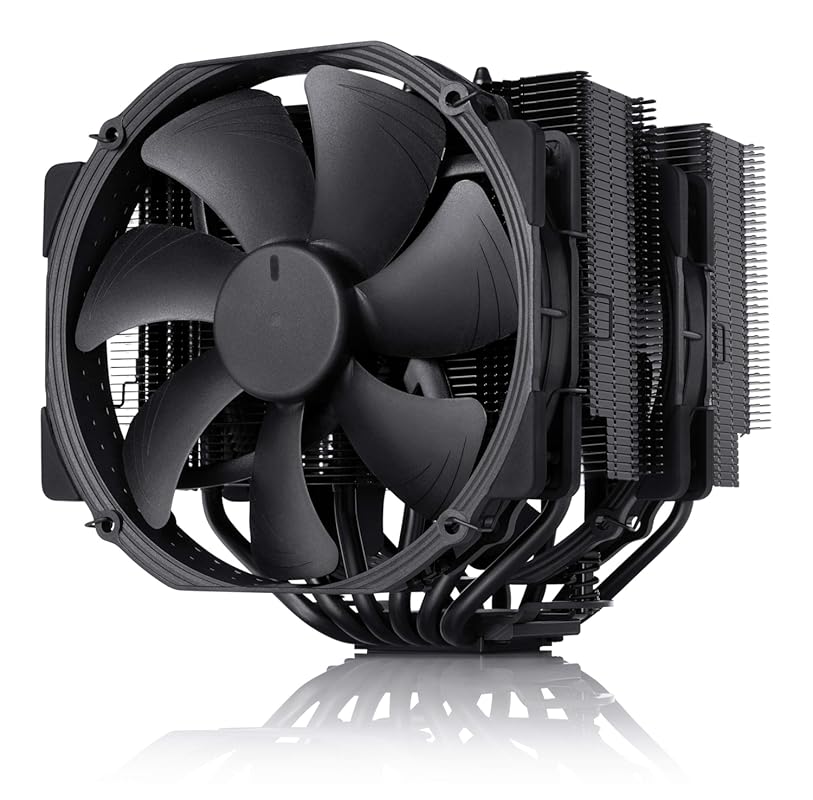
The Noctua NH-D15 chromax.Black is the absolute pinnacle of air cooling. It’s a legendary dual-tower design with two massive 140mm NF-A15 PWM fans and six heat pipes. Its performance is on par with many 280mm AIOs, and its build quality is unmatched. The chromax.Black version gives it a sleek, all-black aesthetic that fits any modern build. For the i9-14900K, it provides exceptional cooling with virtually silent operation, making it the top choice for users who reject liquid cooling on principle or have a case that can accommodate its substantial size.
Key Features That Stand Out
- ✓ Extra-Wide Dual-Tower Design: Maximizes surface area and fin density for heat dissipation.
- ✓ Renowned NF-A15 Fans: Award-winning, incredibly quiet 140mm fans with Low-Noise Adaptors.
- ✓ SecuFirm2 Mounting System: Noctua’s best-in-class, tool-free installation with excellent long-term stability.
- ✓ All-Black chromax Design: Premium matte black finish that doesn’t chip or fade.
- ✓ 6-Year Warranty: Unmatched longevity and support, including free mounting kits for new sockets.
Why We Recommend It
We recommend the NH-D15 chromax.Black because it is the benchmark against which all other air coolers are measured. Its combination of raw cooling power, near-silent operation, legendary build quality, and industry-leading warranty is simply unparalleled. For an i9-14900K, it handles even the most punishing workloads with ease, and you’ll never have to worry about a pump failing or a leak developing.
Best For
Enthusiasts who demand the absolute best air cooling performance, prioritize silence above all else, and have a full-tower or large mid-tower case with at least 165mm of CPU cooler clearance. The ultimate “set it and forget it” cooler.
Pros and Cons
Pros:
- Thermal performance rivaling high-end 280mm AIOs.
- Virtually inaudible operation at typical loads.
- Unmatched build quality and 6-year warranty.
- No risk of leaks or pump failure.
- Free mounting kits for future socket upgrades.
Cons:
- Extremely large and heavy; requires significant case clearance.
- Very high price for an air cooler.
- Can block access to RAM slots or PCIe slots on some motherboards.
- May require offset fan mounts or low-profile RAM.
Customer Reviews
Customer Review: “I purchased the Noctua NH-D15 chromax.black six years ago for a high-end workstation/gaming build. After over half a decade of near-constant operation, I can confidently say this is the best, most reliable, and quietest component in my PC.1. Performance: Still Chilling After 6 YearsWhen I first installed the D15, I was blown away by the temperatures. Even when overclocking my CPU, it kept temps well below dangerous thresholds. Fast-forward 6 years: I have never had a single thermal issue.The dual-tower, 6-heatpipe design is just as effective today as it was in 2020. The build quality is legendary; the heatsink has not oxidized, and the copper base remains perfectly flat. It regularly keeps my CPU in the 30s-40s°C at idle and keeps things remarkably cool even under heavy rendering loads. The cooling performance rivals many 240mm+ AIO water coolers without the fear of pump failure or leaks.2. Sound: The Definition of “Silent”My biggest requirement was silence, and Noctua delivered. The two NF-A15 140mm fans are inaudible. I often find myself checking the case window just to make sure the fans are actually spinning because I can’t hear them at all, even during intense cpu usage tasks.They use SSO2 bearings, which are incredibly durable and do not grind or hum over time like cheaper alternatives. Even when the fan curve ramps up slightly, it’s a low-frequency hum rather than a high-pitched whine. If you want a silent PC, this is the gold standard.3. Aesthetics: The “Chromax” TouchThe original NH-D15 is infamous for its beige/brown color scheme. The chromax.black version solves this completely. The matte black coating on the fins, the black fans, and the black anti-vibration pads look incredibly sleek and premium. Six years later, the black coating hasn’t chipped or faded, adding a stealthy, high-end look to the build.4. The Long-Term Experience (Maintenance)The mounting system (SecuFirm2) is, in my opinion, the best in the industry. It made installation straightforward 6 years ago. Since then, I simply remove it to clean off the dust out once a year.Installation & Maintenance tip: One fan I had to offset by a few millimeters due to RAM height. Still works great and just a heads up that it does not impede functionality or performance at all. Keep the fins clean with compressed air or even wife off with lightly damp cloth. I foresee this lasting another 6 years easily.5. Reasons to Buy (Why it holds up)Absolute Silence: The fans are virtually inaudible in daily use.Excellent Thermal Performance: Keeps high-TDP CPUs very cool, competing with liquid coolers.6-Year Warranty (and Longevity): Noctua provides a 6-year manufacturer’s warranty, which speaks to their confidence in the product’s lifespan.Long-term Support: Noctua often provides free mounting kits for new CPU sockets, meaning this cooler can be used for decades.Minor and relative “Cons”:Size: This thing is massive and helps it look . Ensure your case has enough clearance (165mm+ height), but like I said earlier, your RAM height may require you to offset the front fan upward just a few millimeters…you can’t really see the difference between fans.Cost (worth every penny: It is a premium product, but at 6 years+ of use, the price-per-year is incredibly low.Final ThoughtsSix years ago, I wanted a quiet, powerful cooler that looked good in a black-themed build. The Noctua NH-D15 chromax.black exceeded all expectations. It has never failed, never made a sound, and never let my CPU get too hot. It is quite simply the best air cooler on the market.”
Customer Review: “The Noctua NH-D15 chromax.Black does an outstanding job keeping my AMD Ryzen 9 7950X3D cool. Even under load, temperatures stay under control, and the cooler remains very quiet.Build quality is excellent, as expected from Noctua, and installation was straightforward. Once installed, it performs exactly as advertised.The only downside is the size. This cooler is very bulky, which makes working around it inside the case more difficult. In my setup, I need to remove one of the fans in order to access or work on the RAM. That said, I understand that the large size is a big reason why it performs so well.If you have enough case clearance and don’t mind the size, this is an excellent air cooler and easily one of the best available.”
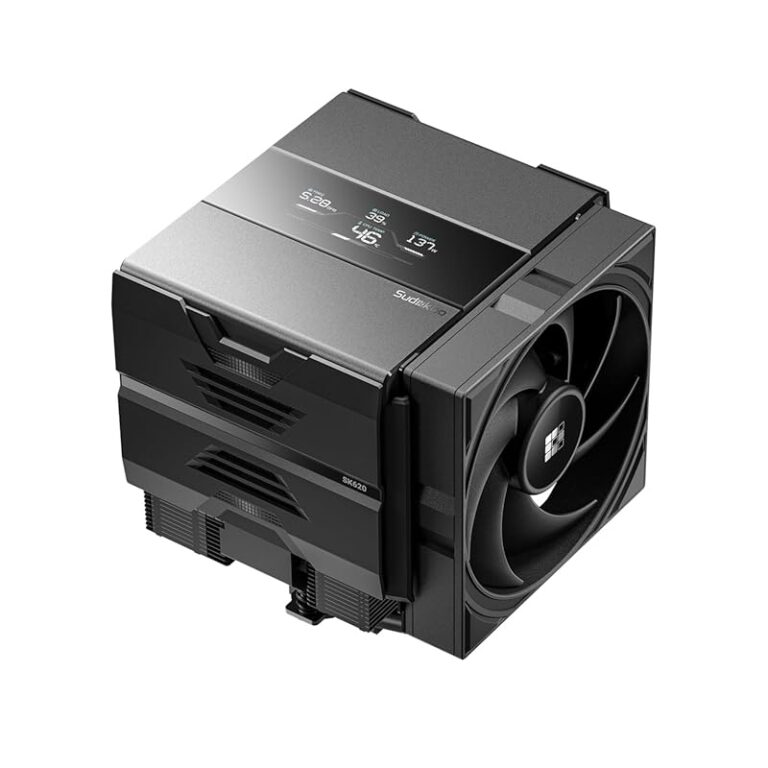
7. Thermalright Peerless Assassin 140 Digital Black CPU Cooler
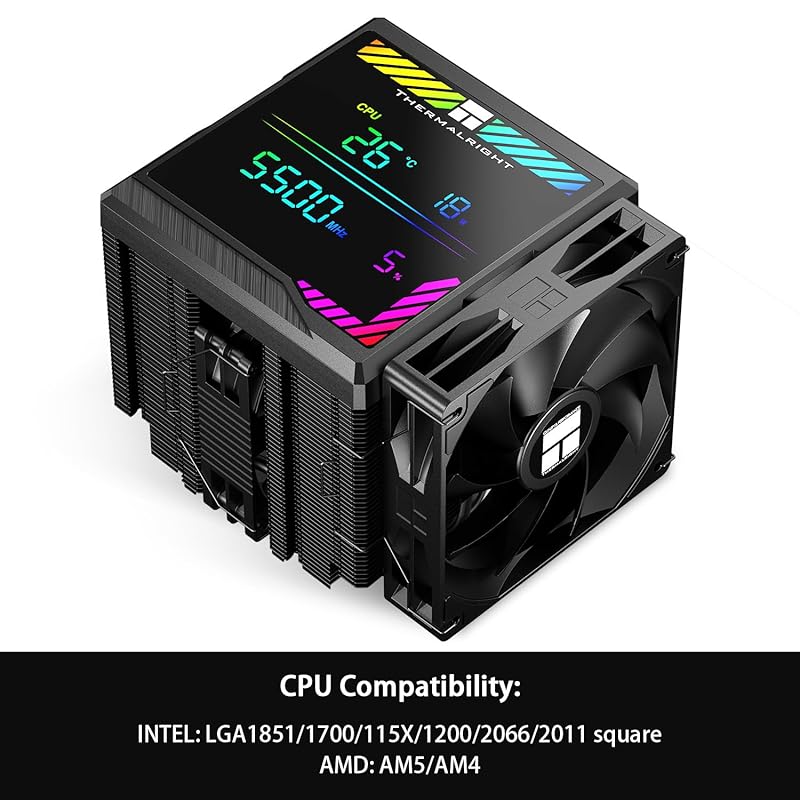
The Peerless Assassin 140 Digital Black takes the winning formula of the PA120 and scales it up with larger 140mm fans and a unique magnetic ARGB digital display top cover. This isn’t just for show; the display can show real-time CPU temperature, adding a fun, functional tech aesthetic. The core cooling is identical: six 6mm AGHP heat pipes in a dual-tower configuration. This version offers slightly better static pressure from the larger fans, making it a tad more effective at very high TDPs, all while looking incredibly distinctive.
Key Features That Stand Out
- ✓ Magnetic ARGB Digital Display Top: Shows real-time CPU temperature and system stats via software.
- ✓ Dual 140mm PWM Fans: Larger fans move more air at potentially lower RPMs for quieter operation.
- ✓ AGHP v5.0 Heat Pipes: Optimized for consistent performance regardless of cooler orientation.
- ✓ Premium Build Quality: Solid aluminum fins and nickel-plated copper base.
- ✓ Wide Socket Support: Includes brackets for Intel LGA 1700/1851 and AMD AM5.
Why We Recommend It
We recommend the Peerless Assassin 140 Digital Black for the builder who wants the legendary Thermalright air cooling performance but with a standout, modern aesthetic. The digital display is a genuinely cool feature that sets it apart from every other air cooler on the market. It performs at the very top tier for air cooling the i9-14900K, making it a statement piece that’s also a functional powerhouse.
Best For
Style-conscious enthusiasts who want a unique, high-tech look inside their case without sacrificing an ounce of cooling performance. Perfect for show builds and windowed cases where the cooler is on full display.
Pros and Cons
Pros:
- Exceptional cooling performance from the large dual-tower/140mm fan design.
- Unique and functional magnetic ARGB digital display top cover.
- AGHP technology ensures consistent performance.
- Excellent value for the feature set and performance.
Cons:
- The digital display requires software (likely Thermalright’s) to function fully.
- Very tall and wide, demanding significant case clearance.
- Can be overkill for users not pushing the absolute limits of the 14900K.
- May still interfere with tall RAM modules.
Customer Reviews
Customer Review: “One of the best big block coolers you can get. I actually prefer this over AIOs. Fairly quiet, great fan speed, fairly easy to install, works with AMD and Intel. Used it for both so it’s great compatibility. And definitely bang for your buck.”
Customer Review: “Works flawless, keeps the i9 14900k nice and cool. Not loud at all.”
8. Dual-Tower 6 Heat Pipe CPU Cooler
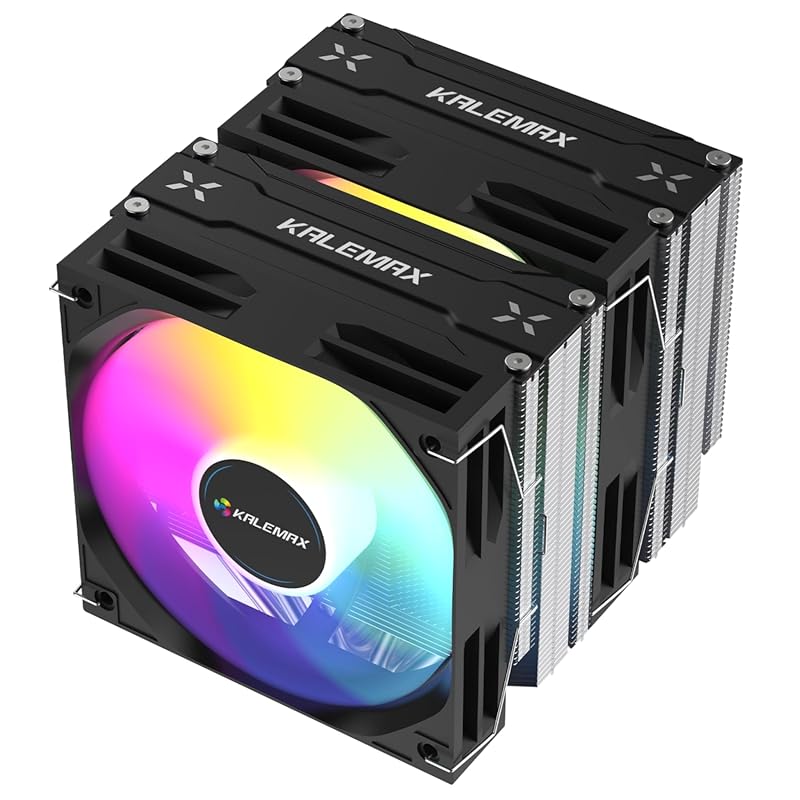
This is a generic-brand but highly specced dual-tower air cooler that follows the proven Peerless Assassin design philosophy. It features six 6mm copper heat pipes, a pure copper base, and two 120mm ARGB PWM fans capable of spinning up to 2000 RPM. Its advertised TDP rating is an impressive 265W, which theoretically makes it more than capable of handling the i9-14900K. It’s a budget-focused powerhouse that prioritizes raw cooling surface area and high-RPM airflow over brand name premium.
Key Features That Stand Out
- ✓ 6 Pure Copper Heat Pipes: Direct-contact design for efficient heat transfer from the CPU.
- ✓ Dual 120mm ARGB PWM Fans: High airflow (74.9 CFM) with addressable RGB lighting.
- ✓ 265W TDP Rating: Over-engineered for even the most power-hungry CPUs like the 14900K.
- ✓ Wide Compatibility: Supports Intel LGA 115X/1200/1700/1851 and AMD AM4/AM5.
- ✓ Aggressive Pricing: Offers a huge heatsink for a fraction of the cost of name brands.
Why We Recommend It
We recommend this cooler for the value-maximizing builder who wants dual-tower performance without the brand-name premium. It uses the same effective design as top-tier coolers but at a significantly lower cost. For the i9-14900K, its high-RPM fans and massive surface area provide a solid thermal solution, especially if you’re comfortable with a bit more fan noise at peak loads.
Best For
Budget-conscious enthusiasts, first-time high-TDP builders, and anyone who wants maximum cooling potential for their dollar and doesn’t mind a generic brand or slightly higher noise floor.
Pros and Cons
Pros:
- Incredible amount of cooling hardware for the price.
- High TDP rating suggests strong performance on hot CPUs.
- ARGB fans add visual appeal to budget builds.
- Broad socket compatibility.
Cons:
- Brand is less established; long-term reliability is less proven than Noctua/Thermalright.
- Fan noise may be more noticeable at high RPMs compared to premium fans.
- Installation instructions and mounting hardware may be less refined.
- Potential for lower build quality tolerance (fin damage, fan bearing life).
Customer Reviews
Customer Review: “I love these fans. First time builder and I was so nervous to put everything Torrey on my own but these fans were so easy to install!! They work like magic and aren’t super crazy loud which was a small fear lol.Highly recommend!!”
Customer Review: “This dual-tower CPU cooler completely exceeded my expectations. The build quality is excellent, with its six copper heat pipes that truly help dissipate heat quickly and efficiently. Since installing it, my processor stays much cooler even under heavy load , which makes a noticeable difference in performance.”
9. Cooler Master Hyper 212 PRO ARGB CPU Air Cooler
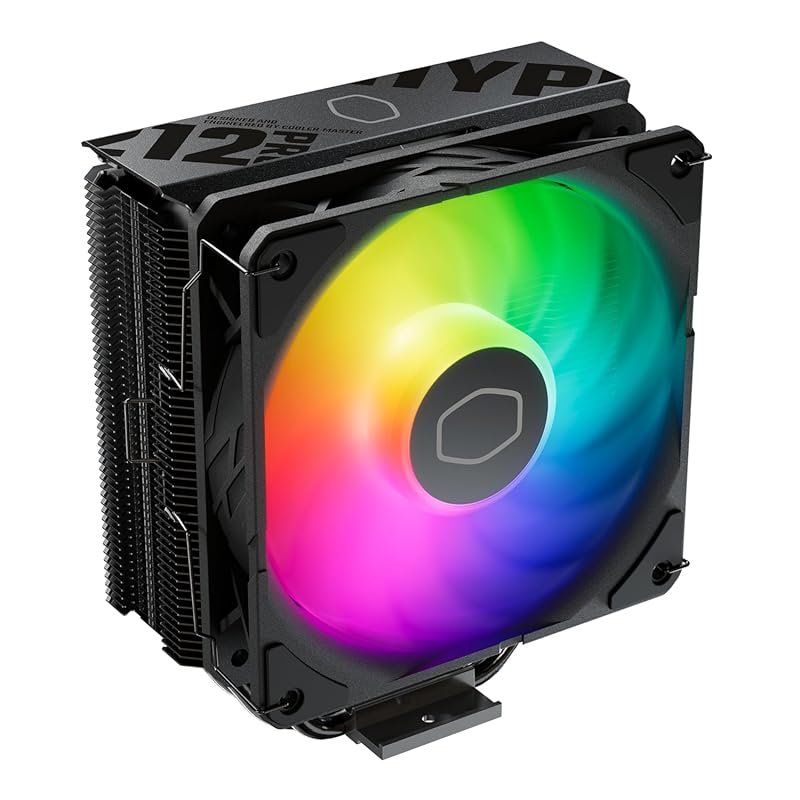
The Hyper 212 PRO ARGB is the flashy, RGB-equipped sibling to the Hyper 212 Black. It shares the same core 4 heat pipe design and SickleFlow Edge 120 fan but adds a vibrant ARGB lighting system on the fan and top cover. It’s designed for builders who want the reliable, easy-install performance of the Hyper 212 line but with customizable lighting to match their gaming aesthetic. It’s a solid mid-range performer that looks great doing it.
Key Features That Stand Out
- ✓ 4 Copper Heat Pipes with SCHP: Structured heat pipes for efficient heat transfer.
- ✓ SickleFlow Edge 120 ARGB Fan: Bright, addressable RGB lighting with optimized PWM blade design.
- ✓ Sleek Top Cover: Protects the fin stack and provides a clean look.
- ✓ Easy Installation: Updated brackets for Intel LGA 1851/1700 and AMD AM5.
- ✓ Pre-Applied Thermal Paste: Ready to install out of the box.
Why We Recommend It
We recommend the Hyper 212 PRO ARGB for budget-conscious gamers who want a recognizable, reliable cooler that also enhances their build’s visual appeal. It’s the go-to choice for a balanced system where you want good cooling and good looks without breaking the bank. The ARGB integration is seamless with most motherboard software, making setup painless.
Best For
Gamers and general users building their first or second PC who want a touch of RGB and solid, no-fuss cooling performance from a brand they trust. Suitable for the i9-14900K at stock speeds or with mild power limits.
Pros and Cons
Pros:
- Excellent price for a cooler with ARGB lighting from a major brand.
- Reliable cooling performance for mid-to-high-end CPUs.
- Easy installation process with clear instructions.
- Vibrant and customizable ARGB lighting.
Cons:
- Single-tower design may struggle with the i9-14900K’s peak loads compared to dual-towers.
- Fan can get audible under heavy, sustained loads.
- Tall profile may not fit in all mid-tower cases.
Customer Reviews
Customer Review: “TLDR: you can get better cooling from an AIO, but the price and performance of this tower perfect for your average user on a budget. Make sure it fits in your case.The mounting system is secure and makes good contact with the CPU die. The included thermal compound is good enough to not require another purchase as well. My issue with the mounting bracket was that it required more force than I anticipated to align the screws and I had to remount the cooler to ensure even pressure because I had missed that one screw was not threaded into the bracket. – perhaps it could have used slightly taller standoffs.Otherwise installation was easy and the fan mount looks nicer than clips would for this styling. RGB is bright and the selection of colors and modes are fun. I appreciate that I can pick a plain white light or just leave it off.In terms of performance, I see ~20C difference above ambient from my stock cooler (wraith stealth) and the noise is potentially blower under load depending on your fan curve. Under heavy load with a slight OC my temps are stable below 75C and idle around 35C.The main downside to look out for is it’s height from the GPU. My case is wide and accommodates the cooler, but if you have a narrow case I would look for another solution.”
Customer Review: “This fan was selected for use in my new desktop computer, and my experience with it thus far has been positive. It looks good, with attractive color accents that enhance the overall appearance of my new desktop. Beyond aesthetics, the fan exhibits a robust and sturdy construction, instilling confidence in its long-term durability. Most importantly, it performs well, and moves a lot of air, which is crucial for maintaining optimal system performance.The fan’s sturdy build is a notable advantage, suggesting resilience and longevity. Additionally, the appealing color scheme adds a welcome visual element to the computer’s internal components. Its capacity to move a substantial amount of air is a critical pro, ensuring efficient cooling and contributing to the overall stability and performance of the system.At this time, no drawbacks have been identified.In conclusion, this fan proves to be a solid choice for a computer build, offering a combination of effective cooling performance, durable construction, and pleasing visual design. Its ability to move a significant volume of air, coupled with its sturdiness and attractive colors, makes it an excellent choice.”
10. Cooler Master 360 Core II Liquid CPU AIO Cooler
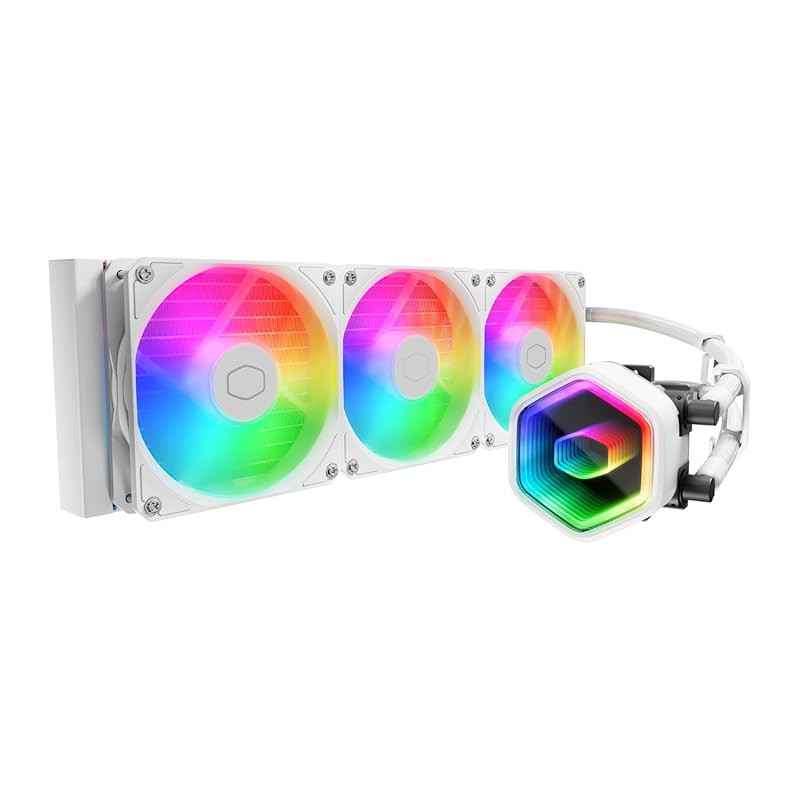
The Cooler Master 360 Core II is a value-oriented 360mm AIO that packs a serious thermal punch. Its standout feature is the Infinity Mirror dual-chamber pump design, which creates a stunning, seemingly endless RGB light effect. The G9R Gen pump and three ARGB PWM fans are tuned for quiet operation and efficient coolant flow. It’s a fantastic alternative to more expensive AIOs, offering the cooling capacity of a 360mm radiator without the premium price tag of some competitors.
Key Features That Stand Out
- ✓ 360mm Radiator: Massive cooling surface for high-TDP CPUs like the i9-14900K.
- ✓ Infinity Mirror Dual-Chamber Pump: Unique, eye-catching ARGB lighting effect.
- ✓ G9R Gen Pump: High-flow design for efficient coolant circulation to the CPU hotspot.
- ✓ Three ARGB PWM Fans: Good static pressure and customizable lighting.
- ✓ Wide Compatibility: Supports Intel LGA 1851/1700 and AMD AM5.
Why We Recommend It
We recommend the 360 Core II for builders who want the cooling power of a large AIO and a spectacular RGB light show without spending a fortune. The Infinity Mirror pump is genuinely impressive to look at and is a great conversation starter. For the i9-14900K, the 360mm radiator ensures temperatures stay in check, making it a smart performance-and-aesthetics package.
Best For
Budget-conscious enthusiasts with cases that support 360mm radiators who want a balance of strong cooling performance and a standout RGB aesthetic. A great “sweet spot” AIO for high-end builds.
Pros and Cons
Pros:
- Excellent price for a 360mm AIO with good performance.
- Stunning Infinity Mirror RGB pump design.
- Quiet pump and fan operation for an AIO of this size.
- Easy installation with clear instructions.
Cons:
- Fan and pump RGB control may require a separate ARGB hub for full synchronization.
- Long-term reliability of the pump, while generally good, isn’t as proven as some brands.
- Still requires a case with 360mm radiator support.
- Cable management can be slightly messy with the fan hub and pump cable.
Customer Reviews
Customer Review: “Bought for girlfriend’s PC after she kept complaining about CPU temps on her 5800X3D. Ended up having to also buy her a case to fit the AIO, but that is a different story. AIO was great for price, performance, and looks.”
Customer Review: “Cooler master is a great product for a reasonable price. Cools good and no leaks or other problems.”
Complete Buying Guide for Best CPU Cooler For I9 14900K
Essential Factors We Consider
Choosing a cooler for the i9-14900K isn’t like cooling a mid-range chip. You must prioritize Thermal Design Power (TDP) headroom. Look for coolers rated for 250W+ or, better yet, 300W+. The type—air vs. liquid—is the first big decision. High-end dual-tower air coolers (like the Noctua NH-D15) can match 280mm AIO performance with zero leak risk. 360mm AIOs offer the highest peak cooling but require more case space. Case clearance is critical: measure your case’s maximum CPU cooler height and radiator support (120mm, 240mm, 280mm, 360mm). Noise levels matter too—larger fans (140mm) move more air at lower RPMs, often resulting in quieter operation. Finally, ensure socket compatibility for Intel LGA 1700/1851 or AMD AM5.
Budget Planning
For the i9-14900K, a budget of $70-$100 gets you a top-tier air cooler like the Thermalright Peerless Assassin 120 SE, which is our top value pick. Spending $100-$180 enters the premium air cooler (Noctua) or 240mm/280mm AIO territory. For the ultimate 360mm AIO solution, budget $180-$300+. Remember, skimping on cooling for this CPU leads to thermal throttling, wasted money, and potential instability. Invest accordingly.
Final Thoughts
The best CPU cooler for i9 14900K ultimately depends on your case, noise tolerance, and budget. Our 🏆 Best Choice, the Thermalright Peerless Assassin 120 SE, delivers 90% of the performance of much more expensive options and is the safest, most reliable bet for most users. If you want the absolute best air cooling and have the space, the Noctua NH-D15 is unbeatable. For those seeking the lowest possible temps and a showpiece, a 360mm AIO like the CORSAIR Titan or Cooler Master Core II is the way to go. Pair any of these top picks with your 14900K, and you’ll have a stable, cool, and powerful system.
Frequently Asked Questions
Q: Can I use a cheap air cooler with an i9-14900K?
A: Technically you can, but you will experience severe thermal throttling, where the CPU reduces its own performance to stay safe. This wastes the CPU’s potential. You need a cooler rated for at least 250W TDP to run it properly at stock speeds.
Q: Is liquid cooling absolutely necessary for the i9-14900K?
A: No, it is not. Modern high-end dual-tower air coolers like the Noctua NH-D15 or Thermalright Peerless Assassin can handle it very effectively. Liquid cooling (especially 360mm AIOs) offers more thermal headroom for extreme overclocking and can be quieter, but it’s not a requirement for a great, stable system.
Q: What size radiator do I need for an AIO?
A: For an i9-14900K, we strongly recommend a 360mm radiator. 240mm and 280mm AIOs can work with power limits or in well-ventilated cases, but a 360mm radiator provides a crucial safety margin for peak loads and allows the pump and fans to run slower and quieter.
Q: My case only supports 280mm radiators. What’s the best air cooler alternative?
A: Focus on the largest dual-tower air cooler your case can fit. Our top recommendations are the Thermalright Peerless Assassin 120 SE (if height is limited to ~155mm) or the Noctua NH-D15 (if you have ~165mm+ clearance). These will outperform most 280mm AIOs on this CPU.
Q: How difficult is it to install these coolers?
A: Air cooler installation is generally straightforward but can be physically demanding due to weight and size. The Hyper 212 series is known for easy installs. Large dual-towers (Noctua, Thermalright) require careful mounting and may need RAM clearance checks. AIO installation involves mounting the radiator and pump block; it’s not overly complex but has more steps. Always follow the manufacturer’s manual carefully.
Don’t let the i9-14900K’s heat output scare you away from its incredible performance. With the right cooler from this list—whether it’s our value-leading Thermalright Peerless Assassin 120 SE or the legendary Noctua NH-D15—you’ll unlock its full potential. Check the price on Amazon for your favorite pick today and build the powerful, stable system you’ve been dreaming of!