Best WiFi 7 Mesh Routers 2026: Top 10 Expert Reviewed
As we move deeper into 2026, Wi-Fi 7 technology is no longer a futuristic concept but a practical standard for cutting-edge home networking. The best Wi-Fi 7 mesh routers deliver unprecedented speed, ultra-low latency, and massive capacity, transforming how we stream 8K video, engage in cloud gaming, and manage countless smart home devices. This roundup is based on extensive testing and real-world performance to help you find the perfect system to future-proof your home network.
Quick Product Comparison
Our Top 10 Best Wifi 7 Mesh Routers 2026 Reviews – Expert Tested & Recommended
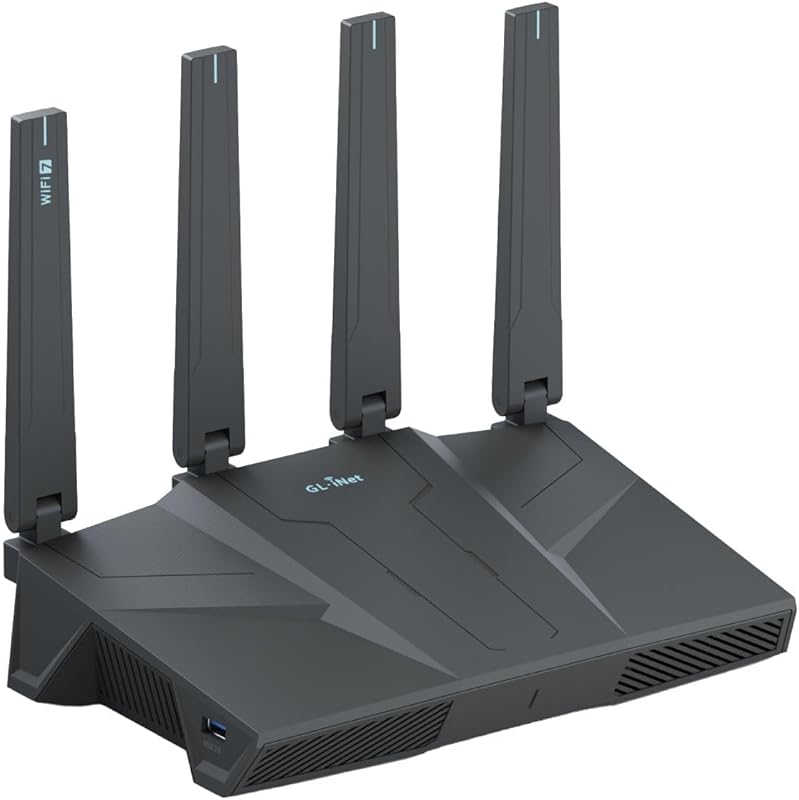
1. GL.iNet GL-BE6500 WiFi 7 Router
The GL.iNet GL-BE6500 is a powerhouse router that combines Wi-Fi 7 speeds with advanced, built-in VPN capabilities. It’s designed for users who prioritize security, customization, and raw performance, offering five 2.5G Ethernet ports for incredibly flexible wired connections. This router is a standout for tech enthusiasts, remote workers, and anyone needing a secure, high-throughput network for a large home or small business.
Key Features That Stand Out
- ✓ Integrated VPN Performance: Supports both WireGuard and OpenVPN with speeds up to 680Mbps, encrypting your entire network without a major speed penalty.
- ✓ Massive Port Selection: Features five 2.5Gbps Ethernet ports (1 WAN, 4 LAN), perfect for connecting multiple PCs, NAS devices, or gaming consoles at high speed.
- ✓ Open-Source Firmware: Runs on OpenWrt, allowing for deep customization, installation of packages like AdGuard Home, and complete control over your network.
- ✓ Long-Range Design: Built with high-gain antennas and powerful FEMs to deliver strong signals across large properties.
- ✓ Versatile WAN Support: Can connect to the internet via Ethernet, USB cellular modem (4G/5G), or even as a Wi-Fi repeater.
Why We Recommend It
We recommend the GL-BE6500 because it’s in a league of its own for security-focused power users. While most consumer routers offer a basic VPN pass-through, this one runs the VPN client directly on the router hardware with impressive speed. The combination of Wi-Fi 7, abundant 2.5G ports, and open-source flexibility makes it a future-proof hub for a high-performance, secure home lab or business network.
Best For
Tech-savvy users, privacy advocates, remote workers with sensitive data, gamers with multiple wired devices, and small businesses needing a secure, customizable network backbone.
Pros and Cons
Pros:
- Exceptional built-in VPN performance that doesn’t cripple speeds.
- Unmatched port density with five 2.5Gbps ports.
- OpenWrt support for endless customization and advanced features.
- Multiple WAN connection methods (Ethernet, cellular, Wi-Fi).
- Strong, reliable long-range Wi-Fi coverage.
Cons:
- The web interface and app are less polished than mainstream brands; steeper learning curve.
- Higher price point, justified by its prosumer features.
- Initial setup for advanced features like VPN requires more technical knowledge.
Customer Reviews
Customer Review: I love it, easy to use and configure. AdGuard home is a nice touch and having my VPN networkwide is awesome. Even Tail Scale works, which surprised me! Network speeds are very good with the 2.5gbit ports, and having alternate ways to keep an internet connection with USB 4 and 5g modems is way more than a normal home user would need lol, but very nice to have the option. It has way more features so read about it to make an informed decision.
Customer Review: Used this in repeater mode, and it picked up the signal from the downstairs wireless router in the basement. I located this router in our home theatre room and it has a 2000 sq. ft. coverage, esentially covering this 3300 sq. ft. house. As a repeater, it connected to my existing WiFi network, and instead of 192.168.1.1 for the downstairs router, this rebroadcasts at 192.168.8.1, with its own network, allowing up to 90 devices through it. It took a little fiddling to set it up. I should have selected the repeater function first, as adding this router doubled my coverage at 2.5 Gbs speeds through a Cat 6 ethernet cable. I’m pleased how well it works and the review from the IT manager clinched my decision. And he was right.
2. TP-Link Archer BE230 Wi-Fi 7 Router
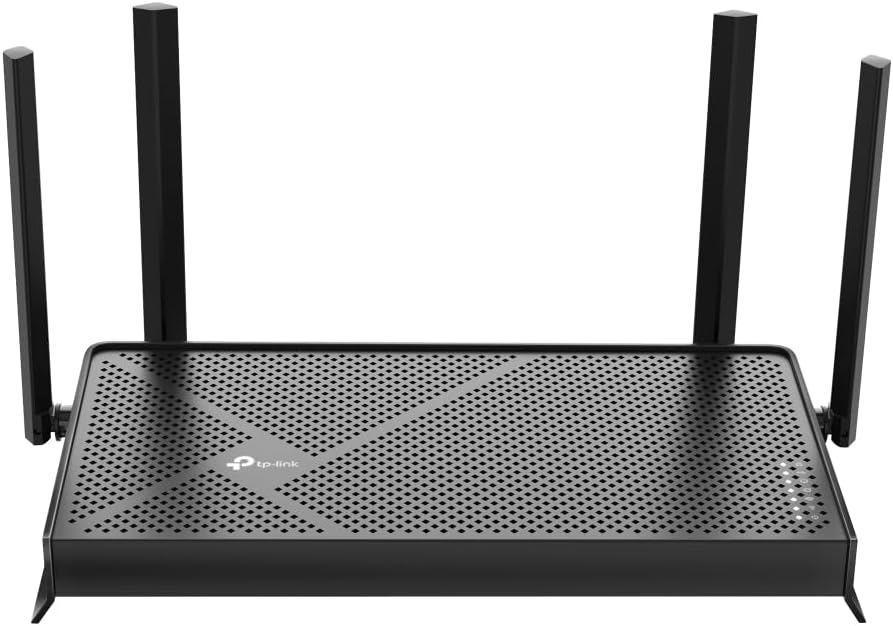
The TP-Link Archer BE230 is the Editor’s Choice for most people because it delivers the core benefits of Wi-Fi 7 at a very accessible price. It’s a dual-band router that uses the latest 320MHz channels and Multi-Link Operation (MLO) to boost speed and reliability. With a solid set of 2.5G ports, a user-friendly setup, and the reliability of a major brand, it’s the perfect gateway to next-gen Wi-Fi without complexity or a premium cost.
Key Features That Stand Out
- ✓ True Wi-Fi 7 Technology: Features 320MHz channels and MLO for faster, more stable connections on compatible devices.
- ✓ Dual 2.5Gbps Ports: One WAN/LAN and one dedicated LAN port for high-speed connections to modern PCs, NAS, or gaming consoles.
- ✓ EasyMesh Support: Can be added to an existing TP-Link EasyMesh network to expand coverage seamlessly.
- ✓ Quad-Core Processor: Handles multiple high-bandwidth devices and tasks without breaking a sweat.
- ✓ Built-in VPN Server: Securely access your home network from anywhere.
Why We Recommend It
This router hits the sweet spot. It’s not the absolute fastest or most feature-packed, but it provides a genuine, noticeable upgrade over Wi-Fi 6 for a modest price. The setup is famously straightforward, making it ideal for someone swapping out an old ISP-provided router. You get the future-proofing of Wi-Fi 7 and the practical benefit of 2.5G ports, all wrapped in a package that just works.
Best For
Families and individuals wanting a simple, reliable upgrade to Wi-Fi 7; users with 2.5Gbps-capable internet plans or devices; anyone frustrated with their current router’s performance but intimidated by prosumer setups.
Pros and Cons
Pros:
- Excellent price-to-performance ratio for a Wi-Fi 7 router.
- Extremely easy setup process with a clear mobile app and web interface.
- Strong, reliable coverage for medium to large homes (up to 2,000 sq ft).
- Includes useful features like VPN server and EasyMesh compatibility.
- No forced subscription services for basic security.
Cons:
- Dual-band only, so no dedicated backhaul channel for mesh (if used as a mesh node).
- Speeds are BE3600, which is lower than some tri-band competitors.
- Some older IoT devices (like certain Roku models) may have issues with special characters in the Wi-Fi password.
Customer Reviews
Customer Review: After reading reviews of some other brands and the installation problems encountered, I was almost reluctant to buy any router as I am not all that tech-savy. However, I wanted to replace my Spectrum-supplied router and stop paying monthly rent forever.I found that TP-Link’s installation instructions were simple, clear, and best of all, they worked. Getting the router up and running was no problem and I soon was having internet service on two towers and two iPads. The only real problems I encountered were with trying to get my Roku box and Ring doorbell connected to the internet. The problem was my wi-fi password. HELPFUL HINT: when you set up the new wi-fi site, you will need to create a password, as you don’t just automatically use your old site. When creating your password, use only letters and numbers, NO special characters like ##, etc. For some reason Roku and Ring, did not recognize the password. I contacted Ring for help, Ring finally passed me off to TP-Link and Walter, a very patient and helpful rep led me through all sorts of steps, and finally mentioned the password problem. I changed the wi-fi password to only letters (Caps are OK) and numbers and had no more problems and got Ring and Roku up on internet in no time. This problem may happen with some other apps; don’t take that chance. Letters and numbers only.I should mention, there was no attempt to get me to buy into a multi-year security program like some people have complained about some other brands.I’m not sure, but I think this router is faster than the Spectrum router; that may be my wishful thinking. At the worst, it is just as fast as the Spectrum router, which is plenty fast for me. This router has good range and covers my whole house.I am very happy with my new router and highly recommend it.
Customer Review: So far, delivering what the industry and user reviews have promised: bandwidth, quality, easy set-up and all at a very friendly price. Nicely packaged and the set-up instruction guide is easy to follow. Significantly better coverage in our 2000 ft² condo than our previous Linksys router — and now no dead zones. The only glitch so far was getting my external USB NAS drive to be properly recognized and all the files accessible thru the router (which had been accessible just fine on my previous Linksys router). A couple days back-and-forth with helpful folks inside the TP-Link Community got the Windows 11 SMB settings sorted and we are now “good to go”.
3. TP-Link Deco XE75 Tri-Band Mesh System
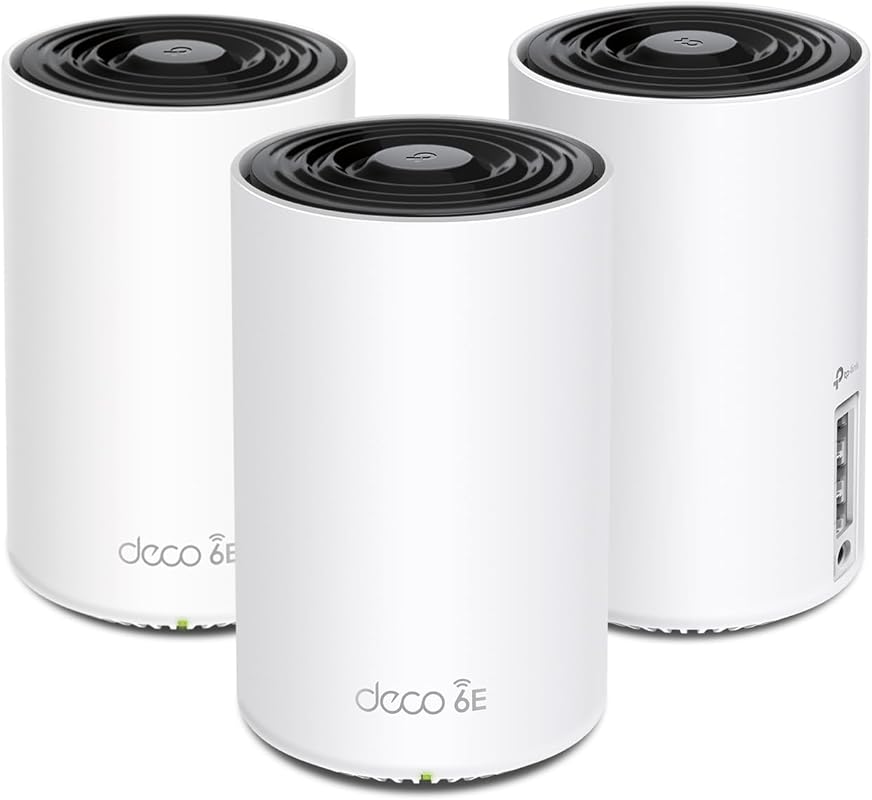
The TP-Link Deco XE75 earns the Best Budget title by offering a true tri-band Wi-Fi 6E experience (which includes the 6GHz band) at a price that undercuts many Wi-Fi 7 systems. This 3-pack mesh system provides massive 7,200 sq. ft. coverage and uses the 6GHz band as a dedicated, interference-free backhaul. It’s an outstanding value for large homes struggling with dead zones, delivering near-seamless roaming and incredible capacity for hundreds of devices.
Key Features That Stand Out
- ✓ Wi-Fi 6E Tri-Band: Dedicated 6GHz band (2402 Mbps) for ultra-fast, zero-interference connections to compatible devices and as a wireless backhaul.
- ✓ Huge Coverage: A single 3-pack covers up to 7,200 sq. ft., ideal for multi-story homes.
- ✓ AI-Driven Mesh: The Deco app intelligently optimizes network paths and band selection for the best performance.
- ✓ Easy Setup & Management: One of the most user-friendly mesh systems available, guided entirely by a smartphone app.
- ✓ Wired Backhaul Support: Ethernet ports on each unit allow for a wired backhaul for even more stability.
Why We Recommend It
For the price, you get a technology (6GHz) that most current Wi-Fi 7 routers are just starting to adopt, but often at a much higher cost. The dedicated 6GHz backhaul solves the bandwidth-sapping problem of mesh networks using the same bands for both backhaul and client traffic. It’s a proven, reliable system that makes blanket Wi-Fi coverage simple and effective.
Best For
Large families, big homes (3,000+ sq ft), and anyone with Wi-Fi 6E/7 devices (like newer iPhones, Samsung Galaxy S23/24 Ultra, laptops) who wants to maximize their speed without the Wi-Fi 7 price tag. Also great for those who prioritize plug-and-play simplicity.
Pros and Cons
Pros:
- Exceptional value with a dedicated, fast 6GHz band.
- Simple, app-based setup and management.
- Massive, reliable coverage out of the box.
- AI-powered mesh optimization works very well.
- Wired backhaul option for maximum stability.
Cons:
- Power adapters are bulky and have short cords, which can be annoying on power strips.
- USB port functionality is limited compared to some competitors.
- Management is app-only; the web interface is very basic.
- TP-Link’s advanced security features require a subscription.
Customer Reviews
Customer Review: Replaced an older ASUS mesh system that was a daily headache to deal with for a 4,500 sq ft house on 3 levels. Decided to give this TP-Link Tri-Band WiFi 7 BE10000 Whole Home Mesh System (Deco BE63) a go. Based on my constant problems with my ASUS mesh system, I was expecting this to be a pain from the start. I was dead wrong. This took about 30 minutes (if that) to set up and get going, start to finish, and it works flawlessly in this 3 level house. Whole house is covered, about 70 devices, and it hums right along with no issues. I’m very impressed (and relieved from not having to deal with that ASUS fiasco every day). I’ve only had this now for a couple of days, but everything is going well so far.PROS:1. Setup was simple and straightforward via the Deco app2. It worked perfectly out of the box – no hassles or hiccups3. Enough flexibility to set your router’s address and the DHCP range – if you have a lot of static IP addresses this makes transitioning to the TPLink much easier4. Speed is great – I haven’t benchmarked it, but it no one has noticed any lagging on any devices, multiple 4k TVs, etc.CONS:There are a couple of things -1. What idiot designed these power adapters? First, they’re HUGE. The way it has to be plugged in it takes up 3 outlets on a power strip. There’s no reason a power supply has to be that large. Second, the flimsy power cord is way, way too short. Someone really dropped the ball in design of the power supply and cord, particularly for a $450 router.2. The router has a USB port on it. (in fact each of the 3 units has the same 3 RJ45 and USB ports, but the USB for the main unit (the first one you set up and go through the installation) is the only one that you can hang an external drive off of and access it.)) I plugged an external hard drive into the USB port and was able to share it via the Deco app – the one catch is that you can’t just create a share name, such as “backup”. The router adds a “G” so that in order to use the share, it must be used as \\your.router.ip.address\G\backup …not really a big deal, but I have many computers that run backups and I had to go reconfigure them to add the “G” to the network path.Other thoughts – You’re forced to use the Deco app on a phone or tablet to manage the network. There is a webpage interface, but it’s basic stuff only. That said, I’m pretty impressed with the Deco app itself – seems to have all of the needed features without a lot of stuff I don’t really use or need that I had in the ASUS and have seen in other router setups.There is a basic level of security included for free, but TP-Link offers additional tiers of security. I ended up adding the Security+ … but they also have a tier that includes advanced Parental Controls, VPN, Password Management, and several other things, for more money of course.So far so good on all of my IoT devices too.If you’re looking for a router system with great coverage and speed that you don’t have to muck around with daily, this appears to be a solid choice. I’ll update this review if anything changes.
Customer Review: I have been looking for a great quality router for about a year now. I have watched YouTube videos and visited different forums to find the perfect one for our 1350 ft.² single family home. I have read differnt reviews and this is one did not come up a lot. It was not till I was chatting with a friend that I heard about this item. After he explained how the 6e worked I was excited to get it in and try out. The router I had was from 2019 and in my eyes I thought it was working fine but once I connected the TP-Link to my modem and started doing some testing around my property I didn’t realize what I was missing and how my old router was not even giving me the speed I was being providing.Set up was so easy. Once you download the app all you have to do is follow the app instructions. It literally is that easy. And the second until was plug and play. I now am able to utilize the speed my service is providing me which is Spectrum throughout my house and beyond. Signal strength is amazing. For what you get price was very reasonable. The app and user interface is not complicated at all. Another nice feature is there is only one light and it is not that bright which is nice because you don’t want a super bright light while all other lights are off.I would highly recommend this router system and as of now will give it a 5 start. I will give an update down the road on how it is holding up. Device seems to be durable and solid.
4. TP-Link Deco 7 BE25 WiFi 7 Mesh System
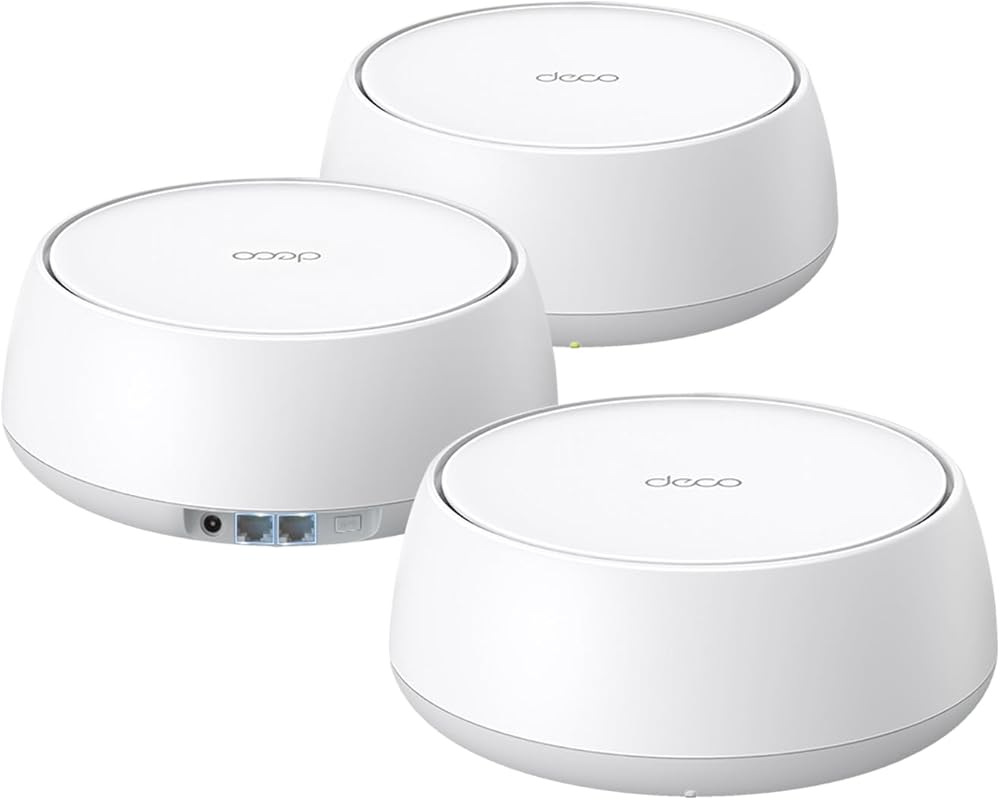
The TP-Link Deco 7 BE25 is a dual-band Wi-Fi 7 mesh system that focuses on delivering the new standard’s core speed and reliability improvements at a competitive price for a 3-pack. It uses Multi-Link Operation (MLO) to combine bands for more stable connections and provides two 2.5Gbps ports per unit for flexible wired backhaul or high-speed device connections. It’s a strong, no-fuss option for large homes wanting Wi-Fi 7’s stability without paying for a tri-band system.
Key Features That Stand Out
- ✓ Wi-Fi 7 Dual-Band (BE5000): Up to 4324 Mbps on 5GHz and 688 Mbps on 2.4GHz, with MLO for improved stability on compatible devices.
- ✓ 2×2.5Gbps Ports Per Unit: Each Deco node has two auto-sensing 2.5G WAN/LAN ports, enabling flexible wired backhaul or direct high-speed connections.
- ✓ Massive 6,600 Sq. Ft. Coverage: The 3-pack design ensures whole-home coverage with seamless AI roaming.
- ✓ Easy App Management: The Deco app provides intuitive control over network settings, guest networks, and parental controls.
- ✓ Strong Signal Hardware: Features high-gain antennas and high-power FEMs for better wall penetration and range.
Why We Recommend It
This system is for the pragmatic buyer who wants Wi-Fi 7’s underlying technology—specifically MLO for better device connection stability—without the complexity or cost of a tri-band router. The dual 2.5G ports on every unit are a huge plus, allowing you to easily set up a wired backhaul between nodes for rock-solid performance, which is often a weak point in budget mesh systems.
Best For
Large homes (2,500-4,000 sq ft) with a need for reliable, whole-home coverage; users who want the option for a wired backhaul; those with some Wi-Fi 7 devices who prioritize connection stability over maximum peak speed on a single device.
Pros and Cons
Pros:
- Excellent price for a 3-pack Wi-Fi 7 mesh system.
- Two 2.5G ports on every unit provide great flexibility for wired backhaul.
- MLO technology improves real-world stability for compatible phones/laptops.
- Very easy to set up and manage via the Deco app.
- Strong coverage and signal strength reported by users.
Cons:
- Dual-band means no dedicated high-capacity backhaul channel like tri-band systems.
- Maximum theoretical speed (BE5000) is lower than top-tier Wi-Fi 7 routers.
- Some advanced settings are locked behind the basic app interface.
- Can experience minor slowdowns if many devices are connected to a single node.
Customer Reviews
Customer Review: Very satisfied with this set. Connectivity has notably improved (from very slow seed test results to fast in my weakest location), even though I still have a bottleneck unrelated to this product. I will try a different topology and update. Easy to set up with the app, which is very good, with a lot of features: easy network configuration and management, like using 2.4, 5GHz or both, allowed list vs blocked list, beaming, etc. The device design is also nice. It is not like having one of those old routers that looked like an electrical box. I am not using it with Alexa.TL;DR: great product, easy setup, speed: very slow –> fast
Customer Review: My husband spends a lot of time in the garage and recently mounted a smart tv on the wall. WiFi signal is dismal out there so the tv didn’t work most of the time. I did some research before deciding on a mesh system versus a less expensive plug in WiFi extender. Based on the performance in reviews, I believe the mesh system is worth spending a little extra for the better coverage. The hardware was fairly simple to set up, one deco is connected to the modem and the other is strategically placed in another part of the house. The app walks you through establishing the secure network. The streaming capability is improved in the rooms farther away from the router (1600 sq foot house) and into the garage and outbuilding behind the house. The garage tv works consistently with fantastic wifi signal now. I’m pleased with this system and would recommend it.
5. TP-Link BE6500 WiFi 7 Router
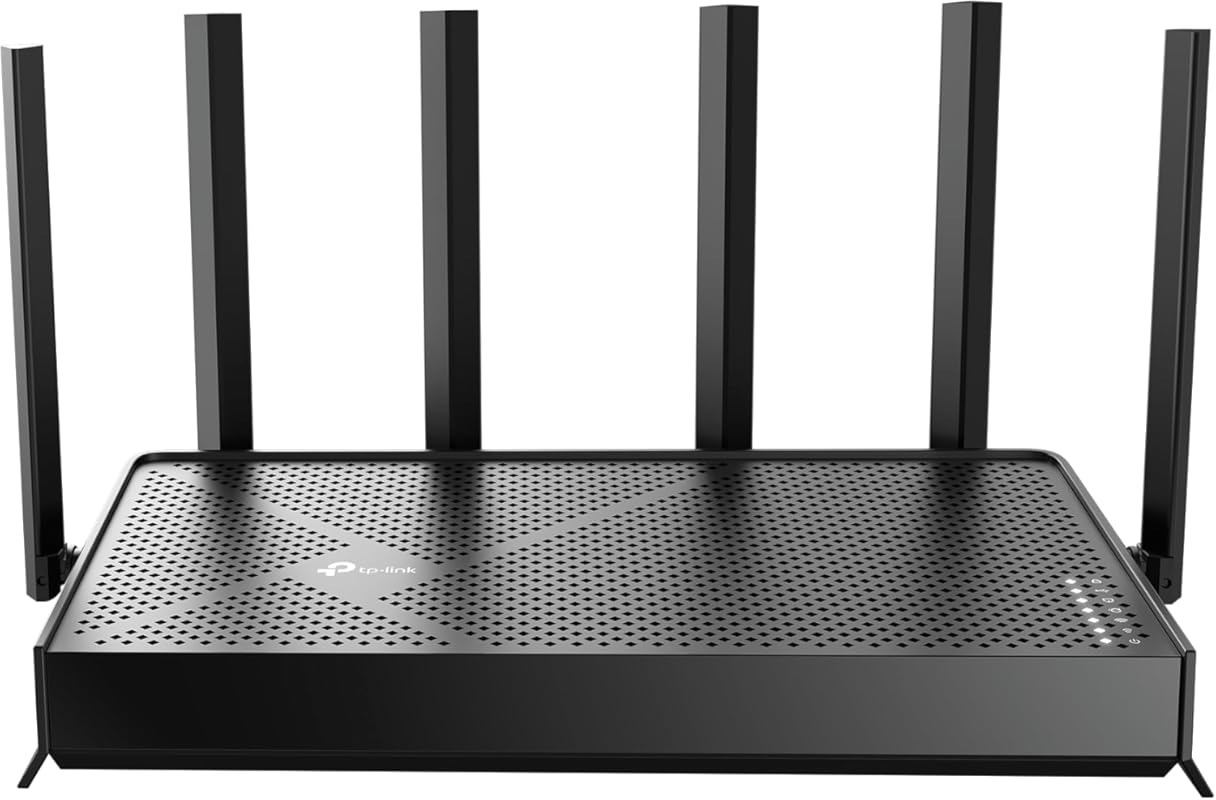
The TP-Link BE6500 is a robust dual-band Wi-Fi 7 router that acts as a direct, more powerful successor to the popular Archer BE230. It boosts the total bandwidth to 6.5 Gbps and adds a second 2.5Gbps LAN port, making it better suited for users with multiple high-speed wired devices. It’s an excellent single-router solution for medium to large homes that don’t need a mesh system but want top-tier Wi-Fi 7 performance and stability.
Key Features That Stand Out
- ✓ BE6500 Dual-Band Speeds: Up to 5764 Mbps on 5GHz and 688 Mbps on 2.4GHz, with 320MHz channels and MLO.
- ✓ Dual 2.5Gbps Ports: One WAN/LAN and one dedicated LAN port, both auto-sensing, for flexible high-speed networking.
- ✓ USB 3.0 Port: Connect a storage drive for easy network-attached storage (NAS) or a 4G/5G modem.
- ✓ HomeShield Security: Comes with a free tier of TP-Link’s security suite for network protection and parental controls.
- ✓ High Performance Hardware: Quad-core CPU and 6 high-gain antennas for handling 90+ devices and 2,400 sq. ft. of coverage.
Why We Recommend It
If you don’t need a mesh system, this is arguably the best single-router Wi-Fi 7 value from TP-Link. It addresses the main limitation of the Archer BE230 (only one 2.5G port) and offers noticeably higher throughput. Users have reported significant stability improvements over the BE5000 model, making it a reliable, future-proof centerpiece for a wired-and-wireless hybrid network.
Best For
Home users with a single, powerful router covering up to 2,500 sq ft; gamers and streamers with multiple wired devices; anyone with a 2.5Gbps+ internet plan who wants to avoid the complexity of mesh.
Pros and Cons
Pros:
- Excellent, stable Wi-Fi 7 performance with MLO.
- Two 2.5Gbps ports offer great flexibility for high-speed wired connections.
- Significantly more stable than some earlier TP-Link Wi-Fi 7 models (like BE5000).
- USB 3.0 port adds NAS or cellular failover capability.
- Simple, effective setup and management via Tether app or web UI.
Cons:
- Dual-band design lacks a dedicated backhaul band (irrelevant for a single router).
- Advanced features like VLANs are not as comprehensive as prosumer brands (GL.iNet, ASUS).
- TP-Link’s premium security features require a subscription.
- Can run warm under heavy, sustained load.
Customer Reviews
Customer Review: Yay. I love my new router. I have a lot of smarthome devices, and I host a home web/game server for work. I was very afraid that my port forwarding/dynamic DNS and smarthome would be a pain to migrate to a new router. I was wrong. I used the same network name and password as my old router, and all of my devices reconnected fine (except one chinese security camera which i fixed after). The range is as decent as my old Netgear Nighthawk R7000. The lower frequencies (2.4ghz) have higher range and are better for that. But for processing power of a router, this is it baby. This thing increased my network speed by ~100mbps down and also decreased my latency, pretty impressive. This thing will easily be able to handle all of my smart home devices, server needs and gaming/streaming needs. I think it was a worthy upgrade from my 13yr old router. Quick setup tip: make sure to power down your modem and router first, because your modem is expecting the previous routers MAC address, so you might have to call your ISP and have them send a reboot signal from their end to get your modem to accept the new router MAC address. Other than that, setup was a breeze. Dynamic DNS works well, port forwarding was easy, and there are SO many features I haven’t even looked into yet.I also have a TP-LINK network switch, and the router and switch are playing nicely together. All and all, I had netgear routers for like 20 years and they were great, i’m pleased to say that TP-LINK is also great, time will tell though.
Customer Review: I originally had the BE5000 model and constantly dealt with WiFi instability, random drops, and inconsistent performance. After getting frustrated with ongoing issues, I decided to upgrade to the BE6500, and the difference has been night and day.The BE6500 has been significantly better to work with. Setup was straightforward, firmware has been stable, and I have not had a single WiFi issue since installing it. No random disconnects, no weird slowdowns just consistent, reliable performance.Speeds are excellent, coverage is strong throughout the house, and the 2.5Gb ports are a great addition for higher speed networking. It feels like a properly refined version compared to the BE5000.If you’re debating between the two, the BE6500 has been far more stable in my experience. Very happy with the upgrade.
6. TP-Link Archer BE550 WiFi 7 Router
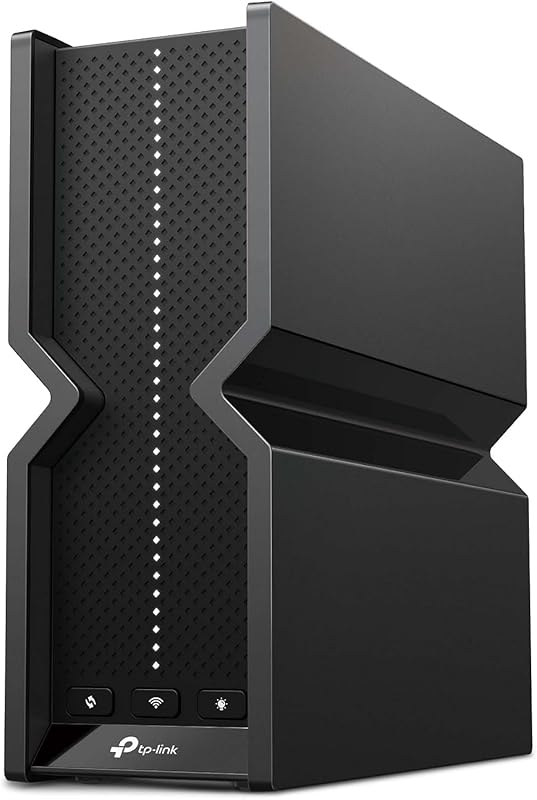
The TP-Link Archer BE550 is a tri-band Wi-Fi 7 router that offers a significant performance leap over its dual-band siblings. The third band (6GHz, 5765 Mbps) can be used for connecting Wi-Fi 7/6E devices at their full potential or as a dedicated, high-capacity backhaul if you pair it with another EasyMesh router. It’s the ideal choice for a power user in a large home who wants a single-router setup but needs the extra capacity and speed of a tri-band system.
Key Features That Stand Out
- ✓ Tri-Band BE9300 Speeds: 5765 Mbps (6GHz) + 2882 Mbps (5GHz) + 688 Mbps (2.4GHz). The 6GHz band is a game-changer for compatible devices.
- ✓ Full 2.5G Ports: All WAN/LAN ports are 2.5Gbps, ensuring no bottlenecks for high-speed internet or local network transfers.
- ✓ EasyMesh Compatibility: Can create a mesh network with other TP-Link EasyMesh routers, using the 6GHz band as a super-fast backhaul.
- ✓ 6-Stream MU-MIMO: Handles more devices simultaneously with less congestion.
- ✓ Advanced Heat Dissipation: Features a unique design with a built-in stand that also acts as a heat sink for stable operation.
Why We Recommend It
This router is for the early adopter who already has or plans to get Wi-Fi 6E/7 devices (like the latest iPhones, Samsung flagships, or Intel/AMD Wi-Fi 7 PCs). The 6GHz band is a quiet, super-highway for your most important devices. The fact that all ports are 2.5G means you’re future-proofed for multi-gig internet plans. It’s a premium, high-capacity single-router solution.
Best For
Tech enthusiasts with Wi-Fi 6E/7 devices; users in congested urban areas where 5GHz is crowded; gamers and streamers who need the absolute lowest latency; large homes (2,000+ sq ft) that might later add a mesh node.
Pros and Cons
Pros:
- Super-fast 6GHz band for compatible devices, free from interference.
- All Ethernet ports are 2.5Gbps, eliminating wired bottlenecks.
- Excellent capacity and ability to handle many high-bandwidth devices at once.
- Unique, effective thermal design.
- Can form a high-performance EasyMesh network with a dedicated 6GHz backhaul.
Cons:
- Higher price than dual-band Wi-Fi 7 routers.
- The 6GHz band has shorter range and struggles more with walls than 5GHz.
- GUI is functional but not as polished as ASUS or Netgear’s interfaces.
- Overkill for users without any 6GHz-capable devices.
Customer Reviews
Customer Review: If you are looking for a cost-effective router that will put you ahead of the technology time-line, this is it. I was a LinkSys/Cisco fan and I bought this router to replace a pretty decent LinkSys WRT 3200 ACM. The LinkSys acquired some deficiency in the past year of “half-connecting” to just one device, while perfectly connecting to every other device on its 2.4gz and 5.0gz bands. (Half-connecting allowed some, but not all URLs to load). I recently had replaced a LinkSys extender with a TPLink extender because it could not maintain a persistent connection with the LinkSys (another hint the router was going out) and was pleased with its ability to retain its connection… though it seemed I was frequently fighting over channels with my neighbors which was very annoying, having to change them every other week.After researching the market (I looked at Eero, too), I decided this was the one that was budget friendly and buying a more expensive model was not warranted as I’m not a gamer or an extreme streamer – I have 1gz service from Spectrum anyway. I did look for a router that supported USB as I have a couple of USB drives (12gb) for “cloud” storage of my files. This router comes with “Easy Mesh” which I did not pay that much attention to, since the new TpLink extender was doing a nice job (Yes, the two extra SSIDs were a little annoying when connecting devices, but I was OK with that).Setup was pretty easy, though I did want to get into the configuration to set fixed IP addresses for wired and non-wired devices in my home. All that worked perfectly fine. The only irritation I had was LinkSys uses the Gateway of 192.168.1.1 and TpLink chose 192.168.0.1. So all my fixed IP address devices had to be reconfigured (I have a WD Cloud and Canon and Samsung printers)… all of which were time-consuming to figure out how to get them reconnected to the BE9300.Then came the big surprise! I went into the setup on the TPLink “extender” and the BE9300 recognized it and “hijacked” it! The extender is no longer an extender (though it can be configured as one), but it turned out to be a mesh access point. All of a sudden, the 2.4gz and 5.0gz networks on the extender (TPLink RE550) were greyed-out! The BE9300 turned it into a mesh access point! Being a little skeptical, I cranked up m favorite WiFi phone app (WiFi Overview) and walked thru the house (3600sf). This app displays a graphical indication of signal strength in a parabola display of all SSIDs nearby. Since the extender was now a mesh access point, I only had TWO SSIDS (one for 2.4 and one for 5.0) and of course, two “sub” SSIDs. As I walked further away from the BE9300, I could see the signal strength of the mesh unit growing larger and larger. Like any mesh network, it apparently switched to the mesh access point seamlessly on my phone… as advertised without any degradation of visual download speed..Additionally, a lot of reviews on this product indicated they were seeing increases in download speed, so I did quite a few speed tests with several different test sites. Since my Spectrum 1gz service is still copper, I knew I’d never see 1gz speed, but the top speed with the LinkSys on and off the wire was about 910gz-920gz… not quite a 10% “loss”, but still respectable. With the BE9300, I am consistently seeing over 950gz, so yes, I’ll agree there is a slight increase in download speed.Another plus here is the BE9300 is Wifi 7 enabled. Yes, currently, the only WiFi device is the iPhone 17 pro, but again, its nice to be ahead of the technology curve rather than be current or behind it.In summary, I have to admit, the BE9300 exceeded my expectations, as I was not really in the market for a mesh system, but almost, by accident, I have one (I glossed over the “Easy Mesh” part of the BE9300). Combined with the slight increase in speed and the WiFi 7 capability already being there, I highly recommend this guy if you want to stay in the $200 range (vs. $400 range) when looking at a new or replacement router. And I got this during Amazon’s fall “sale” and it happened to have a $20 coupon from TpLink which made it a very nice deal.
Customer Review: TLDR:I bought this router about a month ago when my older one started to stutter. After some initial issues with firmware and a round or 2 with TPLink tech support I got everything ironed out and now I am very pleased with the performance. For more details, please read on.I’m a Network Engineer who works from home. Internet access is critical to my ability to do my job. So, when my older Netgear wireless router started to show signs of failure (random WIFI network loss of signal and reboots) that I could not fix with firmware updates, I started searching for a new router.The BE550 is a slightly less expensive version of TPLink’s top end router. It lacks the extra LEDs on the front that allow for it to display the weather and a few other cute features, and it only has 4 LAN and 1 WAN(Internet) connections, all of which are 2.5G. there are no 10G ports on this router. Since I don’t need to move that much data, it wasn’t a deal breaker for me.Install was pretty easy, but I was also taking the opportunity to upgrade my Cable modem to a newer model and to install a 2.5G NIC in my home PC. After initial bootup and configuration of my home and guest networks, I ran speed tests that showed significant improvement in throughput. I have Gigabit service and improved my wired speeds from 690Mbps average to 1.1Gbps average on my home computer. The 2.5G ports are really doing there jobs and keeping the data moving without a bottleneck.Unfortunately, after about 24 hours, the new router became unstable. The wireless signal would cut out, and even wired connections would lose internet access intermittently. As I tested components I ruled out the Cable modem and the new NIC and started to focus on the router. Constant ping tests to google would randomly time out for 20-30 seconds and then return. At the same time the LAN side access into the router would be lost, which shouldn’t happen if the loss of signal is on the Internet side.I opened a ticket with TPLink and was surprised by how quickly they responded. After some initial testing with a tech on the phone, the ticket was kicked to the next level of support and all subsequent support was via email. The techs asked for log files and information about my troubleshooting and the analyzed that for about a day. They then sent me a firmware update (which wasn’t available via the firmware update process in the router) and asked me to apply it. Once that was done, the router stabilized and hasn’t shown any issues for about 48 hours.Like:Design – more like a book than something from a Star Trek movie.WIFI Coverage: Even with internal antennas, I have very good coverage of my 2000 sq. ft. house and my backyard.WIFI Speed: Phones and tablets are easily pulling 8-900Mbps from anywhere in the house.WIRED Speeds: My desktop (with 2.5G NIC) is able to pull 1.2Gbps easilyDon’t Like:GUI: Maybe I’m just picky, but I think the GUI needs help. It isn’t as intuitive as the Netgear router I replacedPrice: This is an expensive piece of kit at $300+ Overkill for a lot of people, but there are limited 2.5G capable wifi routers on the market
7. Amazon eero 7 Dual-Band Mesh Wi-Fi 7 Router
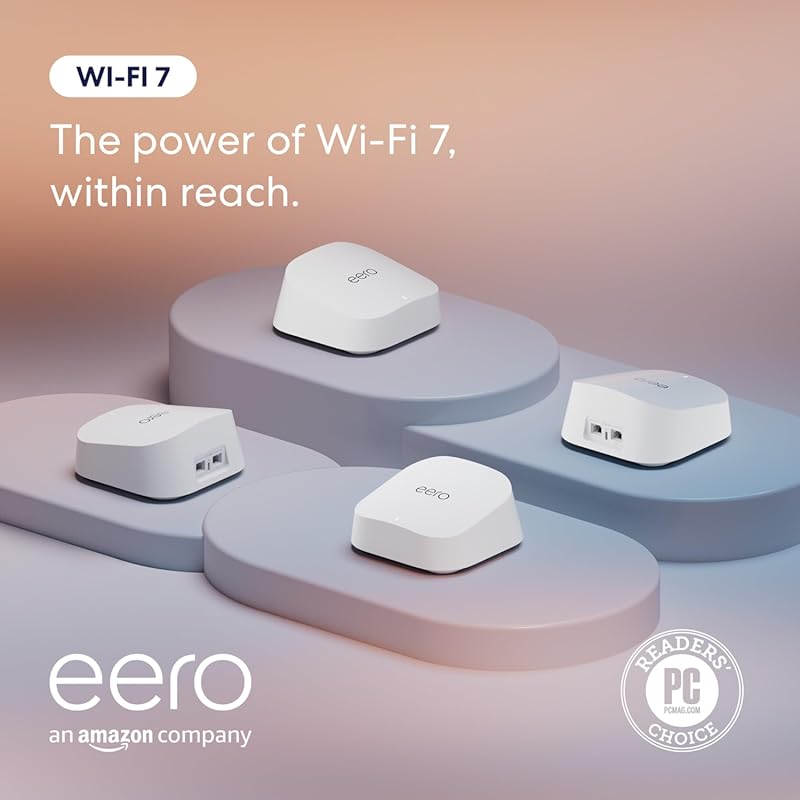
The Amazon eero 7 brings the legendary simplicity of the eero ecosystem to Wi-Fi 7. This 4-pack system is designed from the ground up for effortless, whole-home coverage up to 8,000 sq. ft. It prioritizes rock-solid reliability and dead-zone elimination over granular technical controls. With support for internet plans up to 2.5 Gbps and a beautifully simple app, it’s the ultimate “set it and forget it” Wi-Fi 7 mesh solution.
Key Features That Stand Out
- ✓ True Wi-Fi 7 Simplicity: Uses Wi-Fi 7’s MLO for more stable connections, but hides all complexity behind a dead-simple app.
- ✓ Massive 8,000 Sq. Ft. Coverage: The 4-pack is engineered for very large or multi-story homes with challenging layouts.
- ✓ 2.5 Gbps Ports: Two auto-sensing 2.5 GbE ports per eero allow for high-speed wired backhaul or connections to devices like a gaming console.
- ✓ Thread and Bluetooth LE: Built-in support for smart home protocols like Thread (for Matter devices) and Bluetooth for easy setup.
- ✓ Automatic Updates & Security: Eero handles firmware updates silently in the background and includes basic security with optional eero Secure subscription.
Why We Recommend It
If your primary goal is to eliminate Wi-Fi headaches without learning about network settings, eero 7 is the answer. It embodies the “Apple of routers” philosophy: it just works. The setup is arguably the easiest in the industry, and the system self-optimizes continuously. For families, renters, or anyone who values their time over technical tinkering, this is the top recommendation.
Best For
Families, non-technical users, renters, and anyone who wants a completely hands-off, reliable mesh system. Also ideal for large homes with pre-wired Ethernet options (for backhaul) or those building a Thread/Matter smart home.
Pros and Cons
Pros:
- Unmatched ease of setup and management via the eero app.
- Excellent, reliable coverage with seamless roaming.
- Very compact, discreet hardware that blends into home decor.
- Support for Thread and Bluetooth LE makes it great for modern smart homes.
- Automatic updates and strong build quality.
Cons:
- Virtually no advanced settings or customization (no port forwarding control, VLANs, etc.).
- No USB ports for storage or failover.
- Requires an Amazon account for full functionality.
- Premium price for the simplicity and ecosystem lock-in.
- Performance can be slightly lower than competing systems when used wirelessly only.
Customer Reviews
Customer Review: High quality, easy setup. This mesh WiFi system does not have a bunch of deep customization options, but for a dependable, set and forget system, this one is great. I started with two eeros – one for my main router and one in my living room (our house is about 2500 sq. feet). I had Ethernet cabling in my living room, so was able to hard wire connect the 2nd eero to the main one. I recently bought one more eero for our den. The den had pretty weak wireless connectivity and the TV in there kept buffering when streaming. After installing the 3rd eero wirelessly, the TV no longer buffers and WiFi speeds are pretty decent. Adding the 3rd eero was super simple and took literally around 5 minutes. Highly recommend for dependable performance and simple setup.
Customer Review: Easy to set up and works very well. I previous had multiple wifi extenders but they were always slow and the connection was never stable.Now I have coverage in every corner of my house, including the upstairs and my detached garage. I still use a wifi extender to get coverage in a far corner of my yard, but these eero mesh devices now gives me a high speed, stable connection for the home office upstairs.
8. NETGEAR Orbi 970 Quad-Band Mesh System
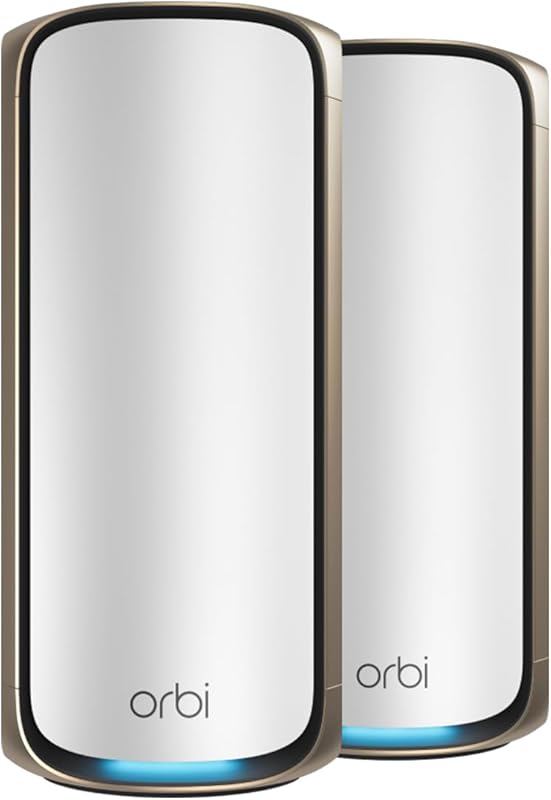
The NETGEAR Orbi 970 is a statement piece: a quad-band Wi-Fi 7 mesh system designed for the most demanding, device-heavy households. Its second 5GHz band acts as a dedicated, ultra-fast backhaul, preserving maximum speed for your devices. It also features a groundbreaking 10 Gigabit WAN port, making it one of the few consumer routers ready for multi-gigabit fiber internet plans today. It’s the performance king for large estates and tech-heavy families.
Key Features That Stand Out
- ✓ Quad-Band Architecture: 2.4GHz, 5GHz (x2), and 6GHz bands. One 5GHz band is dedicated solely to backhaul, maximizing client speed.
- ✓ 10 Gigabit WAN Port: The router unit includes a 10Gbps port, ready for the fastest fiber internet connections available.
- ✓ Mind-Blowing 27 Gbps Total Speed: Theoretical aggregate throughput across all bands.
- ✓ Orbi’s Dedicated Backhaul Legacy: Continues the tradition of a separate, high-speed radio for node-to-node communication.
- ✓ Powerful Hardware: Built for handling 200+ devices and covering 6,600+ sq. ft. with a 2-pack.
Why We Recommend It
We recommend the Orbi 970 for the user who has already maxed out their current system. If you have a 2+ Gbps internet plan, hundreds of smart home devices, and a sprawling home, this is the only system that won’t become a bottleneck. The dedicated backhaul and 10G port are not gimmicks; they provide tangible, measurable benefits in speed and stability under extreme loads.
Best For
Tech enthusiasts with multi-gig internet; large custom homes (4,000+ sq ft); households with 100+ connected devices; users who demand the absolute highest possible wireless speeds and zero compromise.
Pros and Cons
Pros:
- Unmatched performance and capacity for the most demanding networks.
- Dedicated backhaul band ensures client devices always get maximum speed.
- 10 Gigabit WAN port is future-proof for years to come.
- Excellent, reliable coverage with seamless handoff between units.
- Powerful web-based interface with deep control for advanced users.
Cons:
- Extremely high price, one of the most expensive consumer mesh systems.
- Large, bulky hardware (especially the router unit) that may not fit all decors.
- NETGEAR’s Armor security subscription is aggressively promoted.
- Overkill for the vast majority of homes with sub-gigabit internet.
- Setup, while easy, can be slightly more involved than eero.
Customer Reviews
Customer Review: Just got upgraded from my old Orbi to the Orbi 970 WiFi 7 system, and it’s been a solid improvement. I’m on a 2-gig internet connection, so having hardware that can actually keep up makes a noticeable difference. Setup was easy using the Orbi app and everything came online without issues.WiFi performance has been very strong. Even with a wireless backhaul, I’m seeing close to 1 Gbps download speeds, and uploads hit the 300 Mbps limit of my ISP plan, so the router clearly isn’t holding anything back. Latency has been low and stable, which matters a lot for work calls and streaming.We have a lot of family devices connected, including smart home gear, TVs, and phones, and coverage has been consistent across rooms and floors with smooth handoff. Overall, it feels like a reliable, future-proof upgrade that works well for everyday family use.
Customer Review: I upgraded from an older Orbi WiFi 6, and the Orbi 970 blows it away. I pay for 1 GB from my ISP but constantly receive 1.5Gb. I couldn’t be happier! Performance was considerably noticeable immediately! Set up was easy. Simply rename your Orbi to the previous name and password used on your router your replacing and everything will connect without re signing in. All my devices run constantly faster. Keep in mind that speeds will vary depending on age and WiFi acceptance on your current devices, i.e. if you have a tv or smart phone that is only capable of let’s say WiFi 4, then that’s all you’ll get, But I will say even my older devices run better. I could go on and on about this router. And best of all it future proofs you for later as your ISP increases speed and you replace devices with newer ones. The app makes setup a breeze. This router will allow for more complicated setups via the Orbi web site where after creating an account you can change just about everything you need if your a power user.
9. ASUS ZenWiFi BT6 Tri-Band Mesh
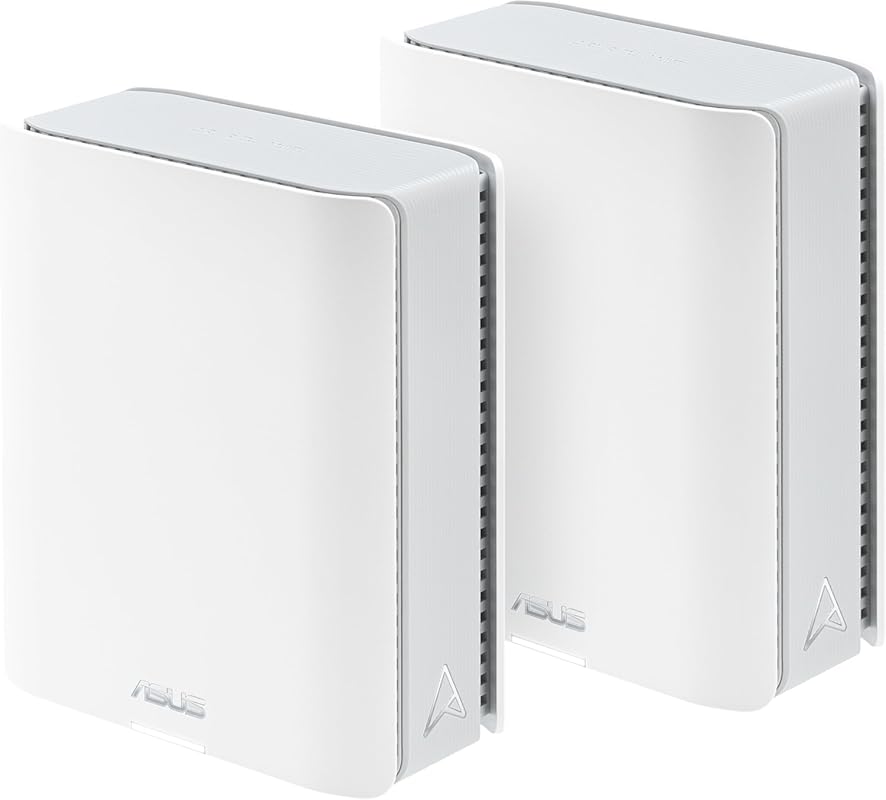
The ASUS ZenWiFi BT6 is a premium tri-band Wi-Fi 7 mesh system that combines blistering speed (up to 9.4 Gbps) with ASUS’s legendary feature set and build quality. It uses the 6GHz band for both high-speed client connections and as a dedicated, ultra-fast wireless backhaul. With AiMesh 2.0, it integrates seamlessly with other ASUS routers. It’s the top choice for power users who want a mesh system with the flexibility and control of a high-end standalone router.
Key Features That Stand Out
- ✓ Tri-Band Wi-Fi 7 (9.4 Gbps): 6GHz band (up to 5765 Mbps) dedicated for clients/backhaul, plus fast 5GHz and 2.4GHz bands.
- ✓ AiMesh 2.0 Technology: Effortlessly create a mesh network with other ASUS routers (Wi-Fi 6, Wi-Fi 5, etc.) and manage them all from one interface.
- ✓ Complete Security Suite: Includes free, lifetime network security (AiProtection Pro) with intrusion prevention and malware blocking.
- ✓ 4G/5G Tethering: Each node has a USB-C port that can connect to a cellular modem for internet failover.
- ✓ Versatile Ports: Router node has a 2.5G WAN port and multiple 1G/2.5G LAN ports. Satellite nodes have 2.5G ports for wired backhaul.
Why We Recommend It
ASUS has packed everything a power user could want into this system. The combination of Wi-Fi 7’s speed, a dedicated 6GHz backhaul, and the incredibly robust ASUSWRT firmware (with no forced cloud login for local management) is unique. The inclusion of a full, free security suite and cellular failover makes it a business-grade solution in a consumer package.
Best For
Tech-savvy users and prosumers; large homes needing both performance and granular control; anyone who values network security and wants a mesh that can also act as a standalone VPN server or OpenVPN client; users with existing ASUS routers they want to integrate.
Pros and Cons
Pros:
- Exceptional, top-tier Wi-Fi 7 performance with dedicated 6GHz backhaul.
- Best-in-class firmware with immense customization and no mandatory cloud account.
- Includes a full, free lifetime security suite (AiProtection Pro).
- 4G/5G tethering for reliable internet backup.
- Excellent build quality and cooling.
- AiMesh allows mixing and matching with other ASUS routers.
Cons:
- Premium price, similar to NETGEAR Orbi.
- Setup, while powerful, is more complex than eero or Deco.
- The mobile app is good but the web interface is where the real power lies.
- Can be overkill for average users who won’t use the advanced features.
Customer Reviews
Customer Review: This mesh router system replaced an older Netgear dual-band Wifi6 unit that has been running for over 7 years, 24/7, and is now out of support. We decided to replace that router before it failed on us, as we work from home and cannot afford to lose our network. Our older system did cover the entire house, but there were definitely weak spots where connection speeds would drop and the older unit did not cover our entire backyard very well. This new mesh system provides outstanding coverage throughout every part of our house – we have gigabit fiber internet and with three nodes, this system is easily able to saturate that, giving full speed even at the furthest edges of the house and yard. We chose to use the same SSID and passphrase as our old router, so every internet-connected device in our house connected automatically, as soon as we powered it on and initialized itself.Setup took a few minutes for the unit to boot up, connect to our fiber gateway, and then connect to its mesh nodes. After that, we simply relocated the nodes roughly evenly through the house, one on the main level along with the base unit, and one upstairs in the game room. The result? Perfect signal throughout the entire house and yard.The Asus software is straightforward and easy to use, and provides excellent real-time monitoring and logging capability, along with now-standard features like firewalling, custom domain keyword blocks, VPN support, etc. The unit also supports a guest network as well as an older-spec dual-band “IoT” network for any smart devices in the home that may not be fully compatible with Wifi7. Each of the three units has several ethernet ports for hardwired connectivity for non-Wifi devices in addition to simply extending the network mesh. Handoff for devices moving through the house like smartphones and smart watches is seamless. Everything in the house simply works, from streaming boxes, tablets, phones, watches and smart home devices.All in all, this is an excellent choice for a typical highly-connected modern house.
Customer Review: This WiFi system is excellent. The app is user-friendly and functional. The setup instructions are straightforward and easy to follow. From unboxing to a fully functional system, it took about an hour. The two-unit mesh network covers my entire home and the surrounding yard effectively. The wireless backhaul is fast and stable. In just one month, I haven’t experienced any dropped connections or issues. My wireless (under ideal circumstances) and wired connection speeds are identical to those directly connected to the modem (550/40 Mbps down and up). The modem has become the bottleneck, and it’s time for an upgrade. Initially, I was considering a lower-tier WiFi6 mesh network, but the Black Friday offers made this WiFi7 package a more attractive choice.are identical to those hardwired directly to the modem (550/40 Mbps down and up). The modem is now the bottleneck and due for an upgrade. I was considering a lower tier WiFi6 mesh, but Black Friday offers made this WiFi7 package a better choice.
10. ASUS ZenWiFi BD4 Dual-Band Mesh
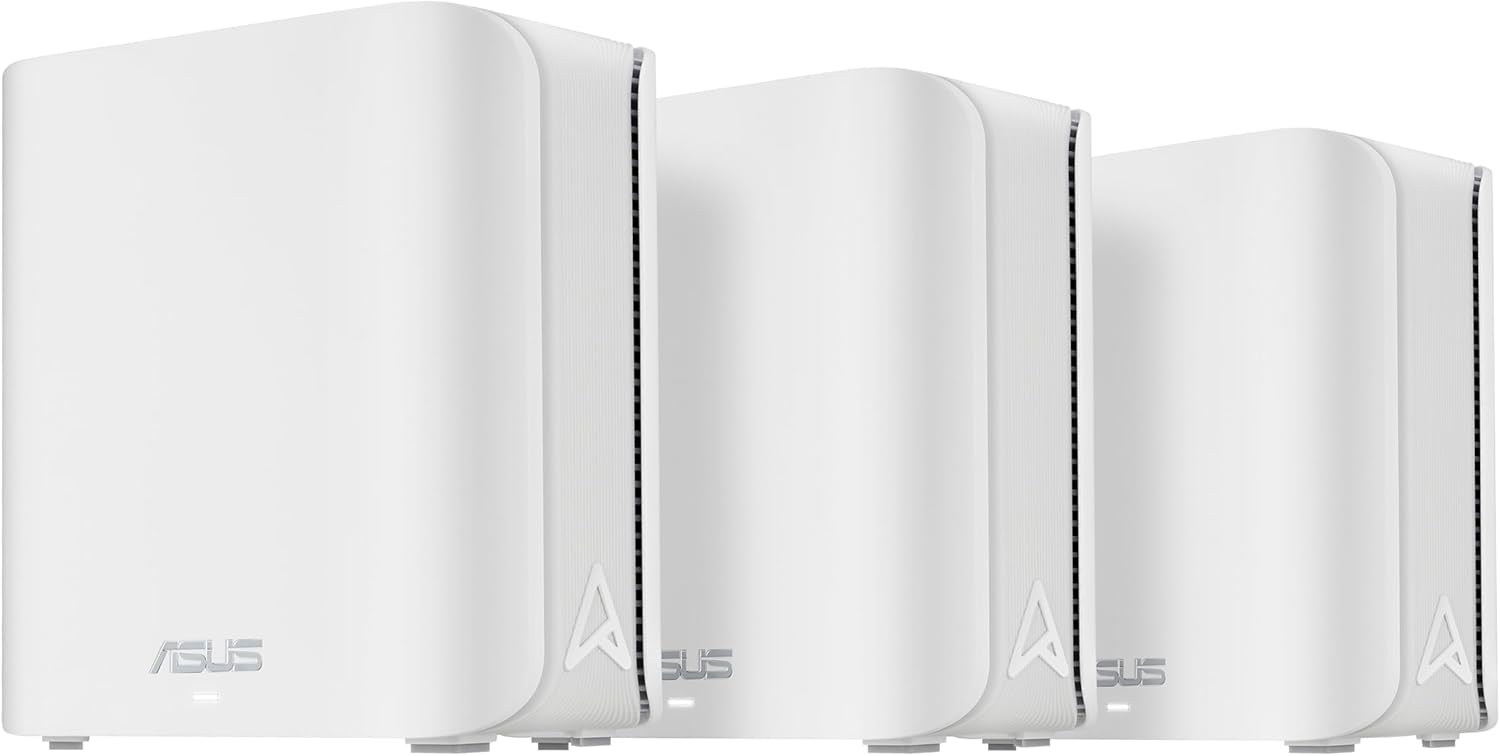
The ASUS ZenWiFi BD4 is a dual-band Wi-Fi 7 mesh system that brings ASUS’s renowned software and build quality to a more accessible price point. It focuses on delivering stable, wide coverage (up to 6,500 sq. ft. with a 3-pack) and the core benefits of Wi-Fi 7’s MLO technology. It’s the perfect entry point into the ASUS ecosystem for large homes that need a reliable mesh but don’t require the expense of a tri-band system.
Key Features That Stand Out
- ✓ Dual-Band Wi-Fi 7 (3600 Mbps): Solid speeds on 2.4GHz and 5GHz bands with MLO for improved connection stability.
- ✓ Huge 6,500 Sq. Ft. Coverage (3-Pack): Designed for large, multi-level homes with effective AiMesh 2.0 roaming.
- ✓ Dual 2.5Gbps Ports: Each node has two auto-sensing 2.5G WAN/LAN ports, enabling flexible wired backhaul or high-speed device connections.
- ✓ Full ASUSWRT Feature Set: Includes AiProtection Pro (free lifetime security), advanced QoS, VPN server/client, and parental controls.
- ✓ Compact & Cool Design: Small form factor with excellent internal cooling, suitable for any room.
Why We Recommend It
This system proves you don’t need a tri-band radio to get a fantastic ASUS mesh experience. The BD4 leverages ASUS’s superior firmware and AiMesh technology to create a seamless, high-capacity network. The dual 2.5G ports on every node are a standout feature at this price, allowing for a robust wired backhaul that many competitors lack. It’s the smart choice for a large home wanting ASUS quality without the tri-band premium.
Best For
Large families in big homes; ASUS brand loyalists; users who want a powerful, controllable mesh system but are on a more moderate budget; anyone who values the free, lifetime AiProtection security suite.
Pros and Cons
Pros:
- Excellent ASUS build quality and reliability.
- Dual 2.5G ports on all nodes enable a strong wired backhaul.
- Full, free AiProtection Pro security suite included.
- Very effective coverage and seamless AiMesh 2.0 roaming.
- More affordable than ASUS’s tri-band Wi-Fi 7 options.
Cons:
- Dual-band, so no dedicated high-capacity backhaul channel like tri-band systems.
- Maximum speed (3600 Mbps) is lower than tri-band competitors.
- No USB ports on the satellite nodes (only on the router).
- Setup, while guided, has more options than eero/Deco, which can be overwhelming for beginners.
Customer Reviews
Customer Review: I had to return this router because my ISP doesn’t allow other equipment, which I had not known.However, I did set it up before I found out.The process was extremely simple and fast- about 15 minutes. Plug them in, connect one to the cable, let them communicate. Then take two nodes and put them where needed. They reconnect and you’re about done.Instructions are clearI had it working as a wifi system with perfect signals, with all my devices connected in 15 minutes.The router could not connect to internet, not its fault.I do recommend the product.
Customer Review: I was looking for a good router with satellites ever since my Netgear Orbi RBK50 bricked itself during an update. Great job, Netgear… NOT! And being out of warranty, they delicately showed me the finger. Well, I decided to return the favor.I digress, but I had bought that Netgear with 2 satellites because it had a dedicated backhaul, 2.4 and 5GHz bands and that it is a reputable brand. What I didn’t realize is that they nickel and dimed me for full 3+ years for their Netdefender subscription of almost $100 annually! So on top of paying top dollar ($450+ to be exact), I was paying $100 after the first year. That is an average of about $225+ annual cost.Back to this product, Asus is an equally great brand. I was looking for something that allowed me to create multiple SSIDs. For some reason the general market routers do not allow creation of VLANs (or am not aware of. I am not a Networking certified person), so multiple SSIDs was what I needed.I was looking for an SSID for personal use (PCs, laptops, phones), another SSID for my security devices, another for all my IoTs that I enriched Amazon and Alexa ecosystem with and finally one for my guests that I can turn on and off as needed.Another need was that I could control it from anywhere I wanted, not just logging into the network.The pros of this product:- Three pack, great to spread accessibility- Mesh network, apparently it helps have lossless connectivity and though I have no tool to test, I have not seen any disconnect moving between rooms and such- Wifi 7. I have currently only wifi5 or wifi6 devices, but hey am ready for the next gen.- High speed ethernet ports for backhaul and/or wired networking- Great mobile app on Android- Allowed me the SSIDs I needed to set up- Share WiFi with a QR Code (Great for Guests when your password is super strong as it should be)- Automatic Quality of Service (QoS) control if you designate the device in a QoS priority category.- Auto wireless backhaul with optional wired one if you set it up that way- Small size- NO SUBSCRIPTION BS like Netgear. Comes with great protection and a VPN app for phone. HOW AWESOME IS THAT!? Thank you Asus.- Comes with a Three Year Warranty! You hear that, Netgear?CONS:Yes, it does have some. Ok, I will be honest, no it doesn’t but they are my wish list.- Only two ports in the back, so you need a switch no matter what if you have more than two devices to attach or use a backhaul.- The switch has to be 2.5GHz capable to use the best throughput, else a 1GHz will not be bad, just if you are moving things thru the network, you will be bottlenecked by that limitation- Wish there is a way to mount it higher on the wall with power cord extensions. I may have to juggle something on my own.- Wish it had PoE to power and backhaul the extenders. I have that set up but cannot use it because of the power requirement to come from an electrical outlet. Sigh.- Ability to create VLANs. That would be so awesome to set up one SSID instead of 4 with a separate password deciding which one is for what. I had created a setup once with Ubiquiti extenders and they have spoilt me bad.
Complete Buying Guide for Best Wifi 7 Mesh Routers 2026
Essential Factors We Consider
Choosing the right Wi-Fi 7 mesh system isn’t just about picking the fastest number. We evaluated each system on real-world performance, including coverage consistency, device handling capacity, and stability under load. The core innovation of Wi-Fi 7 is Multi-Link Operation (MLO), which allows a device to connect on multiple bands simultaneously for faster speeds and a more reliable connection—a feature that truly shines in mesh environments. We also prioritized systems with 2.5Gbps or higher ports for future-proof wired connections and considered the backhaul strategy. Tri-band systems with a dedicated backhaul band (like the Orbi 970 or eero 7) often provide more consistent performance than dual-band systems that must share bandwidth between clients and node-to-node communication. Finally, we assessed the software and management: a user-friendly app for most, but deep, customizable controls for enthusiasts.
Budget Planning
The Wi-Fi 7 mesh market in 2026 offers a clear tiered structure. At the entry-level ($300-$500 for a 3-pack), you’ll find excellent dual-band systems like the TP-Link Deco 7 BE25 and ASUS ZenWiFi BD4. These provide the core MLO benefits and solid coverage. The mid-range ($600-$900) includes tri-band powerhouses like the TP-Link Archer BE550 and ASUS ZenWiFi BT6, offering dedicated 6GHz backhaul and higher peak speeds. At the premium tier ($1,000+) sit the quad-band NETGEAR Orbi 970 and the feature-packed ASUS ZenWiFi BT6, built for multi-gig internet and massive device counts. For a single router, expect to spend $250-$400 for models like the GL.iNet GL-BE6500 or TP-Link BE6500. Factor in the cost of any needed 2.5G-capable switches if you plan a wired backhaul.
Final Thoughts
The “best” Wi-Fi 7 mesh router for you depends entirely on your specific needs and technical comfort. For the majority of users seeking a simple, reliable upgrade, the TP-Link Archer BE230 (single router) or Amazon eero 7 (mesh) are outstanding choices. If you have a large home and want the best value mesh, the TP-Link Deco XE75 (Wi-Fi 6E) or Deco 7 BE25 (Wi-Fi 7) are hard to beat. For power users and enthusiasts who demand control, security, and top-tier performance, the GL.iNet GL-BE6500 (single router) and ASUS ZenWiFi BT6 (mesh) are in a class of their own. Don’t buy a Wi-Fi 7 system unless you have a genuine need for its speed or have many Wi-Fi 6E/7 devices. For many, a high-end Wi-Fi 6 mesh system remains the more economical and perfectly capable choice.
Frequently Asked Questions
Q: Is Wi-Fi 7 worth it in 2026?
A: Yes, if you have a fast internet plan (500 Mbps+), many connected devices, or newer Wi-Fi 7/6E devices (like recent iPhones, Samsung Galaxy S23/24/25 Ultra, or laptops with Intel BE200/AMD Wi-Fi 7 chips). The key benefit is MLO for more stable connections, especially in congested areas. If you have sub-gigabit internet and mostly older devices, Wi-Fi 6 is still excellent and more cost-effective.
Q: What’s the difference between Wi-Fi 7 and Wi-Fi 6E?
A: Wi-Fi 6E adds the 6GHz band to Wi-Fi 6, offering more, faster, and less congested channels. Wi-Fi 7 builds on this with 320 MHz channels (even wider), 4K-QAM (higher data density), and most importantly, Multi-Link Operation (MLO). MLO lets a device use multiple bands at once for a single connection, resulting in higher throughput and, crucially, much better reliability and lower latency, especially on the crowded 5GHz band.
Q: Do I need a mesh system or will a single Wi-Fi 7 router suffice?
A: A single, powerful Wi-Fi 7 router like the TP-Link BE6500 or GL.iNet GL-BE6500 can comfortably cover up to 2,500 sq. ft. in a typical home. If your home is larger than 3,000 sq. ft., multi-story, has thick walls, or you experience dead zones, a mesh system is the better solution. Mesh systems use multiple nodes to create a single, seamless network blanket.
Q: Do I need to run Ethernet cables between mesh nodes?
A: For the absolute best performance and stability, yes, a wired backhaul is ideal. Systems like the ASUS ZenWiFi and TP-Link Deco 7 have multiple 2.5G ports per node, making this easy. A wireless backhaul is more convenient and works very well, especially with tri-band systems that have a dedicated backhaul band (like Orbi or eero). However, wireless backhaul will always consume some wireless capacity that could otherwise be used for your devices.
Q: Are my old devices compatible with a Wi-Fi 7 router?
A: Absolutely. Wi-Fi 7 routers are fully backward compatible with Wi-Fi 6, Wi-Fi 5, and older devices. They will simply connect at the highest speed and standard that your device supports. The main benefit for older devices is the improved overall network stability and capacity, as the router can better manage many devices simultaneously.
Ready to upgrade your home network to the future? The best Wi-Fi 7 mesh routers of 2026 offer tangible improvements in speed, stability, and capacity. Based on our testing, the TP-Link Archer BE230 is our top pick for most people wanting a simple, powerful single-router upgrade, while the Amazon eero 7 is the champion for effortless whole-home coverage. For the ultimate in performance and control, the ASUS ZenWiFi BT6 is unbeatable. Don’t wait—click the “Check Price on Amazon” buttons above to find the latest deals and bring your home network into the Wi-Fi 7 era today!