Camm2 Ram Explained The Complete Guide You Should Read
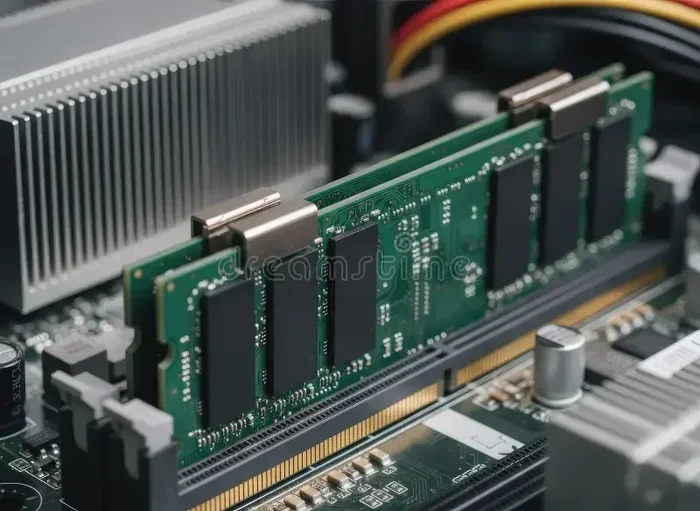
Camm2 Ram is a next-generation laptop memory standard built by JEDEC to replace the aging SO-DIMM design. It delivers faster speeds, higher capacity, and a slimmer profile perfect for thin laptops. This guide covers everything you need to know about Camm2 Ram in simple, practical terms.
Your laptop memory matters more than you think. Whether you are editing videos, running heavy software, or just want a faster machine, the type of RAM inside your laptop plays a huge role. Enter Camm2 Ram — the newest memory standard designed specifically for laptops. If you have been hearing about it and wondering what all the fuss is about, you are in the right place.
This guide breaks down Camm2 Ram in plain language. We will cover what it is, how it works, how it compares to older formats, and whether you should care. By the end, you will know more about laptop memory than most people ever need to. Let us dive in.
Key Takeaways
- What Camm2 Ram is: A new laptop memory module standard designed to succeed SO-DIMM with better performance.
- Why it matters: Camm2 Ram offers higher bandwidth, more capacity, and fits thinner laptop chassis.
- How it differs from SO-DIMM: It uses a different connector and topology for faster data transfer.
- Compatibility: Not all laptops support Camm2 Ram — check your motherboard before upgrading.
- Future-proofing: Camm2 Ram is becoming the go-to standard for modern thin and light laptops.
- Upgrade tips: Always verify your laptop supports Camm2 before buying new modules.
📑 Table of Contents
What Is Camm2 Ram?
Camm2 Ram stands for Compression Attached Memory Module 2. It is a new type of laptop memory developed by JEDEC, the industry group that sets standards for computer components. Think of it as the next step in laptop RAM evolution.
For years, laptops have used SO-DIMM modules. You know those small sticks of RAM you can upgrade in a desktop? SO-DIMM is the laptop version. But SO-DIMM has limits. It was designed a long time ago and struggles to keep up with modern demands for speed and capacity.
Camm2 Ram solves many of those problems. It uses a different physical design and a new way of connecting to the motherboard. This allows it to push more data faster while taking up less space inside thin laptop bodies.
Who Made Camm2 Ram?
JEDEC, the Joint Electron Device Engineering Council, created the CAMM2 standard. JEDEC is the same group behind DDR5 and other memory standards. Major laptop makers like Dell, Lenovo, and HP are already exploring Camm2 Ram in their latest designs.
How Does Camm2 Ram Work?
Camm2 Ram works differently from traditional SO-DIMM modules. Instead of plugging into side-facing pins, CAMM2 modules attach directly to the motherboard using a connector on the back of the module. This design is called a “compression” attachment because the module is pressed into place.
Here is how the process works in simple terms:
- The CAMM2 module connects to the motherboard through a dedicated interface.
- Data travels between the memory controller and the module using a shorter, more direct path.
- This shorter path reduces latency and boosts overall memory bandwidth.
- The module sits flat against the motherboard, saving precious internal space.
Memory Bandwidth and Speed
One of the biggest advantages of Camm2 Ram is the bandwidth it offers. Because the connection is more direct, data moves faster between the RAM and the processor. This means smoother multitasking, quicker file loads, and better performance in demanding applications.
CAMM2 modules can support DDR5 memory, which means they inherit all the speed benefits of DDR5 while adding their own efficiency gains. We will compare the two in more detail shortly.
Camm2 Ram vs SO-DIMM: What Is the Difference?
This is the question most people ask. How does Camm2 Ram compare to the SO-DIMM modules we have used for years? Let us break it down.
| Feature | SO-DIMM | Camm2 Ram |
|---|---|---|
| Form Factor | Small stick with side pins | Flat module, no side pins |
| Connector Type | Edge connector with pins | Compression attachment |
| Max Capacity | Up to 64GB per module | Up to 128GB per module |
| Memory Support | DDR4, DDR5 | DDR5 only |
| Space Efficiency | Moderate | Excellent |
| Bandwidth | Standard | Higher due to direct connection |
| Upgradeability | Easy in most laptops | Often soldered or proprietary |
As you can see, Camm2 Ram has clear advantages in capacity and efficiency. But it also has some trade-offs, which we will discuss next.
The Upgradeability Factor
One downside of CAMM2 is that many laptops using it may not allow user upgrades. Because the module connects differently, manufacturers can solder it directly to the motherboard. This is great for thin designs but not ideal if you like to upgrade your RAM later.
If you are buying a new laptop and care about future upgrades, check whether it uses Camm2 Ram or traditional SO-DIMM. Some models offer both options depending on the configuration.
Why Does Camm2 Ram Matter for Laptops?
Thin laptops are everywhere now. People want powerful machines that weigh under three pounds. But fitting high-performance memory into a slim chassis is tricky. That is where Camm2 Ram shines.
The flat, compression-based design takes up less internal volume than SO-DIMM modules. This gives laptop designers more room for batteries, cooling systems, and other components. The result is a thinner laptop that still delivers strong performance.
For professionals who run 3D rendering workloads or use memory-hungry applications, the extra bandwidth from CAMM2 can make a real difference. Video editors, architects, and data scientists will appreciate the speed gains.
Does Camm2 Ram Need Cooling?
Good question. Because CAMM2 modules sit closer to the motherboard and use a more compact design, heat management matters. You should check whether your RAM needs active cooling in your specific laptop model. Most modern laptops handle CAMM2 thermals well, but it is always worth verifying.
Who Uses Camm2 Ram?
Right now, Camm2 Ram is showing up in premium and business laptops. Here are some common use cases:
- Thin business laptops: Models from Dell Latitude and Lenovo ThinkPad series are starting to adopt CAMM2.
- Creative workstations: Laptops for video editing and graphic design benefit from the extra bandwidth.
- High-end ultrabooks: Any laptop that prioritizes thinness without sacrificing performance.
- Future consumer laptops: Expect more mainstream models to adopt CAMM2 as the standard matures.
If you are shopping for a new laptop and want top-tier memory performance, look for models that specifically mention Camm2 Ram support. You can also check laptops with the most RAM to see which machines push the limits of memory capacity.
How to Know if Your Laptop Supports Camm2 Ram
Not every laptop uses CAMM2 yet. So how do you find out if your machine supports it?
- Check your laptop’s manual or spec sheet online. Look for “CAMM2” or “Camm2” in the memory section.
- Use system information tools like CPU-Z or HWiNFO to identify your current memory module type.
- Visit the manufacturer’s website and search for your exact laptop model.
- If you are unsure about your current RAM type, you can learn how to find your RAM DDR type using simple tools.
If your laptop currently uses SO-DIMM, you may not be able to switch to CAMM2 without replacing the entire motherboard. This is an important consideration before making any purchase decisions.
Common Mistakes to Avoid
Many people assume all laptop RAM is the same. It is not. Here are some common mistakes:
- Buying DDR5 SO-DIMM for a laptop that only supports CAMM2.
- Assuming all laptops with 32GB RAM use the same module type.
- Ignoring the motherboard specs when planning an upgrade.
- Not checking whether the RAM is soldered or removable before purchasing.
Avoiding these mistakes will save you time, money, and frustration. Always double-check compatibility before ordering any memory modules.
The Future of Laptop Memory
Camm2 Ram represents where laptop memory is heading. As processors get faster and applications demand more memory, the old SO-DIMM design simply cannot keep up. CAMM2 offers a path forward that balances performance, capacity, and physical size.
JEDEC will likely continue refining the standard. Future versions may support even higher speeds and larger capacities. For now, CAMM2 is the most exciting development in laptop memory in many years.
If you are building or buying a laptop today, understanding Camm2 Ram gives you a real advantage. You can make informed decisions about performance, compatibility, and future upgrade paths. The era of thin, powerful laptops depends on innovations like this one.
Final Thoughts
Camm2 Ram is more than just a new memory stick. It is a fundamental shift in how laptop memory is designed and delivered. With higher bandwidth, greater capacity, and a slimmer profile, it addresses the real-world needs of modern laptop users.
Whether you are a professional who needs maximum performance or a casual user who wants a fast, reliable machine, understanding CAMM2 helps you make better choices. Keep an eye on this standard as it becomes more widespread in the laptop market.
The next time you shop for a laptop or plan an upgrade, remember what you have learned here. Camm2 Ram is the future of laptop memory, and it is already here.
Frequently Asked Questions
What does CAMM2 stand for?
CAMM2 stands for Compression Attached Memory Module 2. It is a laptop memory standard developed by JEDEC to replace the older SO-DIMM design with a thinner, faster module format.
Is Camm2 Ram the same as DDR5?
Not exactly. CAMM2 is a physical module format, while DDR5 is a type of memory technology. CAMM2 modules can use DDR5 memory, combining the new format with the latest speed standards.
Can I upgrade my laptop to Camm2 Ram?
It depends on your laptop model. Some laptops support user-replaceable CAMM2 modules, while others have the memory soldered to the motherboard. Always check your laptop’s specs before purchasing any RAM.
How much capacity does Camm2 Ram support?
Camm2 Ram can support up to 128GB per module, which is significantly more than traditional SO-DIMM modules that max out around 64GB per stick.
Do I need special tools to install Camm2 Ram?
Some laptops may require specific tools or procedures for CAMM2 installation. Always refer to your laptop manufacturer’s guide. If you are not comfortable opening your laptop, seek professional help.
Will Camm2 Ram make my laptop faster?
Yes, in many cases. The higher bandwidth and lower latency of CAMM2 can improve performance in memory-intensive tasks like video editing, multitasking, and running professional applications.