Desktop vs Tower Computer The Real Difference Explained

A desktop computer and a tower computer serve the same purpose but differ in design, size, and expandability. The desktop vs tower debate comes down to your workspace, budget, and upgrade plans. A desktop sits flat on your desk and saves space, while a tower stands upright and offers more room for components.
Have you ever wondered about the desktop vs tower debate? Many people use these terms interchangeably, but they actually refer to two very different computer form factors. If you are shopping for a new PC or trying to understand what you currently have, knowing the difference matters. This guide breaks everything down in simple terms so you can make a confident choice.
A desktop computer is a compact machine designed to sit flat on your desk. A tower computer is a larger upright case that typically lives on the floor. Both are full-fledged PCs, but they differ in size, expandability, cooling, and style. By the end of this article, you will know exactly which one fits your life and your needs.
Key Takeaways
- Desktop computers are compact and designed to lie flat on a desk surface.
- Tower computers stand upright and offer more room for upgrades and expansion.
- Desktop form factors save space but may limit component choices.
- Tower PCs generally provide better airflow and cooling performance.
- Desktop vs tower comes down to your workspace, budget, and upgrade plans.
- Both options can handle everyday tasks, gaming, and professional work.
📑 Table of Contents
What Is a Desktop Computer?
A desktop computer is a personal computer built to stay in one place on your desk. Unlike laptops, desktops are not designed for portability. They include a separate monitor, keyboard, and mouse, or they may come as an all-in-one unit. The desktop form factor has been around for decades and remains one of the most popular choices for home and office computing around the world.
When most people think of a desktop PC, they picture the classic horizontal case that slides under a monitor. But the desktop computer category has grown to include many variations. From slim mini PCs to powerful gaming rigs, there is a desktop setup for nearly every type of user.
Types of Desktop Computers
Not all desktops look the same. Here are the most common types you will encounter:
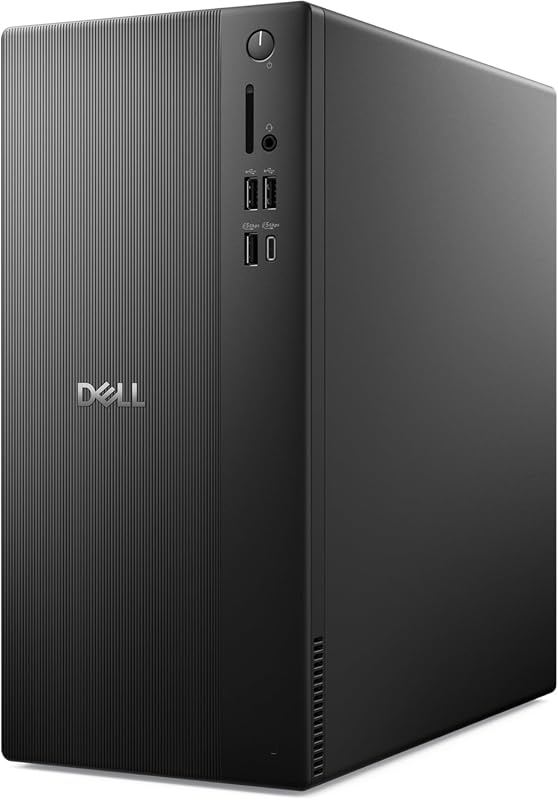
- Traditional desktop: A boxy case that sits horizontally under or next to your monitor. This is the classic desktop PC design that many people picture.
- All-in-one desktop: The computer components are built right into the monitor. You get a clean, minimal setup with fewer cables cluttering your desk.
- Mini desktop: A very small compact desktop that plugs directly into the back of your monitor. These are great for tight spaces and travel.
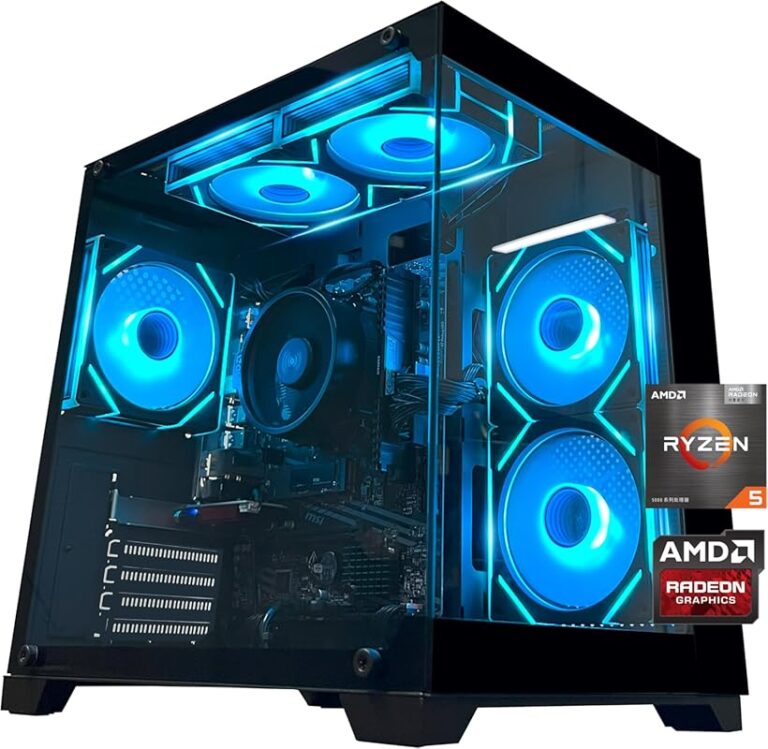
- Gaming desktop: A powerful desktop computer with high-end graphics, extra fans, and flashy lighting designed for serious gaming performance.
Pros and Cons of Desktop Computers
Every form factor has trade-offs. Here is what you need to know about desktop computers:
- Space-saving design: Desktops take up less floor space. They fit easily on a desk or shelf without crowding your room.
- Easy to set up: Most desktops come ready to use right out of the box. You plug in a few cables and you are good to go.
- Limited expandability: The compact size means fewer slots for extra RAM, storage, or graphics cards. You may not be able to upgrade later.
- Cooling constraints: Smaller cases mean less airflow, which can lead to higher temperatures when you push the system hard.
- Cost-effective: Many desktop PCs are affordable and great for everyday tasks like browsing, streaming, and office work.
What Is a Tower Computer?
A tower computer is a PC housed in a tall, upright case. The tower case stands on the floor, usually next to or beneath your desk. This design has been the standard for PC builds for many years, especially among gamers, creators, and professionals who need serious power and flexibility.
The computer tower is what most people picture when they think of a traditional desktop computer. It is a standalone case that holds all the components inside. You connect a separate monitor, keyboard, and mouse to it, just like a desktop. But the upright design gives you a lot more room inside.
Types of Tower Computers
Towers come in different sizes to suit different needs and budgets:
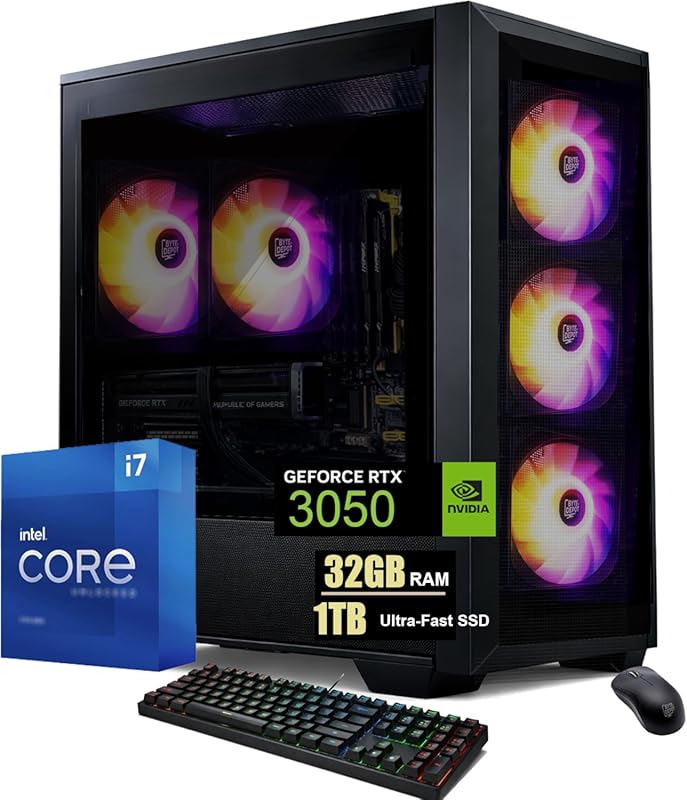
- Full tower: The largest tower PC option. It offers the most room for components, multiple hard drives, long graphics cards, and extra fans for optimal airflow.
- Mid tower: A balanced tower computer that fits most components while keeping a reasonable footprint. This is the most popular choice among builders and buyers alike.
- Mini tower: A smaller tower case that still stands upright but offers less room for expansion than a full tower. Good for modest builds.
Pros and Cons of Tower Computers
Here is what makes tower computers stand out from other form factors:
- Excellent expandability: Towers have plenty of room for extra drives, RAM sticks, and powerful graphics cards. You can upgrade your PC build over many years.
- Better airflow: The tall design allows for more fans and larger heatsinks, providing superior tower cooling that keeps your system running at safe temperatures.
- Quieter operation: More fans mean each fan can spin slower, which reduces noise during everyday use and heavy workloads.
- Larger footprint: Towers take up floor space and may not fit in small rooms or on crowded desks.
- Heavier and bulkier: Moving a tower PC from one room to another is not as easy as moving a lightweight desktop.
Desktop vs Tower: The Key Differences
Now that you know what each type is, let us compare them side by side. The desktop vs tower comparison comes down to several important factors that affect your daily experience.
Size and Space
A desktop computer lies flat and stays on your desk. A tower computer stands up and takes up floor space. If your desk is small or your workspace is limited, a compact desktop is the smarter pick. If you have a dedicated office or a large desk, a tower fits just fine and looks great.
Think about where you want to place your PC chassis. A desktop fits neatly on a shelf or under a monitor mount. A tower needs a clear spot on the floor where air can circulate freely around the case.
Upgradeability
This is where towers really shine. A full-size tower gives you room to swap out parts, add new storage, and install extra RAM. Desktop computers are more limited because of their small size. When it comes to PC expandability, towers win hands down.
For example, if you want to use laptop RAM in a desktop setup, a tower case gives you far more flexibility to work with different components and configurations. You can mix and match parts much more easily in a tower than in a flat desktop.
Cooling and Performance
Tower cooling is generally superior because there is more room for fans and larger heatsinks. A desktop PC with a small case may struggle to keep temperatures down during heavy tasks like gaming or video editing. If you plan to push your computer tower hard, make sure you pick a size that supports good airflow.
If you notice your computer fan keeps running even during light tasks, it could be a sign that your case is not getting enough air. This is a more common issue with smaller desktop form factors than with towers.
Price and Value
Desktop computers tend to be more affordable because they use smaller, simpler cases. Tower PCs can cost more, especially full towers with premium PC chassis designs and extra features. However, the price difference is often worth it if you need the extra power and room for upgrades.
Here is a quick side-by-side look at how they compare across the most important factors:
| Feature | Desktop | Tower |
|---|---|---|
| Size | Compact, flat | Upright, larger |
| Floor Space | Minimal | Moderate to large |
| Expandability | Limited | Excellent |
| Cooling | Adequate | Superior |
| Price Range | Budget-friendly | Mid to high |
| Best For | Small spaces, everyday tasks | Gaming, workstations, upgrades |
Which Form Factor Is Right for You?
Choosing between a desktop vs tower setup depends on your specific situation. Here are some scenarios to help you decide which one makes the most sense for you.
Choose a Desktop If…
- You have a small desk or limited workspace in your home or office.
- You mainly browse the web, watch videos, and do everyday office work.
- You want a simple, clean setup with fewer cables and less clutter.
- You are on a tight budget and need an affordable desktop setup that gets the job done.
- You do not plan to upgrade your components often or at all.
Choose a Tower If…
- You are a gamer or a content creator who needs serious processing power.
- You want room to upgrade your PC build over time as technology advances.
- You need better cooling for long gaming sessions or heavy rendering work.
- You have a dedicated desk or office space with room for a floor-standing case.
- You prefer a tower setup that looks sleek, professional, and built to last.
If you are still unsure, think about what you will use the computer for today and in the next few years. A tower workstation gives you room to grow and adapt. A compact desktop keeps things simple and tidy. Both are excellent choices when you match them to the right use case.
If you are in the market for a new system, consider whether prebuilt PCs might be a good idea for your situation. Prebuilt options save you the hassle of assembling parts and can be found in both desktop and tower configurations at various price points.
Common Mistakes When Choosing Between Desktop and Tower
Many people make avoidable mistakes when picking between these two form factors. Here are the ones to watch out for so you do not end up with the wrong setup:
Assuming All Desktops Are the Same
Not every desktop computer is a mini PC. Some traditional desktops offer surprisingly good expandability. Do not judge a desktop PC by its size alone. Check the specs, the number of available slots, and the maximum RAM support before you make a decision.
Overlooking Cooling Needs
A tower computer with poor airflow will still overheat, no matter how big the case is. Make sure your computer tower has enough fans or room for additional cooling solutions. This is especially important if you are building a gaming rig or a workstation that will run demanding tasks for hours at a time.
Ignoring Future Upgrade Plans
If you think you might add more RAM or a better graphics card later, do not buy a compact desktop that locks you in. A mid tower or full tower gives you the flexibility to grow your system without replacing the entire case. Planning ahead saves money and frustration in the long run.
Final Thoughts
The desktop vs tower debate does not have a single winner. It depends entirely on your needs, your space, and your budget. A desktop computer is perfect for people who want a clean, compact setup for everyday tasks like browsing, emailing, and streaming.
A tower computer is ideal for power users who need room to grow, upgrade, and push their systems to the limit. Whether you are a student, a professional, or a hardcore gamer, there is a form factor that fits your lifestyle.
Take a look at your workspace. Think about what you will use the computer for today and tomorrow. Consider whether you might need to upgrade your components in the future. Once you answer these questions, the right choice will become clear. Both form factors have earned their place in the world of personal computing, and either one can serve you well when you pick the right fit for your life.
Frequently Asked Questions
Can I upgrade a desktop computer easily?
It depends on the form factor. Traditional flat desktops offer some upgrade options, but they are more limited than towers. If easy upgrades matter to you, a tower case gives you much more room to swap out components like RAM, storage, and graphics cards without any hassle.
Is a tower computer better for gaming?
Generally, yes. Towers have better airflow, more room for powerful components, and superior tower cooling. These factors make them the preferred choice for most gamers who want a high-performance PC build that can handle demanding games and long sessions.
Can I use a tower computer on my desk instead of the floor?
Absolutely. Many people place their tower PC on or under a desk. Just make sure the case has enough ventilation and that you do not block any air vents. Some users even mount their tower vertically on a desk mount to save space.
Are all-in-one desktops as powerful as towers?
All-in-one desktops have improved a lot in recent years, but they still cannot match the raw power and upgradeability of a full tower computer. If you need top-tier performance for gaming or professional creative work, a tower is usually the better and smarter choice.
How much does a desktop vs tower computer cost?
Desktop computers tend to be more affordable because they use smaller cases and fewer components. Tower PCs can range from budget-friendly mid towers to expensive full towers with premium features. Your budget and needs will ultimately determine which option delivers the best value.
Which is easier to move, a desktop or a tower?
A desktop computer is generally lighter and easier to move because of its compact size. A tower computer is heavier and bulkier, especially full towers. If you move frequently or need to rearrange your workspace often, a desktop has the portability advantage.