Do Traffic Cameras Record 24/7
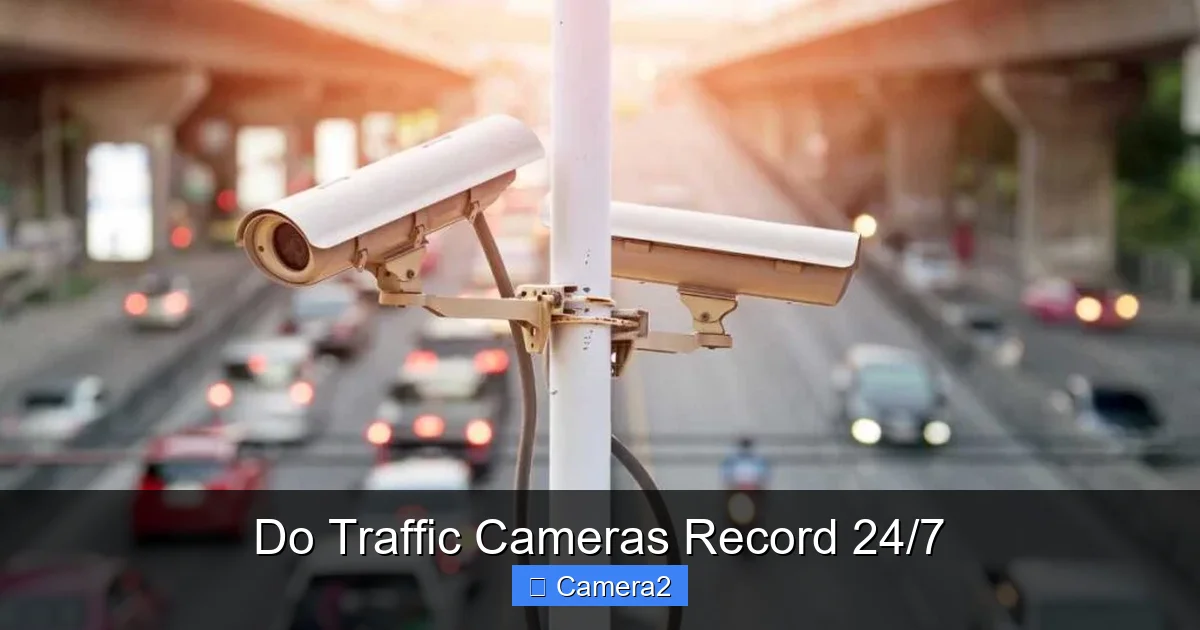
Traffic cameras don’t all work the same way. While many are set to record around the clock, others only capture short clips when a sensor is triggered. Understanding the technology, storage limits, and local laws helps you know exactly what’s being watched and when.
Key Takeaways
- Not every camera records nonstop: Most municipal cameras are on 24/7, but some only activate on motion or traffic events.
- Storage varies widely: Cities use looped video, cloud servers, or local hard drives, which determines how long footage is kept.
- Legal rules differ by state: Privacy laws, public‑record requests, and data‑retention policies affect access to recordings.
- Live streams vs. archived clips: Many departments broadcast live feeds but only save brief excerpts for tickets or investigations.
- Tips for drivers: Knowing camera locations and typical recording schedules can help you stay safe and avoid surprises.
- Technology keeps evolving: AI‑enabled cameras can now detect violations without recording full video.
- Related topics worth exploring: Do Dash Cameras Record Sound, Do Dash Cameras Work When The Car Is Off, and What Are The Cameras On Top Of Traffic Lights.
📑 Table of Contents
Introduction: Why the Question Matters
When you drive down a busy highway or cruise through a downtown intersection, you often see a small black box perched on a pole or a bright red lens flashing at the corner. The natural reaction is to wonder: do traffic cameras record 24/7? The answer isn’t a simple yes or no because different agencies use different equipment, policies, and goals.
Knowing the answer helps you in several ways. If you’re a commuter, it can give you peace of mind—or a heads‑up about where you might get a ticket. If you’re a privacy advocate, it lets you understand what data is being collected and for how long. And if you’re a tech‑savvy driver, you can compare municipal cameras to your own dash cam and decide whether you need extra protection.
How Traffic Cameras Work: The Basics
Types of Cameras on the Road
There are three main families of traffic cameras:
Visual guide about Do Traffic Cameras Record 24/7
Image source: sultelawfirm.com
- Fixed‑point cameras: Mounted on poles, overpasses, or traffic lights. They usually have a wide view of an intersection.
- Speed‑enforcement cameras: Often hidden or placed near speed‑limit signs. They trigger when a vehicle exceeds a set speed.
- Red‑light‑violation cameras: Installed at the rear of a traffic signal. They record when a car runs a red light.
All three can be set to record continuously, but many are programmed to start recording only when a sensor (like a loop detector in the pavement) tells them a vehicle has passed. This saves storage and bandwidth.
What Triggers Recording?
Typical triggers include:
- Change in traffic flow detected by inductive loops.
- Motion sensors that spot moving objects.
- License‑plate readers that capture a plate number.
- Manual activation by a traffic officer for an incident.
When a trigger fires, the camera usually records a short clip—often 10 to 30 seconds—before and after the event. If the camera is set to record 24/7, those clips are just a slice of a larger, continuously stored video file.
Do Traffic Cameras Record 24/7? The Real Answer
Continuous Recording: The Majority of Municipal Cameras
In most large cities, traffic cameras are part of a “traffic management center” (TMC). These cameras are usually on 24/7 because the TMC needs a live picture of the road network to manage congestion, respond to accidents, and provide real‑time updates to the public.
Visual guide about Do Traffic Cameras Record 24/7
Image source: sultelawfirm.com
Continuous recording helps the center:
- Monitor traffic density and adjust signal timing.
- Identify incidents quickly and dispatch emergency services.
- Gather data for long‑term planning, like where to add a new lane.
Even when a camera records all the time, the stored footage is often overwritten after a set period—commonly 30 days—unless it’s flagged for an incident.
Event‑Based Recording: The “Save When Needed” Model
Smaller towns or private road owners sometimes use event‑based recording to cut costs. In this model, the camera’s sensor decides when to start saving video. The camera may still be “on” 24/7, but the storage device only writes data when an event occurs.
Benefits include:
- Less storage needed, so cheaper hardware can be used.
- Reduced bandwidth for remote monitoring.
- Lower power consumption.
For drivers, this means that a camera might be watching the road all day, but it only keeps a short clip if you actually trigger it—like running a red light.
Where Is the Footage Stored?
Local Hard Drives and Loop Recording
Many traffic cameras write video to a local hard drive or solid‑state drive (SSD) attached to the camera or a nearby server. These devices use “loop recording,” meaning they constantly overwrite the oldest footage once the storage limit is reached. Typical loop periods range from 7 to 30 days.
Visual guide about Do Traffic Cameras Record 24/7
Image source: smarthomeways.com
Loop recording is efficient for cities that need live feeds but don’t want to keep every second of video forever.
Cloud and Centralized Data Centers
Some jurisdictions have moved to cloud‑based storage. Video streams are encrypted and sent over a dedicated network to a central data center. Cloud storage offers:
- Scalability—more storage can be added as needed.
- Redundancy—if one server fails, another has the copy.
- Easier access for law‑enforcement or public‑record requests.
Cloud solutions can still adhere to a 30‑day retention policy, but they make it simpler to retrieve a specific clip on short notice.
Retention Policies: How Long Does “24/7” Actually Last?
Even if a camera records all day, most agencies delete footage after a set period unless it’s flagged as evidence. Common retention times are:
- 7 days for routine traffic monitoring.
- 30 days for incidents that generate a ticket or police report.
- 90 days or more for major accidents that require a detailed investigation.
Understanding the retention policy helps you know whether a particular event will still be viewable weeks later.
Legal and Privacy Considerations
Public vs. Private Ownership
Most traffic cameras are owned by government agencies, so the recordings are generally considered public records. However, privacy laws differ by state. Some states require a warrant to access video that identifies an individual, while others treat the footage as open data.
For example, Louisiana Department Of Transportation Traffic Cameras publishes live streams but only releases archived footage after a formal request.
What Can Be Requested?
Citizens can often request video through a Freedom of Information Act (FOIA) request or a state‑specific public‑records request. The agency may charge a copying fee and will usually redact any faces or license plates not related to the request.
In many cases, the request will be denied if the footage is older than the agency’s retention period.
Red Light and Speed Camera Tickets
When a camera captures a violation, the video becomes evidence. The ticket is usually mailed to the vehicle’s registered owner. These tickets do not go on your driving record, but they can affect insurance premiums. See Do Red Light Camera Tickets Affect Insurance for more details.
Practical Tips for Drivers
Know the Hotspots
Most cities publish a map of camera locations. Familiarize yourself with intersections that have red‑light or speed cameras. This knowledge helps you stay vigilant and avoid accidental violations.
Use Dash Cams Wisely
If you’re worried about being caught on a municipal camera, a personal dash cam can provide your own version of events. Remember that Do Dash Cameras Record Sound varies by model, and many dash cams continue recording even when the car is off—see Do Dash Cameras Work When The Car Is Off.
Protect Your Privacy
License‑plate covers can partially obscure plates from automatic readers, but many jurisdictions have laws against their use. Instead, focus on keeping your vehicle’s registration up to date and challenging any ticket you believe is erroneous.
Stay Informed About Local Policies
Regulations can change. Some cities are adding AI‑based systems that detect violations without storing full video. Others are expanding coverage to new neighborhoods. Subscribe to your city’s traffic‑updates newsletter or follow the transportation department’s social media for the latest.
Future Trends: Will All Cameras Eventually Record 24/7?
AI and Edge Computing
Artificial intelligence is allowing cameras to analyze footage on the spot (“edge computing”). Instead of storing hours of video, the camera can flag only the moments that matter—like a vehicle crossing a stop line.
This technology reduces storage needs and may lead to more cameras being set to “always on” without the massive data burden.
Integration with Smart City Infrastructure
Smart cities plan to connect traffic cameras with other sensors—air‑quality monitors, pedestrian counters, and public‑transport trackers. A unified network could provide continuous data streams, effectively making “24/7 recording” the norm for urban monitoring.
Public Debate and Policy Shifts
As surveillance becomes more pervasive, public debates about privacy intensify. Some advocacy groups push for stricter limits on how long footage can be kept, while others argue that continuous recording improves safety. The balance between safety and privacy will shape whether future cameras truly record 24/7 or remain event‑driven.
Conclusion
The short answer to do traffic cameras record 24/7 is: many do, but not all. Large municipalities often keep cameras on around the clock for traffic management, yet they may only retain short clips for a limited time. Smaller jurisdictions or private road owners frequently rely on event‑based recording to save on storage and costs.
Understanding the technology, storage methods, and local laws empowers you to navigate the road with confidence. Keep an eye on camera maps, know your state’s retention policies, and consider a personal dash cam if you want an extra layer of protection. As AI and smart‑city initiatives grow, the line between “always on” and “only when needed” will blur, making continuous monitoring more common—but also more regulated.
Frequently Asked Questions
Do all traffic cameras record video all day?
No. While many city‑wide cameras run 24/7 for traffic monitoring, some only record when a sensor detects a vehicle or a violation.
How long is traffic‑camera footage kept?
Retention varies, but most agencies overwrite footage after 30 days unless it’s flagged as evidence for an accident or ticket.
Can the public view live traffic‑camera feeds?
Yes, many transportation departments stream live feeds on their websites or apps, but archived clips usually require a formal request.
Do traffic‑camera recordings show my license plate?
Most red‑light and speed cameras capture clear images of license plates to issue citations. Fixed‑point cameras may or may not focus on plates.
Will a traffic‑camera ticket appear on my driving record?
Generally, tickets from red‑light or speed cameras are civil violations and do not affect your driving record, though they can impact insurance.
What should I do if I receive a traffic‑camera ticket I believe is wrong?
Gather any evidence (dash‑cam footage, photos) and request the original video from the issuing agency. You can then contest the ticket through the appropriate court or administrative process.