How To Make A Gaming Mouse Pad With These Simple Steps
Want to build your own gaming mouse pad? This guide walks you through every step with easy-to-follow instructions. You will learn what materials to pick, how to cut and assemble your pad, and how to customize it for the best tracking. Whether you are a casual gamer or a pro, making your own gaming mouse pad saves money and gives you a setup tailored exactly to your style.
Making a gaming mouse pad at home is easier than you think. You do not need fancy tools or expensive materials. With just a few supplies and a little patience, you can build a pad that performs just as well — if not better — than the ones you buy online.
Whether you want a huge desk-sized pad or a compact square for your wireless gaming mouse, this guide has you covered. We will walk through every step, from picking the right materials to adding your own personal touch. By the end, you will know exactly how to make a gaming mouse pad that fits your setup perfectly.
Many gamers spend hundreds on branded pads. But the truth is, a custom DIY pad gives you more control over size, thickness, and surface texture. And the best part? You can make one in less time than it takes to order something online and wait for it to arrive.
Key Takeaways
- DIY mouse pads save money: Building your own costs a fraction of store-bought premium pads.
- Full control over size and surface: You choose the exact dimensions and texture for your gaming style.
- Simple materials needed: Foam, cloth, and adhesive are all you need to get started.
- Customization is easy: Add RGB edges, logos, or unique designs to make your pad stand out.
- Better tracking and comfort: A homemade pad can outperform generic options when built right.
- Great beginner project: No special skills required — anyone can do it in under an hour.
📑 Table of Contents
Why Make Your Own Gaming Mouse Pad?
Save Money Without Sacrificing Quality
Store-bought gaming mouse pads can cost anywhere from 15 to 80 dollars. Premium ones like those from SteelSeries or Razer can go even higher. When you make your own, the total cost often comes in under 10 dollars. You get a high-quality surface without the brand markup.
Think about it. A simple foam base with a cloth top costs almost nothing at a craft store. Add some adhesive and a pair of scissors, and you have everything you need. The money you save can go toward other gaming accessories you actually need.
Get Exactly What You Want
When you buy a mouse pad off the shelf, you are limited to whatever sizes and shapes they have in stock. Making your own means you pick the dimensions. Want a long pad that stretches from the left side of your desk to the right? You can do that. Need a small, precise pad for tight spaces? Easy.
You also get to choose the surface texture. Some gamers prefer a smooth, fast surface for quick flicks. Others like a rougher texture for more control. When you build it yourself, you decide what works best for your mouse tracking style.
It Is a Fun and Rewarding Project
Let us be honest — there is something satisfying about using something you built with your own hands. It is a great way to learn a new skill. And if you game with friends, they will be impressed when they see your custom setup. It is a small project that delivers big results.
Plus, once you know how to make one, you can make more. Create matching pads for your whole setup. Make gifts for fellow gamers. The possibilities are endless once you have the basics down.
Materials and Tools You Will Need
Before you start, gather everything you need. Having all your materials ready makes the process smooth and enjoyable. Here is a simple list:
- Foam sheet — 1/4 inch or 1/2 inch thick, about 12 x 12 inches or larger depending on your desired size
- Cloth or fabric — a piece of low-pile cloth, microfiber, or even a cut-up old shirt works great
- Adhesive spray — spray adhesive works best for bonding fabric to foam evenly
- Scissors or a utility knife — for cutting the foam and cloth to size
- Ruler or measuring tape — to get clean, straight edges
- Pen or marker — for marking your cut lines
- Optional: RGB LED strips — if you want to add glowing edges to your pad
Most of these items are easy to find at any dollar store or craft shop. You do not need anything special. The key is to pick a cloth that feels good under your mouse. If you have ever used a cloth mouse pad, you already know the kind of texture that works well.
Choosing the Right Foam
The foam is the foundation of your pad. Thicker foam gives a softer feel and more cushioning for your wrist. thinner foam keeps the pad flat and close to the desk. For most gamers, 1/4 inch foam is the sweet spot. It is sturdy enough to hold its shape but still comfortable during long sessions.
If you want a premium feel, consider using memory foam. It conforms to your desk surface and provides excellent stability. Just keep in mind that memory foam can be slightly more expensive than regular foam.
Selecting the Best Cloth
The cloth determines how your mouse glides across the surface. Look for a tight-weave fabric that does not fray easily. Microfiber is an excellent choice because it is smooth and consistent. Old T-shirts made of thin cotton can also work in a pinch.
Avoid thick, fuzzy fabrics like fleece. They create too much friction and will slow down your mouse movements. You want a surface that lets your mouse glide freely without any catching or dragging.
Step-by-Step Guide to Making Your Gaming Mouse Pad
Now comes the fun part. Follow these steps carefully, and you will have a professional-looking pad in no time.
Step 1: Measure and Mark Your Foam
Place your foam sheet on a flat surface. Use your ruler to measure the size you want. A standard gaming mouse pad is about 8 x 8 inches for a small pad or 12 x 24 inches for a larger desk mat.
Use your pen to mark the cut lines on the foam. Make sure your lines are straight and even. Take your time with this step because clean edges make a big difference in the final look.
Step 2: Cut the Foam to Size
Using your scissors or utility knife, carefully cut along the marked lines. Apply steady pressure and cut in one smooth motion. Do not press too hard or you might tear the foam.
After cutting, check the edges. If they look rough, lightly sand them with fine-grit sandpaper. This gives the edges a clean, finished look.
Step 3: Cut the Cloth
Lay your foam piece on top of the cloth. Trace around it with a pen, leaving about one inch of extra cloth on all sides. This extra fabric will wrap around the edges and create a clean border.
Cut along the line you just traced. Make sure the cloth piece is slightly larger than the foam on every side.
Step 4: Apply Adhesive and Attach the Cloth
Spray the adhesive evenly onto one side of the foam. Do not use too much — a thin, even coat works best. Wait about 30 seconds for the adhesive to become tacky before you press the cloth onto it.
Start by attaching one side of the cloth to the foam. Then slowly pull the cloth tight and press it down on the opposite side. Work your way around until all sides are attached. The cloth should be smooth with no bubbles or wrinkles.
Step 5: Wrap and Secure the Edges
Now fold the extra cloth over the edges of the foam. Pull it snug and press it down firmly. If you are using spray adhesive, apply a small amount to the foam edges before wrapping the cloth around them.
For a really clean finish, you can use a hot glue gun to secure the corners. Just be careful not to use too much glue — you do not want bumps on the underside of your pad.
Step 6: Let It Cure
Place your new pad face down on a flat surface and let it sit for at least 24 hours. This allows the adhesive to fully bond and ensures the cloth stays in place during intense gaming sessions.
Customizing Your Gaming Mouse Pad
This is where your pad really starts to shine. Customization is one of the biggest advantages of making your own pad. You can add personal touches that store-bought pads simply cannot match.
Add RGB Lighting
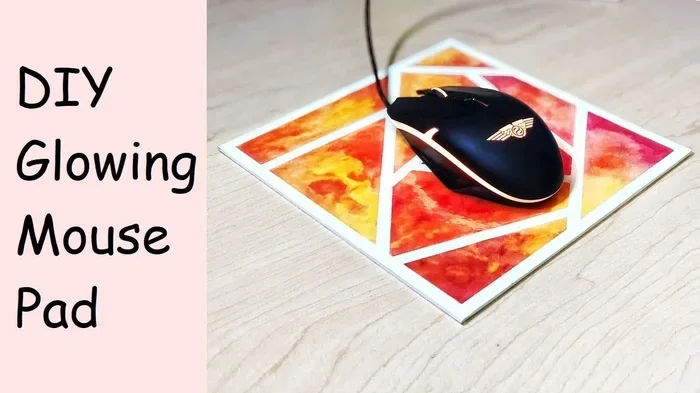
Want your pad to glow? Attach a thin LED strip along the edges. You can find affordable RGB strips online that stick right onto the underside of the pad. Connect them to a USB port, and you have a setup that looks as good as it performs.
Many gamers who use RGB mouse pads say the lighting helps them stay focused during late-night sessions. It also adds a cool visual element to your whole desk setup.
Print a Custom Design
You can print a design or logo on a sheet of paper and place it under a transparent cloth. This gives your pad a unique look without affecting mouse performance. Just make sure the paper does not create any bumps or unevenness on the surface.
Another option is to use fabric paint or markers to draw directly on the cloth. This works great for simple designs, team logos, or your gamertag. Just let the paint dry completely before you use the pad.
Choose the Right Size for Your Desk
Think about how much desk space you have. A large pad gives you plenty of room for sweeping mouse movements. But if your desk is small, a compact pad might be a better fit. The beauty of DIY is that you make it work for your space.
If you also use your laptop for work or browsing, you might want to check out how to use a mouse on laptop to get the best experience across all your devices.
Tips for the Best Results
- Use a cutting mat underneath — This protects your desk and gives you cleaner cuts.
- Test the surface before gluing — Slide your mouse across the cloth first to make sure it feels right.
- Keep the cloth tight — Loose fabric causes drag and affects your mouse tracking.
- Wash the cloth first — Pre-washing removes loose fibers that could interfere with smooth gliding.
- Experiment with layers — Double-layering foam gives a softer, more cushioned feel.
- Let adhesive fully cure — Rushing this step can lead to peeling edges later on.
Common Mistakes to Avoid
One of the biggest mistakes is using too much adhesive. It can soak through the cloth and create a sticky spot on the surface. Another common error is cutting the cloth too small. Always leave extra fabric for wrapping the edges.
Some people skip the curing step and start using the pad right away. This often leads to the cloth peeling off after a few days. Be patient and let the adhesive set properly.
Also, do not use fabric with a loose weave. Over time, the threads will fray and get caught under your mouse. Stick with tight-weave materials for the best durability.
How Your DIY Pad Compares to Store-Bought Options
A homemade gaming mouse pad can match or even beat many store-bought options. Here is a quick comparison:
| Feature | DIY Pad | Store-Bought Pad |
|---|---|---|
| Cost | 5 to 10 dollars | 15 to 80+ dollars |
| Custom Size | Any size you want | Limited to available options |
| Surface Texture | You choose the exact feel | Fixed texture |
| Customization | Full creative control | Limited designs |
| Build Time | 30 to 60 minutes | Instant (but wait for shipping) |
| Durability | Very good with quality materials | Varies by brand |
As you can see, making your own pad gives you more value in almost every category. The only thing store-bought pads have going for them is convenience. But if you are willing to spend a little time crafting, the DIY route wins hands down.
If you are using a wireless setup and want to make sure your wireless mouse connects properly to your laptop, check out how to connect a wireless mouse to laptop for a seamless experience.
Maintaining Your Homemade Gaming Mouse Pad
Once your pad is built, keeping it in great shape is simple. A clean pad ensures smooth mouse tracking and lasts much longer. Here is how to care for it.
Wipe the surface with a damp cloth once a week. This removes dust and skin oils that build up over time. If the cloth gets really dirty, you can remove it from the foam, wash it gently, and reattach it once it is dry.
Avoid placing your pad in direct sunlight for long periods. UV rays can weaken the foam and cause the cloth to fade. Store your pad flat when not in use to prevent warping.
If you notice the edges starting to peel, simply apply a small amount of adhesive and press the cloth back down. With proper care, your DIY pad can last for years.
For more tips on keeping your mouse setup running smoothly, you can also explore how to fix mouse pad on laptop for additional troubleshooting advice.
Conclusion
Making a gaming mouse pad at home is one of the easiest and most rewarding DIY projects for any gamer. You save money, get a custom fit for your desk, and end up with a pad that performs beautifully. The whole process takes less than an hour, and the results last for months or even years with proper care.
You do not need to be crafty or experienced. Just follow the steps in this guide, pick materials you like, and enjoy the process. Once you make your first pad, you will wonder why you ever spent big money on store-bought ones.
So grab your foam, your cloth, and some adhesive. Start building today. Your custom gaming setup is just a few simple steps away.
Frequently Asked Questions
Can I use any type of foam for a DIY gaming mouse pad?
Yes, you can use regular craft foam or memory foam. Regular foam is firm and affordable, while memory foam offers a softer, more cushioned feel. Just make sure the foam is at least 1/4 inch thick for good stability.
Do I need special cloth for the surface of the mouse pad?
No special cloth is needed. Tight-weave microfiber works best because it is smooth and consistent. Avoid thick or fuzzy fabrics like fleece, as they create too much friction and slow down mouse movement.
How long does a homemade gaming mouse pad last?
With proper care, a DIY mouse pad can last for years. The key is to keep the cloth clean and make sure the adhesive is fully cured before use. If the edges start peeling, a quick fix with more adhesive solves the problem.
Can I make a mouse pad that is waterproof?
You can add a waterproof layer by using a plastic or vinyl base underneath the foam. This protects your desk from spills and makes cleaning easier. Just make sure the top cloth layer still feels smooth for mouse tracking.
Is it cheaper to make a mouse pad or buy one?
Making one is significantly cheaper. Most DIY mouse pads cost between 5 and 10 dollars in materials, while store-bought options range from 15 to 80 dollars or more. You also get the bonus of full customization.
Can I connect my gaming mouse to a laptop wirelessly after making my new pad?
Absolutely. Once your pad is ready, you can pair your wireless mouse with your laptop for a clean, cable-free setup. If you need help getting the connection right, check out guides on setting up wireless mouse connections for the best experience.