I Punched My Laptop Screen in Anger and Broke It
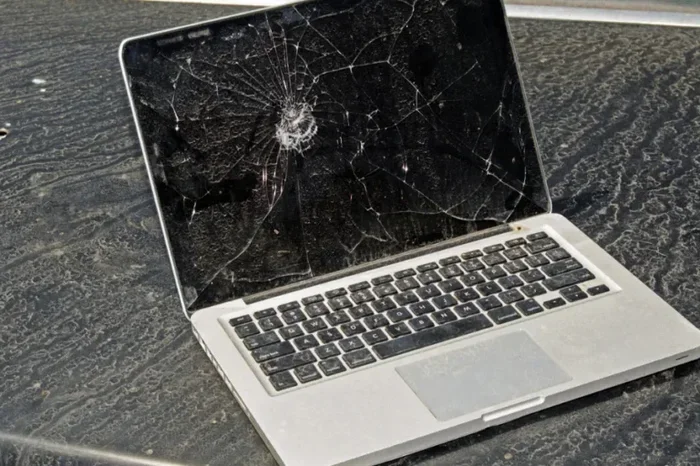
Accidentally or not, punching your laptop screen can cause serious damage. A broken laptop screen is frustrating, expensive, and stressful. This guide covers repair costs, temporary fixes, warranty options, and what to do next. Whether your laptop screen is cracked or shattered, you will find practical steps to handle the situation.
You lost it. Your hands moved before your brain caught up. And now you are staring at a spiderweb of cracks across your laptop screen. If you have ever punched your laptop screen in anger and broke it, you are not alone. This is more common than you might think, and it happens to people of all ages. The shame, the regret, and the worry about cost all hit at once. But here is the good news. A broken laptop screen is fixable, and you have options. This guide walks you through everything you need to know.
Whether the damage is a few cracks or a completely shattered display, the steps you take right now matter. From temporary fixes to long-term solutions, we will cover it all. Let us get into it.
Key Takeaways
- Repair costs vary widely: A broken laptop screen can cost anywhere from $50 to $300+ to fix.
- Check your warranty first: Many warranties do not cover damage caused by physical impact or anger-related incidents.
- You can still use the laptop: Connecting an external monitor lets you keep working while you plan a repair.
- Back up your data immediately: A damaged screen does not mean lost files, but acting fast protects your important work.
- Consider repair vs. replacement: Sometimes replacing the whole laptop makes more sense than fixing a cracked laptop display.
- Prevention matters: Using a screen protector and managing stress can save your laptop from future damage.
📑 Table of Contents
- What Happens When You Punch a Laptop Screen
- How Much Does It Cost to Fix a Broken Laptop Screen
- Can You Still Use a Laptop with a Broken Screen
- What to Do Next If You Have Already Broken Your Screen
- How to Prevent This From Happening Again
- When It Is Time to Let Go of the Laptop
- Expert Insights on Broken Laptop Screens
- Conclusion
What Happens When You Punch a Laptop Screen
When you throw a punch at your laptop, the impact does more than just crack the outer glass. The damage can reach deeper layers of the display. Understanding what happens helps you make better decisions about repair.
The Immediate Damage
A laptop screen has several layers. There is the outer glass, the LCD or LED panel, the backlight, and the digitizer touch layer. A single punch can damage one or all of these layers. If you hit the screen hard enough, the LCD panel can crack internally. This means you might see dark spots, lines, or a completely black screen even though the laptop is still running.
The frame around the screen can also bend or break. This makes the damage worse because the weakened frame puts pressure on the already damaged display panel.
What the Screen Looks Like After Impact
After punching a laptop screen, you might see any of these signs:
- Cracks radiating from the impact point like a spiderweb
- Dark or black spots spreading across the display
- Lines or streaks that were not there before
- A completely black screen even though the laptop powers on
- Flickering or dimming that gets worse over time
- Physical dent or bulge in the screen surface
Each of these signs tells you something different about the level of damage. A few surface cracks might only affect the outer glass. But internal damage to the LCD panel usually means a full screen replacement.
How Much Does It Cost to Fix a Broken Laptop Screen
The cost to repair a laptop screen broken from impact depends on several factors. Let us break it down so you know what to expect.
DIY Repair vs. Professional Repair
Some people try to fix a cracked laptop display themselves. DIY kits cost between $30 and $100 for the replacement part. But here is the honest truth. Replacing a laptop screen is delicate work. One wrong move and you can damage the motherboard or the new screen. If you are not experienced with electronics, professional repair is the safer choice.
Professional repair costs typically range from:
- Basic LED screens: $50 to $150 for parts and labor
- Higher-resolution or touchscreen displays: $100 to $300+
- Premium or 4K panels: $200 to $500 or more
The brand of your laptop also matters. Screens for common brands like Dell, HP, and Lenovo are cheaper and easier to find. MacBooks and premium ultrabooks cost more because their displays are custom-designed.
Factors That Affect Repair Cost
Several things influence how much you will pay to fix a laptop screen broken from anger:
- Laptop brand and model: Popular models have affordable replacement parts. Rare or older models can be expensive.
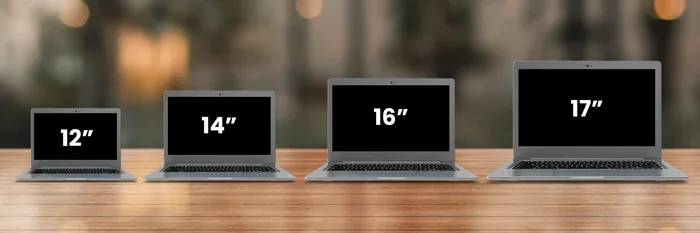
- Screen size: Larger screens cost more to replace.
- Screen type: Touchscreens and high-refresh-rate displays cost more than standard panels.
- Extent of damage: If the damage is only to the outer glass, a repair might cost less. Full panel replacement costs more.
- Where you live: Repair shops in big cities often charge more than local or online options.
Can You Still Use a Laptop with a Broken Screen
The short answer is yes. Even with a broken laptop screen, your laptop is probably still running fine on the inside. The problem is just the display. Here is how you can keep working.
Connecting an External Monitor
The easiest workaround is to connect your laptop to an external monitor or TV. Most laptops have an HDMI or USB-C port that supports external displays. Once connected, you can use your laptop normally. The keyboard, trackpad, and all internal components still work perfectly.
Just make sure you close the lid carefully so you do not make the cracks worse. You can prop the laptop open with a stand or a few books to keep the screen slightly elevated.
Temporary Fixes to Try
If you need to use the laptop right away and cannot afford a repair yet, try these temporary fixes:
- Clean the screen gently with a microfiber cloth to remove any loose glass fragments.
- Apply a clear screen protector over the cracks to prevent further damage and keep glass pieces from scattering.
- Adjust the brightness to maximum. A brighter backlight can sometimes make cracks less visible.
- Use a dark background on your desktop. Dark wallpapers make cracks less noticeable than white or bright screens.
- Use the laptop with an external keyboard and mouse while the lid is open and propped up.
These are not permanent solutions. But they can buy you time while you plan a proper repair.
What to Do Next If You Have Already Broken Your Screen
So you have already punched the screen. Now what? Here is a clear action plan.
Check Your Warranty Coverage
Before you panic about cost, check your warranty. Most laptop warranties cover manufacturing defects. But they usually do not cover physical damage. If you punched the screen, this is considered accidental damage, and most standard warranties will not cover it.
However, some brands offer extended protection plans or accidental damage coverage. Check your terms carefully. You might be surprised if your plan covers it.
Backup Your Data Immediately
A broken screen does not mean your files are gone. Your hard drive or SSD is safely inside the laptop. But you should back up your data as soon as possible. Connect an external monitor and copy your important files to a USB drive or cloud storage.
Do not wait. If the damage gets worse, you might not be able to use the laptop at all. Backing up data is the most important thing you can do right now.
Decide on Repair or Replace
Once you know the repair cost, you need to decide. Here is a simple way to think about it:
- Repair if: The repair cost is less than half the price of a new laptop, and the rest of the laptop is in good shape.
- Replace if: The laptop is old, slow, or has other problems. A laptop screen broken from impact might be the final straw.
If you decide to replace the laptop, think about upgrading other parts too. For example, you can check how to check RAM in my laptop before you buy a new one. This helps you understand what you need in your next machine.
How to Prevent This From Happening Again
Breaking a laptop screen from anger is something many people regret deeply. The good news is that you can take steps to prevent it from happening again.
Managing Stress Around Your Tech
Laptops are expensive. They hold your work, your photos, and your memories. When frustration builds up, it is easy to lash out at the device in front of you. But that reaction costs money and creates more stress.
Here are some healthier ways to handle frustration:
- Step away from the laptop when you feel anger building.
- Take deep breaths and give yourself a few minutes to cool down.
- Use stress-relief tools like a stress ball or a squeeze toy instead.
- Talk to someone about what is frustrating you.
- Put the laptop in a safe place if you feel overwhelmed.
Your laptop is a tool. It is not the source of your frustration. Treating it with care saves you money and keeps your work safe.
Using a Screen Protector and Laptop Sleeve
Prevention goes beyond managing emotions. A good laptop screen protector adds a layer of defense against cracks and impacts. These are inexpensive and easy to apply. A quality screen protector costs $10 to $30 and can absorb much of the force from an accidental hit.
Also, always use a padded laptop sleeve or case when carrying your laptop. This protects it from drops and bumps that can weaken the screen over time.
When It Is Time to Let Go of the Laptop
Sometimes the damage is too severe, or the laptop is too old to justify a repair. In those cases, it is time to let go. But you should do it responsibly.
Recycling and Proper Disposal
Do not throw your broken laptop in the trash. Electronics contain harmful materials that can damage the environment. Instead, take it to an electronics recycling center. Many retailers like Best Buy and Staples accept old laptops for recycling.
Before you recycle, make sure you have wiped all your personal data. Factory reset the laptop and remove any external storage devices.
Upgrading Components Before Disposal
Even if the screen is broken, other parts of the laptop might still be useful. If you plan to upgrade to a new laptop, consider salvaging useful components first. For instance, you might want to check if you can upgrade RAM on my laptop before you dispose of it. The RAM and storage drive from an old laptop can still be useful in other setups.
Similarly, you might want to review how much RAM do I need in my laptop when choosing your next machine. This ensures you do not repeat past mistakes and get the right specs from the start.
Expert Insights on Broken Laptop Screens
Tech repair professionals see cases like this all the time. Here is what the experts want you to know.
First, do not try to clean the screen with harsh chemicals after it breaks. Use only a soft, dry microfiber cloth. Harsh cleaners can seep through cracks and damage the internal display layers further.
Second, do not apply pressure to the cracked screen. Pressing on a cracked laptop display can cause the damage to spread. Even pressing too hard with a cleaning cloth can make things worse.
Third, get a quote before committing to any repair. Most repair shops offer free diagnostics. Take advantage of this to understand the full scope of the damage and the total cost before you agree to anything.
Conclusion
Punching your laptop screen in anger is a mistake most people deeply regret. But it is not the end of the world. A broken laptop screen is a common problem with clear solutions. You can get it repaired, use a temporary workaround, or replace the laptop entirely. The key is to act quickly, back up your data, and choose the option that makes the most sense for your situation.
Remember to take steps to prevent this from happening again. Use a screen protector, manage your stress, and treat your laptop with care. Your wallet and your peace of mind will thank you. Take a deep breath, make a plan, and move forward. You have got this.
Frequently Asked Questions
Can a broken laptop screen be repaired at home?
Yes, but only if you have experience with electronics repair. DIY screen replacement kits are available online for $30 to $100. However, replacing a laptop screen is delicate work, and one mistake can cause more damage. If you are not confident, it is safer to go with a professional repair.
How long does it take to repair a broken laptop screen?
A professional repair usually takes one to three business days. Some shops offer same-day service if the replacement screen is in stock. DIY repairs can take longer, especially if you are doing it for the first time and need to watch tutorials and order parts.
Will my insurance cover a broken laptop screen?
It depends on your policy. Some homeowner or renter insurance policies cover accidental damage to electronics. Many extended warranty plans from retailers also cover accidental damage. Check your specific policy to see if a broken laptop screen is included.
What should I do right after I break my laptop screen?
First, back up your data immediately by connecting an external monitor. Then, avoid pressing on or touching the cracked areas. Clean the screen gently with a dry microfiber cloth and apply a temporary screen protector. Finally, get a repair quote and decide whether to repair or replace the laptop.
Is it cheaper to replace the whole laptop than to fix the screen?
For older or budget laptops, sometimes replacement is more cost-effective. If the repair cost is more than half the value of the laptop, buying a new one might make more sense. Compare the repair quote with the cost of a new laptop that meets your needs before deciding.
Can I use my laptop without fixing the broken screen?
Yes, you can connect an external monitor and use the laptop normally. The internal components are unaffected by a cracked display. This is a great temporary solution if you need time to save up for a repair or decide whether to replace the laptop altogether.
=== INTERNAL LINKS ===
If you are thinking about upgrading other parts of your laptop, check out these helpful guides: