Inside Smoke Detector with Camera
Inside smoke detectors with cameras combine fire safety and real‑time video monitoring in one sleek device. They alert you to smoke while letting you see what’s happening, making homes smarter and more secure. Learn how they work, what to look for, and how to install them easily.
Key Takeaways
- Dual function: These devices detect smoke and stream video, giving instant visual confirmation of an alarm.
- Easy installation: Most models use existing wiring or battery power and fit standard smoke‑detector brackets.
- Smart home integration: They work with Alexa, Google Home, and popular security apps for remote monitoring.
- Privacy controls: Built‑in shutters or motion‑triggered recording protect your privacy when the area is empty.
- Power options: Choose between hard‑wired, battery‑only, or hybrid units based on your home’s layout.
- Legal considerations: Ensure you follow local laws about video recording in shared or public spaces.
- Cost vs. features: Higher‑priced models offer HD video, night vision, and two‑way audio, while budget options cover basic needs.
📑 Table of Contents
- Introduction: Why Combine a Smoke Detector and a Camera?
- How Does an Inside Smoke Detector with Camera Work?
- Key Features to Look For
- Top Models on the Market (2024)
- Installation Guide: From Box to Live Feed
- Practical Tips for Everyday Use
- Benefits Beyond Fire Safety
- Potential Drawbacks and How to Mitigate Them
- Future Trends: What’s Next for Smoke Detectors with Cameras?
- Conclusion
Introduction: Why Combine a Smoke Detector and a Camera?
Imagine hearing a smoke alarm in the middle of the night, but not knowing whether it’s a real fire or a burnt toast incident. Now picture being able to open an app and see exactly what’s happening in the kitchen. That’s the power of an inside smoke detector with camera. These hybrid gadgets are reshaping home safety by giving you both an early warning and a visual check, all from a single, unobtrusive unit.
Homeowners are increasingly looking for smart devices that do more than one job. While traditional smoke detectors have saved countless lives, they can’t tell you whether the alarm is false, where the smoke is coming from, or if a pet is the culprit. Adding a camera solves these mysteries and reduces unnecessary panic. In the sections that follow, we’ll explore the technology behind these devices, what features matter most, and how to choose and install the right model for your home.
How Does an Inside Smoke Detector with Camera Work?
Core components
At its heart, an inside smoke detector with camera contains three main parts:
Visual guide about Inside Smoke Detector with Camera
Image source: pixnio.com
- Smoke sensor: Usually an optical (photoelectric) sensor, a heat sensor, or a combination (dual‑sensor) that detects particles or rapid temperature rise.
- Camera module: A miniature CMOS sensor, often 720p or 1080p, with a wide‑angle lens to capture a broad view of the room.
- Communication chip: Wi‑Fi, Zigbee, or Z‑Wave module that streams video to your smartphone or security hub.
Trigger sequence
When the smoke sensor detects a threshold level of particles, it sends a signal to the detector’s microcontroller. Simultaneously, the controller activates the camera to start recording or live‑streaming. Most units also send a push notification to your phone, complete with a thumbnail image and a short video clip. If the device is hard‑wired, it will also sound the built‑in alarm horn.
Power management
Battery‑powered models use low‑power standby modes to conserve energy. As soon as smoke is sensed, the camera powers up for a brief period (usually 30‑60 seconds) to capture the scene, then returns to sleep. Hard‑wired units draw constant power but often include a backup battery for power outages.
Key Features to Look For
Video quality and field of view
Resolution matters if you need clear images for insurance claims or police reports. Look for at least 1080p HD; some premium models offer 2K. A 120‑degree or wider field of view ensures you see most of the room without blind spots.
Visual guide about Inside Smoke Detector with Camera
Image source: images.pexels.com
Night vision and infrared
Fires can happen in low‑light conditions, so infrared (IR) LEDs are a must. Night‑vision cameras switch to black‑and‑white mode automatically, providing usable footage even in complete darkness.
Two‑way audio
Some units include a built‑in microphone and speaker, letting you speak to anyone in the room through the app. This is handy for checking on pets or giving instructions to a family member during an emergency.
Smart home compatibility
Integration with Alexa, Google Assistant, or Apple HomeKit means you can ask your voice assistant, “Is there smoke in the kitchen?” and get a real‑time video feed. Look for devices that support IFTTT for custom automation, such as turning on smart lights when smoke is detected.
Privacy shutters
When no alarm is active, you may not want the camera always recording. Many models feature a motorized shutter that closes over the lens when idle, ensuring privacy while still being ready to open at the first sign of smoke.
Storage options
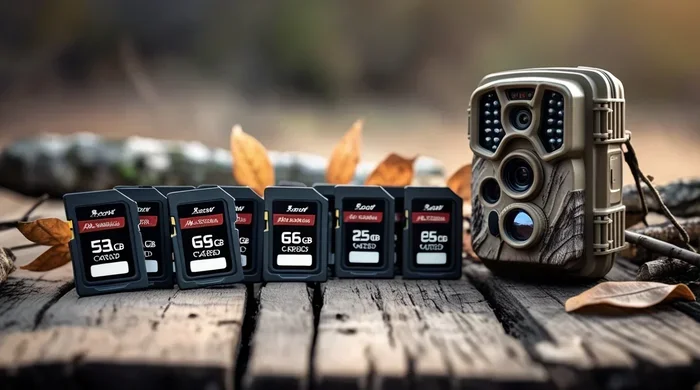
Video can be stored locally on a microSD card (typically up to 64 GB) or uploaded to cloud services. Cloud storage often comes with a subscription fee but provides off‑site backup in case the detector is damaged.
Top Models on the Market (2024)
1. SafeGuard 360 Pro
Features a dual‑sensor smoke detection system, 1080p video, night vision up to 15 feet, and a built‑in privacy shutter. Works with Alexa and Google Home. Offers 30 days of free cloud storage.
Visual guide about Inside Smoke Detector with Camera
Image source: publicdomainpictures.net
2. FireEye CamPlus
Combines a photoelectric sensor with a heat sensor for faster response. Includes two‑way audio and a 128 GB microSD slot. The device can be hard‑wired with a battery backup.
3. Nest Secure SmokeCam (Beta)
Google’s entry into the market, leveraging Nest’s existing ecosystem. Provides 2K video, AI‑driven fire detection that reduces false alarms, and seamless integration with Nest Aware subscription.
4. BudgetGuard Basic
An affordable option for renters. Battery‑only, 720p video, and a simple app notification. No night vision, but still useful for small apartments.
Installation Guide: From Box to Live Feed
Step 1: Choose the right location
Place the detector on the ceiling or high on a wall, at least 10 feet from cooking appliances to avoid false alarms. Ensure the camera’s field of view isn’t blocked by furniture.
Step 2: Turn off power (for hard‑wired units)
Locate the circuit breaker for the smoke‑detector circuit and switch it off. Verify with a non‑contact voltage tester before handling wires.
Step 3: Mount the bracket
Most models use the same mounting plate as standard smoke detectors. Align the plate with the mounting holes, secure with screws, and attach the detector body.
Step 4: Connect power
- Hard‑wired: Connect the black (hot) and white (neutral) wires to the detector’s terminals, then attach the green ground wire.
- Battery‑only: Insert the provided 9 V or AA battery pack.
Step 5: Pair with Wi‑Fi
Download the manufacturer’s app, follow the on‑screen instructions to connect the device to your home network, and test the live video feed.
Step 6: Configure alerts
Set up push notifications, choose whether to receive a video clip or a live stream, and enable cloud storage if desired. Test the alarm by pressing the test button; you should hear the horn and see the camera activate.
Practical Tips for Everyday Use
Regular maintenance
Dust the camera lens monthly with a soft, dry cloth. Replace batteries annually or as indicated by the app. Test the alarm once a month to ensure both smoke detection and video functions work.
Integrate with other security devices
If you already have a commercial security camera system, add the smoke‑detector camera as a supplemental sensor. This creates a single dashboard for fire and intrusion alerts.
Use motion detection wisely
Some models let you turn on motion‑triggered recording when the alarm is off. This can double as a baby monitor or pet cam, but be mindful of privacy settings.
Know the legal landscape
Recording video in shared spaces (e.g., hallways of an apartment building) may be restricted. Always inform household members and obtain consent where required.
Battery backup strategy
Even hard‑wired units can lose power during storms. Keep a spare battery pack on hand and swap it in during extended outages.
Benefits Beyond Fire Safety
Reduced false alarms
Seeing a live feed lets you confirm whether the alarm is real, preventing unnecessary calls to the fire department.
Home monitoring while you’re away
When you travel, the camera can serve as a regular security eye. If smoke is detected, you’ll have video proof to share with emergency responders.
Insurance advantages
Some insurers offer discounts for homes equipped with smart fire‑detection systems that include video evidence.
Potential Drawbacks and How to Mitigate Them
Privacy concerns
Always use the privacy shutter and disable continuous recording if you’re uncomfortable with constant video.
Higher cost
Hybrid devices cost more than standard detectors. Weigh the added safety and convenience against your budget. For tight budgets, consider a separate camera in high‑risk areas instead.
Network reliability
Wi‑Fi outages can delay alerts. Pair the detector with a battery backup and ensure your router is placed centrally for strong signal strength.
Future Trends: What’s Next for Smoke Detectors with Cameras?
Artificial intelligence is already being used to differentiate between real fires and cooking smoke, reducing false alarms. Expect future models to incorporate AI‑powered video analytics that can identify the source of smoke, track flame spread, and even guide occupants to the safest exit route via voice prompts.
Another emerging trend is solar‑powered units for outdoor or garage installations, similar to the birdhouse with solar powered camera. This could eliminate wiring altogether and make installation even easier.
Conclusion
An inside smoke detector with camera is more than a gadget; it’s a smart safety partner that watches, alerts, and records, giving you peace of mind whether you’re at home or away. By understanding the technology, choosing the right features, and following proper installation steps, you can turn a simple alarm into a comprehensive monitoring system. Keep the device maintained, respect privacy norms, and stay updated on new AI‑driven models to get the most out of this dual‑purpose technology.
Frequently Asked Questions
Can an inside smoke detector with camera replace my regular smoke alarm?
Yes, it functions as a full‑feature smoke alarm while adding video capability. Just ensure it meets local fire‑safety codes.
Do I need a subscription for cloud storage?
Most brands offer optional cloud plans. You can also use a microSD card for local storage without a subscription.
Will the camera record continuously?
Typically, the camera stays off until smoke is detected. Some models allow motion‑triggered recording when the alarm is idle.
Is the video feed encrypted?
Reputable manufacturers use end‑to‑end encryption for live streams and stored footage. Check the product specs for security details.
Can I integrate the detector with my existing smart home system?
Yes, many units work with Alexa, Google Home, and Apple HomeKit. Look for “works with” labels on the packaging.
What should I do if the detector keeps false‑triggering?
First, clean the sensor and ensure it’s not placed too close to kitchens or bathrooms. If false alarms persist, consider a dual‑sensor model that better distinguishes smoke types.