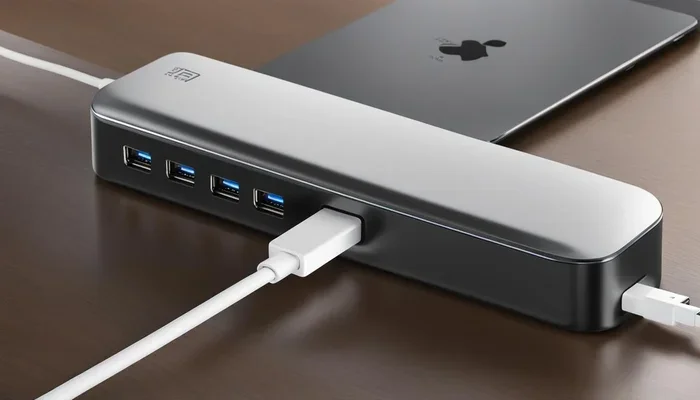
Is Apple Switching to Usb C
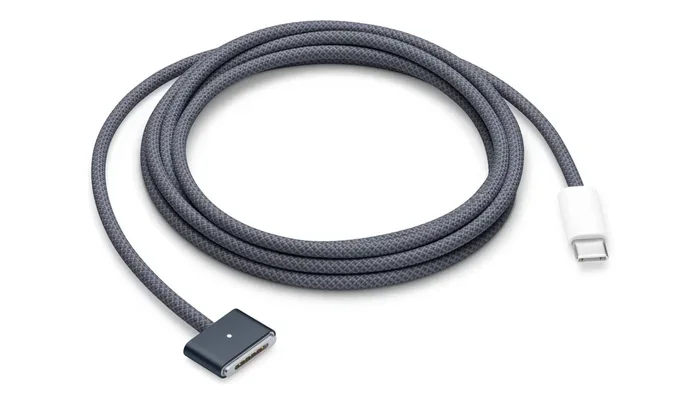
Yes, Apple has officially switched to USB C across most of its device lineup. The transition started with the MacBook in 2015 and expanded dramatically after EU regulations pushed Apple to replace the Lightning port on iPhones with USB-C. Today, nearly every Apple product uses the USB-C connector, from MacBooks and iPads to iPhones and AirPods Pro. This shift brings faster charging, universal compatibility, and simpler cable management for millions of users.
Key Takeaways
- Apple completed the USB-C switch: The iPhone 15 lineup marked the final major Apple device to move from Lightning to USB-C.
- EU regulations played a big role: European Union mandates pushed Apple to adopt USB-C across all smartphones sold in the region.
- USB-C brings real benefits: Faster data transfer speeds, universal cable use, and better charging performance are the main perks.
- You may need new accessories: Existing Lightning cables and adapters won’t work with newer Apple devices.
- Thunderbolt support is a bonus: Many Apple USB-C ports support Thunderbolt, unlocking even faster speeds and display connections.
- The transition is mostly complete: Almost all current Apple products now use USB-C, making it the universal standard for the brand.
[FEATURED_IMAGE_PLACEHOLDER]
📑 Table of Contents
- The Apple USB-C Switch: What Changed and Why It Matters
- A Brief Timeline of Apple’s USB-C Journey
- Which Apple Devices Now Use USB-C?
- Why Did Apple Make the Switch to USB-C?
- What This Means for Your Accessories
- Benefits of Apple’s USB-C Adoption
- Common Mistakes People Make During the USB-C Transition
- Expert Insights on Apple’s USB-C Future
- Final Thoughts
The Apple USB-C Switch: What Changed and Why It Matters
Apple has made a massive shift in recent years. The company that once stuck with its own Lightning connector for nearly a decade has now embraced the USB-C standard across its entire product lineup. If you have been using Apple devices, you have probably noticed the change already. But what exactly happened, and why did Apple make this move?
The answer involves a mix of regulations, user demand, and the natural evolution of technology. The USB-C connector is now the go-to port for charging, data transfer, and audio on Apple devices. This shift affects how you buy cables, choose accessories, and even travel with your gear. Let us walk through everything you need to know about Apple switching to USB-C and what it means for you as a user.
A Brief Timeline of Apple’s USB-C Journey
How the Transition Unfolded Over the Years
The move to USB-C did not happen overnight. Apple took a gradual approach that spanned nearly a decade. Understanding the timeline helps you see why certain devices still use older ports and how the full transition came together.
In 2015, Apple introduced the first MacBook with a USB-C port. It was a bold move at the time. Many people were confused by the single-port design. But Apple saw the future. The USB-C connector offered a compact form factor with the ability to carry power, data, and video signals through one cable. Fast forward to 2018, and the iPad Pro became one of the first iPads to ditch the Lightning port in favor of USB-C.
The real game-changer arrived in 2023. Apple released the iPhone 15 and iPhone 15 Pro, both featuring USB-C instead of Lightning. This was driven largely by European Union regulations that required all smartphones sold in the EU to use a common charging standard. Apple chose USB-C as that standard. With the iPhone change, the final major holdout in the Apple ecosystem joined the USB-C world.
Which Apple Devices Now Use USB-C?
The Full List of USB-C Apple Products
Most current Apple devices now rely on the USB-C connector. Here is a quick breakdown of what uses USB-C today:
- MacBook Air and MacBook Pro: All models since 2018 use USB-C, with many supporting Thunderbolt 3 or Thunderbolt 4.
- iPad Pro and iPad Air: These tablets switched to USB-C starting with the 2018 iPad Pro models.
- iPhone 15 and newer: The entire iPhone 15 lineup uses USB-C, replacing the Lightning port entirely.
- AirPods Pro (2nd generation): The latest AirPods Pro case charges through USB-C.
- Apple Watch: The charging cable uses a USB-C connector on the wall side.
- iMac and Mac mini: Desktop Macs now feature multiple USB-C and Thunderbolt ports.
Some older devices like the base iPad and earlier iPhone models still use Lightning. But if you are shopping for a new Apple product today, you can almost bet it will come with a USB-C port.
Why Did Apple Make the Switch to USB-C?
Regulations and Global Standards
The biggest external push came from the European Union. In 2022, the EU passed a law requiring all portable devices sold in its member states to use USB-C for charging by the end of 2024. This law covered smartphones, tablets, cameras, headphones, and more. Apple could not ignore this market. The company had already been moving toward USB-C on its iPads and MacBooks, so extending that to the iPhone made sense from a regulatory standpoint.
But regulations were not the only reason. Apple also recognized that USB-C simply makes life easier for users. One cable for everything. One charger for your phone, tablet, and laptop. That kind of simplicity is hard to beat.
Better Performance and Versatility
USB-C offers significant performance advantages over the Lightning connector. The USB-C standard supports much faster data transfer speeds. Thunderbolt-enabled USB-C ports can move data at up to 40 gigabits per second. Lightning ports max out at much slower speeds. For professionals who transfer large files, edit video, or connect external drives, this difference is huge.
USB-C also supports USB Power Delivery, which allows for faster and more flexible charging. You can charge a MacBook Pro at higher wattages through USB-C than was ever possible with the old MagSafe or Lightning approaches. The versatility of the USB-C port means it can connect to monitors, external storage, audio gear, and much more.
What This Means for Your Accessories
Do You Need to Replace Your Cables?
If you have been using Lightning cables, you will likely need to replace them for newer Apple devices. Your old Lightning cables will still work with older iPhones and iPads, but they will not charge or sync the iPhone 15 and newer models. This is probably the biggest adjustment for many Apple users.
The good news is that USB-C cables are widely available and often cheaper than Lightning cables. You can buy them from almost any electronics store or online retailer. Many people already had USB-C cables from Android phones, laptops, or other devices, which makes the transition even smoother.
Choosing the Right USB-C Accessories
With USB-C now standard across Apple devices, the accessory market has exploded. You can find USB-C cables in every length and quality level. When shopping, look for cables that are USB-IF certified to ensure they meet safety and speed standards. Not all USB-C cables are equal. Some only support basic charging, while others handle fast data transfer and video output.
Many users also invest in a USB-C hub or dock. These small adapters add extra ports like HDMI, USB-A, SD card slots, and Ethernet to your USB-C laptop. They are especially popular with MacBook users who need to connect multiple peripherals at once. If you use external storage, an M.2 NVMe to USB-C SSD enclosure lets you connect super-fast NVMe drives to your Mac through a single USB-C cable. Similarly, a USB-C to NVMe SSD adapter gives you direct access to external solid-state drives without any extra power source needed.
For audio lovers, USB-C headphones have become a great option since Apple removed the headphone jack from most of its devices. You can plug USB-C headphones directly into your iPhone, iPad, or MacBook without any adapter. The sound quality is often better than Bluetooth alternatives, and you avoid battery drain during long listening sessions.
Benefits of Apple’s USB-C Adoption
One Cable for Everything
The single biggest benefit of Apple switching to USB-C is simplicity. You no longer need to carry separate cables for your phone, tablet, and laptop. A single USB-C cable can charge all three devices if they support the right power profiles. This is a game-changer for travel, daily commutes, and just keeping your desk organized.
Faster Charging Speeds
USB-C supports much higher wattage charging than Lightning. The iPhone 15 and newer models can charge significantly faster with a USB-C cable and a compatible power adapter. iPads and MacBooks benefit even more, with some MacBook Pro models supporting up to 140 watts of charging through USB-C.
Universal Compatibility
USB-C is everywhere now. It is on Android phones, Windows laptops, gaming consoles, cameras, and countless other devices. When Apple finally adopted USB-C, it meant that cables and chargers became truly universal. You can share a cable with a friend, borrow a charger at a café, or use the same power bank for all your gadgets without worrying about compatibility.
Future-Proofing Your Setup
By adopting USB-C, Apple aligned itself with the broader technology industry. USB-C is the standard that will continue to evolve. New versions like USB4 and Thunderbolt 5 build on the USB-C connector. When you buy a USB-C Apple device today, you are investing in a connector that will remain relevant for years to come. This is especially important if you buy accessories like external SSDs or docking stations that rely on the USB-C standard for future upgrades.
Common Mistakes People Make During the USB-C Transition
Buying Cheap, Uncertified Cables
Not all USB-C cables are created equal. Cheap, uncertified cables can cause slow charging, data transfer failures, or even damage to your device. Always look for USB-IF certification or buy from reputable brands. A good USB-C cable is a small investment that protects your expensive Apple devices.
Assuming All USB-C Cables Support the Same Speeds
This is a very common mistake. A basic USB-C cable might only support 10 watts of charging or USB 2.0 data speeds. If you need fast charging or high-speed data transfer, you need a cable that supports USB 3.0 or higher, or Thunderbolt. Check the specifications before you buy, especially if you plan to connect external drives like a SanDisk Extreme Portable SSD or use your laptop as a workstation with external monitors.
Keeping Old Lightning Cables Just in Case
Some people hold onto their Lightning cables out of habit. While they still work with older devices, keeping a pile of cables you cannot use with your current devices adds clutter. It is better to transition fully to USB-C and donate or recycle your old Lightning cables responsibly.
Expert Insights on Apple’s USB-C Future
Industry experts believe Apple’s adoption of USB-C is permanent and will only deepen. Future Apple products will likely use newer USB standards that build on the USB-C connector. Thunderbolt integration is already standard on MacBooks, and this trend will continue. The USB-C port on Apple devices now serves as a hub for charging, data, video output, and accessory connections. As the standard evolves, users can expect even faster speeds, more power delivery, and smarter cable identification features.
For everyday users, the message is simple: embrace USB-C. The ecosystem of USB-C accessories is mature, affordable, and growing every day. Whether you need a cable for charging, a hub for your desk setup, or an external drive for backups, USB-C has you covered.
Final Thoughts
Apple switching to USB-C is one of the most significant changes in the company’s hardware history. It brings real, practical benefits to millions of users around the world. Faster charging, universal compatibility, and a simpler accessory ecosystem are just the beginning. If you have older Apple devices, now is the perfect time to start upgrading your cables and accessories to USB-C. The future is universal, and USB-C is leading the way.
Frequently Asked Questions
When did Apple switch to USB-C?
Apple started the transition in 2015 with the MacBook. The iPad Pro switched to USB-C in 2018, and the iPhone 15 lineup in 2023 marked the final major Apple device to move from Lightning to USB-C.
Do all current Apple devices use USB-C now?
Most do. MacBooks, iPads, iPhone 15 and newer, AirPods Pro (2nd generation), Apple Watch, and iMacs all use USB-C. Some older models like the base iPad and earlier iPhones still use Lightning, but they are being phased out.
Can I use my old Lightning cables with the new iPhone?
No. The iPhone 15 and newer models only support USB-C charging and data transfer. You will need to replace your Lightning cables with USB-C cables to use these phones.
Is USB-C faster than Lightning for charging?
Yes. USB-C supports much higher wattage and faster charging speeds. The iPhone 15 can charge significantly faster with USB-C compared to the Lightning-based iPhone 14 and earlier models.
Do I need a special USB-C cable for fast charging on iPhone?
You need a USB-C to USB-C cable that supports USB Power Delivery. Apple’s official USB-C cable or a certified third-party cable will work. Make sure the cable is rated for the power delivery speed you need.
Can I connect external monitors to my MacBook with USB-C?
Yes. Many MacBooks use USB-C ports that support Thunderbolt, which allows you to connect external monitors directly. You may need a USB-C to HDMI or USB-C to DisplayPort cable or adapter depending on your monitor’s inputs.
=== CONCLUSION ===
Apple switching to USB-C is a change that benefits almost everyone. The universal connector simplifies your life, charges your devices faster, and opens up a world of accessory options. From cables and chargers to hubs, external drives, and headphones, the USB-C ecosystem has something for every user. The transition is complete, and the future of Apple accessories is USB-C. Embrace it, invest in quality cables and adapters, and enjoy the seamless experience that comes with one standard across all your devices.