Kamrui Pinova P1 Mini Pc Review the Most Powerful Ultra Budget Pc but Heres the Small Catch

The Kamrui Pinova P1 Mini Pc is a surprisingly powerful ultra budget PC that punches way above its price tag. It packs solid performance for everyday tasks, light gaming, and office work in a tiny footprint. However, there is a small catch that buyers should know about before pulling the trigger.
The Kamrui Pinova P1 Mini Pc has been turning heads in the budget computing world. People want affordable machines that still deliver real performance. And this tiny desktop does exactly that. But is it perfect? Not quite. There is a small catch that you need to know about. In this review, I will break down everything you need to decide if this mini PC is right for you.
Mini PCs have become hugely popular in recent years. They save space, use less power, and cost a fraction of a full sized desktop. The Kamrui Pinova P1 sits firmly in the ultra budget category. It targets students, office workers, home theater fans, and anyone who wants a compact desktop without spending a fortune. Let us dive deep into what makes this machine tick.
Key Takeaways
- Impressive Performance: The Kamrui Pinova P1 Mini Pc handles daily tasks and light gaming with ease despite its low price.
- Ultra Compact Design: Its small form factor fits anywhere, making it perfect for desks, bedrooms, and living rooms.
- Budget Friendly: This mini PC offers great value for money compared to pricier alternatives.
- The Small Catch: Build quality and thermal performance have some limitations that users should consider.
- Great for Specific Use Cases: It shines as a home theater PC, office machine, and light gaming rig.
- Worth Considering: If you want a cheap mini PC that still delivers, this is a strong contender.
📑 Table of Contents
Design and Build Quality
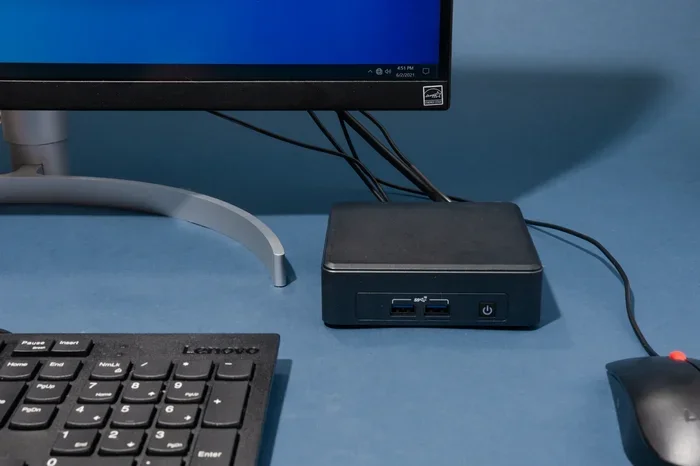
The first thing you notice about the Kamrui Pinova P1 Mini Pc is how small it is. It is barely bigger than a lunch box. The compact design means it slides easily under a monitor or sits flat on any desk. The matte black finish looks clean and professional. It does not scream “gaming PC” but it looks sleek enough for any room.
Build quality is decent for the price. The plastic shell feels sturdy enough for everyday use. The fans are quiet under normal loads, which is a big plus for a small form factor PC. However, the plastic construction does feel a bit cheap when you hold it. If you plan to move it around often, you might want to invest in a protective case. A best small factor PC case can add extra protection and improve airflow too.
Size and Portability
This ultra compact PC weighs just a few pounds. You can carry it in a backpack with no problem. The small size makes it ideal for dorm rooms, small apartments, and shared office spaces. It is one of the most portable desktops you will find at this price point.
Performance and Specifications
Under the hood, the Kamrui Pinova P1 Mini Pc comes with an Intel N100 processor. This chip is designed specifically for low power and efficient performance. It handles web browsing, document editing, video streaming, and light multitasking without breaking a sweat.
CPU and GPU Performance
The Intel N100 processor is no powerhouse, but it is more than enough for everyday use. You can run multiple browser tabs, edit documents, and stream 4K video smoothly. For light gaming, this mini PC can handle titles like Minecraft, Fortnite on low settings, and older games from the best PC games of the 2000s catalog. It is not meant for AAA gaming, but it surprises many users with what it can do.
The integrated Intel UHD graphics share system memory, so your RAM allocation matters. If you plan to do any graphical work, consider maxing out the memory. This budget build gaming PC can be upgraded easily, which is a huge advantage.
RAM and Storage Options
The Kamrui Pinova P1 typically comes with 8GB or 16GB of RAM options. The storage includes a 256GB or 512GB NVMe SSD. These are standard specs for a mini PC for gaming in this price range. The NVMe SSD ensures fast boot times and quick file access. If you need more storage, you can add an external drive or swap in a larger SSD.
For those who want even more power, you might look at laptops with the most RAM for comparison. But remember, a laptop with the most RAM will cost significantly more than this mini PC.
Connectivity and Ports
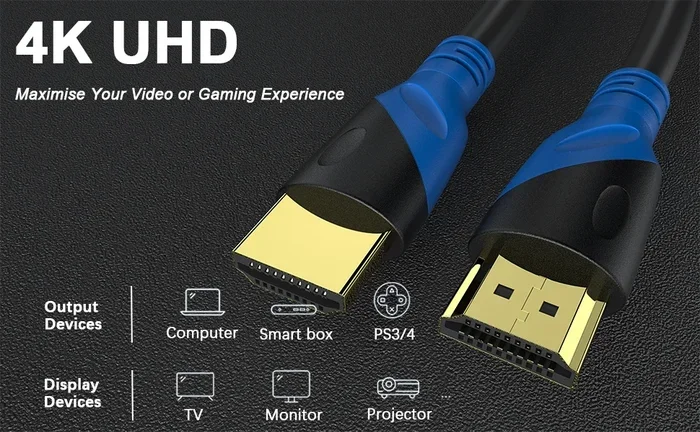
Connectivity is where the Kamrui Pinova P1 Mini Pc holds its own. It offers a solid selection of ports for its size. You get USB Type-A ports, USB Type-C, HDMI output, and a headphone jack. The HDMI port supports 4K output at 60Hz, which is great for home theater setups.
Wi-Fi 6 and Bluetooth 5.0 are built in. This means fast wireless speeds and stable connections. Whether you are streaming content or attending a video call, the wireless performance is reliable. For wired internet, the Ethernet port delivers consistent speeds.
What Can You Connect?
- Monitors: Use a best PC monitor for the money to pair with this mini PC for a complete setup.
- Speakers: A best budget speaker bar for PC enhances your audio experience dramatically.
- Peripherals: Standard USB keyboards, mice, and webcams work without any issues.
- Controllers: A best budget gamepad for PC or best budget game controller for PC makes light gaming more fun.
Use Cases: Where Does This Mini PC Shine?
The Kamrui Pinova P1 Mini Pc fits several use cases really well. Let us explore where it excels and where it falls short.
Home Theater PC
This is one of the best use cases for the Pinova P1. The compact size fits behind a TV or inside a media console. The 4K HDMI output delivers crisp video. Paired with a soundbar or external speakers, it becomes a capable entertainment hub. Streaming services like Netflix, YouTube, and Disney+ run flawlessly on this machine.
Office and Productivity
For office work, this budget PC is a hidden gem. It handles word processing, spreadsheets, email, and video conferencing with ease. The quiet operation means it will not distract coworkers in a shared space. The small footprint frees up valuable desk space. If you need a best budget all-in-one PC alternative, this mini PC is worth considering.
Light Gaming and Emulation
Gamers on a budget will appreciate the Kamrui Pinova P1. It runs indie games, retro titles, and older AAA games at acceptable settings. For emulation, you can explore options like what is the best emulator for PC 2026 to get the most out of this hardware. It is not a replacement for a dedicated gaming rig, but it is a fun entry point for casual gamers.
Digital Signage and Server Use
Some users repurpose mini PCs for digital signage or light server tasks. The low power consumption makes it ideal for running 24/7. The compact size means you can hide it behind a display or mount it in a tight space. This is a practical use case that many people overlook.
Thermals and Noise
Every compact PC has thermal challenges, and the Kamrui Pinova P1 is no exception. The small chassis limits airflow, which means heat can build up under heavy loads. The fan spins up to compensate, and it can get a bit loud during intensive tasks.
During normal use like browsing and video playback, the fan is practically silent. But if you push the CPU with gaming or rendering, you will hear the fans kick in. This is a common trade-off with ultra compact PCs. If you need a completely silent machine, you might want to explore passive cooling options or invest in a cooling pad.
Thermal Performance Comparison
Compared to other mini PCs in this price range, the Pinova P1 holds its own. It does not throttle aggressively, and performance remains consistent during extended use. The Intel N100 chip runs cool by design, which helps keep temperatures manageable. Overall, thermal performance is acceptable for most users.
The Small Catch: What You Need to Know
Here is the part of the review that many people skip. The Kamrui Pinova P1 Mini Pc is not perfect. There is a small catch that can affect your experience.
First, the build quality uses mostly plastic. It feels durable enough for home use, but it will not survive drops or rough handling. Second, the fan noise under load can be distracting in quiet environments. Third, the 8GB RAM base configuration may feel limiting for multitasking. You should upgrade to 16GB if your budget allows.
Also, this ultra budget PC does not include a Windows license in some configurations. Make sure to check what comes in the box before ordering. Some sellers bundle Windows, while others ship with Linux or no operating system at all.
Another consideration is availability. The Kamrui Pinova P1 can sometimes be hard to find in stock. Popular mini PCs tend to sell out quickly, so patience and quick action are needed. If you are in Canada, check if the best mini PC you could buy in Canada includes this model or similar alternatives.
Price and Value Assessment
The Kamrui Pinova P1 Mini Pc is priced aggressively. It competes directly with other budget mini PCs from brands like Beelink, MinisForum, and Chuwi. At its price point, it offers excellent value for money. You get a functional desktop in a tiny package for a fraction of what a traditional desktop would cost.
When compared to building a best budget build gaming PC from scratch, this mini PC saves you time and hassle. You do not need to worry about component compatibility or assembly. It comes ready to use out of the box. For many users, that convenience is worth the slight premium over a DIY build.
If you are on an even tighter budget, consider a best budget PC power supply or best budget PC power supply paired with a used mini PC motherboard. But for most people, the Pinova P1 delivers the best balance of price and performance.
Final Verdict
The Kamrui Pinova P1 Mini Pc is one of the most impressive ultra budget mini PCs available today. It delivers solid performance for everyday tasks, light gaming, and home theater use in a remarkably small package. The build quality is decent, the connectivity is generous, and the price is hard to beat.
The small catch? It is not a machine for power users or heavy gamers. If you need raw processing power or top tier graphics, look elsewhere. But for students, office workers, media consumers, and casual gamers, this mini PC is a fantastic choice.
If you are ready to buy, make sure to check for the latest deals and compare it with the best small form factor PC case options to protect your investment. The Kamrui Pinova P1 Mini Pc proves that you do not need to spend a fortune to get a capable, compact desktop computer.
Frequently Asked Questions
What makes the Kamrui Pinova P1 Mini Pc different from other budget mini PCs?
The Pinova P1 stands out because of its compact size, solid Intel N100 performance, and aggressive pricing. It offers a great balance of features that competitors in the same price range often lack. The build quality is also slightly better than many ultra budget alternatives.
Can the Kamrui Pinova P1 handle gaming?
Yes, but only light gaming. It can run indie games, older titles, and less demanding modern games at low to medium settings. For casual gaming and retro emulation, it performs surprisingly well. Do not expect it to run AAA titles smoothly.
Is the Kamrui Pinova P1 Mini Pc easy to upgrade?
It is fairly easy to upgrade RAM and storage. Most models come with accessible RAM slots and M.2 NVMe SSD slots. This makes it a flexible option for users who want to improve performance over time without buying a new machine.
Does the Kamrui Pinova P1 come with Windows installed?
It depends on the seller and configuration. Some units ship with Windows preinstalled, while others come with Linux or no operating system. Always check the product listing carefully before purchasing to avoid surprises.
How noisy is the Kamrui Pinova P1 Mini Pc under load?
The fan is quiet during everyday tasks like browsing and streaming. Under heavier loads like gaming or video editing, the fan becomes noticeable. It is not unbearable, but it is louder than during idle use. This is typical for compact PCs in this price range.
Who is the Kamrui Pinova P1 Mini Pc best suited for?
It is ideal for students, remote workers, home theater enthusiasts, and casual users. It also works well as a secondary PC or a media center. Anyone looking for an affordable, compact desktop that handles daily tasks with ease will find it a great fit.