What Is Cloud Gaming on Xbox
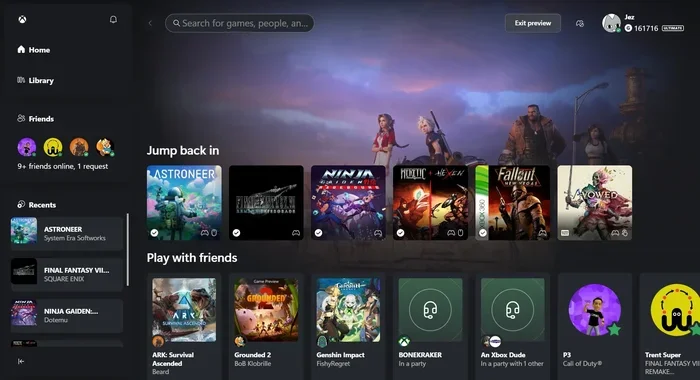
Cloud gaming on Xbox lets you stream Xbox games to any device without needing a physical console. It runs through Xbox Cloud Gaming, powered by Microsoft xCloud, and works with Xbox Game Pass Ultimate. You can play AAA titles on your phone, tablet, laptop, or smart TV with just a stable internet connection.
Have you ever wanted to play Xbox games without owning an Xbox console? Cloud gaming on Xbox makes that possible. It is a game-changing technology that lets you stream your favorite titles directly to any screen you own.
With Xbox Cloud Gaming, you no longer need expensive hardware or long download times. You simply tap a button and start playing. Whether you are on your phone during a commute or on a laptop in bed, the games come to you.
This guide covers everything you need to know about what cloud gaming on Xbox really means. We will look at how it works, what you need to get started, and how it compares to traditional gaming. By the end, you will know if cloud gaming is right for you.
Key Takeaways
- Xbox Cloud Gaming streams games directly: No need to download or install titles on your device.
- Requires Xbox Game Pass Ultimate: This subscription gives you access to hundreds of cloud-ready games.
- Works on many devices: Play on phones, tablets, PCs, and smart TVs with a controller.
- A fast internet connection is essential: Aim for at least 10 Mbps for smooth gameplay.
- Latency can affect your experience: A strong Wi-Fi or wired connection reduces lag significantly.
- Free to try with Game Pass Ultimate: You can start streaming games right away if you have the subscription.
📑 Table of Contents
What Is Cloud Gaming on Xbox?
Cloud gaming on Xbox is a service that lets you play Xbox games through the internet instead of from a local device. The games run on powerful Microsoft servers far away from you. Those servers send the video stream back to your screen in real time.
Think of it like watching a YouTube video. The video is not on your phone. It is stored on a server somewhere else. Cloud gaming works the same way, but you control the game. Every button press gets sent to the server, and the server sends back the result.
The official name of this service is Xbox Cloud Gaming, and it used to be called Project xCloud. It is built into Xbox Game Pass Ultimate, which is Microsoft’s premium subscription plan. This means you get access to a huge library of games without buying each one separately.
How Does Xbox Cloud Gaming Work?
When you start a game through cloud gaming, the game actually runs on a remote Xbox server in a data center. That server has a powerful GPU and plenty of RAM to handle even the most demanding titles. The server plays the game and sends a live video feed to your device.
Your device sends your controller inputs back to the server. This whole process happens in milliseconds. The result feels almost like playing on a real Xbox console. The better your internet connection, the smoother the experience feels.
Here is a simple breakdown of the process:
- You press a button on your controller.
- Your device sends that input to the cloud server.
- The server processes the input and updates the game.
- The server sends the new video frame back to your screen.
- This loop repeats many times every second.
What Do You Need for Cloud Gaming on Xbox?
Getting started with Xbox Cloud Gaming is surprisingly easy. You do not need a powerful computer or a gaming console. However, there are a few things you do need to make it work well.
Xbox Game Pass Ultimate
The first requirement is an Xbox Game Pass Ultimate subscription. This plan costs around $14.99 per month and includes both Xbox Cloud Gaming and a massive library of games. It also gives you Xbox Live Gold benefits for online multiplayer.
You can start a free trial of Game Pass Ultimate if you want to test the service first. Many players use this trial to see if cloud gaming fits their lifestyle before committing to a full subscription.
A Stable Internet Connection
A good internet connection is the most important part of cloud gaming. Because the game runs on a remote server, your device must send and receive data constantly. A slow or unstable connection will cause lag, stuttering, or even disconnections.
Microsoft recommends at least 10 Mbps download speed for cloud gaming. However, for the best experience, a faster connection of 20 Mbps or more is ideal. Wired Ethernet connections tend to be more stable than Wi-Fi, but a strong Wi-Fi signal works well too.
A Compatible Device
You can play cloud games on many different devices. Here are the supported options:
- Android phones and tablets — Use the Xbox app or a web browser.
- iOS devices — Use the Xbox app or Safari browser.
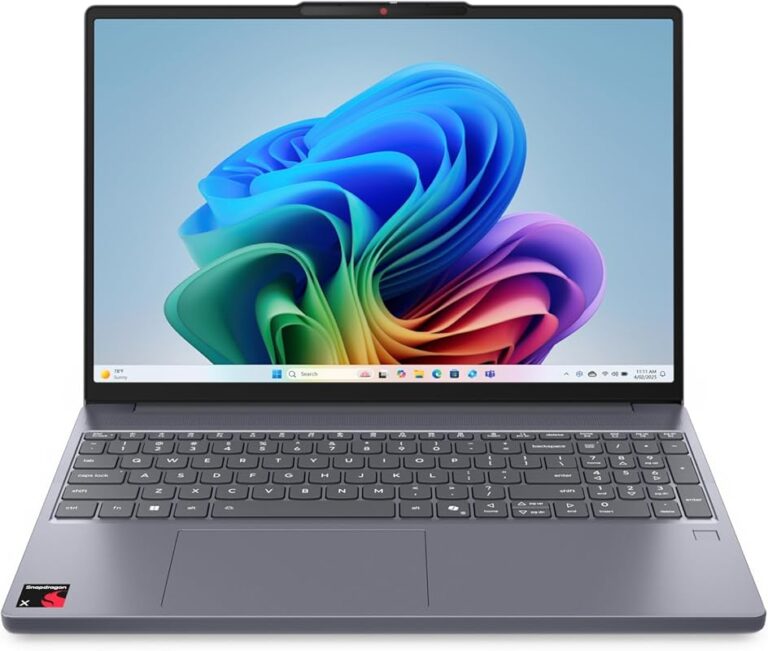
- PCs and laptops — Use the Xbox app or Microsoft Edge browser.
- Smart TVs — Use the Xbox app on Samsung and LG smart TVs.
- Amazon Fire TV — Use the Xbox app from the Amazon app store.
You will also need a controller. Xbox wireless controllers work great, and you can connect them via Bluetooth or a USB cable. Some players use third-party controllers too, as long as they are compatible with their device.
Benefits of Cloud Gaming on Xbox
Cloud gaming offers several advantages over traditional gaming. These benefits make it appealing to a wide range of players, from casual gamers to hardcore enthusiasts.
No Need for Expensive Hardware
The biggest advantage is that you do not need a powerful gaming PC or an Xbox console. The heavy lifting is done by Microsoft’s servers. This means you can play AAA titles on a budget phone or an old laptop that could never run those games locally.
For many people, this is a game-changer. Gaming becomes much more accessible when you do not need to spend hundreds of dollars on hardware. A good internet connection and a Game Pass Ultimate subscription are all you need.
Instant Access to Games
With cloud gaming, there are no long download times. You select a game from your library and start playing within seconds. This is perfect for players who do not want to wait hours for a game to download, especially if they have limited data or slow internet.
It also saves storage space on your device. Since the games run in the cloud, they do not take up room on your phone or laptop. This is a huge benefit for devices with limited internal storage.
Play Anywhere, Anytime
Cloud gaming gives you true portability. You can start a game on your TV at home, then pick it up on your phone while commuting. The save progress syncs across devices automatically through the cloud.
This flexibility is one of the main reasons players love Xbox Cloud Gaming. It fits into modern lifestyles where people are always on the move. You are never tied to one screen or one location.
Huge Game Library
Xbox Game Pass Ultimate includes hundreds of games, and nearly all of them are available through cloud streaming. From popular franchises like Halo and Forza to indie gems, there is something for everyone. New games are added regularly, so the library keeps growing.
Limitations of Cloud Gaming on Xbox
While cloud gaming is impressive, it is not perfect. Understanding the limitations helps you set realistic expectations and get the best experience possible.
Internet Dependence
Cloud gaming depends entirely on your internet connection. If your Wi-Fi drops or slows down, your gaming experience suffers. Latency, or input delay, is the most common issue. This is the tiny gap between pressing a button and seeing the action on screen.
Players in areas with poor internet infrastructure may struggle with cloud gaming. If you live somewhere with slow or unreliable internet, traditional gaming might be a better fit for you.
Data Usage
Streaming games uses a significant amount of data. On average, cloud gaming can use between 1 to 3 gigabytes of data per hour. If you are on a limited mobile data plan, this can add up quickly.
It is a good idea to monitor your data usage if you play cloud games frequently. Connecting to Wi-Fi whenever possible helps keep your data usage under control.
Controller Compatibility
Not all controllers work perfectly with every device. While Xbox controllers are well-supported, some third-party controllers may have connection issues or missing buttons. It is always a good idea to check compatibility before you rely on a specific controller for cloud gaming.
Tips for the Best Cloud Gaming Experience
Want to get the most out of Xbox Cloud Gaming? Here are some practical tips that can improve your experience significantly.
Use a Strong Wi-Fi Connection
Place your router close to where you play. Walls and distance weaken the signal. If possible, connect to a 5 GHz Wi-Fi band instead of the 2.4 GHz band. The 5 GHz band offers faster speeds and less interference.
Close Background Apps
Other apps running on your device can use bandwidth and processing power. Close any unnecessary apps or browser tabs before you start gaming. This gives cloud gaming the resources it needs to run smoothly.
Keep Your Device Charged
Streaming games can drain your battery faster than normal use. If you are playing on a phone or tablet, keep it plugged in or make sure you have enough charge. Using battery saver mode can also help extend playtime.
Update Your Apps Regularly
Microsoft regularly updates the Xbox app to improve performance and fix bugs. Keeping your app updated ensures you get the best cloud gaming experience. Check for updates in your app store regularly.
Use a Controller for the Best Feel
While you can use touch controls on some devices, a physical Xbox controller provides the best experience. The tactile buttons and triggers make a big difference, especially in action and racing games. Consider investing in a quality controller if you do not already own one.
How Cloud Gaming Compares to Traditional Gaming
Understanding the differences between cloud gaming and traditional gaming helps you decide which approach fits your needs.
| Feature | Cloud Gaming | Traditional Gaming |
|---|---|---|
| Hardware Needed | Any device with a screen | Console or powerful PC |
| Game Installation | No downloads required | Full downloads required |
| Storage Space | None needed on device | Significant storage needed |
| Internet Required | Yes, always | Only for multiplayer |
| Upfront Cost | Low (subscription only) | High (console or PC) |
| Game Library | Hundreds via Game Pass | Depends on platform |
| Latency | Slight input delay possible | Near instant response |
| Portability | Play on any device | Tied to one device |
Both approaches have their strengths. Cloud gaming wins on convenience and accessibility. Traditional gaming wins on performance and reliability. Many players use both methods depending on their situation.
For example, you might use cloud gaming on your phone during travel and switch to your Xbox console at home for the best visual quality. This hybrid approach gives you the best of both worlds.
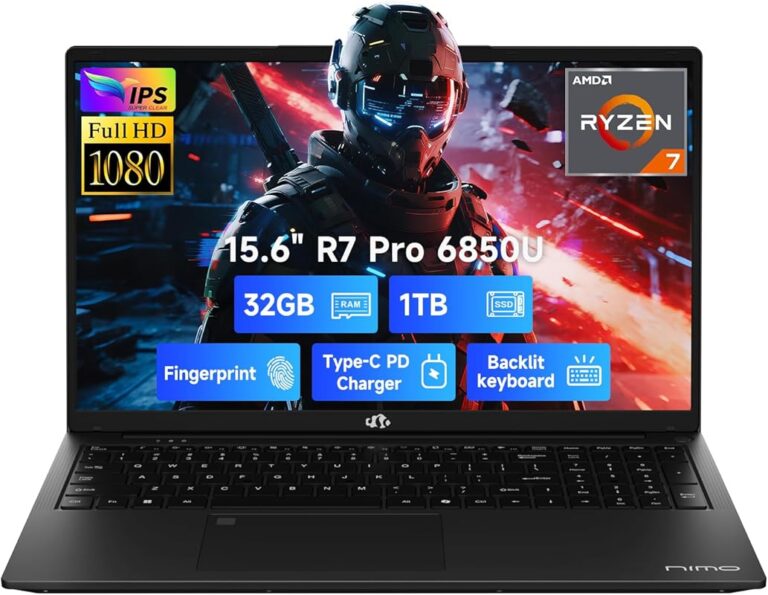
If you are curious about what makes a good setup for gaming on the go, you might want to check out what amount of RAM is good on a laptop. Having enough memory helps your device handle streaming smoothly.
Is Cloud Gaming on Xbox Worth It?
The answer depends on your gaming habits and what you value most. If you love the idea of playing Xbox games anywhere without carrying a console, cloud gaming is absolutely worth trying.
The Xbox Game Pass Ultimate subscription offers excellent value. For less than $15 a month, you get access to hundreds of games and the cloud streaming service. Compare that to buying individual games, and the savings add up quickly.
However, if you demand the absolute lowest latency and highest visual quality, a local Xbox console or a high-end gaming PC will always have an edge. Cloud gaming is improving rapidly, but it still has some way to go before it matches the performance of local hardware.
Overall, cloud gaming on Xbox is a fantastic option for casual gamers, travelers, and anyone who wants to game without the hassle of downloads and installations. It represents the future of how we play games, and it is already a great experience today.
If you are also interested in the broader Xbox ecosystem, you might want to explore what are the best Xbox gaming headsets to complete your setup. Good audio can really enhance your cloud gaming sessions.
Frequently Asked Questions
Can I play cloud games without Xbox Game Pass Ultimate?
No, you need an Xbox Game Pass Ultimate subscription to access Xbox Cloud Gaming. The subscription gives you both the streaming service and access to the game library. You can start a free trial to test it before subscribing.
Does cloud gaming work on iPhone?
Yes, you can play cloud games on iPhone and iPad. You need to use the Xbox app or the Safari browser. The experience is smooth as long as you have a stable internet connection and an Xbox Game Pass Ultimate subscription.
How much internet speed do I need for Xbox cloud gaming?
Microsoft recommends at least 10 Mbps download speed for a solid experience. For the best quality, aim for 20 Mbps or more. A wired connection is more reliable than Wi-Fi, but a strong wireless signal works well too.
Can I use a third-party controller with Xbox cloud gaming?
Yes, many third-party controllers work with Xbox Cloud Gaming. However, Xbox-branded controllers offer the most seamless experience. Always check compatibility before purchasing a third-party controller for cloud gaming.
Does cloud gaming use a lot of data?
Yes, cloud gaming typically uses 1 to 3 gigabytes of data per hour. If you are on a mobile data plan, keep an eye on your usage. Connecting to Wi-Fi whenever possible helps you avoid exceeding your data limits.
Can I save my game progress when switching devices?
Yes, your save progress syncs automatically through the cloud. You can start a game on your TV, pause it, and continue playing on your phone later. This seamless switching is one of the biggest advantages of Xbox Cloud Gaming.
=== CONCLUSION ===
Cloud gaming on Xbox is a powerful and convenient way to enjoy your favorite games without a console. It opens up gaming to anyone with a screen and a decent internet connection. From instant access to a huge library to true portability across devices, the benefits are clear and compelling.
While there are some limitations like internet dependence and slight input delay, the technology is improving every year. With Xbox Game Pass Ultimate, you get incredible value for your money. You can explore hundreds of games and stream them wherever you go.
If you have not tried cloud gaming yet, now is a great time to start. Fire up the Xbox app, grab your controller, and jump into the world of Xbox Cloud Gaming. The future of gaming is in the cloud, and it is ready for you to enjoy.