Does Leaving a Laptop Plugged in Ruin the Battery
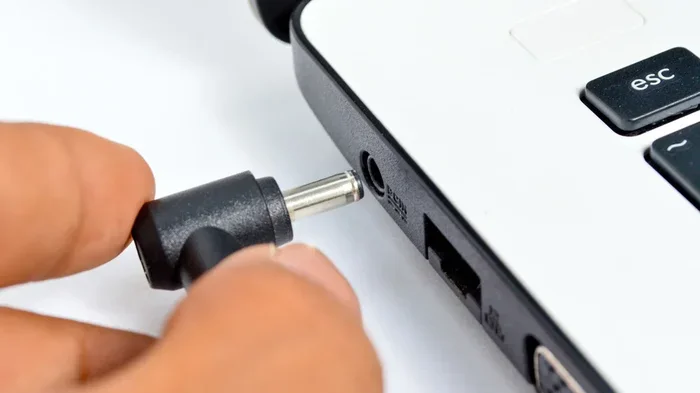
Leaving a laptop plugged in all the time does not instantly ruin the battery, but it can significantly reduce battery health over time. Modern laptops have built-in safeguards, yet continuous charging generates heat and keeps the battery at maximum voltage, which accelerates wear. Understanding how lithium-ion batteries work and adopting smart charging habits can extend your battery life by years.
You have probably wondered whether keeping your laptop plugged in around the clock is a bad idea. Maybe you use your laptop as a desktop replacement and rarely unplug it. Or maybe you have noticed your battery health declining faster than expected. The question does leaving a laptop plugged in ruin the battery comes up all the time, and the answer is more nuanced than a simple yes or no.
The truth is that leaving your laptop plugged in constantly will not destroy your battery overnight. However, it does create conditions that wear down your battery faster than normal use would. The real issue comes down to heat, voltage stress, and how lithium-ion cells react to being held at full charge for long periods. In this guide, we will walk through exactly what happens inside your battery when it stays plugged in, what you can do to protect it, and when you should actually worry about battery damage.
Whether you are a student, a remote worker, or someone who uses their laptop as a stationary machine, understanding battery health is essential. The good news is that you do not need to stop using your laptop the way you normally do. A few simple adjustments can make a big difference. Let us dive into the details.
Key Takeaways
- Lithium-ion batteries degrade faster when kept at 100% charge for extended periods.
- Heat is the biggest enemy of battery longevity, and constant charging generates extra warmth.
- Modern laptops include battery management features that help limit overcharging damage.
- Unplugging occasionally and letting the battery discharge to 20-40% helps maintain overall battery health.
- Charging habits matter more than people think, and small changes can add years to your battery lifespan.
- Battery replacement is costly, so preventive care saves money in the long run.
📑 Table of Contents
- How Laptop Batteries Actually Work
- Does Leaving a Laptop Plugged In Ruin the Battery?
- Battery Management Features in Modern Laptops
- Best Practices for Keeping Your Laptop Battery Healthy
- When You Should Actually Worry About Battery Damage
- Should You Unplug Your Laptop at Night?
- The Bottom Line on Laptop Battery Health
How Laptop Batteries Actually Work
Before we answer whether plugged-in charging harms your battery, it helps to understand what a laptop battery actually is. Almost all modern laptops use lithium-ion or lithium-polymer cells. These are the same basic battery technologies found in smartphones and tablets.
Lithium-ion batteries work by moving lithium ions between a positive and negative electrode. Every time you charge or discharge the battery, these ions shift back and forth. Over hundreds or thousands of cycles, this movement causes gradual wear at the chemical level. The battery slowly loses its maximum capacity, which is why older laptops seem to lose battery life faster.
Here are the key factors that affect lithium-ion battery health:
- Charge cycles — Each full charge and discharge counts as one cycle. Most laptop batteries are rated for 300 to 1000 cycles before significant degradation.
- Voltage stress — Keeping a battery at 100% charge pushes the cells to their maximum voltage, which accelerates chemical aging.
- Temperature — Heat dramatically speeds up battery wear. A hot battery degrades much faster than a cool one.
- Discharge depth — Regularly draining a battery to zero puts more stress on the cells than partial discharges.
When you leave your laptop plugged in, the battery stays at or near 100% charge. This means the cells are under constant voltage stress. Even though the laptop stops drawing power from the battery once it reaches full charge, the battery remains in a high-tension state that slowly causes wear over weeks and months.
Does Leaving a Laptop Plugged In Ruin the Battery?
The short answer is no, leaving a laptop plugged in does not immediately ruin the battery. The longer answer is that it contributes to faster battery degradation over time. There is a big difference between ruining a battery overnight and slowly reducing its lifespan over many months.
When your laptop is plugged in and the battery is full, the charging circuit stops pushing current into the battery. The laptop runs directly off the power adapter. However, the battery still sits at maximum charge, which keeps the internal chemistry in a stressed state. Over time, this stress adds up and reduces the total number of usable charge cycles.
Think of it like a rubber band. If you stretch it a little and release it, it holds up fine. But if you keep it stretched to the maximum all the time, the rubber eventually loses its elasticity. Your battery works in a similar way. Keeping it at 100% all the time is like keeping that rubber band stretched permanently.
That said, modern laptops are smarter than older models. Many come with built-in battery management chips that help reduce the damage caused by constant charging. Some brands even offer software settings that let you cap the maximum charge level. We will cover those tools in a later section.
The Role of Heat in Battery Degradation
Heat is the single biggest factor in battery wear, and leaving a laptop plugged in often means the system generates more heat. When the battery stays at full charge while the laptop works hard, the combination of high voltage and warmth creates a perfect storm for degradation.
This is especially true for users who run demanding applications like video editing software or games while plugged in. The laptop heats up, the battery stays at 100%, and the chemical aging process speeds up. If you have ever noticed your laptop getting warm near the keyboard or bottom vents while charging, that warmth is also affecting your battery.
Interestingly, the power draw of your laptop matters here too. When you leave a laptop plugged in, the system draws power from the adapter rather than the battery. But the power adapter and charging circuit still produce heat, which radiates into the laptop chassis and warms the battery cells.
Battery Management Features in Modern Laptops
Good news: laptop manufacturers know about the plugged-in battery problem. Most modern laptops now include features designed to reduce battery wear when you keep the device plugged in for long periods.
Here are some common battery management tools you might find on your laptop:
- Battery charge limits — Many laptops let you set a maximum charge level, such as 60% or 80%, so the battery never stays at full stress.
- Adaptive charging — Some brands learn your usage patterns and slow down charging when you are likely to keep the laptop plugged in.
- Battery saver mode — This limits power draw and can reduce heat generation while the laptop is plugged in.
- Optimized charging — The laptop delays reaching 100% until you are about to unplug it, reducing the time the battery spends at full charge.
These features make a real difference. If your laptop has them, you should absolutely enable them. They are usually found in the manufacturer’s power management software or in the BIOS settings. Check your laptop brand’s support website for specific instructions on how to access these tools.
Best Practices for Keeping Your Laptop Battery Healthy
You do not need to stop using your laptop plugged in to protect the battery. Instead, follow a few smart habits that balance convenience with long-term battery health.
1. Unplug Occasionally and Let the Battery Discharge
One of the simplest things you can do is unplug your laptop and use it on battery power for a while. Let the battery drain to around 20% or 30%, then plug it back in. This gives the battery a break from the constant full-charge state and helps maintain its chemical balance.
You do not need to do this every day. Once or twice a week is usually enough. The goal is to avoid letting the battery sit at 100% for days or weeks on end without any discharge at all.
2. Keep Your Laptop Cool
Since heat is the number one battery killer, keeping your laptop cool should be a priority. Use it on a hard, flat surface rather than a bed or couch, where vents can get blocked. Consider using a cooling pad if you run heavy workloads for long periods.
Also, avoid charging your laptop in hot environments. Do not leave it in direct sunlight or near a heater while it is charging. A cool charging environment does wonders for long-term battery health.
3. Use Battery Saver or Low-Power Mode When Possible
Battery saver mode reduces the power your laptop draws, which means less heat and less stress on the battery. Even when you are plugged in, turning on battery saver can help keep temperatures lower and reduce the rate of chemical aging.
4. Update Your Laptop’s Firmware and Drivers
Laptop manufacturers regularly release firmware updates that improve battery management. These updates can refine how the charging circuit behaves and help reduce unnecessary battery stress. Check for updates from your laptop brand at least once a month.
5. Consider Your Charging Habits Over Time
If you always keep your laptop plugged in, think about whether that is really necessary. If you only need it plugged in while working at your desk, try unplugging it during meetings or when you move around. Small changes in your routine can add up to significant battery life preservation over the months and years.
When You Should Actually Worry About Battery Damage
Not every battery issue comes from leaving the laptop plugged in. Sometimes the problem is a different charging habit or a hardware issue. Here are signs that your battery may already be damaged:
- Noticeable swelling — If your laptop battery starts to bulge or the trackpad feels raised, stop using the laptop immediately and seek professional help.
- Dramatic battery life loss — If your laptop used to last 6 hours and now lasts 1.5 hours, the battery may be worn out.
- Slow charging — If the battery takes much longer to charge than it used to, the cells may be degraded.
- Unexpected shutdowns — If the laptop shuts down even though the battery indicator shows charge remaining, the battery may no longer be reporting accurately.
If you experience any of these issues, it may be time to consider a battery replacement. The cost varies by laptop model, but it is almost always cheaper than buying a new laptop. You can also check whether your laptop is still under warranty, as some manufacturers cover battery defects.
Should You Unplug Your Laptop at Night?
This is one of the most common questions about battery care, and the answer depends on your setup. If you leave your laptop plugged in overnight every night, the battery will sit at 100% for several hours. Over time, this adds up.
However, if your laptop has optimized charging or a battery charge limit feature, leaving it plugged in overnight is much less of a concern. The laptop will hold the battery at a safe level and only top it up right before you need to unplug it.
If you do not have these features, consider plugging in a simple timer outlet or smart plug. Set it to cut power a few hours before you wake up. This prevents the battery from sitting at full charge all night while you sleep. It is a small change that can meaningfully extend battery life.
The Bottom Line on Laptop Battery Health
Leaving a laptop plugged in does not instantly ruin the battery, but it does create conditions that wear the battery down faster over time. The key factors are heat, voltage stress from staying at 100% charge, and how long the battery remains in that high-tension state.
The good news is that you have plenty of tools and habits at your disposal to protect your battery. Use built-in charge limits, keep your laptop cool, unplug occasionally, and enable battery saver mode. These small steps can add years of useful life to your laptop battery.
If you are in the market for a new laptop and battery life is a top priority, timing your purchase can also help. The best time to buy a laptop often aligns with sales events and newer battery technology releases. Check out our guide on when is the best time to purchase a laptop for tips on finding the best deals with strong battery performance.
Ultimately, the goal is not to live in fear of plugging in your laptop. It is to be aware of what happens inside the battery and make small, smart adjustments. Your laptop battery works hard every day. A little care goes a long way toward keeping it healthy and reliable for years to come.
Frequently Asked Questions
Can I leave my laptop plugged in 24/7 without any damage?
You can leave it plugged in most of the time, but 24/7 charging without any discharge will gradually reduce battery health. Modern laptops have safeguards, but it is still best to unplug occasionally and let the battery cycle between 20% and 80%.
What is the best battery charge level to keep a laptop at?
Most experts recommend keeping your laptop battery between 20% and 80%. This range reduces voltage stress on the lithium-ion cells and significantly slows down chemical aging compared to keeping the battery at 100% or draining it to zero.
Does heat really affect laptop battery life that much?
Yes, heat is the number one enemy of lithium-ion batteries. High temperatures accelerate the chemical reactions inside the battery cells, causing them to degrade faster. Keeping your laptop cool is one of the most effective ways to preserve battery health over the long term.
How often should I calibrate my laptop battery?
Battery calibration involves fully charging the battery to 100%, then letting it drain completely until the laptop shuts off, and then charging it back to full. Most experts recommend doing this once every two to three months. This helps the battery meter stay accurate and can improve overall battery performance.
Is it better to remove the battery if I always use my laptop plugged in?
For laptops with removable batteries, taking the battery out while using the laptop on power can help preserve battery health. However, many modern laptops have sealed batteries that cannot be removed. In those cases, use the built-in battery management features instead.
How do I know if my laptop battery needs to be replaced?
Signs that your battery needs replacement include significant swelling, a dramatic drop in battery life, slow charging, and unexpected shutdowns. You can also check your battery health status in your operating system settings. If the battery health drops below 60-70% of its original capacity, replacement is usually the best option.
=== CONCLUSION ===
So, does leaving a laptop plugged in ruin the battery? The honest answer is that it contributes to gradual wear, but it does not cause instant destruction. The real concern is long-term exposure to high voltage, heat, and staying at 100% charge without any breaks. By understanding how your lithium-ion battery works and adopting a few simple charging habits, you can protect your battery and get the most life out of it.
Use battery charge limits when available, keep your laptop cool, unplug occasionally, and monitor your battery health over time. These small actions add up and can save you the cost and hassle of an early battery replacement. Take care of your battery today, and it will take care of you tomorrow.