What Is Githubusercontentcom
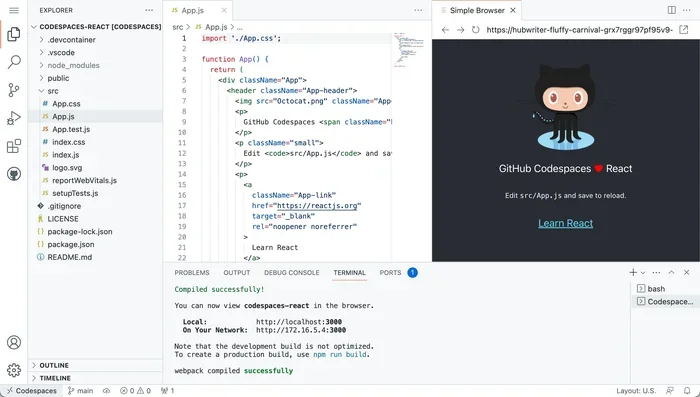
Githubusercontent.com is a GitHub domain that delivers raw files and static content directly from public repositories. It acts as a simple CDN for developers who need to host images, scripts, or documentation without a separate server. Whether you are coding on a laptop or building a website, understanding this domain helps streamline your workflow.
If you have ever looked at a GitHub repository and seen an image or a script loading from a strange-looking URL, there is a good chance it came from githubusercontent.com. This domain plays a quiet but essential role in the developer world. It handles the delivery of raw files stored in public GitHub repositories.
For anyone who codes on a laptop, whether a student, a freelancer, or a full-time developer, this domain pops up more often than you might think. It is the backbone behind many simple hosting setups, documentation pages, and project assets. In this guide, we will break down exactly what githubusercontent.com is, how it works, and why it matters for your daily workflow.
Key Takeaways
- What it is: A GitHub-operated domain that serves raw content from public repositories.
- How it works: It constructs URLs using your repository name, branch, and file path to deliver files instantly.
- Common uses: Hosting images, embedding scripts, sharing documentation, and powering GitHub Pages.
- Laptop relevance: Developers rely on it daily when working with code repositories on their machines.
- Security note: Content served is public, so never host sensitive files on githubusercontent.com.
- Performance: It leverages a global CDN for fast file delivery worldwide.
📑 Table of Contents
- What Is Githubusercontentcom?
- How Githubusercontentcom Works
- Common Uses For Githubusercontentcom
- Why Developers Working on Laptops Should Care
- Security Considerations
- Tips For Using Githubusercontentcom Effectively
- Limitations You Should Know About
- How This Relates to Your Development Workflow
- Final Thoughts
What Is Githubusercontentcom?
Githubusercontent.com is a content delivery domain owned and operated by GitHub. When you store files in a public repository, GitHub can serve those files through this domain. It removes the need for a separate web server or hosting plan just to share raw content.
The domain follows a predictable URL structure. A typical link looks like this:
https://raw.githubusercontent.com/username/repo/branch/path/to/file
Each part of that URL tells GitHub exactly where to find the file. The username is your GitHub handle. The repo is the repository name. The branch specifies which version of the file to serve. And the path points to the exact file location inside that repository.
Why Does This Domain Exist?
GitHub is primarily a code hosting platform. But developers often need to share more than just code. They need to display images in README files. They need to embed scripts on web pages. They need to share configuration files with their team. Githubusercontent.com solves all of these needs without requiring extra infrastructure.
Think of it as a free, built-in file hosting service tied directly to your repositories. It is especially useful for developers who work on lightweight projects and do not want to pay for additional hosting. If you are building a simple portfolio or a documentation site, this domain can be a lifesaver.
How Githubusercontentcom Works
The domain operates behind the scenes whenever you access a raw file from a public GitHub repository. GitHub routes the request through its content delivery network. This ensures fast loading times no matter where you are in the world.
Here is a simple breakdown of the process:
- You request a file using the raw GitHub URL.
- GitHub identifies the repository, branch, and file path.
- The system fetches the file from the repository.
- The file is served through the githubusercontent.com domain.
- The content reaches your browser or application quickly.
One important thing to note is that this domain only serves public content. Private repository files are not accessible through this domain. This is a key security feature that keeps your sensitive data protected.
URL Structure Explained
Understanding the URL structure helps you troubleshoot broken links and organize your repositories better. Here is what each segment means:
- raw.githubusercontent.com — The main subdomain for raw file delivery.
- username — Your GitHub account name.
- repo — The name of the repository containing the file.
- branch — The specific branch, usually main or master.
- file path — The location of the file within the repository folders.
When you change a file in your repository, the URL stays the same but the content updates automatically. This makes it a reliable way to link to the latest version of any file in your project.
Common Uses For Githubusercontentcom
Developers use this domain in a variety of practical ways. Let us explore the most common use cases that you will encounter while working on your laptop.
Hosting Images in README Files
GitHub README files support Markdown syntax. You can embed images directly using the githubusercontent.com domain. This is the most common use case for the domain. Instead of uploading images to a separate image hosting service, you can store them right inside your repository.
For example, if you have a screenshot saved in your project folder, you can reference it in your README like this:

This keeps all your project assets in one place. It also ensures that your documentation always displays the correct images.
Embedding Scripts and Stylesheets
Some developers use githubusercontent.com to host JavaScript or CSS files for small projects. This approach works well for quick prototypes, demo pages, or open-source tools that do not need a full hosting setup. It is similar in concept to how platforms like Webflow simplify web publishing, but with a focus on raw code files.
However, keep in mind that this is not a replacement for a proper production CDN. It lacks advanced features like custom domains, SSL certificates on custom URLs, and enterprise-grade uptime guarantees.
Sharing Configuration Files
Many developers share dotfiles, configuration templates, and setup scripts through their repositories. Using githubusercontent.com makes it easy for others to download these files directly. You can link to a configuration file in your documentation, and others can fetch it with a simple curl or wget command.
Powering GitHub Pages
GitHub Pages is a static site hosting service provided by GitHub. While GitHub Pages uses its own domain structure, the underlying content delivery often involves githubusercontent.com. If you have ever built a simple website directly from a repository, you have likely interacted with this domain indirectly.
Why Developers Working on Laptops Should Care
If you do most of your coding on a laptop, understanding githubusercontent.com can save you time and headaches. Your laptop is your primary development environment. It is where you write code, test applications, and push changes to repositories. The files you work with often need to be shared with teammates or displayed in documentation.
This domain simplifies that sharing process. You do not need to set up a separate file server or pay for cloud storage. Your repository on GitHub becomes the single source of truth for both code and assets. This is especially helpful for developers who work on multiple projects and need a lightweight, consistent way to host project files.
Another reason this matters for laptop users is offline workflow planning. When you know how GitHub serves your files, you can better structure your repositories for easy access. You can organize your folders, name your branches clearly, and ensure that all linked assets resolve correctly when you push your changes.
Comparing Githubusercontentcom to Other Hosting Options
There are several ways to host static files online. Here is how githubusercontent.com compares to some popular alternatives:
| Feature | Githubusercontentcom | Cloud Storage (S3, etc.) | Free CDN (Netlify, Vercel) |
|---|---|---|---|
| Cost | Free | Free tier available | Free tier available |
| Setup Complexity | Very low | Moderate | Low to moderate |
| Custom Domain | No | Yes | Yes |
| Private File Support | No | Yes | Yes |
| Global CDN | Yes | Yes | Yes |
| Best For | Quick sharing and docs | Production hosting | Full websites and apps |
As you can see, githubusercontent.com shines when you need a fast, no-setup solution for public files. It is not designed for production websites or private content. But for everyday developer needs, it is hard to beat.
Security Considerations
While githubusercontent.com is convenient, it comes with important security limitations. Because the domain serves public content, anything you host there is accessible to anyone on the internet. This means you should never store sensitive information in files served through this domain.
Here are some key security practices to follow:
- Never commit API keys, passwords, or tokens to a public repository.
- Use environment variables for sensitive configuration on your laptop.
- Review your repository visibility settings before pushing files.
- Remember that anyone can access files served through this domain.
- Use private repositories for work-related or confidential projects.
GitHub provides tools to scan for leaked secrets in repositories. You should enable these features to protect your accounts and projects. A good habit is to review your public repositories periodically and remove any files that should not be shared.
Tips For Using Githubusercontentcom Effectively
Here are some practical tips to get the most out of this domain while working on your laptop:
- Always use the raw URL format. The standard githubusercontent.com URL points to the raw file content. Using the regular GitHub page URL will not work for embedding or direct downloads.
- Pin your branch references. Instead of using a branch name like main, consider using a specific commit hash for critical assets. This prevents unexpected changes from breaking your links.
- Organize your assets folder. Keep all images, scripts, and stylesheets in a dedicated folder within your repository. This makes your URLs cleaner and easier to manage.
- Test your links before sharing. Open the URL in a browser to confirm the file loads correctly before including it in documentation or README files.
- Combine with GitHub Pages for larger projects. If you need more control over your content, consider using GitHub Pages alongside githubusercontent.com for asset hosting.
These small habits can make a big difference in how smoothly your projects run. They also help you maintain clean, professional repositories that others can easily use and contribute to.
Limitations You Should Know About
Githubusercontent.com is a powerful tool, but it is not without limitations. Understanding these helps you set realistic expectations for your projects.
First, the domain only serves public content. If you need to host private files, you will need a different solution. Second, there is no custom domain support. All files are served under the githubusercontent.com domain, which may not look professional for client-facing projects.
Third, rate limits apply. GitHub enforces rate limits on API requests and raw file accesses. If you exceed these limits, your requests may be temporarily blocked. For most personal projects, this is not an issue. But for high-traffic applications, you should consider a dedicated hosting solution.
Finally, githubusercontent.com is not a full web hosting platform. It does not support server-side rendering, databases, or dynamic content. It is strictly for serving static files. If you need dynamic functionality, you should look into platforms that offer SaaS environment capabilities or full-stack hosting solutions.
How This Relates to Your Development Workflow
Every developer has a unique workflow. Some prefer working from a desktop setup, while others are fully mobile with a laptop. No matter which device you use, githubusercontent.com fits naturally into your daily routine.
When you write documentation, you embed images from this domain. When you share code snippets, you link to configuration files hosted here. When you collaborate with a team, your teammates can access the same assets instantly. It is a simple, elegant solution that removes friction from the development process.
If you also use GitHub for project management and tracking issues, the connection becomes even stronger. Your repositories serve as both code storage and asset hosting. Everything lives in one place, making collaboration smoother and more efficient.
Final Thoughts
Githubusercontent.com might seem like a small, technical detail. But for developers who work on laptops and build projects every day, it is an incredibly useful tool. It provides a free, reliable way to serve raw files from public repositories without any extra setup or cost.
Whether you are hosting images for your README, sharing scripts with your team, or building a simple static site, this domain has you covered. Just remember its limitations. Keep sensitive files out of public repositories, and do not rely on it for production-grade hosting needs.
Once you understand how githubusercontent.com fits into your workflow, you will wonder how you ever managed without it. It is one of those behind-the-scenes tools that makes the developer experience smoother and more enjoyable. Embrace it, use it wisely, and let it handle your static content delivery while you focus on writing great code.
Frequently Asked Questions
Is githubusercontent.com free to use?
Yes, githubusercontent.com is completely free for serving files from public GitHub repositories. There are no hidden costs, no subscription fees, and no usage charges for standard file delivery.
Can I use githubusercontent.com for private files?
No, githubusercontent.com only serves files from public repositories. Private repository content is not accessible through this domain. You would need a different hosting solution for private files.
Does githubusercontent.com support custom domains?
No, files served through this domain always use the githubusercontent.com URL. If you need a custom domain, you should look into GitHub Pages or a third-party hosting provider.
Is githubusercontent.com a CDN?
Yes, it functions as a content delivery network for raw repository files. GitHub routes requests through its global CDN infrastructure to ensure fast loading times for users around the world.
Can I host a full website on githubusercontent.com?
No, this domain only serves static files. It does not support server-side code, databases, or dynamic content. For full websites, you should use GitHub Pages or a dedicated web hosting platform.
What happens if I update a file on GitHub?
The githubusercontent.com URL will automatically serve the updated content from the same branch. There is no need to change the URL. However, browsers may cache the old version, so a hard refresh might be needed to see the latest file.