What Is Multi Factor Email Verification
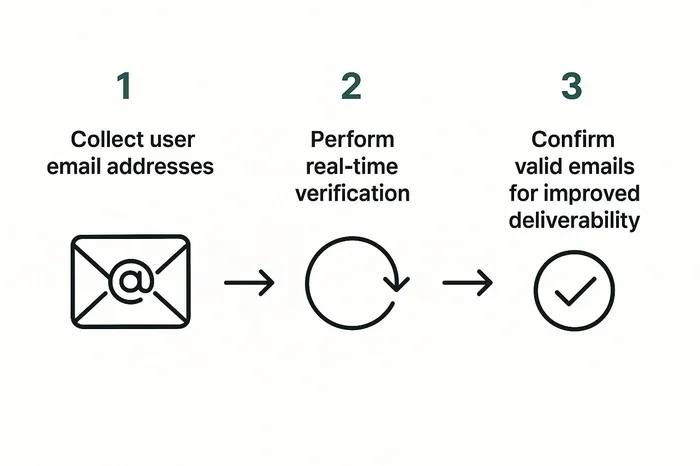
Multi factor email verification is a security process that asks for more than one proof of identity before letting you into your email account. It combines something you know, something you have, and sometimes something you are. This extra layer keeps hackers out and protects your personal data on your laptop and phone.
Your email account holds a lot of personal information. It stores your bank statements, private messages, and account reset links. That is exactly why hackers love to target email accounts. One of the best ways to stop them is through multi factor email verification. This method adds extra layers of protection so that even if someone steals your password, they still cannot get in.
In this guide, we will walk you through everything you need to know. You will learn what multi factor verification is, how it works, and why it matters. We will also cover the different methods you can use and how to set it up on your laptop. By the end, you will know exactly how to keep your email safe and secure.
Key Takeaways
- Extra Protection: Multi factor verification adds a second or third step beyond your password to guard your email account.
- Simple Setup: Most email providers let you turn on verification in just a few minutes from your laptop or phone settings.
- Multiple Methods: You can use SMS codes, authenticator apps, hardware keys, or biometric scans as your second factor.
- Reduces Hacking Risk: Studies show that multi factor authentication stops over 99% of automated attacks on email accounts.
- Laptop Security Matters: Securing your email is one of the best investments you can make for the overall lifespan of your PC.
- Recovery Options: Setting up backup verification methods ensures you never get locked out of your own account.
📑 Table of Contents
- What Is Multi Factor Email Verification?
- How Does Multi Factor Email Verification Work?
- Why Is Multi Factor Email Verification Important?
- Types Of Multi Factor Verification Methods
- How To Set Up Multi Factor Email Verification On Your Laptop
- Common Mistakes To Avoid With Email Verification
- Final Thoughts On Multi Factor Email Verification
What Is Multi Factor Email Verification?
Multi factor email verification is a security process that requires two or more forms of identification before granting access to an email account. Think of it like a bank that asks for your ID card and your PIN number before letting you withdraw money. Both pieces of proof must match before you get access.
Most people only use a password to protect their email. But passwords alone are not enough anymore. Hackers use powerful tools to guess or steal passwords every single day. Multi factor verification solves this problem by adding one or more extra checks. These checks make it much harder for bad actors to break into your inbox.
The concept is also known as multi factor authentication or two step verification. The terms are often used interchangeably. They all mean the same thing: you must prove who you are in more than one way. This simple idea has become a standard in email security across the world.
How Does It Differ From Regular Password Protection?
A regular password is something you know. That is only one factor. Multi factor verification combines different types of factors. Each factor comes from a different category. This makes it far more difficult for attackers to succeed.
- Something you know: A password or a security question answer.
- Something you have: Your phone, a security key, or an authenticator app.
- Something you are: A fingerprint, face scan, or other biometric data.
When your email asks for your password and then sends a code to your phone, that is two factor verification. Both factors must be correct. A hacker would need to steal your password AND get hold of your physical phone. That is a much harder task.
How Does Multi Factor Email Verification Work?
The process is simpler than you might think. When you log in to your email on your laptop, the system first asks for your username and password. If those match, the system does not let you in just yet. It then asks for a second proof of identity. Only after you provide that does the system open your inbox.
The Step By Step Login Process
Here is what a typical multi factor email verification flow looks like:
- You enter your email address and password on the login page.
- The system checks if the password is correct.
- If it is correct, the system prompts you for a second factor.
- You receive a code on your phone or use an authenticator app.
- You enter the code and the system grants access.
This whole process takes only a few extra seconds. But those few seconds make a huge difference in protecting your account. The entire email verification process is designed to be fast and painless while still being very secure.
What Happens If You Fail A Verification Step?
If you enter the wrong password, the system blocks you. If you enter the wrong second code, the system also blocks you. Some systems lock your account temporarily after too many failed attempts. This prevents hackers from guessing their way in. Always make sure you have backup options ready so you do not get locked out by mistake.
Why Is Multi Factor Email Verification Important?
The importance of multi factor email verification cannot be overstated. Your email is the gateway to almost everything online. It is tied to your bank accounts, social media, shopping sites, and work tools. If a hacker gets into your email, they can reset passwords on all those other accounts too.
Protection Against Common Threats
Here are some of the most common threats that multi factor verification helps prevent:
- Phishing attacks: Hackers send fake emails that trick you into revealing your password. With multi factor verification, the stolen password alone is not enough.
- Brute force attacks: Automated tools try thousands of password combinations. A second factor stops these attempts cold.
- Data breaches: When a website gets hacked, your password may leak online. Multi factor verification keeps your email safe even if your password is exposed.
- Credential stuffing: Hackers use passwords leaked from one site to try logging into other sites. The second factor blocks this tactic.
Is It Really That Effective?
Yes. Research shows that multi factor authentication blocks over 99 percent of automated attacks. That is a stunning number. It means that even if a hacker has your password, they are almost certainly stopped by the second verification step. Adding this layer is one of the best investments for PC lifespan because it protects all the data stored on your device.
Types Of Multi Factor Verification Methods
Not all verification methods are the same. Different options offer different levels of convenience and security. Let us look at the most common methods you can use to protect your email account.
SMS Codes
This is the most popular method. After entering your password, the email service sends a text message with a code to your phone. You type that code into the login page. It is easy to set up and works on almost every phone. However, SMS codes are not the most secure option. Hackers can sometimes intercept text messages through SIM swapping attacks.
Authenticator Apps
Apps like Google Authenticator, Microsoft Authenticator, and Authy generate time based codes every 30 seconds. These codes work even without an internet connection. Authenticator apps are more secure than SMS codes because they do not rely on phone networks. They are a great choice for anyone serious about email account protection.
Hardware Security Keys
A hardware key is a small device you plug into your laptop or tap against your phone. Brands like YubiKey and Google Titan make popular options. These keys are considered the gold standard of secure login methods. They are very hard for hackers to clone or intercept. The downside is that you need to buy the device and keep it with you.
Biometric Verification
Many modern laptops support fingerprint readers and facial recognition. You can use these as a second factor when logging into your email. Biometric data is unique to you and very hard to fake. This method is fast and convenient. Just place your finger on the sensor or look at your camera, and you are in.
Email Backup Codes
Some services give you a set of backup codes when you set up multi factor verification. Each code can be used once if you lose access to your phone. These codes are a great safety net. Store them somewhere safe, like a locked drawer or a secure password manager.
Comparison Table
| Method | Security Level | Convenience | Cost |
|---|---|---|---|
| SMS Codes | Medium | Very High | Free |
| Authenticator Apps | High | High | Free |
| Hardware Keys | Very High | Medium | Paid |
| Biometric Verification | High | Very High | Free (built in) |
| Backup Codes | Medium | Low | Free |
How To Set Up Multi Factor Email Verification On Your Laptop
Setting up multi factor email verification on your laptop is quick and straightforward. Most major email providers make the process easy. Here is how to do it on the most popular platforms.
Setting Up On Gmail
Open Gmail on your laptop and click your profile picture in the top right corner. Go to Manage Your Google Account. Click on Security in the left menu. Look for Two Step Verification and click it. Follow the prompts to add your phone number or set up an authenticator app. Google will guide you through each step clearly.
Setting Up On Outlook
Sign in to your Outlook account on the web. Click on your profile icon and select My Microsoft Account. Go to Security settings and find Two Step Verification. Click Turn On and follow the setup wizard. You can choose to receive codes via text, email, or an authenticator app.
Setting Up On Yahoo Mail
Log in to Yahoo Mail and click the Settings gear icon. Select Account Info and then go to Account Security. Find Two Step Verification and toggle it on. Yahoo will ask you to add a phone number for receiving verification codes. Once set up, you will need both your password and the code to log in.
Tips For A Smooth Setup
- Make sure your phone is nearby during setup.
- Save your backup codes in a safe place.
- Test the setup by logging out and logging back in.
- Update your laptop RAM and operating system to ensure smooth performance during the verification process.
- If you use a password manager, check if it supports storing multi factor authentication codes.
Common Mistakes To Avoid With Email Verification
Even with multi factor verification set up, mistakes can still weaken your security. Here are some common pitfalls to watch out for.
Skipping Backup Methods
Many people set up SMS verification but do not add backup codes. If you lose your phone or it gets damaged, you could be locked out of your email permanently. Always set up at least two verification methods. This way, you have a fallback option if your primary method fails.
Using SMS When Better Options Exist
SMS is better than nothing, but it is not the most secure choice. SIM swapping attacks have become more common in recent years. If your provider offers authenticator apps or hardware keys, use those instead. They provide much stronger identity verification and give you peace of mind.
Ignoring Verification Prompts
Some people get tired of entering codes and start ignoring verification prompts. Never skip or disable multi factor verification just because it feels inconvenient. That extra few seconds could save you from a devastating data breach. Remember, securing your email is one of the smartest steps you can take for your overall digital security.
Sharing Verification Codes
Never share your verification codes with anyone. Legitimate companies will never ask you for your codes over email or phone. If someone asks for your code, it is almost certainly a scam. Hang up or delete the message immediately.
Final Thoughts On Multi Factor Email Verification
Multi factor email verification is one of the simplest and most effective ways to protect your online identity. It adds a powerful second layer of defense that stops the vast majority of attacks before they reach your inbox. Whether you use SMS codes, authenticator apps, hardware keys, or biometric scans, the key is to turn it on and use it consistently.
Your email account is connected to nearly every part of your digital life. Protecting it should be a top priority. Setting up multi factor verification takes only a few minutes, but the protection it provides lasts a lifetime. Make it a habit to review your security settings every few months and update your verification methods as needed.
Stay proactive about your email security. Use strong, unique passwords alongside multi factor verification. Keep your laptop and devices updated with the latest software. And remember that every small step you take toward better security makes a big difference in keeping your personal data safe.
Frequently Asked Questions
What is the difference between two factor and multi factor email verification?
Two factor verification uses exactly two proof steps, like a password plus a text code. Multi factor verification is a broader term that means using two or more steps. In practice, most people use the terms to mean the same thing. Both approaches add a second layer beyond your password.
Can multi factor email verification be hacked?
It is extremely difficult to hack an account with multi factor verification enabled. A hacker would need your password and access to your second factor at the same time. While no system is 100 percent foolproof, multi factor authentication blocks over 99 percent of automated attacks. It is by far the best protection available for your email account.
What should I do if I lose my phone and cannot verify my email?
This is why backup codes are so important. When you set up multi factor verification, save the backup codes in a safe place. You can use a backup code to log in if you lose your phone. You can also contact your email provider to recover your account through their identity verification process.
Is multi factor email verification available on all email providers?
Most major email providers now offer multi factor verification. Gmail, Outlook, and Yahoo Mail all support it. Many smaller providers have also added this feature. Check your account settings under Security to see if your provider offers it. If they do, you should enable it right away.
Does multi factor verification slow down the login process?
It adds only a few extra seconds to your login. The first time you log in on a new device, you will need to enter a code. After that, many systems remember your device and skip the extra step. The small delay is well worth the strong protection it provides for your email account.
Can I use multi factor verification on more than one device?
Yes. You can set up multi factor verification on your laptop, phone, and tablet. Most authenticator apps support multiple devices. You can also receive SMS codes on any phone number you choose. The key is to make sure each device you use regularly is registered and trusted by your email provider.
=== CONCLUSION ===
Multi factor email verification is a must have tool for anyone who uses email on a laptop or any other device. It adds a simple but powerful extra layer of protection that keeps hackers out and your personal data safe. The setup process is fast, the methods are varied, and the benefits are enormous. Take a few minutes today to turn on multi factor verification on your email account. Your future self will thank you for taking this important step toward better digital security.