What Is the Difference Between an Intel an Amd Computer
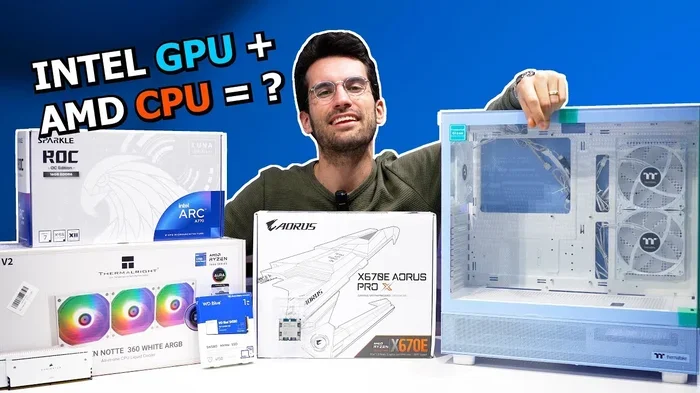
Intel and AMD are the two biggest names in computer processors, and choosing between them can feel confusing. Intel chips often lead in single-thread speed and efficiency, while AMD processors shine with more cores and value for money. This guide breaks down the key differences in performance, gaming, power use, and price so you can pick the right CPU with confidence.
When you are shopping for a new computer, one of the biggest decisions you will face is choosing between an Intel or an AMD processor. These two companies have been competing for decades, and their rivalry drives innovation in every generation of chips. But what does this mean for you as a buyer?
Understanding the differences between Intel vs AMD processors helps you make a smarter purchase. Whether you are building a gaming PC, editing videos, or just browsing the web, the right processor can make a huge difference in your experience. Let us break it all down in simple terms.
Key Takeaways
- Intel leads in single-core speed: Intel processors tend to deliver faster clock speeds for everyday tasks and light workloads.
- AMD offers more cores at a lower price: AMD chips give you more threads and multi-core performance, especially in budget and mid-range tiers.
- Gaming performance is close: Both brands offer excellent gaming CPUs, with Intel having a slight edge in some titles and AMD providing better value.
- Power consumption differs: AMD chips often run cooler and use less power at similar performance levels, while Intel has improved its efficiency in recent generations.
- Integrated graphics vary: Intel’s integrated GPUs are generally stronger for basic tasks, while AMD APUs are great for light gaming without a discrete graphics card.
- Your use case matters most: Content creators and multitaskers benefit from AMD’s core count, while gamers and office users may prefer Intel’s speed.
📑 Table of Contents
- What Are Intel and AMD Processors?
- Intel vs AMD: Performance Breakdown
- Gaming: Which Processor Is Better?
- Power Consumption and Heat
- Integrated Graphics: Built-In vs Discrete
- Price and Value Comparison
- Common Mistakes When Choosing a Processor
- Expert Insight: The Future of Intel vs AMD
- Final Verdict
What Are Intel and AMD Processors?
Both Intel and AMD make central processing units, or CPUs. The CPU is the brain of your computer. It handles every task you throw at your machine, from opening apps to running complex software. Intel has been the dominant player in the CPU market for many years. AMD has caught up and now offers serious competition at every price point.
Each company uses its own chip architecture. Intel uses architectures like Alder Lake, Raptor Lake, and Meteor Lake. AMD uses architectures based on Zen, including Zen 3 and Zen 4. These architectures determine how efficient and powerful each chip is. The processor generation also matters a lot when comparing performance.
How CPUs Work in Simple Terms
A CPU processes instructions from your software. It does this by fetching data, decoding it, and executing tasks. Two key factors determine how fast this happens: clock speed and core count. Clock speed is measured in gigahertz (GHz). A higher clock speed means the chip can complete tasks faster. Core count refers to how many independent processing units are inside the chip. More cores mean better multitasking.
Modern processors also use threading, which allows each core to handle two tasks at once. This is called hyperthreading on Intel and simultaneous multithreading (SMT) on AMD. Threading boosts performance in workloads that use multiple threads, like video editing and streaming.
Intel vs AMD: Performance Breakdown
When comparing Intel and AMD performance, the answer depends on what you are doing. Let us look at the main areas where these chips differ.
Single-Core Performance
Intel processors have traditionally excelled in single-core tasks. This is the speed at which one core handles a single instruction. Many everyday applications, like web browsers and office software, rely heavily on single-core speed. Intel chips often win in this category, especially at the high end.
However, AMD has closed the gap significantly. Their latest Zen 4 chips offer strong single-core performance that rivals Intel in many scenarios. For most users, the difference in single-core speed is barely noticeable in daily use.
Multi-Core Performance
This is where AMD shines. AMD processors typically offer more cores and threads at the same price point. If you run workloads that use many cores, like video rendering or 3D modeling, AMD chips deliver excellent value. The multi-thread performance of AMD’s Ryzen lineup has earned it a strong reputation among content creators.
Intel has also improved its core counts in recent generations. Their higher-end chips now offer more cores than before. But AMD still leads in core-to-core value, especially in the mid-range segment.
Gaming: Which Processor Is Better?
Gaming performance is one of the most debated topics in the Intel vs AMD discussion. The truth is that both brands offer fantastic gaming CPUs. The difference often comes down to the specific game and the graphics card paired with the processor.
Intel processors tend to have a slight edge in gaming at 1080p resolution. This is because many games rely on strong single-core performance. Intel’s higher clock speeds in some models give it a small advantage in these scenarios.
AMD processors, especially the Ryzen 7000 series, deliver outstanding gaming performance as well. When paired with a strong GPU, AMD chips perform very competitively. For example, the Ryzen 7 5700G is a popular APU that offers solid gaming without a discrete graphics card. Check out what GPU is equivalent to the Ryzen 7 5700G for more details on pairing options.
At 1440p and 4K, the processor matters less because the graphics card becomes the bottleneck. In these cases, both Intel and AMD perform very similarly.
Quick Tip for Gamers
If you are building a gaming PC on a budget, consider pairing an AMD Ryzen CPU with a mid-range graphics card. This combination often delivers the best value. You can save money on the processor and invest more in the GPU, which has a bigger impact on frame rates.
Power Consumption and Heat
Power consumption and heat output are important factors that are often overlooked. A processor that uses more power generates more heat. This affects your cooling solution, electricity bills, and overall system noise.
AMD processors have generally been more power-efficient than Intel chips at similar performance levels. AMD’s Zen architecture has made significant strides in reducing thermal design power (TDP) while maintaining strong performance. This means AMD chips often run cooler and quieter.
Intel has improved its efficiency in recent generations. Their 13th and 14th generation Core processors are more efficient than older models. However, Intel’s high-end chips can still draw a lot of power under full load. This means you may need a better CPU cooler to keep temperatures in check.
Why Cooling Matters
Proper cooling keeps your processor running at peak performance. A good CPU cooler prevents thermal throttling, which is when a chip slows down to avoid overheating. Whether you choose Intel or AMD, investing in a quality cooler is always a smart move. Learn more about choosing the right CPU cooler for your build.
Integrated Graphics: Built-In vs Discrete
Not every computer needs a separate graphics card. Some processors come with integrated graphics, which handle display output without needing a dedicated GPU. This is a big factor for budget builds and compact PCs.
Intel processors with integrated graphics are branded with an F suffix or use Intel UHD or Iris Xe graphics. These integrated GPUs are capable of handling everyday tasks, video playback, and light gaming. They work well for office work, streaming, and casual gaming.
AMD offers accelerated processing units (APUs) with Radeon graphics built in. AMD APUs are known for offering decent light gaming performance without a discrete graphics card. The Ryzen 5 5600G and Ryzen 7 5700G are popular choices for budget gaming builds.
If you plan to do any serious gaming or professional graphics work, a discrete graphics card is still recommended. Both Intel and AMD processors pair well with modern GPUs from NVIDIA and AMD.
Price and Value Comparison
Price is often the deciding factor when choosing between Intel and AMD. Both companies offer chips at every price point, from budget options to high-end parts.
AMD has traditionally offered better value in the mid-range and budget segments. Their Ryzen 5 and Ryzen 7 processors deliver strong performance at competitive prices. This makes AMD a popular choice for budget-friendly PC builds.
Intel has historically positioned its chips at a slight premium. However, Intel often offers better performance per core in certain workloads. Intel also tends to have better platform longevity, with longer support for motherboard chipsets.
When evaluating value for money, consider your specific needs. If you need many cores for productivity work, AMD often wins on price. If you want the fastest single-core speed for gaming, Intel may be worth the extra cost.
Which Brand Should You Choose?
The best brand depends on your use case. Here is a quick guide:
- For gaming: Both Intel and AMD work great. Intel has a slight edge at 1080p, while AMD offers better value with more cores.
- For content creation: AMD’s higher core counts make it a strong choice for video editing and rendering.
- For office and everyday use: Either brand works perfectly fine. Intel’s integrated graphics may give it a slight edge for budget builds.
- For budget builds: AMD generally offers more performance per dollar.
- For high-end workstations: Intel’s top-tier chips compete closely with AMD’s Threadripper and Ryzen Threadripper PRO lineup.
Both companies also offer excellent chips for laptop computers. If you are looking for a portable machine, consider checking out when is the best time to buy a laptop computer for deals and timing tips.
Common Mistakes When Choosing a Processor
Many buyers make avoidable mistakes when picking between Intel and AMD. Here are some pitfalls to watch out for.
- Ignoring the motherboard compatibility: Intel and AMD use different socket types. You must match your CPU to the right motherboard. Intel uses LGA sockets, while AMD uses AM4 and AM5 sockets.
- Overlooking RAM compatibility: Newer processors require specific types of RAM. For example, AMD’s AM5 platform uses DDR5 memory. Make sure your RAM is compatible with your chosen processor.
- Focusing only on clock speed: A higher GHz number does not always mean better performance. Core count, architecture, and cache size all play a role.
- Skipping the cooler: High-performance processors generate a lot of heat. A good CPU cooler is essential to maintain stable performance and longevity.
- Not considering future upgrades: Choose a platform that will support future upgrades. AMD’s AM5 socket is expected to support multiple generations of Ryzen processors.
Expert Insight: The Future of Intel vs AMD
The competition between Intel and AMD continues to drive innovation. Both companies are investing heavily in new architectures and manufacturing processes. Intel is working on its Intel 4 and Intel 3 process nodes, which promise better efficiency and performance. AMD is advancing its Zen 5 architecture and beyond.
For consumers, this rivalry is great news. It means better processors at lower prices year after year. The processor market has never been more competitive, and that benefits everyone.
As you plan your next build, keep an eye on upcoming releases. Both Intel and AMD regularly launch new chips that shift the performance landscape. Staying informed helps you make the best decision for your budget and needs.
Final Verdict
So, what is the difference between an Intel and AMD computer? The answer comes down to your priorities. Intel offers excellent single-core performance, strong integrated graphics, and a proven platform. AMD delivers more cores, better value, and strong multi-thread performance. Both brands offer outstanding processors that can handle any task.
There is no single winner in the Intel vs AMD debate. The best processor is the one that fits your needs and budget. Whether you choose Intel or AMD, you are getting a quality product from one of the two biggest names in computing. Focus on your specific use case, compare models within your price range, and you will find the perfect CPU for your computer.
Take your time, do your research, and enjoy the process of building or choosing your next machine. The right processor makes all the difference.
Frequently Asked Questions
Is Intel or AMD better for gaming?
Both Intel and AMD offer excellent gaming processors. Intel has a slight edge in single-core performance, which benefits many games at 1080p. AMD offers better value with more cores, making it great for gaming while multitasking with streaming or background apps.
Why is AMD cheaper than Intel?
AMD has adopted a strategy of offering more cores and threads at competitive prices. This approach targets value-conscious buyers and content creators. Intel has historically priced its chips higher, especially in the high-end segment, though this gap has narrowed in recent years.
Can I upgrade from an AMD to an Intel processor?
Upgrading between Intel and AMD usually requires a new motherboard because they use different sockets and chipsets. AMD uses AM4 and AM5 sockets, while Intel uses LGA 1700 and LGA 1851 sockets. Make sure your motherboard supports your chosen CPU before purchasing.
Which processor uses less power, Intel or AMD?
AMD processors have generally been more power-efficient, especially in their Ryzen lineup. They tend to run cooler and consume less electricity at similar performance levels. Intel has improved its efficiency, but high-end Intel chips can still draw significant power under heavy loads.
Do I need a separate graphics card with Intel or AMD?
It depends on what you plan to do. Both Intel and AMD offer processors with integrated graphics for everyday tasks and light gaming. If you are doing serious gaming, video editing, or 3D rendering, a discrete graphics card is recommended for the best performance.
How do I know which processor is right for me?
Consider your main use case. If you game heavily, prioritize single-core speed and clock rate. If you do video editing or 3D work, prioritize core count and multi-thread performance. Set a budget, check motherboard compatibility, and compare specific models within your price range.