64 Gb Ram Gaming Laptop
A 64 GB RAM gaming laptop is a powerhouse designed for extreme multitasking, future-proofing, and specialized workloads beyond typical gaming. While 32 GB is the current sweet spot for most gamers, 64 GB eliminates bottlenecks when running multiple demanding applications simultaneously—like gaming, 4K streaming, video editing, and virtual machines. It’s an investment for enthusiasts and professionals who refuse to compromise, though it comes at a significant premium. This guide cuts through the hype to show you exactly who needs it, what to buy, and how to maximize its potential.
So, you’re in the market for a new gaming laptop, and you’ve seen the spec sheet staring back at you: 64 GB of RAM. Your first thought is likely, “Do I really need that much memory just to play games?” It’s a fair and very common question. The short answer for the vast majority of gamers is no. But the longer, more interesting answer is a resounding “maybe,” depending entirely on how you actually use your machine. A 64 GB RAM gaming laptop isn’t about chasing a higher FPS in Cyberpunk 2077; it’s about building an uncompromising, no-holds-barred mobile workstation that can handle anything you throw at it, all at once.
This guide is here to demystify the world of extreme RAM in a gaming laptop. We’ll move beyond the marketing buzzwords and dive into the tangible, real-world scenarios where 64 GB transforms from a luxury to a necessity. We’ll explore who truly needs this much memory, what laptops actually deliver it without thermal throttling into oblivion, and how to optimize such a beast once it’s in your hands. Whether you’re a streamer editing clips on the fly, a developer running multiple VMs, or just an enthusiast who wants the absolute best and most future-proof machine money can buy, this is your definitive roadmap.
Key Takeaways
- 64 GB RAM is overkill for pure gaming alone: For running a single game at max settings, 32 GB is more than sufficient. The GPU and CPU are the primary drivers for frame rates.
- It’s a multitasking monster: The real value shines when gaming while simultaneously running other RAM-intensive apps like streaming software, video editors, browsers with 100+ tabs, or virtual machines.
- Future-proofing is its primary superpower: As game engines evolve and mods become more complex, 64 GB provides a massive buffer against future memory requirements, ensuring your laptop stays relevant longer.
- Target audience is niche: Ideal for competitive streamers, content creators who game, developers running local servers/emulators, and professionals using their laptop for both work (CAD, 3D rendering) and play.
- Expect a high price premium: Upgrading from 32 GB to 64 GB often adds $300-$800+ to the laptop’s cost. You must weigh if the multitasking benefits justify the expense for your specific workflow.
- DDR5 vs. DDR4 matters: Newer laptops with 64 GB will likely use faster, more efficient DDR5 RAM, which improves overall system performance beyond just capacity. Ensure the laptop supports the RAM speed it’s rated for.
- Upgradability is not guaranteed: Many modern gaming laptops solder RAM to the motherboard. If you buy a 64 GB model, it’s almost always a final, non-upgradable configuration. Check specifications carefully.
📑 Table of Contents
- Understanding RAM: Capacity vs. Gaming Performance
- Who Actually Needs a 64 GB RAM Gaming Laptop?
- Top 64 GB RAM Gaming Laptops: What’s Available Now?
- Optimizing Your 64 GB Beast: Settings & Software
- Debunking Myths: “Will 64 GB Give Me More FPS?”
- The Future-Proofing Argument: Is It Worth It?
- Conclusion: The Final Verdict on 64 GB
Understanding RAM: Capacity vs. Gaming Performance
Before we talk about 64 GB, we need to establish a baseline. Random Access Memory (RAM) is your system’s short-term, high-speed memory. It holds the data your CPU and GPU need to access *right now*. When you launch a game, its core assets are loaded from your SSD into RAM for quick retrieval. Open a browser with 50 tabs? Those web pages live in RAM. Start streaming with OBS? That software and its buffers are in RAM. The key principle is this: if you run out of RAM, your system starts using the much slower SSD as “virtual memory,” causing severe stutters, hitches, and crashes.
The 32 GB Sweet Spot for Modern Gaming
For the last few years, 16 GB has been the absolute minimum for modern gaming, and 32 GB has become the recommended standard. Why? Games like Red Dead Redemption 2, Elden Ring, and Call of Duty: Warzone can easily use 10-12 GB on their own at 1080p/1440p with max settings. Add a Discord call, a Chrome browser with a few tabs, and your streaming software in the background, and you can comfortably breach 20 GB. 32 GB gives you ample headroom for all this without ever touching the SSD, ensuring buttery-smooth performance.
Where 64 GB Actually Makes a Difference
The performance jump from 32 GB to 64 GB in a *single* game is virtually non-existent. You won’t see a 20% FPS boost. The magic happens in the space *between* games and applications. Think of your RAM as a workspace desk. 32 GB is a large, comfortable desk where you can have your game blueprint, your streaming notes, and your browser open simultaneously. 64 GB is a massive, industrial workbench where you can also lay out full architectural plans (video editing project), a chemistry set (virtual machine), and a model engine (3D rendering scene) all at the same time without anything having to be put away. The benefit is seamless, lag-free multitasking across several heavyweight programs.
Who Actually Needs a 64 GB RAM Gaming Laptop?
This is the most critical section. Buying a 64 GB laptop is a statement. It says you have a specific, demanding workflow. Here are the primary personas who will genuinely feel the benefit every single day.
The Elite Streamer & Content Creator
This is arguably the #1 use case. Imagine this workflow: You’re playing Starfield at 1440p, maxed out. You’re simultaneously capturing your gameplay in 4K with OBS Studio (which itself can use 4-8 GB of RAM for buffers and encoding). You have your stream chat and alerts running on a second monitor via a Chrome browser (another 2-4 GB). You’re also actively editing the highlight clip from your last stream in DaVinci Resolve in the background. That’s a recipe for disaster on 32 GB. The system will constantly be managing memory, leading to hitches in the game or dropped frames in the recording. With 64 GB, each application has its own vast, dedicated pool. The game never stutters because OBS needs more memory, and your video export doesn’t slow down your live gameplay.
The Developer, Engineer, or Data Scientist on the Go
If your “gaming laptop” is also your primary work machine, 64 GB becomes a business investment. Running a local development environment with a database server, a backend application, and a frontend server? That can eat 8-12 GB. Spinning up a virtual machine (VM) to test software in a different OS or run a Linux server? A single VM can be allocated 8-16 GB. Doing light data analysis in Python or R with large datasets? That’s more RAM. Now, do all that *and* want to play Baldur’s Gate 3 on your lunch break? 64 GB is the only way to do it without shutting down your entire work ecosystem.
The Modding Maestro & Simulation Junkie
Some games become entirely new beasts with mods. Skyrim or Fallout 4 with high-resolution texture packs, new lands, and script extenders can easily surpass 12-16 GB of RAM usage on their own. Flight and truck simulators like Microsoft Flight Simulator 2020 or American Truck Simulator with global map mods and ultra-detail settings are famously memory-hungry. Then there are grand strategy games like Total War: Warhammer III late-game or simulation/management games with hundreds of active entities. Pair a heavily modded game with a wiki open in the background and a Discord voice chat, and you’re flirting with 32 GB limits. 64 GB is the ultimate peace of mind for the dedicated modder.
The “I Just Want the Best and Don’t Care About Cost” Enthusiast
Let’s be honest, this group exists. For them, a 64 GB laptop is a trophy. It’s about having a machine that is, by all measurable specs, overkill. It’s the automotive equivalent of buying a supercar with 1000 horsepower you’ll never use on the street. The value is in the knowledge that no application, today or three years from now, will ever cause a memory-related slowdown. It’s the ultimate “future-proof” flex, and for some, that peace of mind is worth every penny.
Top 64 GB RAM Gaming Laptops: What’s Available Now?
The market for pre-configured 64 GB gaming laptops is small and specialized. You won’t find this configuration on every brand’s website. It’s typically reserved for their highest-end, most expensive models. Here are the key players and what they offer.

Visual guide about 64 Gb Ram Gaming Laptop
Image source: images.olx.com.pk
Alienware (Dell): The Flagship Powerhouse
Alienware’s x15 R2 and m16 R2 (and their older R1 counterparts) often offer 64 GB (2×32 GB) DDR5 configurations. Their Legend 3.0 design focuses on thermal performance in a relatively slim chassis. Look for models paired with an RTX 4080 or 4090 GPU. The advantage is Alienware’s robust build quality, excellent keyboard, and premium AlienFX lighting. The downside is a significant price tag and a design that may not suit everyone’s taste. Their Cryo-Tech cooling system is designed to handle the combined heat of a top-tier GPU and CPU under that massive RAM load.
ASUS ROG (Republic of Gamers): Performance & Innovation
The ASUS ROG Strix Scar 16/18 and the more portable Zephyrus M16 have, in some configurations, jumped to 64 GB (usually as a 2×32 GB DDR5 kit). ASUS is often at the forefront of adopting new technologies like mini-LED displays (Nebula) and high-wattage GPUs. Their laptops are known for excellent performance-per-watt and innovative cooling solutions like the Arc Flow fans. The Strix Scar series is a desktop replacement, while the Zephyrus M16 offers a more balanced blend of power and portability. Availability of the 64 GB option can be region-specific.
MSI: The Workhorse with Options
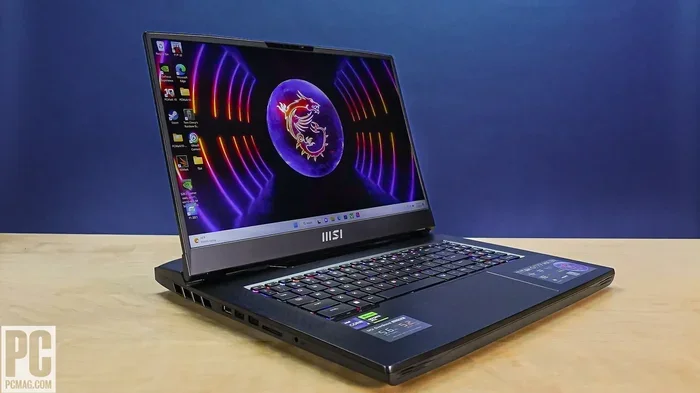
MSI’s Titan, Raider, and GE series (like the GE78/88 HX) are absolute beasts that frequently offer 64 GB (2×32 GB) DDR5 configurations. These are thick, heavy laptops built for maximum cooling and performance with minimal throttle. They often feature mechanical keyboards (Cherry MX) and extensive connectivity. If your priority is raw, sustained power and you don’t mind a “laptop” that weighs 5+ pounds, MSI’s offerings are compelling. Their Cooler Boost 5 system uses multiple heat pipes and fans to tackle the heat from the CPU, GPU, and chipset.
Razer Blade: The Premium, Unibody Contender
Razer’s Blade 16 and Blade 18 are the most premium-built laptops on this list, featuring a stunning CNC-milled aluminum unibody. They have offered 64 GB DDR5 configurations, typically paired with the RTX 4090. The advantage is a sleek, minimalist design that doesn’t scream “gamer” (until you turn on the RGB single-key keyboard). The trade-off is often a higher price for similar specs compared to competitors and, in some models, a slightly more conservative cooling approach to maintain that thin profile.
A Critical Note on Upgradability
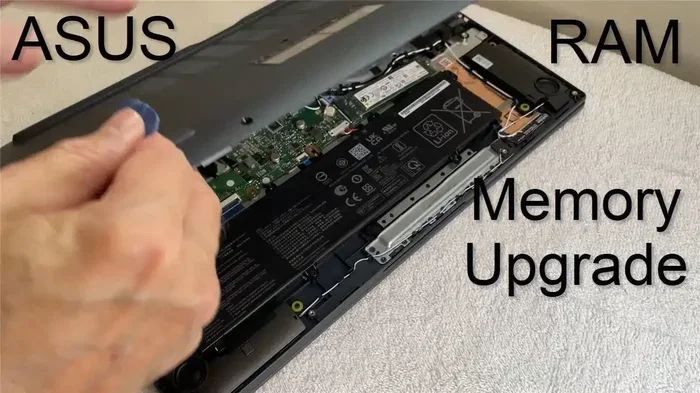
Here is the most important practical consideration: almost all modern gaming laptops with 64 GB RAM have it soldered directly to the motherboard. You cannot upgrade it yourself later. The 64 GB configuration is a fixed, final spec at the time of purchase. This makes buying the right configuration from the start absolutely crucial. Double-check the product specifications or support page to confirm the RAM is soldered and not in user-accessible slots. If you buy a laptop with two empty slots, you could theoretically buy 32 GB sticks later, but pre-built 64 GB models are almost always soldered for stability and space reasons.
Optimizing Your 64 GB Beast: Settings & Software
You’ve spent a fortune on a laptop with 64 GB of RAM. Now, let’s make sure you’re using it correctly. Having the capacity is one thing; leveraging it effectively is another.
Visual guide about 64 Gb Ram Gaming Laptop
Image source: images.olx.com.pk
Telling Your System to Use It All
Windows is actually pretty conservative with RAM usage by default. It might see 64 GB and still only use 20 GB for your active tasks, keeping the rest “cached” but available. That’s okay! Cached RAM is good RAM; it’s used to speed up disk reads. You don’t need to force-fill it. The key is ensuring your *active* applications have what they need. Use the Task Manager (Ctrl+Shift+Esc) > Performance > Memory tab. Look at the “Committed” value. If your active workload (game + OBS + browser) shows a committed memory close to or over 32 GB, you’re already benefiting from the extra headroom. If it’s only at 20 GB, you simply have a lot of free, fast memory waiting for you to open more programs.
Configuring Your Streaming & Recording Software
In OBS Studio, go to Settings > Advanced. Here you can adjust the “Video Adapter” (use your dedicated GPU) and the “Renderer” (Direct3D 11 or 12). More importantly, look at your output settings. Using a higher resolution (like 4K) or a less efficient codec (like using x264 CPU encoding instead of NVENC) will increase RAM usage. With 64 GB, you can afford to run OBS at higher buffer sizes or record multiple high-bitrate tracks without fear. For DaVinci Resolve or Adobe Premiere, increase your “Render Cache” size and playback resolution. The extra RAM allows these programs to cache more timeline previews, making scrubbing and playback smoother even with complex effects and 4K/8K footage.
The Virtual Machine & Sandbox Advantage
This is where 64 GB truly shines. Use VMware Workstation or VirtualBox to create a full-fledged Linux VM for development, a Windows VM for testing software in a clean environment, or even a macOS VM (on Apple Silicon, this is different). Allocate a generous 16-24 GB of RAM to a single VM. You can then run your game on the host system and have the VM running in the background with no performance penalty. Similarly, sandboxing tools like Sandboxie-Plus can isolate risky browsing or software testing, and having tons of RAM means these isolated processes don’t fight your main game for memory.
Debunking Myths: “Will 64 GB Give Me More FPS?”
Let’s address the elephant in the room. You’re a gamer. You want performance. So, does more RAM equal more frames?
The Benchmark Reality
In a controlled test running Shadow of the Tomb Raider at 1440p, max settings, on the same laptop with 32 GB vs. 64 GB of RAM (same speed, same timings), the average FPS difference will be 0-3%. It’s within the margin of error. The GPU is doing 99% of the work. The RAM capacity is not the bottleneck. The only time you might see a noticeable FPS jump from more RAM is in specific, poorly optimized games that stream assets extremely inefficiently and constantly hitch when loading new areas—a problem more RAM can sometimes mask. But this is the exception, not the rule.
The True Performance Benefit: Consistency & Minimum FPS
Where 64 GB excels is in eliminating the *micro-stutters* and *frame time inconsistencies* caused by memory pressure. When a system with 32 GB is full, Windows has to shuffle data between RAM and the SSD page file. This causes tiny, jarring hitches—your 99th percentile FPS (the worst 1% of frames) drops dramatically. With 64 GB, that shuffling almost never happens. The result isn’t a higher average FPS, but a dramatically smoother, more consistent experience. In competitive shooters like Valorant or CS2, this perceived smoothness and elimination of random hitches can feel like a performance boost, even if the benchmark number doesn’t change.
RAM Speed (MHz) vs. Capacity (GB)
This is the other part of the equation. DDR5 RAM operates at much higher frequencies (4800 MHz to 6400+ MHz) than DDR4 (3200-4800 MHz). Higher speed means data transfers between RAM and the CPU/GPU happen faster. If you have a choice between a laptop with 64 GB of slow DDR4-3200 and 32 GB of fast DDR5-6000, the 32 GB kit will likely feel snappier in most gaming and general use scenarios due to lower latency and higher bandwidth. Speed matters for gaming; capacity matters for multitasking. The ideal is fast DDR5 *and* high capacity, which is what the latest 64 GB configurations offer (e.g., 2×32 GB DDR5-5600).
The Future-Proofing Argument: Is It Worth It?
This is the financial and philosophical heart of the 64 GB debate. You’re paying a huge premium today for potential benefits 2-4 years from now. Is that smart?
The Inevitable March of Memory Hunger
History is not on the side of low RAM. Remember when 4 GB was “plenty”? Then 8 GB. Then 16 GB. Game engines are becoming more complex. Modding communities push boundaries. The move to 4K textures is just beginning. The next generation of games built for the PlayStation 5 and Xbox Series X|S (which have 16 GB of unified, fast GDDR6 memory) will start to push PC memory limits further. A 64 GB laptop bought today will likely still have more usable, free RAM than a brand-new 32 GB laptop in 2026. If you plan to keep this laptop for 4+ years and use it for increasingly heavy creative or development work, that buffer is invaluable.
The Resale Value Factor
In the used laptop market, high-end configurations with 64 GB of RAM hold their value exceptionally well. They are less common and appeal directly to the power-user/enthusiast segment who are often willing to pay a premium for a ready-to-go, no-upgrade-required machine. A 64 GB model will depreciate slower percentage-wise than a base model with 16 GB, simply because its target audience is smaller but more dedicated.
The Opportunity Cost
Ask yourself: what else could that $500-$1000 premium get you? A larger, faster SSD? A higher-tier GPU (e.g., jumping from an RTX 4070 to a 4080)? A better display with a higher refresh rate? For a *pure gamer*, those upgrades will provide a far more noticeable and immediate performance boost than extra RAM. But for our target personas—the streamer/creator/developer—that RAM is a core component of their workflow, not an optional extra. The opportunity cost is lower for them because the RAM is the tool they need to do their job (and play) efficiently.
Conclusion: The Final Verdict on 64 GB
A 64 GB RAM gaming laptop is not a product for the mainstream. It is a specialist tool, a mobile workstation disguised in a gaming chassis. If your primary activity is launching a game, playing it, and then shutting it down, you are wasting money. Save that cash and put it towards a better GPU or a stunning mini-LED display. You will be happier.
However, if your computing life is a symphony of simultaneous, demanding applications—a game as the base layer, with streaming, editing, coding, or virtual machines dancing on top—then 64 GB is not a luxury. It is the foundation of a stable, stress-free, and incredibly productive environment. It eliminates the mental overhead of constantly closing browser tabs or quitting programs to free up memory. It provides the ultimate future-proofing guarantee against the ever-rising tide of software requirements.
When shopping, prioritize models with fast DDR5 RAM (5600 MHz+), exceptional cooling (look for vapor chambers and multiple fans), and, crucially, a GPU that matches your other needs (RTX 4080/4090). Be prepared for the weight, the fan noise under load, and the significant financial outlay. But if you fall into that niche of power user who demands everything, everywhere, all at once, a 64 GB gaming laptop isn’t just a good idea—it’s the only logical conclusion.
Frequently Asked Questions
Is 64 GB of RAM overkill for gaming in 2024?
Yes, for playing a single game at a time, 64 GB is massively overkill. 32 GB is the current recommended standard for modern gaming and light multitasking. The benefits of 64 GB are only realized when running multiple RAM-intensive applications simultaneously, such as streaming, video editing, or virtual machines alongside your game.
Will a 64 GB laptop feel faster than a 32 GB one for games?
In a direct game benchmark with nothing else running, the difference in average FPS will be negligible (0-3%). However, the 64 GB system will provide a smoother, more consistent experience with fewer micro-stutters and hitches if you have background applications like a browser, Discord, or streaming software active. The real speed difference is in multitasking, not raw game performance.
What’s the biggest downside of buying a 64 GB RAM laptop?
The primary downside is cost. Upgrading from 32 GB to 64 GB typically adds $300 to over $800 to the laptop’s price. Secondly, in nearly all modern models, the 64 GB RAM is soldered to the motherboard and cannot be upgraded or replaced by the user later. You are locked into that configuration for the life of the laptop.
Can I upgrade a 32 GB laptop to 64 GB myself later?
It depends entirely on the specific laptop model. Some high-end laptops have two accessible SO-DIMM slots, meaning you could buy a second 32 GB stick to reach 64 GB. However, many newer, thinner gaming laptops have all RAM soldered. You must check the manufacturer’s specifications or teardown videos to confirm if the RAM is upgradeable before purchasing a 32 GB model with future expansion in mind.
Should I choose DDR4 or DDR5 RAM in a 64 GB laptop?
Always choose DDR5 if available and the price difference is reasonable. DDR5 offers significantly higher bandwidth (speed) and better power efficiency. For gaming and responsive system performance, RAM speed matters. A 64 GB DDR5-5600 kit will generally feel snappier than a 64 GB DDR4-3200 kit in most tasks, assuming the CPU and platform support the higher speeds. Newer laptops with 64 GB are almost exclusively using DDR5.
What’s a practical example where 64 GB is actually necessary?
A practical example is a live streamer who plays a demanding game like Cyberpunk 2077 at 1440p while simultaneously: 1) Recording the gameplay locally in 4K with OBS, 2) Running a browser with multiple tabs for research/chat, 3) Having Discord and other communication apps open, and 4) Quickly editing a clip from the stream in DaVinci Resolve during a break. This combined workload can easily exceed 32 GB of RAM usage, causing performance issues. With 64 GB, all these apps run smoothly without compromise.