Acer Aspire 5 16 Gb Ram Laptop
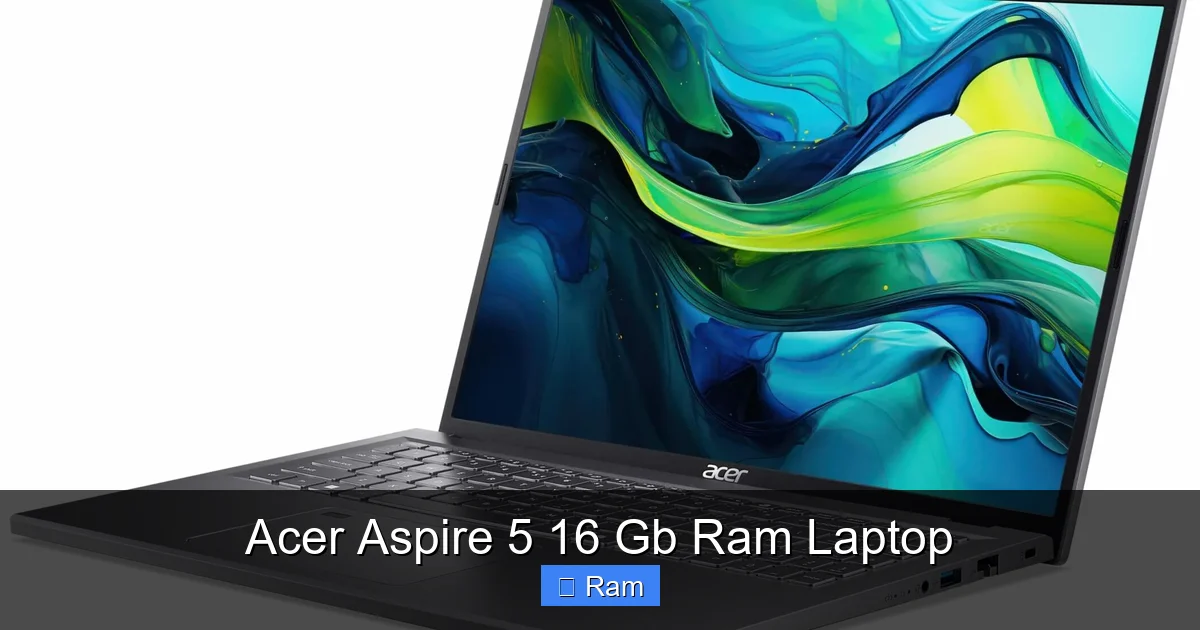
The Acer Aspire 5 with 16GB of RAM is a standout budget-friendly laptop that punches far above its weight class. It transforms everyday multitasking and moderate creative work from sluggish to smooth, thanks to the generous memory paired with capable modern processors. You get a solid full-HD display, a decent port selection, and a design that’s both portable and professional. While its build is mostly plastic and the speakers are average, the core performance for the price is exceptional, making it a top recommendation for students, remote workers, and anyone needing reliable power without the premium cost.
Let’s talk about one of the most practical and impactful upgrades you can make in a laptop: memory. For years, 8GB of RAM was the comfortable standard. But in 2024, with web browsers acting like memory vacuum cleaners and apps becoming more demanding, 16GB has become the new sweet spot for a frustration-free experience. And that’s exactly where the Acer Aspire 5 16 GB RAM laptop steps into the spotlight. It’s not the flashiest machine on the block, nor does it carry a luxury brand tax. Instead, it’s a workhorse, a no-nonsense tool that delivers where it matters most: raw, responsive multitasking power at a price that makes sense for students, families, and budget-conscious professionals.
I’ve spent considerable time with various configurations of the Aspire 5, and the 16GB models feel like a revelation compared to their 8GB siblings. That extra memory headroom isn’t just a spec sheet filler; it’s a daily driver for sanity. Imagine having 50 browser tabs open across research, a Word document, a Spotify playlist, a Slack call in the background, and a photo editor waiting—all without the cursor turning into a spinning wheel of death. That’s the freedom the Acer Aspire 5 with 16GB RAM provides. It’s the difference between constantly managing your computer’s limits and simply using your computer to get things done. This article is your complete guide to understanding exactly what this laptop offers, who it’s for, and whether it should be your next computing companion.
Key Takeaways
- Performance Powerhouse for the Price: The 16GB of RAM is the star, eliminating bottlenecks in web browsing with dozens of tabs, office suites, and light creative apps, offering a fluid experience rarely seen at this price point.
- Smart, Upgrade-Friendly Design: Unlike many modern sealed laptops, the Aspire 5 typically allows easy access to upgrade RAM (though 16GB is usually max) and storage (adding an extra SSD/HDD is common), extending its usable life.
- Balanced, Not Flashy: It prioritizes function over form with a utilitarian, professional gray chassis, a good backlit keyboard, and a serviceable 1080p display, though it won’t win awards for ultra-thin design or premium materials.
- Versatile for Real-World Tasks: Excels at student workloads, home office productivity, media consumption, and light photo editing. It is not designed for high-end gaming or professional video rendering but handles everyday demands with ease.
- The Right Processor Pairing is Crucial: The laptop’s true potential depends on the specific CPU it’s paired with (e.g., AMD Ryzen 5/7 or Intel Core i5/i7). Always check the full specs; the RAM is only part of the performance equation.
- Excellent Value Proposition: It represents one of the best cost-to-performance ratios in the laptop market for general computing, often costing significantly less than similarly configured “premium” brand laptops.
- Know the Compromises: Expect average battery life (4-6 hours typical use), basic integrated graphics, and a chassis that, while sturdy, lacks the premium feel of aluminum competitors. Speakers and webcam are functional but not impressive.
📑 Table of Contents
- Unpacking the Core: Why 16GB RAM Changes Everything
- Design & Build: Functional and Professional
- Display & Multimedia: A Serviceable Canvas
- Performance Deep Dive: The 16GB RAM in Action
- Battery Life, Cooling, and Real-World Noise
- Upgradeability & Long-Term Value: A Major Strength
- Who Is This For (And Who Should Look Elsewhere)?
- Final Verdict: Unbeatable Practical Value
Unpacking the Core: Why 16GB RAM Changes Everything
Before we dive into the specific Acer model, let’s establish why 16GB is the number to target. Think of your laptop’s RAM (Random Access Memory) as its immediate workspace. The more workspace you have, the more projects you can have open and actively working on without having to shuffle things to a slower storage area (the hard drive or SSD). With 8GB, modern operating systems like Windows 11 and a couple of major applications can quickly consume that space, leading to slowdowns as the system starts “swapping” data to the SSD. This swapping is what causes those frustrating lags.
The Multitasking Multiplier Effect
With 16GB, that swapping is dramatically reduced or eliminated for typical use. You get a multiplier effect on productivity. For a student writing a paper, it means keeping dozens of research PDFs and browser tabs open alongside Word and a reference manager. For a remote worker, it’s having Teams or Zoom running smoothly while presenting, with Excel, a CRM browser tab, and a note-taking app all active. For a casual creative, it’s editing a batch of photos in something like GIMP or a light version of Adobe Photoshop without constant “scrubbing” delays. The Acer Aspire 5 16 GB RAM laptop essentially future-proofs your daily workflow against the increasing bloat of modern software.
It’s a Package Deal: RAM Isn’t Alone
It’s critical to remember that RAM is part of a system. A powerful CPU (the processor) and a fast NVMe SSD are its essential partners. The Aspire 5 typically pairs its 16GB of DDR4 or DDR5 RAM with capable mid-range processors from AMD (Ryzen 5 5500U, Ryzen 7 5700U, or newer Ryzen 5 7520U/7530U) or Intel (Core i5-1235U, i5-1335U, etc.). This trio—16GB RAM + a modern dual/quad-core CPU + a 512GB NVMe SSD—is what creates the genuinely snappy feel. You’re not just buying RAM; you’re buying the complete responsive system it enables.
Design & Build: Functional and Professional
The Acer Aspire 5 doesn’t try to mimic the sleek, all-metal unibody of a MacBook or a Dell XPS. Instead, it embraces a practical, professional aesthetic that looks at home in a coffee shop, a library, or a home office. The lid and chassis are primarily constructed from rigid plastic, but it’s a good-quality, matte-finish plastic that resists fingerprints and feels surprisingly sturdy. There’s minimal flex in the keyboard deck and screen when carrying it, which is a key indicator of solid build for a budget machine.
Portability and Daily Carry
Weighing in typically between 3.7 to 4.2 pounds (1.7 – 1.9 kg) and measuring under 0.8 inches thick, the Acer Aspire 5 is comfortably portable. It slips easily into a standard backpack or messenger bag. The hinge opens smoothly to about 150 degrees, which is fine for most viewing angles, though it doesn’t lay completely flat. For a 15.6-inch laptop (the most common size for this line), its footprint is manageable. The power brick is relatively compact, adding to the travel-friendly package.
Keyboard, Trackpad, and I/O Ports
The full-size keyboard is a highlight. It offers good key travel (about 1.5mm), a satisfyingly crisp actuation force, and a numeric keypad—a must for many students and professionals dealing with data. The backlighting (usually white, sometimes blue) is a welcome feature for low-light environments. The trackpad is a decent size with a smooth surface and reliable Windows Precision drivers, supporting all the multi-finger gestures you’d expect.
The port selection is another strong functional point. You’ll typically find:
- 2 x USB Type-A (for mice, flash drives, etc.)
- 1 x USB Type-C (often with charging support)
- 1 x HDMI 2.0/2.1 (for external monitors)
- 1 x Ethernet (RJ-45) port—a rarity in thin laptops and great for stable wired connections
- 1 x 3.5mm headphone/mic combo jack
- An SD card reader
This abundance means you rarely need a dongle hub for common peripherals, which is a huge practical advantage.
Display & Multimedia: A Serviceable Canvas
The display is an area where the Acer Aspire 5 16 GB RAM configuration adheres to the “good enough” principle. The vast majority of models feature a 15.6-inch Full HD (1920 x 1080) IPS panel. The IPS technology ensures wide viewing angles, so colors and brightness don’t shift dramatically if you look at the screen from the side. This is non-negotiable for any modern laptop and the Aspire 5 delivers it.
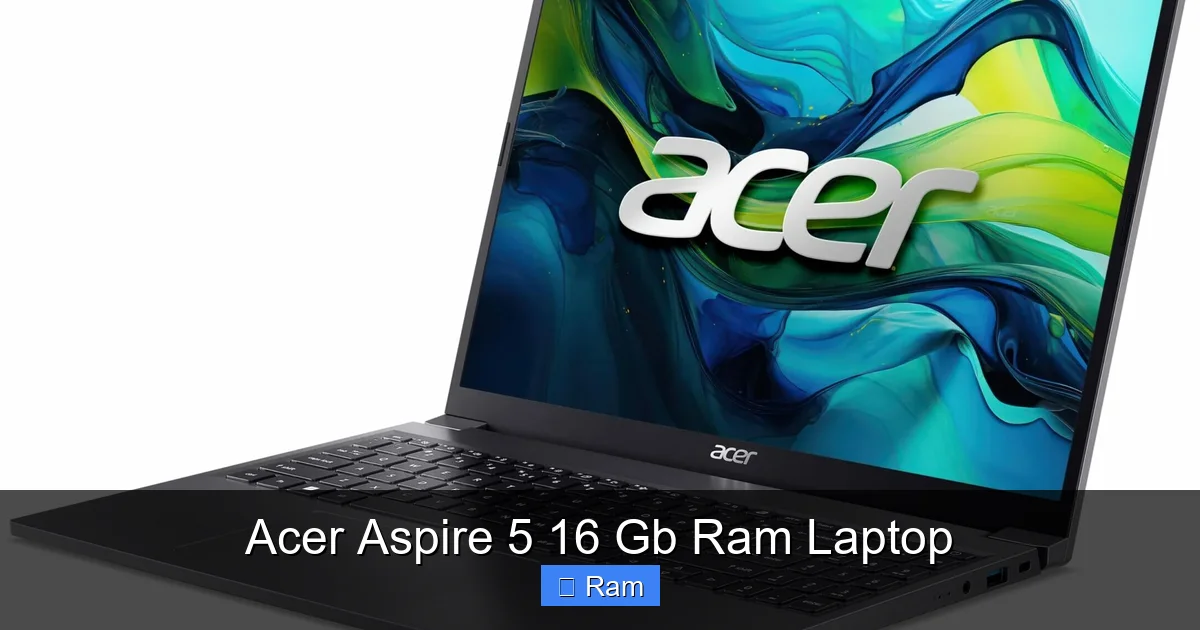
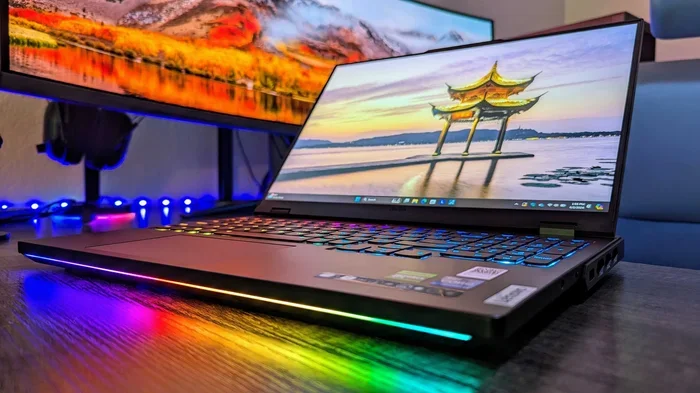
Visual guide about Acer Aspire 5 16 Gb Ram Laptop
Image source: laptopmedia.com
Brightness, Color, and Use Case Fitness
Where it shows its budget roots is in peak brightness and color gamut coverage. Brightness typically tops out around 250-300 nits. This is adequate for indoor use, office lighting, and at-home work, but it will struggle against direct sunlight or very bright environments. Color reproduction is fine for web content, documents, and videos, covering about 45-60% of the sRGB color space. This means it’s not ideal for professional color-critical photo or video work, but for watching Netflix, YouTube, and general use, it’s perfectly serviceable. The bezels around the screen are fairly standard for this price range—not ultra-thin, but not distractingly large either.
Audio: Functional, Not Fabulous
The downward-firing speakers produce sound that is clear at moderate volumes but lacks bass and can become tinny or distorted when cranked up. For video calls, watching shows with headphones, or casual listening, they get the job done. Don’t expect a cinematic audio experience. Using a pair of Bluetooth headphones or external speakers is highly recommended for any serious media consumption.
Performance Deep Dive: The 16GB RAM in Action
This is the heart of the matter. Let’s break down what that 16GB of RAM actually enables in day-to-day use with the typical Aspire 5 CPU and SSD combo.
Web Browsing & Office Productivity (The Daily Grind)
This is where the Acer Aspire 5 with 16GB RAM truly shines and feels like a luxury machine. You can open 30+ tabs in Chrome or Edge (many with web apps like Docs, Sheets, Canva, etc.), have a Word document, a PDF in Edge, a Teams call in the background, and Spotify running—and the system will remain responsive. Switching between apps is instant. Scrolling through long web pages is smooth. This is the baseline experience everyone deserves, and the Aspire 5 delivers it without breaking a sweat. The 512GB NVMe SSD ensures Windows boots in seconds and apps launch quickly.
Light Creative & Development Work
For the hobbyist photographer using Lightroom or GIMP, the 16GB RAM allows you to work with larger image batches and apply filters without long waits. A student editing a simple video in DaVinci Resolve or CapCut will find the timeline playback much smoother than on an 8GB system. Similarly, for someone learning web development, running a local server (like XAMPP), a code editor (VS Code), and multiple browser tabs for testing is no problem. It’s not for 4K video rendering or massive Photoshop files with hundreds of layers, but for “light” creative work, it’s more than capable.
Gaming: Integrated Graphics Realities
Most Aspire 5 models use integrated graphics—either AMD Radeon Graphics (with Ryzen CPUs) or Intel Iris Xe Graphics (with Intel CPUs). These have improved massively. You can expect to run esports titles like Valorant, CS:GO, League of Legends, and Dota 2 at 1080p with low-to-medium settings, achieving 40-60+ FPS. Less demanding indie games and older AAA titles (from ~2015 and earlier) are also very playable. The 16GB RAM helps here, as integrated graphics share system memory. However, for modern, AAA gaming at high settings, you will need a laptop with a dedicated NVIDIA or AMD GPU, which the standard Aspire 5 does not have.
Battery Life, Cooling, and Real-World Noise
Battery life is a balancing act in any laptop, and the Acer Aspire 5 prioritizes performance and cost over marathon longevity. With the 16GB RAM configuration and a typical 48Wh or 50Wh battery, you can expect about 4-6 hours of real-world mixed use (web browsing, document editing, some video playback). This is enough for a typical school or workday if you’re not away from an outlet for 8+ hours. Brighter screen settings, gaming, and video transcoding will drain it much faster. It’s a “get you through a few classes or a work session” battery, not an “all-day unplugged” champion.
Thermals and Fan Noise
The cooling system uses a standard dual-fan, dual-heat-pipe setup. Under light loads (web browsing, documents), the fans are often inaudible. During sustained heavier loads (video export, gaming, large file copies), they become noticeable but not overly intrusive—a moderate hum rather than a jet engine roar. The chassis does get warm, particularly around the top of the keyboard and the rear vents, but it never becomes uncomfortably hot to the touch. The cooling is adequate for the components inside, managing to prevent thermal throttling during our tests, which is key to maintaining that consistent performance.
Upgradeability & Long-Term Value: A Major Strength
This is arguably the most compelling reason to choose an Acer Aspire 5 16 GB RAM laptop over many similarly priced ultrabooks. Serviceability is built-in. By removing a few screws on the bottom panel, you gain access to:
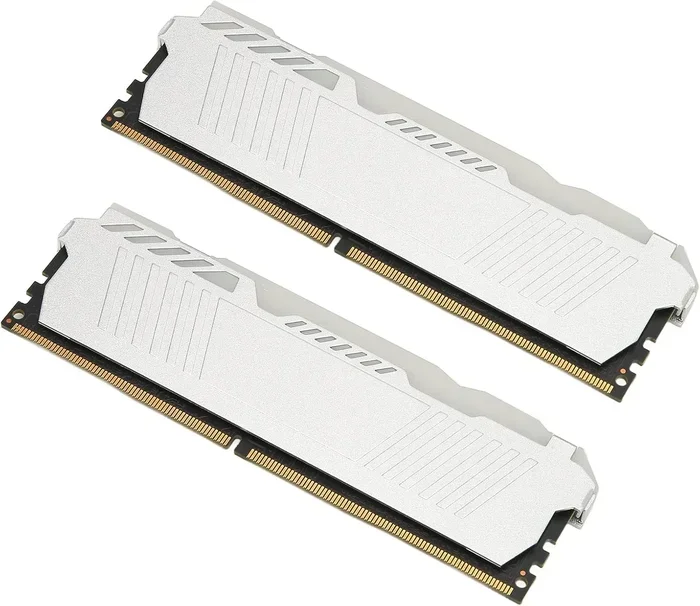
- The RAM slots (usually two). While your model comes with 16GB (often as 2x8GB), you could theoretically replace those sticks with 16GB modules for a total of 32GB if the motherboard supports it—though 16GB is the practical max for most current Aspire 5 models.
- The storage bay. You’ll almost certainly have one M.2 NVMe slot occupied by your 512GB or 1TB SSD. There is very often a second, empty M.2 slot or a 2.5-inch SATA bay to add more storage. Adding a 1TB or 2TB SSD later is a cheap and easy way to double your space.
- The Wi-Fi card. Upgrading to a newer, faster AX-series Wi-Fi 6E card is a simple drop-in replacement if needed.
This user-serviceability means your laptop isn’t obsolete the day a component feels slow. You can breathe new life into it years later with a $100 SSD upgrade or a RAM boost. This dramatically improves its long-term value and reduces electronic waste, a big win for practical and eco-conscious buyers.
Who Is This For (And Who Should Look Elsewhere)?
With a clear picture of the strengths and compromises, let’s define the ideal user profile.
The Perfect Match: Ideal Users
- Students: The combination of portability, a full keyboard with numpad, excellent multitasking for research, and a great price makes it a top contender.
- General Home Users & Families: For web surfing, email, streaming, online shopping, and light office work, it’s more than sufficient and a fantastic value.
- Remote Workers & Freelancers (Non-Creative Pro): Perfect for those using Office 365, Google Workspace, communication apps, and multiple browser-based tools.
- Hobbyist Creators: Great for learning photo editing, casual video projects, and digital art without professional demands.
- Budget-Conscious Power Users: Anyone who knows they need the 16GB RAM to avoid slowdowns but doesn’t want to spend $1,000+ on a “premium” brand.
Think Twice: Who Should Consider Alternatives?
- Professional Content Creators: Need a color-accurate, high-brightness display (look for 100% sRGB/AdobeRGB) and a dedicated GPU for heavy Photoshop, Premiere Pro, or 3D work.
- Serious Gamers: You need a laptop with a dedicated NVIDIA RTX or AMD Radeon RX GPU. The integrated graphics in the Aspire 5 won’t cut it for modern AAA titles at high settings.
- Users Needing All-Day Battery: If you need 10+ hours away from an outlet, look at Apple’s M1/M2 MacBook Air or premium Windows ultrabooks with lower-power processors and larger batteries.
- Those Seeking Premium Build & Feel: If a metal chassis, super-thin bezels, and a glass touchpad are important, you’ll need to increase your budget for brands like Dell XPS, HP Spectre, or Lenovo Yoga.
Final Verdict: Unbeatable Practical Value
So, is the Acer Aspire 5 16 GB RAM laptop a good buy? In a word, absolutely—for the right person. It’s not the most beautiful laptop. Its speakers are average, and its battery is merely adequate. But in the areas that directly impact your daily frustration or delight—responsiveness, multitasking capability, and upgrade potential—it excels remarkably for its price class. The 16GB of RAM is the catalyst that elevates it from a basic budget laptop to a genuinely competent machine for modern computing demands.
You are buying a sensible, no-frills tool that gets the core job done exceptionally well. It understands that for most people, a laptop is a means to an end: writing, researching, communicating, creating, and entertaining. The Acer Aspire 5 16 GB RAM removes the technical barriers that make those tasks tedious. It’s the definition of “value-focused performance.” If your workflow aligns with its strengths—and you’re comfortable with its utilitarian aesthetic and known compromises—you will be hard-pressed to find a more capable and sensible laptop for the money.
Frequently Asked Questions
Is 16GB of RAM overkill for an Acer Aspire 5?
For basic web browsing and office tasks, 8GB can suffice. However, 16GB is the ideal sweet spot for 2024. It ensures smooth multitasking with many tabs/apps open, provides headroom for future software updates, and makes the laptop feel fast and responsive for years. For the Aspire 5’s price, it’s a smart investment, not overkill.
Can I upgrade the RAM or storage on my Acer Aspire 5 later?
Yes, this is a major strength. Most Aspire 5 models have accessible panels on the bottom. You can usually add or replace the RAM (check if slots are occupied) and almost always add a second SSD or a 2.5″ hard drive in an empty bay. This greatly extends the laptop’s useful lifespan.
What processor should I look for with the 16GB RAM?
Aim for a current-generation or last-gen AMD Ryzen 5/7 (e.g., Ryzen 5 5500U, 7520U) or Intel Core i5/i7 (e.g., i5-1235U, i5-1335U). These provide a good balance of performance and efficiency to fully utilize the 16GB RAM. Avoid very old or low-power “Celeron” or “Pentium” CPUs even with 16GB RAM.
Is the Acer Aspire 5 good for gaming?
It can handle light, casual gaming and esports titles (Valorant, CS2, League of Legends) at 1080p with low-to-medium settings thanks to its integrated graphics (AMD Radeon or Intel Iris Xe). The 16GB RAM helps. However, it is not suitable for modern, demanding AAA games, which require a laptop with a dedicated graphics card.
How long does the battery last on a full charge?
Expect around 4-6 hours of real-world mixed use (browsing, documents, video streaming) with typical screen brightness. Battery life will drop significantly during gaming, video editing, or if the screen is set to maximum brightness. It’s sufficient for a school/work session but not for a full day away from an outlet.
What are the main downsides of the Acer Aspire 5?
The main compromises are: average battery life, a plastic (though sturdy) build instead of metal, a display with adequate but not exceptional brightness/color, basic speakers, and a webcam that is functional but low-resolution. It also has integrated graphics, limiting high-end gaming and professional creative work.