Pennsylvania Residential Security Camera Laws
Pennsylvania residential security camera laws allow homeowners to install cameras on their property for safety and peace of mind. You must respect neighbor privacy, avoid recording private spaces, and follow local rules. This guide explains what is legal, where to mount cameras, and how to stay compliant while protecting your home.
Key Takeaways
- Homeowners have broad rights: You can install cameras on your own property as long as they do not invade neighbor privacy.
- Avoid private areas: Point cameras away from bathrooms, bedrooms, and enclosed yards where people expect privacy.
- Audio recording has limits: Pennsylvania follows consent rules for audio, so check local rules before recording sound.
- HOA and lease rules may apply: Community guidelines or rental agreements can restrict camera placement or types.
- Signage is smart practice: Notices can reduce disputes and show you are using cameras for security.
- Keep footage secure: Store recordings safely and limit access to protect everyone’s privacy.
- Check local rules: Municipal ordinances may add requirements, so verify rules in your city or town.
📑 Table of Contents
- Pennsylvania Residential Security Camera Laws: What Homeowners Need to Know
- Where You Can Place Cameras on Your Property
- Privacy Rules and Neighbor Respect
- Audio Recording and Consent Considerations
- HOA, Rental, and Local Rules That May Apply
- Choosing the Right Camera Setup for Your Home
- Best Practices for Safe and Legal Camera Use
- What To Do If a Dispute Arises
- Final Thoughts on Pennsylvania Residential Security Camera Laws
Pennsylvania Residential Security Camera Laws: What Homeowners Need to Know
Home security cameras are more common than ever. They help you watch your porch, check deliveries, and feel safer at night. But many people worry about the rules. Can you record your driveway? What about your neighbor’s yard? The good news is that Pennsylvania residential security camera laws are simple when you know the basics. This guide breaks down what you can do, what you should avoid, and how to set up your system the right way.
You do not need a law degree to use cameras responsibly. Most rules come down to common sense and respect for privacy. If you place cameras wisely, you can protect your home without creating problems. Let’s walk through the key points so you can move forward with confidence.
Where You Can Place Cameras on Your Property
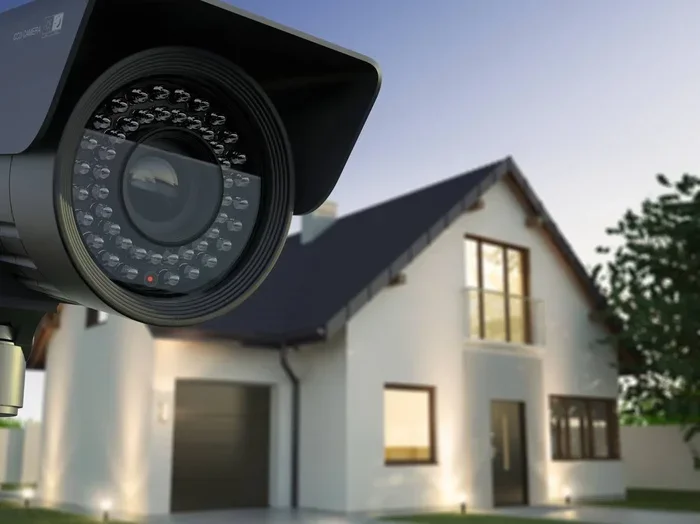
In Pennsylvania, homeowners generally have the right to install security cameras on their own property. That includes your front door, back door, garage, driveway, and yard. The main rule is simple: your cameras should focus on your space, not someone else’s private area.
Front and Back Entrances
Doors and entryways are the most common camera spots. They help you see visitors, package deliveries, and suspicious activity. These areas are usually safe choices because they face public walkways or your own property. Just make sure the lens does not peer directly into a neighbor’s window or private outdoor space.
Driveways and Parking Areas
Many people mount cameras to cover driveways and parking spots. This can help with car safety, package theft, and general awareness. If your driveway is close to a neighbor’s property, angle the camera toward your own space. A small adjustment can prevent complaints later.
Yards and Outdoor Spaces
Outdoor cameras can cover patios, fences, and yard edges. These spots are useful for tracking movement around your home. Keep in mind that enclosed yards, fenced areas, and places where people expect privacy are different from open public views. If your camera can see into a neighbor’s fenced yard, you may want to change the angle or add a privacy filter.
Quick Tip
Before you mount a camera, walk around the lens view. Check what appears on the screen from different angles. This simple step helps you avoid accidental privacy issues.
Privacy Rules and Neighbor Respect
Privacy is the biggest concern with home cameras. Even when the law allows you to install cameras, it is still important to respect other people’s reasonable expectations of privacy. That means avoiding recordings of private spaces where people expect to be left alone.
What Counts as a Private Area
Private areas usually include bathrooms, bedrooms, enclosed patios, and fenced backyards. If a camera can see into these spaces, it may create a problem even if the camera is on your property. The goal is to secure your home without capturing private moments that do not involve you.
Shared Spaces and Common Areas
If you live in a townhouse, condo, or apartment, shared spaces can be trickier. Hallways, lobbies, and common entrances may have different rules. In some buildings, only certain areas can be recorded. It is wise to check your lease or building guidelines before installing anything.
Good Neighbor Practices
A respectful setup goes a long way. Here are a few habits that help prevent disputes:
- Aim cameras at your own entry points and property lines.
- Avoid pointing lenses directly at neighbor windows or private yards.
- Use privacy masks or adjustable angles when needed.
- Talk to neighbors if your camera overlooks a shared area.
Being thoughtful now can save you from headaches later. Most people understand security needs, especially when the setup is reasonable.
Audio Recording and Consent Considerations
Video is one thing. Audio is another. Some cameras record sound, and that can raise extra questions. Pennsylvania has rules about recording conversations, so it is important to understand how audio fits into your setup.
Why Audio Can Be Different
People often expect more privacy in conversation than in visual movement. A camera that captures video of a front walkway may be fine. The same camera with audio might pick up private talks between visitors, neighbors, or delivery workers. That is why many homeowners choose video-only setups.
When Audio May Be Risky
Audio recording can become problematic if it captures conversations people did not agree to share. This is especially true in places where people expect privacy. Even if your camera is on your own property, recording sound without clear consent can create tension or legal concerns.
Safer Choices for Home Use
If you want to keep things simple, consider these options:
- Use video-only cameras for most outdoor spots.
- Turn off audio recording unless you truly need it.
- If you keep audio on, limit it to your own entryway and avoid capturing nearby conversations.
- Check product settings so you know exactly what the camera records.
When in doubt, choose the less invasive option. Security does not have to mean recording everything.
HOA, Rental, and Local Rules That May Apply
Even if state law allows your camera setup, other rules may still affect where and how you install it. Homeowners associations, rental agreements, and local ordinances can all play a role.
HOA and Community Guidelines
Some communities have rules about exterior modifications, visible equipment, or camera placement. These rules may not ban cameras, but they might limit where you mount them. For example, a community may want cameras placed in less visible spots or may restrict certain wiring styles.
Rental Properties and Leases
If you rent, your lease may control what you can install. Some landlords allow small cameras at exterior doors, while others require permission before any mounting. Always check with your property manager before drilling holes or running cables.
Local Ordinances
Cities and towns can have their own rules. Some may address camera placement in shared areas or limit certain types of surveillance. While many local rules are modest, it is still smart to verify what applies in your area.
If you want a broader view of how location affects camera rules, you can also look at South Carolina security camera laws for a comparison. Different states handle these issues in different ways, and seeing another example can make the basics clearer.
Common Mistakes
- Assuming all cameras are allowed everywhere without checking rules.
- Mounting cameras before reading HOA or lease guidelines.
- Ignoring audio settings and accidentally recording conversations.
- Pointing lenses into private neighbor spaces.
Choosing the Right Camera Setup for Your Home
A good setup balances safety, privacy, and ease of use. You do not need the most expensive system to get solid protection. You just need the right placement and clear settings.
Start With Your Main Risk Points
Think about where problems are most likely. For many homes, the front door, back door, and driveway matter most. Others may need coverage near side gates, garages, or backyard entrances. Focus first on the spots that protect your most valuable access points.
Video Quality and Coverage
Higher resolution can help you identify faces and read license plates. But more cameras are not always better. A few well-placed cameras often work better than many poorly aimed ones. Clear coverage of key areas usually beats broad, blurry monitoring.
Storage and Access
Think about how you will store and view footage. Some systems save recordings locally, while others use cloud storage. Each option has trade-offs in cost, convenience, and access. Pick the one that fits your comfort level and budget.
Practical Setup Checklist
- Identify your top three security zones.
- Choose camera types for each zone.
- Check angles for privacy concerns.
- Review audio settings and turn off sound if not needed.
- Test the view before finalizing mounts.
- Set up secure storage and limited access.
If you are comparing systems, you may also find it helpful to review four camera wireless security system options for smaller homes or 16 channel security camera system setups for larger properties. The right size depends on your layout and monitoring needs.
Best Practices for Safe and Legal Camera Use
Once your system is installed, good habits keep it useful and respectful. These practices help you stay on the right side of privacy expectations and make your setup more effective.
Use Clear Signage
Signs can help people know that security monitoring is in place. That does not make your cameras legal or illegal by itself, but it can reduce confusion. It also shows that your goal is safety, not secret surveillance.
Limit Who Can View Footage
Keep access tight. Only share login details or recordings with people who need them. If you hand out access too widely, you increase the chance of misuse or privacy problems.
Review Footage Responsibly
Check recordings for security purposes, not curiosity. If you see something concerning, save the relevant clip and handle it carefully. Avoid sharing footage publicly unless it is truly necessary and appropriate.
Maintain Your Equipment
Clean lenses, check mounts, and update software when needed. A blurry or misaligned camera can miss important details and may accidentally capture the wrong areas. Regular care keeps your system working as intended.
Expert Insight
The best home camera setup is one that protects your property without creating friction with neighbors. Simple placement, limited audio, and secure access usually solve most concerns before they start.
What To Do If a Dispute Arises
Even with a careful setup, questions can still come up. A neighbor may feel uncomfortable, or someone may ask what your camera captures. Handling these moments calmly can prevent bigger problems.
Talk It Through First
Many concerns are resolved with a friendly conversation. Explain that the camera covers your own entryway or driveway. Offer to adjust the angle if the view is unintentionally intrusive. In many cases, people just want reassurance.
Make Reasonable Adjustments
If a camera angle is causing concern, small changes can help. You might tighten the field of view, shift the mount, or use a privacy mask. These tweaks can protect your security while reducing discomfort.
Keep Records of Your Setup
It can help to note where cameras are placed and what they cover. If questions come up later, you can show that your system is focused on your property. This is especially useful if you live in a community with shared spaces.
When to Seek More Guidance
If a disagreement continues, check your local rules or community guidelines again. You can also review can you request security camera footage for a related perspective on how footage access and privacy concerns are handled in different situations.
Final Thoughts on Pennsylvania Residential Security Camera Laws
Pennsylvania residential security camera laws give homeowners a lot of flexibility, but they still work best when paired with respect for privacy. If you focus your cameras on your own property, avoid private spaces, and handle audio carefully, you can build a strong security setup without creating unnecessary conflict. A little planning goes a long way.
The smartest approach is simple: protect your home, respect your neighbors, and keep your system transparent and secure. When you do that, your cameras become a useful part of your home safety instead of a source of worry.
Frequently Asked Questions
Can I install security cameras on my own house in Pennsylvania?
Yes, in most cases you can install cameras on your own property. The key is to aim them at your own space and avoid capturing private areas where people expect privacy.
Do I need permission to put a camera on my front door?
Usually no, as long as the camera is on your property and focuses on your entry area. If you rent or belong to an HOA, it is still smart to check lease or community rules first.
Can my outdoor camera record audio in Pennsylvania?
It may be possible, but audio recording can raise privacy concerns because people expect more privacy in conversation. Many homeowners choose video-only cameras to keep things simpler and avoid problems.
What if my camera sees my neighbor’s backyard?
If the camera captures a private or enclosed area, you should adjust the angle or limit the view. A small change in placement can protect your security while respecting your neighbor’s privacy.
Do HOA rules affect security camera installation?
They can. Some associations have guidelines about visibility, mounting, or exterior changes. Even if cameras are allowed, you may need to follow specific placement or approval rules.
Should I put up a sign if I have security cameras?
A sign is not always required, but it can be a good idea. It helps people know monitoring is in place and can reduce confusion about your intentions.