Add 360 Camera to F150
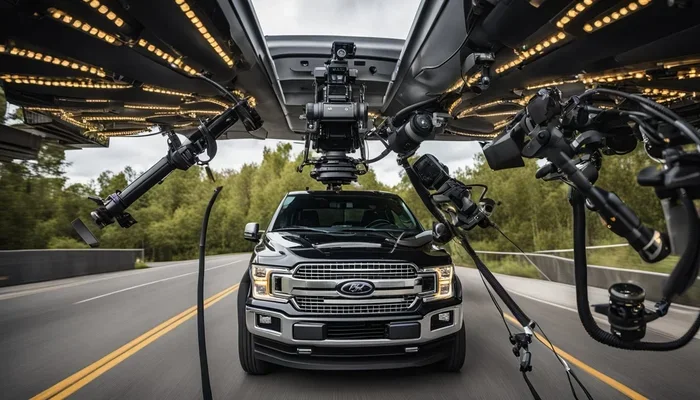
Adding a 360 camera to your F150 transforms how you see your surroundings. You get a bird’s eye view that makes parking and driving much safer. This guide shows you exactly how to install and set up your new system without stress.
Key Takeaways
- Enhanced Safety: A 360-degree view eliminates blind spots around your truck.
- Aftermarket Options: You can add a system even if your truck did not come with one.
- Installation Matters: Proper wiring ensures the camera works reliably every time.
- Display Compatibility: Check if your screen supports the new camera feed.
- Calibration: You must calibrate the cameras for an accurate top-down view.
- Legal Check: Some states have rules about camera placements on vehicles.
- Budget Friendly: There are many price points for different quality levels.
📑 Table of Contents
Why You Should Add 360 Camera to F150
Driving a large truck like the F150 comes with big responsibilities. You have more blind spots than a small car. This makes parking and maneuvering in tight spaces tricky. A 360-degree camera system solves this problem completely. It gives you a full view around your vehicle on your screen.
Imagine trying to park in a crowded lot. You worry about hitting the car next to you. With a 360 system, you see everything clearly. You can spot pedestrians, curbs, and other obstacles easily. This technology is not just for luxury cars anymore. You can install it on your Ford F150 too.
Many owners want to upgrade their truck safety. Modern trucks often have backup cameras. But a full surround view is better. It shows you the sides and front too. This is helpful when towing a trailer. You know exactly where your load is positioned.
Some people think this is too hard to install. That is not true. There are many kits made for trucks. You can find systems that fit your specific model year. It is a smart investment for any owner. You protect your vehicle and people around you.
Here are a few reasons to make the switch:
- Better Visibility: See around corners and tight spots.
- Increased Confidence: Park without stress or fear.
- Higher Resale Value: Tech upgrades make your truck more appealing.
- Accident Prevention: Avoid dings and scratches on your paint.
Choosing the Right 360 Camera System
Not all cameras are the same. You need to pick one that fits your F150. There are many brands on the market. Some are basic, and some are advanced. You should look for good image quality. A clear picture helps you see details better.
Consider the resolution of the cameras. Higher resolution means sharper images. You want to see license plates or small objects. Also, check the night vision capability. You might drive in the dark often. Good low-light performance is essential for safety.
You also need to think about the display. Your F150 already has a screen inside. You need to know if it can show the 360 view. Some older models might need a new monitor. There are aftermarket screens that fit nicely. You can mount them on the dashboard or windshield.
When shopping, look for these features:
- Wide Angle Lenses: Capture more of the surroundings.
- Dynamic Guidelines: Lines on the screen show your path.
- Parking Sensors: Some systems include audio alerts too.
- Easy Wiring: Look for kits with clear instructions.
You might also wonder about the 2018 Ford F150 backup camera replacement. If your old camera is broken, you can replace it with a 360 system. This upgrades your whole view at once. It saves you from buying separate parts. You get a fresh start with new technology.
Price is another factor. You can spend a little or a lot. Basic kits work well for most people. Professional systems cost more but offer better support. Decide what fits your budget best. You do not need the most expensive option to see a difference.
How to Add 360 Camera to F150 Installation Steps
Installing the system takes some time. You need to be careful with the wiring. Safety is the most important part. Always disconnect the battery before starting. This prevents any electrical shocks or shorts.
First, you need to mount the cameras. There are usually four cameras. One goes on the front grille. One goes on the rear bumper. The other two go on the side mirrors. You need to clean the surfaces first. Use alcohol wipes to remove dirt and grease.
Next, you run the wires inside the truck. This is the hardest part. You need to hide the cables. They should not hang loose. You can use existing wire channels. This keeps your truck looking clean. If you are unsure, check guides on how to turn on backup camera systems for reference on wiring basics.
Then, connect the power supply. The cameras need electricity to work. They usually connect to the reverse light or a constant power source. Follow the kit instructions carefully. Wrong wiring can damage the system. If you feel stuck, look up how to connect insight backup camera guides for similar connection tips.
Finally, test the system before finishing. Turn on the truck and check each camera. Make sure the image is clear. Adjust the angles if needed. You want a smooth transition between views. This ensures the top-down view looks right.
Calibration and Settings for Best View
Once installed, you must calibrate the system. Calibration aligns the images from all four cameras. If you skip this, the view will look weird. Objects might look bent or distorted. Most systems have a calibration mode.
You usually need to park in a flat area. Put the truck in different gears. Follow the on-screen prompts. The system will learn the position of each camera. This takes a few minutes to complete. Do not rush this step.
After calibration, check the settings. You can adjust the brightness and contrast. Make sure the image is comfortable to look at. You do not want a screen that is too bright. It should not blind you while driving.
Some systems let you save views. You might want a specific angle for towing. Or you might want a wide view for parking. Explore the menu options. Customize the system to fit your needs.
Here are some tips for calibration:
- Flat Ground: Park on a level surface for accuracy.
- Straight Wheels: Keep your steering wheel straight.
- Clean Lenses: Wipe cameras before starting the process.
- Follow Prompts: Listen to the system instructions.
Maintaining Your 360 Camera System
Like any tech, cameras need care. Dirt and mud can block the view. You should clean the lenses regularly. Use a soft cloth and mild cleaner. Do not use harsh chemicals. They can damage the lens coating.
Weather is also a factor. Rain and snow can obscure the cameras. You need to wipe them off before driving. Ice can form on the lenses in winter. Keep this in mind during cold months.
Sometimes the system might glitch. If the screen goes black, check the connections. A loose wire can cause issues. You might need to reset the system. Turn the truck off and on again. This fixes many small problems.
If you have issues with your F150 backup camera not working, check the fuse first. A blown fuse is a common problem. It is an easy fix for most owners. You can find the fuse box in the engine compartment. Replace the fuse with the same rating.
To keep your system running well:
- Regular Cleaning: Wipe lenses every few weeks.
- Check Wires: Look for damage after off-roading.
- Software Updates: Update the system if possible.
- Professional Help: Call a pro if errors persist.
You should also keep the backup camera clean to ensure optimal performance. Dirt buildup reduces image quality significantly. A quick wipe takes seconds but helps a lot. Make it part of your washing routine.
Troubleshooting Common Issues
Even good systems have problems sometimes. You might see a black screen. This often means a power issue. Check your connections and fuses. Another issue is a blurry image. This could be a dirty lens or a bad camera.
Sometimes the image freezes. This might be a wiring problem. The signal gets interrupted. You need to inspect the cables carefully. Look for pinches or cuts in the wire. Repair any damage you find.
If you see an error message, note it down. Different codes mean different things. You can look up the code online. Or you can call the manufacturer. They can tell you what is wrong.
Some owners face front camera malfunction service required F150 errors. This usually means the system detects a fault. It might be a sensor issue. Do not ignore these warnings. They tell you something needs attention.
Common problems and fixes:
- No Image: Check power and ground connections.
- Blurry View: Clean the lens or replace the camera.
- Frozen Screen: Inspect wiring for interference.
- Wrong Color: Adjust settings or check cable quality.
If you recently removed a tailgate, you might have issues. Check guides on how to remove Silverado tailgate with camera or how to remove GMC tailgate with backup camera if you are dealing with similar truck setups. Understanding how the camera mounts helps you fix disconnections.
Frequently Asked Questions
Can I add a 360 camera to an older F150?
Yes, you can install an aftermarket 360 camera system on older models. You just need to ensure the wiring is compatible and you have a display screen. Many kits are designed to fit various years easily.
How much does it cost to install a 360 camera?
The cost varies based on the system quality and installation method. You can spend a few hundred dollars for a basic kit. Professional installation will cost more but ensures proper setup.
Do I need a new screen for the 360 view?
Not always. Some existing infotainment screens support 360 views. However, older trucks might need an aftermarket monitor. Check your vehicle’s specifications before buying.
Will the camera work while driving forward?
Yes, most systems show the 360 view while driving. You can see the sides and front in real-time. This helps with lane changes and navigating tight roads.
Is it hard to install the cameras myself?
It requires some mechanical skill and patience. Running wires through the bumper can be tricky. If you are not comfortable, hire a professional installer for help.
Can I use this system for towing?
Absolutely. A 360 camera is very helpful when towing a trailer. It shows you the clearance around your load. This prevents accidents and damage to your cargo.
=== CONCLUSION ===
Adding a 360 camera to F150 is a smart move for any truck owner. It boosts safety and makes driving much easier. You get a clear view of everything around you. This reduces stress when parking or towing.
The installation process is manageable with the right kit. Take your time and follow the steps carefully. Calibration is key to getting a good image. Do not skip the cleaning and maintenance steps. A well-cared-for system lasts longer.
You now have the knowledge to upgrade your truck. Enjoy the peace of mind that comes with better visibility. Your F150 deserves the best tech available. Drive safely and see every angle of your journey.