Msi Gaming Laptop 32gb Ram
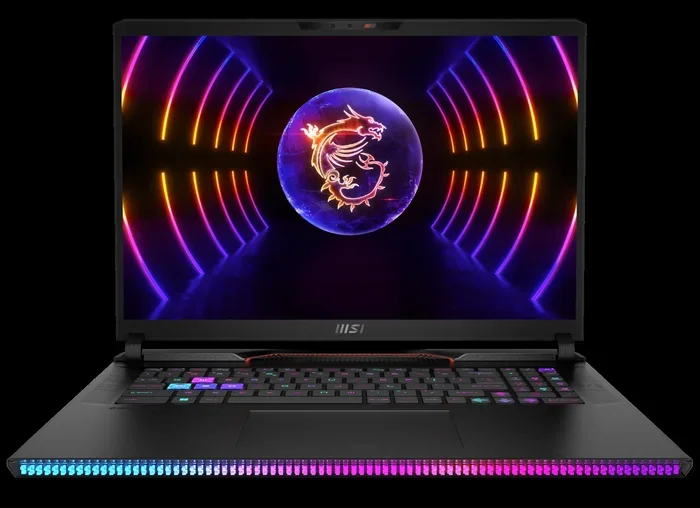
An MSI gaming laptop with 32GB RAM delivers smooth gameplay, fast multitasking, and top-tier performance for serious gamers and creators. This guide covers the best models, key specs to look for, upgrade tips, and why 32GB is the ideal memory size for demanding games and workloads in 2024 and beyond.
MSI has built a strong reputation in the gaming laptop world. Their machines are known for bold designs, powerful hardware, and features that gamers love. One of the most popular configurations right now is the MSI gaming laptop 32GB RAM setup. If you are shopping for a new laptop and want serious performance, this is the guide for you.
Why does 32GB of RAM matter so much? Modern games use more memory than ever before. Add streaming, background apps, and browser tabs, and you quickly see why 16GB feels limiting. With 32GB, you get headroom. Everything runs smoother. Load times drop. And you can keep dozens of apps open without a single stutter. This article breaks down everything you need to know about MSI laptops with 32GB of memory.
Key Takeaways
- 32GB RAM is the current sweet spot: It handles modern games, streaming, and creative work without breaking a sweat.
- MSI offers several strong options: From the Katana to the Raider series, MSI builds laptops that pair 32GB RAM with powerful processors and GPUs.
- DDR5 RAM is the way to go: Newer MSI models use DDR5 memory for faster speeds and better efficiency.
- Upgradeable designs are common: Many MSI laptops let you add or swap RAM sticks easily.
- Pair RAM with a fast SSD: Combining 32GB RAM with a 1TB SSD gives you the best overall system response.
- Check compatibility before buying: Not all MSI laptops support 32GB, so always verify the specs first.
📑 Table of Contents
- Why 32GB RAM Matters for Gaming Laptops
- Best MSI Gaming Laptops with 32GB RAM
- Key Specs to Look For in an MSI 32GB RAM Laptop
- Upgrading to 32GB RAM on Your MSI Laptop
- Common Mistakes to Avoid When Buying an MSI 32GB RAM Laptop
- Is 32GB RAM Future-Proof for Gaming?
- Final Thoughts
- Frequently Asked Questions
Why 32GB RAM Matters for Gaming Laptops
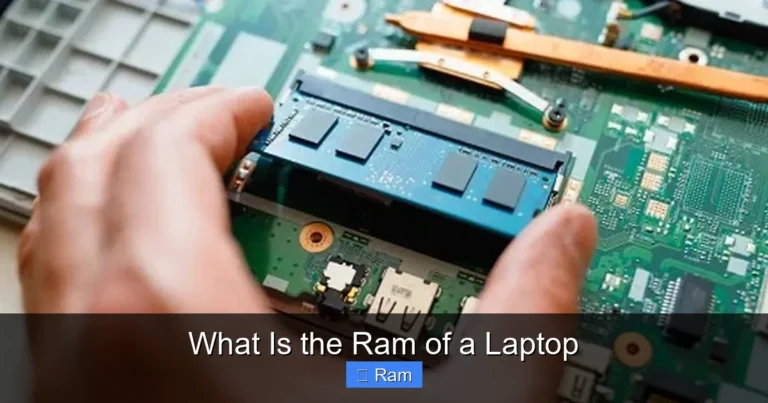
RAM is the short-term memory of your laptop. It holds data that your processor needs right now. More RAM means your laptop can juggle more tasks at once. For gaming, this translates into fewer stutters, faster loading, and better overall frame stability.
How Much RAM Do You Really Need?
Most modern games list 16GB as the minimum requirement. But minimums are not the same as recommended specs. When you push a game to high or ultra settings, 16GB starts to show its limits. You might notice frame drops when you open a browser overlay or when your game downloads updates in the background.
32GB solves this problem completely. You get room to run the game, a voice chat app, a browser with multiple tabs, and even a streaming program like OBS — all at the same time. For content creators who edit video or stream gameplay, 32GB is practically essential.
If you want to learn more about what makes a good RAM size, check out our guide on what is good RAM on a laptop.
32GB vs 16GB: The Real-World Difference
The difference between 16GB and 32GB is noticeable, but it depends on how you use your laptop. Here is a quick comparison:
- 16GB RAM: Great for casual gaming and everyday tasks. Struggles with heavy multitasking and newer AAA titles on high settings.
- 32GB RAM: Handles demanding games, streaming, video editing, and heavy multitasking with ease. Future-proofs your laptop for years to come.
For most gamers, 32GB is the better investment. It gives you flexibility and peace of mind. You do not have to worry about closing apps before launching a game.
Best MSI Gaming Laptops with 32GB RAM
MSI offers a wide range of gaming laptops, and many of them come with 32GB RAM out of the box. Let us look at some of the best options available right now.
MSI Katana Series
The MSI Katana series is known for offering great value. These laptops pack powerful hardware into sleek, understated designs. Many Katana models come with 32GB RAM, an Intel or AMD processor, and a dedicated NVIDIA graphics card. They are perfect for gamers who want performance without paying a premium price.
The Katana series often features DDR5 RAM, which is faster than older DDR4 memory. This means quicker load times and smoother gameplay. If you are on a budget but still want 32GB, the Katana is a strong contender.
MSI Raider Series
The Raider series is MSI’s premium gaming line. These laptops are built for enthusiasts who want the best of everything. Raider models come with powerful Intel Core i7 or i9 processors, high-end NVIDIA GPUs, and 32GB or even 64GB of RAM. The build quality is excellent, and the cooling systems are top-notch.
If you are a serious gamer or a content creator, the Raider series delivers. The 32GB RAM configuration handles everything from AAA gaming to 4K video editing without breaking a sweat.
MSI Vector and Stealth Series
The Vector series offers a more refined look while still packing serious gaming power. The Stealth series focuses on portability without sacrificing performance. Both lines include models with 32GB RAM, and they are great choices for gamers who need a laptop that works both at home and on the go.
Key Specs to Look For in an MSI 32GB RAM Laptop
When shopping for an MSI gaming laptop with 32GB RAM, there are a few key specs you should pay attention to. Not all 32GB configurations are created equal.
Processor (CPU)
The processor works hand-in-hand with your RAM. A powerful CPU makes sure your 32GB of memory is used efficiently. Look for Intel Core i7 or Intel Core i9 processors, or AMD Ryzen 7 and Ryzen 9 chips. These processors pair perfectly with 32GB of RAM for gaming and productivity tasks.
If you want to explore options with an Intel i7 and 32GB RAM, check out our Core i7 32GB RAM laptop guide.
Graphics Card (GPU)
The GPU is the most important component for gaming. MSI laptops typically come with NVIDIA GeForce RTX cards. The RTX 4060, RTX 4070, and RTX 4080 are common in 32GB RAM models. A strong GPU paired with 32GB RAM ensures smooth gameplay at high settings and resolutions.
Storage (SSD)
RAM and storage work together to determine how fast your system feels. Most MSI gaming laptops with 32GB RAM also include a 1TB SSD. This combination gives you fast boot times, quick game loads, and plenty of space for your game library.
Want to see how 32GB RAM pairs with a 1TB SSD? Read our article on laptop 32GB RAM 1TB SSD configurations.
Display and Refresh Rate
Do not forget about the screen. A high refresh rate display makes a big difference in gaming. Look for displays with 144Hz, 165Hz, or even 240Hz refresh rates. These screens display more frames per second, which makes gameplay feel buttery smooth.
Upgrading to 32GB RAM on Your MSI Laptop
Not everyone wants to buy a new laptop. If you already own an MSI gaming laptop, you might be able to upgrade to 32GB RAM yourself. This can save you a lot of money compared to buying a whole new machine.
Check Your Current RAM Setup
First, find out what RAM your laptop currently has and how many slots are available. Some MSI laptops come with two 8GB sticks (16GB total), while others have a single 16GB stick. If your laptop has two free slots, you can simply add two 16GB sticks to reach 32GB.
For more details on RAM sticks and compatibility, visit our 32GB RAM stick for laptop guide.
DDR4 vs DDR5: Which Should You Choose?
This is an important question. DDR5 RAM is newer and faster than DDR4. It offers better power efficiency and higher clock speeds. However, DDR5 is also more expensive. If your MSI laptop supports DDR5, it is worth the investment. If it only supports DDR4, you can still get great performance from DDR4 32GB kits.
Step-by-Step Upgrade Process
Upgrading RAM on an MSI laptop is straightforward. Here is a quick overview:
- Turn off your laptop and unplug it from power.
- Remove the bottom panel using a screwdriver.
- Locate the RAM slots. They are usually easy to access.
- Remove existing sticks by pressing the side clips outward.
- Insert new 16GB sticks at a 45-degree angle and press down until they click.
- Replace the bottom panel and power on your laptop.
Always check your laptop model’s manual before upgrading. Some MSI models have soldered RAM that cannot be replaced or upgraded.
Common Mistakes to Avoid When Buying an MSI 32GB RAM Laptop
Shopping for a gaming laptop can be tricky. Here are some common mistakes to watch out for.
- Assuming all 32GB configurations are the same: DDR4 and DDR5 are very different. Always check which type of RAM the laptop uses.
- Ignoring the GPU: 32GB of RAM will not help if your graphics card is weak. Balance your budget across all components.
- Overlooking storage speed: A slow hard drive will bottleneck your system even with 32GB of fast RAM. Always go for an SSD.
- Not checking upgradeability: Some laptops have RAM soldered to the motherboard. If you plan to upgrade later, make sure the laptop has accessible RAM slots.
- Skipping the cooling system: MSI laptops are powerful, but they generate heat. Good cooling keeps your hardware running at peak performance.
For a deeper look at RAM types and compatibility, read our article on laptop RAM vs desktop RAM.
Is 32GB RAM Future-Proof for Gaming?
This is a question many gamers ask. The short answer is yes. 32GB of RAM is more than enough for current and upcoming games. Game developers are constantly increasing their hardware requirements, but 32GB gives you a comfortable buffer.
In the next few years, 32GB will likely become the new standard for gaming laptops. Buying an MSI laptop with 32GB RAM now means you will not need to upgrade for several years. It is a smart investment that protects your purchase over time.
If you are curious about higher-end options, we also cover gaming laptops with 64GB RAM for those who need even more power.
Final Thoughts
An MSI gaming laptop with 32GB RAM is an excellent choice for anyone who takes gaming seriously. The combination of MSI’s quality build, powerful processors, and generous memory creates a machine that handles anything you throw at it. Whether you are playing the latest AAA titles, streaming your gameplay, or editing videos, 32GB of RAM gives you the performance and headroom you need.
Choose the right model, check the specs carefully, and consider future upgrade options. With the right MSI laptop, you will enjoy smooth, lag-free gaming for years to come. Do not settle for less when 32GB gives you the best balance of performance and value.
Frequently Asked Questions
Is 32GB RAM overkill for gaming?
Not anymore. Modern games and multitasking habits make 32GB a practical and smart choice. It keeps your system running smoothly even when you have many apps open at once.
Can I upgrade my MSI laptop to 32GB RAM?
Most MSI gaming laptops support RAM upgrades. Check your specific model to see how many slots are available and what type of RAM is compatible. Some models have soldered RAM, so always verify before purchasing.
What is the difference between DDR4 and DDR5 RAM in MSI laptops?
DDR5 RAM is faster and more power-efficient than DDR4. It offers higher clock speeds and better performance in demanding tasks. Newer MSI laptops use DDR5, while older models may still use DDR4.
Does 32GB RAM improve gaming FPS?
RAM affects overall system performance, not just FPS. With 32GB, you will experience fewer stutters, faster load times, and smoother gameplay, especially when multitasking or playing memory-intensive games.
Which MSI gaming laptop series has the best 32GB RAM options?
The MSI Raider and Katana series are among the best for 32GB RAM configurations. They offer powerful processors, strong GPUs, and upgradeable memory at competitive prices.
How much does a 32GB RAM MSI gaming laptop cost?
Prices vary depending on the model and specs. Entry-level MSI laptops with 32GB RAM start around $1,000, while high-end models with premium components can cost $2,500 or more. Always compare specs to find the best value.