Do I Need Laptop for College If I Have Desktop
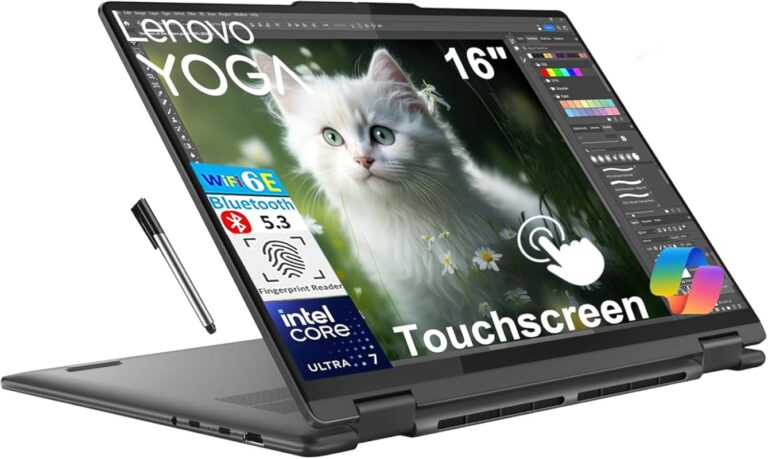
Having a desktop at home doesn’t mean you can skip a laptop for college. A laptop gives you the freedom to work anywhere, from lectures to the library. While a desktop is great for heavy tasks, a portable computer keeps you connected and productive on campus.
College life moves fast. You jump between classes, meet friends for study sessions, and sometimes do homework in the dining hall. Having a desktop computer at home feels convenient, but is it enough? Many students wonder whether they truly need a laptop for college when a powerful desktop computer already sits on their desk at home.
The short answer is: it depends on your lifestyle, your courses, and how you like to study. Some students thrive with just a desktop at home. Others feel lost without a portable computer they can carry to every class. In this guide, we walk through all the reasons you might need a laptop, when a desktop alone is fine, and how to make the best choice for your student budget.
Key Takeaways
- Portability is the #1 reason: A laptop lets you take notes in class, study in the library, and work with friends anywhere.
- Some classes require a laptop: Many professors expect students to type notes or access digital tools during lectures.
- A desktop can still handle big tasks: For heavy coding, video editing, or gaming, a desktop often beats a laptop in power and value.
- Budget matters a lot: Students on a tight budget may find that using a desktop at home and a cheap tablet works just fine.
- Check your school’s tech requirements first: Some programs have specific software or hardware needs that shape your decision.
📑 Table of Contents
Why a Laptop Matters for College Students
A laptop for college is more than just a fancy gadget. It becomes a core part of your daily routine. From taking notes in a crowded lecture hall to finishing a group project in a coffee shop, a portable computer offers flexibility that a desktop simply cannot match.
Take Notes Anywhere
Imagine sitting in a two-hour lecture. Your professor slides through slides fast, and you need to capture key points quickly. With a laptop, you can type your notes right there at your desk. No one wants to scramble for a pen and paper when the professor is moving at full speed.
After class, you can review and organize those notes on the bus ride home. A laptop gives you the freedom to study in different places, which can actually improve your focus and retention.
Group Work Becomes Easier
Group projects are a reality of college. You and your teammates might need to meet at the library, a common room, or even off campus. A portable computer lets you pull up shared documents, edit presentations, and collaborate in real time. Without a laptop, you are stuck waiting until you get home to contribute.
Access Digital Learning Tools
Most colleges now use online learning platforms like Canvas, Blackboard, or Moodle. You need to submit assignments, check grades, and watch lectures online. A laptop makes all of this easy whether you are in your dorm, at the campus café, or visiting family during a break.
When a Desktop Is Enough
Not every student needs a laptop for college. If your situation fits certain patterns, your desktop computer might be all you need. Let us look at when a desktop works well and what limitations you should watch for.
You Rarely Leave Campus
If you live close enough to walk to class and spend most of your day on or near campus, a desktop at home can work. You do your homework in the evening, and you have access to campus computer labs during the day. Many colleges offer free computer labs with printers and software you might not own yourself.
You Only Need a Computer for Specific Tasks
Some majors do not require constant computer access. If you are studying subjects like biology, chemistry, or mathematics, and your work involves a lot of textbook reading and problem sets on paper, a desktop at home may cover your needs. You can print materials at the library and complete digital assignments in the evenings.
Your Desktop Is Powerful
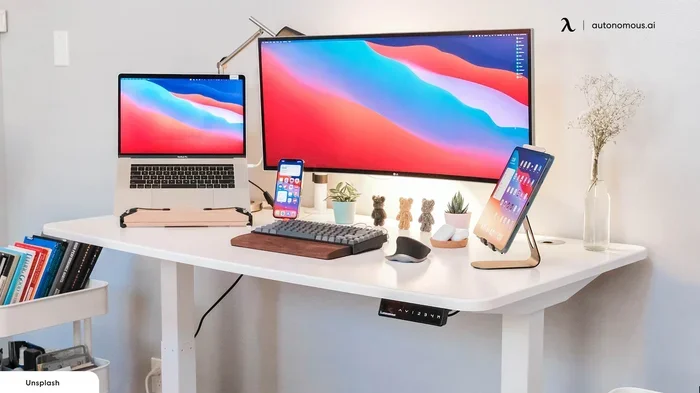
A desktop computer often has better processing power, more storage, and a larger screen than most laptops in the same price range. If you need to run demanding software like video editing tools or 3D modeling programs, a desktop setup at home can deliver performance that a budget laptop for college simply cannot match.
For students in fields like computer science or graphic design, this power advantage matters a lot. You can check best laptops for college students if you still want a portable option alongside your desktop.
Laptop vs Desktop: Key Differences for College
Choosing between a laptop and a desktop computer comes down to understanding what each one does best. Here is a simple comparison to help you decide.
Performance and Power
Desktops win on raw power. They have bigger processors, better cooling systems, and more room for upgrades. If you are a computer science major or someone who runs heavy software, a desktop gives you more muscle for the same price.
Laptops have come a long way, but they still trade some performance for portability. A mid-range laptop for college handles everyday tasks like writing papers, browsing the web, and streaming lectures with ease. But it may struggle with very heavy workloads.
Portability and Convenience
This is where laptops shine. You can carry a laptop to every class, every study group, and every meeting with your advisor. A desktop stays in one place. That limitation matters if you have an active campus life and want to work from different locations.
Price and Value
Generally, desktops offer better value for the money. You get more performance per dollar. However, a budget laptop can still be affordable and serve your basic needs well. If you already own a desktop, you might not need a high-end laptop. A simple, affordable model could be enough.
Here is a quick look at the main differences:
- Portability: Laptop wins easily. You can take it anywhere.
- Performance: Desktop wins for heavy tasks and upgrades.
- Price: Desktop gives more power per dollar.
- Screen Size: Desktop monitors are larger and more comfortable for long work sessions.
- Battery Life: Laptops work without a plug, which is a huge plus on campus.
Do You Need a Laptop for Online Classes?
Online college programs have made laptops essential for many students. If your courses are fully or mostly online, you need a reliable portable computer to attend virtual lectures, join discussions, and submit assignments on time.
Even if you have a desktop at home, online classes often require you to be flexible. Your internet might go down, or you might need to attend a live session while traveling. A laptop gives you a backup plan and keeps you connected no matter what.
For students who want the best laptop for online college, a lightweight model with good battery life and a decent webcam is all you really need. You do not have to spend a fortune. Many affordable options handle video calls, document editing, and research with ease.
If you want to explore the best options, check out best laptops for online college to find models that fit a student budget.
How Much RAM Do You Really Need?
One of the most common questions students ask is about RAM. Random Access Memory affects how smoothly your computer runs multiple apps at once. If you plan to have many browser tabs open while taking notes, running a video call, and streaming music, you need enough RAM to handle it all.
Minimum RAM for College Work
For most college tasks like writing papers, browsing the web, and watching lectures, 8GB of RAM is the sweet spot. It handles everyday multitasking without slowing down. This amount works well for students who are not running heavy software.
When You Need More RAM
If your major involves data analysis, video editing, or running virtual machines, you should look for 16GB of RAM or more. Some engineering and design programs demand extra memory to run smoothly. Before buying any laptop for college, check the software requirements for your courses.
You can also learn more about how much RAM you need on your laptop to make an informed choice. Understanding your RAM needs helps you avoid buying more than you need or falling short of what your courses demand.
Common Mistakes Students Make When Choosing a Computer
Many students make avoidable mistakes when picking a computer for college. Learning from these errors can save you money, time, and frustration.
Buying Based on Gaming Specs
Some students buy a powerful gaming laptop because it looks cool. But if you only need a computer for writing papers and browsing the web, that extra power is wasted. A budget-friendly laptop with solid everyday performance is a smarter choice for most college students.
Ignoring Battery Life
College days are long. You might not always have access to a power outlet between classes. A laptop with weak battery life can leave you stranded. Look for a model that lasts at least 6 to 8 hours on a single charge.
Overlooking Used or Refurbished Options
You do not always need to buy brand new. Many refurbished laptops work perfectly fine for college work. They cost less and still deliver solid performance. This is a great way to stay within a tight student budget.
Forgetting About Campus Resources
Most colleges provide computer labs, printing stations, and sometimes even laptop lending programs. Before you rush to buy a new laptop for college, check what your school already offers. You might find that you can get by with a smaller investment or even a tablet.
Final Thoughts: Should You Get a Laptop for College?
The decision comes down to your personal needs and daily routine. If you attend in-person classes, participate in group work, and like to study in different locations, a laptop is a smart investment. It gives you the flexibility and convenience that a desktop simply cannot provide.
On the other hand, if you mostly study at home, rarely leave campus, and your courses do not demand portable access, a desktop computer might be enough. You can always use campus computer labs when you need a machine on the go.
Many students find a middle ground. They use a desktop at home for heavy tasks and bring a basic laptop to class for note-taking and light work. This setup gives you the best of both worlds without breaking the bank.
Whatever you choose, make sure it fits your learning style, your major’s requirements, and your budget. A computer is a tool. The best one is the one that helps you succeed in your studies without unnecessary stress or expense.
Before you decide, take a moment to think about your typical day. Where do you study? How many classes do you attend? Do you need to work on assignments between lectures? Your answers to these questions will guide you toward the right choice.
And remember, you are not locked into one option forever. Many students start with a basic setup and upgrade later as their needs change. The most important thing is to start with what works and adjust as you learn what you truly need.
Frequently Asked Questions
Can I use just a desktop for college if I live on campus?
It is possible, but it is not ideal. A desktop stays in your dorm room or apartment. You will miss out on taking notes in class, working on group projects in common areas, and studying in the library. Most students benefit from having at least a basic laptop for portability.
What is the best budget laptop for college students?
A budget laptop with at least 8GB of RAM, a solid processor, and good battery life works great for most college tasks. You do not need to spend a lot. Look for models in the $300 to $600 range that handle writing, browsing, and video calls smoothly.
Do I need a laptop if my college has computer labs?
Computer labs are helpful, but they limit your flexibility. You can only work during lab hours, and you may need to wait for an open computer. A personal laptop lets you work whenever and wherever you want, which is a big advantage during busy exam weeks.
How much RAM do I need for college coursework?
For most students, 8GB of RAM is plenty. It handles writing papers, browsing the web, and streaming lectures without issues. If your major involves heavy software like video editing or programming tools, consider 16GB of RAM for a smoother experience.
Is a tablet enough instead of a laptop for college?
A tablet can work for light tasks like reading PDFs, taking notes, and browsing the web. However, it may struggle with longer writing assignments, complex spreadsheets, or specialized software. A laptop is usually a safer and more versatile choice for college work.
Should I buy a new or refurbished laptop for college?
A refurbished laptop can save you a lot of money and still perform well for college tasks. Just make sure it comes from a trusted source with a good warranty. A new budget laptop is also a fine option if you prefer the latest hardware and full warranty coverage.