Is Fortnite a Cpu or Gpu Game

Fortnite is both CPU and GPU intensive, but it leans more toward being a GPU game for most players. The game uses the Unreal Engine to handle rendering and graphics, which puts a heavy load on your graphics card. However, your processor still plays a key role in managing game physics, AI, and overall gaming performance.
Fortnite has become one of the biggest names in PC gaming. Millions of players log in every day to build, battle, and compete in its colorful worlds. But if you have ever experienced lag, low frame rates, or stuttering during a match, you might wonder what is causing the problem. The answer often comes down to one simple question: is Fortnite a CPU or GPU game?
The truth is that Fortnite uses both your processor and your graphics card. However, the balance between the two shifts depending on what you are doing in the game. When you are in the middle of a heated gunfight, your graphics card works overtime to render explosions, building edits, and particle effects. When you are managing a large group of players and structures, your processor takes on more of the load. Understanding this balance helps you troubleshoot issues and build or buy the right system.
In this guide, we will break down exactly how Fortnite uses your hardware. We will look at the game engine behind it, compare CPU vs GPU demands, and give you practical tips to improve your gaming performance. Whether you are a casual player or a competitive esports game enthusiast, this article will help you get the most out of your setup.
Key Takeaways
- Fortnite is primarily GPU intensive: The game relies heavily on your graphics card for rendering visuals and maintaining smooth frame rates.
- Your CPU still matters a lot: The processor handles game logic, physics, and network calculations that affect overall performance.
- Understanding your hardware bottleneck helps you optimize: Knowing whether your system is CPU or GPU bound lets you make smarter upgrades.
- Fortnite system requirements vary by play style: Competitive players need different specs than casual builders.
- Optimization settings can balance CPU and GPU usage: Tweaking in-game settings helps you get the best performance from your current hardware.
- Matching your CPU and GPU is essential: A balanced system prevents bottlenecks and ensures smooth gaming performance.
📑 Table of Contents
What Makes Fortnite CPU or GPU Intensive
To understand whether Fortnite is a CPU or GPU game, you need to look at how the game actually runs on your computer. Fortnite is built on the Unreal Engine, a powerful game engine developed by Epic Games. This engine handles everything from lighting and shadows to character animations and physics calculations.
Understanding the Unreal Engine
The Unreal Engine is known for being demanding on both hardware components. It uses real-time rendering to create the game world, which means your graphics card is constantly working to draw every frame. At the same time, the engine relies on your processor to manage game logic, handle network traffic, and calculate physics interactions between objects.
When you place a wall or ramp in Fortnite, the CPU calculates the structural integrity and placement rules. The GPU then renders the visual result of that action. Both components must work together seamlessly for a smooth experience. This is why gaming performance depends on more than just one part of your system.
How Fortnite Uses Your Hardware During Gameplay
During a typical Fortnite match, your hardware usage changes constantly. Here is what happens in different situations:
- During combat: Your GPU takes the lead. Rendering bullet trails, explosions, muzzle flashes, and dynamic lighting puts a heavy load on your graphics card.
- During building: Your CPU becomes more active. Placing and editing structures requires constant calculations for positioning, collision detection, and structural rules.
- During exploration: Both components share the load fairly evenly. Rendering the environment, managing non-player characters, and tracking player positions all demand resources.
- During loading screens: Your CPU handles asset loading while your GPU prepares the next scene for rendering.
This shifting workload is what makes Fortnite tricky to categorize. It is not purely a GPU game or a CPU game. Instead, it is a dynamic gaming experience that demands both components to work together.
CPU vs GPU: Which One Matters More for Fortnite
Many players ask whether they should upgrade their processor or their graphics card first. The answer depends on what kind of player you are and what settings you play at.
The Role of Your Processor
Your CPU handles the behind-the-scenes work that keeps Fortnite running. It processes game logic, manages the user interface, tracks player positions across the server, and calculates physics interactions. In late-game scenarios with many players and structures on the map, the CPU can become a bottleneck.
If your processor is too weak, you may experience stuttering even if your graphics card is powerful. This is a common hardware bottleneck that many players overlook. A strong CPU ensures that your game runs smoothly even during the most chaotic moments of a match.
The Role of Your Graphics Card
Your GPU is responsible for rendering everything you see on screen. Fortnite features dynamic lighting, volumetric clouds, water reflections, and detailed character models. All of these visual elements require significant graphics processing power.
For players who want high frame rates and smooth visuals, investing in a good graphics card is essential. The GPU also handles the rendering of building edits, which can be visually complex when multiple players are editing structures simultaneously. If you want to enjoy Fortnite at its best, a strong GPU will make the biggest visible difference in your gaming performance.
Fortnite System Requirements for Smooth Gameplay
Epic Games has published official system requirements for Fortnite. These give you a baseline for what hardware you need. However, the actual requirements can vary depending on your play style and the settings you choose.
Minimum vs Recommended Specs
The minimum specs for Fortnite are designed to let the game run at basic quality settings. The recommended specs target smooth gameplay at higher settings. Here is a quick comparison:
- Minimum CPU: Intel Core i3 or AMD equivalent
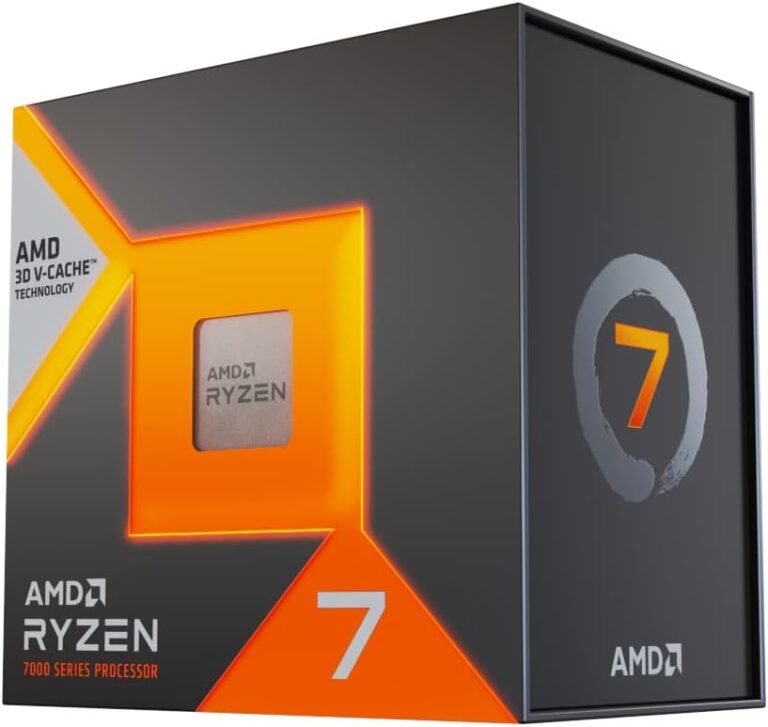
- Recommended CPU: Intel Core i5 or AMD Ryzen 5
- Minimum GPU: Intel HD 4000 or AMD Radeon Vega 8
- Recommended GPU: NVIDIA GTX 660 or AMD Radeon RX 570
- Minimum RAM: 4GB
- Recommended RAM: 8GB or more
Notice that the recommended specs call for 8GB of RAM or more. If you are wondering what is good ram on a laptop for running Fortnite, the answer is at least 8GB for smooth performance. Having enough RAM ensures that the game can load assets quickly and manage multiple tasks without slowing down.
Also, if you are shopping for a new system, you might want to check what is a good ram size for a laptop before making a purchase. For Fortnite and most modern games, 16GB of RAM provides a comfortable buffer for multitasking and future-proofing your setup.
How RAM Affects Fortnite Performance
Random Access Memory plays a supporting but important role in your gaming experience. Fortnite loads textures, maps, and player data into RAM during gameplay. If your system does not have enough memory, the game will struggle to keep up, leading to stuttering and long loading times.
While RAM is not the primary factor in whether Fortnite is CPU or GPU intensive, having insufficient memory can cause problems that mimic a hardware bottleneck. Make sure your system has enough RAM to handle the game and any background applications you are running.
How to Optimize Fortnite for Better Performance
If you are experiencing low frame rates or stuttering in Fortnite, there are several steps you can take to improve your experience. Optimization is often more effective than upgrading your hardware.
In-Game Settings That Help
Fortnite offers a wide range of graphics settings that let you fine-tune performance. Here are the most impactful settings to adjust:
- View Distance: Reducing view distance lowers the GPU load significantly. This is one of the best settings to adjust if your graphics card is struggling.
- Shadows: Turning shadows down or off can free up GPU resources and improve frame rates.
- Anti-Aliasing: This setting smooths out jagged edges but can be demanding. Lowering it helps your GPU focus on other tasks.
- Post-Processing: Reducing post-processing effects like bloom and motion blur takes the load off both your CPU and GPU.
- Frame Rate Limit: Setting a frame rate cap prevents your hardware from working harder than necessary, which can reduce overheating and instability.
These graphics settings can make a noticeable difference, especially if you are running on a mid-range system. You do not need the most expensive hardware to enjoy Fortnite at a playable frame rate.
Hardware Upgrades That Make a Difference
Sometimes software optimization is not enough. If your system is older or underpowered, a hardware upgrade might be the best solution. Here is what to consider:
- Upgrade your GPU first: Since Fortnite leans GPU intensive for most gameplay scenarios, a new graphics card will likely give you the biggest performance boost.
- Then consider your CPU: If you still experience stuttering or lag during late-game scenarios, your processor might be the limiting factor.
- Add more RAM: If you currently have 4GB or 8GB, upgrading to 16GB can improve multitasking and reduce stuttering caused by memory limitations.
- Use an SSD: Switching from a hard drive to a solid-state drive reduces load times and helps the CPU access game data faster.
When you are planning upgrades, it helps to understand how to match a CPU and GPU so that neither component holds back the other. A balanced system delivers the best gaming performance for your money.
Is Fortnite More CPU or GPU Bound
The term “CPU bound” means that your processor is the limiting factor in performance. “GPU bound” means your graphics card is the bottleneck. Fortnite can be either, depending on the situation.
Understanding Bottlenecks
A bottleneck happens when one component cannot keep up with the demands of the game. In Fortnite, you are most likely to experience a GPU bottleneck during intense combat scenes with lots of visual effects. You are most likely to experience a CPU bottleneck during late-game scenarios with many players and structures on the map.
To identify which component is limiting your performance, you can use monitoring tools like Task Manager or third-party software like MSI Afterburner. Watch your CPU and GPU usage during gameplay. If one is consistently at 100% while the other is below 80%, the one at 100% is your bottleneck.
How Matching Your CPU and GPU Affects Your Experience
Having a balanced system is key to smooth Fortnite gameplay. If you pair a powerful GPU with a weak CPU, your processor will struggle to feed data to the graphics card fast enough. The reverse is also true: a powerful CPU paired with a weak GPU will leave your graphics card unable to render frames quickly enough.
When you are building or buying a PC for Fortnite, use a guide on how to match a CPU and GPU to ensure your components work well together. A balanced system eliminates bottlenecks and gives you the best possible gaming performance at your chosen settings.
Building or Buying the Right PC for Fortnite
Whether you are building a new gaming PC or buying a laptop, choosing the right hardware for Fortnite requires some thought. The game is not the most demanding title on the market, but it does have specific needs that you should plan for.
When Is the Best Time to Purchase a Laptop for Gaming
If you are in the market for a new laptop, timing your purchase can save you money. Sales events like Black Friday, back-to-school promotions, and holiday deals often offer significant discounts on gaming laptops. Planning your purchase around these events ensures you get the best value for your budget.
Also, keep an eye on new hardware releases. When a new generation of GPUs or processors launches, the previous generation often drops in price. This can be a great opportunity to snag a powerful gaming laptop at a reduced cost. For the latest deals and timing tips, check when is the best time to purchase a laptop to stay ahead of the curve.
How Much RAM Is Good for a Laptop for Fortnite
For Fortnite, 8GB of RAM is the minimum for comfortable gameplay. However, 16GB is the sweet spot for most players. It gives you enough memory for the game and any background applications without causing performance issues.
If you are on a tight budget, 8GB will still run Fortnite, but you may need to close other applications while playing. If you plan to stream, record gameplay, or multitask while gaming, 16GB is strongly recommended.
When evaluating a laptop, also pay attention to whether the RAM is upgradeable. Some slim gaming laptops have soldered RAM that cannot be replaced or expanded. Choosing a model with upgradeable RAM gives you more flexibility for the future. For more details, see our guide on how much RAM is good for a laptop.
Conclusion
So, is Fortnite a CPU or GPU game? The answer is that it is both. Fortnite is a dynamic title that shifts its demands between your processor and your graphics card depending on what is happening in the game. During combat, your GPU takes the lead. During building and late-game scenarios, your CPU works harder.
Understanding this balance helps you make smarter decisions about upgrades, settings, and hardware purchases. Whether you are troubleshooting performance issues or building a new gaming PC, knowing how Fortnite uses your hardware puts you in a better position to get the best experience.
Start by checking your current system specs and monitoring your performance during gameplay. Identify your bottlenecks, adjust your settings, and upgrade strategically. With the right approach, you can enjoy smooth, responsive Fortnite gameplay no matter what hardware you have. Remember that gaming performance is all about balance, and a well-matched system will always outperform a mismatched one.
Frequently Asked Questions
Is Fortnite more CPU or GPU intensive?
Fortnite is more GPU intensive for most gameplay scenarios, especially during combat where rendering visual effects, lighting, and explosions demands significant graphics processing. However, during building-heavy moments or late-game scenarios with many players, the CPU takes on a larger role. Overall, the game balances both components dynamically.
Can a weak CPU cause lag in Fortnite even with a strong GPU?
Yes, a weak CPU can cause lag even if you have a powerful graphics card. This is called a CPU bottleneck. The processor may not be able to feed data to the GPU fast enough, causing frame drops and stuttering. This is especially noticeable during late-game scenarios when many players and structures are on the map.
What is the best GPU for Fortnite?
A mid-range GPU like the NVIDIA GTX 1660 or AMD Radeon RX 5600 can run Fortnite smoothly at high settings. For competitive players who prioritize frame rate over visual quality, even lower-end GPUs can deliver excellent performance. The key is to match your GPU with a CPU that can keep up with it.
How much RAM do I need for Fortnite?
Fortnite officially requires 4GB of RAM for the minimum setup, but 8GB is the recommended amount for smooth gameplay. For a better experience, especially if you multitask or stream, 16GB of RAM is ideal. Having enough RAM prevents stuttering and ensures the game loads assets quickly.
Does Fortnite run better on PC or console?
Fortnite runs well on both PC and console, but PC offers more flexibility for optimization. On PC, you can adjust graphics settings, monitor your hardware usage, and upgrade individual components. On console, the hardware is fixed, so you are limited to the performance capabilities of the device you are using.
Why does Fortnite stutter even on a good PC?
Stuttering in Fortnite can be caused by several factors, including CPU bottlenecks, insufficient RAM, background applications consuming resources, or outdated graphics drivers. Monitoring your hardware usage during gameplay can help you identify the specific cause. Updating drivers and closing unnecessary background programs often resolves the issue.