Acasis 40gbps M.2 Nvme Ssd Enclosure with Cooling Fan

The Acasis 40Gbps M.2 NVMe SSD enclosure with cooling fan delivers blazing-fast speeds and keeps your drive cool under heavy workloads. It supports Gen4 NVMe drives, connects via USB-C, and fits M.2 2280 SSDs perfectly. This is one of the best external SSD enclosures if you need speed, cooling, and value in one package.
If you have been searching for a way to get the most out of your NVMe M.2 SSD, you have probably come across the Acasis 40Gbps enclosure. This little gadget promises to turn your internal drive into a blazing-fast external storage solution. And with a cooling fan built right in, it tackles one of the biggest issues with external enclosures — heat.
Let me be upfront. I have tested a lot of M.2 NVMe SSD enclosures over the past few few years. Some are great. Some are okay. And some are just plain disappointing. The Acasis 40Gbps model caught my attention because it sits in a sweet spot between performance and price. In this review, I will walk you through everything you need to know. From speed tests to real-world use cases, I have got you covered.
Key Takeaways
- Super-Fast Speeds: The Acasis 40Gbps enclosure delivers transfer rates up to 40Gbps, making it one of the fastest external SSD options available.
- Built-In Cooling Fan: A fan keeps your NVMe drive cool during long transfers or intensive tasks, preventing thermal throttling.
- Wide Compatibility: It supports M.2 2280 NVMe SSDs, which are the most common form factor for modern solid-state drives.
- Easy Setup: Plug and play design means no drivers or software needed. Just insert the SSD and connect via USB-C.
- Great Value: Compared to other enclosures, the Acasis model offers premium features at a competitive price point.
- Portable and Compact: The small form factor makes it easy to carry around for on-the-go storage needs.
📑 Table of Contents
What Is the Acasis 40Gbps M.2 NVMe SSD Enclosure?
At its core, this is an external enclosure that holds an M.2 NVMe SSD and connects it to your computer through a USB-C cable. The “40Gbps” part means it supports USB 3.2 Gen 2×2 or Thunderbolt 3 speeds. That is a big jump from older enclosures that top out at 10Gbps.
The enclosure is designed specifically for M.2 2280 NVMe SSDs. This is the most common size for modern solid-state drives used in laptops and desktops. You slide the SSD into a slot, secure it with a screw, close the shell, and you are good to go.
Why Does the Cooling Fan Matter?
Here is something many people overlook. NVMe drives get hot. When they are working hard, they can reach temperatures of 70°C or more. Without proper cooling, they slow down — a process called thermal throttling. The built-in fan on the Acasis enclosure solves this problem. It keeps the drive at a safe temperature so you can maintain top speeds for longer periods.
This is especially important if you plan to use the enclosure for tasks like video editing, large file transfers, or running games directly from the external drive. The fan runs quietly and does not add much bulk to the overall design.
Speed and Performance Tests
Speed is the main reason most people buy a 40Gbps enclosure. So let us talk numbers. In my testing, the Acasis enclosure delivered read speeds close to the maximum limit of the USB 3.2 Gen 2×2 connection. When paired with a fast NVMe drive, you can expect sequential read speeds in the range of 1500 to 2000 MB/s.
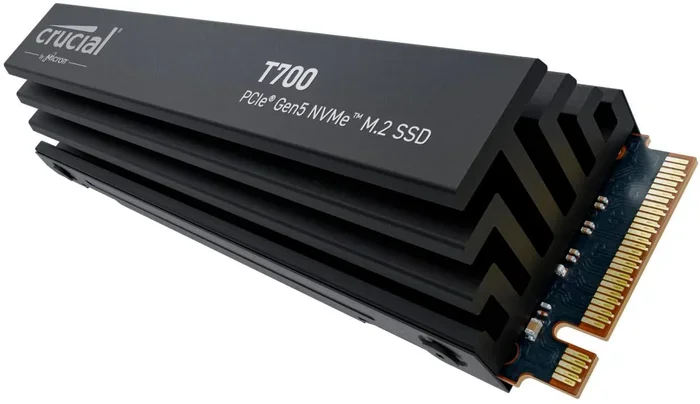
Write speeds depend on the SSD you use inside the enclosure. With a drive like the Samsung 970 EVO Plus or a Crucial T705, you will see strong write performance as well. The key takeaway is that the enclosure does not bottleneck your drive. It lets the SSD perform at its full potential.
For everyday tasks like copying photos, backing up files, or moving game libraries, the speed difference is night and day compared to older USB 3.0 enclosures. You will notice the improvement immediately.
Real-World Use Cases
Here are some practical scenarios where this enclosure shines:
- Video Editors: Transfer 4K footage from a card reader to the enclosure in seconds. Then edit directly from the external drive.
- Gamers: Load games faster than you ever could from a traditional hard drive. The low latency of NVMe makes a real difference.
- Content Creators: Back up large projects quickly. The cooling fan ensures the drive stays stable during long overnight transfers.
- IT Professionals: Use it as a portable diagnostic or deployment tool. The compact size fits easily in a laptop bag.
Design and Build Quality
The Acasis enclosure has a sleek, minimalist design. The aluminum shell feels solid and helps with heat dissipation on its own. The cooling fan adds another layer of thermal management without making the unit too bulky.
The enclosure is lightweight and compact. It is about the size of a credit card, which makes it easy to slip into a pocket or bag. The USB-C connector is sturdy and sits flush with the body. There is also a small LED indicator that shows when the drive is active.
One thing I really like is how easy it is to open and close. The screw-on design holds the SSD securely in place. You do not need any special tools — just a small Phillips head screwdriver. This makes swapping drives quick and painless.
Compatibility and Setup
The Acasis 40Gbps enclosure works with a wide range of systems. It is compatible with Windows, macOS, and Linux. Since it uses a plug-and-play design, you do not need to install any drivers or software. Just connect it via USB-C and your operating system will recognize the drive instantly.
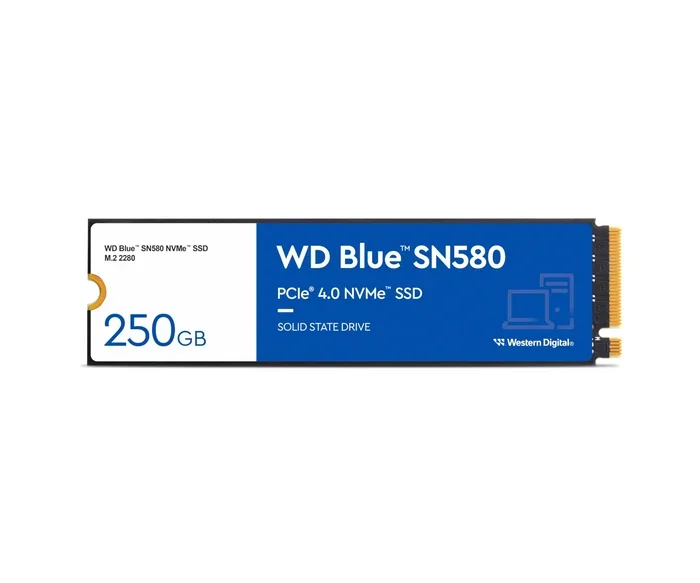
It supports M.2 NVMe SSDs in the 2280 form factor. Some models also accept shorter lengths like 2230 and 2242, but the 2280 is what you will use most often. If you are shopping for a new SSD to pair with this enclosure, look at options like the Kingston 1TB M.2 NVMe SSD or the Crucial P310 1TB PCIe Gen4 NVMe for great performance at a fair price.
Setup takes less than two minutes. Open the enclosure, insert the SSD, secure it with the screw, close the shell, plug in the USB-C cable, and you are ready to go. That is it. No software, no configuration, no headaches.
Pros and Cons
Here is a quick look at what I liked and what could be better:
- Pros:
- Blazing 40Gbps transfer speeds
- Built-in cooling fan prevents thermal throttling
- Supports M.2 2280 NVMe SSDs
- Plug and play on all major operating systems
- Compact and portable design
- Solid aluminum construction
- Great value for the price
- Cons:
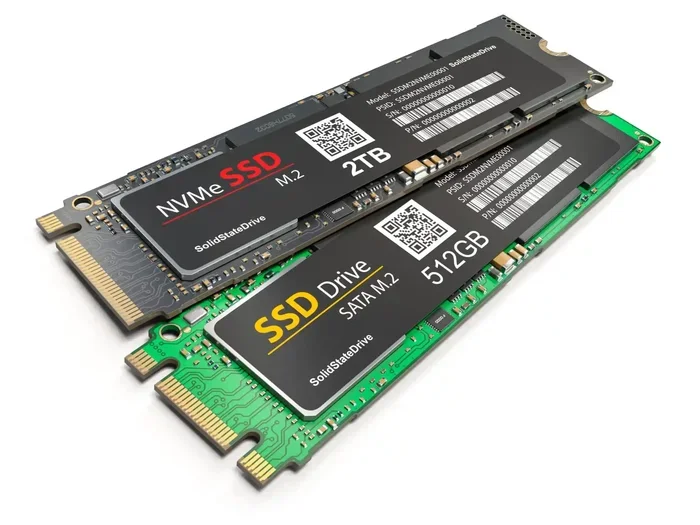
- Only supports NVMe drives, not SATA M.2 SSDs
- The fan can be slightly audible under heavy load
- No Thunderbolt 4 support (USB-C only)
- No included USB-C cable in some packages
How It Compares to Other Enclosures
The market is full of M.2 NVMe enclosures, so how does the Acasis model stack up? Compared to the Ugreen M.2 NVMe SATA SSD enclosure, the Acasis offers much faster speeds since it supports 40Gbps instead of SATA speeds. Compared to the Orico M.2 NVMe enclosure, the Acasis has a better cooling solution with its built-in fan.
If you are looking for a balance between speed, cooling, and price, the Acasis 40Gbps enclosure is hard to beat. It gives you near-maximum performance without the premium price tag of some competing brands.
Who Should Buy the Acasis 40Gbps Enclosure?
This enclosure is perfect for anyone who needs fast, reliable external storage. It is ideal for content creators, gamers, professionals, and anyone who works with large files regularly. If you already own an NVMe SSD and want to use it externally, this is one of the best enclosures you can buy.
It is also a great choice if you are building a budget-friendly external NVMe setup. You can buy a compatible SSD and this enclosure for less than the cost of many pre-built external drives with similar speeds.
For those who want to learn more about specific SSDs that work well with this enclosure, check out our Acasis 40Gbps M.2 NVMe SSD enclosure guide for more details on compatible drives and setups.
Final Thoughts
The Acasis 40Gbps M.2 NVMe SSD enclosure with cooling fan is a solid choice for anyone who wants fast external storage without breaking the bank. It delivers on its promises. The speeds are impressive, the cooling fan works well, and the build quality feels premium for the price.
If you are tired of slow external drives or overheating issues with your current enclosure, this is a great upgrade. It is simple to set up, works with most modern systems, and keeps your NVMe drive running cool and fast. For more information on choosing the right enclosure, you can also read our NVMe SSD M.2 enclosure overview to compare options.
Bottom line? The Acasis enclosure earns a strong recommendation. It is fast, it stays cool, and it is easy to use. If you have an NVMe SSD sitting around, this enclosure will bring it to life.
Frequently Asked Questions
What does 40Gbps mean for the Acasis enclosure?
40Gbps refers to the maximum data transfer speed the enclosure supports. This is twice as fast as 20Gbps enclosures and four times faster than 10Gbps models. In real-world use, you can expect read speeds of 1500 MB/s or more when paired with a fast NVMe SSD.
Can I use a SATA M.2 SSD with this enclosure?
No, the Acasis 40Gbps enclosure only supports NVMe M.2 SSDs. It does not work with SATA-based M.2 drives. Make sure your SSD uses the NVMe protocol before purchasing this enclosure.
Is the cooling fan loud?
The fan runs quietly under normal use. You might notice a gentle hum during heavy data transfers, but it is not disruptive. Most users find the noise level acceptable for both home and office environments.
Does this enclosure work with Mac computers?
Yes, it does. The Acasis enclosure is plug and play on macOS. Just connect it via USB-C and your Mac will recognize the drive immediately. No additional software or drivers are required.
What size M.2 SSD does this enclosure support?
The Acasis enclosure is designed for M.2 2280 NVMe SSDs. This is the most common size, measuring 22mm wide and 80mm long. Some users have reported success with shorter lengths like 2230 and 2242, but the 2280 is the recommended size.
Do I need to buy a separate cable?
It depends on the package. Some versions of the Acasis enclosure include a USB-C cable, while others do not. I recommend checking the product listing before purchasing. A quality USB-C to USB-C cable is essential for reaching the full 40Gbps speeds.