1tb M 2 Pcie Nvme Ssd
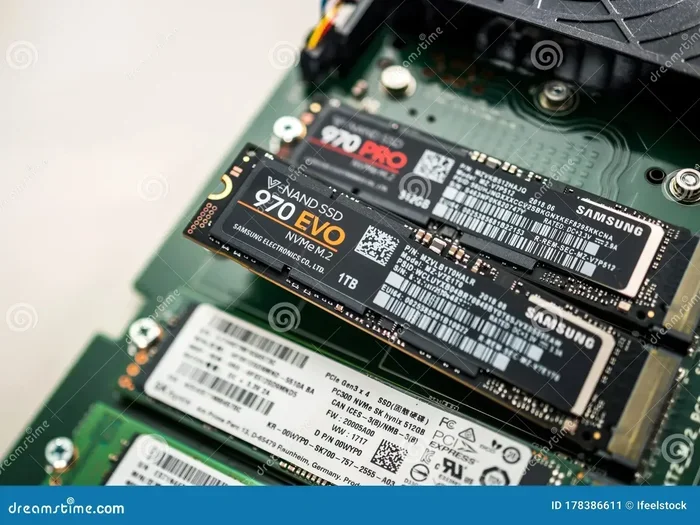
A 1TB M.2 PCIe NVMe SSD delivers lightning-fast storage for gaming, work, and everyday use. These drives use the NVMe protocol over a PCIe connection to offer speeds that blow traditional hard drives out of the water. Whether you are upgrading a laptop or building a new PC, a 1TB NVMe M.2 SSD gives you plenty of space and serious performance.
If you have been shopping for a new storage drive, you have probably seen the term 1TB M.2 PCIe NVMe SSD thrown around a lot. And for good reason. These drives are the gold standard for fast storage in modern PCs and laptops. They are small, incredibly quick, and packed with enough space for your operating system, games, and files.
But what exactly makes a 1TB NVMe M.2 SSD so special? And how do you pick the right one? In this guide, we break it all down in simple terms. No jargon overload. Just clear, practical advice to help you make the best choice.
A solid state drive is a storage device that uses flash memory instead of spinning disks. This means no moving parts. No noise. And much faster speeds. An M.2 NVMe SSD takes this a step further by using a tiny stick form factor that plugs directly into your motherboard. The NVMe protocol talks directly to your CPU through the PCIe lane. This bypasses the older SATA bottleneck entirely.
The result? A 1TB M.2 PCIe NVMe SSD can boot your computer in under 10 seconds. Games load in a fraction of the time. Large files copy in seconds instead of minutes. If you have ever waited for a slow hard drive to catch up, you know exactly how big this difference is.
## Why Choose a 1TB M.2 PCIe NVMe SSD?
There are many reasons to choose a 1TB M.2 PCIe NVMe SSD for your next build or upgrade. Let us look at the biggest benefits.
### Speed That Changes Everything
The most obvious advantage is speed. A standard SSD NVMe PCIe M.2 drive can read data at 3,500 to 7,000 MB/s depending on the generation. Write speeds often reach 3,000 to 5,000 MB/s. Compare that to a traditional hard drive that tops out around 150 MB/s. The difference is night and day.
When you boot Windows from a 1TB NVMe M.2 SSD, you are looking at 5 to 15 seconds total. Games open almost instantly. Video editing software scrubs through timelines without stuttering. For anyone who works with large files, this speed boost is a game changer.
### Compact Size Saves Space
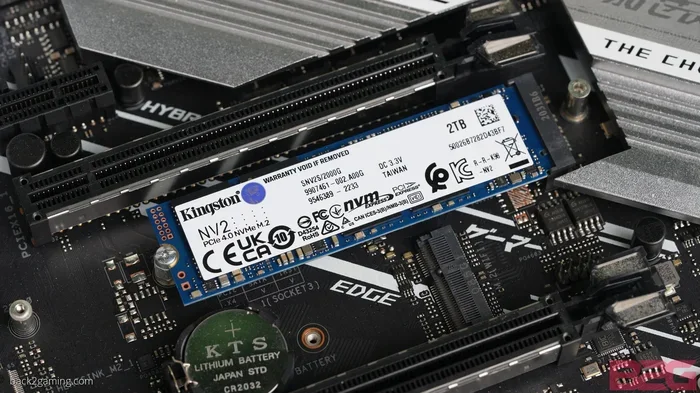
The M.2 format is tiny. These drives are about the size of a stick of gum. They attach directly to your motherboard with a single screw. There are no cables to manage. No drive bays to fill. This makes M.2 NVMe SSDs perfect for small form factor PCs and laptops where every millimeter counts.
### Plenty of Storage Space
One terabyte gives you room to breathe. You can install your operating system, dozens of games, creative projects, and still have space left over. For most users, 1TB hits the sweet spot between capacity and price. If you need more, you can always add a second drive or look at 2TB options.
## How Does a 1TB M.2 PCIe NVMe SSD Work?
Understanding the basics helps you make a smarter purchase. Let us break down how these drives actually work.
### The M.2 Form Factor
The M.2 specification defines the physical shape and connector of the drive. M.2 SSDs are flat, rectangular sticks that plug into a slot on your motherboard. They come in different lengths, but the most common size for desktop and laptop use is 2280 (22mm wide, 80mm long).
### The PCIe Interface
PCIe stands for Peripheral Component Interconnect Express. It is the pathway your SSD uses to communicate with your processor. The more PCIe lanes a drive uses, the faster the data transfer. A 1TB M.2 PCIe NVMe SSD typically uses four PCIe lanes, which is plenty for blazing speeds.
### The NVMe Protocol
NVMe stands for Non-Volatile Memory Express. It is a communication protocol designed specifically for flash storage. Unlike the older AHCI protocol used by SATA SSDs, NVMe was built from the ground up to take full advantage of fast NAND flash memory. This is why NVMe M.2 SSDs are so much faster than their SATA counterparts.
### PCIe Generations Explained
Not all PCIe connections are the same. Here is a quick look at the different generations:
– PCIe Gen3: The older standard. Still very fast with read speeds around 3,500 MB/s. Great budget option.
– PCIe Gen4: The current mainstream standard. Read speeds up to 7,000 MB/s. This is what most 1TB M.2 PCIe NVMe SSDs use today.
– PCIe Gen5: The newest standard. Read speeds up to 14,000 MB/s. Still emerging and a bit pricey.
If your motherboard supports Gen4, a Gen4 drive will give you the best value right now. You can check the SSD NVMe PCIe M.2 guide for more details on compatibility.
## Top Picks for 1TB M.2 PCIe NVMe SSDs
Picking the right drive can feel overwhelming with so many options. Here are some of the best choices available right now.
### Crucial P310 1TB PCIe Gen4 NVMe M.2 SSD
The Crucial P310 1TB PCIe Gen4 NVMe 2280 M.2 SSD is a fantastic budget-friendly option. It offers solid Gen4 speeds at a very reasonable price. It is perfect for everyday use, gaming, and light creative work. If you want a reliable 1TB NVMe M.2 SSD without spending a fortune, the P310 is a strong contender.
### Crucial T705 PCIe Gen5 NVMe M.2 SSD
For those who want the absolute fastest speeds available, the Crucial T705 PCIe Gen5 NVMe M.2 SSD is worth considering. It pushes the boundaries of current SSD technology with Gen5 performance. This drive is ideal for enthusiasts and professionals who need every last bit of speed.
### Kingston 1TB M.2 NVMe SSD
The Kingston 1TB M.2 NVMe SSD is another excellent choice. Kingston has built a strong reputation for reliability and consistent performance. Their NVMe drives offer great speeds and come with solid warranties. This is a dependable option for both new builds and upgrades.
## 1TB M.2 PCIe NVMe SSD vs. Other Storage Options
How does a 1TB M.2 PCIe NVMe SSD stack up against other storage types? Let us compare.
### NVMe SSD vs. SATA SSD
SATA SSDs are still common, but they are much slower. A SATA SSD tops out around 550 MB/s for both reading and writing. A 1TB NVMe M.2 SSD can be 10 to 15 times faster. If you have ever used both, the difference is immediately noticeable.
### NVMe SSD vs. Hard Drive (HDD)
Traditional hard drives use spinning magnetic disks. They are slow, loud, and fragile. A 1TB M.2 PCIe NVMe SSD is in a completely different league. Boot times, file transfers, and application launches all happen dramatically faster on an NVMe drive.
### When to Choose What
Here is a quick comparison table:
- 1TB M.2 PCIe NVMe SSD: Best for operating systems, games, and active workloads. Fast and reliable.
- SATA SSD: Good for budget builds or secondary storage. Still much faster than HDDs.
- Hard Drive (HDD): Best for mass storage of files, backups, and media you do not access often.
## Installation Tips for Your 1TB M.2 PCIe NVMe SSD
Installing an M.2 SSD is one of the easiest upgrades you can do. Here is what you need to know.
### Step-by-Step Installation
1. Turn off your PC and unplug it from the wall.
2. Open your case and locate the M.2 slot on your motherboard.
3. Insert the SSD at a 30-degree angle into the slot.
4. Gently press the drive down and secure it with the small screw.
5. Close the case and boot up your PC.
6. If you are installing a fresh drive, you will need to initialize it through Disk Management in Windows.
That is it. No cables. No adapters. Most modern motherboards have at least one M.2 slot ready to go.
### Quick Tips for Installation
– Make sure your motherboard supports NVMe drives. Most modern boards do, but older boards may only support SATA M.2 drives.
– Check the M.2 slot length. Most use 2280, but some boards have shorter slots that may not fit a full-length drive.
– Update your motherboard BIOS before installing a Gen4 or Gen5 drive to ensure full compatibility.
– If you are using the drive as a boot drive, you may need to clone your old drive or reinstall Windows.
## Common Mistakes to Avoid When Buying a 1TB M.2 PCIe NVMe SSD
Not all SSDs are created equal. Here are some common mistakes to watch out for.
### Buying Without Checking Motherboard Compatibility
Not every motherboard supports every NVMe SSD. Some older boards only have M.2 slots that work with SATA SSDs. Others may support Gen4 but run Gen5 drives at Gen4 speeds. Always check your motherboard manual before purchasing.
### Ignoring Thermal Throttling
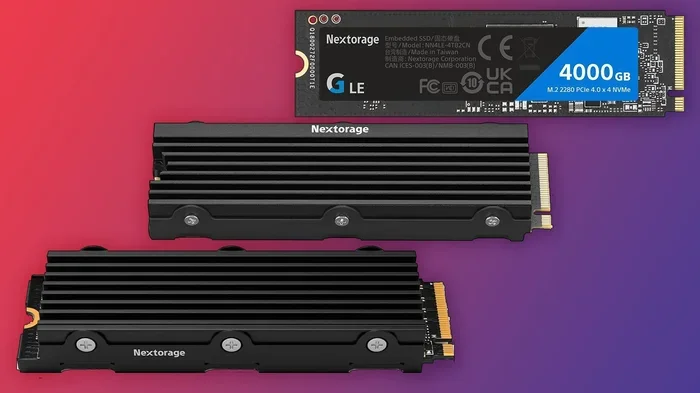
Fast NVMe SSDs generate heat. Some drives come with heatsinks included. Others do not. If your drive gets too hot, it will slow down to protect itself. This is called thermal throttling. A simple M.2 heatsink can solve this problem and keep your 1TB NVMe M.2 SSD running at full speed.
### Confusing Storage Form Factors
M.2 and 2.5-inch are completely different form factors. Make sure you are buying the right shape for your system. An M.2 drive plugs into the motherboard. A 2.5-inch SSD connects with a SATA cable. They are not interchangeable without an adapter.
### Overlooking Endurance Ratings
Every SSD has a TBW (Terabytes Written) rating. This tells you how much data you can write to the drive over its lifetime. A 1TB M.2 PCIe NVMe SSD typically has a TBW rating of 300 to 600 TBW depending on the brand and model. For most users, this is more than enough. But if you do heavy writing workloads, look for higher endurance ratings.
## Expert Insights on NVMe SSD Performance
We asked a few storage experts what they think about 1TB NVMe M.2 SSDs in 2024. Here is what they had to say.
“The price gap between SATA SSDs and NVMe SSDs has nearly disappeared. There is really no reason to buy a SATA drive anymore unless your motherboard does not support NVMe.”
“For gaming, a 1TB NVMe drive is the sweet spot. Most modern games are 50 to 100GB each. With 1TB, you can hold 10 to 15 games and still have room for your operating system and applications.”
“If you are doing video editing or working with large datasets, the speed of an NVMe SSD saves you hours every week. The time savings really add up.”
## Is a 1TB M.2 PCIe NVMe SSD Worth It?
The short answer is yes. A 1TB M.2 PCIe NVMe SSD is one of the best upgrades you can make to any computer. The speed improvement is dramatic. The installation is simple. And the price has become very competitive.
Whether you are building a gaming PC, upgrading a work laptop, or creating a content creation station, this type of drive delivers real-world results you will notice every single day. Faster boot times. Quicker game loads. Smoother multitasking. It all comes down to the storage drive at the heart of your system.
## Final Thoughts
A 1TB M.2 PCIe NVMe SSD gives you the perfect combination of speed, capacity, and value. It is the backbone of a modern, responsive computer. Whether you choose the Crucial P310 for a budget-friendly option, the Crucial T705 for top-tier Gen5 performance, or the Kingston 1TB M.2 NVMe SSD for reliable everyday use, you will be getting a storage solution that keeps your system running at its best.
Do not let slow storage hold you back anymore. Upgrade to a 1TB NVMe M.2 SSD and experience the difference that fast, modern storage can make.
Key Takeaways
- Blazing Fast Speeds: A 1TB M.2 PCIe NVMe SSD offers read speeds up to 7,000 MB/s and write speeds up to 5,000 MB/s on Gen4 drives.
- Compact Form Factor: The M.2 stick shape fits directly onto your motherboard, saving space and eliminating cables.
- Perfect for Gaming and Work: These SSDs load games faster, boot Windows in seconds, and handle heavy video editing workloads with ease.
- Affordable Now More Than Ever: Prices for 1TB NVMe M.2 SSDs have dropped significantly, making high-speed storage accessible to everyone.
- Gen4 and Gen5 Options Available: PCIe Gen4 and Gen5 NVMe SSDs offer different speed tiers, so you can pick what fits your budget and needs.
- Easy Installation: Most M.2 SSDs install in minutes with no extra cables or software needed.
Frequently Asked Questions
What is a 1TB M.2 PCIe NVMe SSD?
A 1TB M.2 PCIe NVMe SSD is a solid state drive that uses the M.2 form factor, connects through the PCIe interface, and uses the NVMe protocol for fast data transfer. It offers 1 terabyte of storage and delivers read speeds up to 7,000 MB/s on Gen4 drives.
How fast is a 1TB M.2 PCIe NVMe SSD?
Most 1TB NVMe M.2 SSDs offer sequential read speeds between 3,500 and 7,000 MB/s and write speeds between 3,000 and 5,000 MB/s. PCIe Gen5 drives can reach even higher speeds of up to 14,000 MB/s.
Is a 1TB NVMe M.2 SSD enough for gaming?
Absolutely. A 1TB drive can hold 10 to 15 modern games depending on their size. Most AAA games range from 50 to 100GB, so you will have plenty of room for your operating system and frequently played titles.
Can I install a 1TB M.2 PCIe NVMe SSD in any PC?
Most modern PCs and laptops support M.2 NVMe SSDs. However, you should check your motherboard manual to confirm it has an M.2 slot and supports NVMe drives. Some older boards only support SATA M.2 SSDs.
Do I need a heatsink for a 1TB M.2 NVMe SSD?
It depends on your usage. Gen4 and Gen5 NVMe SSDs can run warm under heavy workloads. Many motherboards include M.2 heatsinks. If yours does not, a simple aftermarket heatsink can prevent thermal throttling and keep your drive running at full speed.
How much does a 1TB M.2 PCIe NVMe SSD cost?
Prices vary by brand and model, but a quality 1TB NVMe M.2 SSD typically costs between $60 and $120. The Crucial P310 offers great value at the lower end, while Gen5 drives like the Crucial T705 are on the higher side.