Is There Such a Thing as a Usb Monitor

Yes, USB monitors are real and they are changing the way we work on the go. A USB monitor is a lightweight, portable display that connects to your laptop or PC through a single USB cable, often USB-C. These compact screens are perfect for travelers, students, and anyone who needs a second screen without the hassle of extra power cords or bulky setups. In this guide, we will cover everything you need to know about USB monitors, from how they work to which ones are worth your money.
You have probably seen those slim, lightweight portable screens at the airport or coffee shop and wondered, “Is there such a thing as a USB monitor?” The short answer is yes. These handy little devices have become increasingly popular, and for good reason. They let you turn any flat surface into a second screen with just one cable. In this article, we will break down everything you need to know about USB monitors, from the basics to buying advice.
Whether you are a digital nomad, a student juggling multiple assignments, or a professional who needs extra screen real estate on the road, a USB-powered portable monitor might be exactly what you have been looking for. Let us dive in.
Key Takeaways
- USB monitors are a real product category: They are portable displays that draw power and receive video data through a single USB connection.
- USB-C is the standard now: Most modern USB monitors use a USB-C cable for both power and video, making them incredibly convenient.
- They are great for travel and secondary screens: A USB monitor is ideal for people who work remotely, travel often, or need a dual-screen setup on the go.
- Not all USB monitors are equal: Resolution, brightness, and refresh rate vary widely, so choosing the right one matters.
- They are plug-and-play: Most USB monitors require no drivers or extra software, just plug and start using them.
- They can complement a multi-monitor setup or serve as a secondary monitor: These screens are versatile and fit many use cases.
📑 Table of Contents
What Exactly Is a USB Monitor?
A USB monitor is a portable display that connects to your computer using a USB cable, typically USB-C. Unlike traditional monitors that need a separate power outlet and a video cable like HDMI or DisplayPort, a USB monitor gets both its power and video signal through that single USB connection.
These monitors are usually thin, lightweight, and designed to be easy to carry around. You can fold them, slide them into a backpack, and set them up in seconds. The idea is simple: plug one cable into your laptop and get an instant second screen.
How Is a USB Monitor Different from a Regular Monitor?
A standard desktop monitor needs two things: a power cable and a video cable. A USB monitor combines both into one. This makes the setup process much simpler. You do not need to hunt for an empty wall outlet or carry extra adapters. Just plug the USB cable into your laptop, and the screen lights up.
Most USB monitors are also much smaller than traditional displays. They usually range from 13 to 17 inches, which is perfect for portability. Some models even come with built-in stands or kickstands, so you can prop them up on a table without any extra accessories.
How Does a USB Monitor Work?
The technology behind a USB monitor is simpler than it might seem. When you plug a USB-C cable into your laptop, the computer sends both video data and electrical power through that single cable. The monitor receives this data, decodes it, and displays the image on the screen.
Here is a quick look at how the process works:
- Video signal transmission: Your laptop sends visual data through the USB-C connection using protocols like DisplayPort over USB-C.
- Power delivery: The same cable supplies electricity to the monitor, usually through USB Power Delivery (USB PD) technology.
- Display rendering: The monitor’s internal processor takes the data and renders it on the screen, just like any other display would.
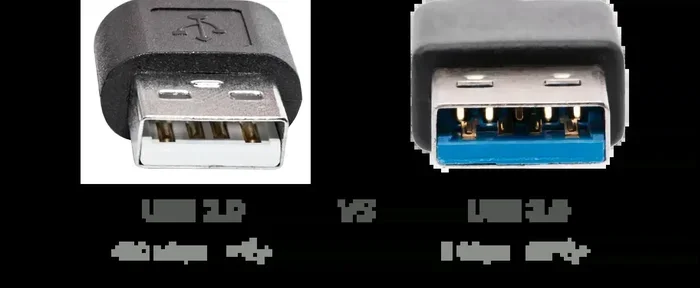
Some older or more basic USB monitors use a USB 3.0 connection instead of USB-C. These still work well but may require a separate power source in some cases. The USB-C version is the most common and convenient option today.
Do You Need Special Drivers?
Most USB monitors are plug-and-play. This means you do not need to download any special software or drivers. Just connect the cable, and your computer should recognize the display immediately. However, some advanced models might include companion software for adjusting settings like brightness, orientation, or display scaling.
Types of USB Monitors Available
The market for USB monitors has grown a lot in recent years. There are several types to choose from, each suited for different needs. Let us look at the most common ones.
Portable USB-C Monitors
These are the most popular type of USB monitor. They are thin, light, and designed for people who are always on the move. Brands like ASUS, AOC, and Innocn make well-known portable USB-C monitors that range from 13 to 17 inches. They are perfect for traveling professionals and students.
USB-Powered Touchscreen Monitors
Some USB monitors come with touchscreen capability. These are great for creative work, presentations, or anyone who prefers a more interactive experience. The touchscreen is powered through the USB connection, so you still get that clean single-cable setup.
Dual-Screen USB Portable Displays
If you need even more screen space, there are dual-screen portable monitors that connect via a single USB-C cable. These fold up like a laptop and give you two screens on the go. They are a bit heavier but incredibly useful for multitasking.
USB Monitors with Built-In Hubs
Some USB monitors double as docking stations. They include extra USB ports, an SD card reader, or even an Ethernet port built into the monitor’s frame. This is a great option if you want to reduce cable clutter on your desk.
Pros and Cons of USB Monitors
Like any tech product, USB monitors come with their own set of strengths and weaknesses. Let us break them down so you can decide if one is right for you.
The Pros
- Portability: Most USB monitors weigh between 1 and 3 pounds, making them easy to carry anywhere.
- Single cable setup: One USB-C cable handles both power and video. No extra cords or adapters needed.
- Plug-and-play: No software installation required in most cases. Connect and go.
- Space-saving: These monitors take up very little desk space, which is great for small workstations.
- Versatility: You can use a USB monitor as a primary display, a secondary screen, or even a portable entertainment screen.
- Great for secondary monitor needs: They are an affordable way to add a second screen to your laptop setup.
The Cons
- Smaller screen sizes: Most USB monitors max out around 17 inches, which may feel small compared to a 27-inch desktop display.
- Lower brightness: Many portable USB monitors are not as bright as full-size desktop monitors, which can be an issue in bright rooms.
- Limited refresh rates: If you are a gamer, you might find that some USB monitors do not offer the high refresh rates you need. Before picking one up, you might want to check if overclocking your monitor is worth the trade-off.
- Shared bandwidth: Since the USB cable handles both power and data, performance can sometimes be affected if the USB port is not delivering enough power.
- Price per inch: Portable monitors can be more expensive per inch of screen compared to traditional desktop monitors.
Who Should Buy a USB Monitor?
A USB monitor is not for everyone, but it is a fantastic tool for certain groups of people. Here is a quick look at who benefits the most from these devices.
Remote Workers and Digital Nomads
If you work from coffee shops, co-working spaces, or different countries, a USB monitor is a game-changer. It gives you a proper dual-screen setup without taking up much space in your bag.
Students
Students who need to review lecture notes on one screen while taking notes on another will love a portable USB monitor. They are lightweight enough to slip into a backpack alongside textbooks.
Travelers
Long flights and hotel rooms become much more productive with a USB monitor. You can turn any table into a workstation. Some travelers even pair their USB monitor with a tablet or laptop for a full desktop-like experience on the road.
Creative Professionals
Photographers, video editors, and designers who work on location can benefit from a portable second screen. It lets them preview work on one screen while editing on the other, just like they would at a full desktop setup.
Gamers on the Go
While not ideal for competitive gaming, a USB monitor can be a fun addition for casual gamers who want a bigger screen for their laptop during travel. For a better gaming setup, you might also consider how a TV can serve as a PC monitor for a more immersive experience.
How to Choose the Right USB Monitor
Not all USB monitors are created equal. Here are the key factors to consider before making a purchase.
Screen Size
Most USB monitors range from 13 to 17 inches. If you need a true replacement for a desktop monitor, go for 15 or 17 inches. If portability is your top priority, a 13- or 14-inch model will be easier to carry.
Resolution
Look for at least a Full HD (1920 x 1080) resolution. Higher-end models offer 2K or even 4K resolution, which makes text sharper and images more detailed. For everyday work and browsing, Full HD is usually more than enough.
USB-C Compatibility
Make sure your laptop supports USB-C with DisplayPort Alt Mode. This is what allows the single cable to carry both video and power. Most modern laptops, including MacBooks and many Windows machines, support this feature.
Brightness and Panel Type
Check the brightness rating, measured in nits. A minimum of 250 nits is recommended for indoor use. If you work outdoors or in bright environments, look for 400 nits or higher. IPS panels offer better color accuracy and wider viewing angles compared to TN panels.
Extra Features
Some USB monitors come with useful extras like built-in speakers, USB hubs, touchscreen support, or adjustable stands. Think about what matters most for your workflow and budget.
Budget Considerations
Prices for USB monitors range from around $100 to $500 or more. A solid 15.6-inch Full HD USB-C monitor typically costs between $150 and $250. You can find great options in this price range that deliver excellent value without breaking the bank.
For those exploring a wider range of monitor options, you might also want to check out the best monitors for a 3 monitor setup to see how USB monitors compare in the broader display market.
Common Mistakes People Make with USB Monitors
Before you buy a USB monitor, it helps to know what to watch out for. Here are some common pitfalls:
- Buying a monitor without checking USB-C compatibility: Not all laptops support video output over USB-C. Double-check your laptop’s specs before purchasing.
- Ignoring brightness needs: A dim monitor is frustrating to use in well-lit rooms. Always check the nits rating.
- Expecting desktop-level performance: USB monitors are portable first. Do not expect the same brightness, color accuracy, or refresh rate as a high-end desktop display.
- Skipping the stand or mount: Some USB monitors do not come with a sturdy stand. Consider buying a separate mount or stand if you plan to use it on a desk for long hours.
- Overlooking cable quality: A cheap or faulty USB-C cable can cause connectivity issues. Use a high-quality cable that supports USB Power Delivery and data transfer.
Final Thoughts
So, is there such a thing as a USB monitor? Absolutely. These compact, single-cable displays have become a practical and popular choice for anyone who needs extra screen space on the go. They are portable, easy to set up, and surprisingly capable for their size.
A USB monitor is not meant to replace your big desktop display. But as a companion screen for travel, remote work, or study sessions, it is hard to beat. With prices dropping and quality improving, now is a great time to consider adding one to your setup.
Think about your needs, pick the right size and resolution, and enjoy the convenience of a portable second screen that you can carry anywhere. The world of USB monitors is growing fast, and they are definitely worth a look.
Frequently Asked Questions
Can I use a USB monitor with any laptop?
Most modern laptops with a USB-C port that supports DisplayPort Alt Mode will work with a USB monitor. However, some older laptops or budget models may not support video output over USB-C. Always check your laptop’s specifications before buying a USB monitor.
Do USB monitors need a separate power source?
Most USB-C monitors draw power directly from the USB-C connection, so they do not need a separate power outlet. However, some larger or brighter models may require an additional power source for optimal performance.
Are USB monitors good for gaming?
USB monitors can work for casual gaming, but they typically have lower refresh rates and response times compared to gaming-focused desktop monitors. If you are a serious gamer, you may want to explore dedicated gaming displays or learn more about whether overclocking your monitor could boost your experience.
How long do USB monitors last?
With proper care, a quality USB monitor can last several years. The lifespan depends on the build quality, usage hours, and how well you protect the screen during transport. Look for models with good warranty coverage for peace of mind.
Can I connect a USB monitor to a tablet or smartphone?
Yes, some tablets and smartphones with USB-C support can connect to a USB monitor. However, compatibility varies by device. Check if your phone or tablet supports external display output before purchasing a USB monitor for mobile use.
What is the difference between a USB monitor and a portable monitor?
A USB monitor is a type of portable monitor that specifically uses a USB connection for both power and video. Not all portable monitors are USB-powered. Some may use battery power or require a separate power adapter, so always check the connection type before buying.