Does Hdmi 1 4 Support 4k
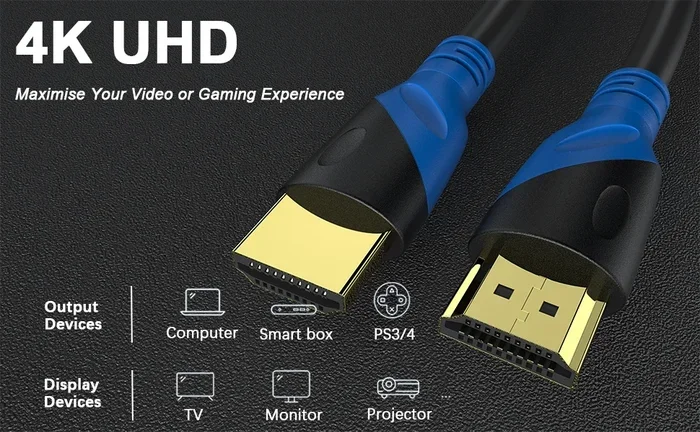
HDMI 1.4 does support 4K, but only at 30Hz, not the full 60Hz you may need for gaming or smooth video playback. This older standard introduced 4K capability, but its bandwidth ceiling makes it less ideal for demanding tasks. If you want true 4K at 60Hz or HDR, you will need HDMI 2.0 or newer.
If you have ever plugged a 4K device into an older setup and wondered why everything looks a bit off, you are not alone. The question does HDMI 1.4 support 4K comes up all the time, and the answer is more nuanced than a simple yes or no. HDMI 1.4 was a big step forward when it launched in 2009, bringing 4K support to the table for the first time. But there are catches. The bandwidth is limited, the refresh rate is capped, and certain features you might expect are missing.
In this guide, we will break down everything you need to know about HDMI 1.4 and 4K. We will cover what it can do, what it cannot do, and how it stacks up against newer versions. Whether you are setting up a home theater, gaming rig, or workstation, this article will help you make the right call.
Key Takeaways
- HDMI 1.4 supports 4K at 30Hz: This means it works for movies and static images but struggles with fast-moving content.
- HDMI 2.0 is the real 4K standard: It delivers 4K at 60Hz with higher bandwidth and HDR support.
- HDMI 1.4 has other useful features: It introduced the Ethernet channel, Audio Return Channel, and 3D support.
- Check your devices before buying cables: Not all HDMI cables are created equal, and your hardware must match.
- Upgrading your setup may be worth it: If you want the full 4K experience, newer HDMI versions make a big difference.
📑 Table of Contents
What Is HDMI 1.4?
HDMI 1.4 is a version of the High-Definition Multimedia Interface standard. It was released in June 2009 and brought several new features to the table. Before HDMI 1.4, most HDMI versions maxed out at 1080p resolution. HDMI 1.4 changed that by introducing support for 4K, also known as Ultra HD.
Here are some of the key features that came with HDMI 1.4:
- 4K resolution support: Up to 4096 x 2160 pixels, but only at 24Hz or 30Hz.
- Audio Return Channel (ARC): This lets audio travel back through the HDMI cable, simplifying sound system setups.
- Ethernet Channel: HDMI 1.4 added a built-in 100 Mbps Ethernet connection between devices.
- 3D support: It introduced standards for 3D over HDMI, which was a big deal at the time.
- Micro HDMI connector: A smaller connector type was introduced for portable devices.
So yes, HDMI 1.4 does support 4K. But the experience is limited compared to what you get with newer versions. The biggest limitation is the refresh rate. HDMI 1.4 can only push 4K content at 30 frames per second or lower. For movies, this is usually fine. For gaming or fast-action content, it falls short.
Does HDMI 1.4 Support 4K? The Full Breakdown
The short answer is yes, HDMI 1.4 supports 4K, but with important caveats. Let us dig into the details so you fully understand what to expect.
4K at 30Hz vs. 4K at 60Hz
The main difference comes down to refresh rate. HDMI 1.4 supports 4K at 30Hz. This means the screen refreshes 30 times per second. For watching movies or browsing photos, this is perfectly acceptable. The human eye barely notices the difference in static content.
However, 30Hz becomes a problem with fast-moving content. If you are gaming, the screen may feel choppy or laggy. Sports broadcasts and action movies can also suffer from motion blur and stuttering. This is where HDMI 2.0 steps in, offering 4K at 60Hz for a much smoother experience.
Here is a quick comparison:
- HDMI 1.4: 4K at 30Hz maximum
- HDMI 2.0: 4K at 60Hz maximum
- HDMI 2.1: 4K at 120Hz and even 8K at 60Hz
As you can see, HDMI 1.4 is not the best choice for demanding 4K applications. If smooth motion matters to you, you will want to look at a newer standard.
Bandwidth Limitations of HDMI 1.4
Every HDMI version has a specific bandwidth limit. HDMI 1.4 maxes out at 10.2 Gbps (gigabits per second). This was plenty for 1080p content, but 4K needs more data to look its best.
The 10.2 Gbps cap is what forces HDMI 1.4 to limit 4K to 30Hz. With more bandwidth, you could push higher frame rates and deeper color depths. This is exactly what HDMI 2.0 does, offering 18 Gbps of bandwidth. The jump is significant and makes a real difference in everyday use.
If you are storing 4K footage or media files, you might also consider fast internal storage like an M.2 NVMe PCIe 4.0 SSD to handle the large file sizes smoothly.
Color Depth and HDR Support
HDMI 1.4 supports 8-bit color depth for 4K content. This means it can display about 16.7 million colors. While this sounds like a lot, modern 4K content often uses 10-bit or even 12-bit color for richer, more detailed images.
Another big missing piece is HDR, or High Dynamic Range. HDMI 1.4 does not support HDR. HDR makes bright areas brighter and dark areas darker, creating a more lifelike picture. If you want HDR on your 4K display, you need at least HDMI 2.0a or newer.
For users building a full 4K setup, you may also want to check if your motherboard supports the features you need. You can read more about this in our guide on does my motherboard support overclocking.
HDMI 1.4 vs. HDMI 2.0 vs. HDMI 2.1
Understanding the differences between HDMI versions helps you choose the right cable and hardware for your needs. Here is how they stack up when it comes to 4K support.
| Feature | HDMI 1.4 | HDMI 2.0 | HDMI 2.1 |
|---|---|---|---|
| Max 4K Resolution | 4K at 30Hz | 4K at 60Hz | 4K at 120Hz |
| Max Bandwidth | 10.2 Gbps | 18 Gbps | 48 Gbps |
| HDR Support | No | Yes (HDR10) | Yes (HDR10, HDR10+, Dolby Vision) |
| Color Depth | 8-bit | 10-bit | 10-bit (12-bit with DSC) |
| Audio Return Channel | Yes | Yes | Yes (eARC) |
| Ethernet Channel | Yes | Yes | Yes |
| Release Year | 2009 | 2013 | 2017 |
From the table above, it is clear that HDMI 1.4 is the most limited of the three when it comes to 4K. HDMI 2.0 is the sweet spot for most 4K setups today, offering full 4K at 60Hz with HDR support. HDMI 2.1 is the latest and greatest, designed for next-gen gaming and professional content creation.
If you are editing 4K video or storing large media libraries, fast storage like a PCIe Gen 4 NVMe SSD can dramatically improve your workflow speed and file handling.
When Is HDMI 1.4 Good Enough for 4K?
Despite its limitations, HDMI 1.4 is not useless. There are plenty of situations where it works just fine for 4K content. Let us look at when HDMI 1.4 is a perfectly acceptable choice.
Watching 4K Movies
Most 4K movies on streaming services or Blu-ray discs are encoded at 24fps or 30fps. Since HDMI 1.4 supports up to 30Hz at 4K, you will have no problem watching films. The 24fps rate used in movies actually matches the 24Hz output of HDMI 1.4 perfectly, giving you a cinematic experience without any issues.
If you mainly use your setup for movie nights and casual viewing, HDMI 1.4 will serve you well. You do not need the extra bandwidth that HDMI 2.0 or 2.1 provides for this use case.
Using 4K as a Computer Monitor
For office work, web browsing, and general computing, HDMI 1.4 at 4K is perfectly fine. You are not pushing high frame rates, so the 30Hz limit does not really matter. Text and static images look sharp and clear at 4K resolution regardless of refresh rate.
However, if you use your monitor for anything that involves motion, like video editing or fast-paced gaming, you will feel the difference. In those cases, upgrading to HDMI 2.0 or using DisplayPort is the better path.
Connecting Older 4K Devices
Many older 4K TVs and monitors only have HDMI 1.4 ports. If you are working with legacy equipment, HDMI 1.4 is all you have to work with. In these cases, you make the best of what you have and enjoy 4K at 30Hz.
It is worth noting that some devices use HDMI 1.4 but still deliver a good 4K experience through other means. For example, some gaming consoles use tricks like checkerboard rendering to simulate higher frame rates over HDMI 1.4 connections.
How to Get the Most Out of HDMI 1.4 for 4K
If you are stuck with HDMI 1.4 and want to get the best possible 4K experience, here are some practical tips.
Use the Right Cable
Not all HDMI cables are the same. For HDMI 1.4, look for cables rated as “High Speed HDMI” or “Premium High Speed.” These cables are designed to handle the bandwidth requirements of 4K at 30Hz. Cheap or older cables may not work properly or could cause signal issues.
Also, keep your cable length reasonable. Longer cables can lose signal quality, especially at higher resolutions. A cable under 6 feet (about 2 meters) is ideal for most setups.
Adjust Your Settings
On your device, make sure you are outputting 4K at 30Hz rather than trying to force 60Hz. If you set your device to output 60Hz over HDMI 1.4, it may not work at all or could cause display problems. Match your output settings to what your cable and port can handle.
For your media files, if you are storing 4K content, consider using a fast SSD like an M.2 NVMe SSD for smooth playback without stuttering or buffering.
Consider an Adapter
If you need better 4K performance, you can use an HDMI to DisplayPort adapter. DisplayPort 1.2 supports 4K at 60Hz and might be available on your graphics card or motherboard. This is a great workaround if your display or source device has DisplayPort but your cable run uses HDMI 1.4.
Another option is to use an HDMI 1.4 to HDMI 2.0 converter box. These devices can sometimes help bridge the gap, though results vary depending on the quality of the converter.
Common Mistakes People Make with HDMI 1.4 and 4K
There are several mistakes that people make when using HDMI 1.4 for 4K content. Avoiding these can save you a lot of frustration.
- Assuming all HDMI cables support 4K: Older HDMI cables (Standard Speed) cannot handle 4K at all. You need a High Speed or Premium High Speed cable.
- Expecting 60Hz over HDMI 1.4: This is physically impossible due to bandwidth limits. No cable or setting change will fix this.
- Ignoring HDR limitations: HDMI 1.4 does not support HDR. If your content is HDR, it will either not display correctly or fall back to standard dynamic range.
- Using long, cheap cables: Signal degradation over long distances is real and can cause flickering or no signal at all.
- Not checking your device outputs: Some devices have multiple HDMI ports with different versions. Always check which port supports what.
By knowing these pitfalls, you can set realistic expectations and avoid common headaches when using HDMI 1.4 for 4K content.
The Bottom Line
So, does HDMI 1.4 support 4K? Yes, it does, but with significant limitations. HDMI 1.4 can handle 4K resolution, but only at 30Hz and without HDR support. This makes it suitable for watching movies and basic computing, but not ideal for gaming or professional work that demands smooth motion and rich color.
If you want the full 4K experience with 60Hz refresh rates and HDR, you should look into HDMI 2.0 or newer. Upgrading your cables, ports, and devices to match the newer standard is well worth the effort for anyone serious about 4K content.
That said, HDMI 1.4 is far from obsolete. It still works well for many everyday tasks and remains widely supported across devices. Understanding its capabilities and limitations helps you make smart decisions about your setup and avoid disappointment.
For those looking to build a more capable system around their 4K display, consider pairing your setup with fast storage and compatible hardware. Whether you are storing large 4K video files or running demanding applications, the right components make all the difference.
Frequently Asked Questions
Can HDMI 1.4 output 4K at 60Hz?
No, HDMI 1.4 cannot output 4K at 60Hz. It is limited to 4K at 30Hz due to its 10.2 Gbps bandwidth cap. To get 4K at 60Hz, you need HDMI 2.0 or a newer version.
Is HDMI 1.4 good for 4K gaming?
HDMI 1.4 is not ideal for 4K gaming. The 30Hz refresh rate results in choppy motion that most gamers find unacceptable. For a better gaming experience, use HDMI 2.0 or HDMI 2.1, which support 4K at 60Hz or higher.
Does HDMI 1.4 support HDR?
No, HDMI 1.4 does not support HDR. HDR was introduced with HDMI 2.0a. If you want High Dynamic Range on your 4K display, you will need at least an HDMI 2.0 connection.
What HDMI cable do I need for 4K?
For 4K at 30Hz, a High Speed HDMI cable works fine with HDMI 1.4. For 4K at 60Hz or HDR, you need a Premium High Speed HDMI cable or an Ultra High Speed HDMI cable, depending on your HDMI version.
Can I use HDMI 1.4 for a 4K TV?
Yes, you can use HDMI 1.4 with a 4K TV, but you will be limited to 30Hz refresh rate. This is fine for watching movies but not recommended for gaming or fast-action content.
What is the difference between HDMI 1.4 and HDMI 2.0 for 4K?
The main difference is bandwidth and refresh rate. HDMI 1.4 supports 4K at 30Hz with 10.2 Gbps bandwidth, while HDMI 2.0 supports 4K at 60Hz with 18 Gbps bandwidth. HDMI 2.0 also adds HDR support and better color depth.