How Many Amps Watts Does a Gaming Pc Use
A typical gaming PC uses between 300 and 800 watts under load, drawing roughly 2.5 to 7 amps on a standard 120V outlet. Your actual power draw depends on the GPU, CPU, and other components inside your rig.
A gaming PC is one of the most exciting pieces of tech you can own. But here is something many people overlook: it drinks a lot of electricity. If you have ever wondered how many amps watts does a gaming pc use, you are not alone. This question matters whether you are building a new rig or just trying to understand your electricity bill.
Knowing your PC’s power draw helps you choose the right power supply. It also helps you avoid tripping a circuit breaker during an intense gaming session. Plus, it gives you a clearer picture of what your monthly electricity costs will look like. In this guide, we break everything down in simple terms.
## Why Power Consumption Matters for a Gaming Pc
Your gaming PC is not just a toy. It is a machine with multiple components working hard at the same time. Each part draws power, and those draws add up fast. Understanding how much power your system uses can save you money and prevent hardware headaches.
### The Cost of Running a Gaming Pc Daily
Let us talk numbers. If your PC uses 500 watts and you game for 4 hours a day, that is 2 kilowatt-hours per day. Over a month, that adds up to about 60 kWh. At an average US electricity rate of $0.15 per kWh, you are looking at roughly $9 per month just from gaming.
Now imagine you crank up the intensity. A high-end rig pulling 700 watts for 6 hours a day can push that to $18 or more per month. Over a year, that is over $200 in electricity costs.
### How Power Draw Differs from Other Devices
A gaming PC uses far more power than a standard office computer. A basic desktop might use 60 to 100 watts. A gaming PC can use 5 to 8 times that amount. Even compared to a laptop plugged in, a desktop gaming rig draws significantly more juice.
This is because gaming PCs pack powerful GPUs, high-end CPUs, extra fans, RGB lighting, and multiple storage drives. Every single one of these components contributes to the total power draw.
## Breaking Down Power Use by Component
To truly understand how many amps watts does a gaming pc use, you need to look at each part individually. Your total power draw is the sum of everything inside the case.
### Graphics Card (GPU) Power Draw
The GPU is the single biggest power consumer in a gaming PC. Modern graphics cards are powerhouses, and they need serious electricity to run.
– Entry-level GPUs: 75 to 150 watts
– Mid-range GPUs: 150 to 250 watts
– High-end GPUs: 250 to 450 watts
– Flagship GPUs (RTX 4090 class): 450+ watts
Your graphics card handles all the heavy lifting for rendering game graphics. The more demanding the game, the harder your GPU works, and the more power it pulls.
### Central Processing Unit (CPU) Power Draw
The CPU is the brain of your PC. It does not draw as much power as the GPU, but it still contributes a significant amount.
– Budget CPUs: 35 to 65 watts
– Mid-range CPUs: 65 to 125 watts
– High-end CPUs: 125 to 250 watts
When you are gaming, your CPU handles game physics, AI, and background tasks. When paired with a power-hungry GPU, the combined draw can climb quickly.
### Other Components That Use Power
Do not forget about the rest of your system. These smaller draws add up:
– Motherboard: 25 to 80 watts
– RAM (per stick): 3 to 10 watts
– Storage (SSD): 2 to 10 watts
– Storage (HDD): 5 to 15 watts
– Case fans: 2 to 10 watts each
– RGB lighting: 5 to 30 watts total
– Optical drive (if present): 10 to 25 watts
A system with lots of fans and RGB lighting can easily add 50+ watts to your total draw without you even noticing.
## How to Calculate Your Gaming Pc’s Total Wattage
Calculating your PC’s total power draw is simpler than it sounds. You just add up the wattage of each component. Here is a step-by-step approach.
### Step 1: Check Each Component’s TDP
TDP stands for Thermal Design Power. It tells you how much power a component is expected to draw under load. You can find TDP values on the manufacturer’s website or product spec sheet.
### Step 2: Add a Buffer
Do not add up the numbers and call it a day. Add a 15 to 20 percent buffer to account for spikes and overhead. This ensures your power supply can handle peak loads without straining.
### Step 3: Use an Online Calculator
Several free tools can do this math for you. Websites like OuterVision and Seasonic offer PC power consumption calculators. You plug in your parts, and they give you an estimated total wattage.
### Step 4: Use a Kill-A-Watt Meter
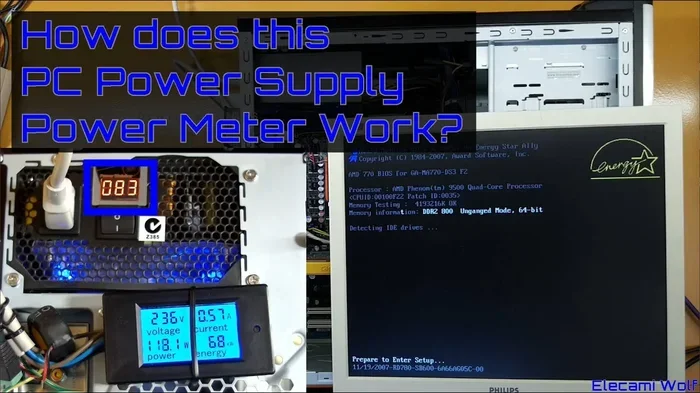
For the most accurate reading, grab a kill-a-watt meter. Plug your PC into it and monitor real-world usage during gaming. This tells you exactly how many amps and watts your setup pulls in practice.
## How Many Amps Does a Gaming Pc Draw
Watts and amps are closely related. To understand your PC’s electrical demand, you need to know how they connect.
The basic formula is simple: Amps = Watts / Volts. In the US, standard outlets run at 120 volts. So a gaming PC pulling 500 watts draws about 4.2 amps. A system pulling 700 watts draws roughly 5.8 amps.
This matters because most US wall outlets are rated for 15 amps. If your PC pulls 5.8 amps, you still have room for a monitor and a few peripherals on the same circuit. But if you push above 12 amps, you risk tripping the breaker.
### What Happens If You Exceed the Circuit Limit
If your gaming PC draws too many amps on a single circuit, the breaker will trip. This cuts power to everything on that circuit. It is annoying in the middle of a boss fight, and it can also damage components if it happens frequently.
To avoid this, plug your PC into a dedicated circuit. Do not share it with a space heater or a microwave. Those appliances also draw heavy current and can push you over the limit.
## Choosing the Right Power Supply for Your Gaming Pc
Your power supply unit (PSU) is the heart of your PC’s electrical system. It converts wall power into the clean, stable power your components need. Choosing the wrong PSU can cause problems ranging from poor performance to hardware damage.
### Wattage Rating
Your PSU should have enough wattage to handle your total system draw plus headroom. A good rule of thumb is to size your PSU at 20 to 30 percent above your estimated peak draw.
For a typical mid-range gaming PC using 500 watts, a 650-watt PSU works well. For a high-end rig pulling 700 watts, go with an 850-watt or even 1000-watt unit.
### Efficiency Ratings
PSUs come with efficiency ratings that tell you how well they convert wall power into usable power. The 80 Plus certification system is the standard.
– 80 Plus: 80% efficiency at typical load
– 80 Plus Bronze: Slightly better than standard
– 80 Plus Gold: 87% efficiency, great for most builds
– 80 Plus Platinum: 90% efficiency, excellent for high-end builds
– 80 Plus Titanium: 94% efficiency, top-tier
A more efficient PSU wastes less power as heat. This means lower electricity bills and less heat inside your case. Over time, the savings can be significant.
### Modular vs. Non-Modular
Modular PSUs let you attach only the cables you need. This improves airflow and reduces cable clutter inside your case. Non-modular PSUs come with all cables attached, which can make cable management harder.
For a clean build with good airflow, a modular PSU is a solid choice. Good airflow helps keep your components cool, which in turn helps them run more efficiently.
## Tips to Reduce Your Gaming Pc’s Power Consumption
You do not have to accept high electricity bills as the cost of gaming. There are several easy ways to bring your PC’s power draw down.
### Enable Power-Saving Features
Modern GPUs and CPUs have power-saving modes. Enable features like NVIDIA’s Whisper Mode or AMD’s Chill. These reduce power draw when full performance is not needed.
### Turn Off Unused Components
If you are not using RGB lighting, turn it off. If you have extra fans spinning, reduce their speed. Every watt you save adds up over time.
### Use Sleep Mode When Not Gaming
Do not leave your PC running at full power when you are away. Put it to sleep or turn it off. A PC in sleep mode uses around 5 to 15 watts, compared to hundreds during a gaming session.
### Monitor Your Usage
Use software like HWiNFO or a hardware monitor to track your real-time power draw. Knowing how much power your system uses helps you make smarter decisions about upgrades and settings.
### Keep Your System Clean and Cool
Dust buildup forces fans to work harder, which increases power draw. Clean your PC regularly and make sure airflow is unobstructed. A cool system runs more efficiently.
## Common Mistakes People Make With Gaming Pc Power Use
There are a few mistakes that gamers make when it comes to power consumption. Avoiding these can save you money and protect your hardware.
### Overspending on an Overpowered Psu
Buying a 1200-watt PSU for a system that only draws 400 watts is a waste of money. You pay more upfront and the PSU runs less efficiently at low loads. Match your PSU to your actual needs.
### Ignoring Standby Power
Even when turned off but still plugged in, a PC draws standby power. This is called a phantom load. Use a smart power strip to completely cut power when you are not using the system.
### Forgetting to Update Drivers
Outdated GPU drivers can cause your graphics card to run at higher power levels than necessary. Keep your drivers updated to ensure optimal power efficiency.
### Running at Max Settings All the Time
Ultra settings look amazing, but they push your GPU to its limits. Dropping a few settings can significantly reduce power draw with minimal visual impact.
## Expert Insights on Gaming Pc Power Efficiency
Industry experts agree that power efficiency is becoming more important as energy costs rise. Modern components are much more efficient than those from just a few years ago.
According to hardware reviews, the latest generation of GPUs delivers significantly better performance per watt compared to previous generations. This means you can get more gaming power for less electricity.
When building or upgrading a PC, always consider the power efficiency of each component. A more efficient CPU or GPU can save you real money over the lifespan of your system. For guidance on component selection, check out the best specs guide for gaming PCs to make informed choices.
## How Gaming Pc Power Use Compares to Other Devices
To put things in perspective, let us compare a gaming PC to other common devices.
– Gaming PC (mid-range): 400 to 500 watts
– Gaming PC (high-end): 600 to 800 watts
– Laptop (gaming): 100 to 200 watts
– Standard desktop: 60 to 100 watts
– Television (55 inch): 60 to 120 watts
– Microwave oven: 1000 to 1500 watts
A gaming PC uses more power than most home electronics but less than heavy kitchen appliances. Understanding where your PC falls on this spectrum helps you plan your electricity budget.
## Final Thoughts on Gaming Pc Power Consumption
Understanding how many amps watts does a gaming pc use is essential for any PC gamer. It helps you choose the right components, size your power supply correctly, and estimate your electricity costs.
A typical gaming PC draws between 300 and 800 watts under load, translating to roughly 2.5 to 7 amps on a standard outlet. Your exact numbers depend on your GPU, CPU, and other components. By following the tips in this guide, you can keep your power draw manageable and your electricity bills reasonable.
The key is to build smart, monitor your usage, and make efficiency a priority. A well-optimized gaming PC delivers great performance without wasting energy.
Key Takeaways
- Average Gaming PC Draw: A mid-range gaming PC pulls around 400–500 watts during gameplay.
- GPU Is the Biggest Power Hog: Your graphics card can consume 200–450 watts on its own.
- Power Supply Matters: Always choose a PSU rated 80 Plus Gold or higher for efficiency.
- Electricity Costs Add Up: Running a gaming PC several hours a day can increase your monthly bill by $30–$60.
- Idle vs. Load: A gaming PC uses far less power when idle compared to full gaming sessions.
- Check the Best Specs For A Gaming Pc Guide: Matching components properly helps manage overall power draw.
Frequently Asked Questions
How many watts does a typical gaming PC use?
A typical mid-range gaming PC uses around 400 to 500 watts during gaming sessions. High-end systems with powerful GPUs can pull 600 to 800 watts or more under full load.
How many amps does a gaming PC draw on a standard outlet?
On a standard 120V US outlet, a gaming PC drawing 500 watts uses about 4.2 amps. A high-end system pulling 700 watts draws roughly 5.8 amps. Always make sure your circuit can handle the load.
Does a gaming PC use a lot of electricity?
Yes, gaming PCs use more electricity than standard desktops or laptops. However, the actual cost depends on how many hours you game per day and your local electricity rates. Most gamers see an increase of $10 to $30 per month.
Can I use a regular power strip for my gaming PC?
You can, but a surge protector is a better choice. Gaming PCs draw significant power, and a surge protector helps shield your components from electrical spikes and power surges.
How can I reduce my gaming PC’s power consumption?
You can reduce power draw by enabling power-saving modes on your GPU and CPU, turning off RGB lighting, using sleep mode when not gaming, and keeping your system clean and well-ventilated.
Is a higher wattage power supply always better?
No. A power supply should match your system’s needs. An oversized PSU runs less efficiently at low loads and wastes money. Choose a PSU with about 20 to 30 percent more wattage than your estimated peak draw for the best balance.