Can a Mini Pc Run Home Assistant
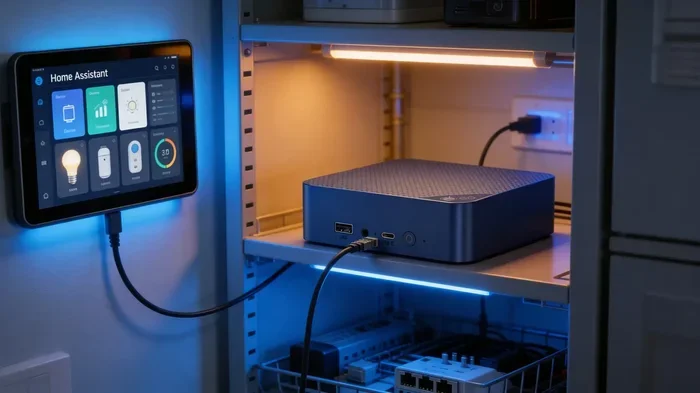
Yes, a mini PC can absolutely run Home Assistant. A mini PC is one of the best and most affordable ways to power your home automation setup. With the right specs and a little patience, you can turn a small, energy-efficient machine into a full-blown smart home hub that controls your lights, sensors, locks, and more.
If you have been exploring home automation, you have probably heard about Home Assistant. It is an open-source platform that lets you bring all your smart devices together in one place. But here is the big question most people ask: can a mini PC run Home Assistant? The short answer is yes. The longer answer is that it depends on a few key factors, and this guide will walk you through every one of them.
Running Home Assistant on a mini PC has become one of the most popular ways to build a smart home hub. Mini PCs are small, quiet, and use very little power compared to a full-size desktop. They fit nicely on a shelf, behind a monitor, or even inside a closet. Whether you are a beginner or a seasoned tech enthusiast, a mini PC can serve as the brain of your home automation setup.
Key Takeaways
- Mini PCs work great for Home Assistant: They offer enough power while staying compact and energy efficient.
- Hardware matters: At least 4GB of RAM and a dual-core processor are recommended for smooth performance.
- Multiple OS options are available: You can run Home Assistant on Linux, Windows, or even a dedicated Home Assistant OS image.
- Mini PCs save space and power: They draw very little electricity and fit discreetly anywhere in your home.
- Integration is broad: Home Assistant supports thousands of smart devices through its add-on ecosystem.
- Budget-friendly options exist: You do not need an expensive machine to get a reliable smart home running.
📑 Table of Contents
What Is Home Assistant and Why Use a Mini PC?
Home Assistant is a free, open-source platform designed to connect and control smart home devices. It supports thousands of brands and protocols, including Zigbee, Z-Wave, Wi-Fi, and Bluetooth. You can manage everything from smart bulbs and thermostats to door locks and security cameras from a single dashboard.
So why choose a mini PC to run it? A mini PC gives you a dedicated hub that stays on 24/7 without taking up much space. Unlike a laptop that you might close or move around, a mini PC sits in one place and runs reliably. It also uses far less electricity than a traditional desktop computer. For home automation enthusiasts who want a low-cost, low-power solution, a mini PC is hard to beat.
Key Benefits of Using a Mini PC for Home Assistant
- Compact size: Mini PCs are tiny and can be hidden almost anywhere in your home.
- Low power consumption: Most mini PCs use between 10 and 30 watts, which keeps your energy bill low.
- Quiet operation: Many models are fanless, so they make no noise at all.
- Affordable pricing: You can find capable mini PCs for under $200, making home automation accessible to everyone.
- Dedicated performance: A mini PC dedicated to Home Assistant will not compete with other tasks for resources.
Hardware Requirements for Running Home Assistant
Before you buy a mini PC for Home Assistant, you need to know what specs matter. The good news is that Home Assistant is not very demanding. You do not need a powerful machine to get started.
Minimum Hardware Specs
- Processor: A dual-core CPU from the last five years is enough for basic setups.
- RAM: 4GB is the minimum. 8GB is recommended if you plan to run many add-ons or integrations.
- Storage: A 32GB SSD or microSD card works fine for most users.
- Network: A wired Ethernet connection is best for stability, but Wi-Fi works too.
Recommended Hardware Specs
If you want a smoother experience with more add-ons and integrations, aim higher. An Intel Core i3 or equivalent processor with 8GB of RAM and a 64GB SSD will handle most home automation setups with ease. Some users even run Home Assistant on devices like the Intel NUC or a Raspberry Pi, but a mini PC offers more flexibility and better value.
| Component | Minimum | Recommended |
|---|---|---|
| Processor | Dual-core CPU | Quad-core CPU (Intel i3 or better) |
| RAM | 4GB | 8GB |
| Storage | 32GB SSD | 64GB SSD or larger |
| Network | Wi-Fi | Wired Ethernet |
| OS Support | Linux or Windows | Home Assistant OS or Linux |
Best Mini PCs for Home Assistant
Not all mini PCs are created equal. Some are better suited for running Home Assistant than others. When choosing a mini PC for your smart home, look for models with solid build quality, good community support, and enough processing power.
If you are looking for inspiration, you might want to check out some of the best options available. For media and smart home use, the best mini PC for Plex often overlaps with what works well for Home Assistant since both benefit from solid CPU performance and sufficient RAM. Similarly, if you are into emulation or general-purpose use, the best mini PC for emulation categories often feature machines with the specs needed to run Home Assistant smoothly too.
For those shopping in specific regions, resources like best mini PC you could buy in Canada can help you find locally available options that still meet the requirements for a home automation hub. The key is to focus on CPU cores, RAM amount, and storage speed rather than raw GPU power, since Home Assistant does not need a dedicated graphics card.
What to Look for When Buying
- Processor generation: Choose a model with at least a 10th generation Intel or equivalent AMD chip.
- RAM upgradability: Some mini PCs allow you to add more RAM later, which is great for future-proofing.
- Multiple USB ports: You may need to connect USB dongles for Zigbee or Z-Wave devices.
- Ethernet port: A wired connection ensures your smart home hub stays online and responsive.
- Fanless design: If you want silence, look for fanless models that use passive cooling.
How to Set Up Home Assistant on a Mini PC
Setting up Home Assistant on a mini PC is easier than most people think. You do not need to be a programmer or a Linux expert. The platform has been designed to be beginner-friendly while still offering advanced features for power users.
Step-by-Step Setup Process
- Choose your operating system: You can install Home Assistant on Linux, Windows, or use the dedicated Home Assistant OS image.
- Download the installer: Visit the official Home Assistant website and grab the correct image for your mini PC.
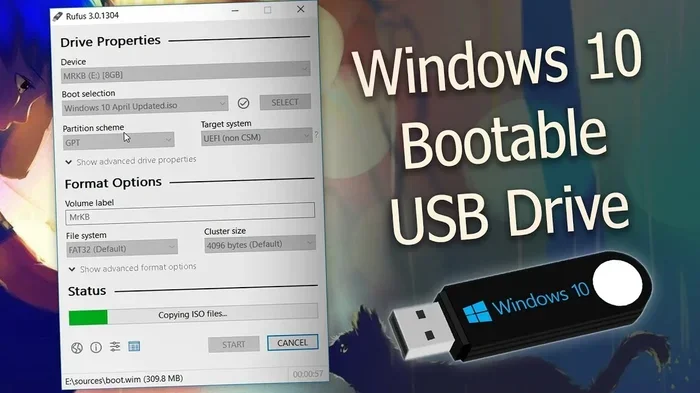
- Create a bootable drive: Use a tool like Rufus or Etcher to flash the image onto a USB drive or microSD card.
- Boot from the drive: Insert the drive into your mini PC and boot from it. Follow the on-screen prompts.
- Complete initial setup: Connect to your Wi-Fi, create an account, and start adding your smart devices.
- Install add-ons: Explore the add-on store to add features like Zigbee integration, voice control, and dashboards.
Once your Home Assistant instance is running, you can start connecting devices. The platform supports a massive library of integrations. Popular brands like Philips Hue, Nest, Ring, TP-Link, and Xiaomi are all supported out of the box. You can also add custom integrations if a device is not natively supported.
Tips for a Smooth Setup
- Use a wired connection: Ethernet provides a more stable connection than Wi-Fi for your hub.
- Keep your mini PC cool: Place it in a well-ventilated area to prevent overheating during long runs.
- Back up your configuration: Regularly back up your Home Assistant data so you can restore it if something goes wrong.
- Start small: Add a few devices first, test everything, and then expand your home automation setup gradually.
Common Challenges and How to Solve Them
While running Home Assistant on a mini PC is straightforward, you may encounter a few challenges along the way. Understanding these issues upfront can save you a lot of frustration.
Wi-Fi Connectivity Issues
Some mini PCs have weak Wi-Fi antennas, which can cause connection drops. If your hub keeps losing its network connection, consider using a USB Wi-Fi adapter with a better antenna or switch to a wired Ethernet connection. A stable network connection is critical for home automation reliability.
Storage Limitations
Mini PCs often come with small SSDs or eMMC storage. Over time, logs and database files can fill up the available space. To avoid this, enable log rotation in Home Assistant settings and consider using an external USB drive for additional storage. This keeps your smart home hub running smoothly without running out of disk space.
Device Compatibility
Not every smart device plays nicely with Home Assistant right out of the box. Some require specific add-ons or custom configurations. Before buying a mini PC for home automation, check the Home Assistant community forums to make sure your target devices are supported. The community is very active and helpful, so you can usually find a solution to any compatibility issue.
Is a Mini PC Better Than a Raspberry Pi for Home Assistant?
This is one of the most common questions in the home automation community. Both options have their strengths. A Raspberry Pi is very affordable and has a huge community, but it can struggle with performance when running many integrations simultaneously. A mini PC offers more processing power, more RAM options, and better storage speed for a slightly higher price.
If you are running a small setup with fewer than 20 devices, a Raspberry Pi works perfectly fine. But if you plan to scale up or run multiple add-ons like machine learning, voice assistants, and complex automations, a mini PC is the better choice. It gives you room to grow without hitting performance bottlenecks.
Final Thoughts
So, can a mini PC run Home Assistant? Absolutely. A mini PC is one of the best platforms you can choose for your home automation hub. It is affordable, compact, energy efficient, and powerful enough to handle even moderately complex setups. Whether you are just getting started with smart home devices or building a fully automated home, a mini PC running Home Assistant gives you a reliable and flexible foundation.
Start with the minimum specs, test your setup, and upgrade as needed. The beauty of Home Assistant is that it grows with you. You can begin with a few smart bulbs and a thermostat, then expand to full-home automation over time. A mini PC gives you the headroom to do all of that without breaking the bank or cluttering your living space.
Frequently Asked Questions
What is the best mini PC for running Home Assistant?
There is no single “best” mini PC, but models with at least 8GB of RAM and a dual-core or quad-core processor work great. Popular choices include Intel NUC, mini PCs with AMD Ryzen processors, and budget-friendly options from brands like Beelink and Minisforum. The key is to focus on CPU power and RAM rather than graphics performance.
Can I run Home Assistant on a Windows mini PC?
Yes, you can run Home Assistant on a Windows mini PC. However, using a Linux-based Home Assistant OS image is generally recommended for better performance and stability. Windows works fine if you are already comfortable managing it, but Linux tends to be lighter and more efficient for dedicated smart home hubs.
How much RAM do I need for Home Assistant on a mini PC?
4GB of RAM is the minimum, but 8GB is strongly recommended. If you plan to run many integrations, add-ons, or voice assistants alongside Home Assistant, 8GB or more will keep everything running smoothly without slowdowns or crashes.
Do I need a powerful CPU for Home Assistant?
No, Home Assistant does not require a powerful CPU. A basic dual-core processor is sufficient for most setups. The platform is lightweight and focuses on automation logic rather than heavy computing tasks. Even budget mini PCs handle it with ease.
Can I use a mini PC with Home Assistant for a large home with many devices?
Yes, a mini PC can handle large setups with dozens or even hundreds of smart devices. The key is to ensure you have enough RAM and a solid CPU. If you plan to scale up, aim for 8GB of RAM and a quad-core processor to keep everything responsive and reliable.
Is Home Assistant free to use on a mini PC?
Yes, Home Assistant is completely free and open-source. You can download it, install it on your mini PC, and use all its features without paying a dime. Some premium add-ons and integrations exist, but the core platform and thousands of integrations are free to use.