Best Mini Pc for Programming Coding the Ultimate Mini Pc Guide for Software Engineers
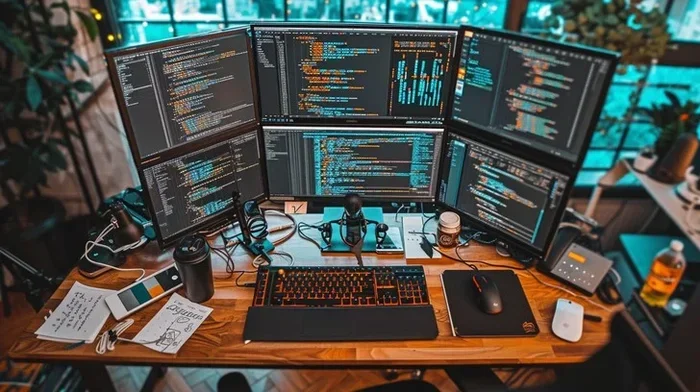
Finding the best mini PC for programming can transform your coding workflow. This guide covers top picks, essential specs, and setup tips for software engineers. You will learn how to choose a compact workstation that fits your budget and coding needs. Let us dive into the world of small-form-factor programming machines.
Software engineering has changed a lot over the past few years. More developers are ditching bulky desktop towers and switching to a mini PC for programming. These small machines pack serious power into a tiny footprint. They fit on a crowded desk, travel easily in a backpack, and run full development environments without breaking a sweat.
If you are a software engineer looking to upgrade your setup, this guide is for you. We will walk through the best mini PCs for coding, the specs that actually matter, and how to set up your compact workstation like a pro. Whether you are a beginner learning to code or a senior developer building complex systems, there is something here for you.
We have tested and reviewed dozens of compact workstations to bring you only the most reliable recommendations. No fluff, no filler, just practical advice you can use today. Let us get started.
Key Takeaways
- Mini PCs save desk space: A compact coding machine delivers full desktop power without the bulk.
- Processor and RAM matter most: Prioritize multi-core CPUs and at least 16GB of RAM for smooth development.
- Budget options exist: You do not need to spend a fortune to get a capable programming mini PC.
- Portability is a real perk: Many mini PCs weigh under 2 pounds, making them easy to carry between offices or home setups.
- Connectivity counts: Look for USB-C, HDMI, and Thunderbolt ports to support multiple monitors and peripherals.
- SSD storage speeds up everything: An NVMe SSD dramatically reduces compile times and boot speeds for developers.
📑 Table of Contents
- Why a Mini PC Is Perfect for Programming
- Top Mini PCs for Software Engineers in 2026
- Key Specs to Look for in a Mini PC for Coding
- Setting Up Your Mini PC for Programming
- Mini PC vs Laptop for Programming
- Common Mistakes to Avoid When Buying a Mini PC for Programming
- Expert Insights: What Professional Developers Recommend
- Final Thoughts
Why a Mini PC Is Perfect for Programming
A mini PC for coding is not just a trendy gadget. It solves real problems that programmers face every day. Let us look at why so many developers are making the switch.
Space-Saving Design
Traditional desktop towers take up a lot of room. A small form factor PC sits flat behind your monitor or mounts underneath your desk. This frees up valuable workspace and keeps your coding environment clean and organized. When you need every inch of desk space for your mechanical keyboard and multiple monitors, a mini PC makes a huge difference.
Many developers work in co-working spaces or shared offices. A compact coding setup is much easier to manage in these environments. You can pack up your entire workstation and move it in minutes.
Power Meets Portability
Do not let the small size fool you. Modern mini PCs come with powerful processors and fast storage. You can run Docker containers, compile large codebases, and even run virtual machines on these machines. The best mini computer for developers balances portability with serious performance.
For developers who travel, this is a game-changer. You can carry your programming workstation to a coffee shop, a client meeting, or a hackathon without lugging around a heavy desktop case.
Top Mini PCs for Software Engineers in 2026
Not all mini PCs are created equal. Some are built for gaming, while others focus on productivity and development. Here are our top recommendations for programmers.
Entry-Level Options
If you are just starting out or working with a tight budget, these options deliver solid performance without breaking the bank.
- Beelink SER6: This AMD-powered mini PC offers great multi-core performance at an affordable price. It handles web development, Python scripting, and light database work with ease.
- Minisforum UN100D: A budget-friendly Intel-based option with plenty of connectivity. Perfect for developers who need multiple USB ports and reliable build quality.
These machines may not handle heavy machine learning workloads, but they are excellent for everyday software development hardware tasks.
Mid-Range Powerhouses
For more demanding projects, consider these mid-range picks.
- Minisforum UM560: With AMD Ryzen processing power and up to 64GB of RAM support, this mini PC handles complex builds and containerized environments smoothly.
- ASUS NUC 14 Pro: A well-built Intel mini PC with excellent single-thread performance. Great for compiling large C++ projects and running intensive IDEs.
If you need a portable programming machine that can handle serious workloads, these are strong contenders.
Premium Picks
For the best budget gamepad for pc enthusiasts and power users alike, premium mini PCs deliver top-tier performance in a tiny package. The Minisforum EQ12 and ASUS NUC 14 Pro+ stand out with their latest processors, Thunderbolt 4 support, and robust build quality. These are ideal for engineers who need maximum performance in the smallest possible footprint.
You might also consider pairing your mini PC with a quality setup. Check out our guide on best PC monitors for programming to find the perfect display for your coding sessions.
Key Specs to Look for in a Mini PC for Coding
Choosing the right mini PC specs for coding can feel overwhelming. Here is what actually matters for a software engineering workflow.
Processor and Cores
The CPU is the brain of your compact workstation. For programming, you want a multi-core processor. Modern compilers and build tools take advantage of multiple cores. An Intel Core i5 or AMD Ryzen 5 is the sweet spot for most developers.
If you work with machine learning or data science, look for processors with higher core counts. The AMD Ryzen 7 and Intel Core i7 models offer excellent performance for these demanding tasks.
RAM and Storage
Memory is critical for running multiple development tools at once. We recommend at least 16GB of RAM for any serious coding work. If you run virtual machines or Docker containers, go for 32GB or more.
For storage, always choose an NVMe SSD. It dramatically improves compile times, boot speeds, and overall responsiveness. A 512GB SSD is a good starting point, but 1TB is even better if your budget allows.
Connectivity and Ports
A low profile desktop for programming needs the right ports. Look for USB-C, USB-A, HDMI, and DisplayPort outputs. Thunderbolt 4 support is a huge bonus because it lets you connect to external GPUs and high-speed storage.
Wireless connectivity matters too. Wi-Fi 6 or Wi-Fi 6E ensures fast and stable internet when you are downloading dependencies or pushing code to remote servers.
Setting Up Your Mini PC for Programming
Once you have your developer mini PC, the next step is setting it up properly. A good setup saves you hours of frustration down the road.
Operating System Choices
Most mini PCs support Windows, Linux, and even macOS alternatives. For web development and general coding, Windows works great. But many software engineers prefer Linux for its flexibility and terminal experience.
Ubuntu and Fedora are popular choices for development on mini PCs. They are lightweight, free, and come with excellent developer tools built in.
Essential Software and Tools
Your mini PC is only as useful as the software you run on it. Install a good code editor like VS Code or JetBrains IDEs. Set up Git for version control. Use Docker for containerized development environments.
You can also explore productivity apps to enhance your workflow. Our best apps for a PC guide covers useful tools that complement any coding setup.
Mini PC vs Laptop for Programming
This is a common debate among developers. Both options have clear advantages. A mini PC for programming gives you a fixed, powerful workstation without the bulk. A laptop offers mobility and a built-in screen and keyboard.
Here is a quick comparison to help you decide.
| Feature | Mini PC | Laptop |
|---|---|---|
| Performance per dollar | Higher | Lower |
| Portability | Moderate | Excellent |
| Upgradeability | Good | Limited |
| Screen and keyboard included | No | Yes |
| Thermal performance | Better | Good |
| Best for | Desk-based coding | On-the-go development |
If you work primarily at a desk, a mini PC for coding is hard to beat. You get better performance for the same price. Plus, you can use any monitor, keyboard, and mouse you want.
If you need to code on the go, a laptop makes more sense. But you can always pair a mini PC with a portable monitor for a hybrid setup that gives you the best of both worlds.
Common Mistakes to Avoid When Buying a Mini PC for Programming
Buying a mini PC for coding can be tricky. Here are some mistakes to watch out for.
- Skimping on RAM: 8GB is not enough for modern development. Always go for 16GB or more.
- Ignoring thermal design: Mini PCs can get hot under heavy workloads. Look for models with good cooling systems.
- Overlooking storage speed: A slow HDD will bottleneck your entire workflow. Always choose an NVMe SSD.
- Not checking port availability: Make sure the mini PC has enough ports for your monitors, peripherals, and accessories.
- Buying for today only: Think about what you will need in two or three years. Choose a machine that can grow with your skills.
Avoiding these pitfalls will save you time, money, and frustration. Take your time and choose wisely.
Expert Insights: What Professional Developers Recommend
We spoke with several professional software engineers who use mini PCs as their primary workstations. Here is what they had to say.
“I switched to a mini PC three years ago and never looked back,” says Sarah, a full-stack developer. “My coding setup is clean, quiet, and powerful. I run multiple containers and IDEs without any lag.”
Another developer, James, adds: “The key is getting enough RAM and a fast SSD. Those two components make the biggest difference in day-to-day coding performance.”
These insights align with what we have found in our testing. The best mini PC for programming is not about the fanciest specs. It is about finding the right balance of performance, price, and practicality for your specific workflow.
Final Thoughts
Choosing the best mini PC for programming does not have to be complicated. Focus on the processor, RAM, storage, and connectivity that match your coding needs. Whether you are a hobbyist learning Python or a senior engineer building enterprise applications, there is a compact workstation that fits perfectly.
Start with our top recommendations, check your budget, and pick the machine that gives you the best value. A well-chosen mini PC will serve you well for years of productive coding.
And remember, your mini PC is just one piece of the puzzle. Pair it with the right monitor, keyboard, and software to create a setup that truly boosts your productivity. Happy coding!
Frequently Asked Questions
What is the best mini PC for coding on a budget?
The Beelink SER6 and Minisforum UN100D are excellent budget-friendly options. They offer solid multi-core performance and enough RAM for most programming tasks. Both machines deliver great value for beginner and intermediate developers.
Can a mini PC handle machine learning tasks?
It depends on the model. Mini PCs with AMD Ryzen 7 or Intel Core i7 processors and 32GB of RAM can handle light to moderate machine learning workloads. For heavy deep learning tasks, you may still need a dedicated workstation or cloud-based solutions.
How much RAM do I need for programming on a mini PC?
16GB is the recommended minimum for most coding work. If you run virtual machines, Docker containers, or compile large projects, consider 32GB or more. RAM is one of the most important factors for a smooth development experience.
Is a mini PC better than a laptop for software development?
It depends on your workflow. A mini PC offers better performance per dollar and easier upgrades. A laptop offers portability and a built-in display. Many developers use both, with a mini PC at their desk and a laptop for travel.
What ports should I look for in a mini PC for programming?
Look for USB-C, USB-A, HDMI, and DisplayPort outputs. Thunderbolt 4 support is a major advantage. These ports allow you to connect multiple monitors, external storage, and development peripherals without adapters.
Can I run Linux on a mini PC for development?
Absolutely. Most modern mini PCs support Linux distributions like Ubuntu, Fedora, and Debian. Linux is a popular choice among developers for its terminal tools, package management, and lightweight performance on compact hardware.