What Is a Vga Camera

A VGA camera captures video at 640 x 480 resolution using the Video Graphics Array standard. These cameras were once the go-to choice for basic surveillance and security setups. While they are older technology, VGA cameras still serve a purpose in budget-friendly and legacy systems today.
If you have ever looked at an older security camera or a basic surveillance system, you may have seen the term VGA printed on it. A VGA camera is a type of camera that captures video at a resolution of 640 by 480 pixels. This standard comes from the Video Graphics Array technology that dates back to the late 1980s. Even though this technology is older, VGA cameras are still around and still useful in many situations.
In this guide, we will break down everything you need to know about VGA cameras. You will learn how they work, where they are used, and how they stack up against newer camera technologies. By the end, you will have a clear picture of whether a VGA camera is right for your needs.
Key Takeaways
- VGA cameras use a resolution of 640 x 480 pixels, which was once considered standard for video capture.
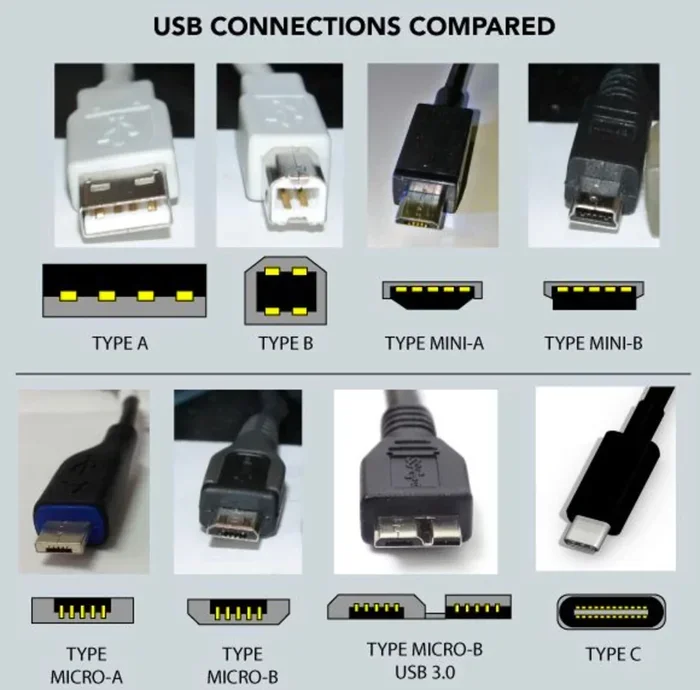
- They connect via analog or digital interfaces like VGA connectors, BNC cables, or USB ports.
- VGA cameras are still used in budget security systems and older surveillance setups around the world.
- They offer lower image quality compared to HD and megapixel cameras, but they are affordable and reliable.
- VGA cameras work well for basic monitoring tasks where high detail is not a priority.
- Understanding VGA technology helps you make informed decisions when choosing between legacy and modern camera systems.
📑 Table of Contents
- What Is A VGA Camera?
- How VGA Cameras Work
- Common Uses for VGA Cameras
- VGA Camera vs. Modern HD Cameras
- Pros and Cons of VGA Cameras
- How to Choose the Right VGA Camera
- Are VGA Cameras Still Relevant?
- Quick Tips for VGA Camera Users
- Common Mistakes People Make with VGA Cameras
- Expert Insights
- Conclusion
What Is A VGA Camera?
A VGA camera is a camera that uses the Video Graphics Array standard to capture and display images. The VGA resolution means the camera records at 640 pixels wide and 480 pixels tall. This gives a total of about 307,200 pixels in each frame. For comparison, modern cameras often record at 1080p or higher, which means over two million pixels.
The VGA standard was developed by IBM in 1987. It became the default video output for computers and monitors for many years. Over time, the same technology found its way into cameras, especially in the security and surveillance industries. Today, when people ask what is a VGA camera, they are usually referring to older or budget camera systems that use this resolution standard.
How VGA Resolution Works
Resolution refers to the number of pixels a camera can display. VGA resolution is 640 x 480. This means each frame of video is made up of a grid that is 640 pixels across and 480 pixels down. The total pixel count is about 0.3 megapixels.
This may sound very low by today’s standards. And you would be right. But for many basic monitoring tasks, VGA resolution is still enough to see faces, license plates, and general movement. The key is that VGA cameras deliver clear enough images for simple observation and recording purposes.
How VGA Cameras Work
VGA cameras work by capturing light through a lens and converting it into a digital or analog signal. The sensor inside the camera reads the light and creates an image at the VGA resolution. This image is then sent to a monitor, recorder, or display device through a cable.
Most VGA cameras use one of these connection types:
- VGA connectors — These are the classic blue D-sub connectors you might recognize from older computers.
- BNC cables — Common in analog CCTV setups where VGA cameras are paired with DVR systems.
- USB connections — Some modern VGA cameras use USB for plug-and-play simplicity.
- RCA composite cables — Older setups sometimes use yellow RCA plugs for video output.
The camera sensor can be either a CCD or CMOS type. Both are capable of producing VGA resolution images. CMOS sensors are more common today because they use less power and cost less to manufacture. If you want to learn more about how camera sensors work, check out our article on What Is A Ahd Camera to understand different sensor technologies.
Common Uses for VGA Cameras
Even though VGA cameras are older technology, they still have a place in many settings. Here are the most common places you will find them in use.
Home Security
Many homeowners choose VGA cameras for basic outdoor or indoor monitoring. These cameras are affordable and easy to set up. They work well for watching front doors, driveways, and common areas where you just need to see who is there. For general security purposes, VGA resolution is often good enough.
Small Business Surveillance
Small shops, offices, and warehouses sometimes use VGA cameras because they are budget-friendly. A small business owner may not need ultra-high-definition video. They just need a camera that can show activity in the store or office. VGA cameras fit this need perfectly.
Legacy Systems
Many buildings still run older surveillance systems that were installed years ago. Replacing the entire system can be expensive. So building managers often keep the existing VGA cameras running. They add new DVRs or monitors as needed while keeping the old cameras in place.
Educational and Institutional Settings
Schools, libraries, and community centers sometimes use VGA cameras for basic monitoring. These institutions often work with tight budgets. VGA cameras offer a cost-effective solution that still provides adequate coverage for hallways, entrances, and common areas.
VGA Camera vs. Modern HD Cameras
It is important to understand how VGA cameras compare to modern options. This will help you decide which type of camera fits your situation best. Below is a comparison of key features.
| Feature | VGA Camera | HD Camera (720p+) |
|---|---|---|
| Resolution | 640 x 480 pixels | 1280 x 720 or higher |
| Total Pixels | ~307,000 | ~921,000+ |
| Image Clarity | Basic, suitable for general viewing | Sharp, detailed images |
| Cost | Very affordable | Moderate to high |
| Connection Types | VGA, BNC, RCA, USB | HDMI, IP, PoE, USB |
| Availability | Still sold for legacy and budget use | Widely available as standard |
| Power Consumption | Low | Moderate to high |
As you can see from the table, VGA cameras win on price and power efficiency. They also work with older equipment that many people already have. However, HD cameras provide much better image quality and detail. If you need to identify fine details like small text or distant faces, an HD camera is the better choice.
For those interested in understanding different camera quality levels, you might also want to read about Is A 8Mp Camera Good to see how megapixel counts affect image quality.
Pros and Cons of VGA Cameras
Advantages of VGA Cameras
- Low cost. VGA cameras are some of the most affordable options on the market.
- Wide availability. You can still find VGA cameras from many manufacturers today.
- Compatibility with older systems. If you already have an older DVR or monitor, VGA cameras connect easily.
- Low power usage. These cameras draw very little electricity, which saves on energy bills.
- Simple setup. Most VGA cameras are plug-and-play and do not require complex configuration.
- Reliable for basic tasks. For simple monitoring, VGA cameras get the job done without any issues.
Disadvantages of VGA Cameras
- Low resolution. VGA images lack the detail needed for identifying small or distant objects.
- Limited zoom capability. Because of the low pixel count, zooming in results in a blurry image.
- Older technology. VGA is considered outdated in the surveillance industry.
- Fewer advanced features. VGA cameras typically lack modern features like night vision enhancements, motion detection alerts, and remote viewing apps.
- Not ideal for large areas. Covering wide spaces with VGA cameras may leave gaps in image quality.
How to Choose the Right VGA Camera
If you decide a VGA camera is right for your situation, here are some tips to help you choose the best one.
Consider Your Lighting Conditions
VGA cameras perform differently in various lighting. If you plan to use a camera outdoors at night, look for one with built-in infrared LEDs. These LEDs help the camera see in low light or complete darkness. Without night vision, a VGA camera will produce very dark footage after sunset.
Check the Connection Type
Make sure the camera matches your existing setup. If you have an older DVR with VGA inputs, buy a camera with a VGA output. If you have a more modern system, you might need an adapter or a camera with a different connection type. Always double-check the cables and ports before purchasing.
Look for Weather Resistance
If you are installing the camera outside, choose a model rated for outdoor use. Look for an IP65 or IP66 rating. This ensures the camera can handle rain, dust, and temperature changes without breaking down.
Think About Storage Needs
VGA cameras produce smaller file sizes because the resolution is lower. This means you can store more hours of footage on the same hard drive compared to HD cameras. If storage space is a concern, this is one advantage VGA cameras have over higher-resolution options.
Are VGA Cameras Still Relevant?
The short answer is yes. VGA cameras are still relevant in specific situations. They work well for budget-conscious buyers, legacy systems, and basic monitoring needs. Many people do not need high-definition video. They just want a simple camera that shows them what is happening in a specific area.
However, if you are setting up a new system from scratch, you should strongly consider an HD camera instead. The prices of HD cameras have dropped significantly in recent years. You can now get a good 1080p camera for only slightly more than a VGA model. The extra detail and modern features are well worth the small price difference.
For more information on camera types and how they differ, you may also want to explore our article on What Is A Wdr Camera to learn about wide dynamic range technology used in modern cameras.
Quick Tips for VGA Camera Users
- Clean the lens regularly. Dust and dirt can blur the already limited resolution of VGA cameras.
- Position the camera at the right height. Aim for about 8 to 10 feet high for the best viewing angle.
- Use good lighting. VGA cameras perform best in well-lit environments.
- Check cables frequently. Older VGA cables can wear out and cause signal loss.
- Update your DVR firmware. This ensures compatibility and may improve recording quality.
Common Mistakes People Make with VGA Cameras
Here are some mistakes to avoid when using VGA cameras:
- Expecting HD-quality images. VGA cameras cannot deliver high-definition results no matter what you do.
- Placing cameras too far from the subject. The low resolution means distant objects will look blurry.
- Ignoring lighting. Poor lighting makes VGA footage even harder to see.
- Using cheap cables. Low-quality cables can cause interference and signal loss with VGA connections.
- Skipping regular maintenance. Dust buildup on the lens reduces image quality significantly.
By avoiding these common mistakes, you can get the best possible performance out of your VGA camera setup.
Expert Insights
Security professionals often recommend VGA cameras only for specific use cases. According to industry experts, VGA cameras work best when you need basic coverage for a small area and have a limited budget. They are not recommended for situations where identifying fine details is important, such as reading license plates from a distance or capturing facial features in a crowded area.
If you are upgrading an existing system, experts suggest a gradual approach. Replace VGA cameras one at a time with HD models. This lets you spread out the cost while slowly improving your overall surveillance quality. For more tips on camera upgrades, our article on How To Tell If A Security Camera Is On can help you verify your current setup is working properly.
Conclusion
A VGA camera is a basic but still useful tool for video capture and surveillance. It records at 640 by 480 resolution and works well for simple monitoring tasks. While it cannot match the quality of modern HD cameras, it remains a budget-friendly and reliable option for many users.
Whether you are upgrading an old system or setting up a new one on a tight budget, VGA cameras deserve consideration. Just be sure to understand their limitations and choose them for the right situations. With proper placement, good lighting, and regular maintenance, a VGA camera can serve you well for years to come.
Understanding the strengths and weaknesses of VGA technology helps you make smarter purchasing decisions. Take what you have learned here and apply it to your next camera purchase or system upgrade. You will be glad you did.
Frequently Asked Questions
What does VGA stand for in a camera?
VGA stands for Video Graphics Array. It is a display standard that was developed by IBM in 1987. In cameras, VGA refers to a resolution of 640 by 480 pixels. This was once the standard resolution for many video devices.
Can a VGA camera be used for outdoor surveillance?
Yes, a VGA camera can be used outdoors. However, you should choose a model with weather resistance and infrared night vision. Outdoor VGA cameras work best for basic monitoring where high detail is not required.
How does a VGA camera compare to an IP camera?
A VGA camera typically uses analog or USB connections and records at lower resolution. An IP camera connects to a network and can record at much higher resolutions like 1080p or 4K. IP cameras also offer more advanced features like remote access and smart detection.
Are VGA cameras still being manufactured?
Yes, VGA cameras are still being manufactured today. Many companies produce them for budget security systems, legacy setups, and basic monitoring needs. They remain popular in markets where cost is the primary concern.
What cable do I need for a VGA camera?
The cable depends on your camera model and setup. Most VGA cameras use a VGA connector cable, BNC cable, or RCA composite cable. Check your camera specifications to find the correct cable type before purchasing.
Is a VGA camera good enough for identifying faces?
VGA cameras can capture faces at close range under good lighting. However, the low resolution makes it difficult to identify faces from a distance or in poor lighting conditions. For reliable face identification, an HD camera is a better choice.