What Is the Function of a Network Interface Card

A network interface card is a hardware component that allows your computer to connect to a network. The NIC handles data transmission, assigns IP addresses, and ensures smooth network connectivity. Whether wired or wireless, it is the bridge between your device and the internet.
A network interface card is one of the most important pieces of hardware inside your computer. Without it, your laptop or desktop cannot talk to the internet, your router, or any other device on a network. Think of it as the door your computer uses to step into the digital world.
Every time you browse a website, stream a video, or send an email, your NIC is working behind the scenes. It takes digital data from your computer and converts it into signals that can travel across cables or through the air. It then receives incoming signals and turns them back into data your computer can understand.
In this guide, we will break down everything you need to know about the function of a network interface card. We will cover how it works, the different types available, and why it plays such a big role in your daily online experience. If you have ever wondered why your internet is slow or why your network connection drops, your NIC might be part of the answer.
## What Exactly Is a Network Interface Card?
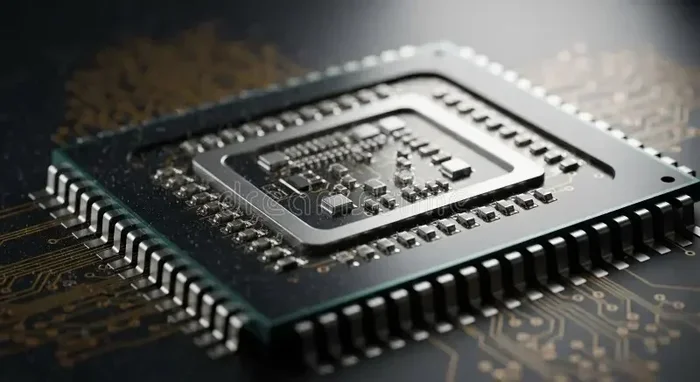
A network interface card, often called a NIC, is a circuit board or chip installed in a computer. Its main job is to connect the device to a network. This can be a local area network (LAN) at home or office, or a wide area network (WAN) like the internet.
The NIC sits between your computer’s motherboard and the outside network. It translates data from your computer into a format that can travel across the network. It also translates incoming network data back into a format your computer can use.
### How a NIC Works in Simple Terms
When you send a message online, your computer breaks it into small pieces called packets. The network interface card takes these packets and adds a header with your computer’s IP address and the destination address. This process is called packet switching.
The NIC then sends these packets out through the network medium. If you are using a wired connection, the signals travel through an Ethernet cable. If you are using Wi-Fi, the NIC sends radio waves through the air. On the other side, the receiving NIC reads the packets and reassembles them into the original message.
### The Role of the Network Driver
A network driver is software that tells your operating system how to communicate with the NIC. Without the correct driver, your computer cannot use the network interface card properly. This is why updating your driver can often fix network connectivity issues.
## Types of Network Interface Cards
Not all NICs are the same. They come in different shapes, speeds, and connection types. Understanding the types helps you choose the right one for your needs.
### Wired Network Interface Cards
A wired NIC uses an Ethernet cable to connect to a router or switch. These cards are also called Ethernet cards or LAN cards. They offer a stable and fast connection.
Wired network adapters typically support speeds of 100 Mbps, 1 Gbps, or even 10 Gbps. They are ideal for desktops, gaming setups, and any situation where a steady connection matters. Because the signal travels through a cable, wired connections are less prone to interference.
### Wireless Network Interface Cards
A wireless NIC connects to a router using Wi-Fi signals. These are also called Wi-Fi adapters. Most modern laptops come with a built-in wireless NIC right on the motherboard.
Wireless network interface cards have improved a lot over the years. Modern Wi-Fi 6 and Wi-Fi 6E adapters can deliver speeds up to 9.6 Gbps. They offer the convenience of mobility, but they can be affected by walls, distance, and other wireless signals.
### Internal vs. External NICs
Internal NICs are installed inside the computer case. They plug into a slot on the motherboard, such as a PCIe slot. Many motherboards now come with a built-in NIC, so you do not always need to install one separately.
External NICs connect through a USB port or a Thunderbolt port. They are great for laptops or devices that do not have room for an internal card. You can plug one in when you need it and remove it when you do not. This is similar to how you might add more RAM to a laptop using an external kit.
## Key Functions of a Network Interface Card
The NIC does much more than just connect you to the internet. It performs several critical functions that keep your network running smoothly.
### Data Translation and Transmission
The primary function of a network interface card is to translate data between your computer and the network. Your computer works with digital data. The network uses electrical signals, light pulses, or radio waves. The NIC bridges this gap.
When you send data, the NIC converts it into the right format for the network medium. When you receive data, it converts the network signal back into digital data. This process happens in milliseconds, which is why you can browse the web without any noticeable delay.
### MAC Address Management
Every NIC has a unique identifier called a MAC address. This is a hardware address that is assigned by the manufacturer. It is like a fingerprint for your network interface card.
When data travels across a local network, it uses the MAC address to find the right device. Your router keeps track of which MAC address belongs to which device. This ensures that the data you send reaches the correct destination on your home or office network.
### Error Detection and Correction
NICs also check for errors in the data they send and receive. They use something called a cyclic redundancy check (CRC). This is a mathematical process that verifies the integrity of data transmission.
If the NIC detects an error, it will request that the data be sent again. This helps maintain a reliable network connection even when there is interference or signal degradation. Without this function, you would experience constant data corruption and dropped connections.
### Network Traffic Management
Your NIC helps manage the flow of data on your network. It controls how fast data is sent and received. This is especially important when multiple devices are sharing the same network.
Modern NICs support features like jumbo frames and offloading. Offloading lets the NIC handle certain tasks without involving the CPU. This frees up your processor and improves overall network speed.
## Wired vs. Wireless NIC: Which Is Better?
Choosing between a wired and wireless NIC depends on your needs. Both have strengths and weaknesses.
### Wired NIC Advantages
– Faster and more stable network speed
– Less susceptible to interference
– Lower latency for gaming and video calls
– Better security since the connection is physical
### Wireless NIC Advantages
– Freedom of movement around your home or office
– No need for cables
– Easy to set up and use
– Works with multiple devices without extra wiring
### When to Choose Each
If you need the fastest and most reliable network connectivity, go with a wired NIC. This is especially true for gaming, video editing, and large file transfers. If you value convenience and mobility, a wireless network adapter is the better choice.
Some power users use both. They connect their desktop to a wired NIC for heavy tasks and use a wireless NIC on their laptop for everyday browsing. You can also check what is good RAM on a laptop to make sure your entire system is balanced for performance.
## How to Check if Your NIC Is Working Properly
Sometimes your network interface card can cause problems. Slow speeds, dropped connections, or no connection at all can all point to a NIC issue. Here are some quick steps to check.
### Step 1: Check Device Manager
On Windows, open Device Manager and look for “Network adapters.” You should see your NIC listed there. If you see a yellow warning icon, the driver may need updating.
### Step 2: Run a Speed Test
Use a speed test tool to check your network speed. If your wired NIC is not getting the speeds your plan promises, the card or cable may be the issue.
### Step 3: Update the Network Driver
Outdated drivers can cause network troubleshooting headaches. Visit your computer or motherboard manufacturer’s website to download the latest driver for your network interface.
### Step 4: Try a Different Port or Cable
Sometimes the problem is not the NIC itself. A faulty Ethernet port or a damaged cable can mimic NIC problems. Try a different cable or port to rule this out.
## Can You Upgrade Your Network Interface Card?
Yes, you can upgrade your NIC just like you upgrade other components. If your current network adapter is slow or outdated, a new one can boost your network speed and reliability.
### Internal PCIe NICs
These are the most common upgrade option for desktops. You open your computer case, insert the card into a PCIe slot, and install the driver. You can get NICs that support 2.5 Gbps, 5 Gbps, or even 10 Gbps speeds.
### USB Network Adapters
If you have a laptop without a built-in NIC or want to add a wired connection, a USB adapter is an easy solution. Just plug it in, install the driver, and you are connected.
### Wi-Fi 6 and Wi-Fi 7 Upgrades
If you want better wireless performance, consider upgrading to a Wi-Fi 6 or Wi-Fi 7 NIC. These newer standards offer faster speeds, better range, and improved performance in crowded environments.
Much like upgrading your RAM can breathe new life into an older laptop, upgrading your NIC can improve your network experience. Check out how to upgrade the RAM of your laptop if you want to boost overall system performance alongside your network upgrades.
## Common NIC Problems and How to Fix Them
Even the best network interface card can run into issues. Here are some common problems and their solutions.
### No Network Connection
This is often caused by a missing or corrupted driver. Reinstalling the network driver usually fixes it. You can also try disabling and re-enabling the NIC in Device Manager.
### Slow Network Speeds
If your wired connection is slower than expected, check your cable. A Cat5e or Cat6 cable supports gigabit speeds. An older Cat5 cable may limit you to 100 Mbps. Also check your NIC settings to make sure it is set to the correct speed.
### Intermittent Disconnections
Wireless NICs can drop connections if the signal is weak. Move closer to your router or reduce interference from other devices. If the problem persists, updating the network adapter driver can help.
### High CPU Usage from the NIC
Some NICs use too much CPU power if offloading features are not enabled. Go into your network adapter settings and turn on TCP offload and checksum offload. This lets the NIC handle more of the work on its own.
## The Future of Network Interface Cards
NICs are evolving quickly. New technologies are making network connectivity faster and more efficient.
### 25GbE and 40GbE NICs
For businesses and power users, 25 Gigabit Ethernet and 40 Gigabit Ethernet NICs are becoming more affordable. These cards deliver incredibly fast data transmission for servers, workstations, and high-performance computing.
### Wi-Fi 7
The next generation of wireless NICs supports Wi-Fi 7. This standard promises even higher speeds, lower latency, and better performance in dense environments. It is ideal for homes with many connected devices and for professionals who need reliable wireless network connectivity.
### Integrated NICs on Motherboards
Most modern motherboards now include a built-in NIC. This means you do not always need to buy a separate card. However, for users who need better performance or specific features, add-in NICs still have a place.
## Key Takeaways
Key Takeaways
- Core Connectivity: A network interface card is essential for any device to communicate over a network.
- Two Main Types: Wired (Ethernet) and wireless (Wi-Fi) adapters serve different needs and speeds.
- Built-In or Add-On: Most modern laptops have a NIC built into the motherboard, but you can install a separate card for better performance.
- Driver Matters: Without the right network driver, your network interface will not function properly.
- Upgrade Path: You can upgrade your network adapter just like you upgrade RAM or other components. Check out how to upgrade the RAM of your laptop for a similar hardware boost.
Key Takeaways
- Core Connectivity: A network interface card is essential for any device to communicate over a network.
- Two Main Types: Wired (Ethernet) and wireless (Wi-Fi) adapters serve different needs and speeds.
- Built-In or Add-On: Most modern laptops have a NIC built into the motherboard, but you can install a separate card for better performance.
- Driver Matters: Without the right network driver, your network interface will not function properly.
- Upgrade Path: You can upgrade your network adapter just like you upgrade RAM or other components. Check out how to upgrade the RAM of your laptop for a similar hardware boost.
- Troubleshooting: Most NIC issues can be fixed with driver updates, cable swaps, or simple setting changes.
- Future Ready: Newer standards like Wi-Fi 7 and 25GbE Ethernet are shaping the next generation of network connectivity.
## Frequently Asked Questions
What is the main function of a network interface card?
The main function of a network interface card is to connect your computer to a network and handle the transmission of data between your device and the network. It translates digital data into signals that can travel across cables or through the air, and vice versa. Without a NIC, your computer cannot access the internet or communicate with other devices on a network.
Do I need a separate NIC if my motherboard has a built-in one?
In most cases, a built-in NIC on the motherboard is more than enough for everyday use. You only need a separate network adapter if you want faster speeds, better wireless performance, or a wired connection on a device that does not have one built in. For most home users, the integrated NIC handles browsing, streaming, and light gaming just fine.
Can a bad NIC cause slow internet speeds?
Yes, a faulty or outdated NIC can definitely slow down your network speed. If your network interface card only supports 100 Mbps but your internet plan offers 1 Gbps, you will be capped at the slower speed. Updating the network driver or replacing the NIC can often resolve this issue.
What is the difference between a wired and wireless NIC?
A wired NIC uses an Ethernet cable to connect to a router or switch. It provides a stable and fast connection with low latency. A wireless NIC uses Wi-Fi signals to connect to a router. It offers mobility and convenience but can be affected by interference and distance from the router.
How do I know if my NIC needs to be replaced?
If you experience frequent disconnections, very slow speeds, or your NIC is not recognized by your computer even after updating the driver, it may be time for a replacement. A new network interface card is an affordable way to restore network connectivity and improve performance.
Is a network interface card the same as a Wi-Fi adapter?
A wireless NIC is essentially a Wi-Fi adapter. The term network interface card is a broader term that includes both wired and wireless adapters. A Wi-Fi adapter is a type of NIC that connects to a network using wireless signals rather than a cable.
## Conclusion
The function of a network interface card is simple but essential. It is the piece of hardware that connects your computer to the world. Whether you are browsing the web, video calling a friend, or streaming your favorite show, your NIC is working hard behind the scenes.
Understanding how your network interface works can help you troubleshoot problems, choose the right hardware, and get the most out of your network connection. From data transmission to MAC address management, the NIC handles tasks that keep your digital life running smoothly.
If you are still using an old NIC, consider upgrading. A new network adapter can dramatically improve your network speed and reliability. And remember, keeping your entire system updated, including your RAM and other components, ensures the best overall performance. For more on how hardware upgrades can help, check out what is good RAM on a laptop or learn how to upgrade the RAM of your laptop for a complete system boost.
Frequently Asked Questions
What is What Is The Function Of A Network Interface Card?
What Is The Function Of A Network Interface Card is an important topic with many practical applications.