What Is the Difference Between a Mac a Dell Computer
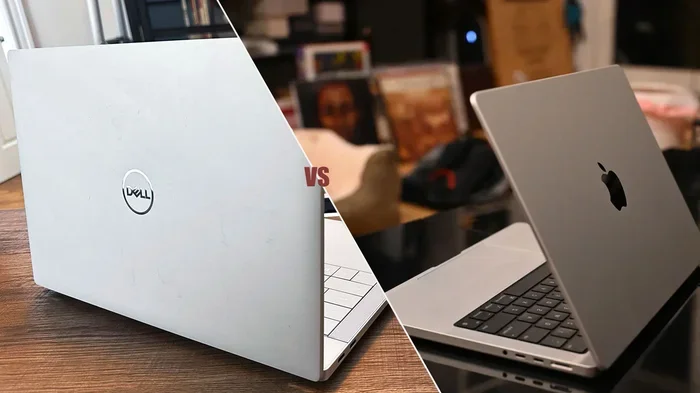
Mac and Dell computers differ in operating systems, design philosophy, pricing, and target users. Macs run macOS with a premium build and tight ecosystem, while Dell machines use Windows with more customization and budget-friendly options. Both brands deliver solid performance, but your choice depends on what you value most: seamless integration or flexible affordability.
Choosing between a Mac and a Dell computer is one of the biggest decisions tech buyers face today. Both brands have loyal followings, and for good reason. Each offers unique strengths that appeal to different types of users. Whether you are a student, a creative professional, or a business user, understanding the differences helps you make a smarter purchase.
The debate between Mac and Dell comes down to several key factors. These include the operating system, hardware design, price, performance, and how well each brand fits into your daily workflow. In this guide, we break down every major difference so you can confidently pick the right computer. Let us dive into the details.
Key Takeaways
- Operating System: Macs use macOS, while Dell computers run Windows, and this shapes the entire user experience.
- Design and Build: Apple focuses on sleek, premium materials, whereas Dell offers a wider range of designs at different price points.
- Price and Value: Dell provides more budget-friendly options, while Macs carry a premium price tag with strong resale value.
- Customization: Dell lets you configure hardware extensively, but Macs keep choices limited for a streamlined experience.
- Ecosystem and Support: Apple’s ecosystem works seamlessly across devices, while Dell offers flexible customer support and repair options.
📑 Table of Contents
Operating System: macOS vs Windows
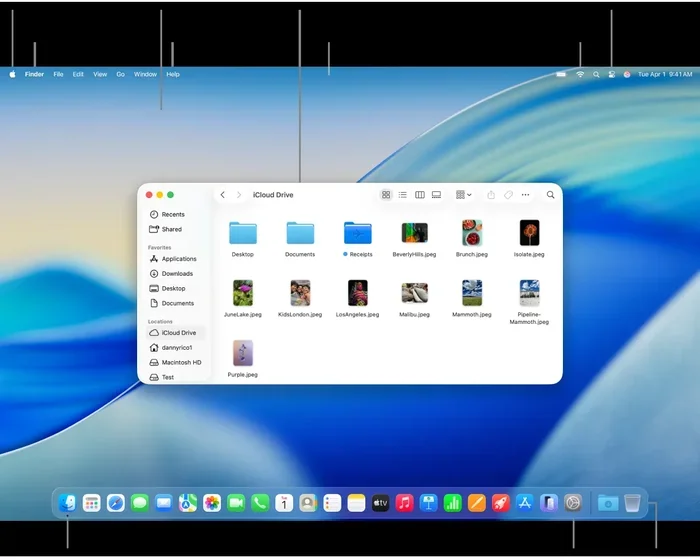
The most fundamental difference between a Mac and a Dell computer is the operating system. Macs run macOS, which is developed exclusively by Apple. Dell computers run Windows, which is built by Microsoft. This single difference affects almost everything you do on the machine.
macOS: Apple’s Polished Ecosystem
macOS is known for its smooth, intuitive interface. It integrates beautifully with other Apple devices like iPhones and iPads. Features like AirDrop, iMessage, and Handoff make switching between devices feel effortless. The operating system is also optimized for Apple hardware, which means fewer conflicts and a generally stable experience.
Many creative professionals prefer macOS because of its strong multimedia capabilities. Video editing, music production, and graphic design workflows often run better on Macs. Software like Final Cut Pro and Logic Pro are exclusive to Apple computers.
Windows: Flexibility and Compatibility
Windows powers the majority of personal computers worldwide. Dell offers a wide range of machines running Windows, from budget laptops to powerful workstations. The operating system supports a massive library of software and games. If you need specific Windows-only applications for work or school, a Dell computer is often the easier choice.
Windows also allows deeper customization. You can change nearly every aspect of the interface, install software from multiple sources, and tweak system settings in ways macOS does not allow. This flexibility appeals to power users and IT departments alike.
Design and Build Quality
Apple and Dell take very different approaches to design. Apple prioritizes a minimalist, premium aesthetic. Every Mac is crafted with aluminum unibody construction, thin profiles, and attention to detail that is hard to match. The result is a computer that looks and feels expensive right out of the box.
Dell, on the other hand, offers a broader design spectrum. Their XPS line competes directly with MacBooks in terms of premium feel. The Inspiron series targets mainstream users with practical, durable designs. And their Latitude and Precision lines focus on business and professional needs with rugged, functional builds.
Display Quality
Both brands offer excellent displays, but they target different segments. MacBooks feature Retina displays with vibrant colors, deep blacks, and sharp resolution. The Mini-LED and Liquid Retina XDR displays on newer MacBooks are among the best in the industry.
Dell also offers stunning displays, especially on the XPS and Premium line. Many Dell models come with OLED or IPS panels that rival Apple’s offerings. Plus, Dell gives you more variety in screen size and aspect ratio, which matters for specific workflows like coding or video editing.
Performance and Hardware Options
Performance is where both brands shine, but in different ways. Macs use Apple’s own M-series chips, which deliver outstanding performance per watt. These processors handle everyday tasks smoothly and tackle demanding workloads like video rendering with impressive efficiency.
Dell computers use a mix of Intel and AMD processors, giving buyers more choice. You can find Dell laptops with budget-friendly Celeron chips or powerful Intel Core i9 and AMD Ryzen processors. This hardware variety means you can find a Dell machine for almost any performance need and budget.
RAM and Memory
RAM plays a huge role in how smoothly your computer runs. Both Macs and Dell machines offer different memory configurations. When you are looking at what the RAM does in a laptop, it is important to understand that more memory means better multitasking and smoother performance.
Macs come with unified memory that works closely with the M-series chips. Dell offers upgradeable RAM on many models, especially in their business and workstation lines. If you plan to upgrade your laptop RAM later, Dell gives you more flexibility in most cases.
Storage Options
Apple uses custom SSD storage that is fast but not upgradeable after purchase. You must choose the right storage tier when you buy. Dell often includes standard SSDs that are sometimes user-replaceable, depending on the model. This gives Dell an edge for users who want to expand storage down the road.
Price and Value for Money
Price is often the deciding factor for many buyers. Macs start at a higher price point compared to most Dell computers. A base MacBook Air costs more than many entry-level Dell laptops. However, Apple includes a lot of value in that price, such as premium build quality and a polished operating system.
Dell covers a much wider price range. You can find a Dell laptop for under $400 or spend over $2000 on a high-end XPS or Precision machine. This range makes Dell accessible to nearly every budget. For buyers who want the best time to buy a laptop computer without breaking the bank, Dell offers excellent options year-round.
Long-Term Value
Macs tend to hold their value better than most Dell computers. The resale market for used Macs is strong, which partially offsets the higher upfront cost. Dell machines depreciate faster, but the lower initial price makes this less of a concern for budget-conscious buyers.
Ecosystem, Support, and User Experience
The ecosystem you choose affects your daily routine more than you might think. Apple’s ecosystem connects your Mac, iPhone, Apple Watch, and iPad in a seamless web. Notifications sync, files transfer instantly, and you can even use your iPhone as a webcam for your Mac. This level of integration is a major draw for people already invested in Apple products.
Dell works well within the broader Windows ecosystem. You can connect Dell laptops with Android phones, use Microsoft services, and access a vast library of compatible accessories. Dell also offers strong business support, including on-site service and extended warranties that appeal to corporate users.
Customer Support
Apple provides support through the Apple Store, online resources, and authorized service providers. Their Genius Bar offers hands-on help, but appointments can be hard to book. Dell offers phone, chat, and on-site support, especially for business customers. The level of support you receive often depends on which Dell tier you purchase.
Which Brand Is Right for You?
The right choice depends entirely on your needs and priorities. Here is a quick look at who benefits most from each brand.
Choose a Mac if: You already own other Apple devices, you work in creative fields, you value build quality and design, or you prefer a simple, streamlined computing experience.
Choose a Dell if: You need Windows for work or school, you want more hardware customization, you are on a tighter budget, or you need specific software that only runs on Windows.
Both brands deliver excellent computers. The best choice is the one that fits your workflow, budget, and personal preferences. Take time to compare models within each brand before making a final decision.
Quick Tips for Making Your Decision
- List the software you need and check which platform it supports.
- Set a firm budget before you start shopping.
- Consider your existing devices and ecosystem.
- Read user reviews for the specific model you are considering.
- Visit a store to try both brands in person if possible.
Common Mistakes to Avoid
Many buyers make avoidable mistakes when choosing between Mac and Dell. One common error is buying based on brand loyalty alone without checking if the machine meets your specific needs. Another mistake is ignoring future upgrade potential, especially when it comes to RAM and storage.
Do not overlook the importance of customer support and warranty options. A computer is a long-term investment, and the support behind it matters just as much as the hardware. Finally, avoid choosing a computer simply because it is popular. The best computer is the one that works best for you.
Expert Insight
Technology experts often recommend evaluating your primary use case first. If you are a student writing papers and browsing the web, a budget Dell laptop may serve you perfectly. If you are a video editor working within the Apple ecosystem, a MacBook Pro will likely be the better investment. Matching the tool to the task is the smartest approach.
Conclusion
The difference between a Mac and a Dell computer comes down to ecosystem, design philosophy, price, and customization. Macs offer a premium, streamlined experience with a focus on build quality and seamless integration. Dell provides flexibility, variety, and affordability across a wide range of use cases. Neither brand is objectively better. The best computer is the one that aligns with your workflow, budget, and personal preferences.
Take your time, do your research, and choose the machine that will serve you well for years to come. Both Mac and Dell have earned their places as leading computer brands, and you cannot go wrong with either choice when you make an informed decision.
Frequently Asked Questions
Is a Mac better than a Dell for gaming?
Dell computers generally offer better gaming performance because they support a wider range of dedicated graphics cards and run Windows, which has a larger game library. Macs have improved gaming capabilities, but they still lag behind for serious gamers. If gaming is a priority, a Dell machine is usually the better choice.
Can you upgrade a Mac the same way you upgrade a Dell?
No, Macs are designed with limited upgradeability. Most Mac models have soldered RAM and non-replaceable storage. Dell computers, especially business and workstation models, often allow you to upgrade RAM and storage after purchase. This makes Dell more flexible for users who want to customize their hardware over time.
Which is more reliable, a Mac or a Dell?
Both brands have strong reliability records, but they differ in how they handle issues. Macs tend to have fewer hardware problems due to Apple’s control over hardware and software integration. Dell offers reliable machines with strong warranty options, especially for business users. Reliability often depends more on the specific model than the brand.
Is a Dell computer cheaper than a Mac?
Yes, Dell computers are generally more affordable than Macs. Dell offers budget-friendly options starting well below the price of a base MacBook. However, Dell also has premium lines like the XPS that compete with Mac pricing. Overall, Dell provides more options at lower price points.
Which brand is better for creative professionals?
Macs have long been the preferred choice for creative professionals. The combination of macOS, Final Cut Pro, and high-quality displays makes Macs ideal for video editing, music production, and graphic design. That said, Dell’s XPS and Precision lines also deliver excellent performance for creative work, especially for users who need Windows-specific software.
How do I choose between a Mac and a Dell for college?
Consider your major and software requirements. Engineering and business students often need Windows-specific software, making Dell a practical choice. Arts and humanities students may prefer the Mac ecosystem and its creative software. Also factor in budget, portability, and battery life when making your decision.