Types Of Computer Communication Every User Should Know

Computer communication is how devices share data and information with each other. Understanding the types of computer communication helps users troubleshoot problems, choose the right hardware, and get the most from their devices. This guide covers wired, wireless, and protocol-based communication in simple, practical terms.
Computers are everywhere in our daily lives. We use them to work, learn, shop, and stay connected with people around the world. But have you ever stopped to think about how your computer actually talks to other devices? That is where types of computer communication come into play.
Every time you send an email, print a document, or connect to the internet, your computer is communicating. It sends and receives data using different methods, cables, and wireless signals. Understanding these methods can help you use your computer better. It can also save you time when something goes wrong.
This guide breaks down the main types of computer communication in simple terms. You do not need to be a tech expert to understand it. By the end, you will know how your devices talk to each other and why it matters.
Key Takeaways
- Wired communication uses physical cables like USB and Ethernet for fast, reliable data transfer between devices.
- Wireless communication relies on technologies like Bluetooth, Wi-Fi, and infrared to connect devices without cables.
- Communication protocols like TCP/IP and HTTP set the rules that devices follow to exchange data correctly.
- Input and output devices are essential components that enable communication between users and computers.
- Choosing the right communication method depends on speed needs, distance, and the type of data being transferred.
📑 Table of Contents
What Is Computer Communication?
Computer communication is the process of transferring data between two or more devices. These devices can be computers, phones, printers, cameras, or any other digital equipment. The data can be anything from a simple text file to a high-definition video stream.
Think of it like a conversation. One device sends a message, and another device receives it. But just like human conversation, there need to be rules. Both sides must understand the same language and follow the same steps. Otherwise, the message gets lost or misunderstood.
Computer communication happens in two main ways. The first is wired communication, which uses physical cables. The second is wireless communication, which uses radio waves, infrared signals, or other invisible methods. Both have their strengths and weaknesses.
Wired Communication Types
Wired communication is one of the oldest and most reliable forms of data transfer. It uses physical cables to connect devices directly. This method is still very common in offices, homes, and data centers today.
USB Communication
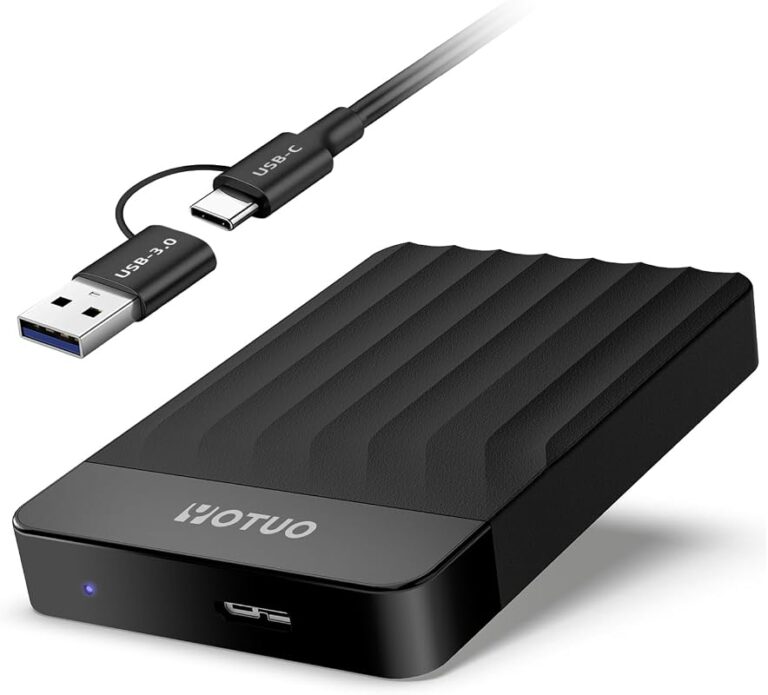
Universal Serial Bus, or USB, is the most common wired connection you will see. It connects keyboards, mice, external hard drives, and phones to computers. USB cables carry both data and power, which makes them very convenient.
There are several USB types. USB-A is the classic rectangular plug. USB-C is the newer, smaller connector that can carry more data and power. Most modern laptops use USB-C, while older devices still rely on USB-A.
Ethernet Communication
Ethernet is the standard for wired network connections. It uses a special cable called an Ethernet cable to connect your computer to a router or modem. This gives you a direct, stable internet connection.
Ethernet is faster and more reliable than Wi-Fi in many cases. It is ideal for tasks that need a lot of bandwidth, like streaming large files or playing online games. Many offices prefer Ethernet because it is harder to interfere with.
Serial and Parallel Communication
Serial communication sends data one bit at a time over a single wire. It is slower but works well over long distances. Parallel communication sends multiple bits at once using several wires. It is faster but only works over short distances.
You may not see these terms often today, but they still matter. Older printers used parallel ports, and some industrial equipment still relies on serial connections. Understanding the difference helps when troubleshooting old devices.
Wireless Communication Types
Wireless communication has grown enormously in recent years. It lets devices connect without any cables at all. This gives users more freedom and flexibility in how they set up their workspace.
Wi-Fi Communication
Wi-Fi is the most popular wireless technology for internet access. It uses radio waves to send data between your device and a router. Almost every laptop, phone, and tablet supports Wi-Fi today.
Wi-Fi comes in different standards, like Wi-Fi 5 and Wi-Fi 6. The newer standards offer faster speeds and better performance in crowded areas. If you have ever noticed slow internet at a coffee shop, that is because too many devices share the same Wi-Fi signal.
Bluetooth Communication
Bluetooth is a short-range wireless technology. It connects devices that are very close to each other, usually within 30 feet. A wireless keyboard and mouse is a perfect example of Bluetooth in action.
Bluetooth uses very little power, which makes it great for small accessories. It is also simple to set up. You just pair the devices, and they communicate automatically. Bluetooth is used in headphones, speakers, keyboards, and even fitness trackers.
Infrared Communication
Infrared communication uses light waves that are invisible to the human eye. It was very popular in the early 2000s for things like TV remotes and old phone data transfers. Today, it is less common but still used in some devices.
Infrared has one big limitation. It needs a clear line of sight between the sending and receiving devices. If something blocks the path, the signal stops. This is why most modern devices have moved to Bluetooth or Wi-Fi instead.
Communication Protocols and Standards
Protocols are the rules that devices follow when they communicate. Without protocols, devices would not know how to send, receive, or understand data. Think of protocols as the language of computer communication.
TCP/IP
TCP/IP is the foundation of all internet communication. TCP stands for Transmission Control Protocol. IP stands for Internet Protocol. Together, they break data into small packets, send them across the network, and reassemble them at the destination.
Every time you visit a website or send a message, TCP/IP is working behind the scenes. It ensures that all the data arrives correctly and in the right order. This protocol is what makes the global internet possible.
HTTP and HTTPS
HTTP stands for HyperText Transfer Protocol. It is the protocol your browser uses to load web pages. HTTPS is the secure version. It encrypts the data so that no one can intercept it.
You can tell if a site uses HTTPS by looking at the padlock icon in your browser bar. Always look for HTTPS when entering personal information online. It is a simple way to protect your data.
FTP and SMTP
FTP stands for File Transfer Protocol. It is used to transfer large files between computers. SMTP stands for Simple Mail Transfer Protocol. It handles the sending of emails across the internet.
These protocols work quietly in the background. You rarely need to think about them, but they make modern digital life possible. Without them, sharing files or sending emails would be much harder.
Input and Output Communication Devices
Input devices let you send data to your computer. Output devices let your computer send data back to you. Together, they form the communication bridge between you and your machine.
Common Input Devices
- Keyboard — lets you type text and commands into the computer.
- Mouse — allows you to point, click, and navigate on screen.
- Scanner — converts physical documents into digital files.
- Microphone — captures audio and sends it to the computer for processing.
- Webcam — captures video and sends it to the computer for video calls or recordings.
Common Output Devices
- Monitor — displays visual information from the computer.
- Speakers — output audio so you can hear sound from your computer.
- Printer — produces physical copies of digital documents.
- Projector — displays computer output on a large screen for presentations.
Each of these devices uses specific communication methods to interact with the computer. For example, a Canon camera connects to a computer via USB to transfer photos. This is a clear example of input communication, where the camera sends image data to the computer for storage and editing.
How to Choose the Right Communication Method
Choosing the right communication method depends on your needs. Consider factors like speed, distance, reliability, and convenience. Here are some simple guidelines to help you decide.
Speed Requirements
If you need to transfer large files quickly, wired connections like Ethernet or USB are the best choice. They offer consistent speeds without interference. For everyday browsing and light tasks, Wi-Fi is usually fast enough.
Distance and Mobility
If you need to move around freely, wireless options like Bluetooth or Wi-Fi are ideal. They let you use your devices from anywhere in a room. For long-distance communication over the internet, protocols like TCP/IP handle the job seamlessly.
Security Considerations
Wired connections are generally more secure than wireless ones. It is harder for someone to intercept data traveling through a cable. For sensitive tasks like online banking, a wired connection or HTTPS website adds an extra layer of protection.
Device Compatibility
Not all devices support every communication method. Check what ports and wireless capabilities your devices have before choosing a setup. For example, some older printers only connect via USB or parallel ports, while newer ones support Wi-Fi and Bluetooth.
Common Communication Problems and How to Fix Them
Even with the best setup, communication problems can happen. Here are a few common issues and simple fixes.
Slow Wi-Fi speeds: Move closer to your router or reduce the number of connected devices. Walls and other electronics can weaken the signal.
Bluetooth pairing failures: Make sure both devices are in pairing mode and within range. Restarting both devices often solves the problem.
USB devices not recognized: Try a different USB port or cable. Sometimes drivers need to be updated for the device to work properly.
Ethernet connection drops: Check the cable for damage and make sure it is firmly plugged in. A loose cable is the most common cause of connection drops.
Understanding these common issues helps you troubleshoot faster. It also reduces frustration when things do not work as expected.
The Future of Computer Communication
The world of computer communication is always evolving. New technologies are making data transfer faster, more secure, and more seamless than ever before.
5G networks are pushing wireless speeds to new heights. They enable faster downloads, smoother video calls, and better connectivity for smart devices. Fiber optic cables are replacing older copper wires, offering incredible speeds over long distances.
Wi-Fi 7 is the next generation of wireless technology. It promises even lower latency and higher bandwidth than Wi-Fi 6. These advances will make wireless communication almost as reliable as wired connections.
As devices become more connected, communication protocols will continue to improve. The goal is always the same: faster, more reliable, and more secure data exchange between devices. Staying informed about these changes helps you make better technology decisions.
Understanding the types of computer communication is a valuable skill for every computer user. Whether you are plugging in a cable, connecting to Wi-Fi, or sending an email, you are using one of these methods. The more you know, the better equipped you are to use your devices confidently and troubleshoot problems when they arise.
Frequently Asked Questions
What are the main types of computer communication?
The main types are wired communication, which uses cables like USB and Ethernet, and wireless communication, which uses technologies like Wi-Fi, Bluetooth, and infrared. Both methods allow devices to exchange data in different ways.
What is the difference between wired and wireless communication?
Wired communication uses physical cables to transfer data, offering faster and more stable connections. Wireless communication uses radio waves or infrared signals, giving you more freedom and mobility but sometimes at the cost of speed and reliability.
What is a communication protocol?
A communication protocol is a set of rules that devices follow to exchange data. Examples include TCP/IP for internet communication, HTTP for web browsing, and SMTP for sending emails. These protocols ensure that devices understand each other.
Why is Wi-Fi slower than Ethernet?
Wi-Fi uses radio waves that can be affected by walls, distance, and other devices. Ethernet uses a direct cable connection, which provides a more stable and faster data path. For tasks that need consistent speed, Ethernet is usually the better choice.
What devices use Bluetooth communication?
Many devices use Bluetooth, including wireless keyboards, mice, headphones, speakers, fitness trackers, and printers. Bluetooth is ideal for short-range connections between devices that need low power consumption.
How do input and output devices communicate with a computer?
Input devices like keyboards and mice send data to the computer through USB or wireless connections. Output devices like monitors and speakers receive data from the computer and display or play it for the user. Both rely on specific communication protocols to work correctly.
=== CONCLUSION ===
Types of computer communication form the backbone of how we use technology every day. From wired connections like USB and Ethernet to wireless technologies like Wi-Fi and Bluetooth, each method plays a unique role. Communication protocols like TCP/IP and HTTP make sure all this data flows smoothly and securely.
Understanding these basics empowers you as a computer user. You can make smarter choices about your setup, troubleshoot problems faster, and get more out of your devices. Whether you are connecting a remote TV speaker or transferring files between computers, the principles remain the same.
Take some time to explore your own devices. Check what communication methods they support and how they work together. The more you understand, the more confident you will become. Technology is meant to work for you, and knowing how it communicates is the first step toward making it do exactly that.