Types Of Computer Courses That Will Shape Your Future

Types of computer courses cover everything from programming and web development to hardware maintenance and cybersecurity. Whether you are a beginner or looking to advance your tech career, there is a course that fits your goals. Learning computer skills opens doors to high-demand jobs and personal growth opportunities.
Technology is everywhere today. From smartphones to laptops, computers drive nearly every part of modern life. If you want to stay relevant in the job market, types of computer courses are your gateway to new opportunities. Whether you want to build software, fix hardware, or manage data, there is a course waiting for you.
The world of tech education has grown massively in recent years. You no longer need a four-year degree to land a great tech job. Many professionals built successful careers through short, focused training programs. This guide breaks down the most popular and valuable types of computer courses available today. You will learn what each type covers, who it is best for, and how to pick the right one for your goals.
Let us be honest. Choosing a course can feel overwhelming. There are so many options, and the tech world changes fast. But do not worry. By the end of this article, you will have a clear picture of what is out there. You will know exactly which path makes sense for you. So let us dive in and explore the exciting world of computer education.
Key Takeaways
- Diverse Options: Computer courses range from basic digital literacy to advanced programming and cybersecurity training.
- Career Growth: Taking the right courses can lead to high-paying jobs in IT, software development, and data science.
- Beginner-Friendly: Many courses are designed for people with zero prior experience in technology.
- Flexible Learning: You can take courses online, in-person, or through bootcamps that fit your schedule.
- Hardware Knowledge Matters: Understanding laptop components like RAM helps you choose the right device and even pursue hardware-focused careers.
- Software Skills Are In-Demand: Courses in MS Excel, web development, and coding are highly valued by employers.
- Certifications Boost Your Resume: Earning a computer certification proves your skills to potential employers.
📑 Table of Contents
- Why Computer Courses Matter More Than Ever
- Programming and Coding Courses
- Hardware and IT Support Courses
- Software and Office Skills Courses
- Cybersecurity and Networking Courses
- Online vs In-Person Computer Courses
- How to Pick the Right Computer Course for You
- Computer Courses That Lead to High-Demand Careers
- Conclusion
Why Computer Courses Matter More Than Ever
Technology touches every industry now. Healthcare, finance, retail, and education all rely on computer systems. Companies need people who understand how these systems work. This demand makes types of computer courses more valuable than ever before.
Here is a simple truth. The more tech skills you have, the more doors open for you. A basic understanding of computers helps in daily life. But advanced skills can lead to six-figure salaries. Many people start with free tutorials and end up working for top tech companies. The journey starts with choosing the right course.
Consider this. In 2024, millions of tech jobs went unfilled because companies could not find enough skilled workers. That gap is only growing. By investing in tech education now, you position yourself ahead of the curve. You become the person companies are desperate to hire.
Who Should Take Computer Courses?
Anyone can benefit from computer courses. Students looking for a head start in their careers can learn valuable skills early. Professionals switching industries can gain a competitive edge. Even retirees can stay sharp by learning new technology. There is truly no wrong time to start.
Here are some common groups of people who benefit from tech training:
- Students preparing for their first job
- Career changers moving into the tech industry
- Entrepreneurs who want to build their own websites or apps
- Current employees who want to earn a promotion
- Hobbyists who enjoy building things with technology
The beauty of modern education is that it meets you where you are. You do not need to be a math genius or a tech wizard. Many beginner courses start from the very basics. They walk you through each step with patience and clarity.
Programming and Coding Courses
Programming is one of the most popular paths in tech education. Coding courses teach you how to write instructions that computers follow. These instructions build websites, apps, games, and software. If you enjoy problem-solving and logic, programming might be your perfect fit.
Popular Programming Languages to Learn
There are many programming languages out there. Each one has its own strengths and best use cases. Here are some of the most common ones you will encounter in courses:
- Python – Great for beginners and widely used in data science and automation
- JavaScript – Essential for web development and interactive websites
- Java – Popular in enterprise applications and Android development
- C++ – Used for system software and high-performance applications
- HTML/CSS – The building blocks of every webpage on the internet
Most types of computer courses in programming start with one language and then expand. You might begin with Python because it is beginner-friendly. Then you add JavaScript to learn web development. Over time, you build a versatile skill set that employers love.
Coding bootcamps are a popular way to learn programming quickly. These intensive programs usually last a few months. They focus on hands-on projects rather than theory. Many bootcamp graduates land jobs within six months of finishing. If you want fast results, a bootcamp could be a great choice.
What to Expect From a Coding Course
A typical coding course covers several key areas. You will learn syntax, which is the grammar of a programming language. You will practice writing small programs to solve problems. Most courses include projects where you build something real. This hands-on approach helps you retain what you learn.
You will also learn about debugging. This means finding and fixing errors in your code. Debugging is a normal part of programming. Every developer does it daily. A good course teaches you how to think like a problem solver, not just how to type code.
Hardware and IT Support Courses
Not everyone wants to write code. Some people love working with physical computer parts. Hardware and IT support courses teach you how computers work at a physical level. You learn about components like processors, memory, and storage drives.
What Hardware Courses Cover
Hardware courses give you a deep understanding of computer components. You learn what each part does and how they work together. Here are some common topics you will encounter:
- Central Processing Unit (CPU) – The brain of the computer
- Random Access Memory (RAM) – Temporary memory that affects speed and performance
- Hard Drives and SSDs – Where data is stored long-term
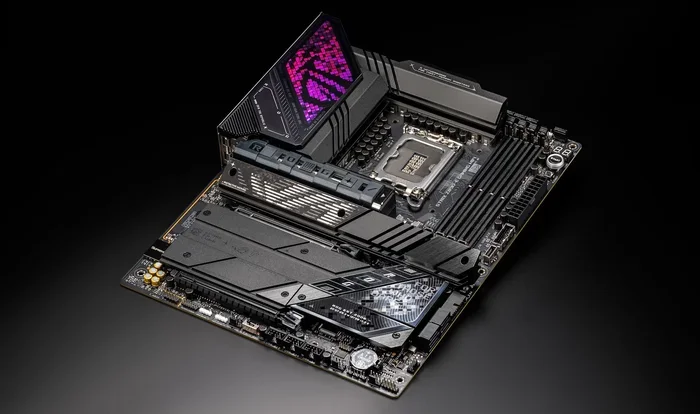
- Motherboards – The main circuit board connecting all parts
- Power Supplies and Cooling Systems – Keeping your computer running safely
Understanding hardware is incredibly useful. For example, knowing how to upgrade RAM can save you hundreds of dollars. Instead of buying a new laptop, you might just need to add more memory. Many courses teach you practical skills like how to upgrade the RAM of a laptop and how to troubleshoot common hardware issues.
IT Support and Help Desk Training
IT support courses prepare you for entry-level tech jobs. You learn how to help users with computer problems. This includes fixing software issues, setting up networks, and managing devices. IT support roles are in high demand across every industry.
A good IT support course also covers networking basics. You learn how computers communicate with each other. You study topics like IP addresses, DNS, and firewalls. These skills form the foundation for more advanced roles in network administration and cybersecurity.
If you enjoy helping people and solving puzzles, IT support might be your calling. The work is varied and always interesting. No two days are ever the same when you work in tech support.
Software and Office Skills Courses
Not all computer courses focus on advanced programming or hardware. Many people benefit from learning everyday software skills. Office productivity courses teach you how to use tools that are standard in workplaces around the world.
Key Software Skills to Develop
These courses cover programs that millions of people use every day. They include:
- Microsoft Office Suite – Word, Excel, PowerPoint, and Outlook
- Google Workspace – Docs, Sheets, Slides, and Drive
- Database Management – Tools like SQL and Access
- Project Management Software – Trello, Asana, and Microsoft Project
Microsoft Excel deserves special mention. It is one of the most widely used tools in business. A course on types of alignment in MS Excel might seem small, but proper formatting and data presentation are critical skills. Employers notice when someone can organize and display data clearly and professionally.
Office skills courses are perfect for people who want to improve their current job performance. They are also great for anyone entering the workforce for the first time. These practical skills apply to almost every industry and role.
Why Office Skills Still Matter in a Digital World
You might wonder if basic office skills are still relevant. The answer is absolutely yes. Every company needs people who can create documents, manage spreadsheets, and present information effectively. These tasks form the backbone of daily business operations.
Advanced Excel skills, for instance, can set you apart from other candidates. Knowing how to use pivot tables, formulas, and charts makes you more productive. It also shows employers that you take your work seriously and want to excel.
Cybersecurity and Networking Courses
Cybersecurity is one of the fastest-growing fields in technology. As more businesses move online, protecting data becomes critical. Cybersecurity courses teach you how to defend computer systems from threats and attacks.
What Cybersecurity Training Involves
Cybersecurity courses cover a wide range of topics. You start with the fundamentals of computer security. Then you move into more advanced areas like threat detection and incident response. Here is what a typical curriculum includes:
- Network Security – Protecting data as it travels across networks
- Ethical Hacking – Learning to think like a hacker to find vulnerabilities
- Risk Assessment – Identifying and prioritizing security threats
- Security Compliance – Following laws and regulations like GDPR
- Incident Response – What to do when a breach occurs
Many cybersecurity courses prepare you for industry certifications. Certifications like CompTIA Security+ and Certified Ethical Hacker (CEH) are highly respected. Earning one of these can significantly boost your career prospects and salary potential.
Networking Courses: The Backbone of IT
Networking courses focus on how computers connect and communicate. You learn about local area networks (LANs), wide area networks (WANs), and cloud infrastructure. These skills are essential for anyone pursuing a career in IT infrastructure.
Networking knowledge also helps you understand how to set up home and office networks. You can troubleshoot connection issues and optimize performance. This practical knowledge is valuable whether you work for a company or as a freelance IT consultant.
Many professionals start with a networking course and later specialize in cybersecurity. The two fields complement each other well. Understanding how networks work is essential to protecting them effectively.
Online vs In-Person Computer Courses
One of the biggest decisions you will make is how to take your courses. Online and in-person learning each have their own advantages. Understanding these differences helps you choose the format that works best for your life.
Benefits of Online Courses
- Flexibility – Study at your own pace and on your own schedule
- Cost Savings – No commuting or housing expenses
- Wide Selection – Access courses from institutions worldwide
- Self-Paced Learning – Spend more time on topics you find challenging
Benefits of In-Person Courses
- Hands-On Practice – Work directly with equipment and instructors
- Networking Opportunities – Build connections with classmates and teachers
- Structured Schedule – Stay motivated with regular deadlines
- Immediate Feedback – Get your questions answered in real time
Many people find a hybrid approach works best. They take some courses online and others in person. This gives them the flexibility of online learning combined with the hands-on experience of classroom training. The key is to choose the format that keeps you engaged and consistent.
How to Choose the Right Format for You
Think about your lifestyle and learning style. Do you work best with a set schedule or do you prefer freedom? Do you learn better by watching videos or sitting in a classroom? There is no wrong answer. The best format is the one that helps you stay committed to your learning goals.
If you are a working professional, online courses might be your only option. If you are a recent graduate who thrives in structured environments, in-person classes could be a better fit. Be honest with yourself about what will help you succeed.
How to Pick the Right Computer Course for You
With so many options available, choosing a course can feel daunting. But the process becomes much simpler when you focus on a few key factors. Start by asking yourself some important questions.
What is your current skill level? Are you a complete beginner or do you have some experience? What is your career goal? Do you want to become a software developer, an IT specialist, or a data analyst? Your answers to these questions will narrow down your choices significantly.
Next, consider the time and money you can invest. Some courses take just a few weeks. Others require months or even years of study. Set a realistic budget and timeline before you commit. This keeps you from feeling overwhelmed and helps you stay on track.
Finally, research the course thoroughly. Read reviews from past students. Check whether the course offers a certificate or certification. Look at the curriculum to make sure it covers what you need. A well-chosen course can change the direction of your entire career.
A Quick Checklist for Choosing a Course
- Define your learning goals clearly
- Check the course curriculum and topics covered
- Read student reviews and testimonials
- Verify if the course offers a recognized certification
- Consider the instructor’s experience and credentials
- Look for hands-on projects and practical exercises
- Compare prices and check for money-back guarantees
Taking the time to research pays off. You end up with a course that truly matches your needs and helps you grow. Rushing into a choice without research often leads to frustration and wasted money.
Computer Courses That Lead to High-Demand Careers
Some computer courses directly prepare you for specific careers. These programs are designed with job placement in mind. They teach the exact skills that employers are looking for right now.
For example, courses in web development can lead to jobs as front-end or back-end developers. Data science courses prepare you for roles analyzing business information and creating insights. Cloud computing courses open doors to positions managing company infrastructure on platforms like AWS and Azure.
If you are interested in working with laptop hardware, courses that teach you how to know the RAM of a laptop and other component specifications can lead to careers in tech support or hardware sales. Understanding what makes a laptop perform well is a valuable skill that many employers seek.
The tech industry values continuous learning. Even after you land a job, staying current with new technologies keeps you competitive. Many professionals take additional courses throughout their careers to stay sharp and advance into senior roles.
One important thing to remember is that your first course does not have to define your entire career. Many successful tech professionals started in one area and pivoted to another later. The skills you build in one course often transfer to other areas. So do not feel locked into a single path. Stay curious and keep exploring.
Also, consider starting with free or low-cost courses to test your interest in a subject. Many platforms offer introductory content at no charge. This lets you explore different areas before committing to a paid program. It is a smart way to find your passion without financial risk.
Conclusion
The world of types of computer courses is vast and full of opportunity. From programming and cybersecurity to office skills and hardware maintenance, there is something for everyone. The key is to find the course that aligns with your interests and career goals.
Technology will only become more important in the years ahead. People with strong computer skills will continue to be in high demand. By investing in your education today, you build a foundation for a successful and rewarding future. Start small, stay consistent, and keep learning. Your tech journey begins with a single step.
Whether you want to write code, fix computers, manage networks, or master office software, the right course can get you there. The opportunity is real, and the demand is growing. Take that first step today and see where your computer education takes you.
Frequently Asked Questions
What are the easiest computer courses for beginners?
Basic digital literacy courses and intro to Microsoft Office are great starting points. These courses assume no prior knowledge and teach fundamental skills step by step. They build confidence and prepare you for more advanced topics later on.
How long does it take to complete a computer course?
The duration varies widely depending on the topic and depth. Short courses can be completed in a few weeks, while comprehensive programs may take several months. Bootcamps are usually the fastest option, often lasting three to six months.
Are online computer courses as good as in-person ones?
Yes, many online courses are just as effective as in-person classes. The best online courses include hands-on projects, instructor support, and recognized certifications. Your commitment and consistency matter more than the format you choose.
Can I take computer courses for free?
Absolutely. Many platforms offer free introductory courses in programming, IT support, and office skills. These free options let you explore different areas before investing in paid programs. They are a great way to discover your interests without financial risk.
Do computer courses lead to real jobs?
Yes, many computer courses are designed with career placement in mind. Courses in programming, cybersecurity, and IT support are particularly job-focused. Earning a recognized certification alongside your course greatly increases your chances of landing a tech job.
What computer course pays the most?
Courses in software development, cybersecurity, and data science tend to lead to the highest-paying careers. However, the salary also depends on your experience, location, and the specific role you pursue. Continuous learning and staying updated with new technologies help maximize your earning potential over time.