What All Can I Do With 7 Mbps Download Speed Guide

7 Mbps download speed is enough for light to moderate internet usage. You can browse the web, stream standard definition videos, make video calls, and listen to music without problems. However, heavy streaming, online gaming, and large downloads will feel slow. This guide covers exactly what you can do and how to get the most out of your connection.
7 Mbps download speed is a common internet plan speed that many households still use today. It falls into the lower range of broadband speeds. But that does not mean it is useless. In fact, there is quite a lot you can do with this speed if you understand its limits. This guide breaks down exactly what works, what does not, and how to make the most of your connection.
Whether you are working from home, streaming your favorite shows, or just browsing the web, knowing what your speed can handle saves you frustration. We will walk through every common use case in detail. By the end, you will know if 7 Mbps is enough for your household or if you need to upgrade your plan.
Key Takeaways
- Web browsing and email work great on 7 Mbps with no issues at all.
- Standard definition streaming is smooth but HD and 4K will buffer constantly.
- Video calls are possible for one person but struggle with multiple users.
- Light online gaming works but competitive gaming may lag due to latency.
- Multiple devices slow things down fast on a 7 Mbps plan.
- A speed test helps you verify your actual download speed vs. what your ISP promises.
- Optimizing your Wi-Fi and router can help you squeeze more performance out of 7 Mbps.
📑 Table of Contents
- What Does 7 Mbps Download Speed Actually Mean?
- What Can You Do With 7 Mbps Download Speed?
- What Can You NOT Do With 7 Mbps?
- How to Get the Most Out of Your 7 Mbps Connection
- Is 7 Mbps Enough for Your Household?
- Common Mistakes People Make With Slow Internet
- Expert Tips for Maximizing Your 7 Mbps Speed
- Conclusion
What Does 7 Mbps Download Speed Actually Mean?
Mbps stands for megabits per second. It measures how fast data travels from the internet to your device. A 7 Mbps connection downloads 7 megabits of data every second. To put that in perspective, a standard HD movie file is about 4 to 5 gigabytes. At 7 Mbps, downloading that file would take several hours.
Your internet speed is not just about downloads. Upload speed matters too. Most 7 Mbps plans have much lower upload speeds, often around 1 to 2 Mbps. This affects video calls, file sharing, and uploading content to social media. Always check both your download and upload speed when evaluating your plan.
The bandwidth you have gets shared among all connected devices. If three people are streaming and one person is downloading a file, each device gets less bandwidth. This is why understanding your bandwidth needs is so important for choosing the right internet plan.
What Can You Do With 7 Mbps Download Speed?
7 Mbps handles a surprising number of everyday tasks well. Let us go through each use case so you know exactly what to expect.
Web Browsing and Email
Browsing websites and checking email is where 7 Mbps shines. Text-heavy sites load almost instantly. Even sites with images and videos will load quickly. You can scroll, click links, and navigate without any noticeable delay. This is the most basic and least demanding use of your internet connection.
Email with attachments up to 10 MB loads fine. You can send and receive messages with photos or documents without waiting long. Web-based email services like Gmail and Outlook work perfectly at this speed.
Streaming Music and Audio
Music streaming uses very little bandwidth. Spotify, Apple Music, and YouTube Music all work beautifully at 7 Mbps. Even high-quality audio streams use less than 1 Mbps. You can stream lossless audio without any issues.
If you want to enhance your music listening experience, you might consider adding quality speakers for a turntable setup to your home. Good audio gear pairs well with a stable 7 Mbps connection for a great listening experience.
Video Calls and Conferencing
Video calls need both download and upload speed. A standard video call uses about 1.5 to 3 Mbps download and 1.5 to 3 Mbps upload. At 7 Mbps, you can handle one or two video calls at a time comfortably.
Zoom, Microsoft Teams, and Google Meet all work well for one-on-one calls. Group calls with more than 4 to 5 people may start to lag. Your screen will share smoothly, and audio should remain clear. Just make sure no one else in your household is doing heavy downloads during the call.
Standard Definition Streaming
Streaming standard definition (SD) video at 480p uses about 1 to 2 Mbps. You can watch Netflix, YouTube, or Hulu in SD without any buffering. This is perfectly fine for phone screens or smaller devices.
However, HD streaming at 1080p needs 5 to 8 Mbps. That means 7 Mbps barely covers one HD stream. You will likely experience buffer pauses during peak hours. 4K streaming is completely out of the question at this speed. It needs 25 Mbps or more.
For better streaming quality, you may want to look into the broadband options available in your area. Upgrading to a faster plan makes a huge difference for video content.
Light Online Gaming
Online gaming is less about raw speed and more about latency and ping. Latency is the time it takes for your action to register on the game server. A 7 Mbps connection can handle casual games like puzzle games, card games, and turn-based strategy games perfectly.
For fast-paced competitive games, the picture changes. Games like Fortnite or Call of Duty need low latency and stable connections. At 7 Mbps, you might experience lag during intense moments. Your ping might spike if someone else in the house is using the internet at the same time.
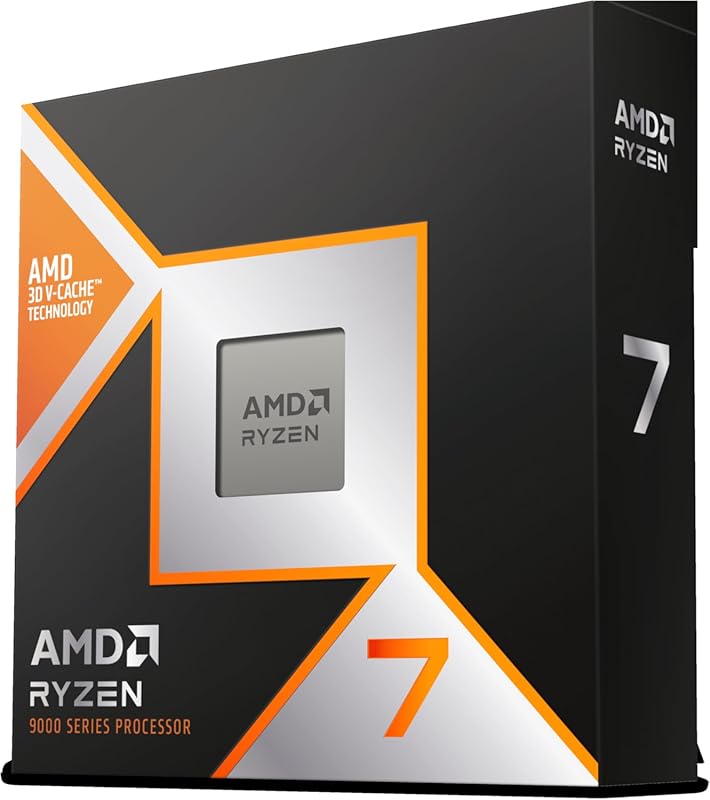
If you are serious about gaming performance, your hardware also matters. Understanding what your current setup can handle helps you decide on upgrades. For example, checking what GPU is the Ryzen 7 5700G equivalent to can help you assess whether your system is holding you back from smooth gameplay.
What Can You NOT Do With 7 Mbps?
Knowing what does not work at 7 Mbps is just as important. Here are the activities that will frustrate you on this speed.
HD and 4K streaming will buffer constantly. Even a single 1080p stream can max out your connection during busy hours. Large file downloads like game installations or software updates take a very long time. A 50 GB game download could take over 15 hours at 7 Mbps.
Multiple simultaneous users will struggle. If three people are streaming HD video while one person plays an online game, everyone suffers. Cloud backups and uploads are painfully slow because upload speeds are typically much lower on 7 Mbps plans. Video conferencing with screen sharing on top of regular calls also becomes unreliable.
Smart home devices that rely on constant cloud connectivity may experience delays. Security cameras that upload footage in real time will lag or drop frames. All of these factors point to 7 Mbps being a plan best suited for light users or single-person households.
How to Get the Most Out of Your 7 Mbps Connection
You cannot change your plan speed instantly, but you can optimize what you have. Here are practical steps to improve your experience.
Run a Speed Test Regularly
Use a free speed test tool to check your actual speeds. Your ISP might not always deliver the full 7 Mbps you are paying for. Speed tests help you identify if the problem is with your plan or your setup. Run the test at different times of day to see if speeds drop during peak hours.
Optimize Your Wi-Fi Setup
Place your router in a central location in your home. Walls, furniture, and appliances can weaken your Wi-Fi signal. Keep the router elevated and away from thick walls or metal objects. If your router is old, consider upgrading to a newer model that supports the latest Wi-Fi standards.
Use an Ethernet Cable When Possible
A wired connection is always faster and more stable than Wi-Fi. If you are doing something important like a video call or a game, plug in directly. Ethernet eliminates wireless interference and reduces latency significantly.
Limit Background Activity
Many apps use bandwidth in the background without you knowing. Cloud sync services, automatic updates, and streaming apps all consume data. Close unnecessary tabs and pause downloads when you need the full speed for something important.
Set Up Quality of Service (QoS)
QoS settings on your router let you prioritize certain devices or activities. You can tell your router to give more bandwidth to your work laptop during video calls or to your gaming console during playtime. This is a simple but effective way to manage limited bandwidth.
Is 7 Mbps Enough for Your Household?
The answer depends on how many people live in your home and what they do online. A single person who browses the web, checks email, and streams SD video will be perfectly fine. A couple who both work from home with regular video calls can manage with some care.
Families with multiple kids who game, stream, and do homework online will find 7 Mbps painfully slow. Each additional device and user cuts into your available bandwidth. The table below shows how many users and devices 7 Mbps can reasonably support.
- 1 person, 1-2 devices: Works well for browsing, email, and SD streaming.
- 2 people, 3-4 devices: Manageable but requires some coordination during peak usage.
- 3+ people, 5+ devices: Not recommended. Expect constant buffering and slow speeds.
If your household needs more speed, it may be time to explore faster internet plans. Many providers now offer plans starting at 25 Mbps or higher. The price difference is often smaller than you would expect, and the improvement in daily usage is dramatic.
Common Mistakes People Make With Slow Internet
Many users blame their ISP when the real problem is their own setup. Avoid these common mistakes to get better performance from your 7 Mbps connection.
First, people often blame slow speeds on their plan when the real culprit is an outdated router. Old routers cannot handle modern internet demands efficiently. Second, some users never restart their router. A simple reboot can fix many temporary speed issues. Third, people ignore their Wi-Fi channel congestion. If your neighbors use the same channel, your signal gets crowded and slows down.
Fourth, some users do not check for malware or background apps consuming bandwidth. A virus or malicious software can silently use your connection. Finally, many people never update their device network drivers. Outdated drivers can cause slow speeds and connection drops even on a good internet connection.
Expert Tips for Maximizing Your 7 Mbps Speed
Here are some expert-backed tips that make a real difference on slower connections. First, always restart your modem and router once a week. This clears the cache and refreshes the connection to your ISP. Second, use a DNS service like Google DNS or Cloudflare DNS. These can speed up website loading times significantly compared to your default ISP DNS.
Third, keep your browser lean. Too many extensions and open tabs consume memory and bandwidth. Fourth, consider using a browser with built-in data compression. This reduces the amount of data that needs to travel to your device, making everything feel faster on a 7 Mbps plan. Finally, schedule large downloads and updates for late at night when fewer people are using the network. This reduces congestion and helps you get closer to your full 7 Mbps speed.
Understanding your internet usage patterns helps you make smarter choices. Track what activities you do most often and adjust your habits accordingly. Small changes add up and can turn a 7 Mbps connection into a perfectly functional setup for everyday needs.
Conclusion
7 Mbps download speed is enough for light to moderate internet use. You can browse, stream SD video, make video calls, and listen to music without major issues. Heavy streaming, competitive gaming, and large downloads will test its limits. For single users or couples with basic needs, 7 Mbps works well. For larger households with heavy usage, upgrading to a faster plan is the better choice.
The key is understanding what your connection can handle and optimizing your setup to get the most out of it. Run regular speed tests, keep your equipment updated, and manage your bandwidth wisely. With the right habits, 7 Mbps can serve you reliably for everyday tasks.
Frequently Asked Questions
Can I watch Netflix on 7 Mbps?
Yes, but only in standard definition. Netflix recommends 3 Mbps for SD and 5 Mbps for HD. At 7 Mbps, you can watch SD content smoothly. HD streaming will buffer, especially if other devices are using the internet at the same time.
Is 7 Mbps good enough for work from home?
It works for basic tasks like email, document editing, and one-on-one video calls. However, if your job involves large file uploads, multiple video conferences, or cloud-based tools, 7 Mbps may feel limiting. A faster plan makes remote work much smoother.
How many devices can use 7 Mbps at once?
One to two devices can use 7 Mbps comfortably. Three or more devices will start to compete for bandwidth. Each device reduces the speed available to others. For the best experience, limit heavy activities to one device at a time.
Can I play online games with 7 Mbps?
Casual and turn-based games work fine. Competitive fast-paced games may lag because they need low latency and stable connections. Your ping matters more than raw speed for gaming. A wired Ethernet connection helps improve gaming performance on 7 Mbps.
How can I test my actual 7 Mbps speed?
Use free tools like Speedtest.net or Fast.com. Run the test at different times of day for accurate results. If your speeds are consistently below 5 Mbps, contact your ISP to troubleshoot. Sometimes a simple router restart fixes slow speeds.
Should I upgrade from 7 Mbps to a faster plan?
If you have multiple users, stream HD content often, or do large downloads, upgrading is worth it. Plans at 25 Mbps or higher offer a much better experience for households. Compare prices from local providers to find the best value for your needs.