What Are The Advantages Disadvantages Of DVD Rs Guide
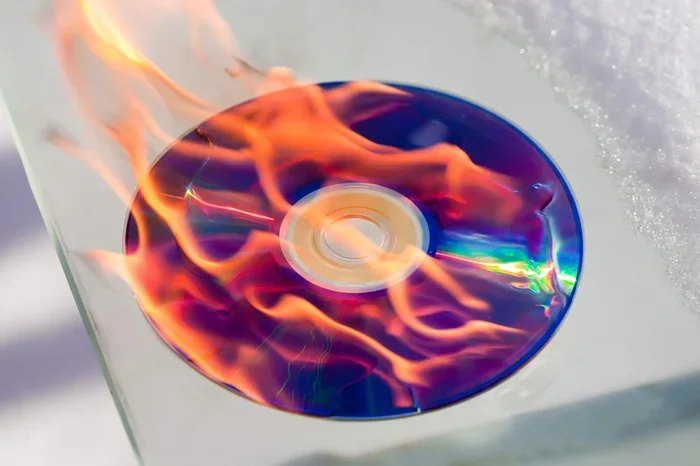
DVD-Rs remain a popular choice for data backup and media storage despite the rise of cloud computing. The advantages of DVD-Rs include wide device compatibility, low cost, and long archival life. However, the disadvantages of DVD-Rs involve limited storage space, susceptibility to scratches, and slower write speeds compared to modern alternatives.
DVD-Rs have been around for a long time. They were once the go-to way to store movies, photos, and important files. Even today, many people still use them. But what makes DVD-Rs good, and what holds them back? In this guide, we break down the advantages and disadvantages of DVD-Rs so you can decide if they still fit your needs. Whether you are backing up family photos or sharing large files, understanding the DVD-R format helps you make smart choices.
The digital versatile disc known as DVD-R is a write-once optical disc. That means you can burn data onto it just once. After that, the data stays put. You cannot erase it or add new files. This is different from a rewritable disc, which lets you delete and rewrite content. The DVD-R format was introduced in the late 1990s. It quickly became a standard for home movies, software distribution, and data backup. Even with flash drives and cloud storage available today, DVD-Rs still have a place. Let us look at why.
Key Takeaways
- DVD-Rs offer excellent compatibility: Most DVD players and drives can read DVD-R discs without issues.
- They are affordable: Blank DVD-R discs cost very little per disc, making them budget-friendly for data backup.
- Storage capacity is limited: A single-layer DVD-R holds only 4.7 GB, which is small by today’s standards.
- Disc degradation is a real concern: DVD-Rs can degrade over time if stored improperly.
- Write speeds are slow: Burning a full DVD-R takes longer than transferring files to a USB drive.
- DVD-Rs are not rewritable: Once data is written, it cannot be erased or overwritten on a standard DVD-R.
- They still serve a purpose: DVD-Rs are useful for archival storage and sharing files with older devices.
📑 Table of Contents
What Is a DVD-R?
A DVD-R is a recordable DVD that uses a organic dye layer to store data. When you burn a DVD-R, a laser changes the dye layer to create marks that represent ones and zeros. This is how data gets stored on the disc. A standard single layer DVD-R holds 4.7 GB of data. A dual layer DVD-R can store up to 8.5 GB. The dual layer version uses a semi-transparent reflective layer to pack in more data.
DVD-Rs are read by most DVD players and DVD drives. This broad DVD compatibility is one of their biggest strengths. You can pop a DVD-R into a standalone DVD player, a computer DVD drive, or a game console. As long as the device supports DVD playback, it should work. The disc format is simple and well established. That is why many people still choose DVD-Rs for certain tasks.
Advantages of DVD-Rs
Wide Compatibility with Devices
The advantages of DVD-Rs start with compatibility. Almost any DVD player can read a DVD-R disc. This includes old DVD players, new ones, laptop drives, and desktop computers. You do not need special software or hardware to play a DVD-R. Just put it in and press play. This makes DVD-Rs great for sharing movies or slideshows with family members who may not be tech savvy.
Unlike some newer formats that require specific players, DVD-Rs work almost everywhere. If you have ever tried to play a file from a USB drive on a TV and it did not work, you know the frustration. DVD-Rs avoid that problem. They are a universal format. This is especially helpful when you want to share content with people who have older technology.
Affordable Storage Option
Blank DVD-R discs are very cheap. You can buy a spindle of 100 blank DVD-Rs for under twenty dollars. That works out to less than twenty cents per disc. Compare that to the cost of USB drives or external hard drives. For large batches of data, DVD-Rs are hard to beat on price.
If you need to back up a lot of files and do not want to spend much money, DVD-Rs are a smart choice. They are especially useful for schools, small businesses, and families on a budget. The low cost of blank discs means you can make as many copies as you need without breaking the bank.
Great for Archival Storage
One of the biggest advantages of DVD-Rs is their suitability for archival storage. When stored properly, a DVD-R can last for decades. The data on a DVD-R does not fade quickly if you keep the disc in a cool, dry place away from direct sunlight. This makes DVD-Rs a good option for preserving family videos, important documents, and irreplaceable photos.
Many people use DVD-Rs for data backup of files they rarely need but cannot afford to lose. Think of wedding videos, baby photos, and old projects. These are the kinds of files you want to keep safe for years. A DVD-R stored in a protective case can do that job well. The disc longevity of DVD-Rs is one reason they have survived so long in the tech world.
Simple and Easy to Use
Burning a DVD-R is straightforward. Most computers come with built-in DVD burning software. You drag and drop your files, click burn, and wait. You do not need to be a tech expert. The process is simple enough for anyone. This ease of use is another one of the advantages of DVD-Rs that keeps them popular.
Also, DVD-Rs do not require an internet connection. You can create a disc, label it, and hand it to someone in person. No uploading, no downloading, no cloud accounts. For people who prefer physical media, this is a big plus. It is also useful in areas where internet access is slow or unreliable.
Disadvantages of DVD-Rs
Limited Storage Capacity
The biggest disadvantages of DVD-Rs is their limited storage. A single-layer DVD-R holds only 4.7 GB. The dual layer version holds 8.5 GB. In today’s world, that is not much. A single high-definition movie can take up 4 to 8 GB. A few hundred photos can fill a disc quickly. If you are trying to back up an entire hard drive, you would need many, many DVD-Rs.
Compare this to a USB flash drive that holds 64 GB or more. Or a cloud storage plan that gives you terabytes of space. The disc capacity of a DVD-R feels very small by modern standards. This limitation is the main reason many people have moved away from DVD-Rs for everyday storage.
Susceptible to Damage and Degradation
DVD-Rs are physical discs. That means they can get scratched, cracked, or warped. A deep scratch can ruin the data on the disc entirely. Even minor scratches can cause skipping or errors when playing the disc. You need to handle DVD-Rs carefully and store them in protective cases.
Beyond physical damage, disc degradation is a real concern. Over time, the dye layer on a DVD-R can break down. This process is called disc rot. It happens faster if the disc is exposed to heat, humidity, or sunlight. A DVD-R that was fine five years ago might not play today if it was stored poorly. This is a serious drawback for anyone relying on DVD-Rs for long-term archival storage.
Slow Write and Read Speeds
Burning a DVD-R takes time. Even at the fastest write speeds available, filling a 4.7 GB disc can take 15 to 30 minutes. Reading the disc is also slower than accessing files on a hard drive or SSD. In a world where we expect everything to be instant, this can feel frustrating.
If you need to back up a large amount of data quickly, DVD-Rs are not the best choice. A simple USB transfer is much faster. The write speed limitation is one of the most practical disadvantages of DVD-Rs for everyday use. You also cannot multitask while burning a disc. The computer needs to focus on the process.
Not Rewritable
A standard DVD-R is write-once. Once you burn data onto it, you cannot erase it or add more files. If you make a mistake during the burning process, you have to start over with a new disc. This is different from a DVD-RW disc, which allows you to erase and rewrite content multiple times.
The inability to rewrite is a significant limitation. If you are constantly updating files, a DVD-R is not practical. You would go through discs quickly. For this reason, many people prefer rewritable formats or digital storage solutions for ongoing projects. The DVD-R format is best suited for final versions of files that do not need to change.
Declining Player Support
While DVD-Rs are still widely compatible, the trend is moving away from optical drives. Many newer laptops do not come with a DVD drive. Some desktop computers also lack one. You may need to buy an external USB DVD drive just to read or burn discs. This adds extra cost and inconvenience.
As technology moves forward, DVD drives may become even less common. This does not mean DVD-Rs will disappear overnight. But it is worth considering whether you want to rely on a format that is slowly being phased out of newer devices. The compatibility advantage of DVD-Rs may shrink over time.
DVD-R vs DVD+R: What Is the Difference?
People often ask about the DVD-R vs DVD+R debate. Both are recordable DVD formats, but they work a bit differently. DVD-R was developed first and uses a different recording method than DVD+R. DVD+R offers slightly better compatibility with some DVD players and more accurate disc finalization.
In practice, most modern DVD players and drives can read both formats. The differences are small for everyday users. If you are just backing up files or burning movies, either format will work fine. The key is to make sure your burning software and drive support the format you choose. Both DVD-R and DVD+R share the same disadvantages when it comes to storage capacity and physical durability.
| Feature | DVD-R | DVD+R |
|---|---|---|
| Storage Capacity (Single Layer) | 4.7 GB | 4.7 GB |
| Storage Capacity (Dual Layer) | 8.5 GB | 8.5 GB |
| Compatibility | Slightly better on older players | Slightly better on newer drives |
| Recording Accuracy | Good | Better (adaptive tracking) |
| Cost | Very affordable | Similar price |
| Rewritable Option | DVD-RAM and DVD-RW | DVD+RW |
For most users, the choice between DVD-R and DVD+R comes down to personal preference. DVD-R is slightly more common and widely supported. If you are unsure which to buy, DVD-R is the safer bet. Just remember the advantages and disadvantages of DVD-Rs apply to both formats in most cases.
Common Uses for DVD-Rs Today
Even with all the modern alternatives, DVD-Rs still serve real purposes. Many people use them to create movie collections. You can burn your favorite films onto DVD-Rs and watch them on any DVD player. This is great for building a library without needing a streaming subscription.
Schools and churches often use DVD-Rs to distribute presentations, training videos, and event recordings. The low cost and wide compatibility make them ideal for these settings. If you need to share a large file with someone who does not have reliable internet, a DVD-R is a practical solution.
Photographers and videographers sometimes use DVD-Rs to deliver finished projects to clients. A burned disc is a tangible product that the client can keep. It also serves as a backup copy. The disc durability of DVD-Rs makes them suitable for this kind of delivery as long as the discs are stored properly.
Another common use is creating mix CDs and DVDs for gifts. A custom DVD with photos and videos makes a thoughtful present. The simplicity of DVD-Rs makes this process easy. You do not need advanced technical skills to put together a nice gift disc.
How to Get the Most Out of Your DVD-Rs
If you decide to use DVD-Rs, there are a few tips that can help you get the best results. First, always buy quality discs from reputable brands. Cheap, no-name discs are more prone to degradation and playback errors. The small savings are not worth the risk of losing your data.
Second, store your DVD-Rs properly. Keep them in their cases, away from heat and direct sunlight. Avoid placing them near radiators or in hot cars. A cool, dry environment will help extend the disc longevity of your DVD-Rs. This is especially important if you are using them for archival storage.
Third, label your discs clearly. Use a soft-tip marker designed for CDs and DVDs. Avoid adhesive labels that can warp the disc. A warped disc will not play properly and could damage your DVD drive. Taking a few extra seconds to label correctly saves headaches later.
Fourth, make sure your burning software is up to date. Updated software often includes better error correction and faster write speed options. This can improve the quality and reliability of your burned discs. A good burn means fewer read errors down the road.
Finally, consider making backup copies of important DVD-Rs. If the original disc degrades, having a second copy means you do not lose your data. This is especially important for irreplaceable files like family videos and old photos. The advantages of DVD-Rs for preservation only work if you take steps to protect the discs you create.
Expert Insights
Tech experts generally agree that DVD-Rs are a reliable medium for specific use cases. The key is understanding when they make sense and when they do not. For long-term archival storage of small to medium files, DVD-Rs are still a solid choice. For everyday file sharing and large backups, modern alternatives are better.
When you are creating video content for a DVD, the quality of your source material matters. Using a quality microphone during recording ensures your audio sounds clear and professional on the final disc. The audio and video quality of your DVD-R depends largely on the quality of the original files you burn.
Designing DVD labels and cases is also worth planning ahead. Creating a mockup of your DVD packaging before you print helps you catch design mistakes early. A well-designed disc looks professional and is easier to organize in a collection.
The way we weigh the pros and cons of any technology follows a similar pattern to analyzing the advantages and disadvantages of SaaS solutions. In both cases, you need to consider your specific needs, budget, and long-term goals before deciding. DVD-Rs are no different. They are a tool, and like any tool, they work best when used for the right job.
Conclusion
The advantages and disadvantages of DVD-Rs are clear. DVD-Rs offer great compatibility, low cost, and solid archival life. They are easy to use and work on almost any device. On the other hand, they have limited storage, slow speeds, and physical vulnerability. They are not rewritable, and their future in a digital-first world is uncertain.
Still, DVD-Rs are not obsolete. They serve a real purpose for many people. If you need affordable backup discs, want to share files with older devices, or are building a physical media collection, DVD-Rs are a great option. Just be aware of their limitations and store your discs properly.
The DVD-R format has survived for over two decades. That tells us something about its usefulness. As long as people need a simple, reliable way to store and share physical media, DVD-Rs will have a place. Understanding both the advantages and disadvantages of DVD-Rs helps you use them wisely and get the most value from every disc.
Frequently Asked Questions
Can I reuse a DVD-R disc?
No, a standard DVD-R is write-once. Once you burn data onto it, the data cannot be erased or overwritten. If you need a rewritable option, look for DVD-RW discs instead. These can be erased and reused multiple times.
How long do DVD-R discs last?
With proper storage, a DVD-R can last 10 to 30 years or more. Keep discs in a cool, dry place away from direct sunlight. Avoid touching the reflective surface. Using high-quality discs from reputable brands also improves longevity.
Can I play DVD-R discs on any DVD player?
Most DVD players can play DVD-R discs without any issues. DVD-R is a widely supported format. However, some very old or very new players may have compatibility issues. Always test a disc on your target device if possible.
What is the difference between DVD-R and DVD+R?
DVD-R and DVD+R use slightly different recording methods. DVD-R was developed first and has slightly better compatibility with older DVD players. DVD+R offers better recording accuracy and disc finalization. For most users, the difference is minimal and both formats work well.
Is burning a DVD-R better than using a USB drive?
It depends on your needs. USB drives offer faster speeds, more storage, and reusability. DVD-Rs are cheaper per disc and work on devices without USB ports. For long-term archival storage, DVD-Rs can be a better choice. For everyday file transfers, USB drives are more convenient.
Can I add more files to a DVD-R after burning it?
No, you cannot add files to a DVD-R after the initial burn session. The disc is finalized when you burn it. If you need to add files later, you would need to start over with a new blank disc. This is why DVD-Rs work best when you are ready to burn all your files at once.
=== CONCLUSION ===
The advantages and disadvantages of DVD-Rs balance each other out for the right user. If you value compatibility, affordability, and long-term storage, DVD-Rs are a solid choice. Just be mindful of their limited capacity and physical fragility. Store your discs well and use them for the right tasks. With the right approach, a DVD-R can serve you reliably for many years to come.