Best Ram Music Production Guide for Beginner Producers

Choosing the right RAM is one of the most important decisions for any beginner music producer. The best RAM for music production directly impacts how smoothly your DAW runs, how many plugins you can load, and how fast your project renders. This guide breaks down everything you need to know, from minimum requirements to ideal specs, so you can build or upgrade a setup that actually works for real-world music creation.
Music production has become more accessible than ever. You do not need a massive studio or a fortune in gear to create professional-sounding tracks. But there is one component that quietly makes or breaks your experience: RAM. If you have ever experienced lag, crashes, or slow loading times in your DAW, the answer might be sitting right inside your machine.
This guide is for beginner producers who want to understand best RAM music production without getting lost in technical jargon. We will walk through exactly how much RAM you need, which type to choose, and how to get the most out of your setup. Whether you are building a new PC or upgrading an existing one, this article has you covered.
Key Takeaways
- 16GB is the sweet spot: Most beginner producers will find 16GB of RAM more than enough for standard projects with multiple plugins.
- DDR4 vs DDR5 matters: DDR5 offers faster speeds and better future-proofing, but DDR4 remains reliable and budget-friendly.
- RAM speed affects audio performance: Faster RAM speeds can reduce latency and improve real-time playback in your DAW.
- More RAM is not always better: Beyond 32GB, most music producers see diminishing returns unless working with massive orchestral sample libraries.
- Upgrade before replacing your whole system: Often, simply adding more RAM can breathe new life into an older music production computer.
- Match RAM sticks in pairs: Using matched pairs of RAM sticks enables dual-channel mode, which significantly boosts performance.
📑 Table of Contents
- Why RAM Matters for Music Production
- How Much RAM Do You Really Need?
- DDR4 vs DDR5 RAM for Music Production
- RAM Speed vs RAM Capacity: What Really Matters?
- Common RAM Mistakes Beginner Producers Make
- How to Check Your Current RAM and Upgrade
- Expert Insights: What Professional Producers Recommend
- Key Takeaways
- Conclusion
Why RAM Matters for Music Production
Think of RAM as your computer’s short-term memory. When you open a music project, your DAW loads samples, plugins, and audio tracks into RAM so it can access them quickly. The more RAM you have, the more data your computer can hold at once without slowing down.
Without enough RAM, your system starts swapping data to your hard drive. This causes audio dropouts, glitchy playback, and frustrating delays. For a beginner producer, these issues can kill your creative flow faster than anything else. Understanding music production RAM basics helps you avoid these headaches before they start.
How RAM Affects Your DAW
Every digital audio workstation uses RAM differently. When you load virtual instruments, effects plugins, and audio recordings, all of that lives in your RAM while you work. Popular DAWs like Ableton Live, FL Studio, Logic Pro, and GarageBand all benefit greatly from having enough memory available.
Here is a simple way to think about it. Imagine your RAM as a desk. A small desk only fits a few papers. A bigger desk lets you spread out all your work at once. In music production, a bigger RAM desk means you can load more instruments, run more plugins, and playback more tracks simultaneously without stuttering.
If you are using a best laptop for music production, RAM becomes even more critical because laptop memory is often limited from the factory. Knowing your options helps you make the right choice from day one.
How Much RAM Do You Really Need?
The answer depends on what kind of music you produce and how complex your projects get. Let us break it down by common scenarios.
8GB RAM: The Bare Minimum
Eight gigabytes of RAM will get you started. You can run a basic DAW with a few plugins and light virtual instruments. However, 8GB fills up fast. If you try to load multiple sample libraries or run heavy effects chains, you will likely run into performance issues.
For absolute beginners exploring music production for the first time, 8GB is workable. But plan to upgrade soon. It is like buying a starter guitar. It gets the job done, but you will outgrow it quickly.
16GB RAM: The Sweet Spot for Beginners
Sixteen gigabytes is the gold standard for most beginner and intermediate producers. With 16GB, you can comfortably run your DAW alongside several plugins, sample libraries, and background applications like a web browser or video conferencing tool.
Most professional producers recommend 16GB as the starting point for anyone serious about music production. It gives you room to grow without breaking the bank. Whether you produce beats, electronic music, or record live instruments, 16GB handles the workload with ease.
32GB RAM: For Heavy Loaders
Thirty-two gigabytes is overkill for most beginners. But if you work with massive orchestral sample libraries or complex film scoring projects, 32GB becomes essential. Producers who layer dozens of virtual instruments and run resource-heavy plugins will appreciate the headroom.
You do not need 32GB right away. Start with 16GB and upgrade later when you know your workflow demands it. This approach saves money and prevents over-investing in specs you do not yet need.
DDR4 vs DDR5 RAM for Music Production
Not all RAM is created equal. The two main types you will encounter are DDR4 and DDR5. Understanding the differences helps you make a smarter purchase for your music production computer.
DDR4 RAM: Reliable and Affordable
DDR4 has been the standard for years. It is stable, widely available, and budget-friendly. For music production, DDR4 delivers excellent performance at speeds between 3200MHz and 3600MHz. Most best Windows laptop for music production models use DDR4, and it handles typical production workloads without any issues.
If you are on a tight budget or building a mid-range setup, DDR4 is the smart choice. It is proven, reliable, and gets the job done. You will not notice a meaningful difference in DAW performance compared to DDR5 for most production tasks.
DDR5 RAM: The Future-Proof Option
DDR5 is the newer generation of memory. It offers faster speeds, higher bandwidth, and improved power efficiency. For music producers who want a system that will stay relevant for years, DDR5 is worth considering.
DDR5 starts at speeds around 4800MHz and goes well beyond 6000MHz with overclocking. The faster speeds translate to quicker sample loading times and smoother real-time playback. If you are building a new system from scratch, DDR5 gives you room to grow.
However, DDR5 is still more expensive than DDR4. For a beginner just starting out, the performance gains may not justify the extra cost. Think about your budget and long-term goals before committing.
RAM Speed vs RAM Capacity: What Really Matters?
This is a common debate among music producers. Should you prioritize speed or capacity? The short answer is: capacity first, speed second.
Having enough RAM prevents crashes and dropouts. A system with 16GB of DDR4 at 3200MHz will outperform a system with 8GB of DDR5 at 4800MHz for most production tasks. More capacity gives your DAW the room it needs to load everything smoothly.
That said, speed does matter for certain tasks. Faster RAM reduces latency, which is critical when you are recording live instruments or playing virtual keyboards in real time. For most producers, aiming for 3200MHz to 3600MHz in DDR4 or 5200MHz to 6000MHz in DDR5 hits the sweet spot.
Quick Tips for Optimizing RAM Performance
- Use matched pairs: Install two RAM sticks instead of one for dual-channel mode. This doubles the data bandwidth and improves performance.
- Close unnecessary programs: Before recording or mixing, close browsers and background apps to free up RAM for your DAW.
- Check your RAM usage: Use Task Manager (Windows) or Activity Monitor (Mac) to see how much RAM your projects actually consume.
- Upgrade incrementally: Start with 16GB and add more later. Most motherboards support up to 32GB or 64GB, giving you flexibility.
Common RAM Mistakes Beginner Producers Make
Even with the best intentions, new producers often make mistakes with RAM that hurt their workflow. Here are the most common ones and how to avoid them.
Buying Too Little RAM
The biggest mistake is starting with 4GB or 8GB and expecting smooth performance. Modern DAWs and sample libraries are demanding. You will fight your computer every step of the way. Always aim for at least 16GB if your budget allows.
Mixing Different RAM Sticks
Using mismatched RAM sticks can cause instability and reduce performance. Different speeds, sizes, or brands may work together, but they often default to the slowest stick’s speed. Buy a matched kit of two or four sticks for the best results.
Ignoring RAM Speed
Capacity is important, but speed should not be ignored entirely. Slower RAM can bottleneck your system, especially during intensive sessions with many plugins running. Check the speed rating and aim for at least 3200MHz for DDR4 or 5200MHz for DDR5.
Skipping RAM When Upgrading
Many producers upgrade their GPU or CPU but forget about RAM. If your system is struggling, adding RAM is often the cheapest and most effective upgrade. Before buying a new best laptop for making music, check whether a RAM upgrade would solve your problem first.
How to Check Your Current RAM and Upgrade
Not sure how much RAM your computer currently has? Checking is easy and takes just a minute.
On Windows, press Ctrl + Shift + Esc to open Task Manager. Click the Performance tab and look for Memory. You will see your total RAM, speed, and how much is currently in use.
On Mac, click the Apple menu and select About This Mac. You will see your RAM capacity right on the overview screen.
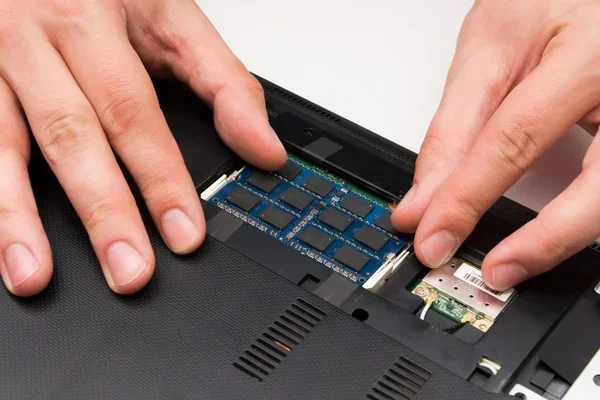
Upgrading RAM on a Laptop
Some laptops allow RAM upgrades while others have soldered memory. Before purchasing a laptop for music production, check whether the RAM is user-replaceable. If it is, you can start with 8GB and upgrade to 16GB or 32GB later. This is a great strategy for beginners who want to save money upfront.
For those looking at pre-built options, consider a system with upgradeable RAM slots. This gives you flexibility as your production needs grow. A PC requirements for music production guide can help you determine the right specs for your budget and goals.
Upgrading RAM on a Desktop
Desktop computers are much easier to upgrade. Most modern motherboards have two or four RAM slots. Simply purchase compatible sticks, open the case, and install them. Always check your motherboard’s compatibility list before buying new RAM.
Remember to match the RAM type (DDR4 or DDR5), speed, and voltage. Mixing incompatible RAM can cause boot failures or system instability. When in doubt, buy a kit of two or four matched sticks from the same manufacturer.
Expert Insights: What Professional Producers Recommend
We asked experienced producers about their RAM setups and advice for beginners. Here is what they had to say.
Most professionals agree that 16GB is the minimum for serious work. Many use 32GB or more, especially when working with large orchestral templates or film scoring projects. The consensus is clear: invest in enough RAM so you never have to worry about performance during a creative session.
One producer shared this insight: “I learned the hard way that cutting corners on RAM kills your creativity. When your system lags during a flow state, you lose the moment. Now I always ensure at least 16GB, and I upgrade before I feel the need.”
Another tip from the pros: do not obsess over the latest RAM technology. DDR4 at 3600MHz works beautifully for music production. The difference between DDR4 and DDR5 is noticeable but not game-changing for most producers. Focus on having enough capacity first.
Key Takeaways
- 16GB is the sweet spot: Most beginner producers will find 16GB of RAM more than enough for standard projects with multiple plugins.
- DDR4 vs DDR5 matters: DDR5 offers faster speeds and better future-proofing, but DDR4 remains reliable and budget-friendly.
- RAM speed affects audio performance: Faster RAM speeds can reduce latency and improve real-time playback in your DAW.
- More RAM is not always better: Beyond 32GB, most music producers see diminishing returns unless working with massive orchestral sample libraries.
- Upgrade before replacing your whole system: Often, simply adding more RAM can breathe new life into an older music production computer.
- Match RAM sticks in pairs: Using matched pairs of RAM sticks enables dual-channel mode, which significantly boosts performance.
Conclusion
Finding the best RAM for music production does not have to be overwhelming. The key is understanding your needs and choosing accordingly. For most beginner producers, 16GB of DDR4 or DDR5 RAM at a speed of 3200MHz or higher provides the perfect balance of performance and value.
Start with enough capacity to handle your current projects. Plan for upgrades as your skills and ambitions grow. And remember, RAM is just one piece of the puzzle. Pair it with a solid CPU, a fast SSD, and a good audio interface to build a setup that truly supports your creativity.
Take action today. Check your current RAM, research your options, and make an informed choice. Your future self, sitting in a session with zero lag and unlimited creative flow, will thank you.
Frequently Asked Questions
Is 8GB RAM enough for music production?
Eight gigabytes can work for very basic projects with minimal plugins. However, most modern DAWs and sample libraries demand more. For a comfortable experience, 16GB is the recommended minimum for any beginner producer who wants room to grow.
Can I mix DDR4 and DDR5 RAM?
No. DDR4 and DDR5 are physically different and not compatible with the same motherboard. You must choose one type and stick with it. Always check your motherboard or laptop specifications before purchasing RAM.
Does RAM speed really affect music production?
Yes, but the impact is smaller than capacity. Faster RAM reduces latency and improves sample loading times. However, having enough capacity (at least 16GB) matters far more than chasing the highest speed rating for most producers.
How do I know if my RAM is causing DAW issues?
If you experience audio dropouts, high CPU usage even during simple tasks, or slow project loading times, low RAM is often the culprit. Open your system monitor to check RAM usage during a session. If you are consistently above 85% usage, an upgrade will help.
Should I buy RAM in a kit or separately?
Always buy a matched kit of two or four sticks. Kits are tested together for compatibility and enable dual-channel mode, which significantly boosts memory bandwidth. Buying sticks separately risks mismatched speeds and potential instability.
Can upgrading RAM improve my music production workflow?
Absolutely. Upgrading RAM is one of the most cost-effective ways to improve DAW performance. If your system currently has 8GB and you upgrade to 16GB, you will likely notice smoother playback, fewer crashes, and the ability to load more plugins and samples simultaneously.